I
1
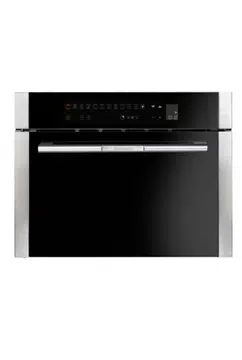
BCS455TS 46 cm
Combi steam oven with
grill
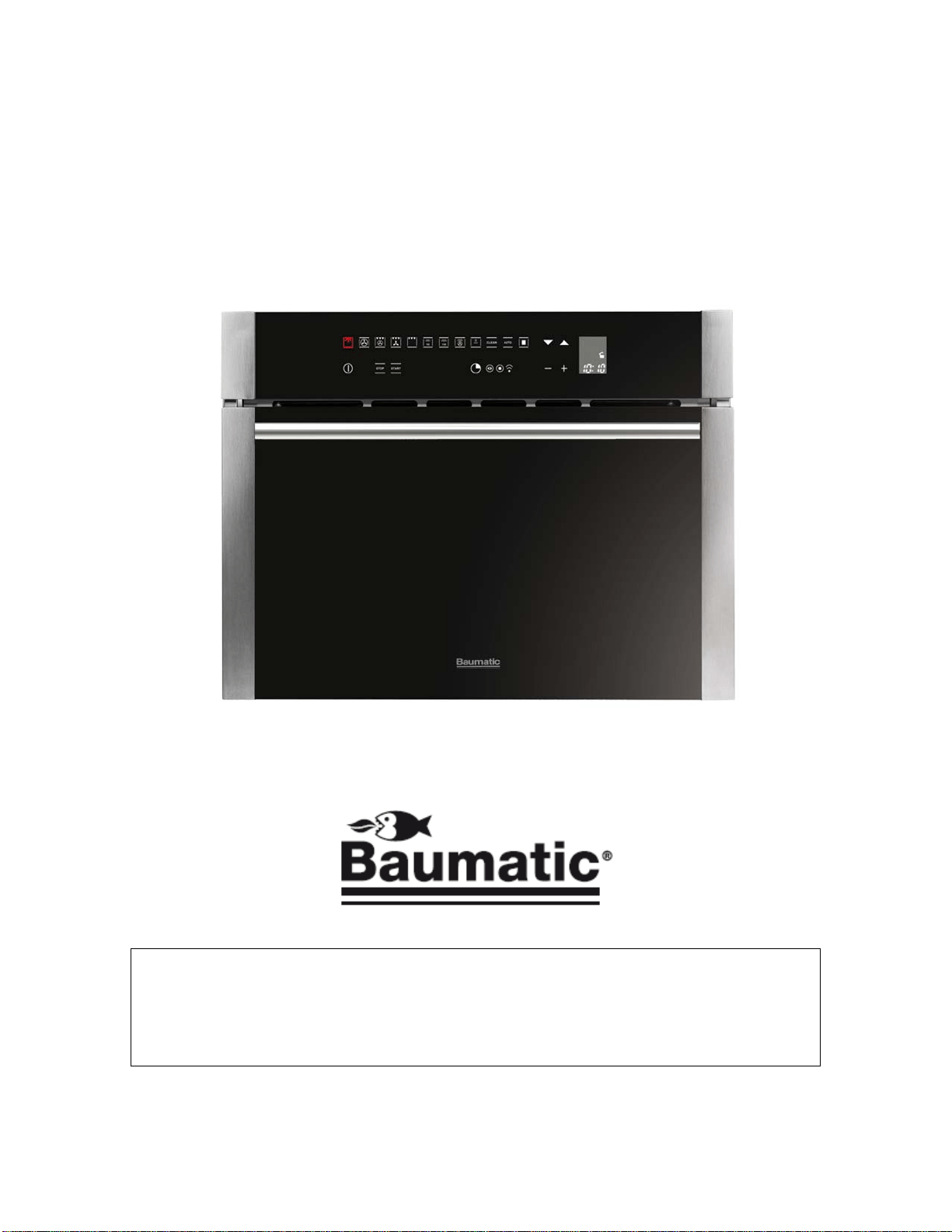
User Manual for your Baumatic
BCS455TS
46 cm High compact combi
steam oven with grill
NOTE: This User Instruction Manual contains important
information, including safety & installation points, which will
enable you to get the most out of your appliance. Please keep it
in a safe place so that it is easily available for future reference; for
you or any person not familiar with the operation of the appliance.
GS 05/09/12
2

3
Contents
Environmental note 4
Important safety information 5 – 7
Specifications 8 – 11
Product and aperture dimensions 8
Cooling fan 8
Product specifications 8 - 9
Standard accessories 9
Electrical details 9
Control panel 10 -11
Using your oven 11 -21
Before first use 11
Initial start up and setting the operating language 12
Demonstration mode 12
Setting the time of day 12
Turning on the appliance 13
The oven light 13
The safety lock 13 -14
Setting the minute minder 14
Setting the cooking time function 15
Setting the end of cooking time function 15 -16
Setting the start and end of cooking time function 16 -17
Cancelling a timer function 17
Oven functions 17 -18
Selecting a cooking function and temperature 18 -19
Residual heat 19
Cooking guidelines 19 -20
Warnings 20 -21
Steam cooking 21 -26
Steam cooking guidelines 21
Steam cooking at 100°C 21
Steam cooking at 130°C (reheating) 22
230°C professional cooking 22 -23
Steam puff 23
Steam cooking 24
Pause function 25
Accessories 25 -26
Auto-recipes 26 -29
Selecting a preset or saved personal recipe 26 -28
Saving a personal recipe 28
Deleting personal recipes 28 -29
Cleaning and maintenance 29 -35
Oven cavity cleaning cycle 30 -31
Steam circuit cleaning cycle 31 -32
Replacing the oven bulb 33
Removing the oven door for cleaning 34 -35
Installation 35 -38
Electrical connection 35 -36
Installing the oven into the kitchen cabinet 36
Positioning the appliance 36
Ventilation requirements 37
Installing the drip catcher 38
My appliance isn’t working correctly 39 -40
Baumatic consumables 41
Contact details 42
Environmental note
o The packaging materials that Baumatic uses are environmentally
friendly and can be recycled.
all packaging material with due regard for the
environment.
o Please discard
4

5
IMPORTANT SAFETY INFORMATION
Your safety is of the utmost importance to Baumatic.
Please make sure that you read this instruction booklet
before attempting to install or use the appliance. If you
are unsure of any of the information contained in this
booklet, please contact the Baumatic Customer Care
epartment.
eneral Information
in a location
ambient temperature
scolouration at
han 4mm to the appliance, will be the
ormation given in the installation instructions
t of Baumatic Ltd.
Guarantee. The foregoing does not
affect your statutory rights.
atic Service
Engineers or their authorised service agent.
D
G
o This appliance is designed for domestic household use and can
be built into a standard kitchen cabinet or housing unit.
o IMPORTANT: You must not install the appliance
where the ambient temperature will fall below 5°C.
o IMPORTANT: The adjacent furniture or housing and all
materials used in the installation must be able to withstand a
minimum temperature of 85°C above the
of the room it is located in, whilst in use.
o Certain types of vinyl or laminate kitchen furniture are
particularly prone to heat damage or di
temperatures below the guidelines given above.
o Any damage caused by the appliance being installed in
contravention of this temperature limit, or by placing adjacent
cabinet materials closer t
liability of the owner.
o For use in leisure accommodation vehicles, please refer to
the appropriate inf
for this appliance.
o The use of this appliance for any other purpose or in any other
environment without the express agreemen
will invalidate any warranty or liability claim.
o Your new appliance is guaranteed against electrical or
mechanical defects, subject to certain exclusions that are noted
in Baumatic’s Conditions Of
o Repairs may only be carried out by Baum

6
arning and safety instructions
ill
become hot during use and retain heat after operation.
hild Safety
appliance and not allowed
to touch the appliance at any time.
se ensure that they are kept under close supervision
at all times.
eneral Safety
en it is open, as this can cause damage to the oven
door hinges.
o Do not leave heated oil or fat unattended, as this is a fire risk.
ly on the base of the
oven cavity, or line it with aluminium foil.
to come into contact
with areas on the appliance that get hot.
e appliance to heat the room it is located in or to
dry clothing.
o Do not install the appliance next to curtains or soft furnishings.
e appliance
or result in injury to the person lifting the appliance.
leaning
o Cleaning of the oven should be carried out on a regular basis.
using this appliance and when
following the cleaning procedure.
W
o This appliance complies with all current European safety
legislation. Baumatic do wish to emphasise that this compliance
does not remove the fact that the appliance surfaces w
C
o Baumatic strongly recommend that babies and young children
are prevented from being near to the
o If it is necessary for younger family members to be in the
kitchen, plea
G
o Do not place heavy objects on the oven door or lean on the
oven door wh
o Do not place pans or baking trays direct
o Do not allow electrical fittings or cables
o Do not use th
o Do not attempt to lift or move cooking appliances by using the
oven door or handle, as this may cause damage to th
C
o Great care should be taken whilst

7
o IMPORTANT: The appliance must be disconnected from the
fore following the cleaning procedure.
stalled by a
uitably qualified person, strictly in accordance
ith the manufacturer’s instructions.
sibility for injury or
damage, to person or property, as a result of improper
ventilated. If the appliance is going to be used for
prolonged periods of time, then additional ventilation may be
o Please consult with your qualified installer if you are in any doubt
ntilation that you will require.
uropean Regulations:
C regarding “electromagnetic disturbances”
- Regulation (EC) N° 1935/2004 regarding “materials in contact
o The above directives comply with 93/68/EEC regarding CE
in
accordance with the standards currently in force. This appliance
must be used by a trained person for domestic purposes only.
mains be
Installation
This appliance must be correctly in
s
w
o Baumatic Ltd. declines any respon
use or installation of this appliance.
o Heat, steam and moisture will be created during use of the
appliance, take care to avoid injury and ensure that the room is
adequately
required.
about the amount of ve
Declaration of conformity
This appliance complies with the following E
- 2006/95/EC regarding “low voltage”
- 2004/108/E
with food”
marking.
o The manufacturer declares that the oven is built using certified
materials and requires the appliance to be installed
8
Specifications
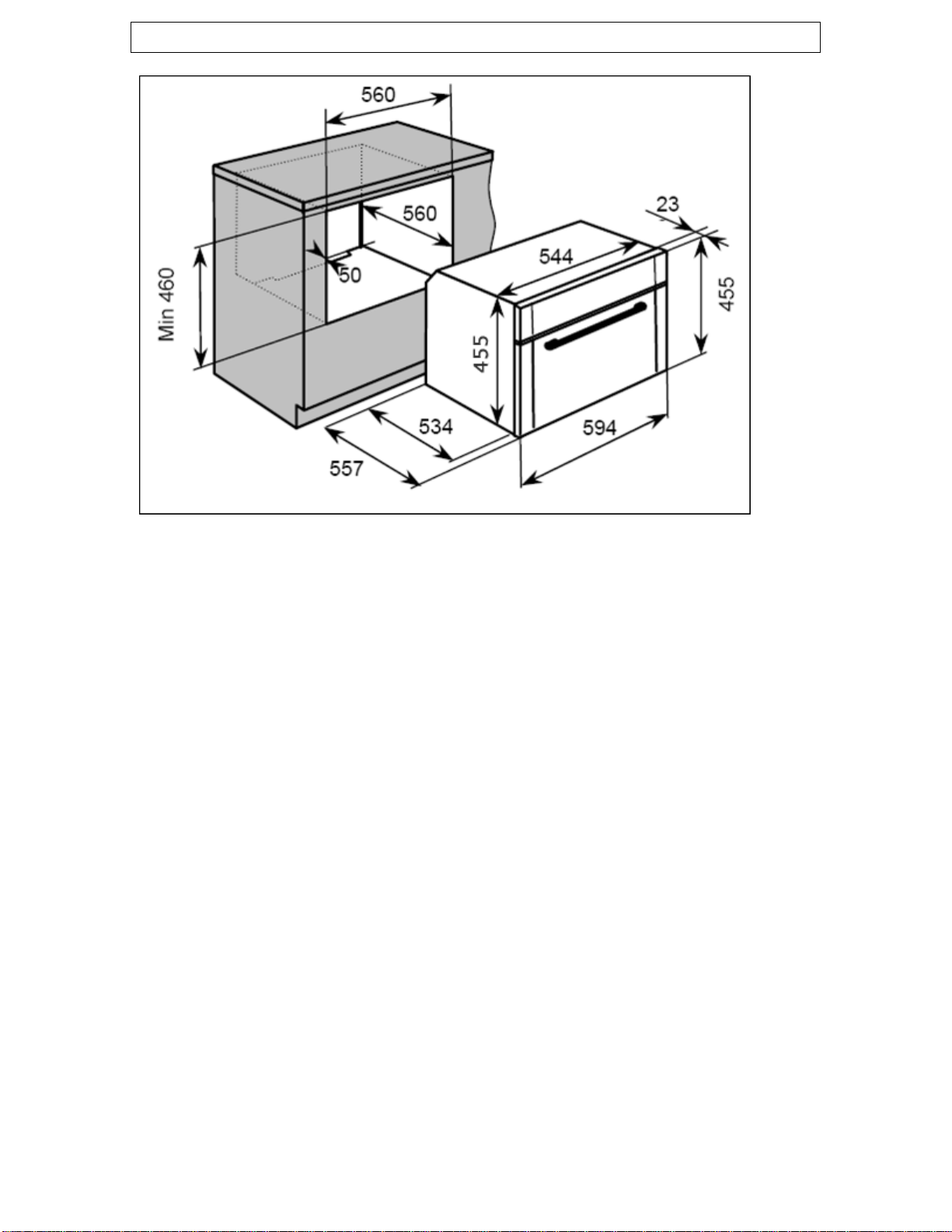
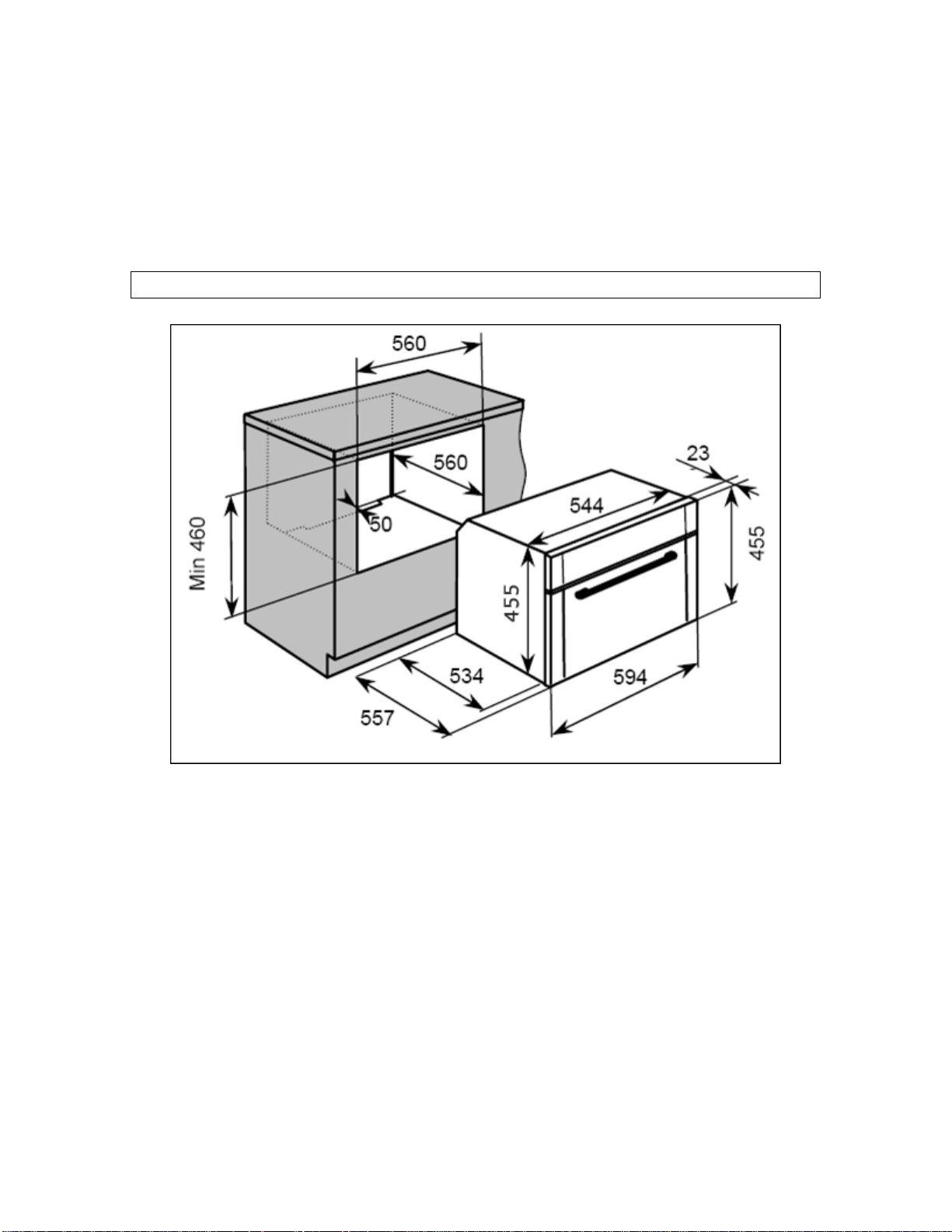
Product dimensions
Height: 455 mm
Width: 594 mm
Depth: 557 mm
Apertur imensions e d
Height: 460 mm MIN
Width: 5
Depth: 56
60 mm
0 mm
ted inside of this appliance, to make
oven stable and the external
lower.
o Net oven capacity
o 11 oven functions
Cooling fan
o A tangential cooling fan is fit
the internal temperature of the
surface temperature
Product specifications
o Energy efficiency class: A
o Gross oven capacity: 35 litres
: 34 litres
:
Light control
Fan oven
Fan oven with grill
Grill and fan

9
cooking
ssional cooking
uto-clean
cipes
display (English, German, Dutch, Italian,
nish, Polish, Russian and Danish)
al recipes
ble thermostat
o Mark resistant coating
vable door
y
with lid
o Shelf and support
litre capacity)
Rated Voltage:
b pole switched fused
outlet with 3mm contact gap
Mains Supply Lead: m²
ven Light Bulb: 25 W/ E14 300°C screw type
pygmy
Full grill
100°C steam cooking
130°C steam
230°C profe
Steam puff
A
Auto re
o Touch control operation
o LCD full programmer
o Multi language text
French, Portuguese, Spa
o 60 preset recipes
o 100 person
o Electronically controlla
o Cooling fan
o Stainless steel cavity
o Safety lock
o Triple-glazed remo
Standard accessories
o 1 x Inox baking tra
o 1 x Inox perforated deep tray
o Water tank (1
Electrical details
220 - 240 Vac 50 Hz
Supply Connection: 16 A (dou le
Max Rated Inputs: 3.20 kW
3 x 1.5m
O
10
sales invoice. The rating plate for your oven can be
cated by opening the oven door and looking on the low
ate of Purchase ……………………………….
For future reference please record the following information which can
be found on the Rating Plate and the date of purchase which can be
found on your
lo er edge of the
oven chassis.
Model Number ……………………………….
Serial Number ……………………………….
D
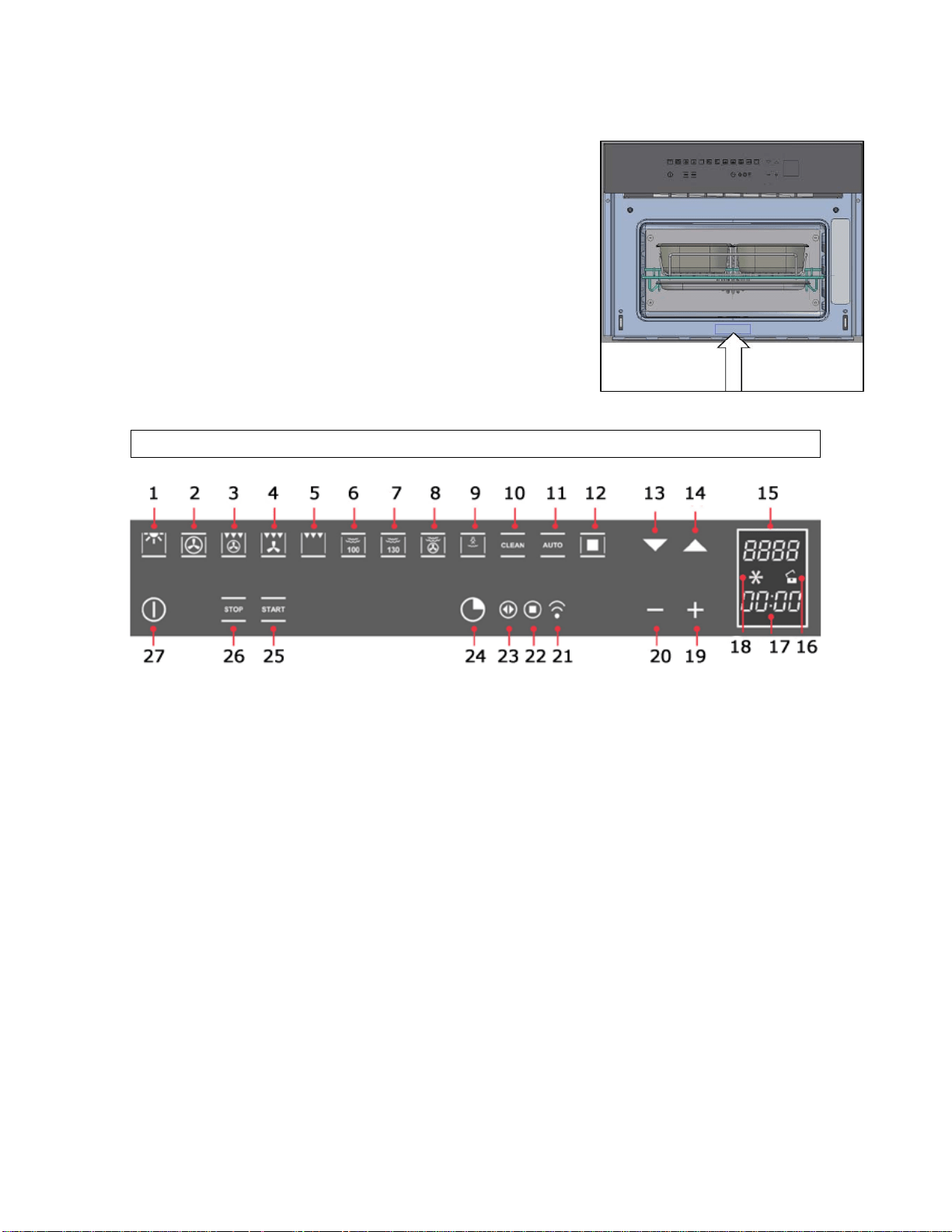
Control Panel
d grill button
utton
oking button
tton
n
isplay
y
n
1) Oven light button
2) Fan oven button
3) Fan oven an
4) Fan and grill button
5) Grill button
6) 100°C steam button
7) 130°C steam b
8) 230°C professional co
9) Steam button
10) Self-cleaning bu
11) Auto-recipes butto
12) Confirm button
13) Decrease button
14) Increase button
15) Temperature d
16) Safety lock icon
17) Timer displa
18) Countdown ico

11
symbol
symbol
26) Stop button
27) Power button
n
19) Plus button
20) Minus button
21) Minute minder symbol
22) End of cooking
23) Cooking time
24) Timer button
25) Start button
Using your ove
Before first use
o To remove any residue from the oven that may have been left
from the manufacturing process, you should select the fan oven
o It is perfectly normal for a smell to be produced during this
o You should make sure that any windows in the room are left
o It is advisable for you not to remain in the room whilst the
o You should leave the oven on maximum setting for about 30
mains supply and cleaned with warm
soapy water, using either a sponge or soft cloth. No abrasive
o You should then dry the oven cavity before connecting your
tallation instructions contained in this
booklet MUST be followed. The installation MUST be completed
by a qualified installer.
function and set it to its maximum temperature setting.
process.
open during this process.
burning off process is taking place.
minutes.
o After the oven cavity has cooled, it should then be
disconnected from the
cleaners should be used.
appliance to your mains supply.
o IMPORTANT: The ins
12
ppliance is initially connected to the power supply,
the display will light up and ask you to select the operating
nguages. You can choose
from English, German, Dutch, Italian, French, Portuguese,
o When the required language is highlighted on the display
p
for 3 seconds when the oven is not in use. You
will then be able to set the required language by following the
oven is disconnected
from the power supply, when it is switched back on the oven will
ntrol panel icons will light in turn and the display
will show the word “Demo”. The oven cannot be operated while
al operation, press and hold the oven light button
for 5 seconds. The oven will then return to normal
ting language during the initial start up
you can then proceed to set the current time of day which will
er
button for about 3 seconds. The “:” symbol will flash to
appears on
ll buttons and in a few seconds the “:”
symbol will remain steady and the time will be set.
Initial start up and setting the operating language
o When the a
language.
o Use the increase and decrease buttons to scroll
through the list of la
Spanish, Polish, Russian and Danish.
ress the confirm button to select and set it.
o To change the operating language press the oven
light button and the plus button simultaneously
steps above.
Demonstration mode
o Whenever there is a power failure or the
automatically enter demonstration mode.
o Each of the co
in this mode.
o To exit the demonstration mode and use your oven in
norm
operation.
Setting the time of day
o After setting the opera
appear on the display.
o To enter the time setting mode, press and hold the tim
indicate the oven has entered the time setting mode.
o Use the plus and minus buttons to set the current
time of day. When the correct time
the display, release a
Turning the appliance on
13
you have turned the appliance on, if no other buttons are
pressed within 1 minute, the oven automatically switches back
o Press the power button to turn the appliance off after
cooking.
The oven light can be turned on and off regardless of whether
o The oven light is switched on by pressing the oven light
for 3 minutes after the set
temperature has been reached. After this, the oven light will
utton. The light will stay on for 3 minutes before turning
back off automatically unless you turn it off manually before this
o The oven light always turns on when the oven door is opened
on until the oven door is closed.
The control panel can be locked to prevent accidental operation
The safety lock icon on the
padlock to indicate that
o To switch the appliance on press the power button.
o After
off.
The oven light
o
the oven is currently in use.
button. Press it again to turn the oven light back off.
o The oven light will turn on automatically for all of the cooking
functions during heating and then
switch off in order to save energy.
o You can turn the oven light on at any time by pressing the oven
light b
time.
and remains
The safety lock
o
of the buttons by unauthorised persons such as children.
o To activate the safety lock, press and hold the power
button for about 3 seconds.
LCD display will show a closed
the safety lock has been activated.
14
te that the safety lock has been
deactivated and the controls can now be operated.
etting the minute minder
inder and an alarm will sound when this period of time has
elapsed.
on
once. The minute minder symbol will light up.
button three times. The minute minder
symbol will light up.
bol will flash to
indicate that you can set the countdown time.
econds the “:” will remain steady and the
countdown will begin.
inder symbol will flash. Press any button to silence the
alarm.
need to switch the oven off manually,
using the power button.
o To deactivate the safety lock, press and hold the power button
for 3 seconds again. The safety lock icon on the LCD display will
show an open padlock to indica
S
You are able to set the minute minder, regardless of whether an oven
function has been selected. You can set a period of time using the
minute m
o To enter the minute minder setting mode when
the oven is not in use, press the timer butt
o To enter the minute minder setting mode when the oven is in
use, press the timer
o The display will show “00:00” and the “:” sym
o Use the plus and minus buttons to program the
countdown time required. When the timer display
shows the correct countdown time release all
buttons and in a few s
o After the set time has passed the alarm will sound and the
minute m
o Important: If you have an oven function in progress,
the oven will continue to heat when the audible signal
sounds you will

15
etting the cooking time function
ll no longer continue to
heat, once the countdown period has elapsed.
ion and temperature. The
cooking time symbol will light up.
symbol will flash to
indicate that you can set the cooking time.
ill remain steady and the cooking
time will start to count down.
”. Press any button to silence the alarm
or open the oven door.
ssed, the oven will switch off
automatically after 1 minute.
etting the end of cooking time function
fter,
ou select the time of day that you wish the oven to switch off at.
nction and temperature. The
end of cooking symbol will light up.
ol
will flash to indicate that you can set the end of cooking time.
nds the “:” will remain
steady and the cooking time will begin.
S
This function will allow you to set a countdown time similar to the
minute minder function. However the oven wi
o To enter the cooking time setting mode press
the timer button once after you have chosen
your oven funct
o The display will show “00:00” and the “:”
o Use the plus and minus buttons to program the
cooking time required. When the timer display
shows the correct cooking time release all buttons
and in a few seconds the “:” w
o After the set time has passed the alarm will sound and the oven
will stop heating. The display will show the words “Program
finished remove the dish
o If no other buttons are pre
S
This function is similar to the cooking time function, however instead
of selecting a period of time that you wish the oven to switch off a
y
o To enter the end of cooking time setting mode
press the timer button twice after you have
chosen your oven fu
o The display will show the current time of day and the “:” symb
o Use the plus and minus buttons to program the
time of day you wish for cooking to stop at. When
the display shows the correct end of cooking time
release all buttons and in a few seco
16
display will show the
words “Program finished remove the dish”. Press any button to
o If no other buttons are pressed, the oven will switch off
his function will allow you to set a time in the future that the oven
Prepare the food that you wish cook and place it in the oven. Set
cooking time setting mode press
the timer button once. The cooking time symbol
o The display will show “00:00” and the “:” symbol will flash to
o Use the plus and minus buttons to program the
the timer button
again to enter the end of cooking time setting
e previously set to the current time of day. The
“:” symbol will flash to indicate that you can adjust the end of
ct end of cooking time release all buttons and in a few
seconds the “:” will remain steady and the timer function will be
time it needs to switch on at
based on the cooking time you have set and the end of cooking
display will show the
o When the programmed time of day is reached the alarm will
sound and the oven will stop heating. The
silence the alarm or open the oven door.
automatically after 1 minute.
Setting the start and end of cooking time function
T
switches on at and a time that the oven will switch off at.
o
the required cooking function and temperature.
o To enter the
will light up.
indic
ate that you can set the cooking time.
cooking time required.
o When the timer display shows the correct
cooking time immediately press
mode. The end of cooking symbol will light up.
o The display will show a proposed end of cooking time by adding
the cooking tim
cooking time.
o Use the plus and minus buttons to program the time of day that
you wish for cooking to stop at. When the display shows the
corre
set.
o The oven will go into standby mode and the oven light will turn
off. The oven will calculate what
time that you have programmed.
o When the programmed time of day is reached the alarm will
sound and the oven will stop heating. The
17
words “Program finished remove the dish”. Press any button to
o If no other buttons are pressed, the oven will switch off
ute.
ancel a timer function at any time, simply adjust
the countdown time to “00:00” or turn the oven off using the
n.
p
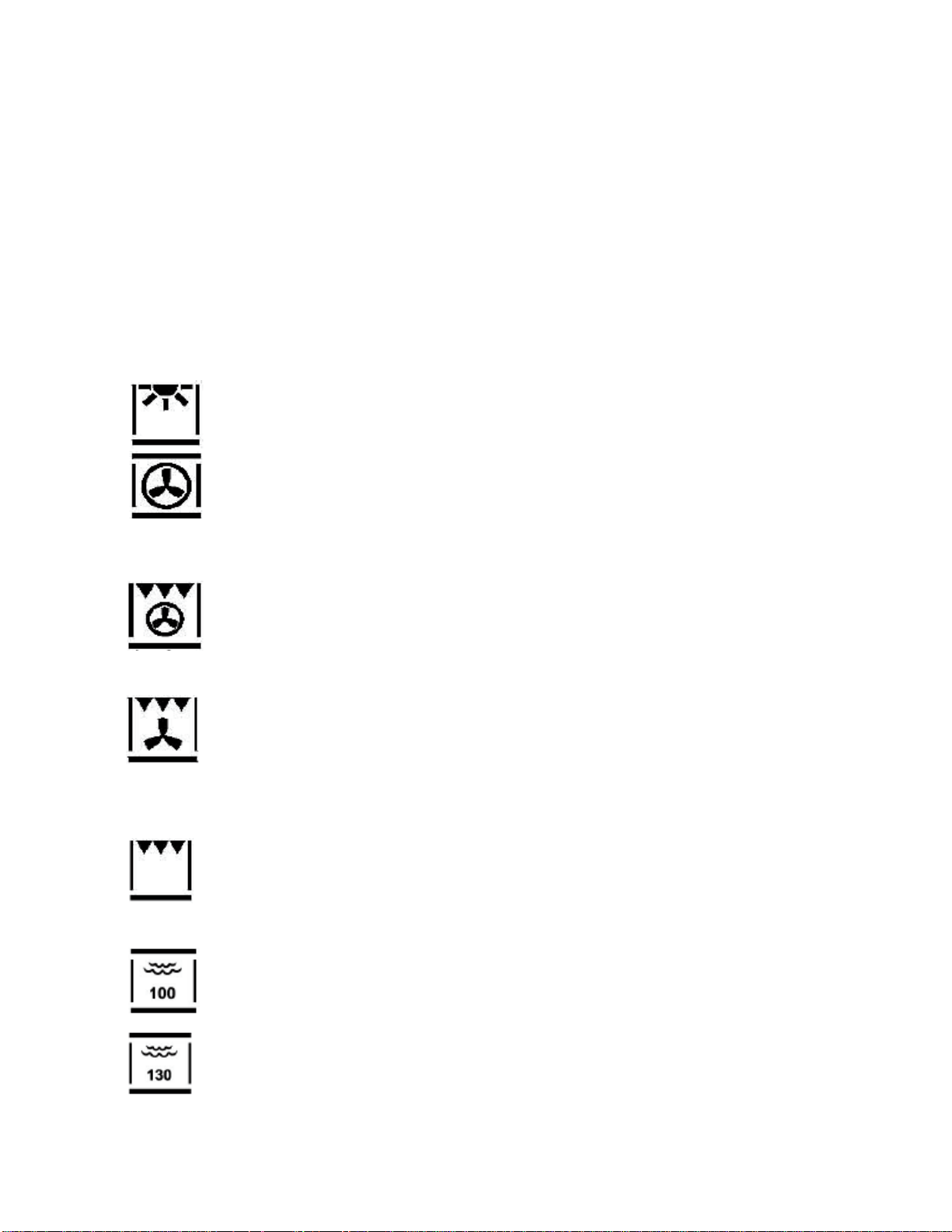
VEN LIGHT: Separate light control which allows the light to
allows
food to be cooked simultaneously on different shelves, preventing the
i
ment and fan,
hich helps to provide a fast cooking process. This function is
e
e a
table where quick
browning is required and “sealing” the juices in, such as
ts heat downwards
nto the food. This function is suitable for grilling medium or
o
TEAM COOKING AT 100°C: This method of cooking steam
cooks food at a set temperature of 100°C.
cooking steam cooks food at a temperature between 105-
30°C. It is particularly suitable for reheating prepared dishes.
silence the alarm or open the oven door.
automatically after 1 min
Cancelling a timer function
o If you wish to c
power butto
Oven functions
The ap liance is supplied with 11 cooking functions:
O
be switched on, even when the oven is switched off.
FAN OVEN: This method of cooking uses the circular element
while the heat is distributed by the fan. This results in a faster
and more economical cooking process. The fan oven
transm ssion of smells and tastes from one dish onto another.
FAN OVEN AND GRILL: This method of cooking utilises the
top element in conjunction with the circular ele
w
suitabl where quick cooking and browning is required.
FAN AND GRILL: This method of cooking utilises the top
element in conjunction with the fan, which helps to provid
quick circulation of heat. This function is sui
steaks, hamburgers, some vegetables etc.
FULL GRILL: This method of cooking utilises the inner and
outer parts of the top element, which direc
o
large p rtions of sausages, bacon, steaks, fish etc.
S
STEAM COOKING AT 130°C (REHEATING): This method of
1
18
al cooking process by initially steaming
e food before cooking it using the fan oven.
to manually inject
steam into the oven cavity during cooking.
erator clean in order to
aintain the efficiency of the oven.
cipes and 100 personal recipes for quick and efficient
cooking.
guide to cooking particular food types please refer to the
ble below:
BREA KES SA S
230°C PROFESSIONAL COOKING: This method of cooking
carries out a profession
th
STEAM PUFF: This function is used in conjunction with the
traditional cooking modes and allows you
AUTO-CLEAN: This function allows you to choose between an
oven clean or a circuit steam gen
m
AUTO-RECIPES: This function allows you access to the 60
preset re
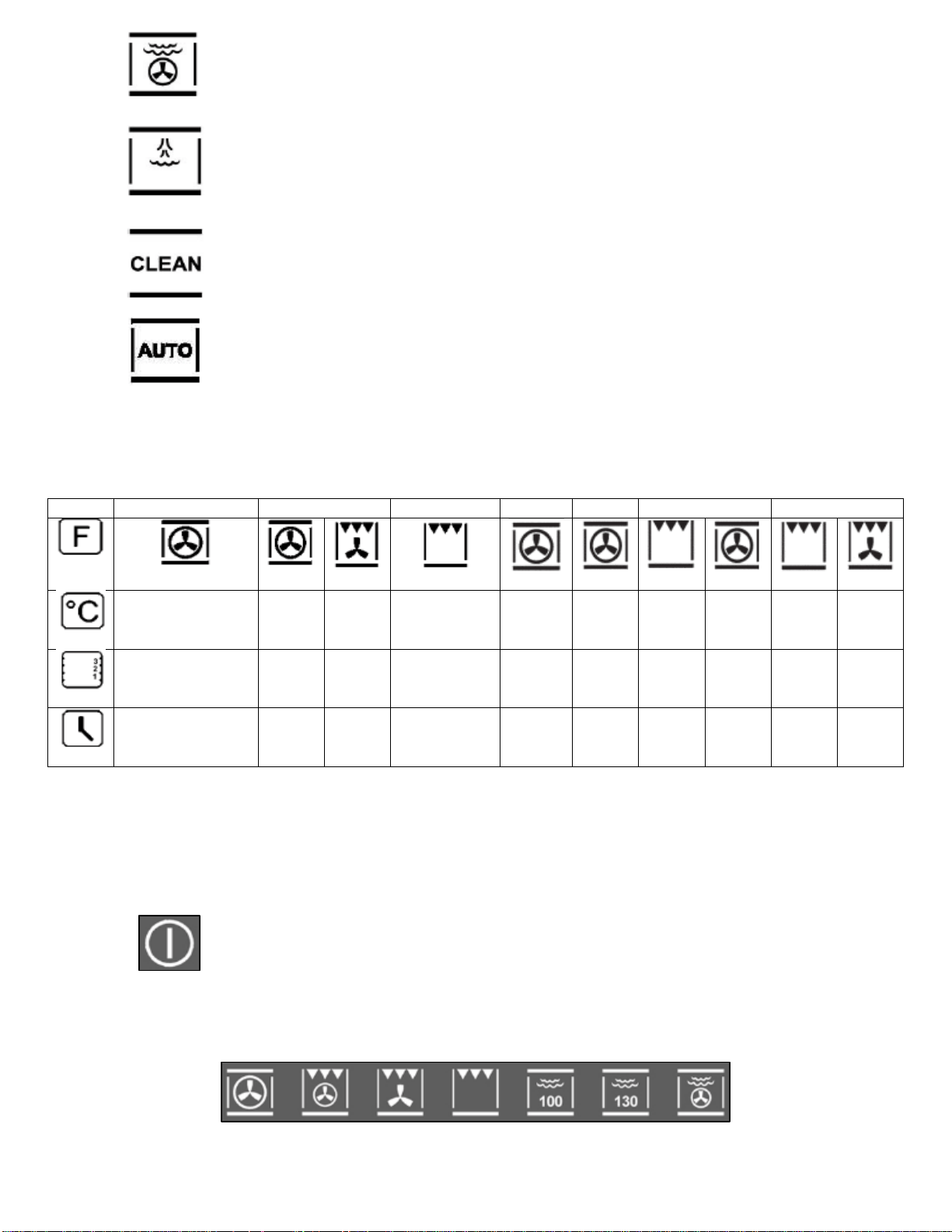
For a general
ta
D/CA FISH USAGE
BEEF PORK
CHICKEN VEGETABLES
140 – 160 1
180
190 MAX 1
180
160 –
190
200 –
220
190
210
190
60 – 60 – 175 – 190 – 170 –
2 2 – 3 2 – 3 2 – 3 2 2 2 – 3 2 2 3
10 – 40 mins 4
mins mins
14 – 18
mins
120 –
mins mins mins mins
mins
mins
5 –
60
60 –
70 160
90 –
120
50 –
60
60 –
70
40 –
50
40 –
50
IMPORTANT: This table should be viewed as a guide only.
Cooking times and temperatures may vary depending on the
eight and type of food as well as personal preference.
Selecting a cooking function and temperature
food you wish to cook into the oven and close the door.
function by pressing the relevant button on the
control panel.
w
o Turn the appliance on using the power button. Place the
o Select a cooking

o When you have chosen a cooking function, the
temperature display will show a suggested
temperature. You can change the temperature
using the increase and decrease buttons (except when using
the 100°C steam cooking function).
o The temperature is variable between the 50°C and MAX settings
or between 105°C and 130°C for the 130°C steam cooking
function.
o When the display is showing your desired cooking temperature
release all buttons and after a few seconds the new temperature
will be set.
o During the heating process, the centigrade symbol (°C) will flash
to indicate that it is heating up to the selected temperature.
When the temperature is reached the oven will beep and the
centigrade symbol will remain steady.
o When you have finished cooking you can turn the appliance off
by pressing the power button.
Residual heat
o After you have finished cooking and have turned the oven off,
the display will show the cavity temperature until it drops below
50°C.
o This is a safety feature to prevent accidental burns from the hot
parts of the oven after cooking.
Cooking guidelines
o Please refer to the information given on food packaging for
guidance on cooking temperatures and times. Once familiar with
the performance of your appliance, temperatures and times can
be varied to suit personal preference.
o If you are using the fan oven function, then you should follow
the information given on the food packaging for this particular
mode of cooking.
o You should pre-heat the oven and not place food inside of it until
the centigrade symbol stops flashing. You can choose not to pre-
heat when using the fan oven mode; however you should extend
the cooking time given on the food packaging by at least ten
minutes.
19

20
o IMPORTANT: You should pre-heat the oven if you are baking no
matter what oven function you are using.
o If there is no guidance given on the food packaging specifically
for cooking in fan oven mode, you can generally reduce the
cooking time and temperature by 10% from the information
given for conventional oven cooking.
o Make sure that frozen foods are thoroughly thawed before
cooking, unless the instructions on the food packaging advise
that you can “cook from frozen”.
o Before cooking, check that any accessories that are not required
are removed from the oven.
o Place cooking trays in the centre of the oven and leave gaps
between the trays to allow air to circulate.
o Try to open the door as little as possible to view the dishes.
Warnings
o IMPORTANT: IF YOU ARE NOT USING THE STEAM PUFF
FUNCTION FOR COOKING YOU MUST REMOVE THE WATER
JUG FROM THE OVEN BEFORE COOKING.
o Keep the oven door closed when using any of the cooking
functions, including the grill functions.
o Do not use aluminium foil to cover the grill pan or heat items
wrapped in aluminium foil under the grill. The high reflectivity of
the foil could potentially damage the grill element.
o You should also never line the base of your oven with aluminium
foil.
o During cooking, never place pans or cookware directly onto the
bottom of your oven. They should always be placed on the
shelves provided.
o The grill heating element and other internal components of the
oven become extremely hot during operation, avoid touching
them inadvertently when handling the food which you are
grilling.
o Important: Be careful when opening the door, to avoid contact
with hot parts of the oven and steam.

o Warning: Accessible parts may become hot during use. Young
children should be kept well away from the oven when it is in
use.
Steam cooking
Steam cooking guidelines
o When using a steam cooking function always start with the oven
cold. If you use a steam function immediately after traditional
cooking when the oven is still hot, this is considerably decrease
the benefits of steam cooking.
o When steam cooking, always try to use the perforated tray
together with the drip tray. The perforated tray allows the steam
to fully cook the food while draining all the cooking juices
through the holes.
o The drip tray should be inserted on a lower shelf level to the
perforated tray to collect all of the dripping cooking juices and
therefore keep the oven cavity cleaner.
o IMPORTANT: After you have finished steam cooking the oven
will automatically start the cycle for emptying the water circuit.
Steam cooking at 100°C
o The steam produced by the generator enters the cavity at 100°C
and is distributed so the food is uniformly heated and cooked.
o The benefit of steam cooking in this way is that you can cook on
three levels simultaneously by placing “denser” foods on the
highest level and less dense foods like vegetables on the lower
ones.
o IMPORTANT: During steam cooking always slide the drip
tray under the perforated tray to collect any food or
condensation that might fall.
o Turn on the oven by pressing the power button. Place
the food that you wish to steam cook into the oven and
close the door.
21
o Press the 100°C steam button to choose the function.
The temperature will be set at 100°C.
o The steam cooking program will then begin
automatically after a few seconds.

Steam cooking at 130°C (reheating)
o During reheating, the oven cavity is heated with steam and hot
air, which heats the food quickly and evenly without drying it
out.
o This program allows you to change the temperature inside the
oven based on the type of food to be reheated or cooked.
o This function is particularly suitable for heating pre-cooked foods
and also for preparing ready and semi-ready dishes and frozen
dishes.
o IMPORTANT: During steam cooking always slide the drip
tray under the perforated tray to collect any food or
condensation that might fall.
o Turn on the oven by pressing the power button. Place
the food that you wish to steam cook into the oven and
close the door.
o Press the 130°C steam button to choose the function.
o You can then use the increase and decrease
buttons to adjust the temperature between
105°C and 130°C. Each press of these buttons will increase or
decrease the temperature by 5°C.
o When the display shows the correct temperature release all
buttons and within a few seconds the cooking program will
begin.
230°C professional cooking
o The first stage of the professional cooking process is to expose
the food to steam. The second stage then automatically begins
to cook the food using the fan oven function.
o This function is especially suitable for large pieces of meat or
fish, for cooking large loaves of bread made with white, dark or
whole-wheat flour or leavened dough at 190°C to 210°C and
fresh or frozen filled pastries from 190°C to 210°C.
o IMPORTANT: For optimum performance when using the
professional cooking function twice in a row, you must let
the oven cool before cooking the second dish.
22
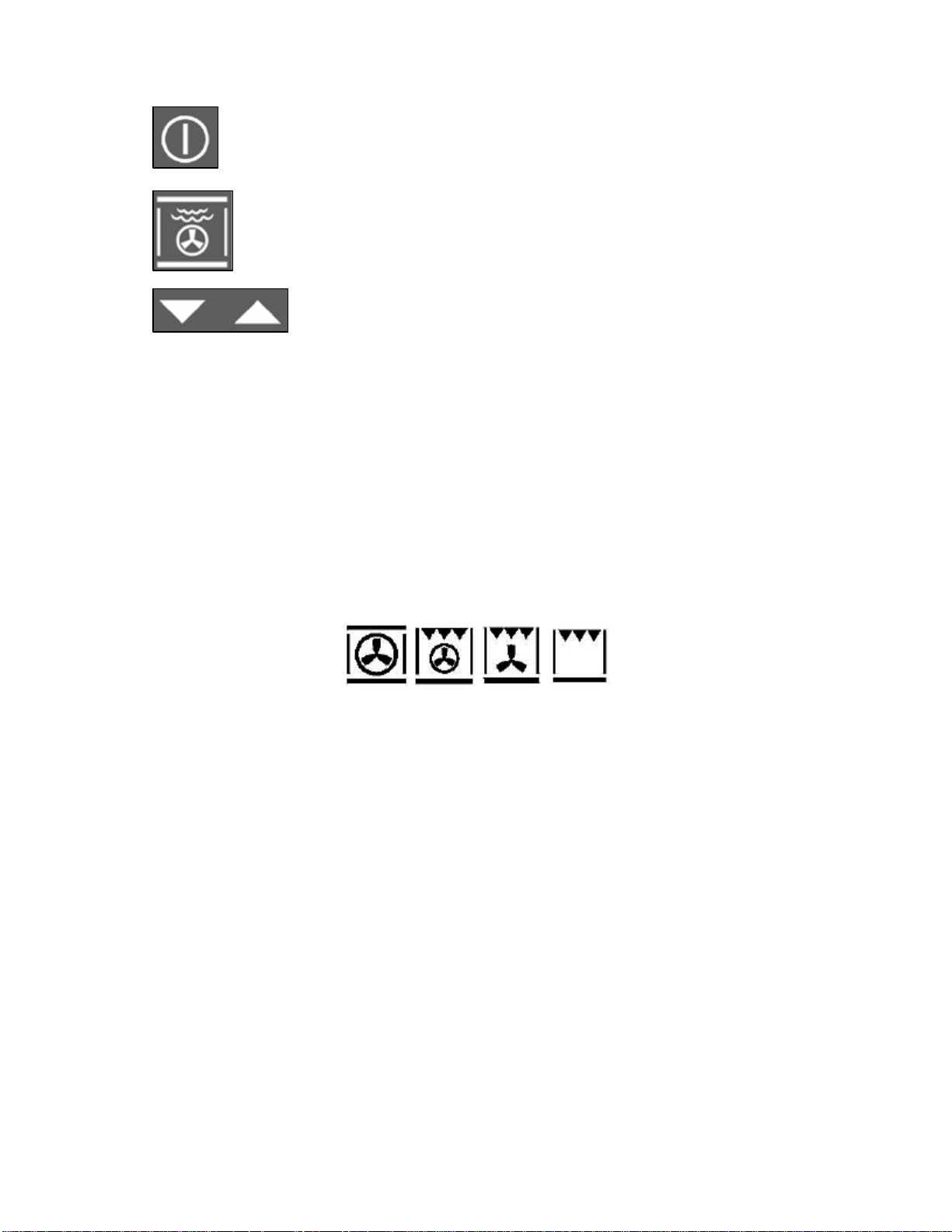
o IMPORTANT: During steam cooking always slide the drip
tray under the perforated tray to collect any food or
condensation that might fall.
o Turn on the oven by pressing the power button. Place
the food that you wish to steam cook into the oven and
close the door.
o Press the 230°C professional cooking button to
choose the function.
o You can then use the increase and decrease
buttons to adjust the temperature between
50°C and 230°C. Each press of these buttons will increase or
decrease the temperature by 5°C.
o When the display shows the correct temperature release all
buttons and within a few seconds the cooking program will
begin.
Steam puff
o This function can only be used when the fan oven, fan oven and
grill, grill and fan or full grill oven functions are in use. This
function is not available during steam cooking processes.
o Once the oven is turned on the steam puff will only be available
after the internal cavity temperature has reached 100°C. It is
not possible to use the steam puff before then.
o Each press of the steam button will cause the steam puff to work
for 5 minutes. This will humidify the food so that it is less dry
during cooking and is ideal for roasts in general, large pieces of
meat or fish and gentler cooking.
o IMPORTANT: IF YOU ARE NOT USING THE STEAM PUFF
FUNCTION FOR COOKING YOU MUST REMOVE THE WATER
JUG FROM THE OVEN BEFORE COOKING.
23

24
Steam cooking table
o For a general guide to cooking a variety of foods using the steam
cooking function please refer to the table below.
Dish Weight
(g)
Function Oven
temperature
(°C)
Steam
temperature
(°C)
Shelf
level
(from
bottom)
Time
(mins)
Ravioli 1700 Steam
100°C
N/A 100 2 55
Risotto 1200 Steam
100°C
N/A 100 2 15
Fish pie 100 Steam
100°C
N/A 100 2 15
Rice 500 Steam
100°C
N/A 100 2 35
Reheating
of first
courses
1
portion
Steam
130°C
N/A 120 2 20
Reheating
vegetables
1
portion
Steam
130°C
N/A 120 2 20
Reheating
second
courses
with
vegetables
1
portion
Steam
130°C
N/A 120 2 20
Stuffed
roast
chicken
1800 230°C
Professional
cooking
210 2 85
Trout 600 Steam
100°C
N/A 100 2 35
N/A 100 25 Mussels 1000 Steam
100°C
+
Grill
MAX
2
8
Clams in
white wine
1000 Steam
100°C
N/A 100 2 35
Cod fillets 1000 Steam
100°C
N/A 100 2 25
Salmon
fillet
700 Steam
100°C
N/A 100 2 20
Vegetables 1000 Steam
100°C
N/A 100 2 35
Potato
salad
800 Steam
100°C
N/A 100 2 45
Steamed
vegetables
with tofu
or tuna
1000 Steam
100°C
N/A 100 2 30
Pause function
o You can use the pause function during steam cooking if you want
to delay the cooking process for a while.
o When a steam cooking process is in
progress press the relevant function
button for example the 100°C steam
button or the 130°C steam button. This
will pause the cooking process.
o The relevant function button will flash while the process is
paused. Press the button again to continue with the cooking
process.
Accessories
25
The accessories supplied with the oven, allow you to get the optimum
performance from your appliance on the various cooking modes that
are available.
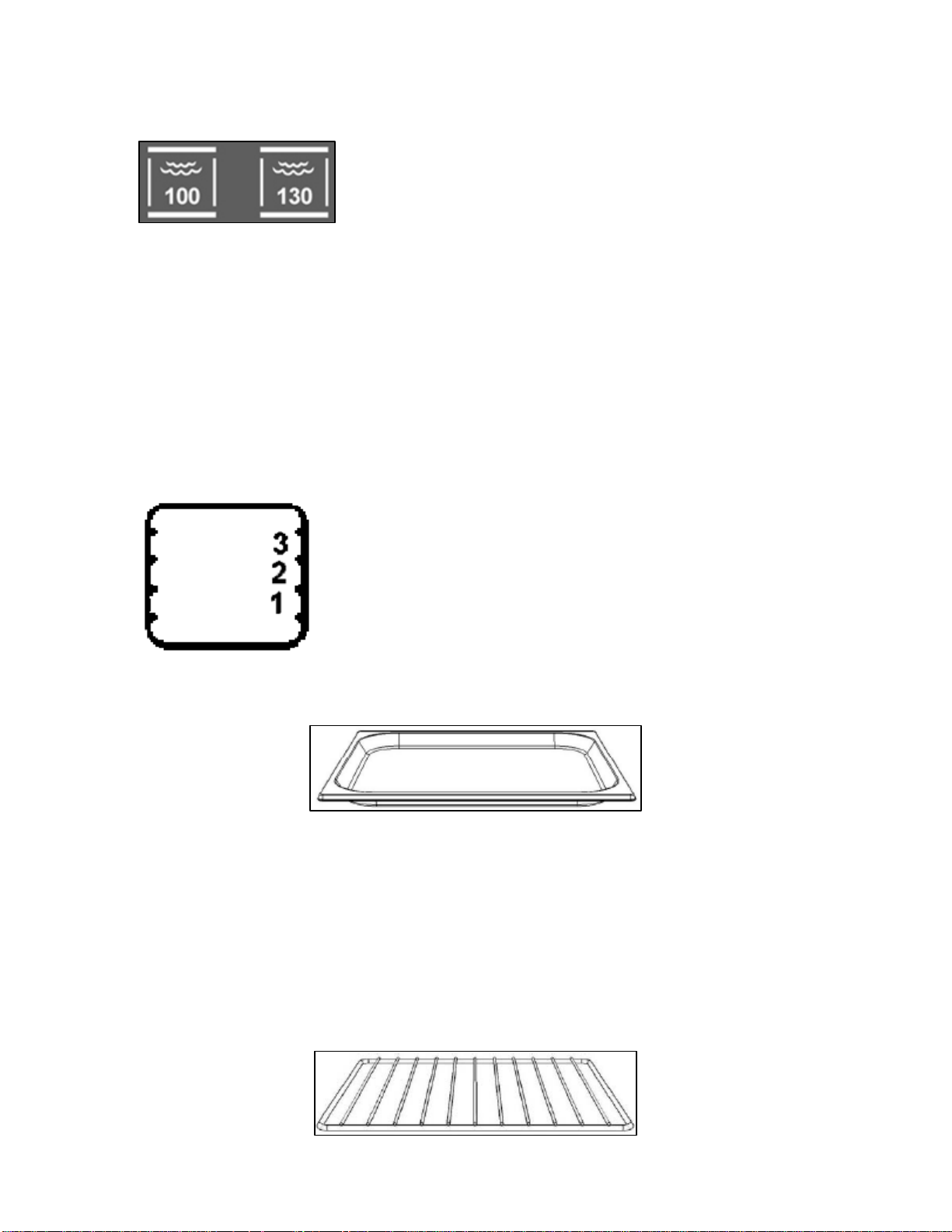
o The drip pan and shelf accessories can be
placed on various levels by positioning them
in the side racks located inside of the oven.
o This allows you to select the most suitable
level for cooking, depending on what you
are cooking and what cooking mode you are using. The cooking
charts will give some guidance on this.
o The baking tray is a tray with raised edges, which can be used as
a support surface for any single level cooking container.
o It can also be used as a drip tray, for collecting cooking juices or
fat that may be generated during the cooking process.
o When cooking fatty dishes, we recommend that you place some
water in the drip pan, to prevent fat from burning and producing
unpleasant odours or smoke.
o The shelf should be used as a support surface; it should normally
be placed in positions 2 or 3.
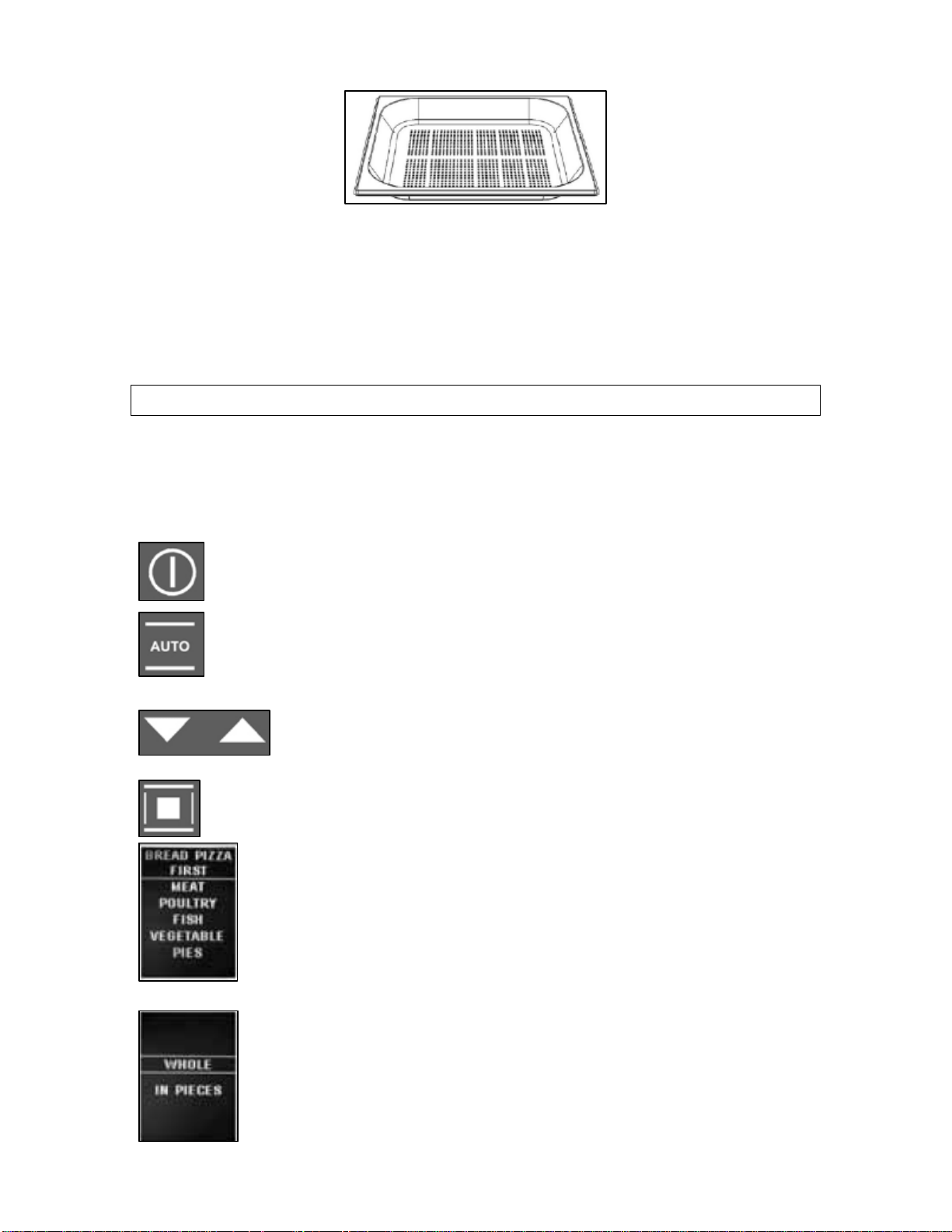
o The perforated drip pan is mainly used for steam cooking fresh
or frozen vegetables, fish etc.
o Position the perforated drip pan on level 2 or 3. You must insert
the drip pan below the perforated drip pan, to collect any liquid
that is released from the food during the cooking process.
Auto-recipes
Selecting a preset or saved personal recipe
o You are able to access and select from 60 preset recipes and up
to 100 personal saved recipes for quick and efficient cooking.
o Turn the oven on by pressing the power button.
o Press the auto-recipes button to enter the recipe mode.
The display will show 2 options of personal recipes or
preset recipes.
o You can use the increase and decrease buttons to
scroll between the 2 choices.
o When the preset recipes are highlighted press the
confirm button to select it.
o The display will then show the menu shown in the
picture on the left. You can use the increase and
decrease buttons again to scroll through the options.
o When the required food category is highlighted,
press the confirm button to select it.
o The display will then show a list of specific foods
from that category. For the meat or chicken category
the display will also ask you to select whether the
food is whole or in pieces.
26
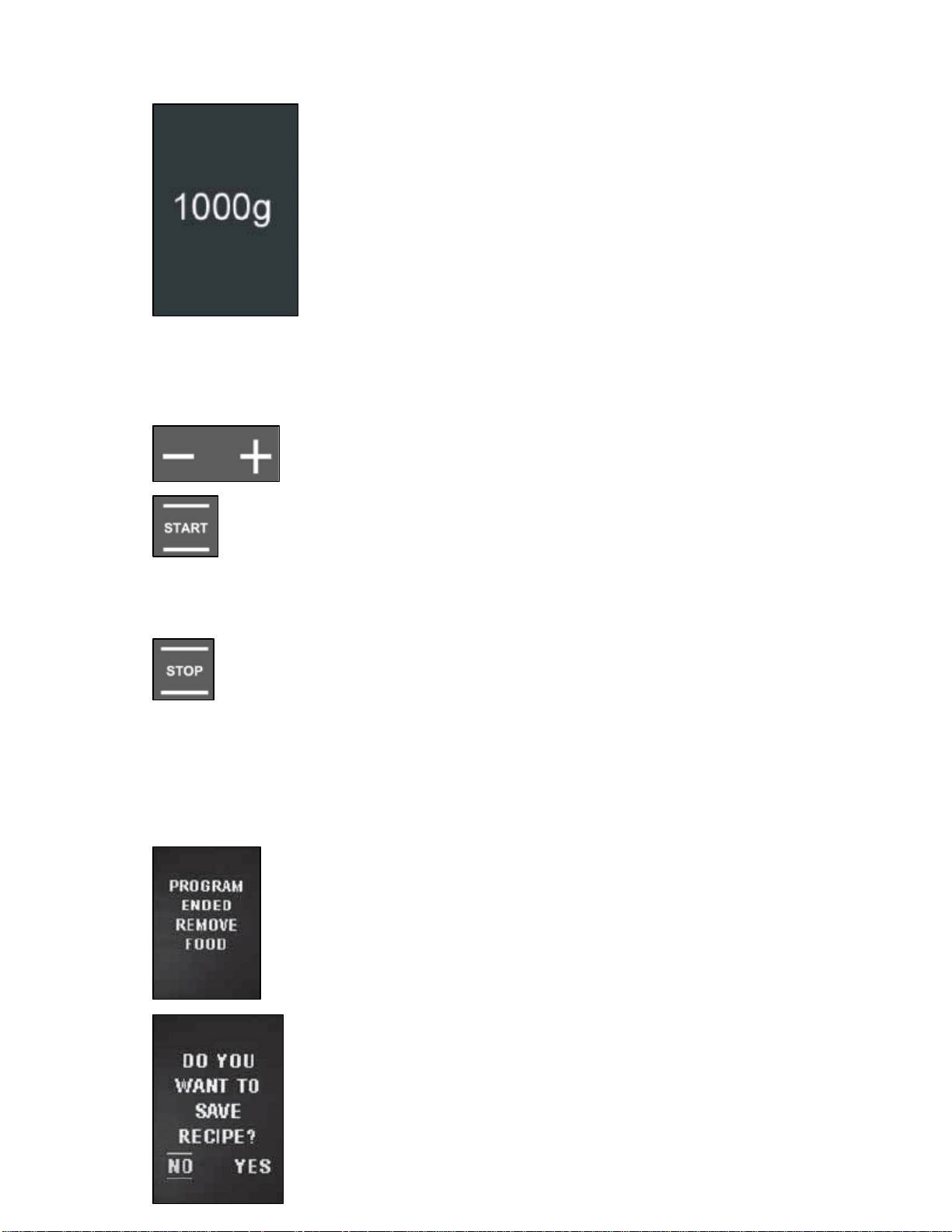
o Again, you can use the increase and decrease buttons to scroll
through the options. When the relevant food is highlighted, press
the confirm button to select it.
o The display will then show an estimated
weight for the food. You are able to adjust this
to program the exact weight of the food that
you want to cook. Use the increase and
decrease buttons to adjust the weight.
o When the correct weight is shown on the
display press the confirm button to set it.
o After the weight has been set the display will show a summary of
your recipe selection. The “:” symbol will flash to indicate that
you can alter the cooking time shown.
o Use the plus and minus buttons to alter the
cooking time.
o When the correct cooking time is shown on the display,
press the start button and cooking will begin
immediately. The oven will automatically set the ideal
temperature and cooking function based on the information you
have provided.
o IMPORTANT: If you make a mistake when choosing
from the recipe menus or if you want to change the
settings at any time, press the stop button and the
current recipe will be cancelled. You can then start from the
beginning of the auto-recipes procedure.
o Some recipes use preheating so in this case you should only put
the dish in the oven when it has reached the set temperature
and the display shows “Pre-heating finished put in the dish”.
o When cooking is complete the alarm will sound
and the display will show the text shown in the
picture on the left.
27
o If you have made any changes to the preset or
saved recipe the display will ask if you wish to
save the new recipe. You can then decide if you
want to save the recipe for future use. If so,
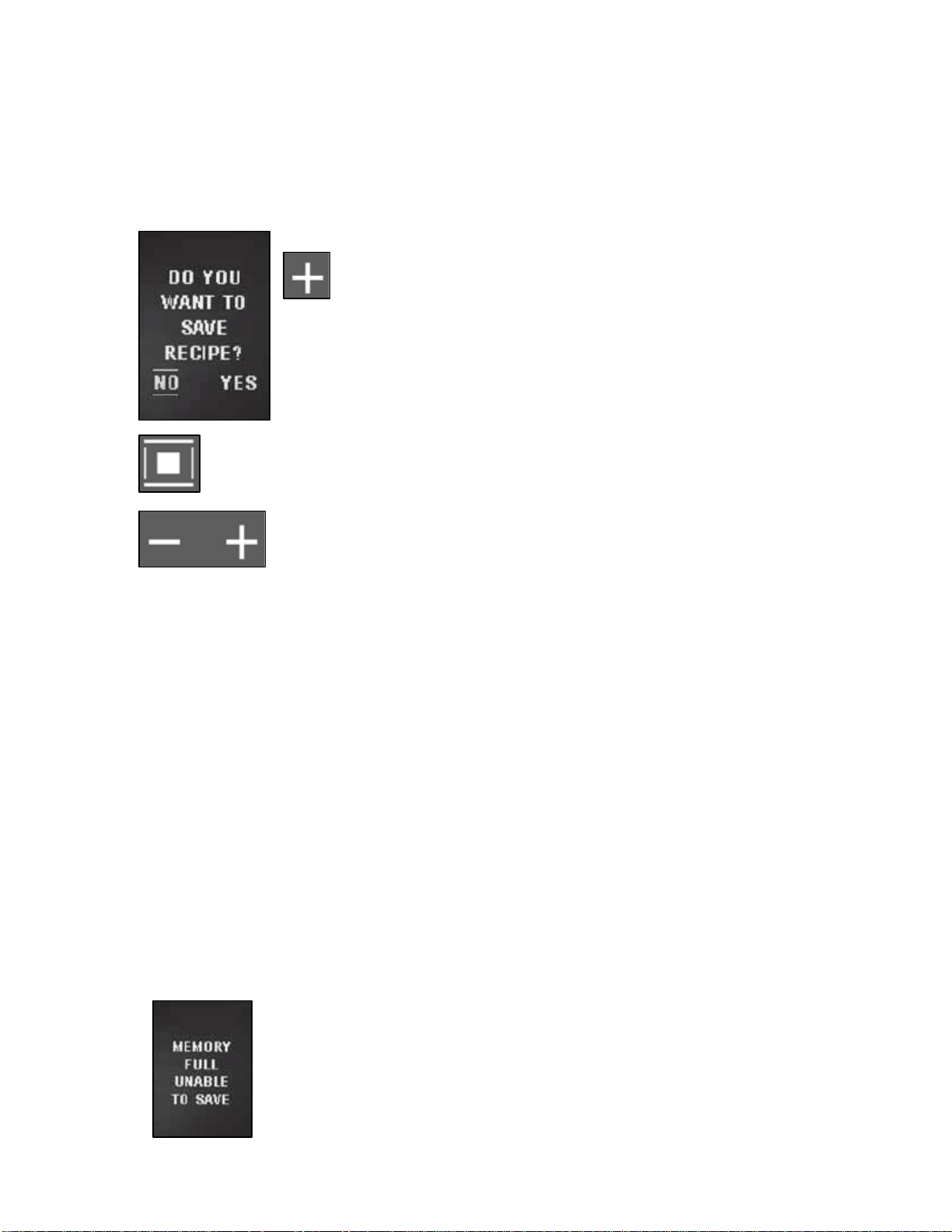
please refer to the instructions in the next section.
o Press any button to silence the alarm or open the oven door.
Saving a personal recipe
o If you have changed the cooking time or weight in a preset
recipe you are given the option to save the new personal recipe
after the cooking process is complete.
o After cooking is finished and the display
asks if you wish to save the recipe, use the
plus button to select “Yes”.
o Press the confirm button to proceed to save the recipe.
o The display will show the cooking time that you
had selected. You are able to change this using
the plus and minus buttons.
o When the preferred cooking time is showing on the display press
the confirm button to select it.
o The display will then show the weight of the food that you had
selected. You are able to change this using the plus and minus
buttons. When the preferred weight is showing on the display
press the confirm button to select it.
o The display will then show “Recipe saved POS.1/1” and then in
ascending order for each saved recipe from now on. Each time
you access the personal recipes you will find the recipe in the
menu.
o IMPORTANT: The oven provides the recipe names by default
and these cannot be changed.
Deleting personal recipes
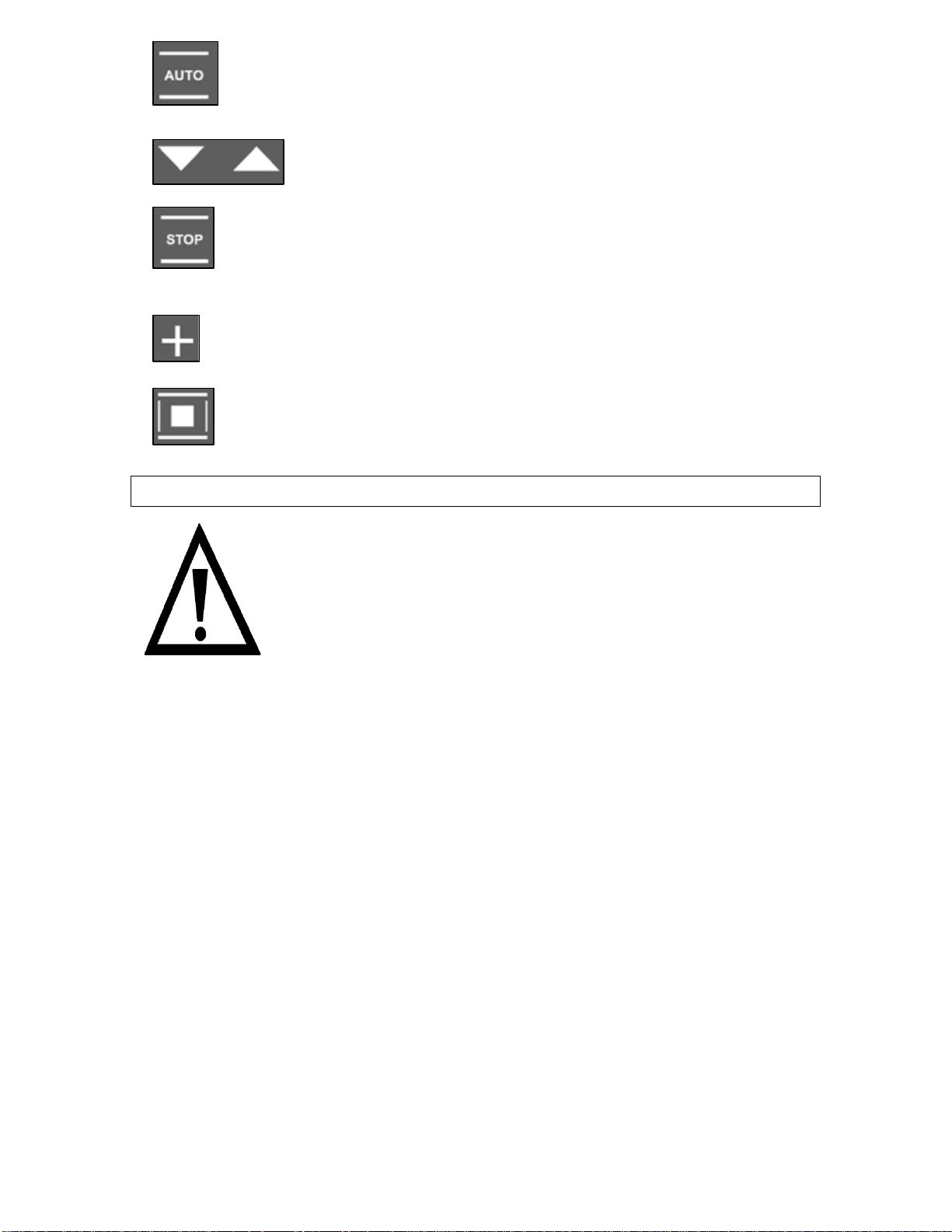
o If there is insufficient memory space for saving a
new personal recipe the display will show the text
shown in the picture on the left. Before you can
save the recipe you will need to delete others from
the menu.
28
o To delete saved personal recipes, press the auto-
recipes button and then select the personal recipes
option where you will find all of your saved recipes.
o Use the increase and decrease buttons to
scroll through the list of recipes and highlight
the recipe that you want to delete.
o When the recipe that you want to delete is highlighted
press and hold the stop button. The display will show
“Do you want to remove recipe?”
o Use the plus button to select Yes.
o Press the confirm button to select it. The display will
then show “Recipe deleted” to confirm that the recipe
has been removed.
Cleaning and maintenance
Cleaning operations must only be carried out
when the oven is cool.
The appliance should be disconnected from your
mains supply before commencing any cleaning
process.
o The oven should be thoroughly cleaned before it is operated for
the first time and after each use. This will avoid residual food
stuffs becoming baked on the oven cavity. After residues have
been baked on several times, they are far more difficult to
remove.
o The oven cavity should only be cleaned using a damp soft cloth
or damp non-abrasive sponge. No abrasive cleaners should be
used. You should only clean the cavity after the cooking chamber
cleaning cycle has been completed (see next page).
o Any stains that may appear on the bottom of the oven will have
originated from food splashes or spilt food, these splashes occur
during the cooking process. These could possibly be a result of
the food being cooked at an excessively high temperature or
being placed in cookware that is too small.
o You should make sure that the cooking temperature that is
selected is appropriate for the food that you are cooking. You
29
should also ensure that the food is placed in an adequately sized
dish and use the drip trays where appropriate.
o Outer parts of the oven should only be cleaned with warm soapy
water, using either a sponge or soft cloth. No abrasive cleaners
should be used.
o If you use any form of oven cleaner on your appliance, then you
must check with the manufacturer of the cleaner that it is
suitable for use on your appliance.
o Any damage that is caused to the appliance by a cleaning
product will not be fixed by Baumatic free of charge, even
if the appliance is within the guarantee period.
Oven cavity cleaning cycle
The purpose of this feature is to facilitate the removal of food and
grease from the oven cavity after cooking.
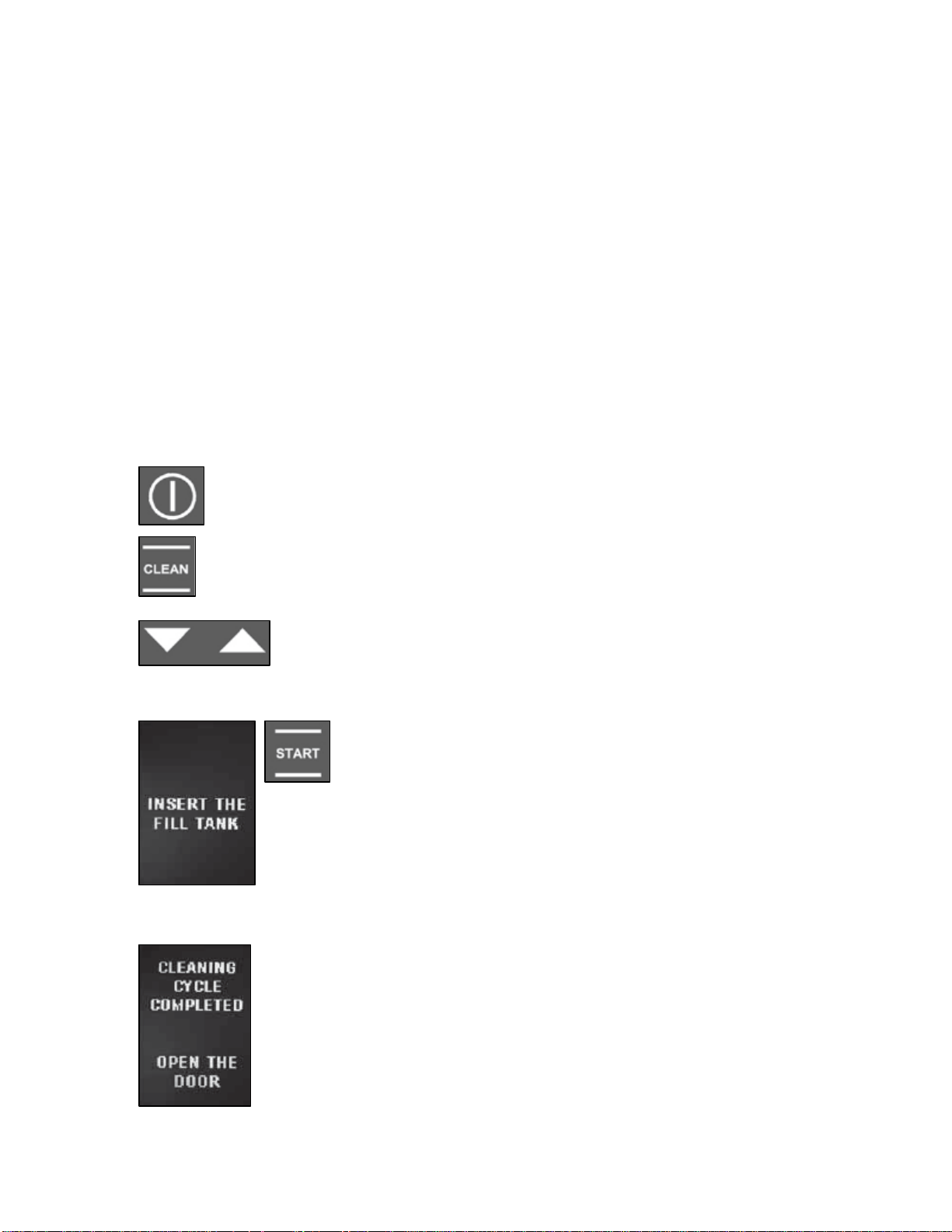
o Turn on the oven using the power button.
o Press the self-cleaning button to enter the cleaning
mode. The display will show 2 options of oven or steam
circuit.
o Use the increase and decrease buttons to scroll
between the 2 options and highlight the oven
option.
30
o When the oven option is highlighted press
the start button to select it. The display
may then show the text shown in the
picture on the left which indicates that you need to
insert the filled water jug into the oven.
o Once you have done this, press the start button
again to being the cleaning cycle. The cleaning
cycle lasts approximately 15 minutes.
o When the cleaning cycle is complete, the alarm will
sound and the display will show the text shown on
the left. Open the oven door to silence the alarm.
The oven cavity should then be wiped out with a
damp cloth.
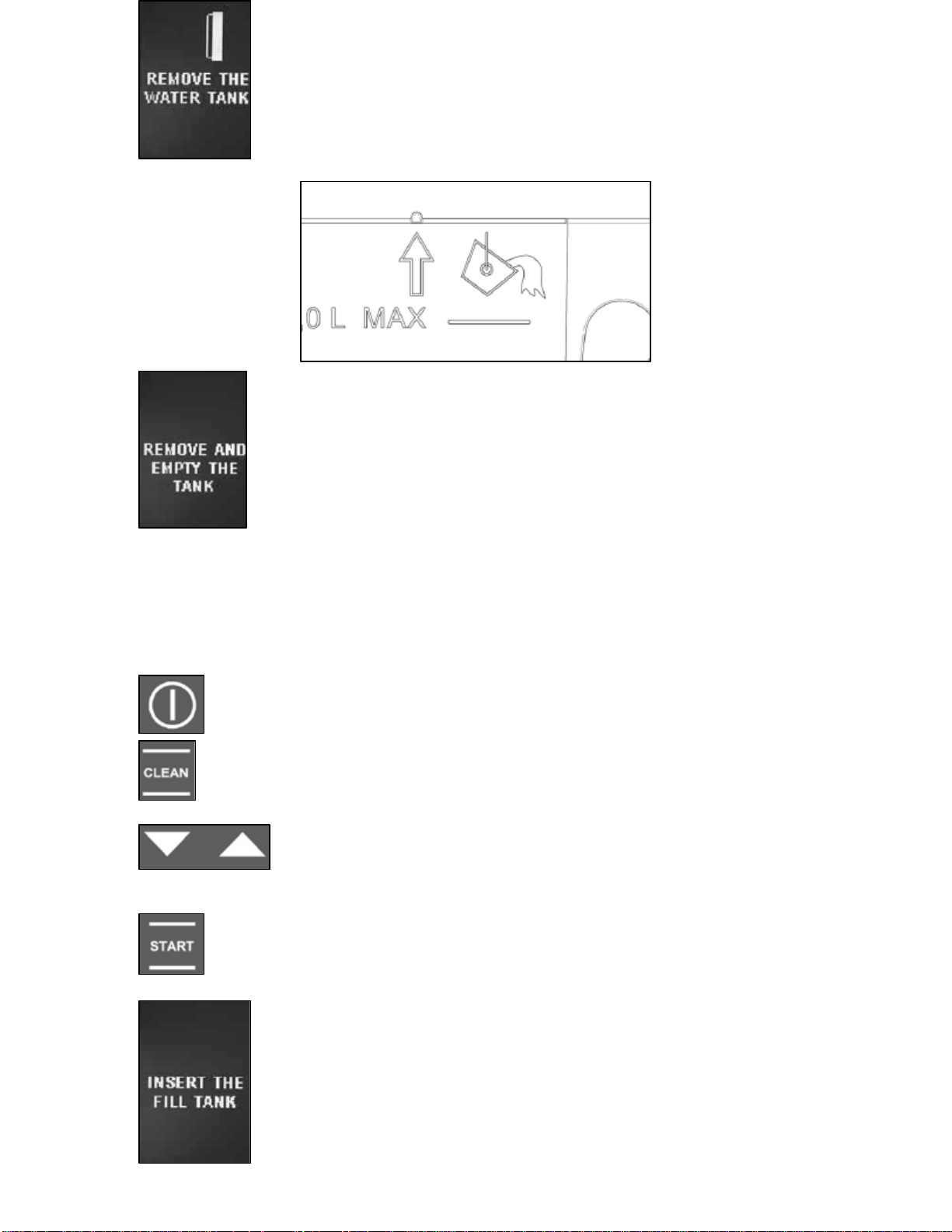
o The display will then show the text on the right.
After partially extracting the jug using the arrow on
the left hand side or the two notches above the jug,
press the start button to empty the steam circuit.
The display will then show Unloading”.
o After draining is complete the display will show the
text on the left. You should then empty the water
jug.
Steam circuit cleaning cycle
The purpose of this feature is to maintain the steam production circuit
and to avoid pools of water forming.
o Turn on the oven using the power button.
o Press the self-cleaning button to enter the cleaning
mode. The display will show 2 options of oven or steam
circuit.
o Use the increase and decrease buttons to scroll
between the 2 options and highlight the steam
circuit option.
o When the steam circuit option is highlighted press the
start button to select it. The display may then show the
text on the left which indicates that you need to insert
the filled water jug into the oven.
o Once you have done this, press the start button
again to being the cleaning cycle. The cleaning
cycle lasts approximately 5 minutes.
31
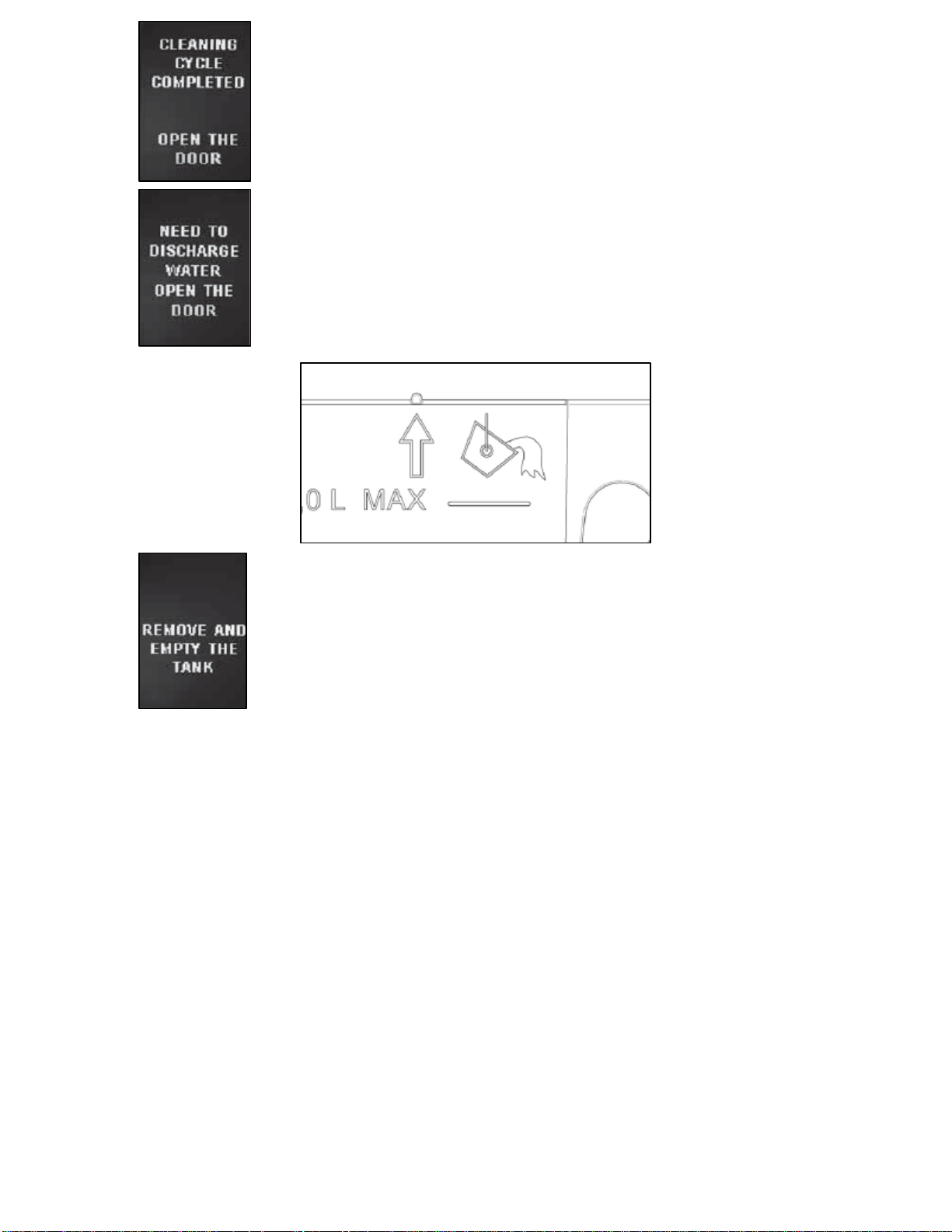
o When the cleaning cycle is complete, the alarm will
sound and the display will show the text on the left.
Open the oven door to silence the alarm.
o The display will then show the text on the left. After
partially extracting the tray using the arrow on the
left hand side or the two notches above the jug,
press the start button to empty the steam circuit.
The display will then show “Unloading”.
o After draining is complete the display will show the
text on the left. You should then empty the water
jug.
o IMPORTANT: If, when you empty the water
jug, you notice that the water is not clear,
repeat the cleaning cycle until it is clear.
o IMPORTANT: If the electrical supply is cut during a
cleaning cycle, when the appliance is plugged back in the
oven will ask you to empty the steam circuit even if there
is not any water in it.
o IMPORTANT: Occasionally the oven will advise you to
perform a cleaning cycle. This should then be carried out
before another cooking cycle is selected.
32
Replacing the oven bulb
IMPORTANT: The oven must be disconnected from
your mains supply before you attempt to either
remove or replace the oven bulb.
o Remove all oven shelves and drip trays.
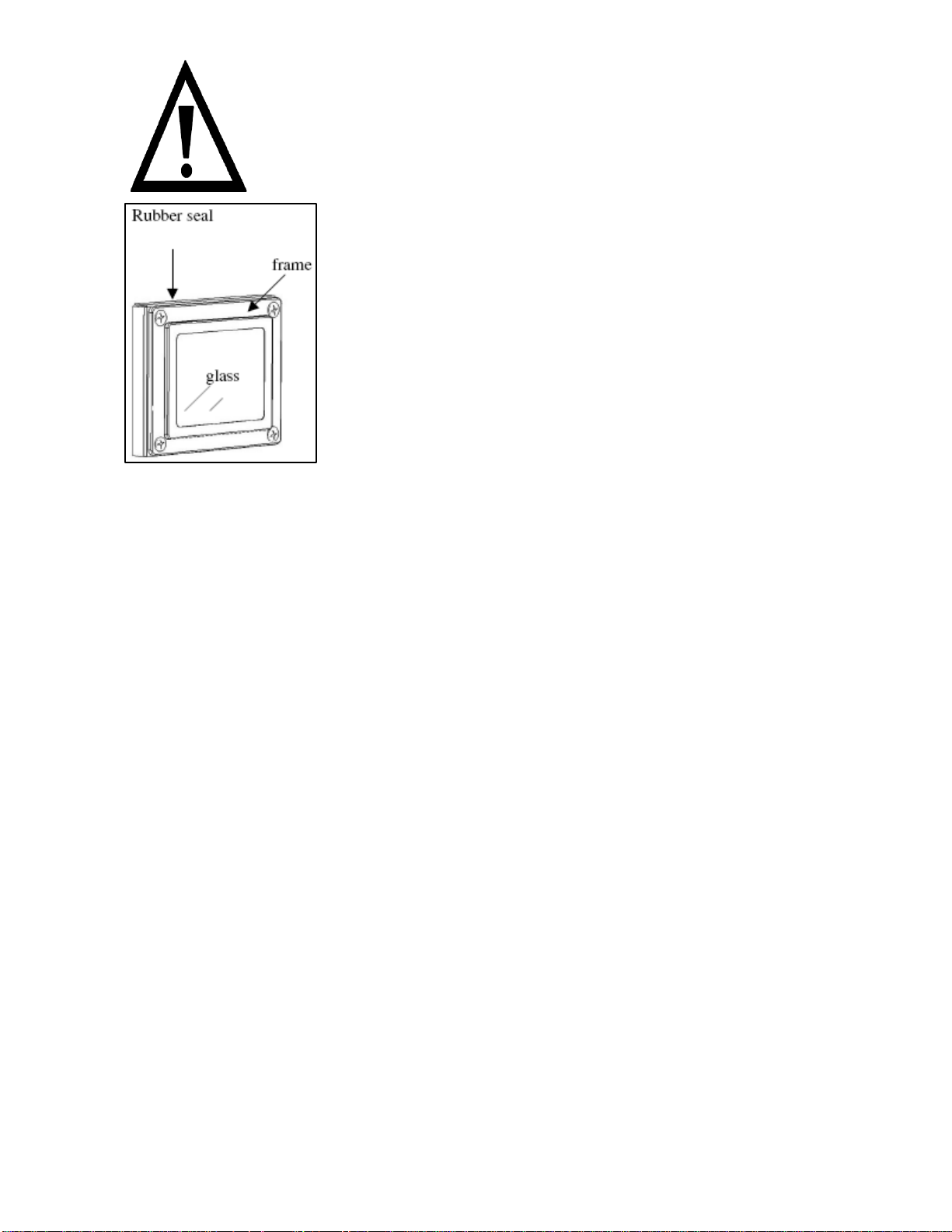
o Remove the light cover by removing the 4
screws located in the corners of the glass
cover.
o Place the glass cover gently on a supported surface, so that
damage is not caused to it whilst the bulb is being replaced.
o Unscrew the bulb and remove it from its holder.
o Replace the bulb with a 25 W/300°C, E14 screw type pygmy.
o Do not use any other type of bulb.
o Place the lamp cover back into position and fully tighten the 4
screws that were removed previously.
o Replace the side rack, drip trays and oven shelves.
o Restore power to the appliance.
33
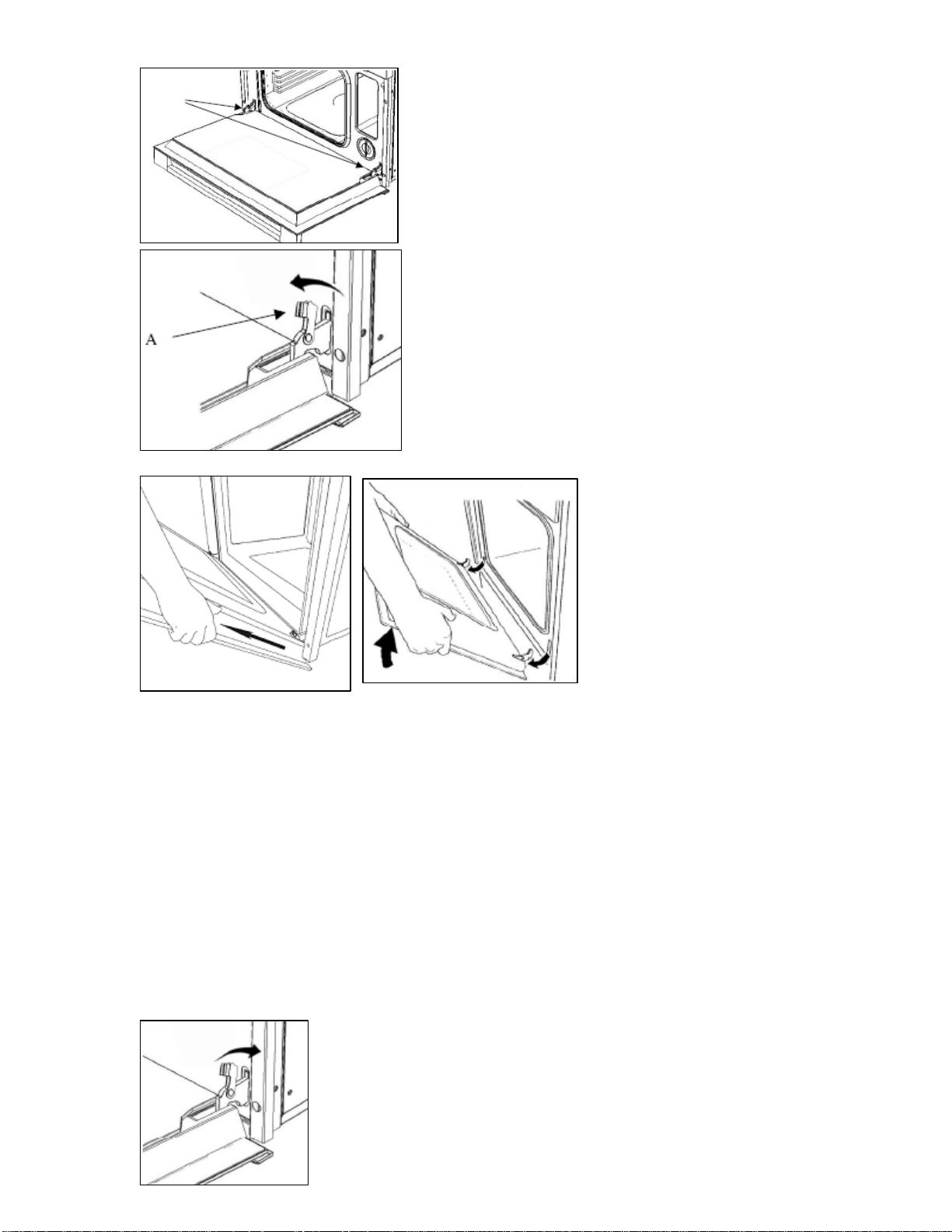
Removing the oven door for cleaning
o Fully open the oven door.
o Locate the oven door hinges (see
drawing opposite).
o Tip back the brackets (A) on both
of the hinges.
o You should grip the sides of the door at the centre and then
incline it slightly towards the oven cavity. By pulling the lower
part of the oven door away from the oven, the hinges will
disengage from the holes that they are located in.
o IMPORTANT: You should make sure that the door is supported
at all times and that you place the door on some padded
material whilst cleaning it.
o The oven door and door glass should only be cleaned using a
damp cloth and a small amount of detergent. The cloth MUST
NOT have come into contact with any form of cleaning product
or chemical previously.
o To refit the door you should slide the hinges
back into their slots and open the door fully.
34
o IMPORTANT: The brackets (A) must be closed back into their
original positions before closing the door.
o Take care not to dislodge the hinge
locking system when removing the door,
as the hinge mechanism has a strong
spring.
o Do not immerse the door in water at any
time.
INSTALLATION
The installation must be carried out by a suitably
qualified person, in accordance with the current
version of the following.
o UK Regulations and Safety Standards or their European
Norm Replacements.
o Building Regulations (issued by the Department of the
Environment).
o Building Standards (issued by the Scottish Development
Department).
o IEE Wiring Regulations.
o Electricity At Work Regulations.
Before connecting the appliance, make sure that the supply voltage
marked on the Rating Plate corresponds with your mains supply
voltage.
WARNING: THIS APPLIANCE MUST BE EARTHED.
o This appliance should be wired into a 13 A double pole switched
fused spur outlet, having 3 mm contact separation and placed in
an easily accessible position adjacent to the appliance. The spur
outlet must still be accessible even when your oven is located in
its housing.
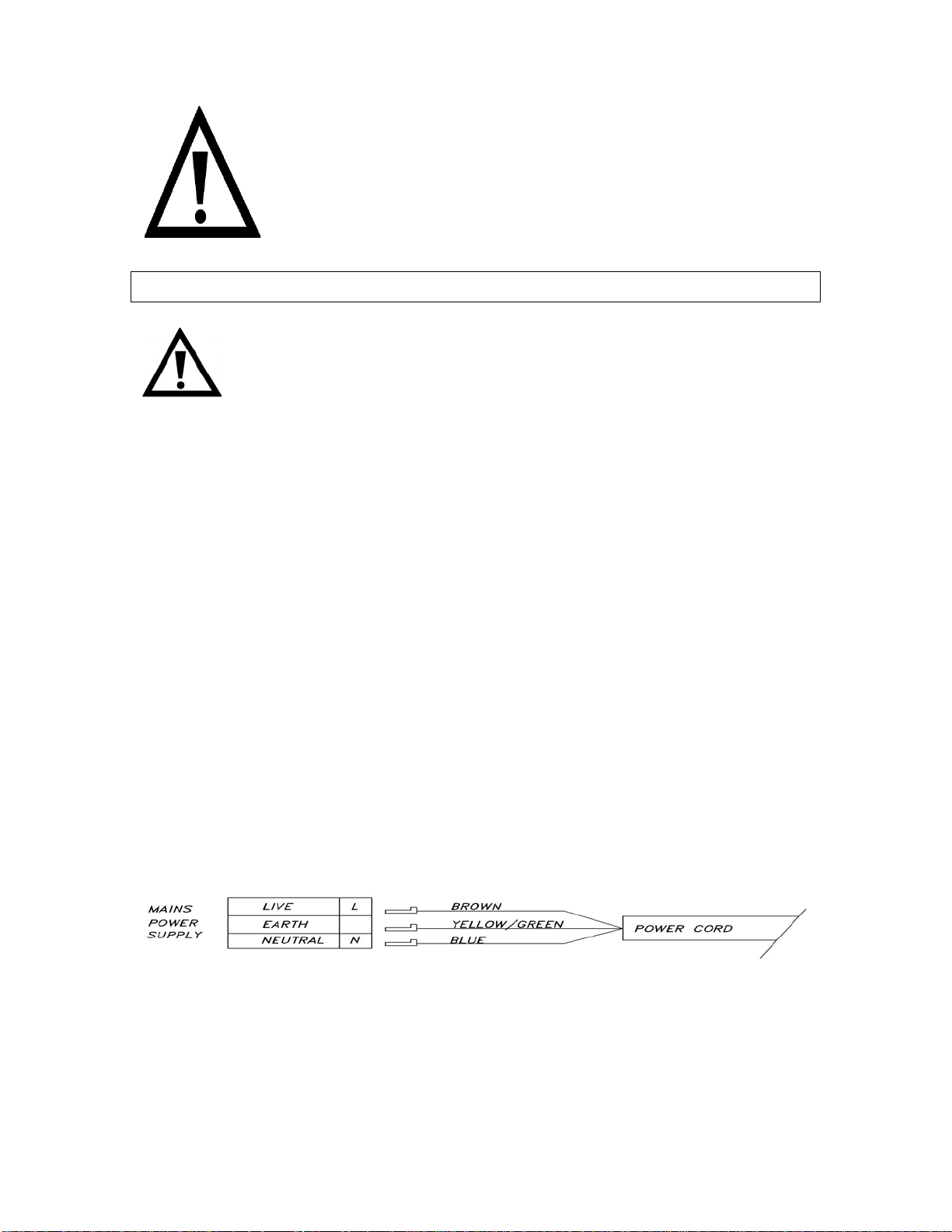
o To connect the oven power cord, loosen and remove the cover
on the terminal block, in order to gain access to the contacts
inside. Make the connection, securing the cord in place with the
cable clamp provided and then immediately close the terminal
block cover again.
35
o If you have to change the oven power cord, the earthing
(yellow/green) conductor must always be 10 mm longer than the
line conductors.
o Care must be taken to ensure that the temperature of the mains
supply cable does not exceed 50°C.
o If the mains supply cable is damaged, then it must be replaced
by an appropriate replacement which can be obtained from the
Baumatic Spares Department.
Installing the oven into the kitchen cabinet
Positioning the appliance
o Ensure that the aperture that you will be fitting the oven into is
of the size given in the above diagram.
o The oven must be fitted into an oven housing with the ventilation
cut-outs shown in the “Ventilation requirements” section on the
next page.
o Ensure that the rear panel of the furniture housing unit has been
removed.
o IMPORTANT: You must not install the appliance in a location
where the ambient temperature will fall below 5°C.
36
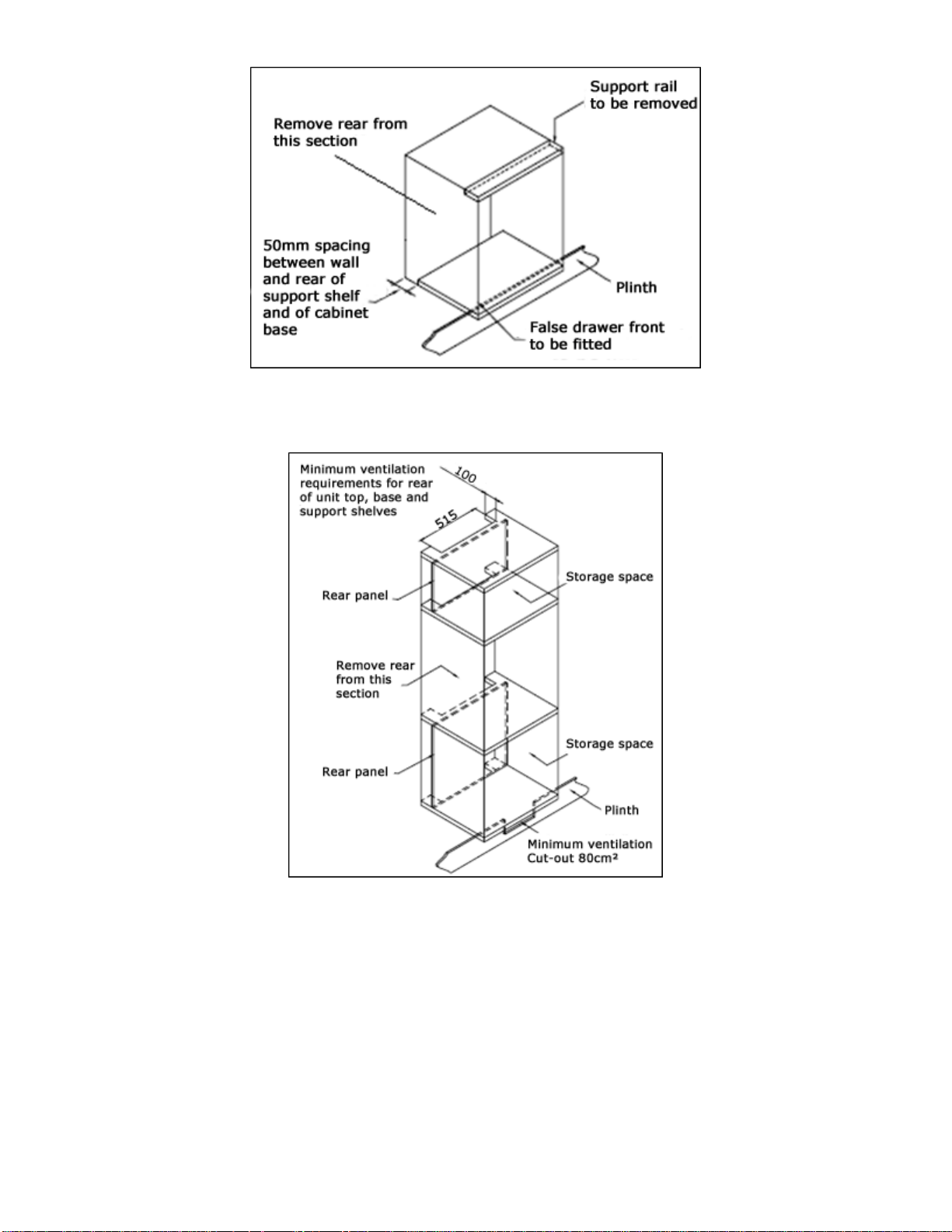
Ventilation requirements
(Figure shows the ventilation and cut-out requirements for the
installation of the appliance into a standard kitchen unit).
(Figure shows the ventilation and cut-out requirements for the
installation of the appliance into a tall housing unit).
o Ensure that the oven has been securely fixed into the housing
unit. The fixing of the oven into the housing is made by using
four screws. These should be screwed through the oven cabinet
and into the housing unit.
37
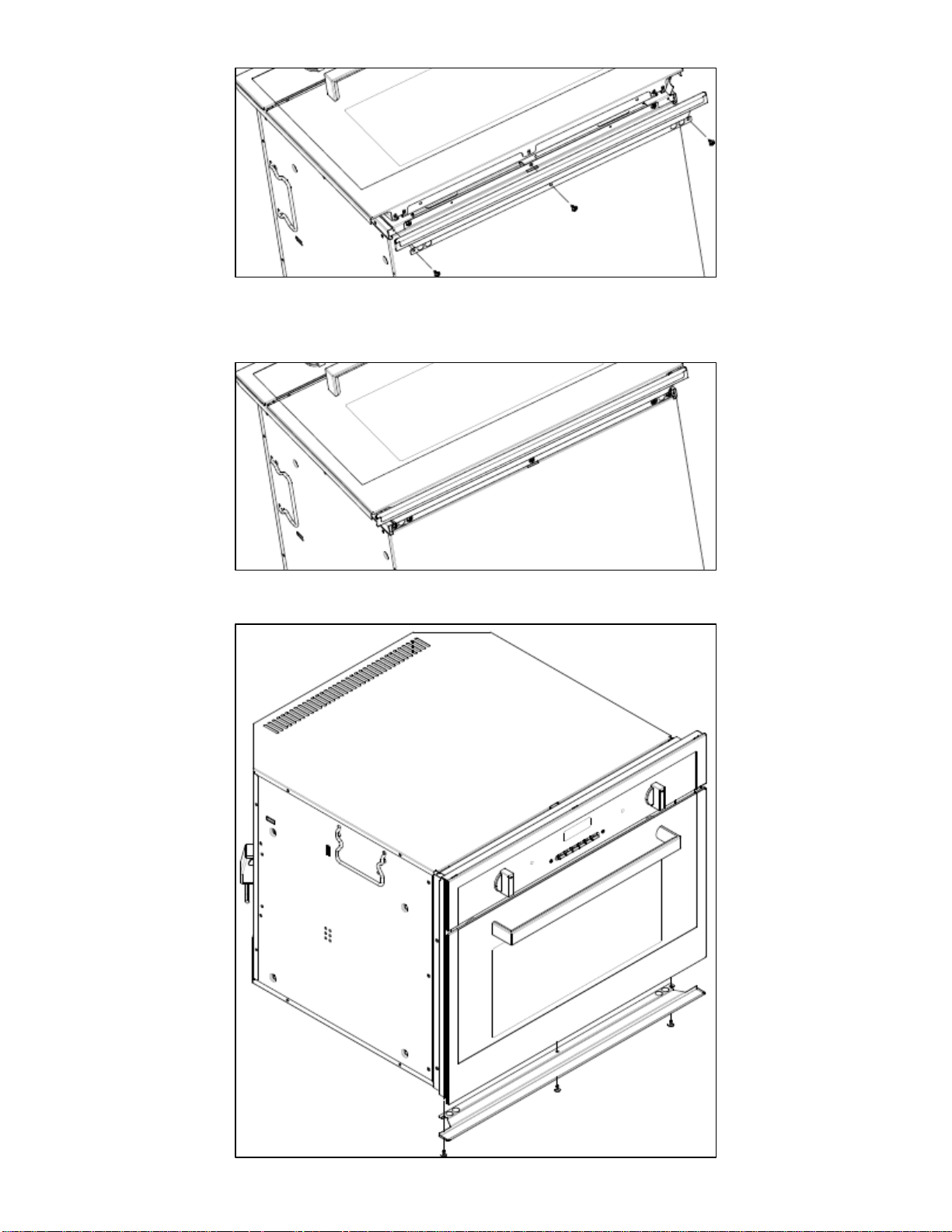
Installing the drip catcher
o Fix the drip catcher to the base of the appliance, with a suitable
sized screwdriver, using the screws provided.
38

39
My appliance isn’t working correctly
o The oven isn’t coming on.
* Check that you have selected a cooking function and a cooking
temperature.
o There appears to be no power to the oven.
* Check that the appliance has been connected to the electrical
mains supply correctly.
* Check that the mains fuses are in working order.
* Check that the operating instructions for setting the time of day
have been followed.
o The oven light is not working
* Refer to the “Replacing the oven bulb” section on page 33.
o Water takes a long time to drain from the boiler after you
have finished cooking
* For reasons of safety, the boiler will not drain until the
temperature of the water has dropped below 90°C. It is perfectly
normal for there to be a delay between the end of the cooking
process and the water being pumped out. It is possible to start
another cooking process during this time.
o Steam comes out of the oven during operation
* Check that the oven door is completely shut.
* Check whether the oven door seal is damaged or cracked. If it is,
then contact the Baumatic Service Department.
o What happens if power is cut to the appliance
* It may be necessary to set the time of day again.
* The stored settings and recipes would not be lost.
* If the power cut occurred whilst the oven was cooking, then you
will need to reselect the cooking function and temperature.

IMPORTANT: If your appliance appears not to be
operating correctly, then you should disconnect it
from your mains supply and then contact the
Baumatic Service Department on telephone
number (0118) 933 6911.
DO NOT ATTEMPT TO REPAIR THE APPLIANCE
YOURSELF.
Please note that if an engineer is asked to attend whilst the product is
under guarantee and finds that the problem is not the result of an
appliance fault, then you may be liable for the cost of the call out
charge.
The appliance must be accessible for the engineer to perform
any necessary repair. If your appliance is installed in such a
way that an engineer is concerned that damage will be caused
to the appliance or your kitchen, then he will not complete a
repair.
This includes situations where appliances have been tiled in,
sealed in with sealant, have wooden obstructions placed in
front of the appliance, like plinths. Or any installation other
than the one specified by Baumatic Ltd. has been completed.
Please refer to the conditions of guarantee that appear on the
warranty card that you receive with the appliance.
40


46