IF YOU HAVE ANY QUESTIONS OR ARE EXPERIENCING DIFFICULTIES,
PLEASE CALL THE TOLL-FREE CUSTOMER SERVICE HELP LINE FOR FURTHER
ASSISTANCE AT 1-866-326-1313.
QUICK START GUIDE • ENGLISH
These brief instructions allow you to quickly begin using your Infrared
Thermometer for Body Temperature Measurements. Please refer to the
Instruction Manual for more detailed instructions covering all features of the
thermometer, including Object/Surface and Room Temperature measurements.
• The infrared technology used in this thermometer is safe
and is not harmful in any way. However, we recommend
avoiding looking into the lens during use.
The Infrared Thermometer offers a selection of settings for
for person, object/surface and room measurements.
To toggle between modes:
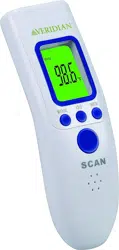
1. Press and release the POWER / SCAN button to turn
the thermometer on. The unit will run a self-test and all
symbols on the display will momentarily appear.
2. Press and release the MODE button to scroll through and
select person, object/surface and room temperatures.
To measure body temperature using your Infrared Thermometer,
follow these steps:
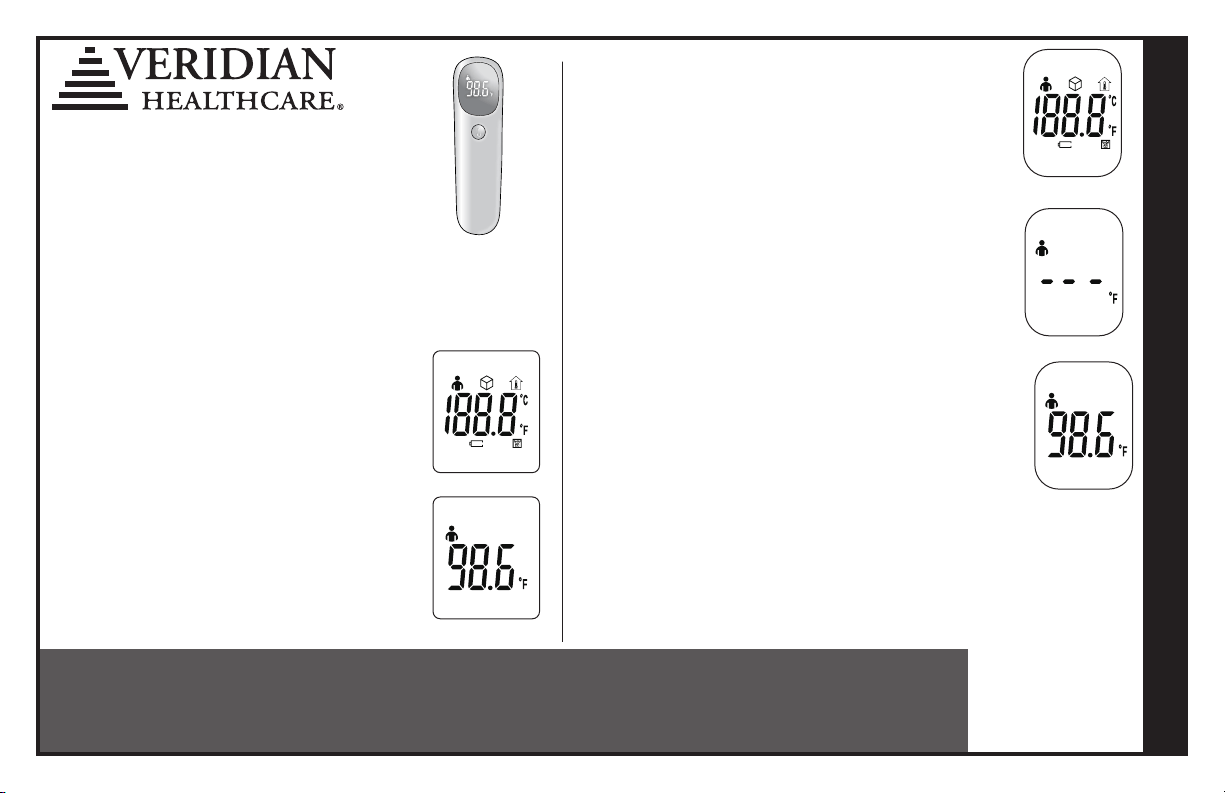
1. Press and release the POWER / SCAN button to turn the
thermometer on. The unit will run a self-test and all symbols
on the display will momentarily appear, Fig. 1.
2. The display will show dashed lines, the selected mode, and
the temperature mode (°F/°C). The thermometer is ready for
measurement, Fig. 2.
3. Press and release the POWER / SCAN button while aiming
the infrared lens at the individual’s forehead, holding the
thermometer approximately 0.5” – 1.0” away.
4. When the thermometer is in the correct position, it will slightly
vibrate, indicating the positioning sensor has detected the
ideal reading location and the measurement has been taken.
5. The results will be displayed, Fig. 3.
6. If the results are at or above 100.4°F (38°C), the device will
vibrate 3 times, indicating a fever may be present.
7. After approximately 30-seconds of non-use, the thermometer
will automatically shut off.
Self-test
Person Mode
Non-Contact
Infrared Thermometer
Model JXB-311 / Ref No 09-313
Distributed by:
Veridian Healthcare
1175 Lakeside Drive
Gurnee, IL 60031
www.veridianhealthcare.com
Made in China
#93-2162 07/20
©2020 Veridian Healthcare, LLC
Fig. 1
Fig. 2
Fig. 3
SI TIENE ALGUNA DUDA O EXPERIMENTA PROBLEMAS,
LLAME A LA LÍNEA GRATUITA DE ASISTENCIA AL CLIENTE
PARA OBTENER ASISTENCIA ADICIONAL, 1-866-326-1313.
GUÍA DE REFERENCIA RÁPIDA • ESPAÑOL
Estas breves instrucciones le permiten comenzar a usar rápidamente su
termómetro infrarrojo para mediciones de temperatura corporal. Consulte el
Manual de instrucciones para obtener instrucciones más detalladas que cubren
todas las características del termómetro, incluidas las mediciones de Objeto /
Superficie y Temperatura ambiente.
• La tecnología de infrarrojos utilizada en este termómetro
es segura y no es dañina de ninguna manera. Sin embargo,
recomendamos evitar mirar dentro de la lente durante el uso.
El termómetro de infrarrojos ofrece una selección de ajustes
para usar en el día o la noche y para mediciones de personas u
objetos.
Para alternar entre los modos:
1. Presione y suelte el botón POWER / SCAN para encender el
termómetro. La unidad ejecutará una autoprueba y todos los
símbolos en la pantalla aparecerán momentáneamente.
2. Presione y suelte el botón MODE para desplazarse y
seleccionar la temperatura de la persona, objeto / superficie
y ambiente.
Para medir la temperatura corporal con su termómetro infrarrojo,
siga estos pasos:
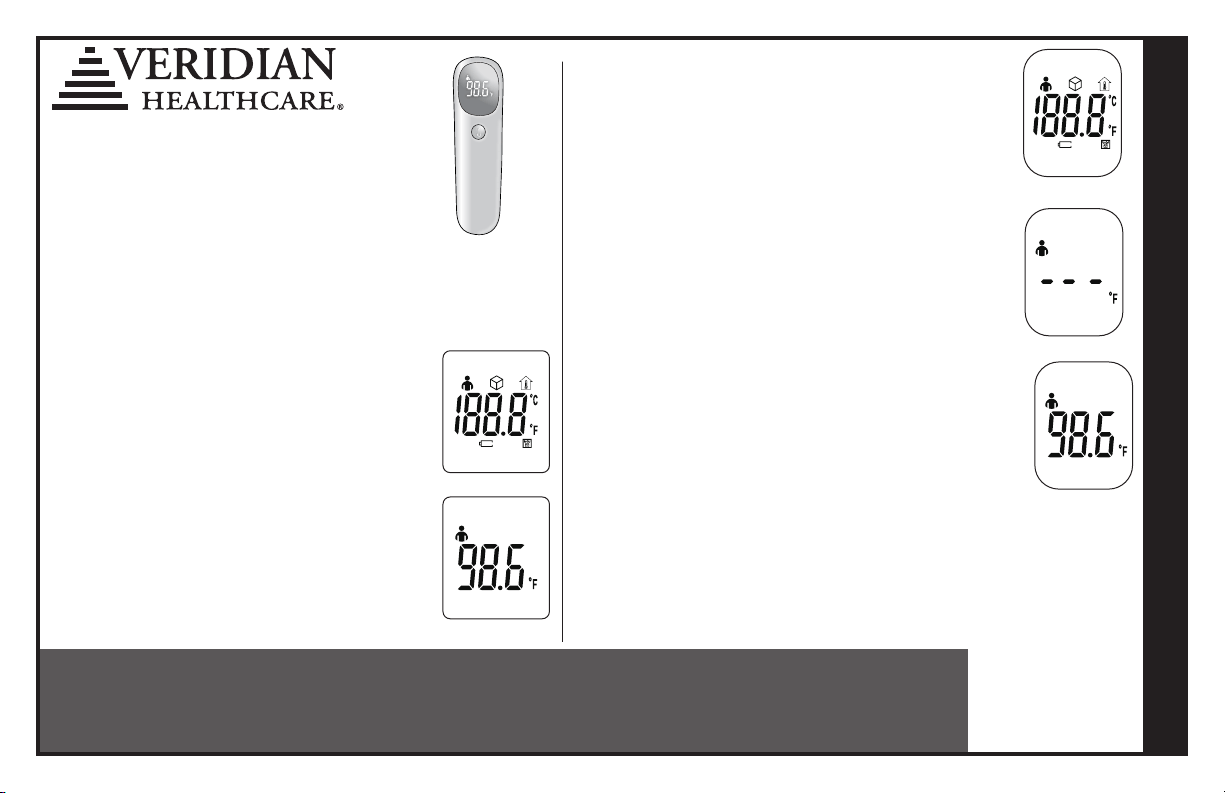
1. Presione y suelte el botón POWER / SCAN [encendido/
apagado] para activar el termómetro. La unidad
realizará un autodiagnóstico y en la pantalla aparecerán
momentáneamente todos los símbolos, Fig. 1.
2. En la pantalla se podrán ver líneas de guiones, el modo
seleccionado y el modo de temperatura (°F/°C). El termómetro
está listo para la medición.
3. Presione y suelte el botón POWER / SCAN [EXPLORAR]
mientras apunta la lente infrarroja a la frente de la persona y
sostiene el termómetro a una distancia aproximada de 0.5” a
1.0”.
4. Cuando el termómetro está en la posición correcta, vibrará
suavemente para indicar que el sensor de posición ha
detectado el lugar ideal para la lectura y se ha realizado la
medición.
5. Se visualizarán los resultados, Fig. 3.
6. Si el resultado es 100.4°F (38°C) o más, el dispositivo vibrará 3
veces para indicar la posible presencia de fiebre.
7. Luego de aproximadamente 30 segundos de no estar en uso, el
termómetro se apagará en forma automática.
Self-test
Person Mode
Sin Contacto
Infrarrojo Termómetro
Modelo JXB-311 / Ref No 09-313
Distributed by:
Veridian Healthcare
1175 Lakeside Drive
Gurnee, IL 60031
www.veridianhealthcare.com
Hecho en China
#93-2162 07/20
©2020 Veridian Healthcare, LLC
Fig. 1
Fig. 2
Fig. 3