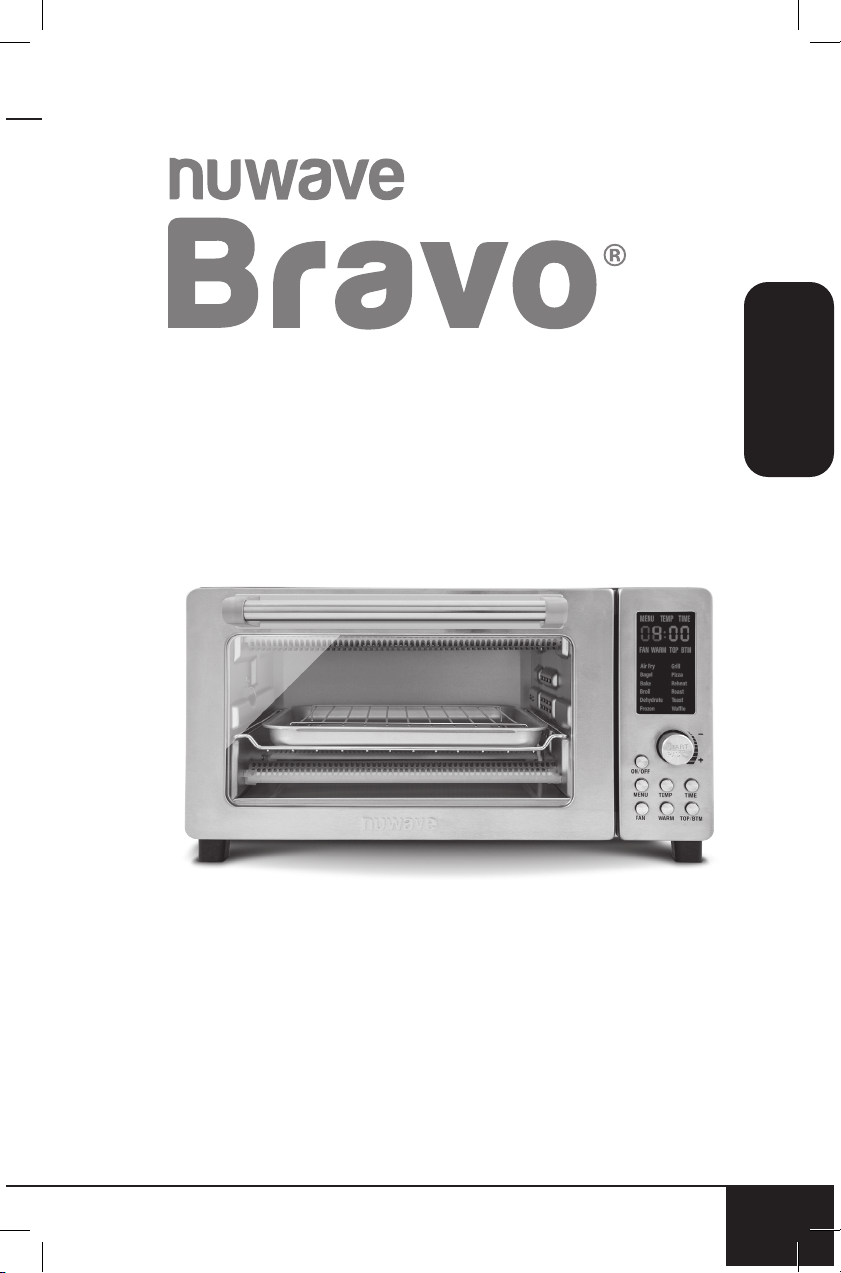
OWNER’S MANUAL
Toaster Oven & Air Fryer
nuwavenow.com
2
2
REGISTER
NOW!
As a special thank-you for registering your NuWave
Bravo, you’ll automatically receive an additional 3
months added to your limited manufacturer’s warranty!*
All you have to do is follow these simple steps.
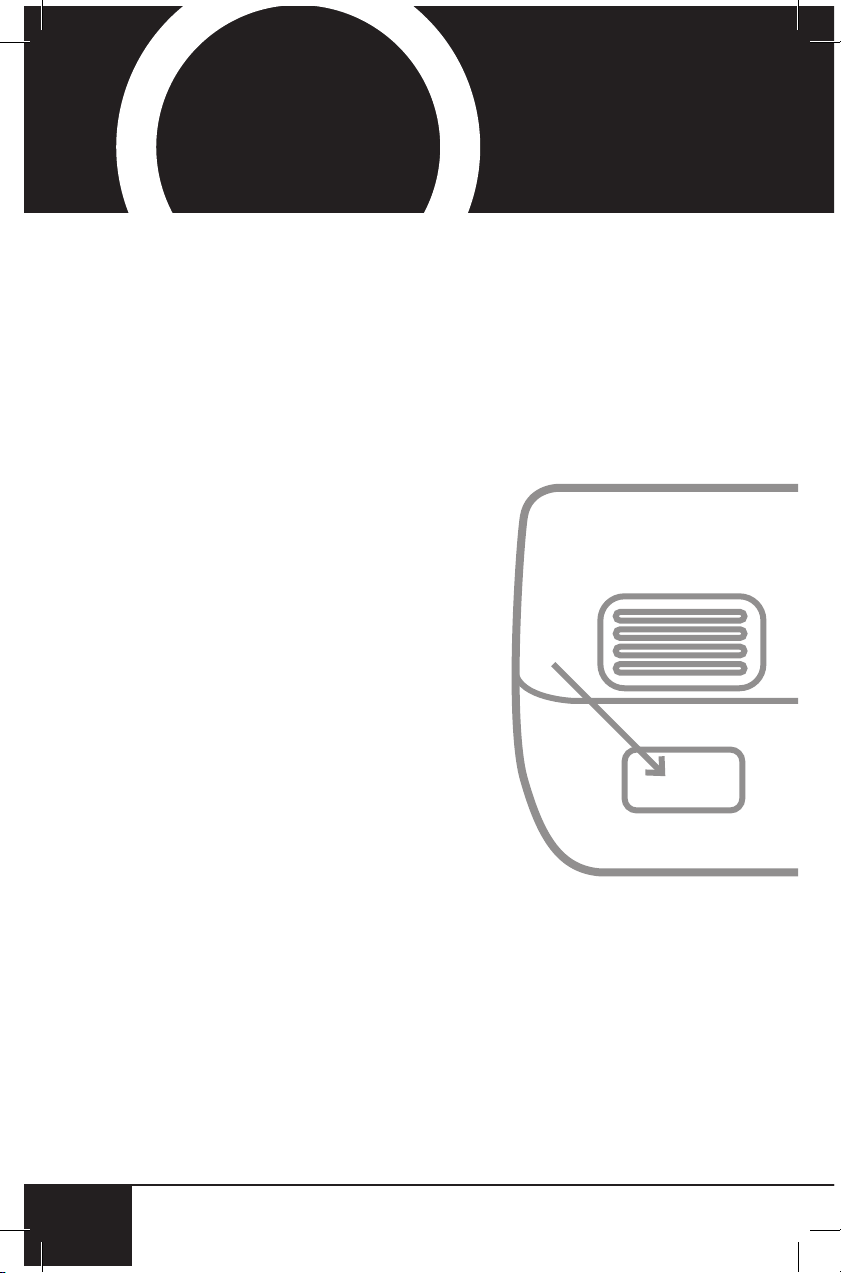
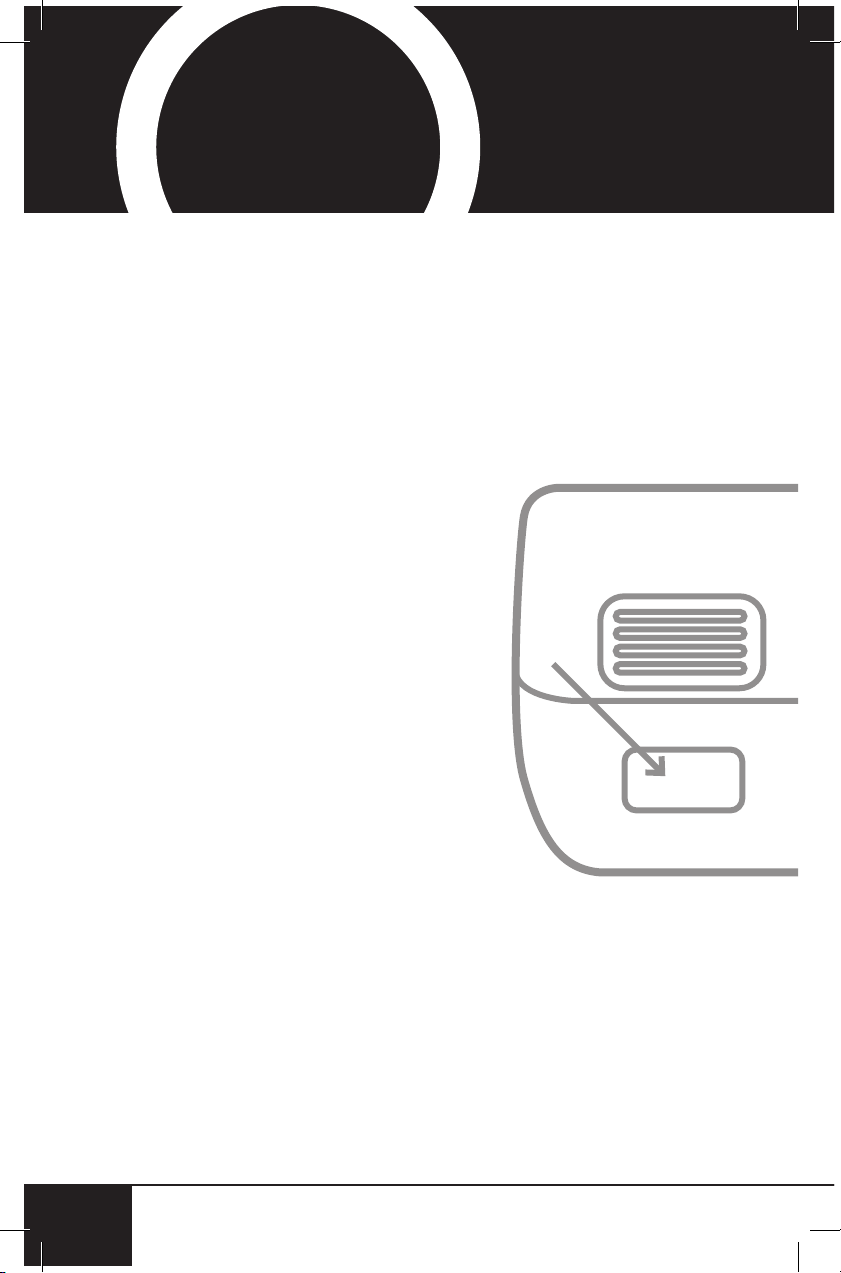
Using your smartphone or
smart device, scan the QR code
located on the unit label on the
back of the Bravo.
You will be directed to NuWave’s
product registration page with
your Bravo’s unique serial
number automatically entered in
the appropriate eld.
NOTE: If you do not have a
web-enabled smart device,
simply visit nuwavenow.com/
QR and manually enter in your
Bravo’s serial number.
Fill out the remaining information
and complete the optional survey.
Once you submit your
information, you will receive
a conrmation email containing
your extended warranty details.
1
2
3
4
*Register your product within 1 year of date of purchase for a free
3-month extension of your limited warranty.
Open your mobile app store
(App Store, Google Play).
Search for "QR code readers."
Simply download the QR code reader to your phone,
open it, scan the code and you are ready to go.
NOTE: You may need to open your downloaded QR
code reader each time you want to scan a QR code.
nuwavenow.com
3
nuwavenow.com
3
3
for an additional
months
warranty!
1
2
3
DOWNLOAD THE QR CODE
APP TO YOUR MOBILE DEVICE
QR code readers
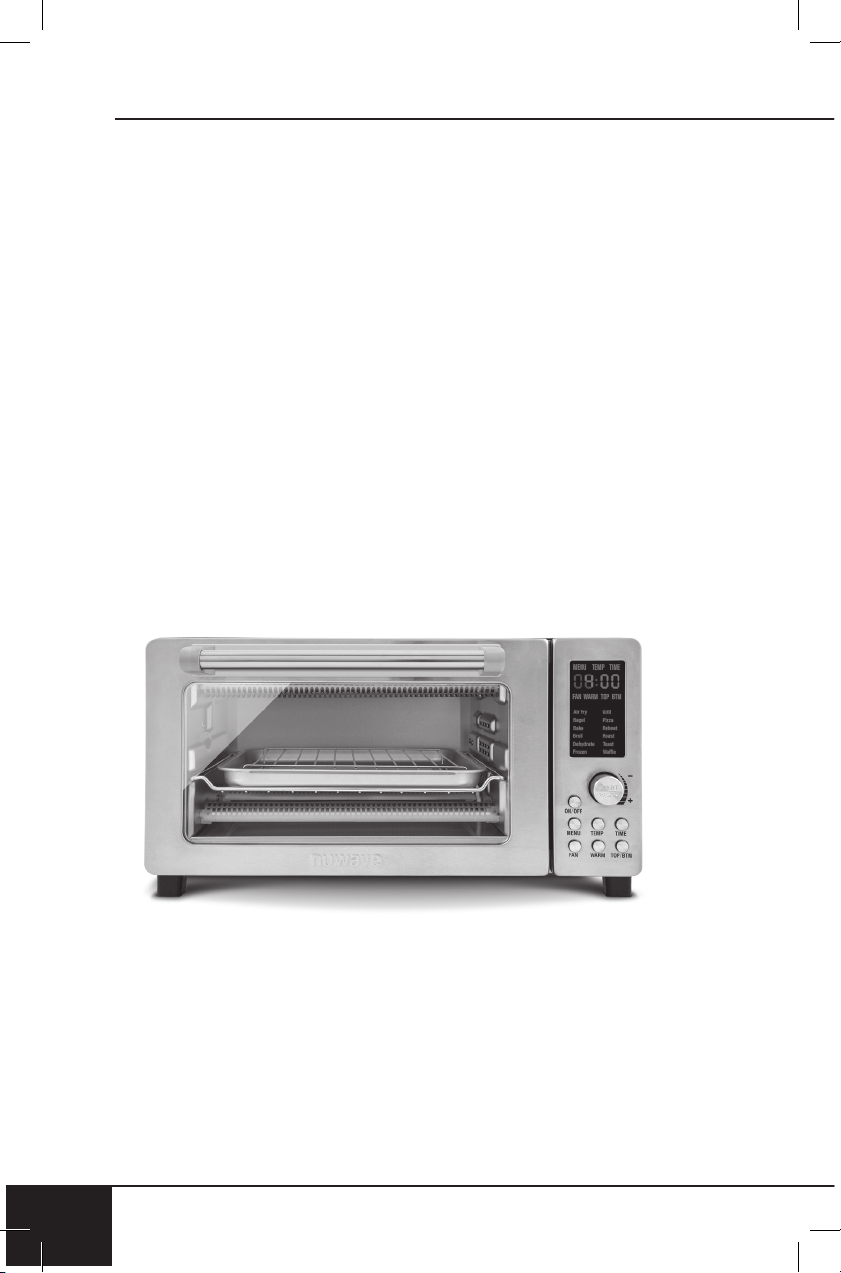
table of contents
4
TABLE OF CONTENTS
4
OWNER’S MANUAL
Guides...............................................................................5-6
Important Safeguards .......................................................6-9
Parts & Accessories ............................................................. 9
Assembly Guide ................................................................. 10
Quickstart ........................................................................... 12
Instructions....................................................................13-18
Cleaning & Maintenance ................................................ 18-19
Troubleshoot Guide ........................................................20-21
Limited Warranty ............................................................22-24
Spanish............................................................................25-49
Replaceable Parts...........................................................50-51
nuwavenow.com
nuwavenow.com
5
ENGLISH
nuwavenow.com
5
nuwavenow.com
5
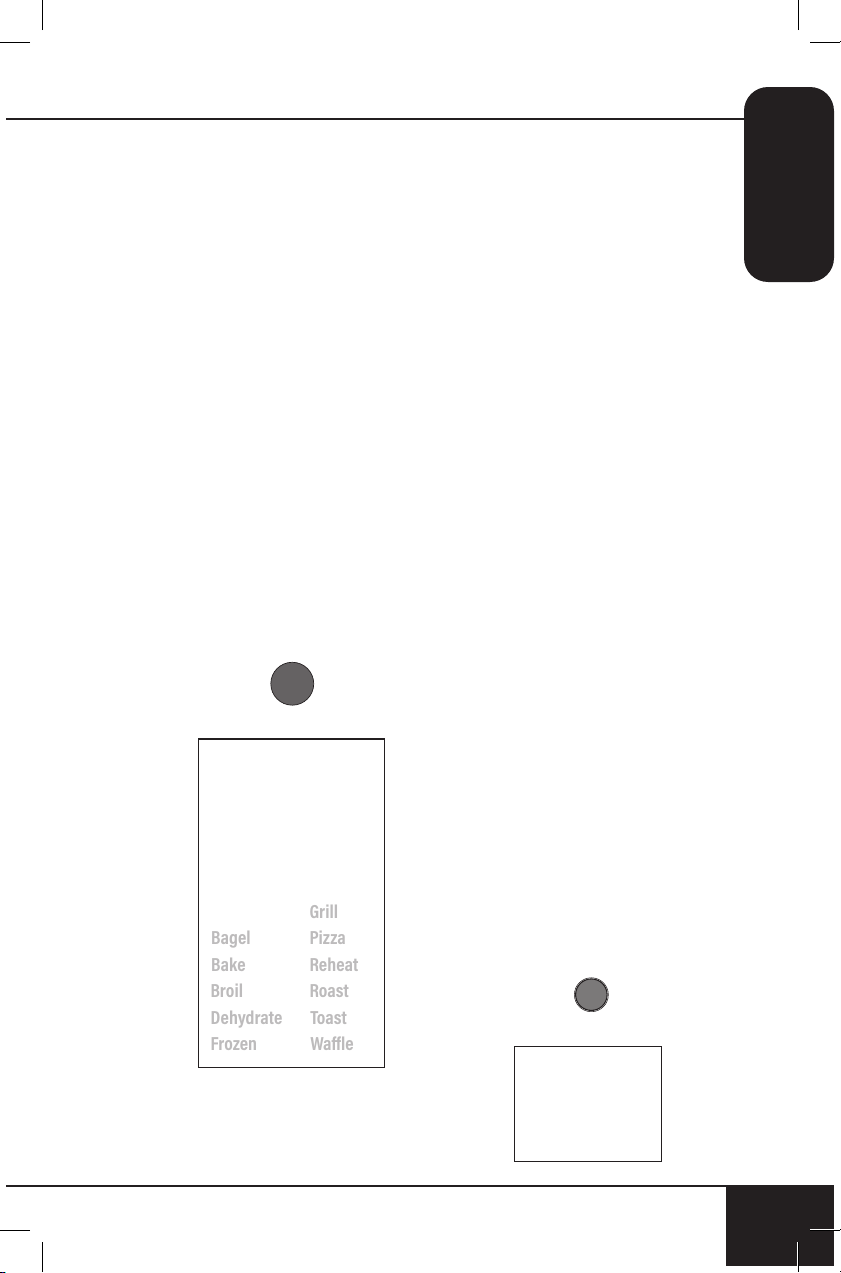
12 Preprogrammed Menus
Note: Preset temperatures and times may need minor adjustments
to best suit your desired results.
Air Fry
• Default Temp: 360°F
• Default Time: 15 minutes
• Heat Source: Top/Bottom
(100/100 percent)
• Rack Position: 2
Grill
• Default Temp: 425°F
• Default Time: 15 minutes
• Heat Source: Top/Bottom
(0/100 percent)
• Rack Position: 1
Bagel
• Default Temp: 450°F
• Default Time: 6 minutes
• Heat Source: Top/Bottom
(100/100 percent)
• Rack Position: 2
Pizza
• Default Temp: 450°F
• Default Time: 15 minutes
• Heat Source: Top/Bottom
(100/100 percent)
• Rack Position: 1
NOTE: Times & Temps will vary
on the size of the pizza.
Bake
• Default Temp: 350°F
• Default Time: 25 minutes
• Heat Source: Top/Bottom
(100/100 percent)
• Rack Position: 1, 2, and 3
Reheat
• Default Temp: 350°F
• Default Time: 10 minutes
• Heat Source: Top/Bottom
(100/100 percent)
• Rack Position: 1, 2, and 3
Broil
• Default Temp: 450°F
• Default Time: 10 minutes
• Heat Source: Top/Bottom
(100/0 percent)
• Rack Position: 3
Roast
• Default Temp: 375°F
• Default Time: 30 minutes
• Heat Source: Top/Bottom
(100/100 percent)
• Rack Position: 1 and 2
Dehydrate
• Default Temp: 100°F
• Default Time: 2 hours
• Heat Source: Top/Bottom
(100/100 percent)
• Rack Position: 1, 2, 3, and 4
(may need rack rotation)
Toast
• Default Temp: 450°F
• Default Time: 6 minutes
• Heat Source: Top/Bottom
(100/100 percent)
• Rack Position: 2
Frozen
• Default Temp: 325°F
• Default Time: 20 minutes
• Heat Source: Top/Bottom
(100/100 percent)
• Rack Position: 1, 2, and 3
• (May need to rotate rack)
Waffle
• Default Temp: 450°F
• Default Time: 5 minutes
• Heat Source: Top/Bottom
(100/100 percent)
• Rack Position: 3
GUIDES
Refer to Oven Rack and Pan Positions chart under Instructions
guides
6
GUIDES
Notes:
• NEVER allow any food to touch the heating elements directly.
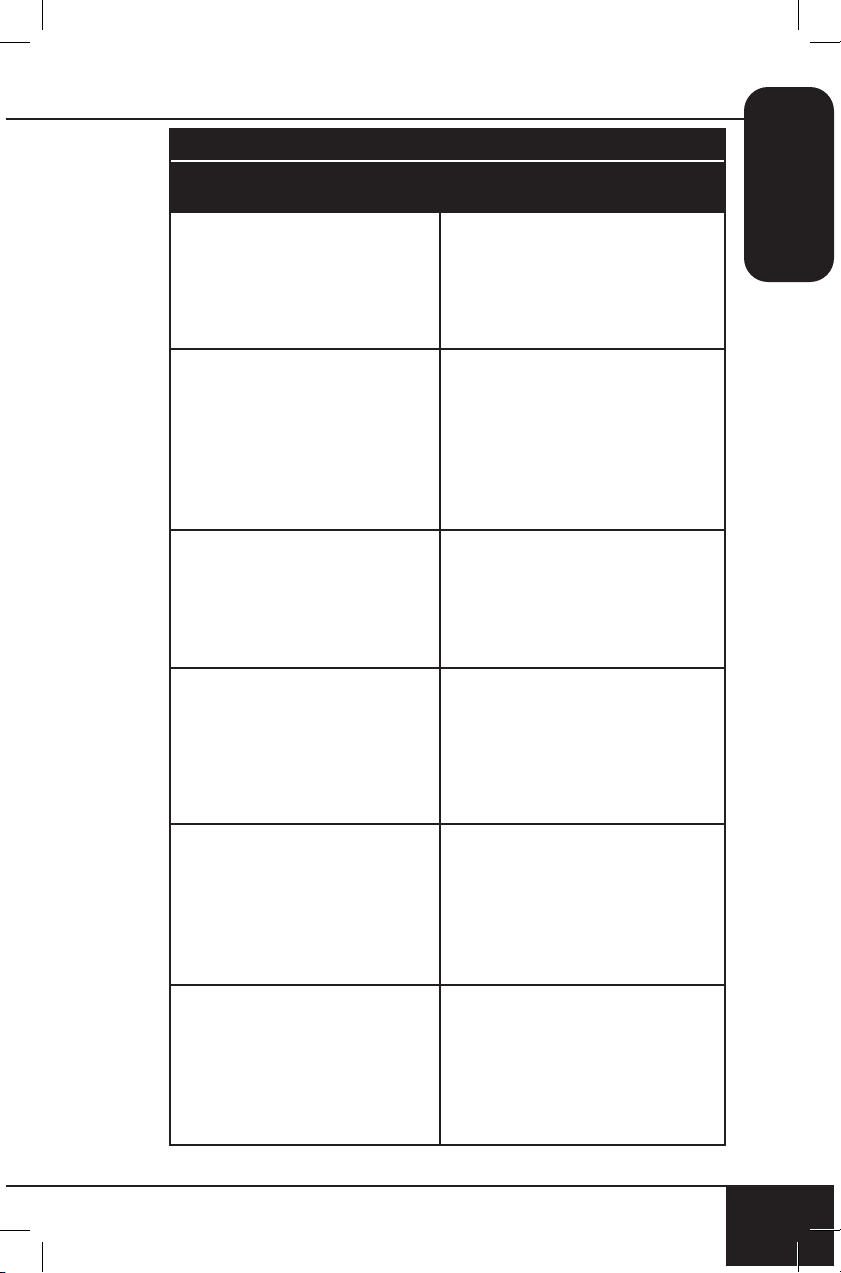
• Default temperatures, times, and rack positions are a guide.
Adjustments may need to be made to reach desired result.
• Fan speed is High (level 3) unless speed is adjusted.
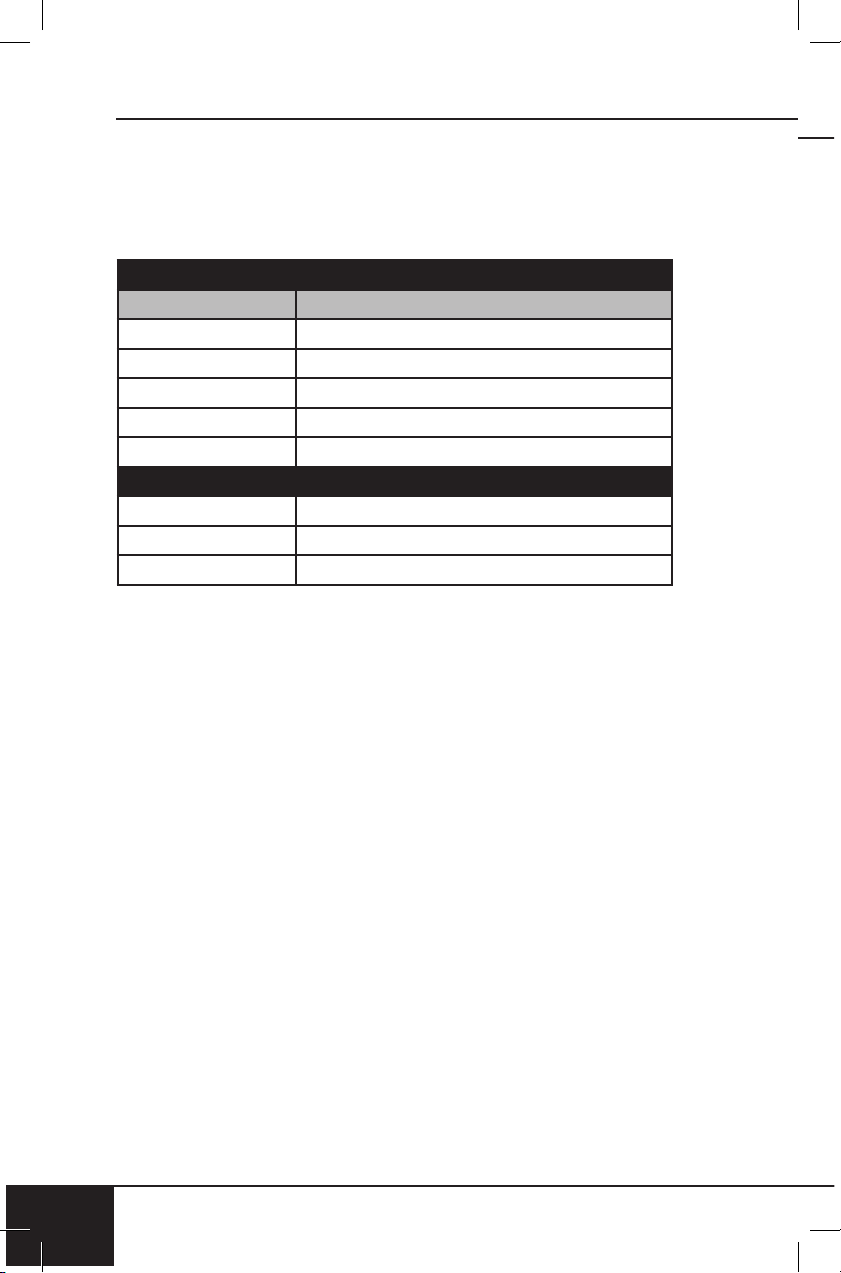
Meat Thermometer Temperature Guide
Beef Temp
Rare 125℉
Medium-Rare 135℉
Medium 145℉
Medium-Well 150℉
Well 160℉
Minimum Cook Temperatures
Poultry 165℉
Pork 145℉
Seafood 145℉
WARNING: When using
the Bravo, basic safety
precautions should always be
followed:
1. Do not touch hot surfaces.
Use handle and wear
oven gloves.
2. Do not use the Bravo
together with other electric
appliances with high power
to avoid electrical overload.
3. To protect against risk of
electrical shock, do not
immerse the cord, plug,
or any part of the Bravo in
water or any other liquids,
or touch plug when hands
are wet.
4. Do not operate the Bravo
with a damaged cord
or plug, if the appliance
malfunctions, is dropped,
or damaged in any manner.
Contact Customer Service
at 1-877-689-2838 or email
help@nuwavenow.com for
information on examination,
repair, or adjustment.
5. Close supervision is
necessary when any
appliance is used near
children. The Bravo is
not intended for use by
children, persons with
reduced physical, sensory, or
mental capabilities, or those
with lack of expertise or
knowledge of this Bravo.
6. Do not let the cord hang over
the edge of table or counter.
7. Do not let cord contact hot
surfaces, including a stovetop.
8. Place the Bravo on a
surface that is horizontal,
even, and stable.
9. DO NOT USE OUTDOORS.
FOR INDOOR USE ONLY.
nuwavenow.com
7
ENGLISH
nuwavenow.com
7
IMPORTANT SAFEGUARDS
HOUSEHOLD USE ONLY • READ ALL INSTRUCTIONS BEFORE USE
10. Do not place on or near a
hot gas or electric burner or
on a heated oven or on a
stovetop.
11. Do not place the Bravo close
to flammable materials,
heating units, or wet
environments.
12. A fire may occur if the
toaster oven is covered
or touching flammable
materials including curtains,
draperies, walls, etc., when
in operation.
13. Do not place objects on top
of the Bravo.
14. Do not place airtight
containers in the Bravo.
15. Do not place plastic or
rubber containers in
the Bravo. Avoid using
containers made of any
other material other than
ceramic, glass, or metal in
the Bravo.
16. Always wear protective,
insulated oven gloves when
inserting or removing items
from the Bravo.
17. Do not place any cookware
or dishes in the Bravo that
are not oven safe.
18. Do not store any materials
other than the manufacturer’s
recommended accessories in
the Bravo when not in use.
19. Do not clean with metal
pads. Pieces can break off
the pad and touch electrical
parts, involving a risk of
electric shock.
20. Do not place paper,
cardboard, plastic, or any
other flammable materials
on top of or inside the Bravo.
21. Use aluminum foil to wrap
foods that produce oil or
juice when operating and
put on the Baking Rack, to
prevent fire.
22. Make sure foil does not
touch heating elements, to
prevent fire.
23. Do not cover Crumb Tray
or any part of the oven
with foil. This will cause
overheating of the oven and
may cause fire.
24. Do not alter or modify any
part of the Bravo or use
attachments or accessories
not recommended by the
manufacturer.
25. When the appliance is
operating, press ON/OFF to
turn the Bravo off.
26. It is normal for some smoke
to escape the Bravo when
heating for the first time.
27. If excess smoke is escaping
from the air vent during
operation, unplug the Bravo
immediately and contact
Customer Service at 1-877-
689-2838 or email help@
nuwavenow.com.
28. Extreme caution must be
used when moving an
appliance containing hot oil
or other hot liquids.
29. Use extreme caution when
removing or disposing of
hot grease.
30. Do not overfill the Bravo
such that contents are
touching heating elements or
blocking the fan.
important safeguards
8
IMPORTANT SAFEGUARDS
HOUSEHOLD USE ONLY • READ ALL INSTRUCTIONS BEFORE USE
8
WARNING
In case of other
problems, unplug the
Bravo and contact
Customer Service:
1-877-689-2838 or email
help@nuwavenow.com.
SEE CLEANING
& MAINTENANCE
BEFORE USE
31. Oversized foods or metal
utensils must not be inserted
in the Bravo as they may
create a fire or a risk of
electric shock.
32. During use, steam may
be released from the air
outlet vents. Keep hands
and face away from the air
outlet openings. Be careful
of hot steam escaping when
opening the Bravo.
33. Avoid placing face and eyes
near the glass door during
use.
34. Never touch the insides
of the Bravo while it is
operating.
35. Never leave the Bravo
unattended during use.
36. Never put the Bravo against
the wall or other appliances.
There should be at least 5
inches of free space behind,
to the sides of, and on top of
the Bravo.
37. To disconnect, first turn OFF
then remove plug from wall
outlet.
38. Do not disassemble the
Bravo.
39. Unplug the Bravo from the
outlet when not in use or
before cleaning.
40. Allow the Bravo to cool
before putting on, taking off
parts, or before cleaning.
41. Do not use appliance for
other than its intended use.
42. Keep manual handy for
future reference.
Electrical Information
A short power-supply cord
is provided to reduce the
risk resulting from becoming
entangled in or tripping
over a longer cord. Longer
detachable power-supply
cords or extension cords are
available and may be used if
care is exercised in their use.
If a longer detachable power-
supply cord or extension cord
is used:
1. The marked electrical rating
of the extension cord should
be at least as great as
the electrical rating of the
appliance.
2. The longer cord should be
arranged so that it will not
drape over the countertop
or tabletop where it could
be pulled on or tripped
over unintentionally. The
Bravo should be operated
on a separate electrical
outlet from other operating
appliances due to wattage
limitations. The appliance
has a polarized plug (one
blade is wider than the
nuwavenow.com
9
ENGLISH
nuwavenow.com
9
other). To reduce the risk of
electric shock, this plug is
intended to fit into a polarized
outlet only one way. If the
plug does not fit fully into the
outlet, reverse the plug. If
it still does not fit, contact a
qualified electrician. Do not
attempt to modify the plug in
any way.
3. If the appliance is of the
grounded type, the cord set
or extension cord should be
a grounding-type 3-wire cord.
SAVE THESE
INSTRUCTIONS
Read and understand the
entire manual before using this
appliance.
Note: The Bravo is intended
for household use only. It is
not intended to be used in
environments such as staff
kitchens/cafeterias, shops,
offices, farms, or other work
environments, nor is it intended
to be used by clients in hotels,
motels, bed and breakfasts, and
nonresidential environments.
NOTICE: FAILURE TO FOLLOW
ANY OF THE IMPORTANT
SAFEGUARDS, ADDITIONAL
SAFEGUARDS, OR THE
INSTRUCTIONS FOR SAFE
USE IS A MISUSE OF THE
BRAVO THAT CAN VOID THE
WARRANTY AND CREATE THE
RISK OF SERIOUS INJURY.
DO NOT USE THE BRAVO FOR
ANYTHING OTHER THAN ITS
INTENDED USE.
ADDITIONAL
SAFEGUARDS
1. Amount of ingredients placed
in the Bravo should comply
with directions listed under
“Instructions.”
2. Do not move the Bravo while
in operation.
3. Only after the Bravo has
completely cooled down
should you attempt to move
or handle it.
4. DO NOT attempt to use the
Bravo to deep-fry any food as
this is NOT its intended use
and may create a fire hazard.
5. Do not cover the intake air
vents or exhaust vents while
the Bravo is operating.
6. Always put the ingredients to
be cooked on the appropriate
baking sheet (do not overfill)
and do not allow food to come
into direct contact with the
heating components.
7. Make sure the Bravo
is always clean prior to
cooking.
8. Always unplug power cord by
pulling on plug, NOT the cord.
9. Children should be
supervised to ensure that
they do not play with the
Bravo.
10. The Bravo is not intended to
be operated by means of an
external timer or separate
remote-control system.
parts & accessories
10
PARTS & ACCESSORIES
10
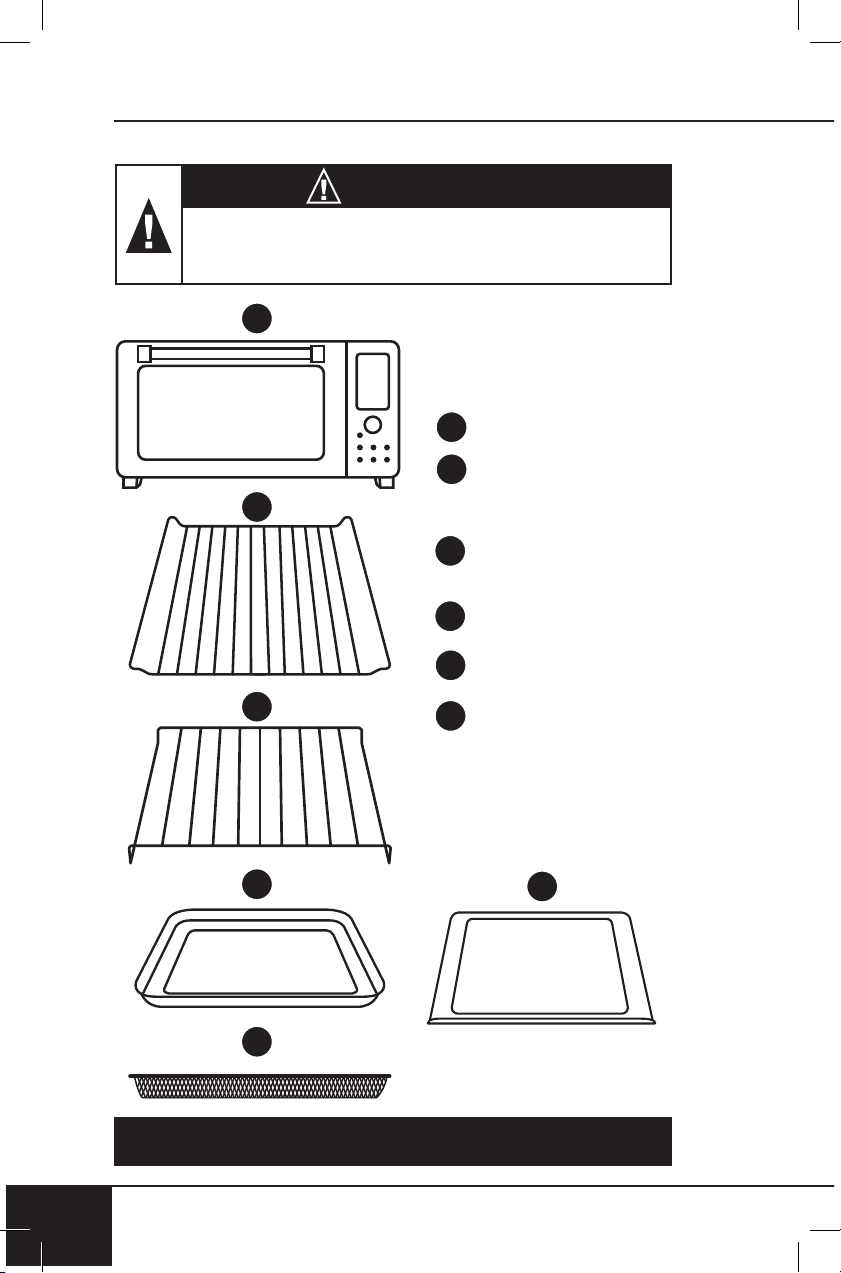
WARNING
Never use the Bravo with loose, damaged, or
missing parts.
1
2
3
4
5
Base
Part #: 26831
Heavy-Duty Cooking
Rack
Part #: 26833
Steel
Baking Rack
Part #: 26834
Baking Pan
Part #: 26835
Air Fry Basket
Part #: 26806
Crumb Tray
Part #: 26832
1
2
5
6
To order replaceable parts head over to the Replaceable Parts section
and then NuWaveNow.com.
3
4
6
nuwavenow.com
11
ENGLISH
nuwavenow.com
11
Parts
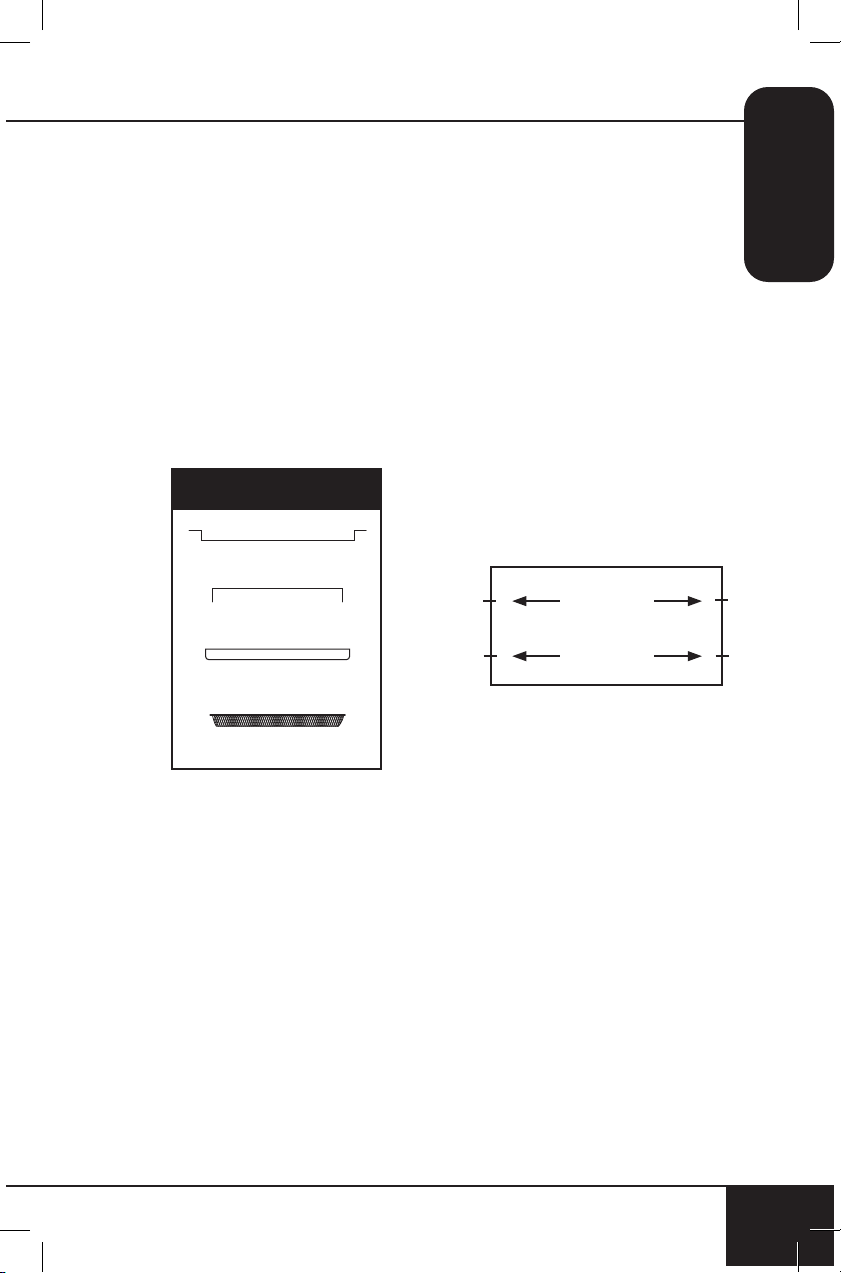
Baking Rack
Cooking Rack
Baking Pan
Slot 1
Slot 2
Air Fry Basket
1. Place the Bravo on a level, even, and stable
heat-resistant surface.
2. Slide the Cooking Rack into either Slot 1 or 2 of the Bravo.
3. Place Baking Pan on Cooking Rack.
4. Place Crumb Tray into position by sliding it into slot at bottom of
oven. To remove, pull out.
5. Plug the Bravo into a standard wall socket. The power plug is
located in the rear of the Bravo.
Note:
Do not cover or block the intake air vents located in the back and
sides of the Bravo, as doing so can prevent proper ventilation.
ASSEMBLY GUIDE
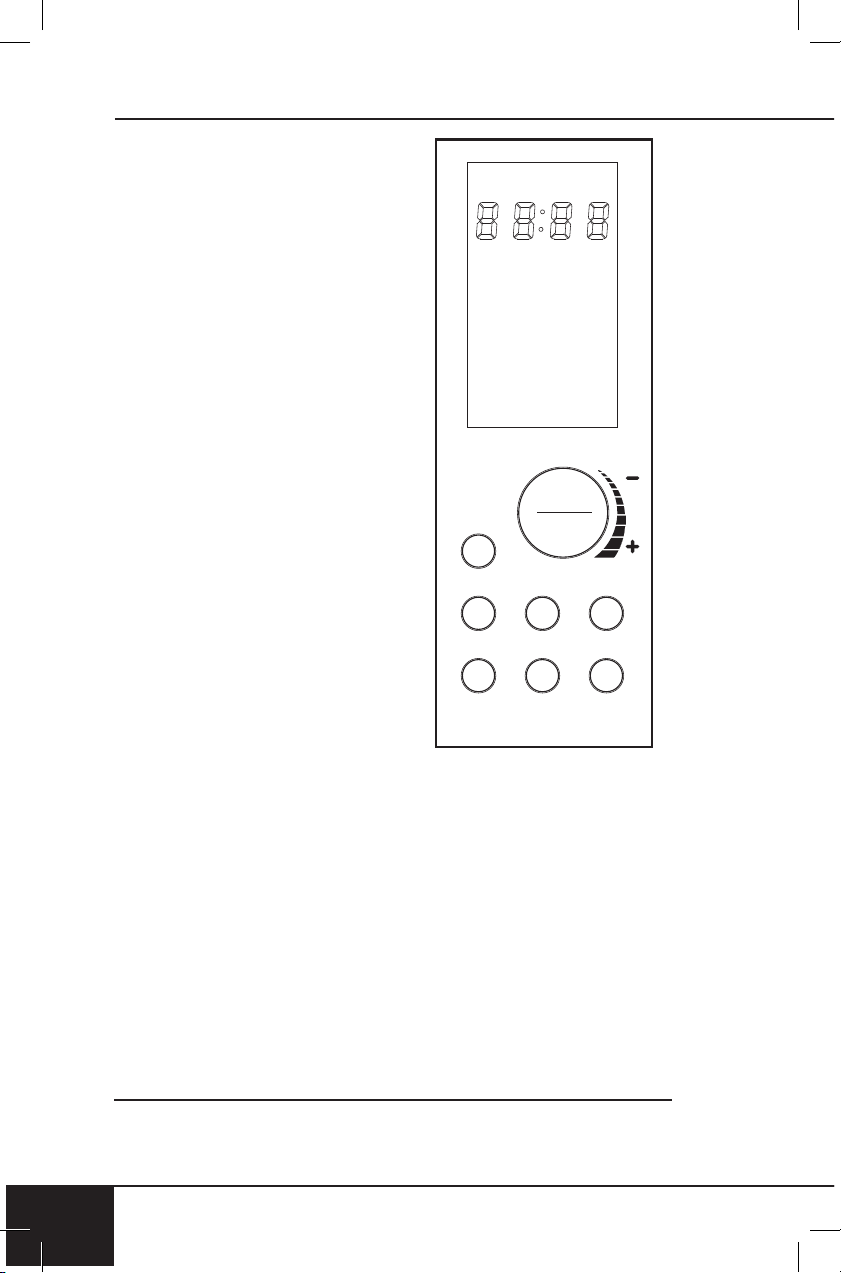
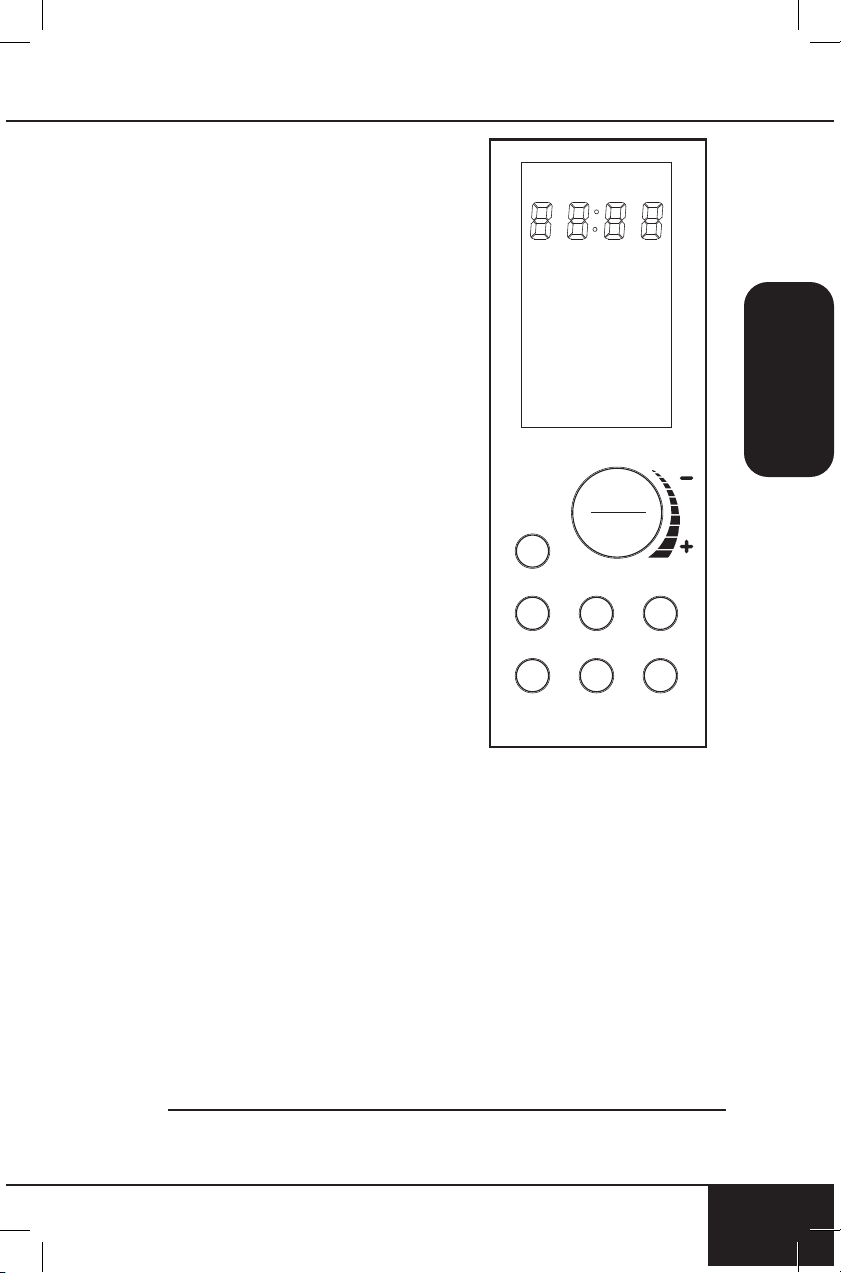
ON/OFF
Turns the Bravo
®
ON and OFF. This
also stops any cooking function.
While cooking press ON/OFF to
cancel the cooking function and
turns the Bravo off.
START/PAUSE
Press START/PAUSE to start and
pause cooking at any time. Press
START/PAUSE for 1 second (until
you hear a beep) to mute and unmute
the Bravo.
MENU
Choose between the 12 cooking
Menu options. Each menu selection
has a set temperature and time.
Press MENU or turn START/PAUSE
to choose your desired Menu.
TEMP and TIME
Allows you to adjust temperature and
time before and during the
cooking process.
TOP/BTM
Adjust the temperatures of the top
and bottom heating elements.
Default is set to 100/100.
WARM
Keeps your food warm after cooking and quickly warms your favorite
leftovers. Press WARM for 1 second (until you hear a beep) to use
warm independently. Default is 140ºF for 1 hour.
FAN
Adjust between 3 fan speeds.
quickstart
1212
QUICKSTART
Bravo 3 Convection Oven
Control Panel_shunde
2018.10.27.
/
/
Note: Refer to INSTRUCTIONS for detailed explanation for each
button and feature.
nuwavenow.com
13
ENGLISH
nuwavenow.com
13
Getting Started
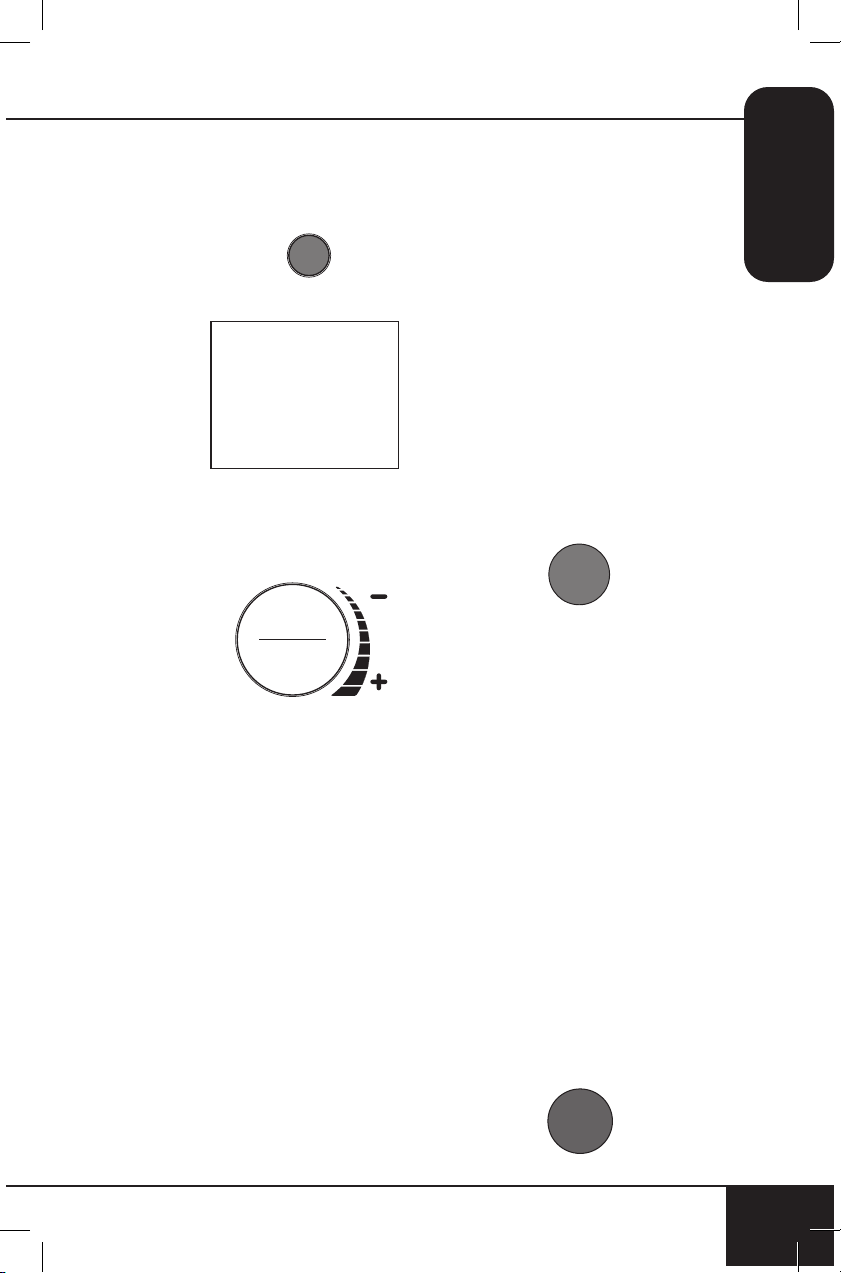
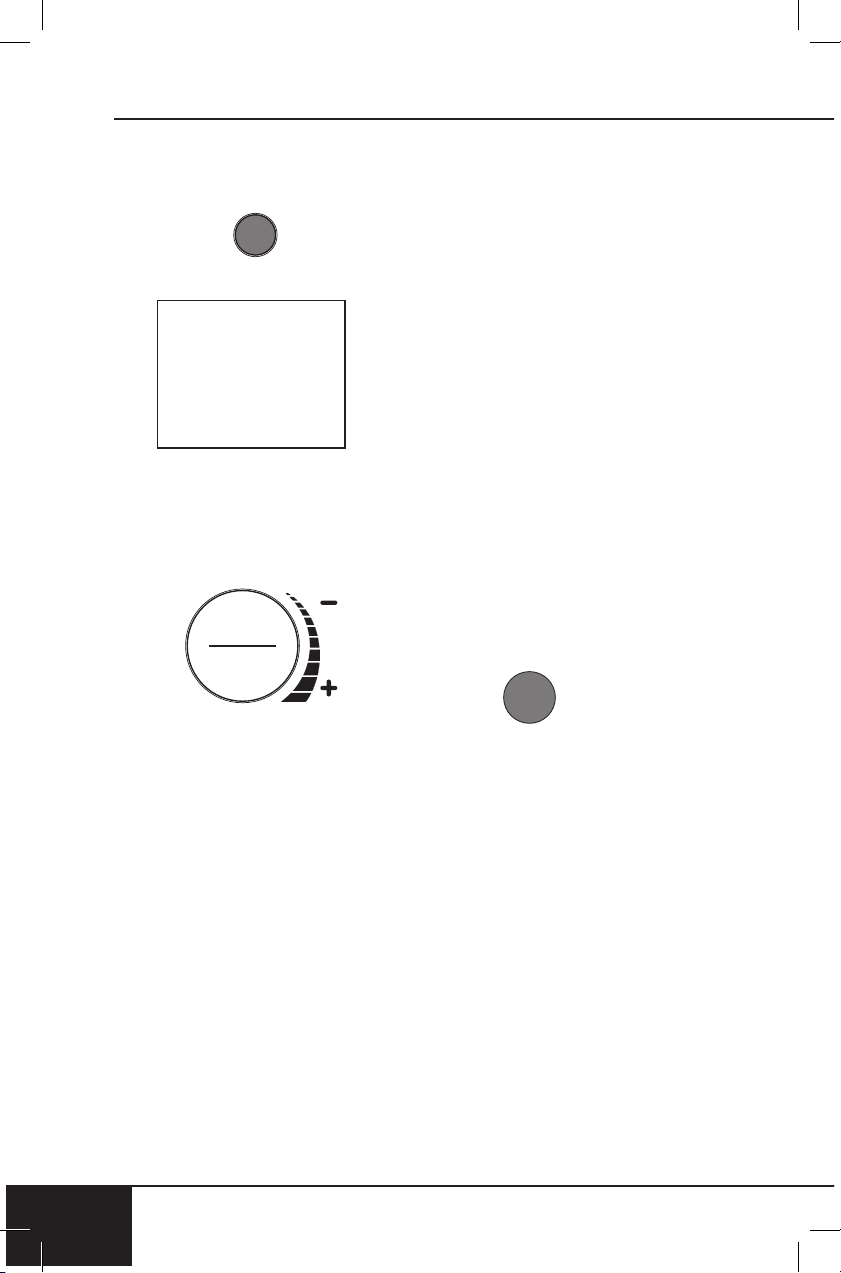
1. Press ON/OFF once to turn
your Bravo on.
2. Press START/PAUSE to
begin cooking at 350°F for
15 minutes, which are the
default settings.
• 00:15 will be displayed
and a countdown will
begin.
• To adjust cooking
temperature, turn the
START/PAUSE Dial
clockwise to increase,
or counterclockwise to
decrease temperature in
5°F increments. Quickly
turn the Dial to adjust in
larger increments.
• Both the cooking
temperature and time
can be adjusted during
cooking by pressing
TEMP or TIME then
turning the START/
PAUSE Dial to adjust
each.
/
3 5 0
F
INSTRUCTIONS
3. Press START/PAUSE once
during cooking to pause.
4. Press START/PAUSE a
second time to resume
cooking.
• Remaining cooking time
will be displayed and the
countdown will continue.
Note: Press START/PAUSE for
1 second (until you hear a beep)
to mute and unmute the Bravo
beeps.
TEMP
1. Press TEMP any time you
want to see or adjust the
cooking temperature.
2. The temperature can
be adjusted up or down
by turning the START/
PAUSE dial clockwise or
counterclockwise.
3. Press START/PAUSE to
begin cooking at the
set temperature.
4. Temperature can be adjusted
during cooking by pressing
TEMP and turning the START/
PAUSE dial to adjust. The
Bravo will continue cooking at
the new temperature setting.
TIME
1. Press TIME anytime you
want to see or adjust the
cooking time. Time range as
follows.
instructions
14
INSTRUCTIONS
14
• 50F~275F: 00:00-99:99
(0-min. to 99-hrs., 99-
min.)
• 280F~400F: 00:00-24:00
(0-min. to 24-hrs.)
• 405F~450F: 00:00-01:00
(0-min. to 1-hr.)
2. The time can be
adjusted up or down
by turning the START/
PAUSE dial clockwise or
counterclockwise.
3. Press START/PAUSE to
begin cooking at the new
time.
4. Time can be adjusted during
cooking by pressing TIME
and turning the START/
PAUSE dial to adjust. The
Bravo will continue cooking
at the new time setting.
FAN
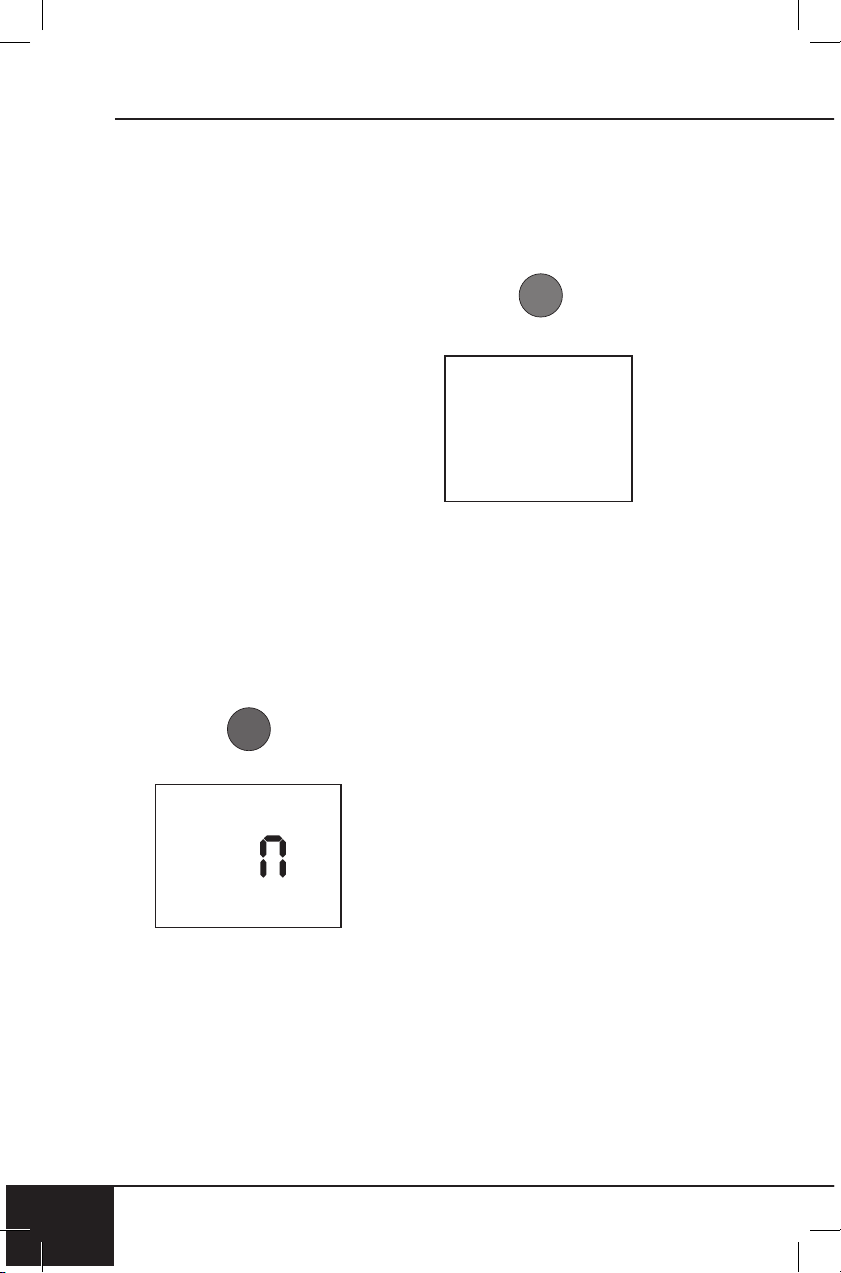
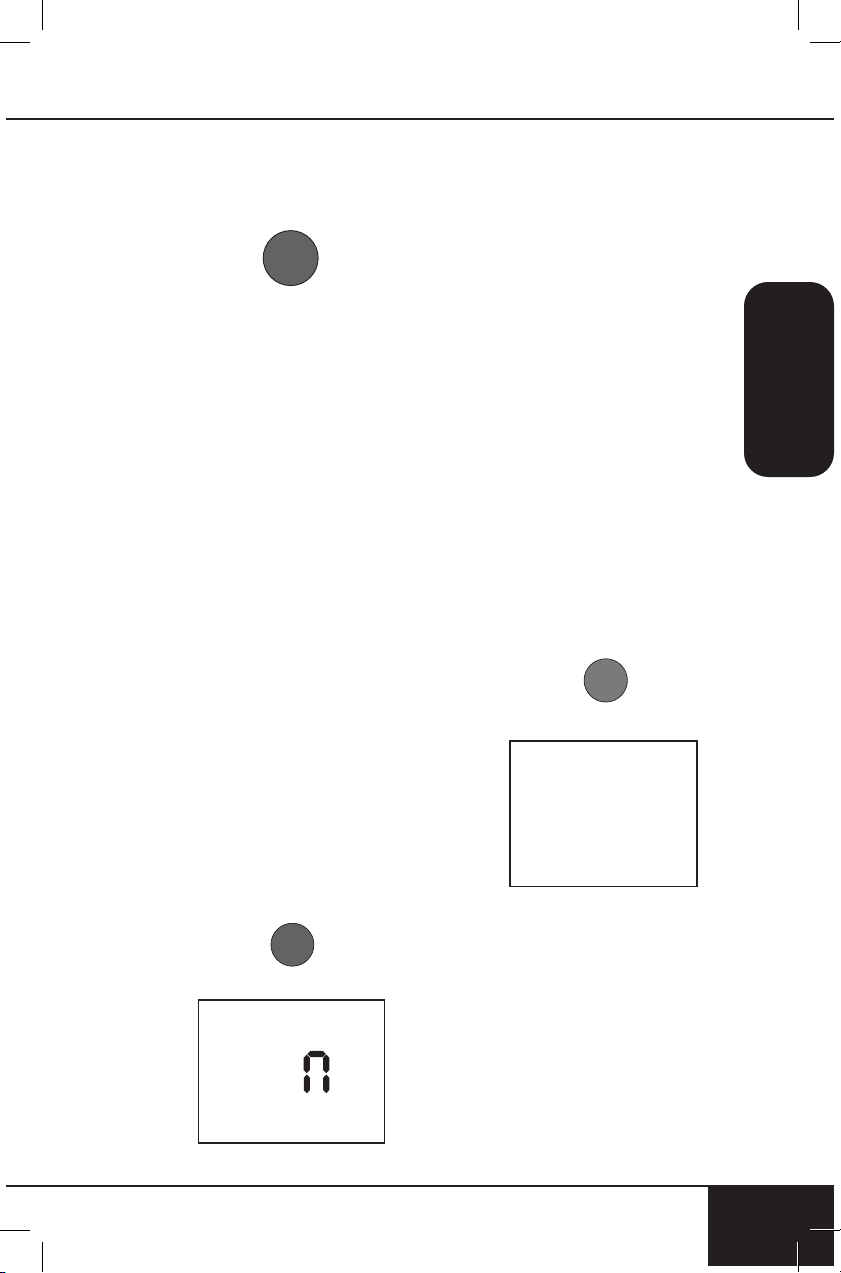
1. Press the FAN button to
adjust the fan speed.
2. Press FAN once and the
display will show FAN 3.
3. Press FAN a second time
and the display will show
FAN 2.
4. Press it a third time and the
display will show FAN 1.
5. To turn the fan off, press FAN
four times. The display will
show FAN 0.
F A
3
WARM
1. Press WARM to keep your
food warm after cooking until
you’re ready to serve. The
default for Warm is 140ºF for
1 hour.
2. Turn the START/PAUSE
dial to adjust the warming
temperature up to 200ºF.
3. Press TIME. The display will
show 01:00 and WARM.
4. Turn the START/PAUSE dial
to adjust the warming time.
• 50ºF~200ºF: 00:00 – 03:00
5. Press START/PAUSE to start
cooking. The Bravo will go
through a regular cooking
cycle then will go into Warm
at the set temperature and
time.
Using Warm as an
Independent Function
1. Press and hold WARM for
1 second (until you hear a
beep). The Bravo will begin
the warming function at the
default settings.
2. Use the START/PAUSE dial
to adjust the warming time.
• 50˚F ~ 200˚F: 00:00 –
03:00
3. To adjust the warming
temperature, press TEMP
0 1
:
0
0
nuwavenow.com
15
ENGLISH
nuwavenow.com
15
and use the START/PAUSE
dial to adjust the warming
temperature up to 200ºF.
4. When the warming time runs
out, the display will show
End and the Bravo will beep
3 times.
Notes:
• Warm temperature can be
adjusted up to 200ºF.
• Warm can be used with
the Menu options as well:
Choose the menu option and
press WARM. Adjust warm
temperature and time.
• To cancel the Warm function
at any time press WARM.
WARM will no longer be lit in
the display.
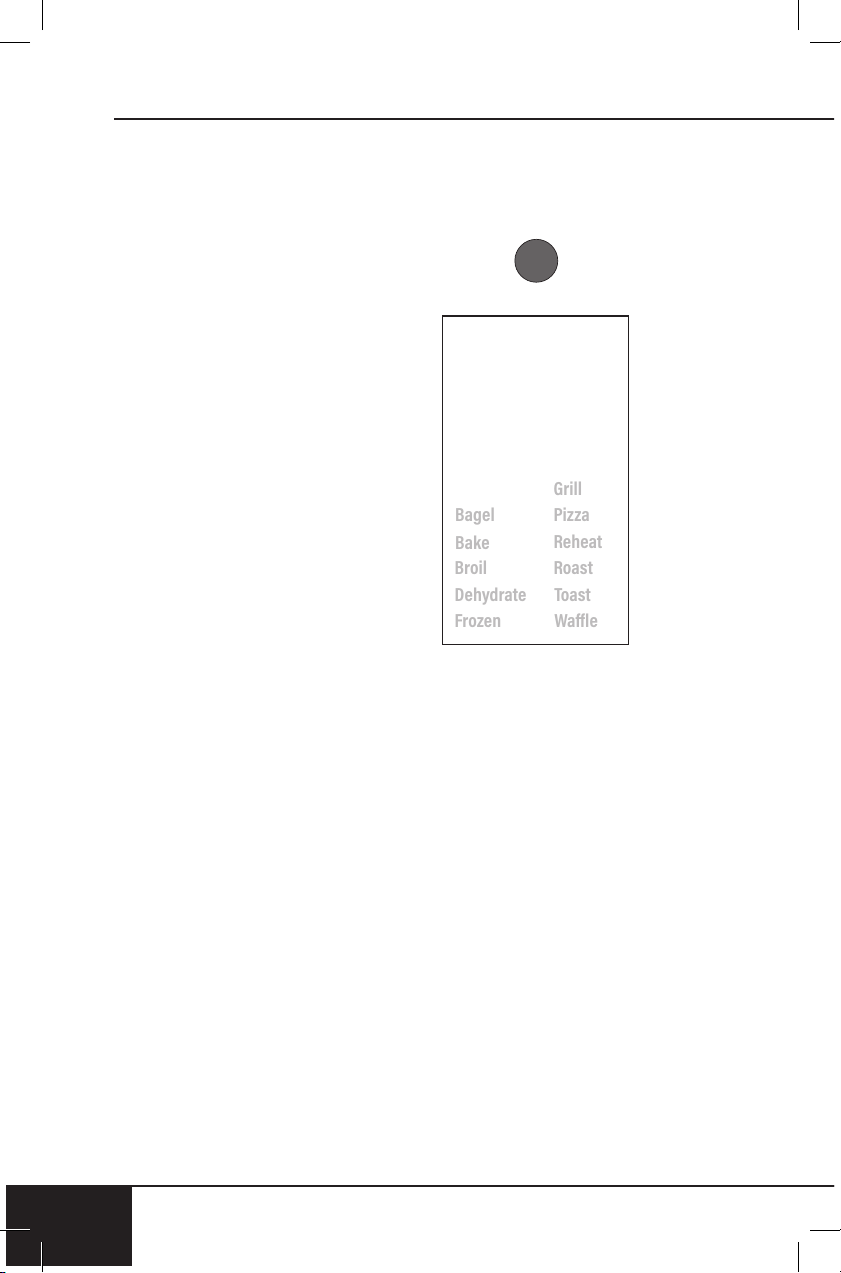
MENU
There are 12 menu options for
you to choose from.
1. Press MENU. Turn the START/
PAUSE dial or continue to
press MENU to scroll through
the menu options.
1
2. Once your desired menu
option is chosen, press
START/PAUSE to begin
cooking. The colon (:) will
flash, indicating the Bravo
is now cooking. The display
will show the default cooking
time for that menu option.
To adjust the cooking time,
simply turn the START/
PAUSE dial to the new
cooking time.
3. To change the cooking
temperature, press TEMP.
The display will show the
default cooking temperature
for that menu option.
Turn the START/PAUSE
dial to adjust the cooking
temperature.
4. To pause cooking, press
START/PAUSE. The colon (:)
will no longer flash indicating
the Bravo is now paused.
5. To unpause and go back
to cooking, press START/
PAUSE again.
6. Once the Bravo finishes
cooking, the display will
show End and the Bravo will
beep three times.
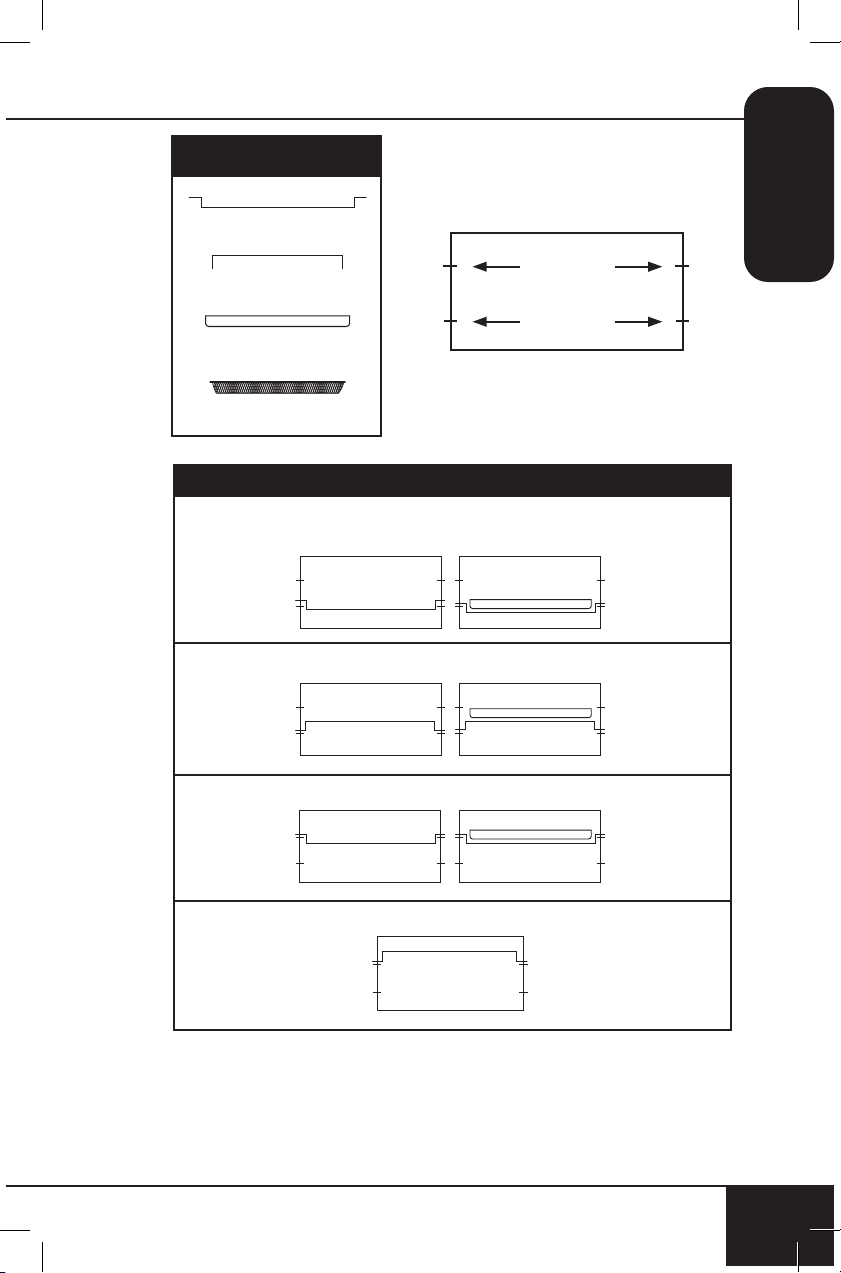
TOP/BTM
Default – Top 100%, Bottom
100%. This refers to the amount
of heat coming from the top and
bottom heating elements.
1 0
0

instructions
16
INSTRUCTIONS
16
1. Press ON/OFF.
2. Press TOP/BTM, 100 and
TOP will be displayed.
Adjust the amount of heat
coming from the top heating
element by turning START/
PAUSE. Adjustable in 10%
increments.
3. Press TOP/BTM again, 100
and BTM will be displayed.
Adjust the amount of heat
coming from the bottom
heating element by turning
START/PAUSE. Adjustable in
10% increments.
4. After top and bottom heat
percentages have been
chosen, press START/
PAUSE to begin cooking.
Helpful Hints
1. To add more time during current cooking cycle, turn START/PAUSE
Dial clockwise. Monitor food to ensure it does not overcook.
2. Some moisture may appear on the door during certain
cooking cycles.
3. When air-frying, food can be lightly coated with oil beforehand
to boost crispiness and browning.
nuwavenow.com
17
ENGLISH
nuwavenow.com
17
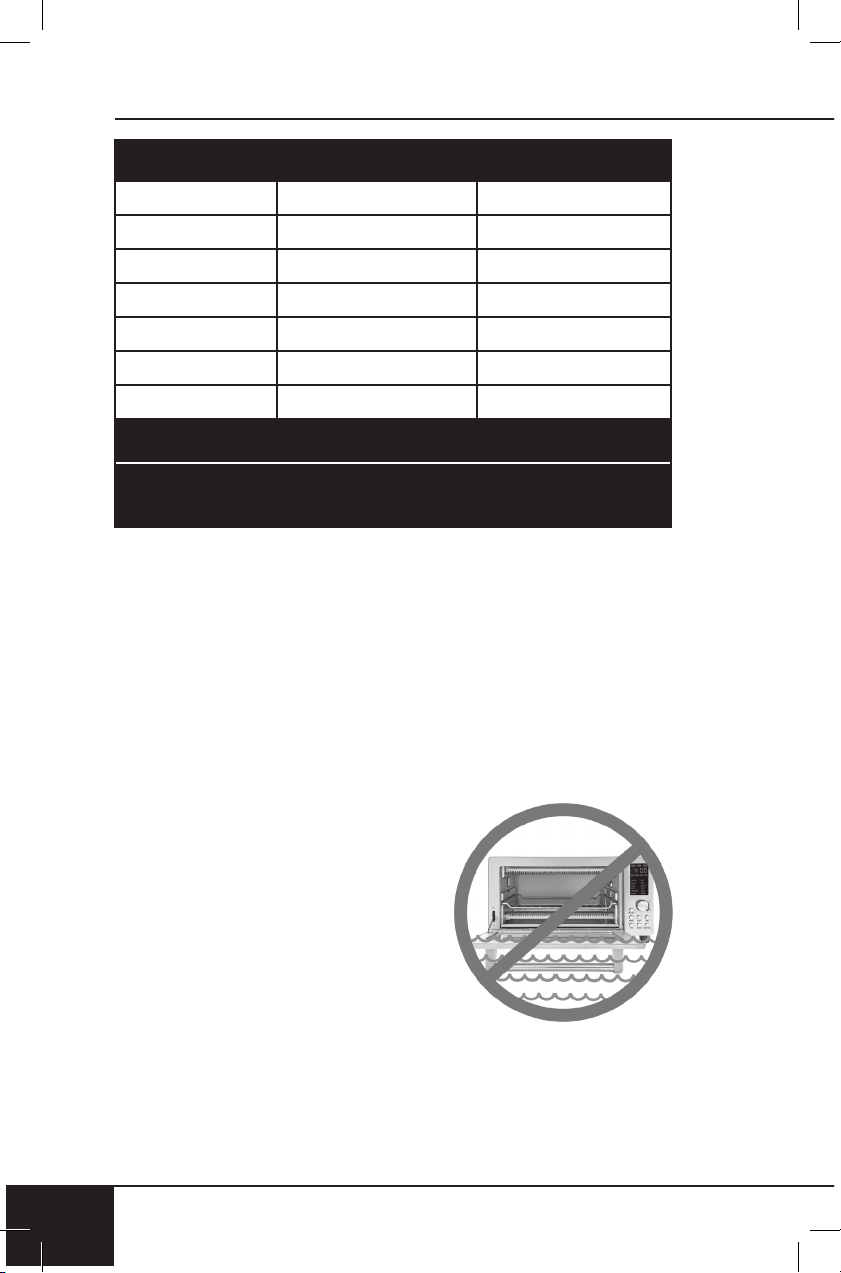
Parts
Baking Rack
Cooking Rack
Baking Pan
Air Fry Basket
Slot 1
Slot 2
Oven Rack and Pan Positions
Position 1: For chicken or other large items (with Baking Pan)
as shown.
Position 2:
Position 3:
Position 4: Dehydrating only
OVEN RACK AND PAN POSITIONS
instructions
18
INSTRUCTIONS
18
Recipes
Note: Temperatures and times are to be used as guidelines. Minor
adjustments may be needed to best suit your desired results.
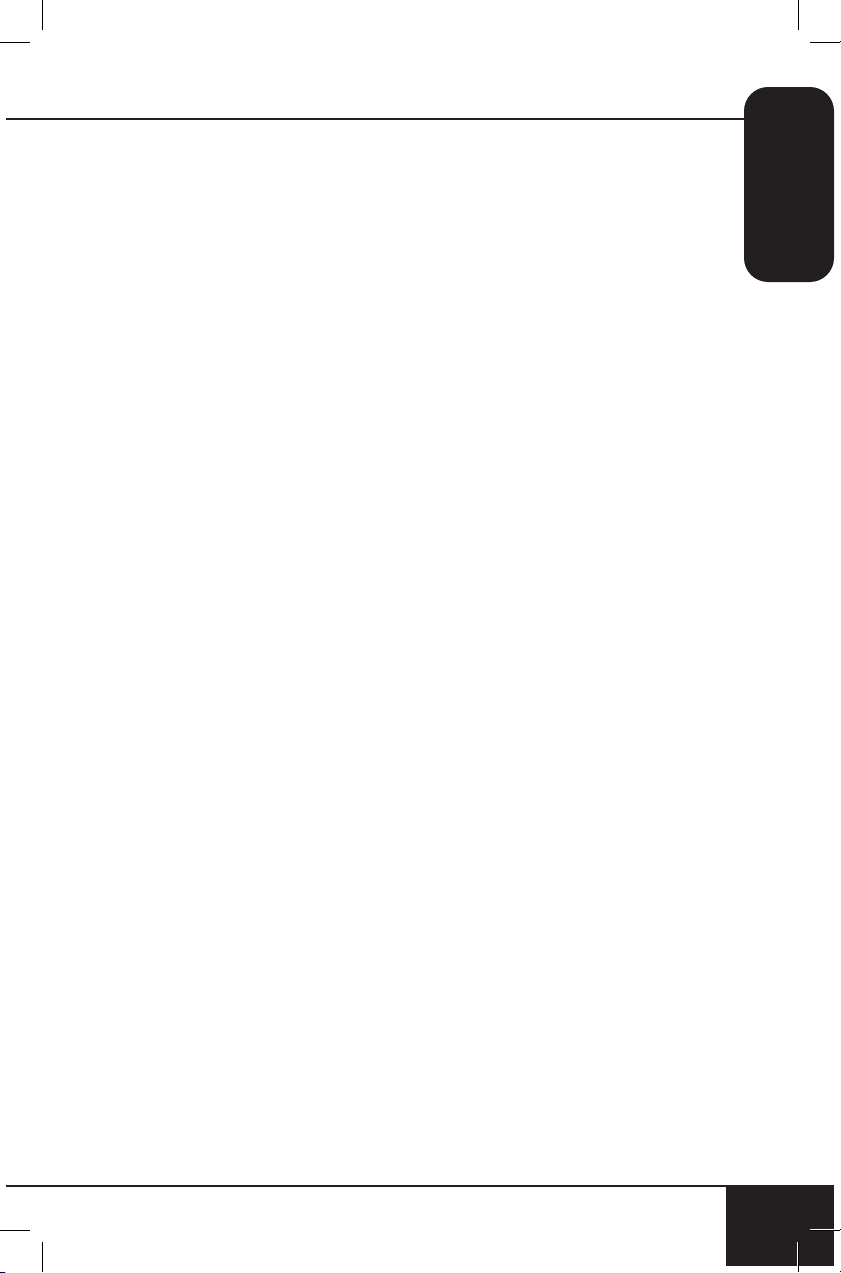
Measurement Chart
Teaspoon = t Fahrenheit = °F Minute = min
Tablespoon = T Celsius = °C Second = sec
Cup = c Fluid Ounces = oz Inch = in.
Ounce = oz Liter = L Dozen = doz
Pound = lb(s) Milliliter = ml Hour = hr
Quart = qt Package = pkg. Gram = g
Pint = pt Gallon = gal Kilogram = kg
Before First Use:
Wash all removable parts in warm, soapy water or in the dishwasher,
top rack only.
1. Remove all the packaging materials.
2. Remove the glue and labels on the appliance.
3. Clean the Cooking Rack, Baking Pan, Air Fry Basket and Crumb
Tray thoroughly with hot water, a nonabrasive sponge, and
mild dish detergent, or in the
dishwasher, top rack only.
4. Wipe the inside and outside of the
Bravo with a damp dishcloth or wet
cloth and dry thoroughly.
CAUTION: Do not immerse the Bravo
in water.
Clean After Each Use:
1. Allow the Bravo to cool completely
before cleaning.
2. Always unplug the Bravo from the electrical outlet. NEVER clean
the Bravo while it is plugged in.
3. Never use harsh abrasive or corrosive product cleaners, as they
may damage the finish or oven surface. Wipe the exterior with a
clean, damp cloth and dry thoroughly.
CLEANING & MAINTENANCE
nuwavenow.com
19
ENGLISH
nuwavenow.com
19
4. Apply the cleaning agent directly to a cloth towel, not directly to
the Bravo, before cleaning.
5. To clean interior, use a damp cloth, mild liquid soap solution, and
a clean cloth towel.
6. Never use steel wool pads, etc., on interior or exterior
of oven.
7. When the glass window is completely cool, spray glass cleaner
on a clean cloth towel. Clean both inside and outside of window
with cloth. Use a damp cloth to rinse the window then dry
completely with a clean dry towel.
8. To remove crumbs, slide out the Crumb Tray and discard crumbs.
Wipe clean and replace. Crumb Tray should be emptied and
cleaned after each use.
9. To remove baked-on grease, soak Baking Pan, Baking Rack, and
Crumb Tray in hot, soapy water. Never operate the oven without the
Crumb Tray in place.
Storage
• Unplug the Bravo and let the Bravo cool down completely.
• Make sure that all parts are cleaned and dry.
• Never wrap the cord around the Bravo.

troubleshooting guide
20
TROUBLESHOOTING GUIDE
20
The Bravo is engineered with an automatic shut-off feature to prevent
overheating during use. If the Bravo shuts off to cool itself down, an
odor may be detected. Unplug the Bravo and wait for it to completely
cool down. To prevent the Bravo from overheating, do not cook foods at
higher temperatures or longer times than recommended.
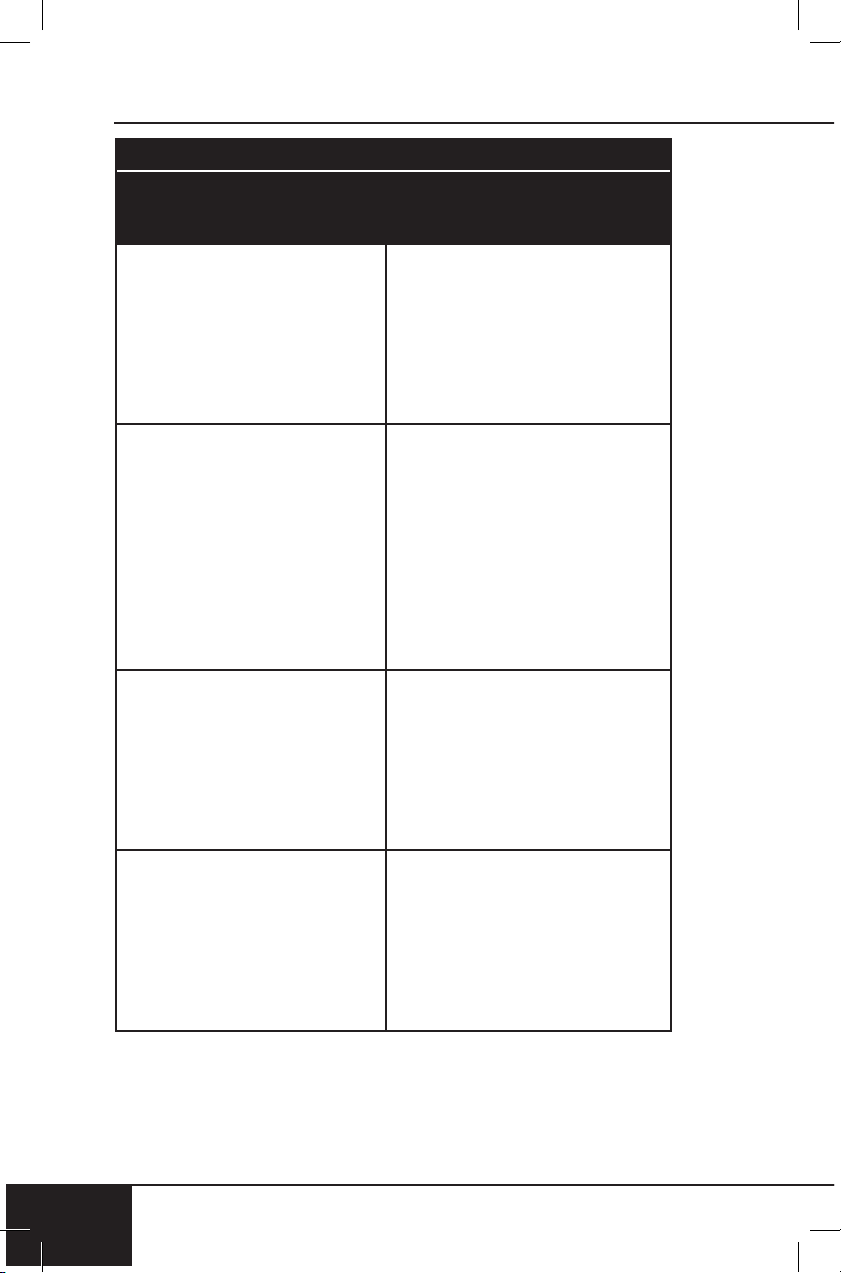
The Bravo does not work.
1. The Bravo is not plugged in. User did not press ON/OFF.
2. Insert the plug into an appropriate grounded power socket.
Press ON/OFF. If still not working, contact Customer Service at
1-877-689-2838 or email help@nuwavenow.com.
The door to the Bravo will not close completely.
1. Food item is too large. Oven racks or accessories are not
properly set in place.
2. Use smaller amounts of food to cook. Make sure all racks and
pans are slid into place and pushed all the way to the back of
the Bravo.
The food is cooked unevenly.
1. Check cooking progress throughout. Turn or rotate as needed
to ensure even cooking.
Bake vs. Roast vs. Broil
1. Use Bake when cooking items that rise (e.g., cakes and
cookies). Use Roast for dense foods that are browned
throughout the cooking process. Use Broil to quickly brown or
crisp a food item.
The Crumb Tray will not slide back into position.
1. The Crumb Tray is not placed into the slot correctly. Something
is blocking the Tray from sliding into position.
2. Remove the Crumb Tray and clean away any food items that
may have accumulated in the back of the Bravo.
White smoke is coming out of the product.
1. You are cooking greasy foods. The Baking Pan contains greasy
residue from previous uses. When preparing greasy ingredients
in the Bravo, large amounts of oil can smoke. The oil will
produce white smoke. This will not affect the final cooking effect.
White smoke is caused by grease heating up on the Cooking
Rack, Baking Pan, Baking Rack, or Crumb Tray.
2. Clean Cooking Rack, Baking Pan, Baking Rack, and Crumb
Tray regularly between use.
nuwavenow.com
21
ENGLISH
nuwavenow.com
21
The display is blank.
1. The Bravo overheated and has shut itself down. No action was
taken after certain stages of cooking and the Bravo shut down.
Control panel not working correctly.
2. Unplug the Bravo and allow the Bravo to completely cool. Plug
back in and see if it is working. If the display remains blank,
contact Customer Service at 1-877-689-2838 or email
help@nuwavenow.com.
The Bravo is not heating.
1. The Bravo is unplugged. The Bravo has overheated. Heating
elements are not working.
2. Make sure the Bravo is plugged in. Make sure the Bravo has
completely cooled. Plug in and see if the Bravo comes up to
correct temperature. If the Bravo continues to not heat up,
contact Customer Service at 1-877-689-2838 or email
help@nuwavenow.com.
If the Bravo needs to be replaced or returned to the
manufacturer, contact Customer Service at
1-877-689-2838 or email: help@nuwavenow.com.
Error Code Er1 is displayed and the Bravo is not cooking.
Turn the Bravo off and unplug to cool. If still not working after
cooling and turned on, contact Customer Service.
Error Code Err1 is displayed and the Bravo is not cooking.
Temperature Sensor Short Circuit. Contact Customer Service.
Error Code Err2 is displayed and the Bravo is not cooking.
Temperature Sensor is open. Contact Customer Service.
Error Code Err8 is displayed and the Bravo is not cooking.
If any key/button is stuck (frozen), when plugged in the Bravo will
display Err8 even if not turned on.
limited warranty
22
LIMITED WARRANTY
22
The NuWave Bravo
®
THE MANUFACTURER WARRANTS
The Bravo, including the Heavy-Duty Cooking Rack, Baking
Pan,Baking Rack, Pull-Out Crumb Tray, and all electrical
components, are to be free from manufacturer defects.
All electrical components are warrantied for 1 year from the date
of purchase, under normal household use, and when operated
in accordance with the Manufacturer’s written instructions. The
Manufacturer will provide the necessary parts and labor to repair
any part of the Bravo at NuWave LLC Service Department. After the
expiration of the warranty, the cost of the labor and parts will be the
responsibility of the owner.
THE WARRANTY DOES NOT COVER
The Limited Warranty is voided if repairs are made by an
unauthorized dealer or the serial number data plate is removed or
defaced. Normal deterioration of nish due to use or exposure is
not covered by this Warranty. This Limited Warranty does not cover
failure, damages or inadequate performance due to accident, acts
of God (such as lightning), uctuations in electric power, alterations,
abuse, misuse, misapplications, corrosive-type atmospheres,
improper installation, failure to operate in accordance with the
Manufacturer’s written instructions, abnormal use or commercial use.
NuWave LLC reserves the right to void the Limited Warranty, where
allowable by law, for products purchased from an unauthorized dealer.
TO OBTAIN SERVICE
The owner shall have the obligation and responsibility to: pay for all
services and parts not covered by the warranty; prepay the freight to
and from Service Department for any part or system returned under
this warranty; and carefully package the product using adequate
padding material to prevent damage in transit. The original container
is ideal for this purpose. Include in the package the owner’s name,
address, daytime telephone number, a detailed description of the
problem, and your “RGA number.” (Call 1-877-689-2838) or email
help@nuwavenow.com to obtain the RGA number (Return Goods
Authorization number). Provide the cooking system model & serial
number and proof of date of purchase (a copy of the receipt) when
making claims under this warranty.
MANUFACTURER’S OBLIGATION
The Manufacturer’s obligation under this Limited Warranty is
limited, to the extent allowable by law, to repairing or replacing any
part covered by this Limited Warranty which upon examination is
found to be defective under normal use. The Limited Warranty is
applicable only within the continental United States and only to the
original purchaser of the manufacturer’s authorized channels of
distribution. THE LIMITED WARRANTY MAY NOT BE ALTERED,
nuwavenow.com
23
nuwavenow.com
23
SPANISH
VARIED OR EXTENDED EXCEPT BY A WRITTEN INSTRUMENT
EXECUTED BY THE MANUFACTURER. THE REMEDY OF
REPAIR OR REPLACEMENT AS PROVIDED UNDER THIS
LIMITED WARRANTY IS EXCLUSIVE. IN NO EVENT SHALL THE
MANUFACTURER BE LIABLE FOR ANY CONSEQUENTIAL OR
INCIDENTAL DAMAGES TO ANY PERSON, WHETHER OR NOT
OCCASIONED BY NEGLIGENCE OF THE MANUFACTURER,
INCLUDING WITHOUT LIMITATION, DAMAGES FOR LOSS OF
USE, COSTS OF SUBSTITUTION, PROPERTY DAMAGE, OR
OTHER MONEY LOSS.
Some states do not allow the exclusion or limitation of incidental
or consequential damages, so the above limitation exclusions
may not apply. This Limited Warranty gives specic legal rights,
and there may also be other rights which vary from state to state.
EXCEPT AS OTHERWISE EXPRESSLY PROVIDED ABOVE, THE
MANUFACTURER MAKES NO WARRANTIES EXPRESSED OR
IMPLIED ARISING BY LAW OR OTHERWISE, INCLUDING WITHOUT
LIMITATION, THE IMPLIED WARRANTIES OF MERCHANTABILITY
AND FITNESS FOR A PARTICULAR PURPOSE TO ANY OTHER
PERSON. READ YOUR OWNER’S MANUAL. IF YOU STILL HAVE
ANY QUESTIONS ABOUT OPERATION OR WARRANTY OF THE
PRODUCT, PLEASE CONTACT NUWAVE LLC.
DISPUTE RESOLUTION PROCEDURE. For disputes relating to use
of the website or use or purchase of a NuWave product or service
(collectively “Disputes”), you agree to rst contact NuWave LLC
at (877) 689-2838 (phone), (847) 367-5486 (facsimile), or legal@
nuwavenow.com (email). If we cannot resolve your dispute informally,
any and all disputes shall be submitted to nal and binding arbitration.
You may start the arbitration process by submitting in writing a
demand to the American Arbitration Association (“AAA”) and sending
a copy to NuWave. NuWave will pay all ling costs. A single arbitrator
of the AAA will conduct the arbitration in a location convenient to
you or by phone. The arbitrator’s award will be binding and may
be entered as a judgment in a court of competent jurisdiction. The
arbitration will be conducted in accordance with the provisions of
AAA’s Commercial Arbitration Rules and Mediation Procedures in
effect at the time of submission of your demand for arbitration. See
https://www.adr.org/sites/default/les/CommercialRules_Web.pdf.
Except as may be required by law as determined by an arbitrator, no
party or arbitrator may disclose the existence, content, or results of
any arbitration hereunder without prior written consent of both parties.
A. WAIVER OF RIGHT TO SUE. By agreeing to arbitration you
understand that, to the maximum extent permitted by law, you are
agreeing to waive your right to le suit in any court, to a court hearing,
judge trial, and jury trial.
limited warranty
24
LIMITED WARRANTY
24
B. CLASS ACTION WAIVER. To the maximum extent permitted
by law you expressly agree to refrain from bringing or joining any
claims in any representative or class-wide capacity, including but not
limited to, bringing or joining any claims in any class action or class-
wide arbitration.
C. OPT OUT PROCEDURE. To opt out of arbitration you must
contact NuWave. To request to opt out of arbitration contact us at
legal@nuwavenow.com (email), NuWave LLC, 560 Bunker Ct.,
Vernon Hills, IL 60061, U.S.A., (847) 367-5486 (fax), or (877) 689-
2838 or (224) 206-3019 (phone). You will have thirty (30) days from
the date of product delivery to opt out of arbitration with respect
to any dispute arising out of or relating to use or purchase of any
NuWave product. If more than 30 days have passed you are not
eligible to opt out of arbitration and will have waived your right to
sue or participate in a class action with respect to the dispute arising
out of your purchase or use of a NuWave product. For any dispute
arising out of your use of NuWave’s website, you have thirty (30)
days from the date you provided information to the website to opt
out of arbitration. If more than 30 days have passed you are not
eligible to opt out of arbitration and you will have waived your right
to sue and participate in a class action with respect to the dispute
arising out of your use of NuWave’s website.
D. SOME MATTERS ARE NOT SUBJECT TO ARBITRATION.
Notwithstanding the foregoing, the following shall not be subject
to arbitration and may be adjudicated only in the state and federal
courts of Illinois: (i) any dispute, controversy, or claim relating to
or contesting the validity of our intellectual property rights and
proprietary rights, including without limitation, patents, trademarks,
service marks, copyrights, or trade secrets; (ii) an action by a party
for temporary, preliminary, or permanent injunctive relief, whether
prohibitive or mandatory, or other provisional relief; or (iii) interactions
with governmental and regulatory authorities. You expressly agree
to refrain from bringing or joining any claims in any representative or
class-wide capacity, including but not limited to, bringing or joining any
claims in any class action or any class-wide arbitration.
READ YOUR OWNER’S MANUAL
If you still have any questions about operation or warranty of the
product, please contact NuWave LLC at: 1-877-689-2838 or email
help@nuwavenow.com.
nuwavenow.com
25
nuwavenow.com
25
SPANISH
Tostadora de Horno y Asador
nuwavenow.com
26
26
Como agradecimiento especial por registrar su Bravo,
¡recibirá automáticamente 3 meses adicionales a su
garantía limitada del fabricante!*
Todo lo que tiene que hacer es seguir estos
simples pasos.
Usando su teléfono inteligente o
dispositivo inteligente, escanee el
código QR ubicado en la etiqueta
de su Bravo ubicada en la parte
posterior de la unidad.
Se le dirigirá a la página de
registro del producto NuWave
con el número de serie único
de su Bravo que se ingresa
automáticamente en el campo
correspondiente.
NOTA: Si no tiene un dispositivo
inteligente habilitado para
la web, simplemente visite
nuwavenow.com/QR e ingrese
manualmente el número de
serie de su Bravo.
Complete la información restante
y complete la encuesta opcional.
Una vez que envíe su
información, recibirá un correo
electrónico de conrmación
con los detalles de la garantía
extendida.
1
2
3
4
* Registre su producto dentro de 1 año a partir de la fecha
de compra para una extensión gratuita de 3 meses de
garantía limitada.
¡REGÍSTRESE
AHORA!
Abra su tienda de aplicaciones móviles (App Store,
Google Play).
Busque “lectores de códigos QR”.
Simplemente descargue el lector de códigos QR a
su teléfono, ábralo y escanee el código, ya está listo
para comenzar.
NOTA: Es posible que deba abrir el lector de código
QR descargado cada vez que desee escanear un
código QR.
nuwavenow.com
27
nuwavenow.com
27
1
2
3
DESCARGUE LA APLICACIÓN QR
CODE EN SU DISPOSITIVO MÓVIL
lectores de códigos QR
3
!para una garantía
adicional de
meses!
28
28
GUÍAS
12 Menús Preprogramados
Nota: Las temperaturas y los tiempos predeterminados
pueden necesitar ajustes menores para adaptarse mejor a los
resultados deseados.
Air Fry
• Temperatura predeterminada:
360°F
• Tiempo predeterminado:
15 minutos
• Fuente de calor: superior/
inferior (100/100 por ciento)
• Posición de la rejilla: 2
Grill
• Temperatura predeterminada:
425°F
• Tiempo predeterminado:
15 minutos
• Fuente de calor: superior/
inferior (0/100 por ciento)
• Posición de la rejilla: 1
Bagel
• Temperatura predeterminada:
450°F
• Tiempo predeterminado:
6 minutos
• Fuente de calor: superior/
inferior (100/100 por ciento)
• Posición de la rejilla: 2
Pizza
• Temperatura predeterminada:
450°F
• Tiempo predeterminado:
15 minutos
• Fuente de calor: superior/
inferior (100/100 por ciento)
• Posición de la rejilla: 1
• NOTA: Los horarios y las
temperaturas varían según el
tamaño de la pizza.
Bake
• Temperatura predeterminada:
350°F
• Tiempo predeterminado:
25 minutos
• Fuente de calor: superior/
inferior (100/100 por ciento)
• Posición de la rejilla: 1, 2, 3
Reheat
• Temperatura predeterminada:
350°F
• Tiempo predeterminado:
10 minutos
• Fuente de calor: superior/
inferior (100/100 por ciento)
• Posición de la rejilla: 1, 2, 3
Broil
• Temperatura predeterminada:
450°F
• Tiempo predeterminado:
10 minutos
• Fuente de calor: superior/
inferior (100/0 por ciento)
• Posición de la rejilla: 3
Roast
• Temperatura predeterminada:
375°F
• Tiempo predeterminado:
30 minutos
• Fuente de calor: superior/
inferior (100/100 por ciento)
• Posición de la rejilla: 1 y 2
nuwavenow.com
29
29
SPANISH
Consulte Posiciones de la Rejilla y la bandeja en Instrucciones
Dehydrate
• Temperatura predeterminada:
100°F
• Tiempo predeterminado:
2 horas
• Fuente de calor: superior/
inferior (100/100 por ciento)
• Posición de la rejilla: 1,
2, 3, 4 posiciones (puede
necesitar rotación del
estante
)
Toast
• Temperatura predeterminada:
450°F
• Tiempo predeterminado:
6 minutos
• Fuente de calor: superior/
inferior (100/100 por ciento)
• Posición de la rejilla: 2
Frozen
• Temperatura predeterminada:
325°F
• Tiempo predeterminado:
20 minutos
• Fuente de calor: superior/
inferior (100/100 por ciento)
• Posición de la rejilla: 1, 2, 3
Waffle
• Temperatura predeterminada:
450°F
• Tiempo predeterminado:
5 minutos
• Fuente de calor: superior/
inferior (100/100 por ciento)
• Posición de la rejilla: 3
Notas:
• NUNCA permita que ningún alimento toque los elementos de
calentamiento directamente.
• Las temperaturas predeterminadas, los tiempos y las posiciones
de la rejilla son una guía. Es posible que sea necesario realizar
ajustes para alcanzar el resultado deseado.
• La velocidad del ventilador es High (nivel 3) a menos que se ajuste
la velocidad. La deshidratación debe ser la configuración más baja
del ventilador (nivel 1).
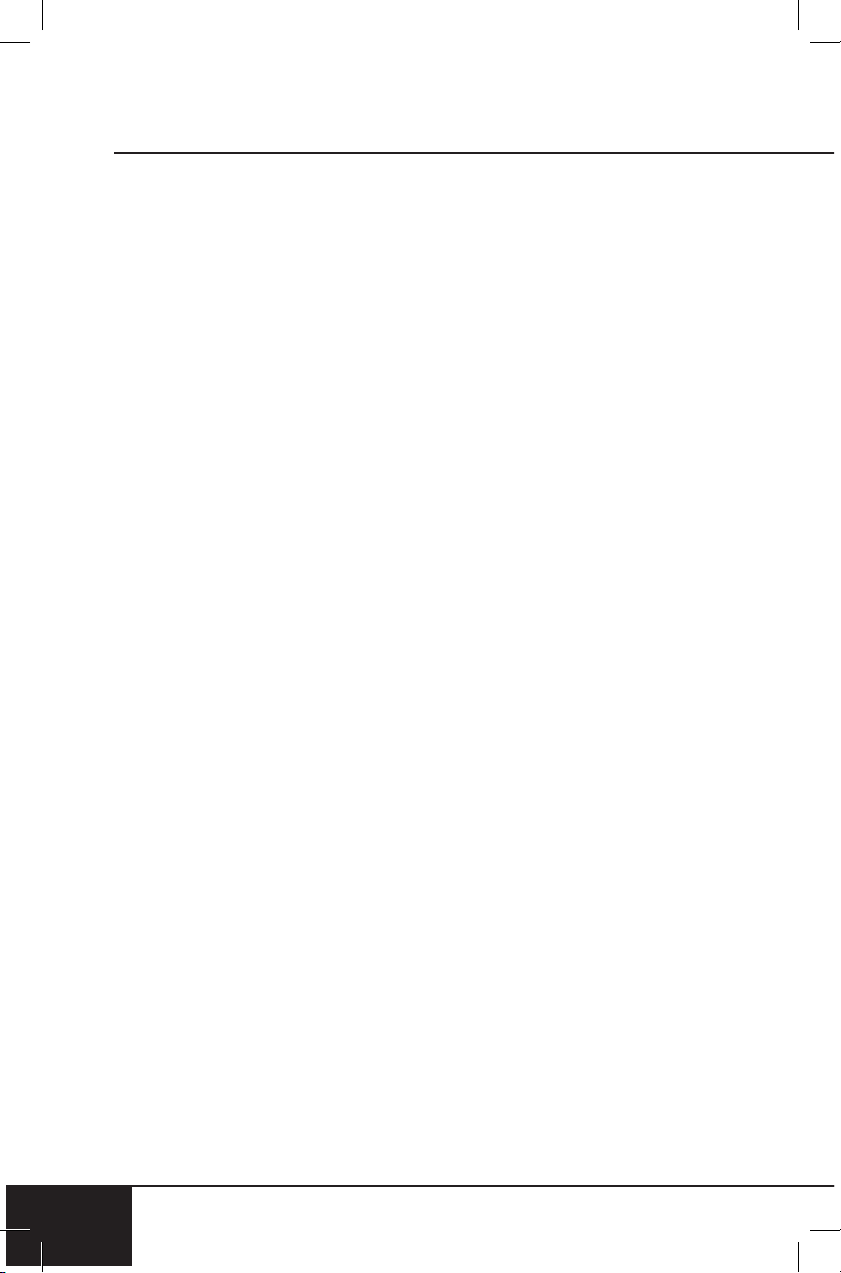
Guía de Temperatura de Termómetro
Carne de Res Temperatura
Poco Cocida 125℉
Jugosa 135℉
Término Medio 145℉
Cocida 150℉
Bien Cocida 160℉
Temperaturas Mínimas de Cocción
Aves 165℉
Cerdo 145℉
Mariscos 145℉
medidas de seguridad importantes
30
MEDIDAS DE SEGURIDAD IMPORTANTES
USO DOMÉSTICO SOLAMENTE • LEA TODAS LAS INSTRUCCIONES
ANTES DE USAR
30
ADVERTENCIA: Al usar
el Horno Tostador Bravo,
siempre se deben seguir las
precauciones básicas de
seguridad:
1. No toque las supercies
calientes. Utilice la
agarradera y use guantes
de cocina.
2. No utilice el Bravo junto
con otros aparatos
eléctricos de alta potencia,
en caso de sobrecarga.
3. Para protegerse contra
el riesgo de descarga
eléctrica, no sumerja
el cable, el enchufe ni
ninguna parte de el Bravo
principal del Bravo en agua
ni ningún otro líquido, ni
toque el enchufe cuando
sus manos estén húmedas.
4. No opere el Bravo con un
cable o enchufe dañado, si
el aparato funciona mal, se
cae o se daña de alguna
manera, comuníquese
con Servicio al Cliente al
1-877-689-2838 o envíe un
correo electrónico a help@
nuwavenow.com para
obtener información sobre
el examen, la reparación o
el ajuste.
5. Es necesaria una estrecha
supervisión cuando se
utiliza cualquier aparato
cerca de niños. El Bravo
no está diseñado para
ser utilizado por niños,
personas con capacidades
físicas, sensoriales o
mentales reducidas, o
personas con falta de
experiencia o conocimiento
de esta unidad.
6. No deje que el cable
cuelgue del borde de la
mesa o mostrador.
7. No permita que el cable
entre en contacto con
las supercies calientes,
incluida una estufa.
8. Coloque el Bravo en
una supercie que sea
horizontal, uniforme y
estable.
9. NO USAR AL AIRE LIBRE.
SOLO PARA USO EN
INTERIORES.
10. No lo coloque sobre o
cerca de un quemador de
gas o eléctrico caliente o
sobre un horno caliente o
sobre una estufa.
11. No coloque el Bravo cerca
de materiales inamables,
unidades de calefacción o
ambientes húmedos.
12. Se puede producir un
incendio si el horno
tostador está cubierto
o si toca materiales
inamables, como
cortinas, cortinas, paredes,
etc., cuando está en
funcionamiento.
13. No coloque recipientes
herméticos en el Bravo.
14. No coloque recipientes
de plástico o goma en
nuwavenow.com
31
nuwavenow.com
31
SPANISH
el Bravo. Evite usar
recipientes hechos de
cualquier otro material que
no sea de cerámica, vidrio
o metal en el Bravo.
15. Siempre use guantes
protectores herméticos
para horno cuando inserte
o quite piezas del Bravo.
16. No coloque utensilios de
cocina o platos en el Bravo
que no sean aptos para el
horno.
17. No limpiar con bras
metálicas.
18. No almacene ningún otro
material que no sea los
accesorios recomendados
por el fabricante en Bravo
cuando no esté en uso.
19. No limpiar con almohadillas
metálicas. Las piezas
pueden romper la
almohadilla y tocar las
partes eléctricas, lo que
implica un riesgo de
descarga eléctrica.
20. No coloque papel, cartón,
plástico ni ningún otro
material inamable encima
o dentro del Bravo.
21. Use papel de aluminio para
envolver los alimentos que
producen aceite o jugo al
cocinar y colóquelos en la
rejilla para hornear, para
evitar incendios.
22. Asegúrese de que la
lámina no toque los
elementos calefactores,
para evitar incendios.
23. No cubra la bandeja para
migajas ni ninguna parte
del horno con papel de
aluminio. Esto provocaría
el sobrecalentamiento del
horno y un incendio.
24. No altere ni modique
ninguna parte del Bravo
ni use accesorios no
recomendados por el
fabricante.
25. Cuando el aparato está
funcionando, presione ON/
OFF para apagar el Bravo.
26. Es normal que algo de
humo escape del Bravo
cuando se calienta por
primera vez.
27. Si se escapa humo por
la salida de aire durante
el funcionamiento,
desenchufe el Bravo de
inmediato y comuníquese
con Servicio al Cliente al
1-877-689-2838 o envíe un
correo electrónico a help@
nuwavenow.com.
28. Se debe tener mucho
cuidado al mover un
aparato que contenga
aceite caliente u otros
líquidos calientes.
29. Tenga mucho cuidado al
remover o desechar la
grasa caliente.
30. No llene en exceso
el Bravo, ya que el
contenido estaría tocando
elementos de calefacción o
bloqueando el ventilador.
medidas de seguridad importantes
32
MEDIDAS DE SEGURIDAD IMPORTANTES
USO DOMÉSTICO SOLAMENTE • LEA TODAS LAS INSTRUCCIONES
ANTES DE USAR
32
31. Los alimentos de gran
tamaño o los utensilios
metálicos no deben
insertarse en el Bravo,
ya que pueden provocar
un incendio o riesgo de
descarga eléctrica.
32. Durante el uso, vapor
podría ser liberado por las
salidas de aire. Mantenga
las manos y la cara
alejadas de las aberturas
de salida de aire. Tenga
cuidado de que salga
vapor caliente al abrir el
Bravo.
33. Evite colocar la cara y los
ojos cerca de la puerta de
vidrio durante el uso.
34. Nunca toque el interior
del Bravo mientras está
funcionando.
35. Nunca deje el Bravo
desatendido durante el
uso.
36. Nunca ponga el Bravo
contra la pared u otros
aparatos. Debe haber
al menos 5 pulgadas de
espacio libre detrás, a los
lados y sobre el Bravo.
37. Para desconectar, primero
apague y luego retire el
enchufe del tomacorriente
de pared.
38. No desmonte el Bravo.
39. Desenchufe el Bravo de la
toma de corriente cuando
no esté en uso o antes de
limpiarlo.
40. Permita que el Bravo se
enfríe antes de poner,
quitar partes o antes de
limpiar.
41. No utilice el aparato para
otro uso que no sea el
indicado.
42. Mantenga el manual a
la mano para futuras
referencias.
ADVERTENCIA
En caso de otros
problemas, desenchufe
el Bravo y comuníquese
con el Servicio al Cliente:
1-877-689-2838 or email
help@nuwavenow.com.
VER LIMPIEZA Y
MANTENIMIENTO
ANTES
DE USAR
Información Eléctrica
Se proporciona un cable
de alimentación corto para
reducir el riesgo resultante de
enredarse o tropezar con un
cable más largo. Los cables
de alimentación desmontables
más largos o los cables de
extensión están disponibles
y se pueden usar si se tiene
cuidado en su uso. Si se utiliza
un cable de alimentación
o un cable de extensión
desmontable más largo:
nuwavenow.com
33
nuwavenow.com
33
SPANISH
1. La calificación eléctrica
marcada del cable de
extensión debe ser al
menos tan grande como
la calificación eléctrica del
aparato.
2. El cable más largo debe
estar dispuesto de modo
que no se cuelgue sobre la
encimera o sobre la mesa,
donde se pueda tirar o
tropezar involuntariamente.
El Bravo debe operarse en
una toma eléctrica separada
de otros aparatos operativos
debido a las limitaciones
de vataje. El aparato tiene
un enchufe polarizado (una
cuchilla es más ancha que la
otra). Para reducir el riesgo
de descarga eléctrica, este
enchufe está diseñado para
encajar en una toma de
corriente polarizada de una
sola manera. Si el enchufe
no encaja completamente
en el tomacorriente, invierta
el enchufe. Si aún no
encaja, comuníquese con
un electricista calificado. No
intente modificar el enchufe
de ninguna manera.
3. Si el aparato es del tipo con
conexión a tierra, el juego
de cables o el cable de
extensión debe ser un cable
de 3 hilos con conexión a
tierra.
ADVERTENCIA
Nunca use el Bravo con
piezas sueltas, dañadas o
faltantes.
GUARDE ESTAS
INSTRUCCIONES
Lea y comprenda todo el
manual antes de usar
este aparato
Nota: El Bravo es para uso
normal, doméstico. No está
diseñado para ser utilizado en
entornos como el personal de
cocinas/cafeterías, tiendas,
ocinas, granjas u otros entornos
de trabajo, ni está destinado a ser
utilizado por clientes en hoteles,
moteles, bed and breakfast y
entornos no residenciales.
AVISO: NO SEGUIR
CUALQUIERA DE LAS
MEDIDAS DE SEGURIDAD
IMPORTANTES, MEDIDAS DE
SEGURIDAD ADICIONALES
O LAS INSTRUCCIONES
PARA SU USO SEGURO ES
UN ABUSO DEL HORNO
TOSTADOR BRAVO QUE
PUEDE ANULAR LA
GARANTÍA Y CREAR EL
RIESGO DE LESIONES
GRAVES.
NO UTILICE EL BRAVO PARA
OTRA COSA QUE NO SEA SU
USO PREVISTO.
medidas de seguridad importantes
34
MEDIDAS DE SEGURIDAD IMPORTANTES
USO DOMÉSTICO SOLAMENTE • LEA TODAS LAS INSTRUCCIONES
ANTES DE USAR
34
MEDIDAS DE
SEGURIDAD
ADICIONALES
1. La cantidad de ingredientes
colocados en el Bravo
debe cumplir con las
instrucciones enumeradas
en “Instrucciones”.
2. No mueva el Bravo
mientras esté en
funcionamiento.
3. Solo después de que el
Bravo se haya enfriado
completamente, debe
intentar moverlo o
manejarlo.
4. NO intente usar el Bravo
para freír ningún alimento
ya que este NO es su uso
previsto y puede crear un
riesgo de incendio.
5. No cubra las salidas de
aire de admisión o de
ventilación mientras el
Bravo esté funcionando.
6. Siempre coloque los
ingredientes a cocinar en
la bandeja para hornear
adecuada (no los llene
en exceso) y no permita
que los alimentos entren
en contacto directo con
los componentes de
calentamiento.
7. Asegúrese de que el Bravo
esté siempre limpio antes
de cocinar.
8. Antes de quitar el enchufe
del tomacorriente, siempre
apague el Bravo.
9. Siempre desenchufe el
cable de alimentación
tirando del enchufe, NO del
cable.
10. Los niños deben ser
supervisados para
asegurarse de que no
jueguen con el Bravo.
11. El Bravo no está diseñado
para ser operado por
medio de un temporizador
externo o un sistema de
control remoto separado.
nuwavenow.com
35
nuwavenow.com
35
SPANISH
2
3
4
5
6
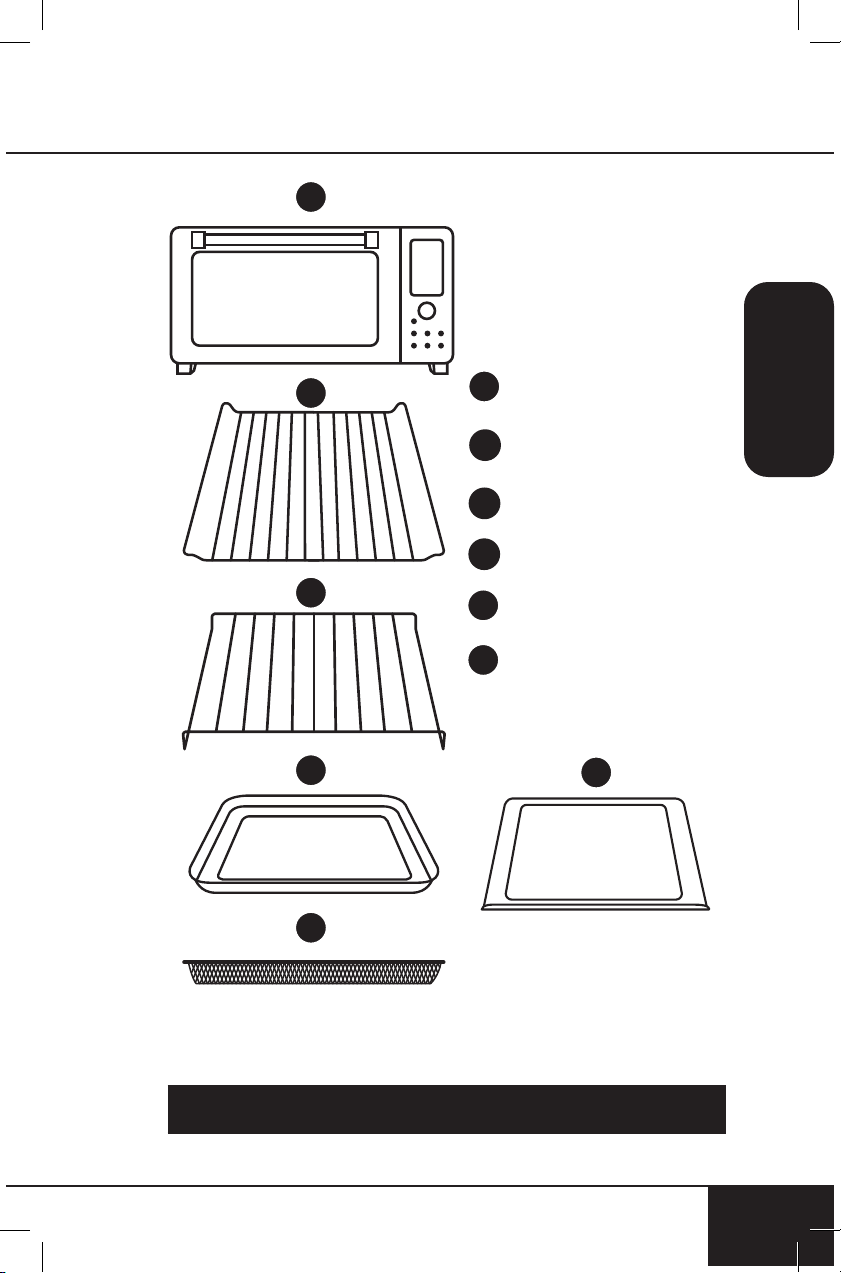
Para pedir piezas reemplazables, diríjase a la sección Piezas
Reemplazables y luego a NuWaveNow.com.
Base
Parte #: 26831
Rejilla
Parte #: 26833
Rejilla para Hornear
Parte #: 26834
Bandeja para Hornear
Parte #: 26835
Cesta para Freír con Aire
Parte #: 26806
Bandeja para Migajas
Parte #: 26832
1
2
3
4
5
6
1
36
36
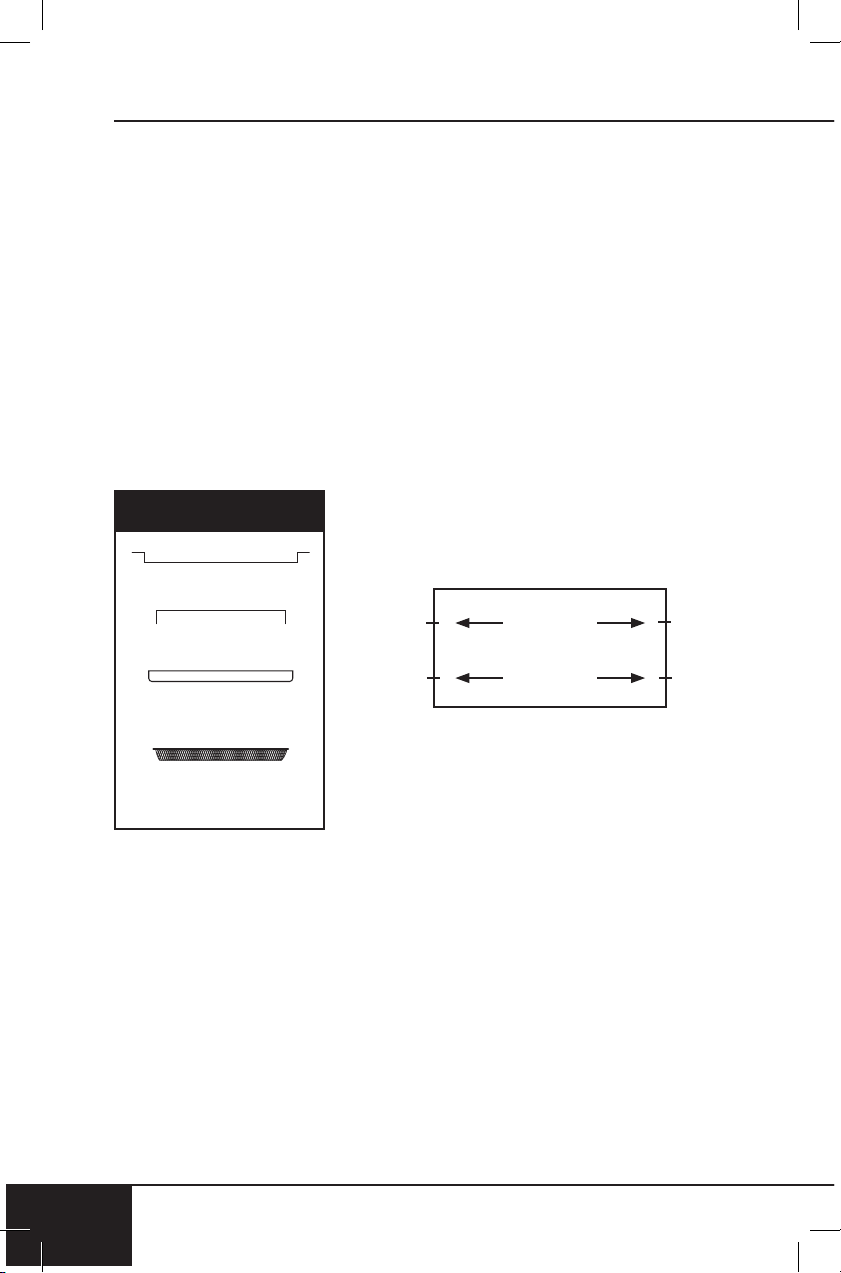
1. Coloque el Bravo en una superficie nivelada, uniforme, estable y
resistente al calor.
2. Deslice la rejilla para cocinar en la ranura 1 o 2 del Bravo.
3. Coloque la bandeja para hornear en la rejilla para cocinar.
4. Coloque la bandeja para migajas en su posición deslizándola
en la ranura en la parte inferior del horno. Para quitarla, jale
hacia afuera.
5. Enchufe el Bravo en un contacto de pared estándar. El enchufe
de alimentación se encuentra en la parte posterior de el Bravo.
Nota:
No cubra ni bloquee las salidas de aire de admisión ubicadas en la
parte posterior y los lados del Bravo, ya que hacerlo puede impedir
una ventilación adecuada.
Partes
Rejilla para Hornear
Rejilla para Cocinar
Bandeja para
Hornear
Ranura 1
Ranura 2
Cesta para Freír
con Aire
montaje
nuwavenow.com
37
nuwavenow.com
37
SPANISH
INICIO RÁPIDO
ON/OFF
Enciende y apaga el Bravo
®
. Esto
también detiene cualquier función
de cocción. Mientras cocina,
presione “ON/OFF” para cancelar y
apagar el Bravo.
START/PAUSE
Presione START/PAUSE para
comenzar y pausar la cocción
en cualquier momento. Presione
START/PAUSE durante 1 segundo
(hasta que escuche un pitido)s para
silenciar y activar el Bravo.
MENÚ
Elige entre las 12 funciones
de cocción. Cada menú tiene
una temperatura y un tiempo
establecidos. Gire START/PAUSE
o precione Menu para elegir su
función deseada.
TEMP y TIME
Le permite ajustar la temperatura y
el tiempo antes y durante el proceso
de cocción.
TOP/BTM
Ajusta las temperaturas de los
elementos de calentamiento superior
e inferior. El valor predeterminado es
100/100.
WARM
Mantiene su comida caliente después de cocinar y calienta
rápidamente sus sobras favoritas. Presione CALENTAR durante
1 segundo (hasta que escuche un pitido)s para usar calentar
independientemente. El valor predeterminado es 140ºF por 1 hora.
FAN
Ajusta entre 3 velocidades del ventilador.
Bravo 3 Convection Oven
Control Panel_shunde
2018.10.27.
/
/
Nota: Consulte las INSTRUCCIONES para una explicación detallada
de cada botón y sus características.
instrucciones
38
INSTRUCCIONES
38
Comenzando
1. Presione ON/OFF una vez
para encender el Bravo.
2. Presione START/PAUSE
para comenzar a cocinar a
350° F durante 15 minutos,
que son los ajustes
predeterminados.
• Se mostrará 00:10 y
comenzará una cuenta
regresiva.
• Para ajustar la
temperatura de cocción,
gire la perilla de START/
PAUSE hacia la derecha
para aumentar o hacia la
izquierda para disminuir
la temperatura en
incrementos de 5° F.
Gire rápidamente la
perilla para ajustar en
incrementos
más grandes.
• Tanto la temperatura
como el tiempo de
cocción se pueden
/
3 5 0
F
ajustar durante la cocción
presionando TEMP o
TIME y luego girando el
botón START/PAUSE
para ajustar cada uno.
3. Presione START/PAUSE
una vez durante la cocción
para hacer una pausa.
4. Presione START/PAUSE
por segunda vez para
reanudar la cocción.
• Se mostrará el tiempo
de cocción restante
y la cuenta regresiva
continuará.
TEMP
1. Presione TEMP en
cualquier momento que
desee ver o ajustar la
temperatura de cocción.
Alcance de tiempo de la
siguiente manera.
2. La temperatura se puede
ajustar hacia arriba o hacia
abajo girando la perilla
START/PAUSE en el
sentido de las agujas del
reloj o en sentido contrario
a las agujas del reloj.
3. Presione START/PAUSE
para comenzar a cocinar en
la temperatura establecida.
4. La temperatura se puede
ajustar durante la cocción
presionando TEMP y
girando la perilla START/
PAUSE para ajustar. El
Bravo continuará cocinando
a la nueva conguración de
temperatura.
nuwavenow.com
39
SPANISH
nuwavenow.com
39
TIME
1. Presione TIME cada vez
que desee ver o ajustar el
tiempo de cocción.
• 50F~275F: 00:00-99:99 (0-
min. to 99-hrs., 99-min.)
• 280F~400F: 00:00-24:00 (0-
min. to 24-hrs.)
• 405F~450F: 00:00-01:00 (0-
min. to 1-hr.)
2. El tiempo puede ajustarse
hacia arriba o hacia abajo
girando la perilla START
/ PAUSE en el sentido de
las agujas del reloj o en
el sentido contrario a las
agujas del reloj.
3. Presione START/PAUSE
para comenzar a cocinar
con el nuevo tiempo.
4. El tiempo se puede
ajustar durante la cocción
presionando TIME y girando
la perilla START/PAUSE
para ajustar. El Bravo
continuará cocinando en
la nueva conguración de
tiempo.
FAN
F A
3
1. Presione el botón FAN para
ajustar la velocidad del
ventilador.
2. Presione FAN una vez y la
pantalla mostrará FAN 3.
3. Presione FAN por segunda
vez y la pantalla mostrará
FAN 2.
4. Púlselo una tercera vez y la
pantalla mostrará FAN 1.
5. Para apagar el ventilador,
presione FAN cuatro veces.
La pantalla monstrara FAN
0.
WARM
1. Presione WARM (Calentar)
para mantener su comida
caliente después de cocinar
hasta que esté listo para
servir. El valor
predeterminado es 140ºF
para 1 hora.
2. Gire la perilla START/
PAUSE para ajustar
la temperatura de
calentamiento hasta 200ºF.
3. Presione TIME para ajustar
el tiempo de calentamiento.
La pantalla mostrará 01:00
y WARM.
4. Gire la perilla START/
PAUSE para ajustar el
tiempo de calentamiento.
0 1
:
0
0
instrucciones
40
INSTRUCCIONES
40
• 50ºF ~ 200ºF: 00:00 -
03:00
5. Presione START/PAUSE
para comenzar a cocinar.
El Bravo pasará por un
ciclo de cocción regular y
luego entrará en Caliente a
la temperatura y el tiempo
establecidos.
Usando Warm como función
independiente
1. Mantenga presionado WARM
durante 1 segundo (hasta
que escuche un pitido). El
Bravo comenzará la función
de calentamiento.
2. Use la perilla START/
PAUSE para ajustar el
tiempo de calentamiento.
• 50ºF ~ 200ºF: 00:00 -
03:00
3. Para ajustar la temperatura
de calentamiento, presione
TEMP y use la perilla
de START/PAUSE para
ajustar la temperatura de
calentamiento hasta 200ºF.
4. Cuando se agote el tiempo
de calentamiento, la
pantalla mostrará End y el
Bravo emitirá un pitido 3
veces.
Notas:
• La temperatura de Warm se
puede ajustar hasta 200ºF.
• Warm también se puede
usar con las opciones de
menú: elija la opción de
menú y presione WARM.
Ajuste la temperatura y el
tiempo de WARM.
• Para cancelar la función de
Calentamiento en cualquier
momento, presione WARM.
WARM ya no se encenderá
en la pantalla.
MENU
Hay 12 opciones de menú para
que usted elija.
1. Presione MENU. Gire la
perilla START/PAUSE
para desplazarse por las
opciones del menú.
2. Una vez que haya elegido
la opción de menú
deseada, presione START/
PAUSE para comenzar a
cocinar. Los dos puntos (:)
parpadearán, indicando que
el Bravo está cocinando. La
pantalla mostrará el tiempo
de cocción predeterminado
para esa opción de menú.
Para ajustar el tiempo de
cocción, simplemente gire
la perilla de START/PAUSE
al nuevo tiempo de cocción.
3. Para cambiar la
temperatura de cocción,
presione TEMP. La pantalla
mostrará la temperatura de
1
nuwavenow.com
41
SPANISH
nuwavenow.com
41
cocción predeterminada
para esa opción de menú.
Gire la perilla START/
PAUSE para ajustar la
temperatura de cocción.
4. Para pausar la cocción,
presione START/PAUSE.
Los dos puntos (:) ya no
parpadearán, lo que indica
que el Bravo está ahora en
pausa.
5. Para reanudar y volver a
cocinar, presione START/
PAUSE nuevamente.
6. Una vez que el Bravo
termine de cocinar, la
pantalla mostrará End y el
Bravo emitirá un pitido tres
veces.
TOP/BTM
Predeterminado: 100% superior,
100% inferior. Esto se reere
a la cantidad de calor que
proviene de los elementos de
calentamiento superior e inferior.
1. Presione ON/OFF.
2. Presione TOP/BTM, se
mostrarán 100 y TOP.
Ajuste la cantidad de calor
que proviene del elemento
calefactor superior girando
1 0
0
START/PAUSE. Ajustable
en incrementos del 10%.
3. Presione TOP/BTM
nuevamente, se mostrarán
100 y BTM. Ajuste la
cantidad de calor que
proviene del elemento
calefactor inferior girando
START/PAUSE. Ajustable en
incrementos del 10%.
4. Después de elegir los
porcentajes de calor
superior e inferior, presione
START/PAUSE para
empezar la coccion..
instrucciones
42
INSTRUCCIONES
42
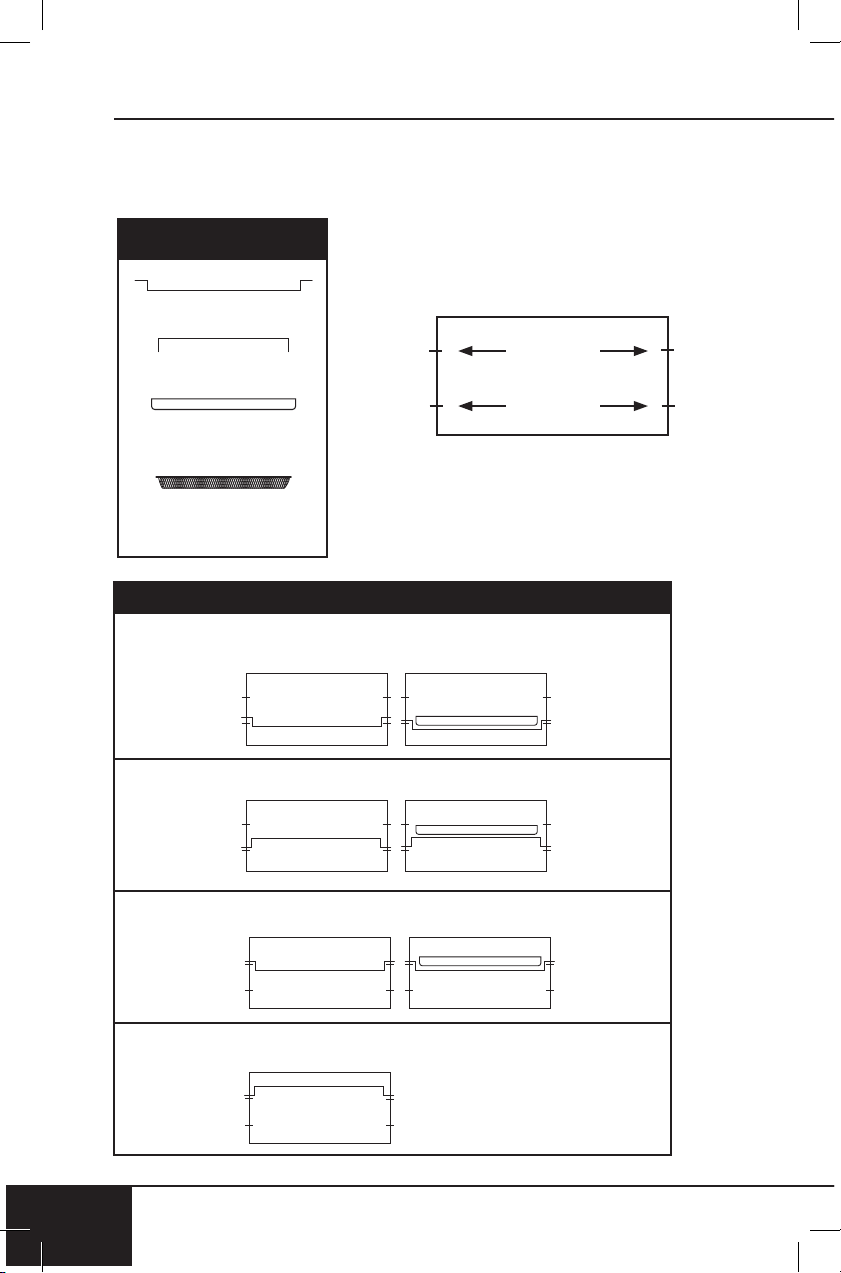
Posiciones de la Rejilla y la bandeja
Posición 1: Para pollo u otros alimentos grandes, use la Posición 1
(con una bandeja para hornear) como se muestra arriba.
Posición 2:
Posición 3:
Posición 4: Para deshidratación
Partes
Rejilla para Hornear
Rejilla para Cocinar
Bandeja para
Hornear
Ranura 1
Ranura 2
Cesta para Freír
con Aire
POSICIONES DE LA REJILLA Y
LA BANDEJA DEL HORNO
nuwavenow.com
43
SPANISH
nuwavenow.com
43
Recetas
Nota: Las temperaturas y los tiempos se deben utilizar como una
guia. Es posible que se necesiten ajustes menores para adaptarse
mejor a los resultados deseados.
Tabla de Medidas
Cucharadita = t Fahrenheit = °F Minuto = min
Cucharada = T Centigrados = °C Segundo = sec
Taza = c Onzas uidas = oz Pulgada = in.
Onza = oz Litro = L Docena = doz
Libra = lb(s) Mililitro = ml Hora = hr
Cuarto de galón
= qt
Paquete = pkg. Gramo = g
Pinta = pt Galón = gal
Consejos Útiles
1. Para agregar más tiempo durante el ciclo de cocción actual,
gire la perilla de START/PAUSE hacia la derecha. Monitoree los
alimentos para asegurarse de que no se cocinen en exceso.
2. Algo de humedad puede aparecer en la puerta durante ciertos
ciclos de cocción.
3. Cuando se fríe con aire, los alimentos se pueden recubrir con
aceite de antemano para aumentar la frescura y el dorado.
limpieza y mantenimiento
44
LIMPIEZA Y MANTENIMIENTO
44
Antes del primer uso:
Lave todas las piezas extraíbles con agua tibia jabonosa o en el
lavaplatos, solo en la rejilla superior.
1. Retire todos los materiales de embalaje.
2. Retire el pegamento y las etiquetas del aparato.
3. Limpie a fondo la rejilla de cocción, la bandeja para hornear,
la cesta de freír con aire y la bandeja para migajas con agua
caliente, una esponja no abrasiva y detergente suave para
platos, o solo en el lavavajillas, en la rejilla superior.
4. Limpie el interior y el exterior del Bravo con un paño húmedo y
seque bien.
PRECAUCIÓN: No sumerja el Bravo
en agua.
Limpiar después de cada uso:
1. Deje que el Bravo se enfríe
completamente antes de limpiarla.
2. Siempre desenchufe el Bravo de la
toma de corriente. NUNCA limpie
el Bravo mientras esté enchufada.
3. Nunca utilice productos de
limpieza abrasivos o corrosivos, ya
que pueden dañar el acabado o la supercie del horno. Limpie el
exterior con un paño limpio y húmedo y seque bien.
4. Aplique el agente de limpieza directamente a una toalla de tela,
no directamente al Bravo, antes de limpiar.
5. Para limpiar el interior, use un paño húmedo, una solución de
jabón líquido suave y una toalla de tela limpia.
6. Nunca use bras metálicas en el interior o exterior del horno.
7. Cuando la ventana de vidrio esté completamente fría, rocíe el
limpiador de vidrios en una toalla de tela limpia. Limpie el interior
y el exterior de la ventana con un paño. Use un paño húmedo
para enjuagar la ventana y luego seque completamente con una
toalla limpia y seca.
8. Para eliminar las migajas, deslice la bandeja y deseche las
migajas. Limpie y reemplace. La bandeja para migajas se debe
vaciar y limpiar después de cada uso.
9. Para eliminar la grasa horneada, remoje la bandeja para
hornear, la rejilla para hornear y la bandeja para migajas en
agua caliente y jabonosa. Nunca use el horno sin la bandeja de
migajas en su lugar.
Almacenamiento
• Desenchufe el Bravo y deje que el Bravo se enfríe
completamente.
• Asegúrese de que todas las piezas estén limpias y secas.
• Nunca enrolle el cable alrededor del Bravo.
nuwavenow.com
45
SPANISH
nuwavenow.com
45
El bravo no funciona.
1. Bravo no está enchufado. No presionó ON /OFF.
2. Inserte el enchufe en una toma de corriente con conexión
a tierra adecuada. Presione ON/OFF. Si aún no funciona,
comuníquese con Servicio al Cliente al 1-877-689-2838 o
envíe un correo electrónico a help@nuwavenow.com.
La puerta del Bravo no cierra por completo.
1. Alimento es demasiado grande. Las rejillas o accesorios del
horno no están colocados correctamente en su lugar.
2. Use pequeñas cantidades de comida para cocinar. Asegúrese
de que todas las rejillas y bandejas estén en su lugar y
empujadas hasta la parte posterior de el Bravo.
La comida se cocina de manera desigual.
Compruebe el progreso de la cocción en todo. Gire según sea
necesario para asegurar una cocción uniforme.
Hornear vs. Parrilla vs. Asar
Use Hornear cuando cocine artículos que se esponjan (por
ejemplo, pasteles y galletas). Use el asado para alimentos densos
que se doran durante el proceso de cocción. Use Parrilla para
dorar o crujir rápidamente un alimento.
La bandeja de migajas no se desliza de nuevo en su posición.
1. La bandeja para migajas no está colocada en la ranura
correctamente. Algo impide que la bandeja se deslice hacia
su posición.
2. Retire la bandeja para migajas y limpie los alimentos que
puedan haberse acumulado en la parte posterior del Bravo.
Humo blanco está saliendo del producto.
1. Está cocinando comidas grasosas. La bandeja para hornear
contiene residuos grasos de usos anteriores. Cuando prepare
ingredientes grasos en el Bravo, pueden fumar grandes
cantidades de aceite. El aceite producirá humo blanco. Esto
no afectará el efecto de cocción final. El humo blanco es
causado por el calentamiento de la grasa en la rejilla de
cocción, la bandeja para hornear, la rejilla para hornear o la
bandeja para migajas.
2. Limpie la rejilla de cocción, la bandeja para hornear, la rejilla para
hornear y la bandeja para migas con regularidad entre usos.
El Bravo fue diseñado con una función de apagado automático para evitar
el sobrecalentamiento durante el uso. Si el Bravo se apaga para enfriarse,
puede detectarse un olor. Desenchufe el Bravo y espere a que se enfríe
completamente. Para evitar que el Bravo se sobrecaliente, no cocine
alimentos a temperaturas más altas o más tiempo de lo recomendado.
guía de resolución de problemas
46
GUÍA DE RESOLUCIÓN DE PROBLEMAS
46
Aparece el código de error Er1 y el Bravo no está cocinando.
Apague el Bravo y desenchúfela para enfriarla. Si aún no
funciona después de enfriar y se enciende, comuníquese con el
Servicio al Cliente.
Aparece el código de error Err1 y el Bravo no está cocinando.
Sensor de temperatura Cortocircuito. Contactar Servicio
al Cliente.
Aparece el código de error Err2 y el Bravo no está cocinando.
El sensor de temperatura está abierto. Contactar Servicio
al Cliente.
Aparece el código de error Err8 y el Bravo no está cocinando.
Si alguna tecla / botón está atascado (congelado), cuando esté
enchufado, el Bravo mostrará Err8 incluso si no está encendida.
La pantalla está en blanco.
1. Bravo se sobrecalentó y se apagó. No se realizó ninguna
acción después de ciertas etapas de cocción y apagado de
el Bravo. El panel de control no funciona correctamente.
2. Desenchufe el Bravo y deje que el Bravo se enfríe
completamente. Vuelva a enchufarlo y vea si está
funcionando. Si la pantalla permanece en blanco,
comuníquese con Servicio al Cliente al 1-877-689-2838 o
envíe un correo electrónico a help@nuwavenow.com.
El bravo no está calentando.
1. El Bravo está desenchufada. El bravo se ha
sobrecalentado. Los elementos calefactores no funcionan.
2. Asegúrese de que el Bravo esté enchufado. Asegúrese de
que el Bravo se haya enfriado completamente. Enchufe y
vea si el Bravo alcanza la temperatura correcta. Si el Bravo
sigue sin calentarse, comuníquese con Servicio al Cliente
al 1-877-689-2838 o envíe un correo electrónico a help@
nuwavenow.com.
Si el Bravo necesita ser reemplazado o devuelto al fabricante,
comuníquese con Servicio al Cliente al
1-877-689-2838 o correo electrónico: help@nuwavenow.com.
nuwavenow.com
47
SPANISH
nuwavenow.com
GUÍA DE RESOLUCIÓN DE PROBLEMAS
47
GARANTÍA LIMITADA
La El Tostadora de Horno Bravo
LOS GARANTÍAS DEL FABRICANTE
El Bravo, que incluye la Base de Alimentación, Rejillas de Cocina
de uso Rudo, Bandeja Esmaltada, Rejilla Esmaltada para Asar,
Canastilla Cromada para Freir con Aire, Bandeja para Migajas
Extraíble, deben estar libres de defectos del fabricante.
Todos los componentes eléctricos están garantizados por 1 año a partir
de la fecha de compra, bajo un uso doméstico normal y siempre que se
hayan manejado de acuerdo a las instrucciones por escrito del Fabricante.
El Fabricante proporcionará las partes necesarias y mano de obra para
reparar cualquier parte de la Freidora de Aire Digital NuWave Bravo en el
Departamento de Servicio de NuWave LLC. Una vez vencida la garantía, el
costo de mano de obra y las partes será responsabilidad del propietario.
LA GARANTÍA NO CUBRE
La garantía limitada se anula si las reparaciones son realizadas por un
distribuidor no autorizado o si la placa de datos del número de serie se
retira o borra. Esta garantía no cubre el deterioro normal del acabado
debido al uso o la exposición. Esta garantía limitada no cubre fallas, daños
o un desempeño inadecuado debido a un accidente, actos de Dios (como
rayos), uctuaciones en la energía eléctrica, alteraciones, abuso, mal
uso, aplicaciones incorrectas, atmósferas de tipo corrosivo, instalación
incorrecta, falta de funcionamiento de acuerdo con las instrucciones
escritas del fabricante, uso anormal o uso comercial. NuWave LLC se
reserva el derecho de anular la Garantía Limitada, según lo permita la ley,
para los productos adquiridos a través de un distribuidor no autorizado.
OBTENER SERVICIO
El propietario tendrá la obligación y la responsabilidad de: pagar por
todos los servicios y piezas no cubiertos por la garantía; prepagar el ete
hacia y desde el Departamento de Servicio para cualquier parte o sistema
devuelto bajo esta garantía; y empacar cuidadosamente el producto con
materialde relleno adecuado para evitar daños durante el transporte.
El envase original es ideal para este propósito. Incluya en el paquete el
nombre del propietario, la dirección, el número de teléfono durante el día,
una descripción detallada del problema y su “número RGA”. (Llame al
1-877-689-2838)o envíe un correo electrónico a help@nuwavenow.
com para obtener el número RGA (Número de autorización de devolución
de mercancías). Proporcione el modelo del sistema de cocción y el número
de serie y el comprobante de la fecha de compra (una copia del recibo) al
realizar reclamaciones bajo esta garantía.
OBLIGACIÓN DEL FABRICANTE
La obligación del fabricante en virtud de esta Garantía Limitada se
limita, en la medida en que lo permita la ley, a reparar o reemplazar
cualquier pieza cubierta por esta Garantía Limitada que, al examinarla, se
encuentre defectuosa en el uso normal. La Garantía Limitada se aplica
solo dentro de los Estados Unidos continentales y solo al comprador
original de los canales de distribución autorizados por el fabricante.
LA GARANTÍA LIMITADA NO PUEDE SER ALTERADA, VARIADA
O EXTENDIDA, EXCEPTO POR UN INSTRUMENTO ESCRITO
garantía limitada
48
GARANTÍA LIMITADA
48
EJECUTADO POR EL FABRICANTE. EL RECHAZO DE REPARACIÓN
O REEMPLAZO SEGÚN LO PROPORCIONADO POR ESTA GARANTÍA
LIMITADA ES EXCLUSIVO. EN NINGÚN CASO, EL FABRICANTE
SERÁ RESPONSABLE DE CUALQUIER DAÑO CONSECUENTE O
INCIDENTAL A CUALQUIER PERSONA, SEA O NO OCASIONADO POR
LA NEGLIGENCIA DEL FABRICANTE, INCLUIDOS, SIN LIMITACIÓN,
DAÑOS POR PÉRDIDA DE USO, COSTOS DE SUSTITUCIÓN, DAÑO A
LA PROPIEDAD U OTRA PÉRDIDA DE DINERO.
Algunos estados no permiten la exclusión o limitación de daños
incidentales o consecuentes, por lo que es posible que no se apliquen
las exclusiones de limitación anteriores. Esta Garantía Limitada otorga
derechos legales especícos, y también puede haber otros derechos
que varían de estado a estado. EXCEPTO OTRAS MANERAS QUE
EXPRESAMENTE SE PROPORCIONAN ANTERIORMENTE, EL
FABRICANTE NO HACE GARANTÍAS EXPRESAS O IMPLÍCITAS DE
LA LEY O DE OTRA MANERA, INCLUYENDO SIN LIMITACIONES,
LAS GARANTÍAS IMPLÍCITAS DE COMERCIALIZACIÓN Y EJERCICIO
PARA UN PROPÓSITO PARTICULAR A CUALQUIER OTRA PERSONA.
LEA EL MANUAL DEL USUARIO. SI TUVIERA ALGUNA DUDA SOBRE
EL FUNCIONAMIENTO O LA GARANTÍA DEL PRODUCTO,
CONTACTE A NUWAVE LLC.
PROCEDIMIENTO DE RESOLUCIÓN DE CONTROVERSIAS. Para
disputas relacionadas con el uso del sitio web o el uso o la compra de un
producto o servicio NuWave (colectivamente “Disputas”), usted acepta
comunicarse primero con NuWave LLC al (877) 689-2838 (teléfono), (847)
367-5486 ( facsímil) o legal@nuwavenow.com (correo electrónico). Si no
podemos resolver su disputa de manera informal, todas las disputas se
someterán a un arbitraje nal y vinculante. Puede comenzar el proceso de
arbitraje enviando una solicitud por escrito a la Asociación Americana de
Arbitraje (“AAA”) y enviando una copia a NuWave. NuWave pagará todos
los costos de presentación. Un solo árbitro de la AAA llevará a cabo el
arbitraje en un lugar conveniente para usted o por teléfono.
El laudo del árbitro será vinculante y podrá presentarse como un fallo en
un tribunal de jurisdicción competente. El arbitraje se llevará a cabo de
conformidad con las disposiciones de las Reglas de arbitraje comercial
de AAA y los Procedimientos de mediación vigentes en el momento
de la presentación de su solicitud de arbitraje. Ver https://www.adr.org/
sites/default/les/CommercialRules_Web.pdf. Salvo que lo exija la ley
según lo determine un árbitro, ninguna de las partes o el árbitro puede
revelar la existencia, el contenido o los resultados de cualquier arbitraje a
continuación sin el consentimiento previo por escrito de ambas partes.
A. RENUNCIA DE DERECHO A DEMANDAR. Al aceptar el arbitraje,
comprende que, en la medida máxima permitida por la ley, acepta
renunciar a su derecho a presentar una demanda en cualquier tribunal, a
una audiencia judicial, un juicio con jueces y un juicio con jurado.
nuwavenow.com
49
SPANISH
nuwavenow.com
49
B. RENUNCIA A LA ACCIÓN DE CLASE. En la medida máxima permitida
por la ley, usted acepta expresamente abstenerse de presentar o unirse a
cualquier reclamo en cualquier capacidad representativa o de toda la clase,
incluyendo, entre otros, presentar o unir cualquier reclamo en cualquier acción
de clase o arbitraje de clase.
C. PROCEDIMIENTO DE SALIDA. Para optar por no participar en el
arbitraje, debe comunicarse con NuWave. Para solicitar la exclusión
voluntaria del arbitraje, contáctenos en legal@nuwavenow.com (correo
electrónico), NuWave LLC, 560 Bunker Ct., Vernon Hills, IL 60061, EE.
UU., (847) 367-5486 (fax) o (877) 689 -2838 o (224) 206-3019 (teléfono).
Tendrá treinta (30) días a partir de la fecha de entrega del producto para
optar por el arbitraje con respecto a cualquier disputa que surja o esté
relacionada con el uso o la compra de cualquier producto NuWave.
Si han pasado más de 30 días, no es elegible para optar por no participar
en el arbitraje y habrá renunciado a su derecho de demandar o participar
en una demanda colectiva con respecto a la disputa que surge de su
compra o uso de un producto NuWave. Para cualquier disputa que surja de
su uso del sitio web de NuWave, tiene treinta (30) días a partir de la fecha
en que proporcionó información al sitio web para optar por no participar en
el arbitraje. Si han pasado más de 30 días, no es elegible para optar por
no participar en el arbitraje y habrá renunciado a su derecho de demandar
y participar en una demanda colectiva con respecto a la disputa que surge
del uso del sitio web de NuWave.
D. ALGUNOS ASUNTOS NO ESTÁN SUJETOS A ARBITRAJE. Sin
perjuicio de lo anterior, lo siguiente no estará sujeto a arbitraje y podrá
ser juzgado solo en los tribunales estatales y federales de Illinois: (i)
cualquier disputa, controversia o reclamo relacionado o que impugne
la validez de nuestros derechos de propiedad intelectual y derechos
de propiedad , incluidas, entre otras, patentes, marcas comerciales,
marcas de servicio, derechos de autor o secretos comerciales; (ii) una
acción de una parte para una medida cautelar temporal, preliminar o
permanente, ya sea prohibitiva u obligatoria, u otra medida provisional;
o (iii) interacciones con autoridades gubernamentales y reguladoras.
Usted acepta expresamente abstenerse de presentar o unirse a cualquier
reclamo en cualquier capacidad representativa o de toda la clase,
incluyendo, entre otros, presentar o unir cualquier reclamo en cualquier
acción de clase o cualquier arbitraje de clase.
LEA EL MANUAL DE SU PROPIETARIO
Si aún tiene preguntas sobre el funcionamiento o la garantía del producto,
comuníquese con NuWave LLC al:
1-877-689-2838 o envíe un correo electrónico a
help@nuwavenow.com.
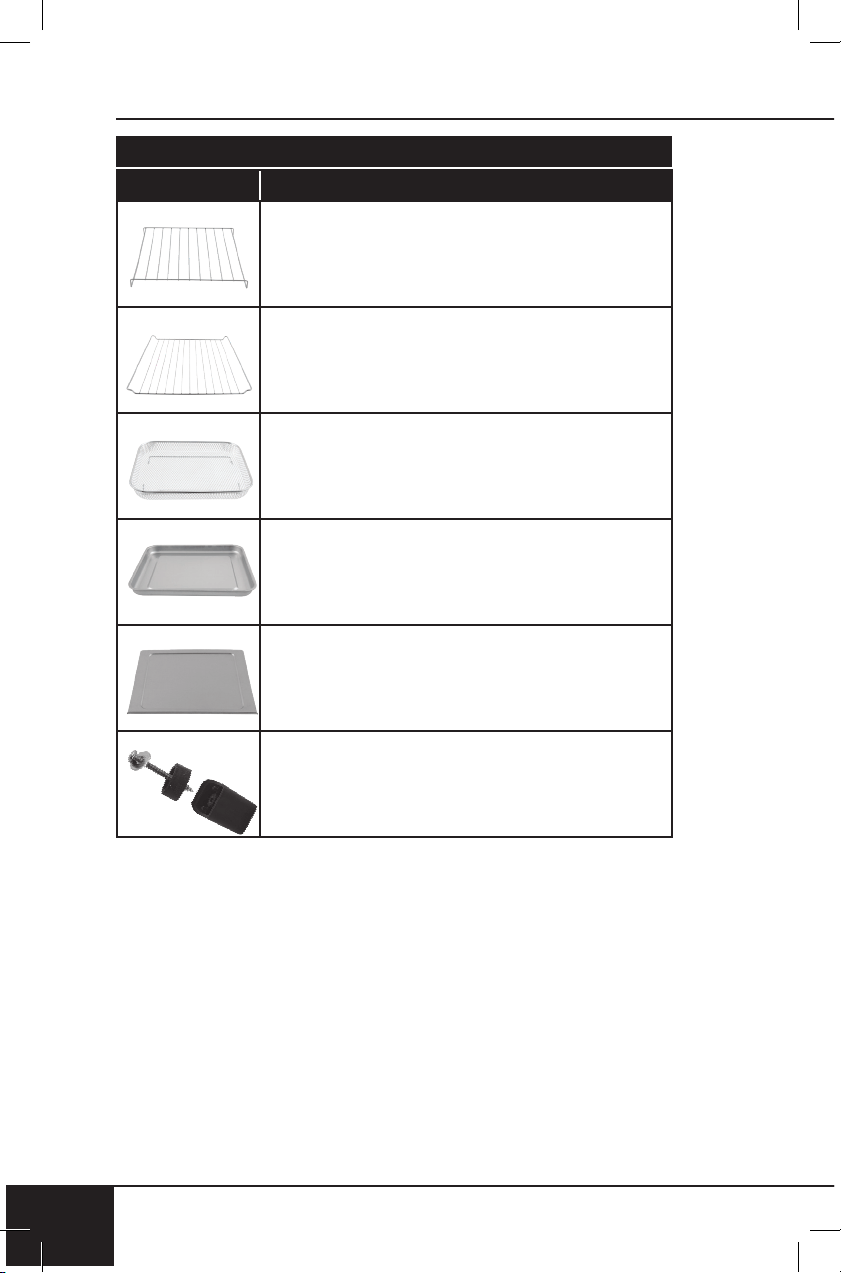
replaceable parts
50
REPLACEABLE PARTS
50
Part Name Part Description Part No.
To order replaceable parts head over to NuWaveNow.com
Stainless Steel
Baking Rack
Stainless Steel
Heavy-Duty Cooking Rack
Stainless Steel
Air Fry Basket
Baking Pan
Crumb Tray
Feet
nuwavenow.com
51
REPLACEABLE PARTS
nuwavenow.com
51
Part Name Part Description Part No.
26834
Used to place food on. Placed on
top of Baking Pan so fats, oils, and
grease fall into Pan.
26833
Used to place food on. Racks are
inserted into slots in oven.
26806
Used to cook fried and crispy foods in.
26835
Placed underneath Baking Rack and
on top of Cooking Rack.
26832
26836
Slides into very bottom of Bravo.
Catches any food crumbs or grease.
Bravo feet come with 4 pieces.
Screws into each corner of the Bravo
to prevent sliding.
Item No: BM 20831
Rev. 10-OG
11-04-20
DJ01 CC01
FOR HOUSEHOLD USE ONLY
Model: 20831
120V, 60Hz, 1800 Watts
For patent information please go to:
www.nuwavenow.com/legal/patent
Designed & Developed in USA by:
NuWave LLC
560 bunker Ct.
Vernon Hills, IL 60061, U.S.A.
Customer Service:
1-877-689-2838 • help@nuwavenow.com
Made in China
©2020 NuWave LLC • All Rights Reserved.
nuwavenow.com