How to connect Wansview Cloud cameras to Alexa ?
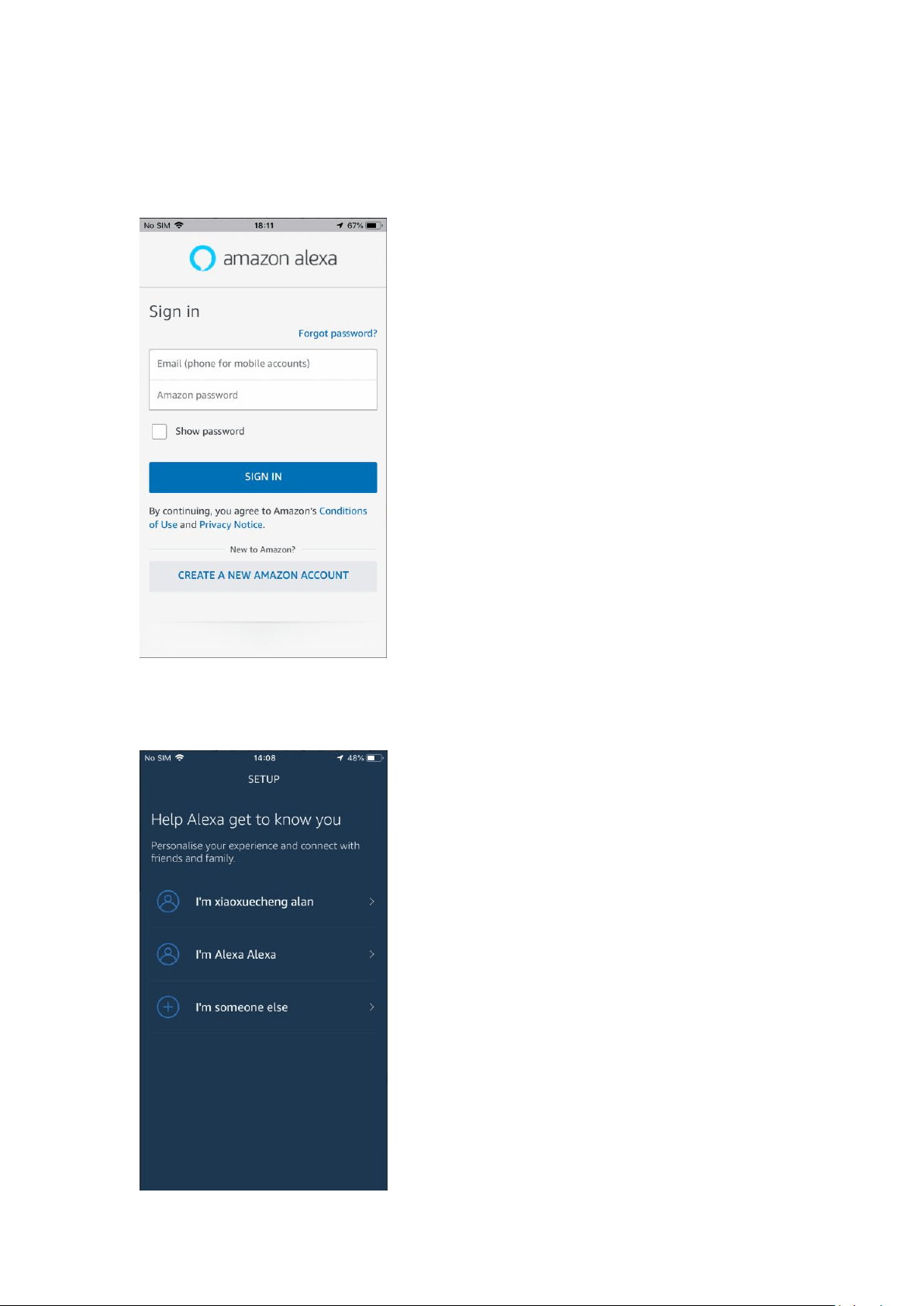
1. Open the Alexa App and log in your Alexa account. If you don’t have an Alexa account before,
please create a new Amazon account on this page.
2. After log in, Alexa App will ask you to finish your personal settings. You can follow the guide to
finish it.
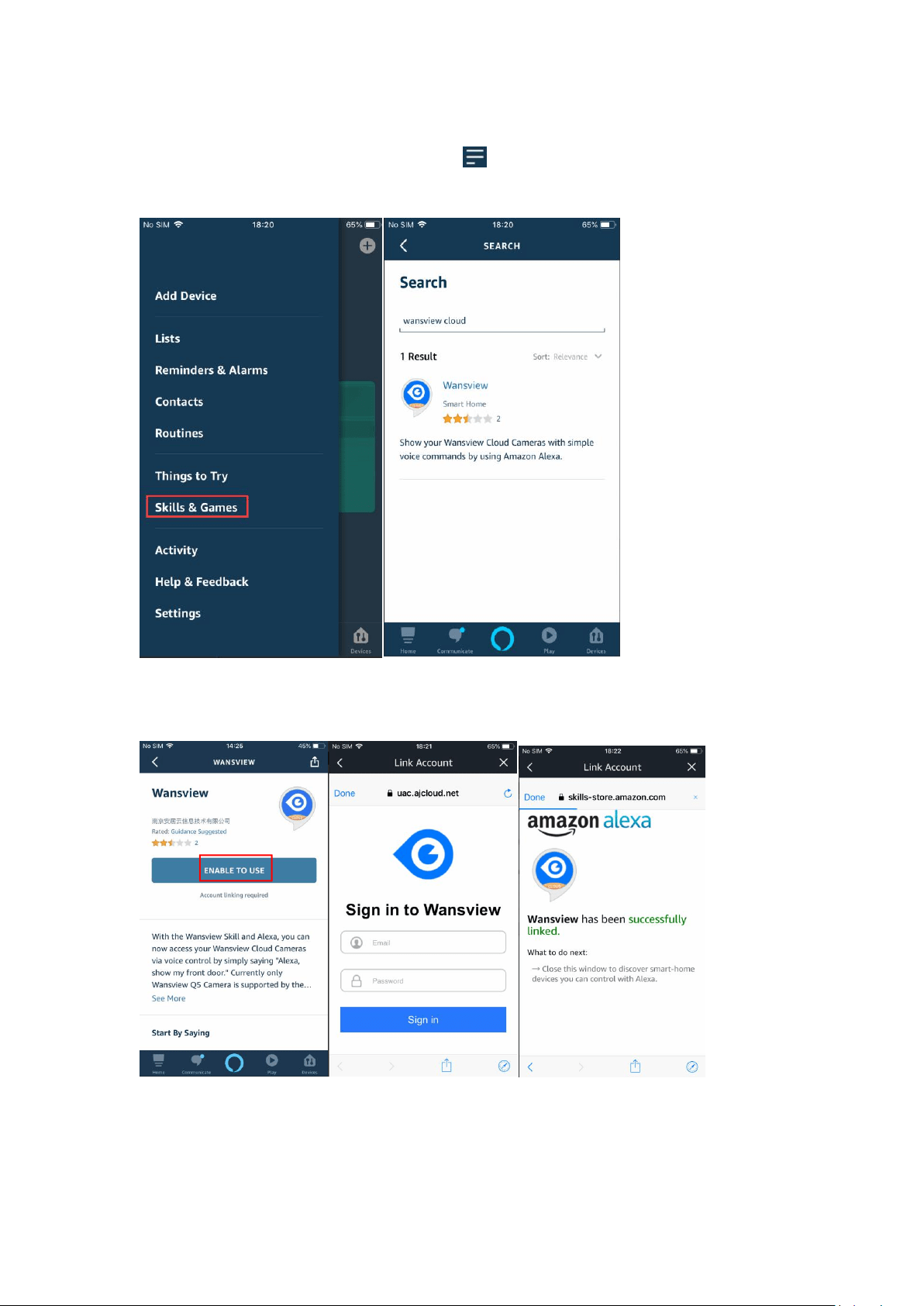
3. On the home page of Alexa App, please click and choose “Skils&Games”. Click Search
icon and search “Wansview Cloud”.
4. Click Wansview Cloud --- choose “Enable to use” --- log in your Wansview Cloud account, then
your account will be linked with Alexa.
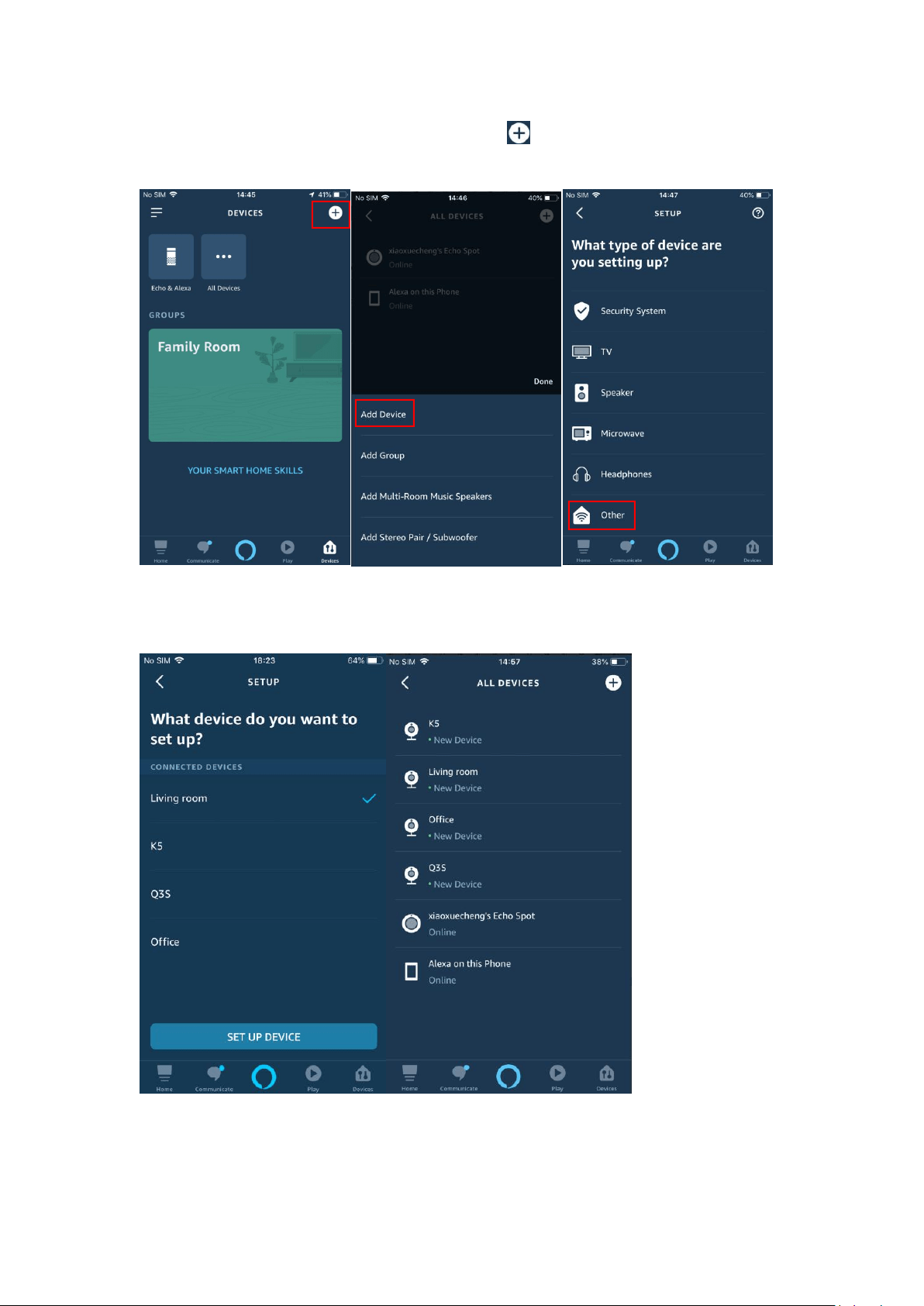
5. Please go to [Device] page of Alexa APP --- click ---choose [Add Device] --- choose
[Others] ---then Alexa will find all cameras that are connected on your Wansview Cloud account.
6. You can add all found cameras to Alexa, but one time can only add one camera. After added,
you can click [Devices] ---[ALL Devices] to check all cameras.
7. After this, you can command Alexa Echo Show or Echo spot showing your cameras at anytime.
