COM-DEX
É[5qr0e1|d;k;;;]
Manual no.:
9 514 0313 080 #07
Issue:
2020-11
GB
DE
FR
ES
DK
IT
JP
US
COM-DEX with firmware 1.3 and newer
WSAUD A/S Nymoellevej 6, DK-3540 Lynge, Denmark
https://global.widex.com
9 514 0313 080 #07 omslag 90 x 90.indd 6,9-10 11-11-2020 13:33:15
1 2
3
3.2
3.1
1.2
1.5
1.1
1.3
1.6
1.4
4
5
4.2
4.1
5.5
5.2
5.1/5.3/5.4
9 514 0313 080 #07 omslag 90 x 90.indd 1,4-5 11-11-2020 13:33:14

1 2
3
3.2
3.1
1.2
1.5
1.1
1.3
1.6
1.4
4
5
4.2
4.1
5.5
5.2
5.1/5.3/5.4
9 514 0313 080 #07 omslag 90 x 90.indd 1,4-5 11-11-2020 13:33:14

GB USER INSTRUCTIONS ......................................2
DE BEDIENUNGSANLEITUNG................................. 14
FR USER INSTRUCTIONS .................................... 26
ES INSTRUCCIONES DE USO ................................. 39
DK BRUGSANVISNING....................................... 52
IT INSTRUZIONI PER L'USO ................................. 64
JP 取扱説明書........................................... 77
US USER INSTRUCTIONS .................................... 90
FCC AND ISED STATEMENTS ....................................118
PB 1

2 3
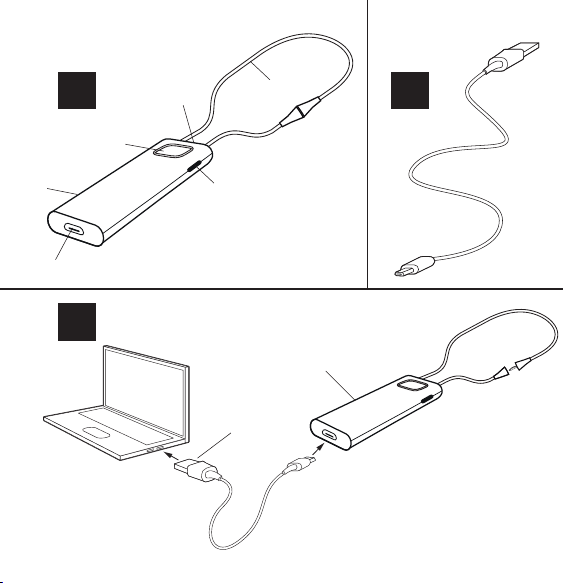
DESCRIPTION OF DEVICE – See illustration 1
1.1 Push button
1.2 Room Off button
1.3 LED
1.4 Microphone
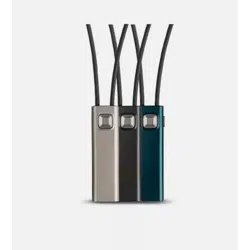
1.5 Neck loop
1.6 Micro USB
Note: Read these instructions carefully before you start using the
device.
Intended use
The device is intended to improve the ability of hearing impaired
people to conduct mobile phone conversations while using their
hearing aids, to improve the usability and ease of control of such
hearing aids by equipping them with a Smartphone-based con-
trol method.
Note: The device uses Bluetooth standard which is common in
newer mobile phones.

2 3
ACCESSORIES – See illustration 2
2.1 USB cable
CHARGING – See illustration 3
3.1 Connect USB cable between the device and the power
supply. We recommend that the two neck loop parts are
not joined while charging the device.
3.2 Red light: charging, green light: fully charged.
Battery life: 8 hours streaming, 8 days standby.
HOW TO USE – See illustration 4
4.1 Join the two neck loop parts. The neck loop functions as
an on/off switch.
4.2 Pair the device to your mobile phone using Bluetooth.

4 5
How to pair the device with your phone
To pair your device with your phone for the first time, follow these
steps:
1. Make sure that the device and phone are within 1 metre
range of each other.
2. Connect the neck loop. The device will blink red and blue.
3. Activate Bluetooth on your phone.
4. Start the pairing process according to the instructions in your
phone’s user guide.
5. Your phone will show a list of Bluetooth devices.
Select COM-DEX from the list.
Once you have paired the device, it will remain so even when you
disconnect the neck loop.

4 5
Incoming calls – See illustration 5
5.1 Answer call: Press push button.
5.2 Speak into microphone while device is hanging around
your neck.
5.3 End call: Press push button.
5.4 Reject call: Long press on push button.
Note: Answering and ending calls is also possible on the mobile
phone. Note that, on some mobile phones, you may need to
select the COM-DEX from a list of devices. Otherwise the sound
will be transmitted through the phone’s speakers.
Outgoing calls – See illustration 5
5.5 Dial from phone.
Note: You can also use the device to stream sound from any
sound source to your hearing aids.

6 7
Sound adjustment during use
Volume is adjusted on the mobile phone.
To shut out surrounding sounds: press Room Off button – See
illustration 1.
Note: If you are in a particularly noisy environment or if you
need to increase the volume to a higher level than normal while
streaming sound to your hearing aids, keep the Room Off button
pressed for 5 seconds. To return to your normal sound level, press
the Room Off button again and keep it pressed for 5 seconds.
You can download the COM-DEX app from the App Store or
Google Play. This app allows you to use your phone as a remote
control.

6 7
MAINTENANCE
• Clean with a damp cloth. Do not use chemicals.
• Do not expose to extreme temperatures or high humidity.
• Do not immerse in liquids.
• When the device is not in use keep it in a dry location out of
reach of children and pets.
• Never try to open or repair the device yourself. This may only
be done by authorised personnel.
INFORMATION ABOUT EMISSION
Emission levels from Widex devices are several times lower than
the levels transmitted by mobile phones and other communica-
tions equipment.
For further information, especially regarding patients with med-
ical implants, download the document: “Information on Widex-
Link
TM
” at https://global.widex.com/widexlink
8 9
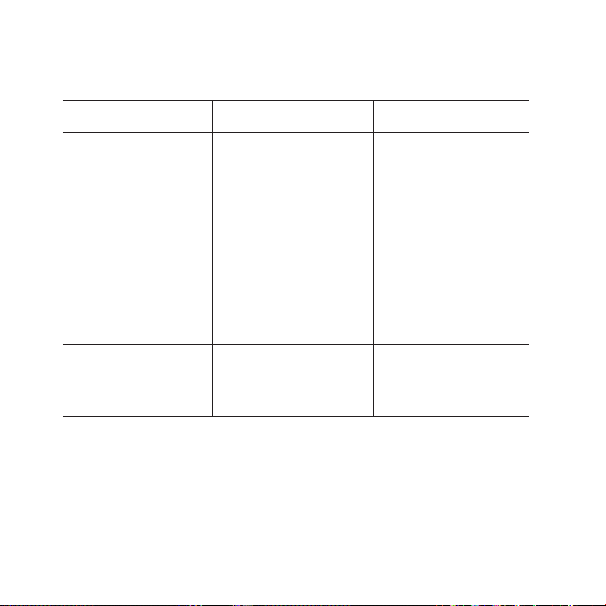
TROUBLESHOOTING
Problem Possible cause Solution
The device does not
work
a) Device battery low
b) The mobile phone is
set to silent mode
c) Hearing aid battery
low
d) Out of range
a) Charge device bat-
tery
b) Set to normal
mode
c) Change hearing
aid’s battery
d) Bluetooth has a
range up to 10 m.
No sound a) Not connected via
Bluetooth
a) Repeat the pairing
process
If the problems persist, contact your hearing care professional.

8 9
WARNINGS
• Do not leave the device unattended while charging.
• Your device should be stored and transported within the temperature
and humidity ranges of -10° to +50°C (14°F to 122°F) and <90% RH.
• Your device is designed to operate from 5°C (41°F) to 40°C (104°F).
• Keep the device protected from dust or external particles.
• We recommend using a 5V up to 500 mA USB adaptor.
• Do not use the device in mines or other areas with explosive gases.
• When the device is connected via micro USB cable to external mains-
operated equipment such as a charger, PC, audio source or similar, this
equipment must comply with IEC 60950-1, IEC 62368-1, IEC 60601-1 or
equivalent safety standards.
• Only the accessories and cable that are included in the sales box must
be used.
• Using cables other than those specified or provided may result in
increased electromagnetic emissions or decreased electromagnetic
immunity of this equipment and result in improper operation.

10 11
CONDITIONS FOR USE
Operate the device within the following conditions:
Minimum Maximum
Temperature 5°C (41°F) 40°C (104°F)
Humidity 10% rH 90% rH
Store and transport the device within the following conditions:
Minimum Maximum
Temperature -10° (14°F) 50°C (122°F)
Humidity 10% rH 90% rH
Atmospheric pressure 750 mbar 1060 mbar
You can find technical datasheets and additional information on
your device on https://global.widex.com/doc
10 11
REGULATORY INFORMATION
Directive 2014/53/EU
WSAUD A/S hereby declares that this COM-DEX is in compliance
with the essential requirements and other relevant provisions of
Directive 2014/53/EU.
The device contains radio transmitters operating at: 10.6 MHz,
-54 dBμA/m @10 m, 2.4 GHz, 0.9 mW EIRP.
A copy of the Declaration of Conformity can be found at:
https://global.widex.com/doc

12 13
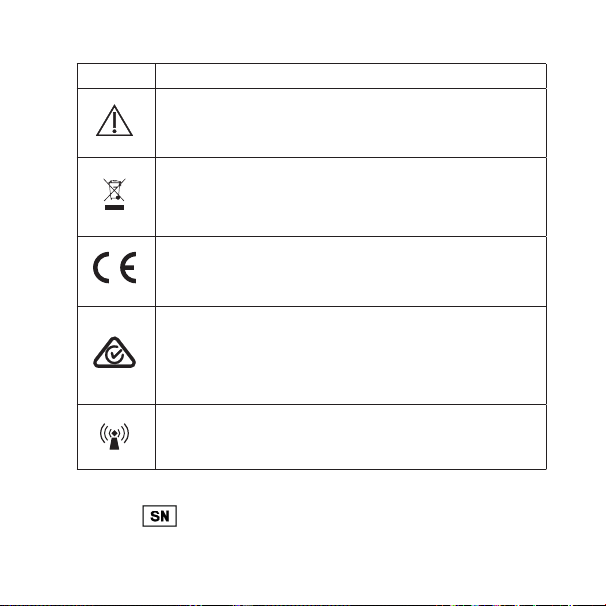
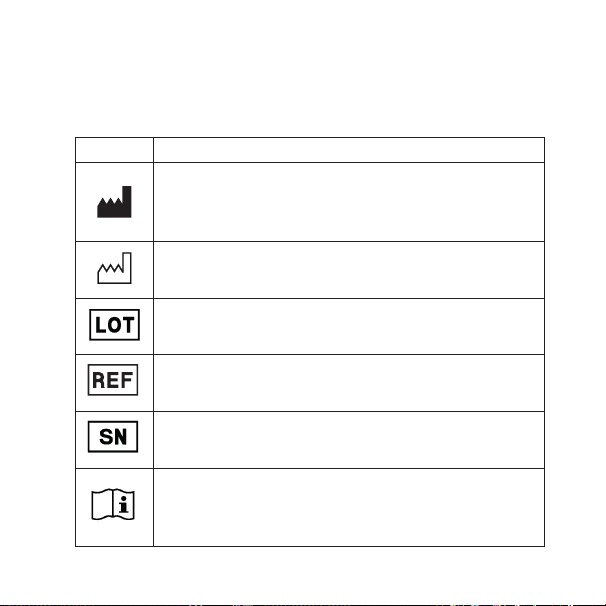
SYMBOLS
Symbols commonly used by WSAUD A/S in medical device labelling
(labels/IFU/etc.)
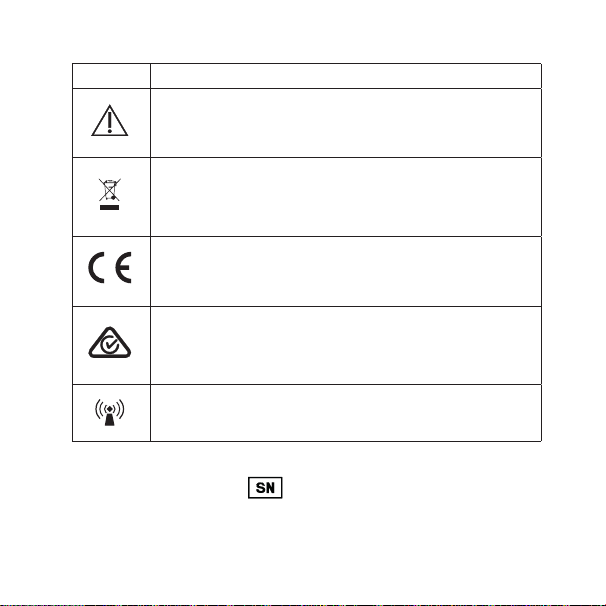
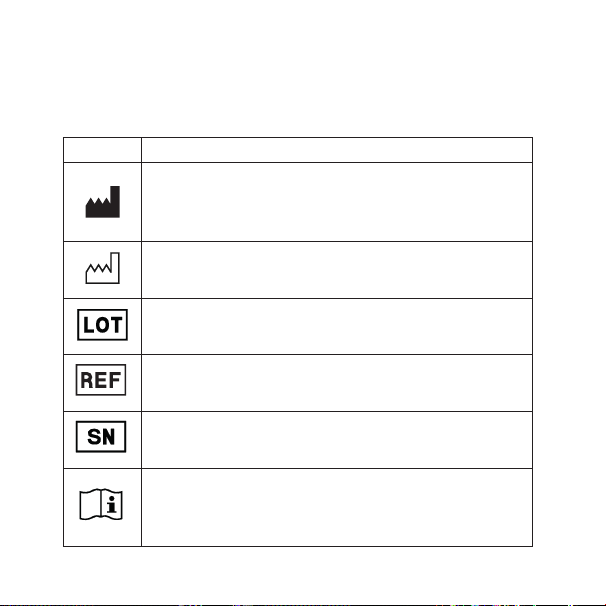
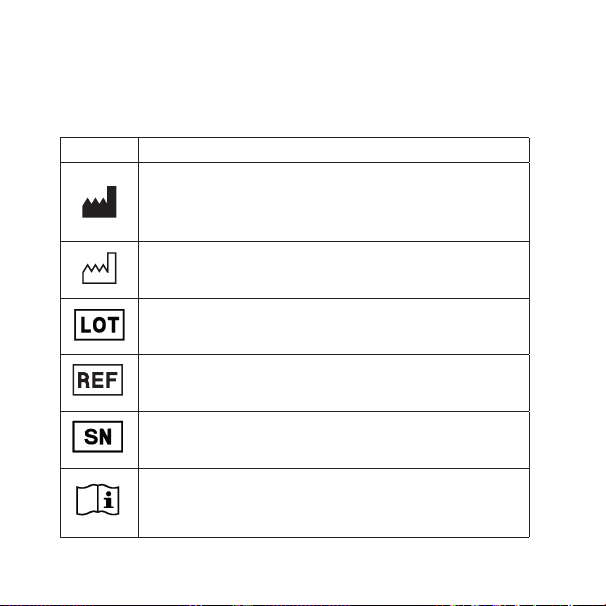
Symbol Title/Description
Manufacturer
The product is produced by the manufacturer whose name and address
are stated next to the symbol. If appropriate, the date of manufacture
may also be stated.
Date of manufacture
The date when the product was manufactured.
Batch code
The product’s batch code (lot or batch identification).
Catalogue number
The product’s catalogue (item) number.
Serial number
The product’s serial number.*
Consult instructions for use
The user instructions contain important cautionary information (warn-
ings/precautions) and must be read before using the product.
12 13
Symbol Title/Description
Caution/Warning
Text marked with a caution/warning symbol must be read before using
the product.
WEEE mark
“Not for general waste”
When the product is to be discarded, it must be sent to a designated
collection point for recycling and recovery.
CE mark
The product is in conformity with the requirements set out in European
CE marking directives.
RCM mark
The product complies with electrical safety, EMC and radio spectrum
regulatory requirements for products supplied to the Australian or New
Zealand market.
Interference
Electromagnetic interference may occur in the vicinity of the product.
*The six- or seven-digit number on the product is the serial number. Serial numbers
may not always be preceded by

14 15
GERÄTEBESCHREIBUNG – siehe Abbildung 1
1.1 Taster
1.2 Taste „HG-Mikro aus“
1.3 LED
1.4 Mikrofon
1.5 Nackenschlaufe
1.6 Mikro-USB:
Hinweis: Bitte lesen Sie diese Bedienungsanleitung aufmerksam durch,
ehe Sie das Gerät in Betrieb nehmen.
Bestimmungsgemäßer Gebrauch
Dieses Gerät ist dazu vorgesehen, Personen mit Hörminderung Mobilte-
lefonate bei Benutzung ihrer Hörsysteme zu ermöglichen, und gleichzei-
tig die Benutzbarkeit und einfache Einstellbarkeit dieser Hörsysteme mit
einem Smartphone-basierenden Verfahren zu verbessern.
Hinweis: Das Gerät nutzt den Bluetooth-Übertragungsstandard, der bei
neueren Mobiltelefonen üblich ist.

14 15
ZUBEHÖR – siehe Abbildung 2
2.1 USB-Kabel
AUFLADEN – siehe Abbildung 3
3.1 Schließen Sie das Gerät mit dem USB-Kabel am Netzteil an. Wir
empfehlen, die beiden Nackenschlaufenenden beim Laden des
Geräts nicht zu verbinden.
3.2 Rotes Licht: Ladevorgang; grünes Licht: vollständig geladen
Akkulaufzeit: 8 Stunden Streaming, 8 Tage Standby
GEBRAUCH – siehe Abbildung 4
4.1 Verbinden Sie die Enden der Nackenschlaufe. Die Nackenschlaufe
dient als Ein-/Ausschalter.
4.2 Koppeln Sie das Gerät über Bluetooth mit Ihrem Mobiltelefon.

16 17
Das Gerät mit Ihrem Mobiltelefon koppeln
Gehen Sie bei der erstmaligen Kopplung des Gerätes mit Ihrem Mobilte-
lefon folgendermaßen vor:
1. Achten Sie darauf, dass das Gerät und das Mobiltelefon nicht weiter
als 1 Meter voneinander entfernt sind.
2. Verbinden Sie die Enden der Nackenschlaufe. Das Gerät blinkt rot
und blau.
3. Aktivieren Sie auf Ihrem Mobiltelefon Bluetooth.
4. Starten Sie die Kopplung gemäß der Bedienungsanleitung Ihres
Mobiltelefons.
5. Ihr Mobiltelefon zeigt eine Liste mit Bluetooth-Geräten an.
Wählen Sie COM-DEX aus der Liste.
Die Kopplung bleibt auch dann erhalten, wenn Sie die Nackenschlaufe
trennen.

16 17
Eingehende Anrufe – Siehe Abbildung 5
5.1 Anruf annehmen: Drücken Sie die Taste.
5.2 Sprechen Sie in das Mikrofon, während Sie das Gerät am Hals tra-
gen.
5.3 Anruf beenden: Drücken Sie die Taste.
5.4 Anruf ablehnen: Drücken Sie die Taste lang.
Hinweis: Sie können Anrufe auch an Ihrem Mobiltelefon annehmen und
beenden. Bitte beachten Sie, dass Sie bei einigen Mobiltelefonen COM-
DEX aus einer Geräteliste wählen müssen. Ansonsten wird der Ton über
den Lautsprecher des Mobiltelefons übertragen.
Anrufe tätigen – Siehe Abbildung 5
5.5 Wählen Sie mit dem Mobiltelefon.
Hinweis: Sie können das Gerät auch für die Übertragung beliebiger Audi-
oquellen zu Ihren Hörsystemen benutzen.

18 19
Lautstärkeeinstellung während des Gebrauchs
Die Lautstärke wird am Mobiltelefon eingestellt.
Um Umgebungsgeräusche auszublenden, drücken Sie die Taste
„HG-Mikro aus“ – Siehe Abbildung 1.
Hinweis: Wenn Sie in einer besonders lauten Umgebung sind bzw. die
Lautstärke über den Normalpegel anheben müssen, während Sie zu
Ihren Hörsystemen streamen, halten Sie die Taste „HG-Mikro aus“ 5
Sekunden lang gedrückt. Um wieder den Normalpegel zu aktivieren, hal-
ten Sie die Taste „HG-Mikro aus“ nochmals 5 Sekunden lang gedrückt.
Sie können die COM-DEX App im App Store oder über Google Play herun-
terladen. Mit dieser App können Sie Ihr Mobiltelefon als Fernbedienung
nutzen.

18 19
AUFBEWAHRUNG UND ALLGEMEINE
HANDHABUNG
• Zur Reinigung ein feuchtes Tuch benutzen. Keine Chemikalien ver-
wenden.
• Setzen Sie das Gerät keinen extremen Temperaturen oder starker
Feuchtigkeit aus.
• Bringen Sie das Gerät nicht mit Wasser oder anderen Flüssigkeiten in
Berührung.
• Wenn Sie das Gerät nicht benutzen, bewahren Sie es an einem trocke-
nen Ort und für Kinder und Haustiere unzugänglich auf.
• Versuchen Sie nie, das Gerät selbst zu öffnen bzw. zu reparieren, son-
dern bringen Sie es zu Ihrem Hörgeräte-Akustiker.
INFORMATIONEN ZU EMISSIONEN
Die Emissionswerte von Widex Geräten betragen nur ein Bruchteil der
Emissionen von Mobiltelefonen und anderen Kommunikationsanlagen.
Für weitere Informationen besonders zu Patienten mit medizinischen
Implantaten laden Sie bitte dieses Dokument herunter: „Informationen
über WidexLink
TM
” auf https://global.widex.com/widexlink

20 21
FEHLERSUCHE UND -BEHEBUNG
Problem Mögliche Ursache Lösung
Das Gerät funktio-
niert nicht.
a) Geräte-Akku ist fast
leer
b) Das Mobiltelefon ist
stumm geschaltet
c) Hörsystem-Batterie
ist fast leer
d) Außer Reichweite
a) Geräte-Akku aufla-
den
b) Normale Laut-
stärke einstellen
c) Hörsystem-Batte-
rie wechseln
d) Bluetooth hat eine
Reichweite bis zu
10 m.
Kein Ton a) Keine Verbindung
über Bluetooth
a) Kopplung wieder-
holen
Besteht das jeweilige Problem weiterhin, suchen Sie bitte Ihren Hörge-
räte-Akustiker auf.
20 21
WARNHINWEISE
• Lassen Sie das Gerät während des Ladens nicht unbeaufsichtigt.
• Lagern und transportieren Sie das Gerät innerhalb eines Temperaturbereichs
von –10°C bis +50°C und bei einer relativen Luftfeuchtigkeit von < 90%.
• Das Gerät ist für den Betrieb bei 5 °C bis 40 °C ausgelegt.
• Bewahren Sie das Gerät vor Staub oder Fremdpartikeln geschützt auf.
• Wir empfehlen die Verwendung eines USB-Adapters mit 5V und 500mA.
• Aufgrund der einschlägigen Vorschriften darf das Gerät nicht in explosions
-
gefährdeten Räumen betrieben werden.
• Wenn das Gerät über ein Mikro-USB-Kabel mit einem netzbetriebenen
externen Gerät (z. B. Ladegerät, PC, Audiogerät o. Ä.) verbunden wird,
muss dieses Gerät die Sicherheitsvorschriften der Normen IEC 60950-1, IEC
62368-1, IEC 60601-1 oder vergleichbarer Normen erfüllen.
• Es dürfen nur die im Lieferumfang enthaltenen Zubehörteile und Kabel ver
-
wendet werden.
• Die Verwendung von anderen als den angegebenen oder mitgeliefer
-
ten Kabeln kann zu erhöhten elektromagnetischen Emissionen oder einer
reduzierten elektromagnetischen Störfestigkeit dieses Geräts und damit zu
unsachgemäßem Betrieb führen.
22 23
GEBRAUCHSBEDINGUNGEN
Verwenden Sie das Gerät bei folgenden Umgebungsbedingungen:
Minimal Maximal
Temperatur 5°C 40°C
Luftfeuchtigkeit 10 % RF 90 % RF
Lagern und transportieren Sie das Gerät bei folgenden
Umgebungsbedingungen:
Minimal Maximal
Temperatur –10°C 50°C
Luftfeuchtigkeit 10 % RF 90 % RF
Luftdruck 750mbar 1060 mbar
Technische Datenblätter und weitere Informationen zu Ihrem Gerät fin-
den Sie unter folgendem Link: https://global.widex.com/doc
22 23
INFORMATIONEN ZUR REGELKONFORMITÄT
Richtlinie 2014/53/EU
Hiermit erklärt WSAUD A/S, dass sich dieses COM-DEX in Übereinstim-
mung mit den grundlegenden Anforderungen und den anderen relevan-
ten Vorschriften der Richtlinie 2014/53/EU befindet.
Im Gerät befinden sich Funksender mit: 10.6 MHz, –54 dBμA/m bei 10 m,
2,4 GHz, 0,9 mW EIRP.
Eine Kopie der Konformitätserklärung finden Sie auf:
https://global.widex.com/doc
24 25
SYMBOLE
Von WSAUD A/S für die Kennzeichnung medizinischer Geräte
(auf Etiketten, in Bedienungsanleitungen usw.) verwendete Symbole:
Symbol Bezeichnung/Beschreibung
Hersteller
Der Name und die Adresse des Herstellers des Produktes stehen ne-
ben dem Symbol. Falls erforderlich kann auch das Herstellungsdatum
angegeben sein.
Herstellungsdatum
Das Herstellungsdatum des Produktes.
Chargenbezeichnung
Die Chargenbezeichnung des Produktes (Los- oder Chargennummer).
Bestellnummer
Die Bestellnummer (Artikelnummer) des Produktes.
Seriennummer
Die Seriennummer des Produktes.*
Bedienungsanleitung beachten
Die Bedienungsanleitung enthält wichtige Warnhinweise und Informa-
tionen zu Vorsichtsmaßnahmen und muss vor Gebrauch des Produktes
gelesen werden.
24 25
Symbol Bezeichnung/Beschreibung
Vorsicht/Warnung
Hinweise mit diesem Symbol müssen vor Gebrauch des Produktes
gelesen werden.
EEAG-Kennzeichnung
„Nicht im Hausmüll entsorgen.“
Das Produkt muss zu einer vorgesehenen Sammelstelle für elektroni-
sche Altgeräte gebracht und fachgerecht entsorgt werden.
CE-Kennzeichnung
Das Produkt befindet sich in Übereinstimmung mit den Anforderungen
der europäischen Richtlinien zur CE-Kennzeichnung.
RCM-Zeichen
Das Produkt entspricht hinsichtlich der elektromagnetischen Verträg-
lichkeit und des Funkfrequenzspektrums den regulatorischen Anforde-
rungen an Produkte, die für den australischen und neuseeländischen
Markt bestimmt sind.
Interferenz
In der Nähe des Produktes können elektromagnetische Interferenzen
auftreten.
Der sechs- oder siebenstellige Code am Produkt ist die Seriennummer. Nicht in allen
Fällen steht
der Seriennummer voran.

26 27
DESCRIPTION DE L’APPAREIL – Voir l’illustration 1
1.1 Bouton-poussoir
1.2 Bouton Coupure des microphones
1.3 Voyant
1.4 Microphone
1.5 Tour de cou
1.6 Micro USB
Remarque : Lisez attentivement ces instructions avant de commencer à
utiliser cet appareil.
Usage auquel cet appareil est destiné
L’appareil est conçu pour aider la personne malentendante à conver-
ser sur son téléphone portable tout en utilisant ses aides auditives, pour
améliorer l’ergonomie et la facilité de contrôle de telles aides auditives en
les équipant d’une solution compatible Smartphone.
Remarque : L’appareil utilise la norme Bluetooth commune aux télé-
phones portables les plus récents.

26 27
ACCESSOIRES - Voir l’illustration 2
2.1 Câble USB
RECHARGE – Voir l’illustration 3
3.1 Connectez le câble USB entre l’appareil et la source d’alimenta-
tion. Nous recommandons que les deux parties du tour de cou ne
soient pas jointes pendant la recharge de l’appareil.
3.2 Voyant rouge : en cours de recharge, voyant vert : entièrement
chargé.
Durée de vie de la batterie : 8 heures de streaming, 8 heures de veille.
UTILISATION – Voir l’illustration 4
4.1 Joignez les deux parties du tour de cou. Le tour de cou fonc-
tionne tel un interrupteur marche/arrêt.
4.2 Appairez l’appareil à votre téléphone portable en utilisant Blue-
tooth.

28 29
Comment appairer l’appareil avec votre téléphone
Pour appairer votre appareil avec votre téléphone la première fois, veuil-
lez suivre ces étapes :
1. Assurez-vous que l’appareil et le téléphone ne sont pas éloignés de
plus d’un mètre l’un de l’autre.
2. Connectez le tour de cou. L’appareil clignotera rouge et bleu.
3. Activez le Bluetooth sur votre téléphone.
4. Démarrez le processus d’appairage en fonction des instructions sur
la notice d’utilisation de votre téléphone.
5. Votre téléphone affichera une liste d’appareils Bluetooth.
Sélectionnez COM-DEX dans la liste.
Quand vous aurez appairé l’appareil, il restera ainsi même lorsque vous
déconnecterez le tour de cou.

28 29
Appels entrants – Voir l’illustration 5
5.1 Prendre l’appel : Appuyez sur le bouton-poussoir.
5.2 Parlez dans le microphone tandis que l’appareil est suspendu
autour de votre cou.
5.3 Terminer l’appel : Appuyez sur le bouton-poussoir.
5.4 Rejeter l’appel : Longue pression sur le bouton poussoir.
Remarque : Il est également possible de prendre et de terminer les
appels sur le téléphone portable. Veuillez noter que sur certains télé-
phones portables, il se peut que vous deviez sélectionner le COM-DEX
depuis une liste d’appareils. Sinon, le son sera transmis par les haut-
parleurs du téléphone.
Appels sortants – Voir l’illustration 5
5.5 Appeler depuis le téléphone.
Remarque : Vous pouvez également utiliser l’appareil pour diffuser le
son de toute source sonore vers vos aides auditives.

30 31
Réglage du son pendant l’utilisation
Le volume se règle sur le téléphone portable.
Pour exclure les sons environnants : appuyez sur le bouton Coupure
des microphones – Voir l’illustration 1.
Remarque : Si vous vous trouvez dans un environnement particulière-
ment bruyant ou si vous avez besoin d’augmenter le volume à un niveau
plus élevé que le niveau normal pendant la diffusion du son vers vos aides
auditives, maintenez le bouton Coupure des microphones enfoncé pen-
dant 5 secondes. Pour revenir à votre niveau sonore normal, appuyez
à nouveau sur le bouton Coupure des microphones et maintenez-le
enfoncé pendant 5 secondes.
Vous pouvez télécharger l’application COM-DEX depuis l’App Store ou
Google Play. Cette application vous permet d’utiliser votre téléphone tel
une télécommande.

30 31
L’ENTRETIEN
• Nettoyez avec un chiffon humide. N'utilisez pas de produits chimiques.
• N’exposez pas l'appareil à des températures extrêmes ou à une forte
humidité.
• Ne le plongez pas dans un liquide.
• Lorsque l'appareil n'est pas en cours d'utilisation, placez-le dans un
endroit sec hors de portée des enfants et des animaux domestiques.
• Ne tentez jamais d’ouvrir ou de réparer vous-même l’appareil. Cela
peut uniquement être effectué par des personnels agréés.
INFORMATIONS CONCERNANT LES ÉMISSIONS
Les niveaux d’émission des appareils Widex sont plusieurs fois inférieurs
aux niveaux transmis par les téléphones portables et tout autre équipe-
ment de communication.
Pour plus d’informations, notamment concernant les patients avec des
implants médicaux, veuillez télécharger le document : « Informations sur
WidexLink
TM
» sur https://global.widex.com/widexlink
32 33
DÉPANNAGE
Problème Cause possible Solution
L'appareil ne fonc-
tionne pas
a) Pile de l’appareil
faible
b) Le téléphone por-
table est en mode
silencieux
c) Pile de l’aide audi-
tive faible
d) Hors de portée
a) Recharger la pile
de l’appareil
b) Mettre en mode
normal
c) Remplacer la pile
de l’aide auditive
d) Bluetooth a une
portée maximum
de 10 m.
Pas de son a) Non connecté via
Bluetooth
a) Recommencer le
processus d’appai-
rage
Si les problèmes persistent, veuillez contacter votre audioprothésiste.
32 33
AVERTISSEMENTS
• Ne pas laisser l'appareil sans surveillance pendant la recharge.
• Votre appareil doit être stocké et transporté selon les conditions de
température et d’humidité comprises entre -10°C et +50°C (-14°F et
122°F) et < 90% HR.
• Votre appareil est conçu pour fonctionner entre 5°C (41 °F) et 40 °C
(104 °F).
• Protégez l'appareil de la poussière ou des particules externes.
• Nous vous recommandons d’utiliser un adaptateur USB de 5V allant
jusqu’à 500mA.
• N’utilisez pas cet appareil dans les mines ou autres lieux contenant des
gaz explosifs.
• Lorsque l'appareil est connecté via un câble micro USB à un équipe-
ment externe alimenté sur secteur comme un chargeur, un ordinateur,
une source audio ou autre, cet équipement doit être conforme aux exi-
gences CEI 60950-1, CEI 62368-1, CEI 60601-1 ou à des normes de sécu-
rité équivalentes.

34 35
• Utiliser uniquement les accessoires et le câble inclus dans l’étui de
vente.
• L'utilisation de câbles autres que ceux spécifiés ou fournis pourrait
entraîner une augmentation des émissions électromagnétiques ou
une diminution de l'immunité électromagnétique de cet équipement et
occasionner un mauvais fonctionnement.

34 35
CONDITIONS D’UTILISATION
Utilisez l’appareil selon les conditions suivantes :
Minimum Maximum
Température 5°C (41°F) 40°C (104°F)
Humidité 10% HR 90 % HR
Stockez et transportez l’appareil selon les conditions suivantes :
Minimum Maximum
Température -10° (14°F) 50°C (122°F)
Humidité 10% HR 90 % HR
Pression atmosphé-
rique
750 mbar 1060 mbar
Vous trouverez les fiches techniques et davantage d’informations sur
votre appareil sur https://global.widex.com.

36 37
INFORMATIONS RÉGLEMENTAIRES
Directive 2014/53/UE
Par la présente, WSAUD A/S déclare que ce COM-DEX est conforme aux
exigences essentielles et autres dispositions pertinentes de la Directive
2014/53/UE.
L’appareil comprend des émetteurs de radio fonctionnant à : 10,6 MHz,
-54 dBμA/m à 10 m, 2,4 GHz, 0,9 mW PIRE.
Une copie de la Déclaration de conformité peut être consultée sur :
https://global.widex.com/doc
36 37
SYMBOLES
Symboles communément utilisés par WSAUD A/S pour l'étiquetage des dis-
positifs médicaux (étiquettes/Mode d’emploi/etc.)
Symbole Titre/Description
Fabricant
Le produit est fabriqué par le fabricant dont le nom et l’adresse sont
indiqués à côté du symbole. Si besoin, la date de fabrication peut éga-
lement être indiquée.
Date de fabrication
La date à laquelle le produit a été fabriqué.
Code du lot
Le code du lot du produit (identification du lot).
Référence catalogue
Le numéro de catalogue du produit (article).
Numéro de série
Le numéro de série du produit.*
Consulter le mode d’emploi
Le mode d’emploi comprend des informations importantes (avertis-
sements/précautions). Il est impératif de le lire attentivement avant
d’utiliser le produit.

38
Symbole Titre/Description
Mise en garde / Avertissement
Lisez attentivement le texte marqué d’un symbole de mise en garde /
d’avertissement avant d’utiliser le produit.
Marque DEEE
« Ne pas jeter avec les déchets ordinaires »
Lorsque le produit doit être éliminé, il doit être rapporté à un point de
collecte agréé pour le recyclage et la récupération.
Marquage CE
Le produit est conforme aux exigences fixées par les directives euro-
péennes de marquage CE.
Marque RCM
Le produit est conforme aux normes de sécurité électrique, à la CEM
et aux exigences réglementaires en matière de spectre des radiofré-
quences pour les produits vendus sur le marché australien ou néo-zé-
landais.
Interférence
Des interférences électromagnétiques sont susceptibles de se produire
à proximité du produit.
*Le numéro à six ou sept chires sur le produit est le numéro de série. Les numéros de
série ne sont pas toujours précédés de

PB 39
DESCRIPCIÓN DEL DISPOSITIVO – Ver imagen1
1.1 Botón pulsador
1.2 Botón de desconexión acústica
1.3 Indicador LED
1.4 Micrófono
1.5 Collar inductor
1.6 microUSB
Nota: Lea estas instrucciones atentamente antes de usar el dispositivo
por primera vez.
Uso previsto
El dispositivo está diseñado para mejorar la capacidad auditiva de las
personas con pérdida auditiva a fin que puedan mantener una conver-
sación por teléfono móvil usando sus audífonos. Además, mejora la fac-
ilidad de uso y el control de dichos audífonos con un método de control
mediante el smartphone.
Nota: El dispositivo utiliza una conexión Bluetooth estándar que es
común en los teléfonos móviles más modernos.

40 41
ACCESORIOS – Ver imagen2
2.1 Cable USB
CARGA – Ver imagen3
3.1 Conecte el cable USB al dispositivo y al suministro de energía. Se
recomienda que las dos partes del collar inductor no estén unidas
mientras se esté cargando el dispositivo.
3.2 Luz roja: El dispositivo se está cargando. Luz verde: El dispositivo
está cargado.
Duración de la batería: 8 horas en uso, 8 días en reposo.
USO – Ver imagen4
4.1 Una las dos partes del collar inductor. El collar inductor es como
un interruptor de encendido y apagado.
4.2 Empareje el dispositivo a su teléfono móvil por Bluetooth.

40 41
Cómo emparejar el dispositivo con el teléfono
Para emparejar el teléfono móvil con el dispositivo por primera vez, siga
estos pasos:
1. Asegúrese de que el dispositivo y el teléfono se encuentren a menos
de 1metro de distancia entre sí.
2. Conecte el collar inductor. La luz LED del dispositivo parpadeará (luz
roja y azul).
3. Active el Bluetooth en su teléfono.
4. Inicie el proceso de emparejamiento siguiendo las instrucciones de la
guía de usuario de su teléfono.
5. El teléfono mostrará una lista de dispositivos con Bluetooth.
En la lista, seleccione COM-DEX.
Cuando haya emparejado los dispositivos, ambos permanecerán
emparejados aunque desconecte el collar inductor.

42 43
Llamadas entrantes – Ver imagen5
5.1 Responder una llamada: Presione el botón pulsador.
5.2 Con el dispositivo colgado en el cuello, hable en dirección al
micrófono.
5.3 Finalizar una llamada: Presione el botón pulsador.
5.4 Rechazar una llamada: Mantenga presionado el botón pulsador.
Nota: También puede responder y finalizar llamadas desde el teléfono
móvil. Tenga en cuenta que, en algunos teléfonos móviles, es posible
que deba seleccionar COM-DEX de una lista de dispositivos. De lo con-
trario, el sonido se transmitirá a través de los altavoces del teléfono.
Llamadas salientes – Ver imagen5
5.5 Marque el número en el teléfono.
Nota: También puede usar el dispositivo para transmitir sonido desde
cualquier fuente de sonido a sus audífonos.

42 43
Ajuste del volumen durante el uso
Puede ajustar el volumen desde el teléfono móvil.
Para eliminar los sonidos del entorno, pulse el botón de desconexión
acústica – Ver imagen1.
Nota: Si se encuentra en un ambiente especialmente ruidoso o si necesita
subir el volumen más de lo normal para oír los sonidos que se transmiten
a los audífonos, mantenga pulsado el botón de desconexión acústica
durante 5 segundos. Para volver al volumen que usa habitualmente,
pulse de nuevo el botón de desconexión acústica durante 5segundos.
Puede descargar la aplicación COM-DEX en App Store o Google Play.
La aplicación le permitirá usar el teléfono móvil como si fuera un con-
trol remoto.

44 45
MANTENIMIENTO
• Limpie el dispositivo con un paño húmedo. No use productos quími-
cos.
• No exponga el dispositivo a temperaturas extremas o a mucha hume-
dad.
• No sumerja el dispositivo en líquidos.
• Cuando no utilice el dispositivo, guárdelo en un lugar seco, fuera del
alcance de niños o animales domésticos.
• No intente nunca desmontar o reparar el dispositivo usted mismo.
Solo puede desmontarlo o repararlo el personal autorizado para ello.
INFORMACIÓN SOBRE EMISIONES
Los niveles de emisión de los dispositivos Widex son mucho más bajos
que los niveles transmitidos por teléfonos móviles y otros equipos de
comunicación.
Para obtener más información, especialmente en lo que concierne a
pacientes con implantes médicos, descargue el siguiente documento:
“Information on WidexLink
TM
” (Información sobre WidexLink
TM
) en
https://global.widex.com/widexlink
44 45
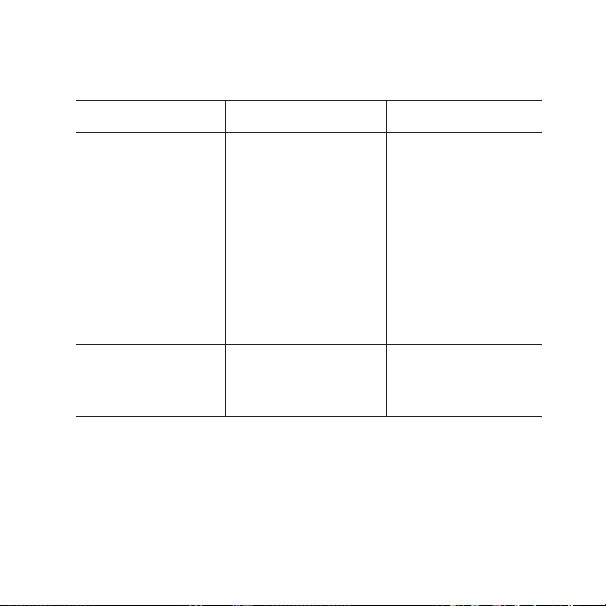
SOLUCIÓN DE PROBLEMAS
Problema Posible causa Solución
El dispositivo no fun-
ciona
a) Se ha agotado la
batería del disposi-
tivo
b) El teléfono móvil
está en silencio
c) Se ha agotado la
batería del audífono
d) El dispositivo está
fuera de alcance
a) Cargue la batería
del dispositivo
b) Ponga el teléfono
en modo normal
c) Cambie la batería
del audífono
d) El Bluetooth tiene
un radio de acción
de hasta 10m.
No se oye nada a) Los dispositivos no
están emparejados
por Bluetooth
a) Repita el proceso
de empareja-
miento
Si los problemas persisten, póngase en contacto con su audioprotesista.
46 47
ADVERTENCIAS
• No deje el dispositivo sin supervisión durante la carga.
• Su dispositivo debe almacenarse y transportarse dentro de un rango
de temperatura y humedad de -10°Ca+50°C (de 14°Fa 122°F) e infe-
rior al 90%de HR.
• Su dispositivo está diseñado para que pueda funcionar en una tem-
peratura de 5°C(41°F)a40°C (104°F).
• Mantenga el dispositivo protegido del polvo o de las partículas exter-
nas.
• Se recomienda usar un adaptador USB de 5V hasta500mA.
• No use el dispositivo en minas o en otras zonas en las que pueda haber
gases explosivos.
• Cuando el dispositivo está conectado mediante un cable microUSB a
un equipo externo conectado a la red de suministro, como un cargador,
una PC o una fuente de audio o similar, dicho equipo debe cumplir con
los requisitos establecidos en los estándares de seguridad IEC 60950-1,
IEC 62368-1, IEC 60601-1 u otros estándares de seguridad equivalentes.

46 47
• Solo se deben utilizar los accesorios y el cable incluidos en la caja.
• El uso de cables diferentes a los que se especifican o se proporcionan
puede dar lugar a un aumento de las emisiones electromagnéticas o a
una disminución de la inmunidad electromagnética de este equipo y
provocar un funcionamiento incorrecto.

48 49
CONDICIONES DE USO
Utilice el dispositivo en las siguientes condiciones:
Mínima Máxima
Temperatura 5°C (41°F) 40°C (104°F)
Humedad 10% de HR 90% de HR
Almacene y transporte el dispositivo en las siguientes condiciones:
Mínima Máxima
Temperatura -10°C (14°F) 50°C (122°F)
Humedad 10% de HR 90% de HR
Presión atmosférica 750 mbar 1060mbar
Puede encontrar fichas técnicas e información adicional sobre su dispos-
itivo en https://global.widex.com/doc
48 49
INFORMACIÓN REGLAMENTARIA
Directiva 2014/53/EU
Por medio de la presente, WSAUD A/S declara que este COM-DEX cum-
ple con los requisitos esenciales y otras disposiciones relevantes de la
Directiva 2014/53/EU.
El dispositivo contiene radiotransmisores que funcionan con las siguien-
tes especificaciones: 10,6 MHz, -54dBμA/m a 10 m, 2,4GHz, PIRE de
0,9mW.
Puede encontrar una copia de la declaración de conformidad en:
https://global.widex.com/doc

50 51
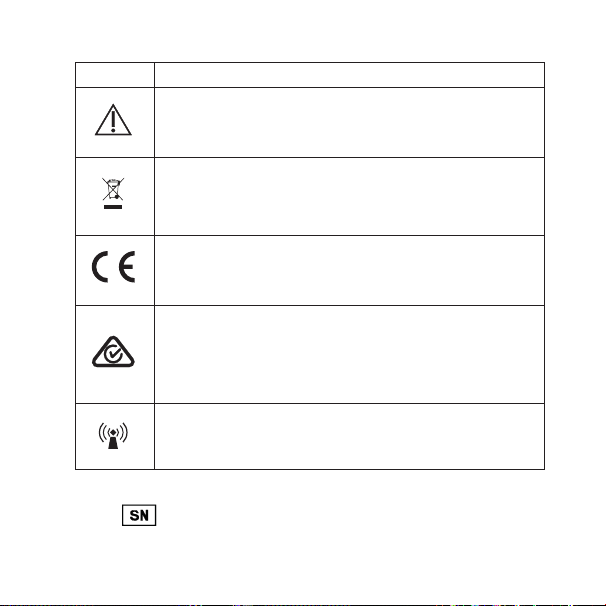
SÍMBOLOS
Estos son los símbolos utilizados habitualmente por WSAUD A/S para el eti-
quetado de los dispositivos médicos (etiquetas, instrucciones de uso, etc.)
Símbolo Denominación/Descripción
Fabricante
El producto pertenece al fabricante cuyo nombre y dirección aparecen
junto al símbolo. Si corresponde, también se indica la fecha de fab-
ricación.
Fecha de fabricación
La fecha de fabricación del producto.
Número de lote
El número de lote del producto (la identificación de partida o lote).
Número de catálogo
El número de catálogo (artículo) del producto.
Número de serie
El número de serie del producto.*
Consulte las instrucciones de uso
Las instrucciones de uso incluyen información preventiva importante
(advertencias y precauciones) y deben leerse antes de usar el produc-
to.
50 51
Símbolo Denominación/Descripción
Aviso/Advertencia
Se debe leer todo texto marcado con un símbolo de aviso/advertencia
antes de usar el producto.
Marca WEEE
“No tire el dispositivo a la basura”
A la hora de desechar el producto, se debe enviar a un punto de recogi-
da designado para su reciclaje y valorización.
Marca CE
El producto cumple con los requisitos establecidos en las directivas
europeas de marcado CE.
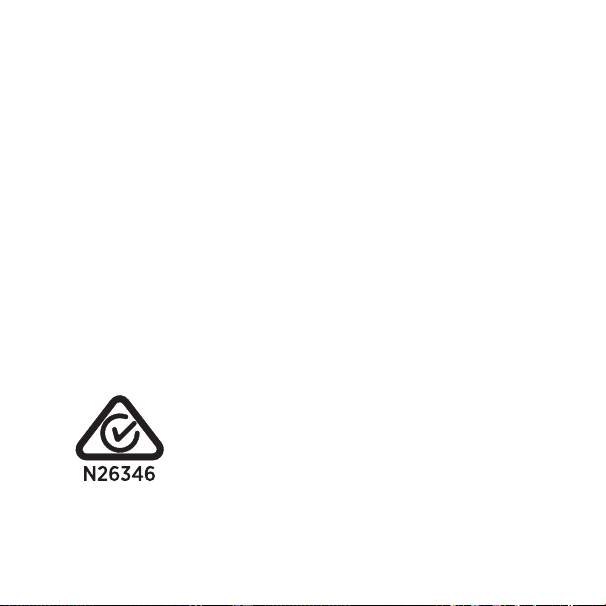
Marca RCM
El producto cumple con los requisitos reguladores de compatibilidad
electromagnética (EMC), seguridad eléctrica y de espectro de radio
establecidos para los productos suministrados a los mercados de Aus-
tralia y Nueva Zelanda.
Interferencia
Es posible que se produzcan interferencias electromagnéticas en las
proximidades del producto.
*El número de seis o siete dígitos indicado en el producto es su número de serie. El
símbolo
no siempre precede los números de serie

52 53
BESKRIVELSE AF ENHEDEN – se illustration 1
1.1 Trykknap
1.2 HA-mik fra-knap
1.3 LED
1.4 Mikrofon
1.5 Halsslynge
1.6 Mikro-USB
Bemærk: Læs disse instruktioner grundigt, inden du tager enheden i
brug.
Påtænkt anvendelse
Enheden er beregnet til at forbedre høreapparatbrugeres evne til at føre
telefonsamtaler, mens de bruger deres høreapparat. Ved at udstyre bru-
gerne med en smartphone-baseret kontrolmetode bliver høreappara-
terne nemmere at betjene og brugervenligheden forbedres.
Bemærk: Enheden bruger Bluetooth, som findes på de fleste nyere
mobiltelefoner.

52 53
TILBEHØR – se illustration 2
2.1 USB-kabel
OPLADNING – se illustration 3
3.1 Tilslut USB-kablet til enheden og strømforsyningen. Vi fraråder,
at de to dele af halsslyngen sættes sammen, mens enheden opla-
des.
3.2 Rødt lys: oplader, grønt lys: fuldt opladet.
Batterilevetid: 8 timers streaming, 8 dages standby.
ANVENDELSE – se illustration 4
4.1 Sæt de to dele af halsslyngen sammen. Halsslyngen fungerer som
tænd/sluk-kontakt.
4.2 Par enheden med din mobiltelefon ved hjælp af Bluetooth.

54 55
Sådan parres enheden med din telefon
Første gang, du parrer enheden med din telefon, skal du følge disse trin:
1. Sørg for, at enheden og telefon er inden for 1 meters indbyrdes
afstand.
2. Tilslut halsslyngen. Enheden blinker rødt og blåt.
3. Aktivér Bluetooth på din telefon.
4. Start parringsprocessen for enheden i henhold til instruktionerne i
brugsanvisningen til din telefon.
5. Din telefon viser en liste over Bluetooth-enheder.
Vælg COM-DEX fra listen.
Når du først har parret enheden, bliver den ved med at være parret,
selvom du afbryder halsslyngens tilslutning.

54 55
Indgående opkald – se illustration 5
5.1 Besvar opkald: Tryk på trykknappen.
5.2 Tal ind i mikrofonen, mens enheden hænger om din hals.
5.3 Afslut opkald: Tryk på trykknappen.
5.4 Afvis opkald: Langt tryk på trykknappen.
Bemærk: Det er også muligt at besvare og afslutte opkald på mobiltele-
fonen. Bemærk, at på nogle mobiltelefoner skal du måske vælge COM-
DEX fra en liste over enheder. Ellers transmitteres lyden gennem tele-
fonens højttalere.
Udgående opkald – se illustration 5
5.5 Ring op fra telefon.
Bemærk: Du kan også bruge enheden til at streame lyd fra alle elektroni-
ske lydkilder til dine høreapparater.

56 57
Lydjustering under brug
Lydstyrken justeres på mobiltelefonen.
For at lukke lyde fra omgivelserne ude: Tryk på HA-mik Fra-knappen –
se illustration 1.
Bemærk: Hvis du befinder dig i særligt støjende omgivelser eller har
brug for at øge lydstyrken til over det normale niveau, mens du streamer
lyd til høreapparaterne, så hold HA-mik Fra-knappen nede i 5 sekunder.
For at vende tilbage til dit normale lydniveau skal du trykke på HA-mik
Fra-knappen igen og holde den nede i 5 sekunder.
Du kan downloade COM-DEX appen fra App Store eller fra Google Play.
Med denne app kan du bruge telefonen som fjernbetjening.

56 57
VEDLIGEHOLDELSE
• Rengøres med en fugtig klud. Der må ikke bruges kemikalier.
• Må ikke udsættes for kraftig varme/kulde eller høj fugtighed.
• Må ikke lægges i væske.
• Når enheden ikke er i brug, skal den opbevares på et tørt sted, hvor
børn og kæledyr ikke kan få fat i den.
• Forsøg aldrig selv at åbne eller reparere enheden. Dette må kun udfø-
res af autoriseret personale.
OPLYSNINGER OM EMISSION
Emissionsniveauerne fra Widex enheder er adskillige gange lavere end
de niveauer, der transmitteres af mobiltelefoner og andet kommunika-
tionsudstyr.
For at få yderligere oplysninger, der gælder specifikt for patienter med
medicinske implantater, kan du downloade dokumentet: "Information om
WidexLink
TM
" på https://global.widex.com/widexlink

58 59
FEJLFINDING
Problem Mulig årsag Løsning
Enheden virker ikke a) Lavt batteriniveau
b) Mobiltelefonen er
indstillet til lydløs
tilstand
c) Lavt batteriniveau i
høreapparat
d) Uden for række-
vidde
a) Oplad enhedens
batteri
b) Skift til normal til-
stand
c) Udskift batteriet i
høreapparatet
d) Bluetooth har en
rækkevidde på op
til 10 m.
Ingen lyd a) Ikke tilsluttet via
Bluetooth
a) Gentag parrings-
processen
Hvis problemet fortsætter, kontakt høreklinikken.

58 59
ADVARSLER
• Efterlad ikke enheden uden opsyn, mens den oplades.
• Enheden skal opbevares og transporteres ved en temperatur mellem
-10 °C og +50 °C (-14 °F og 122 °F) og en luftfugtighed på 90 % RF.
• Enheden er designet til at fungere fra 5 °C (41 °F) til 40 °C (104 °F).
• Sørg for at beskytte enheden mod støv eller eksterne partikler.
• Vi anbefaler at bruge en 5V op til 500 mA USB-adapter.
• Brug ikke enheden i miner eller andre områder med eksplosive luft-
arter.
• Når enheden anvendes sammen med udstyr, som er tilsluttet via et
mikro-USB-kabel, f.eks. en oplader, en PC, en lydkilde eller lignende,
skal sikkerhedsreglerne for dette udstyr overholdes, som angivet i IEC
60950-1, IEC 62368-1, IEC 60601-1 eller tilsvarende standarder.
• Kun det tilbehør og kabel, der er indeholdt i salgsæsken, må bruges.
• Brug af andre kabler end dem, der er specificeret eller leveret, kan
medføre øgede elektromagnetiske emissioner eller nedsat elektro-
magnetisk immunitet for dette udstyr og forårsage fejlfunktion.

60 61
BETINGELSER FOR BRUG
Anvend enheden i overensstemmelse med følgende betingelser:
Minimum Maksimum
Temperatur 5 °C 40 °C
Fugtighed 10 % RF 90 % RF
Opbevar og transporter opladeren i overensstemmelse med følgende
betingelser:
Minimum Maksimum
Temperatur -10 °C 50 °C
Fugtighed 10 % RF 90 % RF
Atmosfærisk tryk 750 mbar 1060 mbar
Du kan finde tekniske datablade og yderligere oplysninger om din enhed
på https://global.widex.com/doc
60 61
REGULATORISK INFORMATION
Direktiv 2014/53/EU
Undertegnede WSAUD A/S erklærer herved, at følgende udstyr COM-
DEX overholder de væsentlige krav og øvrige relevante krav i direktiv
2014/53/EU.
Enheden indeholder radiosendere, der opererer ved: 10,6 MHz,
-54 dBμA/m VED 10 m, 2,4 GHz, 0,9 mW EIRP.
En kopi af Overensstemmelseserklæringen kan findes under:
https://global.widex.com/doc
62 63
SYMBOLER
Symboler, som ofte anvendes af WSAUD A/S på pakkematerialet (etiketter,
brugsanvisninger mv.) til medicinsk udstyr
Symbol Titel/beskrivelse
Producent
Sammen med dette symbol angives navn og adresse på den produ-
cent, der har fremstillet produktet. Såfremt det er relevant, angives
produktionsdatoen også.
Produktionsdato
Den dato, hvor produktet er produceret.
Batchnummer
Produktets batchnummer (identificering af batch)
Katalognummer
Produktets katalognummer (varenummer).
Serienummer
Produktets serienummer*
Se brugsanvisningen
Brugsanvisningen indeholder vigtig sikkerhedsinformation (advarsler/
forholdsregler) og skal læses, inden produktet tages i brug.

62 63
Symbol Titel/beskrivelse
Caution/Warning
Tekst markeret med symbolet for advarsler og forholdsregler skal læ-
ses, inden produktet tages i brug.
WEEE-mærke
"Må ikke kasseres som almindeligt aald"
Når produktet skal kasseres, skal det sendes til et autoriseret indsam-
lingssted for genbrug og genanvendelse af elektrisk og elektronisk
udstyr.
CE-mærke
Produktet overholder kravene i EU-direktiverne for CE-mærket udstyr.
RCM-mærke
Produktet overholder de gældende elektriske sikkerhedskrav og regu-
latoriske krav til EMC og radiospektrum for produkter, som distribueres
til Australien og New Zealand.
Interferens
Elektromagnetisk interferens kan forekomme i nærheden af produktet.
*Serienummeret er det 6- eller 7-cifrede nummer på produktet. Serienummeret kan
være påtrykt uden foranstillet

64 65
DESCRIZIONE DEL DISPOSITIVO - Vedere la Figura 1
1.1 Pulsante
1.2 Tasto Room Off
1.3 LED
1.4 Microfono
1.5 Cavetto per il collo
1.6 Micro USB
Nota: Leggere con attenzione queste istruzioni prima di iniziare ad uti-
lizzare il dispositivo.
Uso previsto
Questo dispositivo è progettato per migliorare la capacità delle persone
ipoacusiche nel comunicare al telefono e nell’utilizzare il proprio cellulare
quando indossano gli apparecchi acustici, in quanto, grazie ad un metodo
di controllo basato sullo smartphone, rende più agevole l'usabilità e la
gestione degli apparecchi stessi.
Nota: Questo dispositivo utilizza lo standard Bluetooth, in genere pre-
sente nei telefoni cellulari più recenti.

64 65
ACCESSORI - Vedere la Figura 2
2.1 Cavo USB
RICARICA - Vedere la Figura 3
3.1 Collegare il cavo USB al dispositivo e all'alimentazione. Durante la
ricarica, si consiglia di tenere separate le due parti del cavetto per
il collo.
3.2 Luce rossa: dispositivo in carica. Luce verde: carica completata.
Durata batteria: 8 ore di streaming, 8 giorni in standby.
MODALITÀ D’USO - Vedere la Figura 4
4.1 Unire le due parti del cavetto per il collo. Il cavetto funziona da
interruttore per l’accensione/spegnimento (On/Off).
4.2 Accoppiare il dispositivo al telefono cellulare tramite Bluetooth.

66 67
Come accoppiare il dispositivo al telefono
Per accoppiare il dispositivo al proprio telefono per la prima volta, atte-
nersi alla seguente procedura.
1. Assicurarsi che il dispositivo e il telefono siano entro 1 metro di
distanza l'uno dall'altro.
2. Collegare il cavetto. Il dispositivo lampeggerà emettendo luce rossa
e blu.
3. Attivare il Bluetooth sul telefono.
4. Avviare la procedura di accoppiamento seguendo le istruzioni del
manuale del proprio telefono.
5. Il telefono mostrerà un elenco con i dispositivi Bluetooth.
Selezionare COM-DEX dall'elenco.
Una volta accoppiato il dispositivo, anche se si separa il cavetto, resterà
accoppiato.

66 67
Chiamate in arrivo - Vedere la Figura 5
5.1 Rispondere alla chiamata: premere il pulsante.
5.2 Parlare al microfono con il dispositivo indossato intorno al collo.
5.3 Terminare la chiamata: premere il pulsante.
5.4 Rifiutare la chiamata: premere a lungo il pulsante.
Nota: È possibile rispondere alle chiamate e terminare le chiamate anche
tramite il proprio telefono cellulare. Si fa notareche, in alcuni telefoni
cellulari, può essere necessario selezionare il COM-DEX dall’elenco dei
dispositivi. Altrimenti, l'audio verrà trasmesso tramite gli altoparlanti
del telefono.
Chiamate in uscita - Vedere la Figura 5
5.5 Comporre il numero sul telefono.
Nota: È possibile usare il dispositivo anche per trasmettere in strea-
ming agli apparecchi acustici l’audio che proviene da qualsiasi altra fonte
sonora.

68 69
Regolare il suono durante l'uso
Il volume si regola tramite il telefono cellulare.
Per escludere i suoni circostanti: premere il tasto Room Off - Vedere la
Figura 1.
Nota: Se si è in un ambiente particolarmente rumoroso o se è necessa-
rio aumentare il volume più del normale quando si trasmette suono agli
apparecchi acustici, tenere premuto il tasto Room Off per 5 secondi. Per
tornare al volume normale, premere di nuovo il tasto Room Off e tenerlo
premuto per 5 secondi.
L'app COM-DEX è disponibile per il download su App Store o Google Play.
Questa app permette di utilizzare il telefono come un telecomando.

68 69
MANUTENZIONE
• Pulire con un panno umido. Non usare agenti chimici.
• Non esporre a temperature estreme o forte umidità.
• Non immergerlo nei liquidi.
• Quando il dispositivo non è in uso, tenerlo in un luogo asciutto e fuori
dalla portata dei bambini e degli animali domestici.
• Non tentare mai di aprire o riparare il dispositivo da soli. Questo può
essere fatto soltanto rivolgendosi a personale autorizzato.
INFORMAZIONI SULLE EMISSIONI
I livelli di emissioni dei dispositivi Widex sono molto inferiori rispetto a
quelli trasmessi dai telefoni cellulari e dalle altre apparecchiature per le
comunicazioni.
Per ulteriori informazioni, soprattutto per quanto riguarda i pazienti por-
tatori di dispositivi medici impiantati, scaricare il documento "Informa-
zioni su WidexLink
TM
" all'indirizzo https://global.widex.com/widexlink

70 71
RISOLUZIONE DEI PROBLEMI
Problema Possibile causa Soluzione
Il dispositivo non
funziona
a) Batteria del disposi-
tivo in esaurimento
b) Il telefono cellulare
è in modalità silen-
ziosa
c) Batteria dell'appa-
recchio acustico in
esaurimento
d) Fuori campo
a) Caricare la batteria
del dispositivo
b) Impostare la
modalità normale
c) Cambiare la batte-
ria dell'apparecchio
acustico
d) Il Bluetooth ha una
portata di circa 10
m.
Assenza di suono a) Connessione Blue-
tooth assente
a) Ripetere il proce-
dura di accoppia-
mento
Se il problema persiste, contattare il proprio audioprotesista.

70 71
AVVERTENZE
• Non lasciare il dispositivo incustodito durante la ricarica.
• Il dispositivo deve essere conservato e trasportato rispettando le con-
dizioni di temperatura ed umidità comprese fra -10 °C e 50 °C (-14 °F e
122 °F) e al di sotto del 90% di RH.
• Il dispositivo è progettato per funzionare da 5 °C (41 °F) a 40 °C (104
°F).
• Mantenere il dispositivo protetto dalla polvere o dal particolato esterno.
• Si consiglia di utilizzare un adattatore USB 5 V fino a 500 mA.
• Non utilizzare il dispositivo in miniere o altre aree con gas esplosivi.
• Quando il dispositivo è collegato via cavo micro-USB ad apparecchia-
ture esterne alimentate da rete elettrica quali un caricabatterie, PC o
simili, tali apparecchiature devono essere conformi a IEC 60950-1, IEC
62368-1, IEC 60601-1 o avere norme di sicurezza equivalenti.
• Devono essere utilizzati solo gli accessori e il cavo inclusi nella confe-
zione.

72 73
• L'uso di cavi diversi da quelli specificati o forniti può comportare un
aumento delle emissioni elettromagnetiche o una diminuzione dell'im-
munità elettromagnetica di questa apparecchiatura, causando così un
funzionamento improprio.

72 73
CONDIZIONI PER L’USO
Utilizzare il dispositivo rispettando le seguenti condizioni:
Minima Massima
Temperatura 5 °C (41 °F) 40 °C (104 °F)
Umidità 10% rH 90% rH
Conservare e trasportare il dispositivo nelle seguenti condizioni:
Minima Massima
Temperatura -10 °C (14 °F) 50 °C (122 °F)
Umidità 10% rH 90% rH
Pressione atmosferica 750 mBar 1060 mBar
È possibile trovare le schede tecniche e ulteriori informazioni circa il
dispositivo su https://global.widex.com/doc
74 75
INFORMAZIONI SULLE NORMATIVE
Direttiva 2014/53/UE
Con la presente, WSAUD A/S dichiara che il presente modello COM-DEX
è conforme ai requisiti essenziali e alle altre disposizioni contenute nella
Direttiva 2014/53/UE.
Questo dispositivo contiene trasmettitori radio operanti a: 10,6 MHz,
-54 dBμA/m @ 10 m, 2,4 GHz, 0,9 mW EIRP.
Copia della dichiarazione di conformità è consultabile su:
https://global.widex.com/doc
74 75
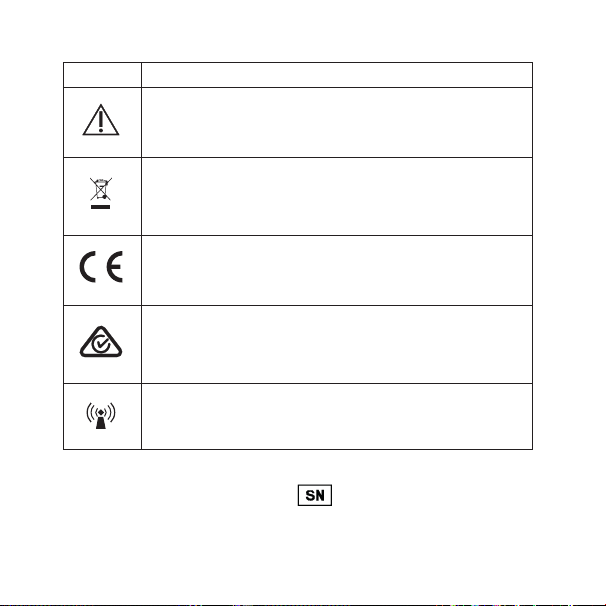
SIMBOLI
Simboli utilizzati solitamente da WSAUD A/S per l'etichettatura dei suoi dispos-
itivi medici (etichette, IFU, informazioni di prodotto ecc.)
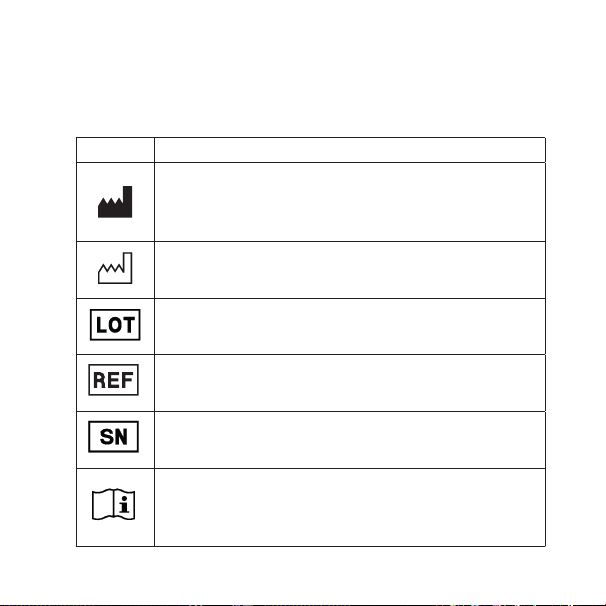
Simbolo Titolo/Descrizione:
Produttore
Il nome e indirizzo dell’azienda produttrice del dispositivo sono riporta-
ti accanto al simbolo. Se opportuna, può essere indicata anche la data
di fabbricazione.
Data di fabbricazione
La data in cui è stato fabbricato il prodotto.
Codice lotto
Il codice con il lotto del prodotto (identificativo del lotto di produzione).
Codice catalogo
Codice del prodotto (articolo) in catalogo.
Numero di serie
Il numero di serie del prodotto.*
Consultare le istruzioni per l'uso
Le istruzioni contengono importanti informazioni per la sicurezza
(avvertenze/precauzioni) e devono essere lette prima di utilizzare il
prodotto.
76
Simbolo Titolo/Descrizione:
Attenzione/Avvertenza
I testi contrassegnati dal simbolo dell’avvertenza devono essere letti
prima di utilizzare il prodotto.
Contrassegno RAEE
"Non per rifiuti generici"
Quando il prodotto deve essere smaltito, conferirlo presso un luogo di
raccolta designato per il riciclaggio e il recupero.
Marchio CE
Il prodotto è conforme ai requisiti stabiliti dalle direttive europee per
il marchio CE.
Marchio RCM
Il prodotto è conforme ai requisiti normativi in fatto di sicurezza elettri-
ca, compatibilità elettromagnetica e spettro radio per i prodotti forniti
ai mercati australiano o neozelandese.
Interferenze
In prossimità del prodotto possono insorgere della interferenze elettro-
magnetiche.
*Il numero di sei o sette cifre presente sul prodotto è il numero di serie. Il numero di serie
potrebbe non sempre essere preceduto da

PB 77
装置の説明 – 図1を参照
1.1 プッシュボタン
1.2 補聴器マイクオフボタン
1.3 LED
1.4 マイク
1.5 ネックループ
1.6 マイクロUSB
注 記:本装置の使用を開始する前に本書の指示をよくお読みく
ださい。
用途
本装置は、スマートフォンを使用して補聴器を操作する機能を
提供することにより、補聴器の使いやすさと操作性を改善し、聴
覚障害のある方が補聴器を使用して携帯電話で通話する際に
相手の声が聞きやすくなることを目的としています。
注 記:本装置は、スマートフォンの新しい機種で一般的に使用さ
れているBluetooth規格を使用しています。

78 79
アクセサリ – 図2を参照
2.1 USBケーブル
充電方法 – 図3を参照
3.1 装置と電源にUSBケーブルを接続します。装置を充電中に
は2本のネックループの接合部をつなげないことが推奨さ
れます。
3.2 赤に点灯:充電中/緑に点灯:充電完了
電池寿命:音声転送時は8時間、待機状態では8日間です。
使用方法– 図4を参照
4.1 2本のネックループを接続します。ネックループはオン/オフ
スイッチとして機 能します。
4.2 Bluetoothを使用して、装置をスマートフォンにペアリング
します。

78 79
装置をスマートフォンにペアリングする方法
装置をスマートフォンに初めてペアリングする際は、以下の手順
に 従 ってください 。
1.装置とスマートフォンの間の距離が1m以内であることを確
認します。
2.ネックループを接続します。装置のLEDが赤と青に点滅しま
す。
3.スマートフォンのBluetoothをオンにします。
4.お使いのスマートフォンの取扱説明書の指示に従って、ペアリ
ング手順を開始します。
5.お使いのスマートフォンにBluetooth機器のリストが表示さ
れます。
リストからCOM-DEXを選択します。
装 置 をペアリングすると、ネックループを 取り外してもペアリング
された状態が維持されます。

80 81
電話の着信 – 図5を参照
5.1 電話に出る:プッシュボタンを押します。
5.2 装置を首にかけたまま、マイクに向かって話します。
5.3 電話を切る:プッシュボタンを押します。
5.4 通話を拒否する:プッシュボタンを長押します。
注 記:スマートフォンで電話に応答することも可能です。注 記:
一部のスマートフォンでは、機器のリストからCOM-DEXを選択
する必要がある場合があります。選択しない場合、音声はスマー
トフォンのスピーカーから聞こえます。
電話の発信 – 図5を参照
5.5 スマートフォンから発信する。
注 記:本装置を使用し、様々な音源から補聴器に音声を転送す
ることもできます。

80 81
使用中の音声の調節
音量はスマートフォンで調節します。
周囲の雑音を遮断するには補聴器マイクオフボタンを押します
–図1を参照。
注 記: 補聴器に音声を転送中、特に騒々しい環境や、通常より
も音量を上げる必要がある場合は、補聴器マイクオフボタンを
5秒間長押ししてください。通常の音量に戻す場合は、もう一度
補聴器マイクオフボタンを5秒間長押ししてください。
COM-DEXアプリは、App StoreまたはGoogle Playからダウ
ンロードできます。COM-DEXアプリを使用すると、お使いのス
マートフォンをリモコンとしてご利用いただけます。

82 83
お手入れ
• 装置は乾いた柔らかい布できれいにしてください。化学薬品
は 使 用しな いでください 。
• 極端な温度または高い湿度にさらさないでください。
• 液体に浸さないでください。
• 装置を使用しない場合は、子供およびペットの手の届かない
乾燥した場所に保管してください。
• 絶対にご自分で分解、または修理しようとしないでください。
認定技術者のみが実施します。
電磁放射に関する情報
Widexの装置から放出される電磁波は、スマートフォンやその
他の通信機器から放出される電磁波よりも数倍低くなっていま
す。
特に植え込み型医療機器を使用されている方に関する情報な
ど、詳細についてはhttps://global.widex.com/widexlink で
「WidexLink
TM
に関する情報」をダウンロードしてください。

82 83
故障と思われるときの対処法
問題点 考えられる原因 解決策
装置が作動しな
い
a)装置の電池レベ
ル低下
b)スマートフォン
が サ イ レ ン ト( 無
音 )モ ー ド に 設
定されている
c)補聴器の電池レ
ベル低下
d)通信範囲外にあ
る
a)装置の電池を
充 電します
b)通常モードに
設 定します
c)補聴器の電池
を交 換します
d)Bluetoothの
通信範囲が最
大10mである
ことを 確 認しま
す
音が出ない a)Bluetooth経由
で接 続されてい
ない
a)ペアリングの手
順を繰り返しま
す
問題が解決しない場合は販売店にご相談ください。

84 85
警告
•充電中、装置を放置しないでください。
•本装置の保管と輸送は、温
度-10°C~+50°C(14°F~122°F)、相対湿度90%未満の
環 境 で 行 ってください 。
•本装置は5° C~40° C(41° F~122° F)で動作するよう
設 計されています。
•装置にほこりや外部からの粒子が付着しないように保管して
ください 。
•5V~最大500mAのUSBアダプターの使用が推奨されます。
•鉱山や爆発性気体の存在する場所で使用しないでください。
•マイクロUSBケーブル経由で充電器、PC、音源その他の外
部電源に接続された装置に接続する場合、本装置はIEC
60950-1、IEC 62368-1、IEC 60601-1または同等の安全
規格に準拠している必要があります。

84 85
•市 販されている箱に同梱されているアクセサリとケーブルのみ
を 使 用 してください 。
•指 定 の ケ ーブ ル や 同 梱 の ケ ーブ ル 以 外 の ケ ーブ ル を 使 用 する
と、本装置の電磁放射線が増加したり、電磁環境耐性が低下
する可能性があり、本装置の誤作動につながる場合がありま
す。

86 87
使用条件
本装置は以下の条件の範囲内で使用してください。
最低 最高
温度 5°C(41°F) 40°C(104°F)
湿度 相対湿度10% 相対湿度90%
本装置は以下の条件の範囲内で保管および輸送してくださ
い。
最低 最高
温度 -10°(14°F) 50°C(122°F)
湿度 相対湿度10% 相対湿度90%
気圧 750mbar 1060mbar
装置の技術データシートと追加情報は、
https://global.widex.com/docをご覧ください。
86 87
規制情報
指令2014/53/EU
ここに、WSAUD A/Sは、このCOM-DEXが、指令2014/53/
EUの基本要件およびその他の関連規定に準拠していることを
宣 言します。
本装置には、以下で作動する無線送信機が搭載されていま
す:10.6 MHz、-54 dBμA/m @10 m、2.4 GHz、0.9 mW
EIRP。
適合宣言書のコピーはこちらでご覧いただけます:
https://global.widex.com/doc

88 89
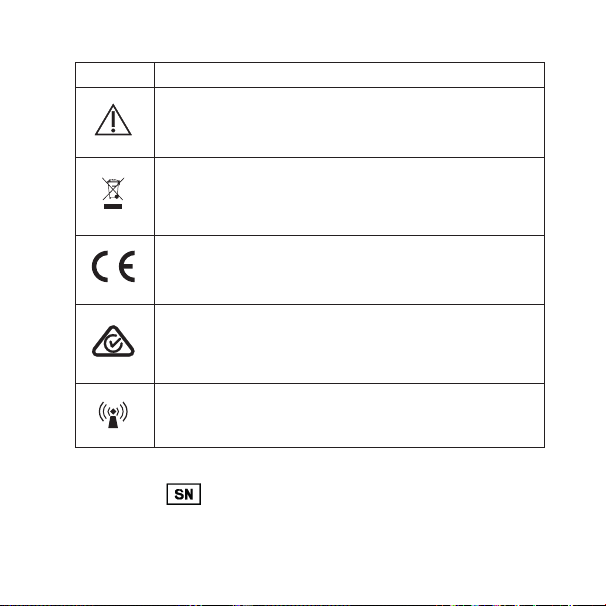
記号
医療機器の表示(ラベルや取扱説明書など)でWSAUD A/Sによっ
て共 通して使 用される記号
記号 タイトル/ 説 明
製造元
製品は、名前および住所が記号の横に記載されているメー
カーにより製造されています。該当する場合、製造年月も記
載される場 合 があります。
製造日 製品が製造された日付。
バッチコード
製品のバッチコード(ロットまたはバッチID)。
カタログ番号
製品のカタログ(品目)番号。
シリアル番 号
製品のシリアル番号*。
取扱説明書を参照
取扱説明書には安全に関する重要なお知らせ(警告/注意)が記
載されていますので、製品のご使用前に必ずお読みください。
88 89
記号 タイトル/ 説 明
注意/警告
「注意/警告」の記号を伴う事項は、製品のご使用前に必ず
お 読 みください 。
WEEEマーク
「一般廃棄物ではありません」
製品を廃棄する場合は、必ず指定されたリサイクル・再利用
対象品の回収場所に出してください。
CEマーク
製品は、CEマークに関する欧州指令によって定められた要
件 に 適 合 しています。
RCMマーク
製品は、オーストラリアとニュージーランド市場に供給され
る製品に対する電気安全、EMC、無線スペクトル規制要件
に 準 拠しています。
電磁波による干渉
製品の近くでは電磁波による干渉が起きる可能性があり
ます。
*製品に記載されている6桁または7桁の番号はシリアル番号です。シリアル
番号の最初が
ではない場 合もあります

90 91
DESCRIPTION OF DEVICE – See illustration 1
1.1 Push button
1.2 Room Off button
1.3 LED
1.4 Microphone
1.5 Neck loop
1.6 Micro USB
Note: Read these instructions carefully before you start using the device.
Intended use:
This device is intended to improve your ability to use Bluetooth enabled
mobile phone connections with your hearing aid(s). The aid(s) can fur-
ther be manipulated by the controls on the mobile phone.
Note: The device uses Bluetooth standard which is common in newer
mobile phones.

90 91
ACCESSORIES – See illustration 2
2.1 USB cable
CHARGING – See illustration 3
3.1 Connect USB cable between the device and any power supply.
We recommend that the two neck loop parts are not joined while
charging the device.
3.2 Red light: charging, green light: fully charged.
Battery life: 8 hours streaming, 8 days standby.
HOW TO USE – See illustration 4
4.1 Join the two neck loop parts. The neck loop functions as an on/
off switch.
4.2 Pair the device to your mobile phone using Bluetooth.

92 93
How to pair the device with your mobile phone
To pair your device with your mobile phone for the first time, follow these
steps:
1. Make sure that the device and mobile phone are within 3 ft range of
each other.
2. Connect the neck loop. The device will blink red and blue.
3. Activate Bluetooth on your mobile phone.
4. Start the pairing process according to the instructions in your mobile
phone’s user guide.
5. Your mobile phone will show a list of Bluetooth devices.
Select COM-DEX from the list.
Once you have paired the device, it will remain paired even when you dis-
connect the neck loop.

92 93
Incoming calls – See illustration 5
5.1 Answer call: Press push button.
5.2 Speak into microphone while device is hanging around your neck.
5.3 End call: Press push button.
5.4 Reject call: Long press on push button.
Note: Answering and ending calls is also possible on the mobile phone.
Note that, on some mobile phones, you may need to select the COM-DEX
from a list of devices. Otherwise the sound will be transmitted through
the mobile phone’s speakers.
Outgoing calls – See illustration 5
5.4 Dial from mobile phone.
Note: You can also use the device to stream sound from any
Bluetooth enabled sound source to your hearing aids.

94 95
Sound adjustment during use
Volume is adjusted on the mobile phone.
To shut out surrounding sounds: press Room Off button – See illustra-
tion 1.
Note: If you are in a particularly noisy environment or if you need to
increase the volume to a higher level than normal while streaming sound
to your hearing aids, keep the Room Off button pressed for 5 seconds. To
return to your normal sound level, press the Room Off button again and
keep it pressed for 5 seconds.
You can download the COM-DEX app from the App Store or Google Play.
This app allows you to use your mobile phone as a remote control.

94 95
MAINTENANCE
• Clean with a damp cloth. Do not use chemicals.
• Do not expose to extreme temperatures or high humidity.
• Do not immerse in liquids.
• When the device is not in use keep it in a dry location out of reach of
children and pets.
• Never try to open or repair the device yourself. This may only be done
by authorized personnel.
INFORMATION ABOUT EMISSION
Emission levels from Widex devices are several times lower than the lev-
els transmitted by mobile phones and other communications equipment.
For further information, especially regarding patients with medical
implants, download the document: “Information on WidexLink
TM
” at
https://global.widex.com/widexlink

96 97
TROUBLESHOOTING
Problem Possible cause Solution
The device does not
work
a) Device battery low
b) The mobile phone is
set to silent mode
c) Hearing aid battery
low
d) Out of range
a) Charge device bat-
tery
b) Set to normal
mode
c) Change hearing aid
battery
d) Bluetooth has a
range up to 30 ft.
No sound a) Not connected via
Bluetooth
a) Repeat the pairing
process
If the problems persist, contact your hearing care professional.
96 97
WARNINGS
• Do not leave the device unattended while charging.
• Your device should be stored and transported within the temperature
and humidity ranges of -10° to +50°C (14°F to 122°F) and <90% RH.
• Your device is designed to operate from 5°C (41°F) to 40°C (104°F).
• Keep the device protected from dust or external particles.
• We recommend using a 5V up to 500 mA USB adaptor.
• Do not use the device in mines or other areas with explosive gases.
• When the device is connected via micro USB cable to external mains-
operated equipment such as a charger, PC, audio source or similar, this
equipment must comply with IEC 60950-1, IEC 62368-1, IEC 60601-1 or
equivalent safety standards.
• Only the accessories and cable that are included in the sales box must
be used.
• Using cables other than those specified or provided may result in
increased electromagnetic emissions or decreased electromagnetic
immunity of this equipment and result in improper operation.

98 99
CONDITIONS FOR USE
Operate the device within the following conditions:
Minimum Maximum
Temperature 5°C (41°F) 40°C (104°F)
Humidity 10% rH 90% rH
Atmospheric pressure 750 mbar 1060 mbar
Store and transport the device within the following conditions:
Minimum Maximum
Temperature -10° (14°F) 50°C (122°F)
Humidity 10% rH 90% rH
You can find technical datasheets and additional information on your
device on https://global.widex.com/doc
REGULATORY INFORMATION
Directive 2014/53/EU
WSAUD A/S hereby declares that this COM-DEX is in compli-
ance with the essential requirements and other relevant provi-
sions of Directive 2014/53/EU.
The device contains radio transmitters operating at: 10.6 MHz,
-54 dBμA/m @10 m, 2.4 GHz, 0.9 mW EIRP.
A copy of the Declaration of Conformity can be found at:
https://global.widex.com/doc
lch
D:20141117083232+01’00’17-11-2014 08:32:32
------------------------------------------
-- M-DEX

98 99
REGULATORY INFORMATION
Directive 2014/53/EU
WSAUD A/S hereby declares that this COM-DEX is in compli-
ance with the essential requirements and other relevant provi-
sions of Directive 2014/53/EU.
The device contains radio transmitters operating at: 10.6 MHz,
-54 dBμA/m @10 m, 2.4 GHz, 0.9 mW EIRP.
A copy of the Declaration of Conformity can be found at:
https://global.widex.com/doc
lch
D:20141117083232+01’00’17-11-2014 08:32:32
------------------------------------------
-- M-DEX
100 101
Wireless functions and operating characteristics
The following tables summarizes the technical details of the wireless
technology:
Technical details Inductive radio Bluetooth (LE)
Antenna type Integral coil
antenna
Inductive antenna
Antenna dimensions Ø 2 mm
L: 5 cm
Ø1 .8 mm x 4.5 mm
Modulation FSK FSK
Magnetic Field Strength -54dBμ A/m @
10 m
-54dBμ A/m at
10m distance
Output power (EIRP) 0 dBm / 1 mW
Range 0.3 m 6 m
Center frequency 10.6MHz 2401 MHz -
2480 MHz
Channels Single channel 40
Bandwidth 660kHz 2 MHz
Data rate 212 kbps 1 Mbps
Data flow Simplex/Semi
Duplex
Duplex
Protocol Random Access
– Proprietary
BLE
Wireless Security Measures
Security of the wireless signals is assured through device system design
that includes:
• Individual MAC address for each unit which is checked during each
transmission.
• A built-in pairing table which specifies valid and legitimate pairing
among units
• A proprietary Widex communication protocol which checks the package
numbers during each transmission.
• A Cyclic Redundancy Check (CRC) to check data validity and correct
errors.
100 101
Wireless functions and operating characteristics
The following tables summarizes the technical details of the wireless
technology:
Technical details Inductive radio Bluetooth (LE)
Antenna type Integral coil
antenna
Inductive antenna
Antenna dimensions Ø 2 mm
L: 5 cm
Ø1 .8 mm x 4.5 mm
Modulation FSK FSK
Magnetic Field Strength -54dBμ A/m @
10 m
-54dBμ A/m at
10m distance
Output power (EIRP) 0 dBm / 1 mW
Range 0.3 m 6 m
Center frequency 10.6MHz 2401 MHz -
2480 MHz
Channels Single channel 40
Bandwidth 660kHz 2 MHz
Data rate 212 kbps 1 Mbps
Data flow Simplex/Semi
Duplex
Duplex
Protocol Random Access
– Proprietary
BLE
Wireless Security Measures
Security of the wireless signals is assured through device system design
that includes:
• Individual MAC address for each unit which is checked during each
transmission.
• A built-in pairing table which specifies valid and legitimate pairing
among units
• A proprietary Widex communication protocol which checks the package
numbers during each transmission.
• A Cyclic Redundancy Check (CRC) to check data validity and correct
errors.

102 103
Electromagnetic emissions/immunity standards
The product complies with the following EMC/EMI standards:
Standard Test type Note
47 CFR Part 15,
Subpart B
RF emissions US FCC require-
ments for uninten-
tional radiators
47 CFR Part 15,
Subpart C
RF emissions US FCC require-
ments for inten-
tional radiators
47 CFR Part 18 RF emissions US FCC require-
ments for Indus-
trial, Scientific and
Medical Equipment
IEC 60601-1-2 General EMC
including RF
emmisions, RF
immunity ESD
Medical Electrical
Equipment, Elec-
tromagnetic com-
patibility
IEC 60118-13 RF immunity International
standard for hear-
ing instruments to
ensure adequate
immunity radio
interference from
mobile telephones
102 103
Electromagnetic emissions/immunity standards
The product complies with the following EMC/EMI standards:
Standard Test type Note
47 CFR Part 15,
Subpart B
RF emissions US FCC require-
ments for uninten-
tional radiators
47 CFR Part 15,
Subpart C
RF emissions US FCC require-
ments for inten-
tional radiators
47 CFR Part 18 RF emissions US FCC require-
ments for Indus-
trial, Scientific and
Medical Equipment
IEC 60601-1-2 General EMC
including RF
emmisions, RF
immunity ESD
Medical Electrical
Equipment, Elec-
tromagnetic com-
patibility
IEC 60118-13 RF immunity International
standard for hear-
ing instruments to
ensure adequate
immunity radio
interference from
mobile telephones

104 105
The following Table summarizes the technical details of the Bluetooth
and WidexLink technology as it is implemented in the COM-DEX.
Unit COM-DEX Hearing aid
Type W-link Bluetooth* W-link
Antenna type Inductive Loop
antenna
Embedded
ceramic
antenna
Inductive
antenna
Antenna
dimensions
L: 70 cm NA Ø1 .8 mm
L – 4 .85mm
Modulation FSK FHSS/GFSK,
π/4 DPSK,
8DPSK
FSK
Magnetic Field
Strength
-26dBμA/m at
10m distance
NA -54dBμA/m at
10m distance
Output power 1.2 nW EIRP**
-59 dBm
2.5 mW EIRP
+4dBm
29pW EIRP**
-75 dBm
Range <1m remote
unit to hearing
aid
<10m between
COM-DEX and
Bluetooth
device
<1m remote unit
to hearing aid
<30cm be-
tween hearing
aids
Center fre-
quency
10.6MHz 2 .45GHz ISM 10.6MHz
Channels Single channel
radio
80 channels Single channel
radio

104 105
The following Table summarizes the technical details of the Bluetooth
and WidexLink technology as it is implemented in the COM-DEX.
Unit COM-DEX Hearing aid
Type W-link Bluetooth* W-link
Antenna type Inductive Loop
antenna
Embedded
ceramic
antenna
Inductive
antenna
Antenna
dimensions
L: 70 cm NA Ø1 .8 mm
L – 4 .85mm
Modulation FSK FHSS/GFSK,
π/4 DPSK,
8DPSK
FSK
Magnetic Field
Strength
-26dBμA/m at
10m distance
NA -54dBμA/m at
10m distance
Output power 1.2 nW EIRP**
-59 dBm
2.5 mW EIRP
+4dBm
29pW EIRP**
-75 dBm
Range <1m remote
unit to hearing
aid
<10m between
COM-DEX and
Bluetooth
device
<1m remote unit
to hearing aid
<30cm be-
tween hearing
aids
Center fre-
quency
10.6MHz 2 .45GHz ISM 10.6MHz
Channels Single channel
radio
80 channels Single channel
radio

106 107
Bandwidth 660kHz
(-15dB)
1MHz 660kHz (-15dB)
Duty Cycle *** Up to 100 % < 100 % < 5 %
Data rate 212kbit/s raw
channel capac-
ity
3 Mbit/s 212kbit/s raw
channel capac-
ity
Data flow Simplex or
semiduplex
Time division
duplex (TDD)
Simplex or
semiduplex
Protocol Random
access
– no collision
avoidance
Packet based
protocol, time
divided
Random access
– no collision
avoidance
* Bluetooth specification v 4.1 + EDR/LE published by the Bluetooth
Special Interest Group (SIG)
** EIRP = Equivalent isotropically radiated power
*** Duty Cycle averaged over 1 hour of operation
Cables and transducers:
The COM-DEX is using a micro USB cable for charging.
Guidance and manufacturer’s declaration
Electromagnetic emissions
The COM-DEX is intended for use in the electromagnetic environment
specified below. The customer or the user of a COM-DEX should assure
that it is used in such an environment.
Emissions
test
Compliance Electromagnetic environment
- guidance
RF emissions
CISPR 11
Group 1 The COM-DEX uses RF energy only
for its internal function. Therefore, its
RF emissions are very low and are
not likely to cause any interference in
nearby electronic equipment.
106 107
Bandwidth 660kHz
(-15dB)
1MHz 660kHz (-15dB)
Duty Cycle *** Up to 100 % < 100 % < 5 %
Data rate 212kbit/s raw
channel capac-
ity
3 Mbit/s 212kbit/s raw
channel capac-
ity
Data flow Simplex or
semiduplex
Time division
duplex (TDD)
Simplex or
semiduplex
Protocol Random
access
– no collision
avoidance
Packet based
protocol, time
divided
Random access
– no collision
avoidance
* Bluetooth specification v 4.1 + EDR/LE published by the Bluetooth
Special Interest Group (SIG)
** EIRP = Equivalent isotropically radiated power
*** Duty Cycle averaged over 1 hour of operation
Cables and transducers:
The COM-DEX is using a micro USB cable for charging.
Guidance and manufacturer’s declaration
Electromagnetic emissions
The COM-DEX is intended for use in the electromagnetic environment
specified below. The customer or the user of a COM-DEX should assure
that it is used in such an environment.
Emissions
test
Compliance Electromagnetic environment
- guidance
RF emissions
CISPR 11
Group 1 The COM-DEX uses RF energy only
for its internal function. Therefore, its
RF emissions are very low and are
not likely to cause any interference in
nearby electronic equipment.

108 109
RF emissions
CISPR 11
Class B The COM-DEX is suitable for use in all
establishments, including domestic
establishments and those directly
connected to the public low-voltage
power supply network that supplies
buildings used for domestic pur-
poses.
Harmonic
emissions
IEC
61000-3-2
Not
applicable *)
Voltage fluc-
tua-tions/
flicker emis-
sions
IEC
61000-3-3
Not
applicable *)
*) Battery powered equipment
Electromagnetic immunity
The COM-DEX is intended for use in the electromagnetic environment
specified below. The customer or the user of a COM-DEX should assure
that it is used in such an environment.
Immunity Test IEC 60601
Test level
Compliance
level
Electromagnetic
environment
– guidance
Electro-static
discharge
(ESD)
IEC
61000-4-2
± 6 kV con-
tact
± 8 kV air
± 6 kV contact
± 8 kV air
Floors should be
wood, concrete or
ceramic tile. If floors
are covered with
synthetic material,
the relative humid-
ity should be at
least 30 %.

108 109
RF emissions
CISPR 11
Class B The COM-DEX is suitable for use in all
establishments, including domestic
establishments and those directly
connected to the public low-voltage
power supply network that supplies
buildings used for domestic pur-
poses.
Harmonic
emissions
IEC
61000-3-2
Not
applicable *)
Voltage fluc-
tua-tions/
flicker emis-
sions
IEC
61000-3-3
Not
applicable *)
*) Battery powered equipment
Electromagnetic immunity
The COM-DEX is intended for use in the electromagnetic environment
specified below. The customer or the user of a COM-DEX should assure
that it is used in such an environment.
Immunity Test IEC 60601
Test level
Compliance
level
Electromagnetic
environment
– guidance
Electro-static
discharge
(ESD)
IEC
61000-4-2
± 6 kV con-
tact
± 8 kV air
± 6 kV contact
± 8 kV air
Floors should be
wood, concrete or
ceramic tile. If floors
are covered with
synthetic material,
the relative humid-
ity should be at
least 30 %.
110 111
Electrical fast
transients/
burst
IEC
61000-4-4
± 2 kV for
power line
supplies
± 1 kV for
input/output
lines
Not
applicable *)
Not applicable
*)
Not
applicable *)
Surge
IEC
61000-4-5
± 1 kV line(s)
to line(s)
± 2 kV line(s)
to earth
Not
applicable *)
Not
applicable *)
Not
applicable *)
Voltage dips,
short inter-rup-
tions and volt-
age variations
on power sup-
ply input lines
IEC
61000-4-11
<5 % U
T
(>95 % dip
in U
T
) for
0.5 cycle
40 % U
T
(60 % dip
in U
T
) for 5
cycles
70 % U
T
(30 % dip
in U
T
) for 25
cycles
<5 % U
T
(>95 % dip
in U
T
) for 5 s
Not
applicable *)
Not
applicable *)
110 111
Electrical fast
transients/
burst
IEC
61000-4-4
± 2 kV for
power line
supplies
± 1 kV for
input/output
lines
Not
applicable *)
Not applicable
*)
Not
applicable *)
Surge
IEC
61000-4-5
± 1 kV line(s)
to line(s)
± 2 kV line(s)
to earth
Not
applicable *)
Not
applicable *)
Not
applicable *)
Voltage dips,
short inter-rup-
tions and volt-
age variations
on power sup-
ply input lines
IEC
61000-4-11
<5 % U
T
(>95 % dip
in U
T
) for
0.5 cycle
40 % U
T
(60 % dip
in U
T
) for 5
cycles
70 % U
T
(30 % dip
in U
T
) for 25
cycles
<5 % U
T
(>95 % dip
in U
T
) for 5 s
Not
applicable *)
Not
applicable *)
112 113
Power fre-
quency (50/60
Hz) magnetic
field
IEC
61000-4-8
3 A/m 3 A/m Power frequency
magnetic fields
should be at levels
characteristic of a
typical location in a
typical commercial
or hospital environ-
ment
NOTE U
T
is the a.c. mains voltage prior to the application of the test
level.
*) Battery powered equipment
Electromagnetic immunity – cont.
The COM-DEX is intended for use in the electromagnetic environment
specified below. The customer or the user of a COM-DEX should assure
that it is used in such an environment.
Immunity
Test
IEC 60601
Test level
Compli-
ance level
Electromagnetic
environment
– guidance
Portable and mobile RF
communications equipment
should be used no closer to
any part of the COM-DEX,
including cables, than the
recommended separation
distance calculated from
the equation applicable to
the frequency of the trans-
mitter.
112 113
Power fre-
quency (50/60
Hz) magnetic
field
IEC
61000-4-8
3 A/m 3 A/m Power frequency
magnetic fields
should be at levels
characteristic of a
typical location in a
typical commercial
or hospital environ-
ment
NOTE U
T
is the a.c. mains voltage prior to the application of the test
level.
*) Battery powered equipment
Electromagnetic immunity – cont.
The COM-DEX is intended for use in the electromagnetic environment
specified below. The customer or the user of a COM-DEX should assure
that it is used in such an environment.
Immunity
Test
IEC 60601
Test level
Compli-
ance level
Electromagnetic
environment
– guidance
Portable and mobile RF
communications equipment
should be used no closer to
any part of the COM-DEX,
including cables, than the
recommended separation
distance calculated from
the equation applicable to
the frequency of the trans-
mitter.

114 115
Conducted
RF
IEC
61000-4-6
3 Vrms
150 kHz to
80 MHz
3 Vrms
Recommended separation
distance
d = 1.2 √P
Radiated
RF
IEC
61000-4-3
3 V/m
80 MHz to
2.5 GHz
3 V/m d = 1.2
√P
80 MHz to 800 MHz
d = 2.3 √P
800 MHz to 2.5 GHz
Where P is the maximum
output power rating of the
transmitter in watts (W)
according to the transmitter
manufacturer and d is the
recommended separation
distance in metres (m).
Field strengths from fixed
RF transmitters, as deter-
mined by an electromag-
netic site survey
a
, should be
less than the compliance
level in each frequency
range
b
.
Interference may occur in
the vicinity of equipment
marked with the following
symbol:
114 115
Conducted
RF
IEC
61000-4-6
3 Vrms
150 kHz to
80 MHz
3 Vrms
Recommended separation
distance
d = 1.2 √P
Radiated
RF
IEC
61000-4-3
3 V/m
80 MHz to
2.5 GHz
3 V/m d = 1.2
√P
80 MHz to 800 MHz
d = 2.3 √P
800 MHz to 2.5 GHz
Where P is the maximum
output power rating of the
transmitter in watts (W)
according to the transmitter
manufacturer and d is the
recommended separation
distance in metres (m).
Field strengths from fixed
RF transmitters, as deter-
mined by an electromag-
netic site survey
a
, should be
less than the compliance
level in each frequency
range
b
.
Interference may occur in
the vicinity of equipment
marked with the following
symbol:
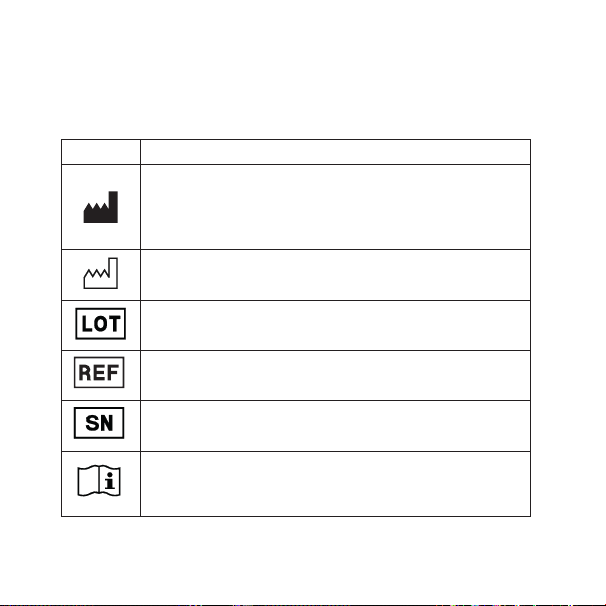
116 117
SYMBOLS
Symbols commonly used by WSAUD A/S in medical device labeling
(
labels/IFU/etc.)
Symbol Title/Description
Manufacturer
The product is produced by the manufacturer whose name and
address are stated next to the symbol. If appropriate, the date of
manufacture may also be stated.
Date of manufacture
The date when the product was manufactured.
Batch code
The product’s batch code (lot or batch identification).
Catalog number
The product’s catalog (item) number.
Serial number
The product’s serial number.*
Consult instructions for use
The user instructions contain important cautionary information
(warnings/precautions) and must be read before using the product.
Symbol Title/Description
Caution/Warning
Text marked with a caution/warning symbol must be read before
using the product.
WEEE mark
“Not for general waste”
When the product is to be discarded, it must be sent to a desig-
nated collection point for recycling and recovery.
CE mark
The product is in conformity with the requirements set out in Euro-
pean CE marking directives.
RCM mark
The product complies with EMC and radio spectrum regulatory re-
quirements for products supplied to the Australian or New Zealand
market.
Interference
Electromagnetic interference may occur in the vicinity of the prod-
uct.
*The six-or seven-digit number on the product is the serial number. Serial numbers
may not always be preceded by
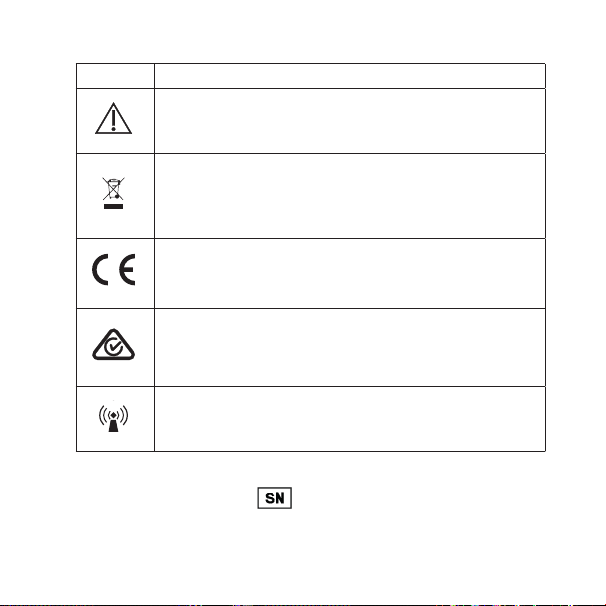
116 117
Symbols commonly used by Widex A/S in medical device labeling
(labels/IFU/etc.)
Symbol Title/Description
Manufacturer
The product is produced by the manufacturer whose name and
address are stated next to the symbol. If appropriate, the date of
manufacture may also be stated.
Date of manufacture
The date when the product was manufactured.
Batch code
The product’s batch code (lot or batch identification).
Catalog number
The product’s catalog (item) number.
Serial number
The product’s serial number.*
Consult instructions for use
The user instructions contain important cautionary information
(warnings/precautions) and must be read before using the product.
Symbol Title/Description
Caution/Warning
Text marked with a caution/warning symbol must be read before
using the product.
WEEE mark
“Not for general waste”
When the product is to be discarded, it must be sent to a desig-
nated collection point for recycling and recovery.
CE mark
The product is in conformity with the requirements set out in Euro-
pean CE marking directives.
RCM mark
The product complies with EMC and radio spectrum regulatory re-
quirements for products supplied to the Australian or New Zealand
market.
Interference
Electromagnetic interference may occur in the vicinity of the prod-
uct.
*The six-or seven-digit number on the product is the serial number. Serial numbers
may not always be preceded by

118 119
FCC AND ISED STATEMENTS
FCC ID: TTY-CMDEX
IC: 5676B-CMDEX
Federal Communications Commission Statement
This device complies with part 15 of the FCC Rules. Operation is subject to
the following two conditions:
(1) This device may not cause harmful interference, and
(2) this device must accept any interference received, including interfer-
ence that may cause undesired operation.
NOTE:
This equipment has been tested and found to comply with the limits for a
Class B digital device, pursuant to part 15 of the FCC Rules. These limits are
designed to provide reasonable protection against harmful interference in
a residential installation.
This equipment generates, uses and can radiate radio frequency energy
and, if not installed and used in accordance with the instructions, may
cause harmful interference to radio communications. However, there is no
guarantee that interference will not occur in a particular installation. If this

118 119
equipment does cause harmful interference to radio or television recep-
tion, which can be determined by turning the equipment off and on, the
user is encouraged to try to correct the interference by one or more of the
following measures:
— Reorient or relocate the receiving antenna.
— Increase the separation between the equipment and receiver.
— Connect the equipment into an outlet on a circuit different from that to
which the receiver is connected.
— Consult the dealer or an experienced radio/TV technician for help.
NOTE:
This equipment complies with FCC radiation exposure limits set forth for
an uncontrolled environment. This transmitter must not be co-located or
operating in conjunction with any other antenna or transmitter.
Changes or modifications to the equipment not expressly approved by
WSAUD A/S could void the user’s authority to operate the equipment.

120 121
ISED STATEMENT:
This device contains licence-exempt transmitter(s)/receiver(s) that com-
ply with Innovation, Science and Economic Develop-ment Canada’s
licence-exempt RSS(s). Operation is subject to the following two condi-
tions:
1. This device may not cause interference.
2. This device must accept any interference, including inter-ference that
may cause undesired operation of the device.
DÉCLARATION d’ISED:
L’émetteur/récepteur exempt de licence contenu dans le présent ap-pareil
est conforme aux CNR d’Innovation, Sciences et Développe-ment
économique Canada applicables aux appareils radio exempts de licence.
L’exploitation est autorisée aux deux conditions sui-vantes:
1. L’appareil ne doit pas produire de brouillage;
2. L’appareil doit accepter tout brouillage radioélectrique subi, même si le
brouillage est susceptible d’en compro-mettre le fonctionnement.

120 121
ISED RADIATION EXPOSURE STATEMENT:
This equipment complies with ISED RF radiation exposure limits set forth
for an uncontrolled environment. This transmitter must not be co-located
or operating in conjunction with any other antenna or transmitter.
ISED EXPOSITION AUX RADIATIONS:
Cet équipement est conforme avec ISED les limites d’exposition aux ray-
onnements défi nies pour un contrôlé environnement. Cet émetteur ne
doit pas être co-localisés ou fonctionner en conjonction avec une autre
antenne ou émetteur.

122 123

122 123

124
COM-DEX
É[5qr0e1|d;k;;;]
Manual no.:
9 514 0313 080 #07
Issue:
2020-11
GB
DE
FR
ES
DK
IT
JP
US
COM-DEX with firmware 1.3 and newer
WSAUD A/S Nymoellevej 6, DK-3540 Lynge, Denmark
https://global.widex.com
9 514 0313 080 #07 omslag 90 x 90.indd 6,9-10 11-11-2020 13:33:15