Version 1.1
COMMUNICATION
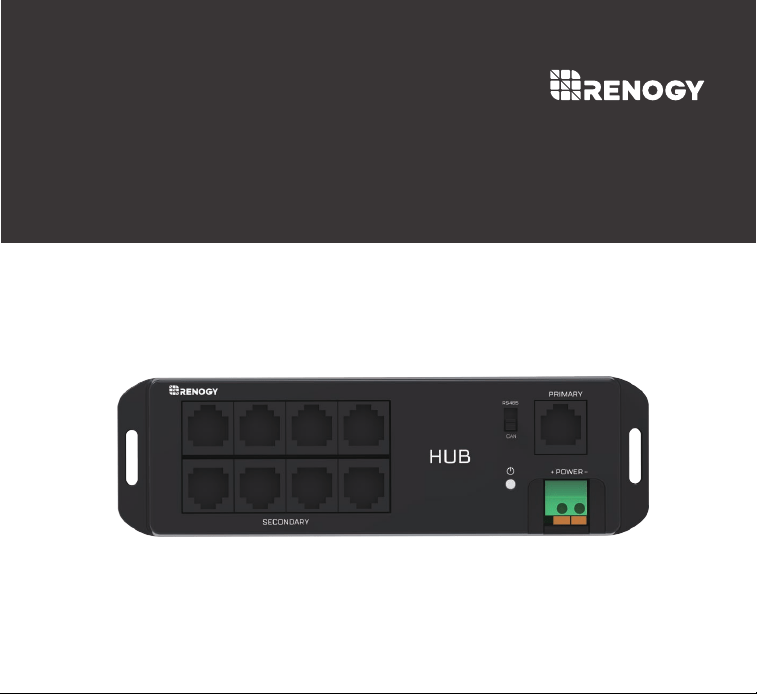
HUB
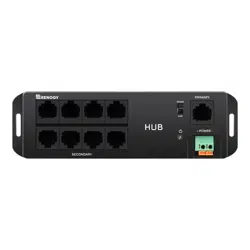
The Renogy Communication Hub allows you to connect multiple Renogy
appliances with an RJ45 port and RS485 communication protocol to just one
BT-2 Bluetooth module. Now you can use your phone to monitor multiple
devices at the same time! The Renogy Communication Hub also supports both
RS485 and CAN communication protocols – giving you a wider selection of
compatible devices.
Monitor multiple devices at the same time with a single Bluetooth module.
General Information
Key Features
Green LED lights indicate which communication protocol is currently on
Supports both RS485 and CAN communication protocol
Connect to our user-friendly smart phone App, Renogy DC Home, to keep
track of your system
01
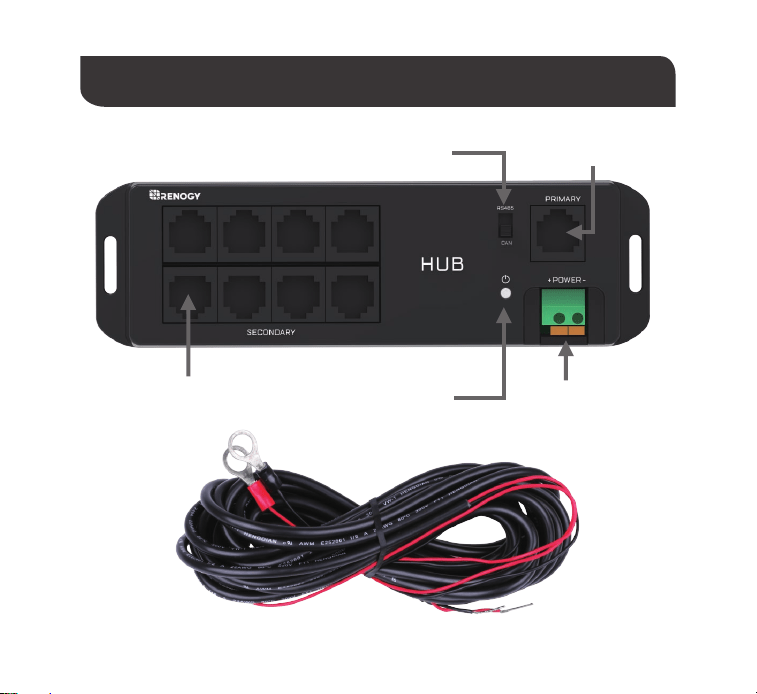
PRIMARYRS485/CAN Switch
SECONDARY POWER
Identification of Parts
02
Link Indicator
03
Operation
Connection
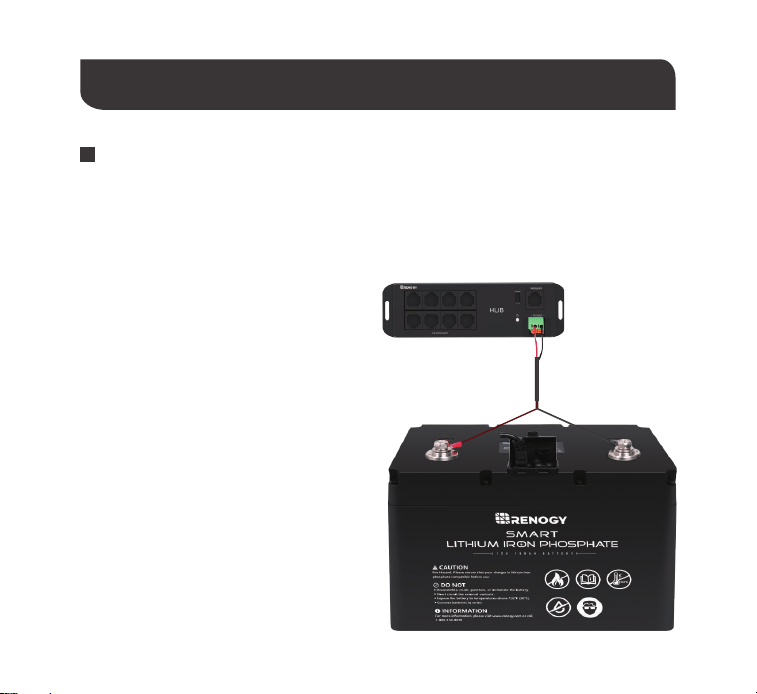
Connect the battery to the POWER port
of the HUB using the power cable;Press
the orange spring terminal, insert the
power cable,and connect it tightly.
Step 1
When connecting multiple Renogy devices to Bluetooth through the HUB for the first
time, each device needs to be connected to the HUB and registered on Renogy DC
Home App SEPARATELY. This process is used to assign an address to each device,
which is equivalent to registering an
''ID card''. After each device performs
data transmission, all devices can be
connected to the HUB and operate
together with the App. The "ID card"
won’t be affected by the power
failure, so this process is only needed
at the first connection.
04
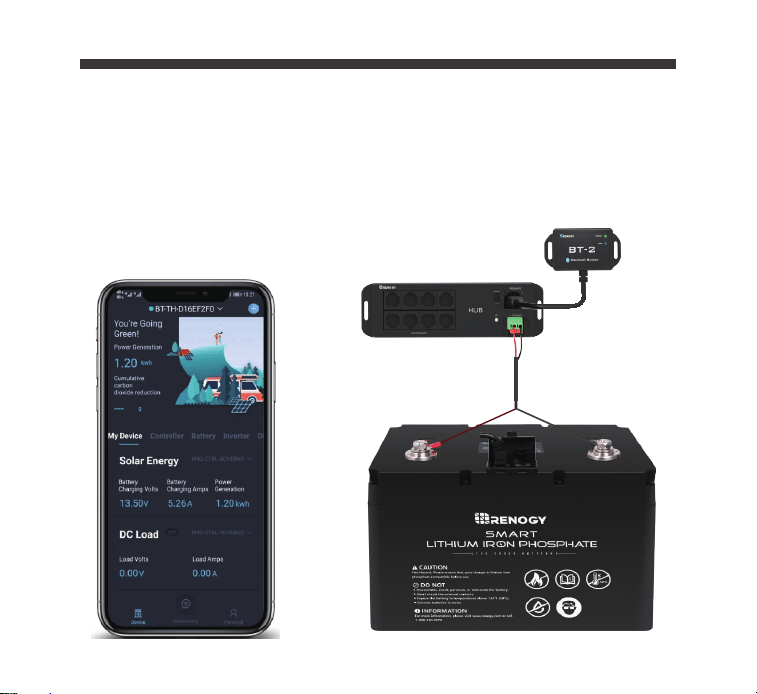
Connect the BT-2 Bluetooth module to
the PRIMARY port of the HUB; Put the
switch at RS485.
Step 2
05
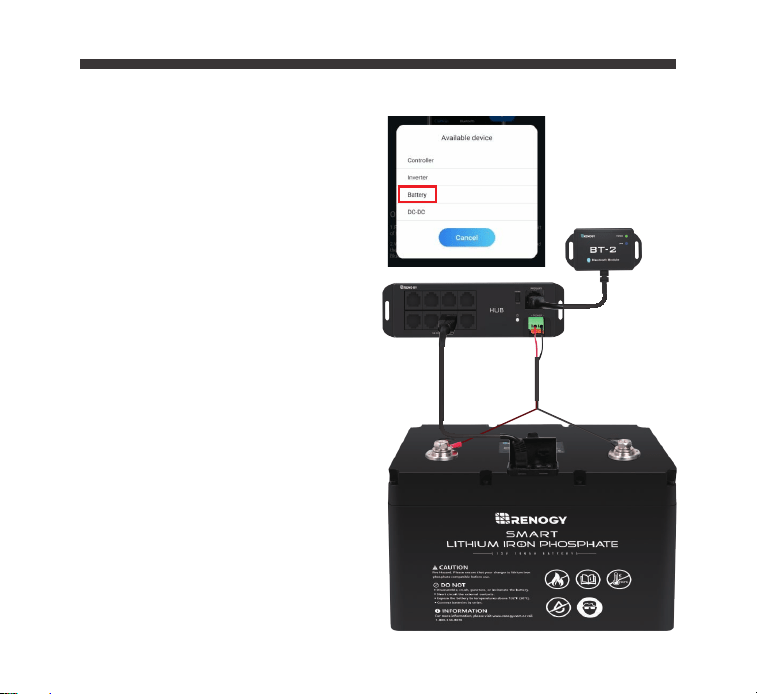
Connect one Renogy device to the
HUB; Register the device on the DC
Home App via BT-2 Bluetooth module.
Note:In this step, only one
SECONDARY port can be used to
connect to devices.
Take the Smart Lithium Battery as an
example. Use a communication cable
to connect the UP port of the battery to
any SECONDARY port of the HUB.
Open the Renogy DC Home app,
connect your phone/tablet with BT-2 via
Bluetooth. After successfully registering
the battery as a device on the App, you
can read the battery data on your
phone.
Step 3
06
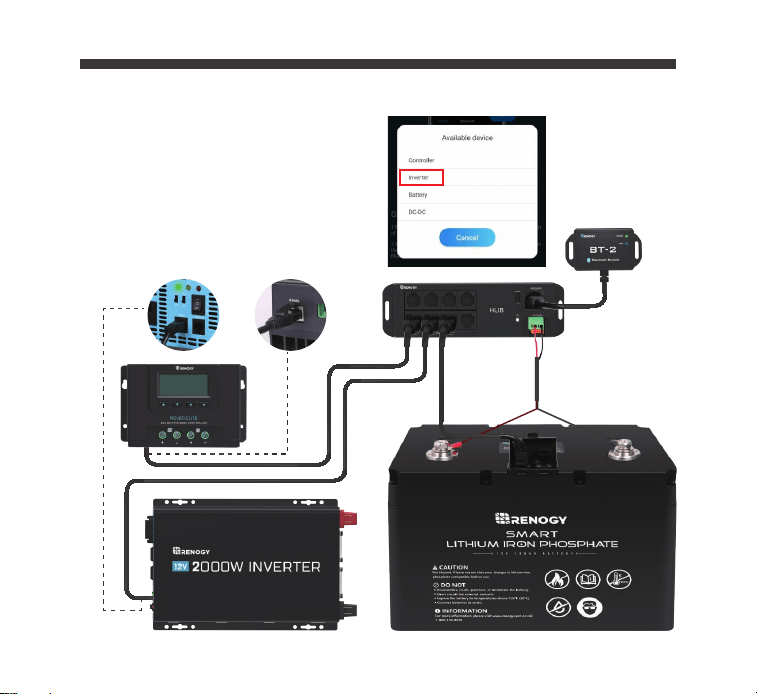
Step 4
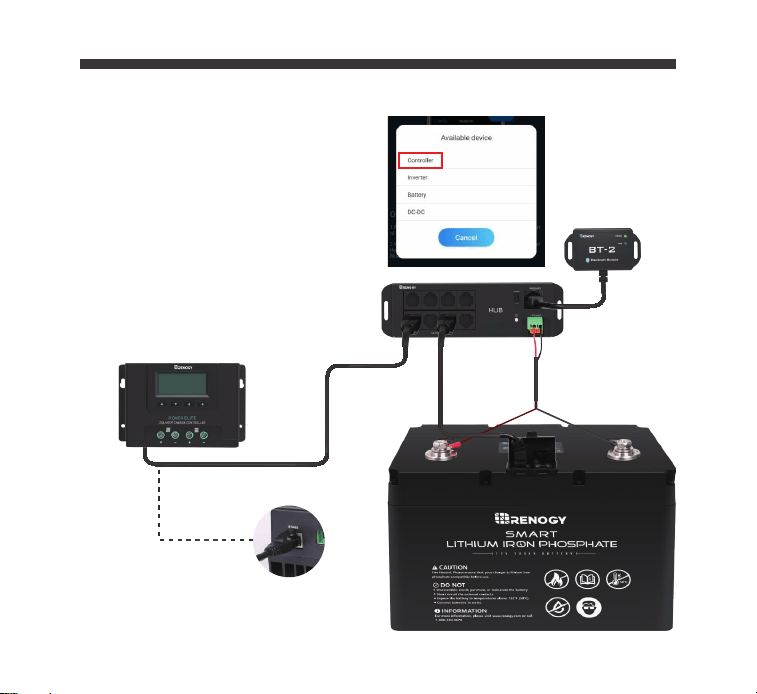
Before connecting the next device,
disconnect the previous device from
the SECONDARY port;
Repeat Step 3 to connect another
Renogy device.
The diagram shows connecting a
charge controller to the HUB.
07
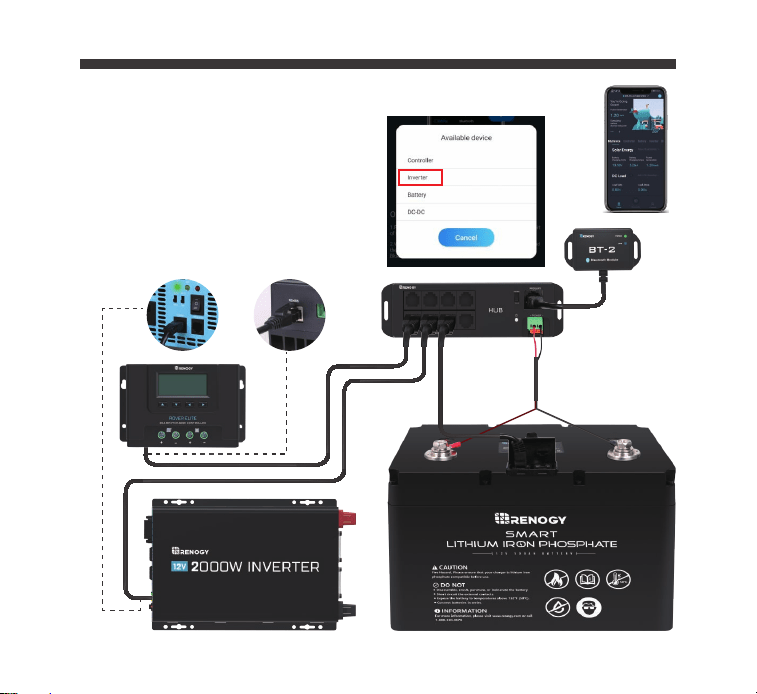
Step 5
Repeat Step 4 to connect any other
devices.
The diagram shows connecting an
inverter to the HUB.
08
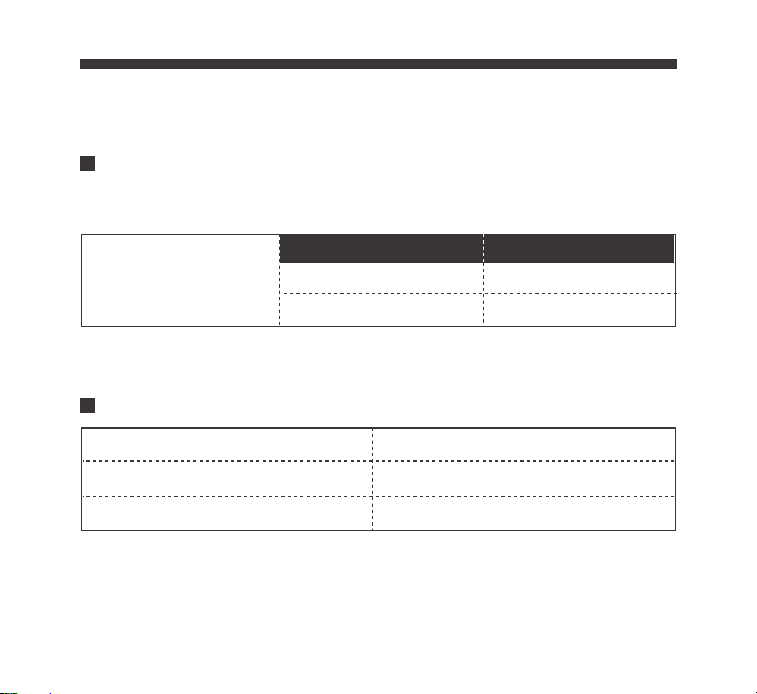
Step 6
The last step is to reconnect all
registered devices to the HUB; All
devices will be automatically connected
to the App.
09
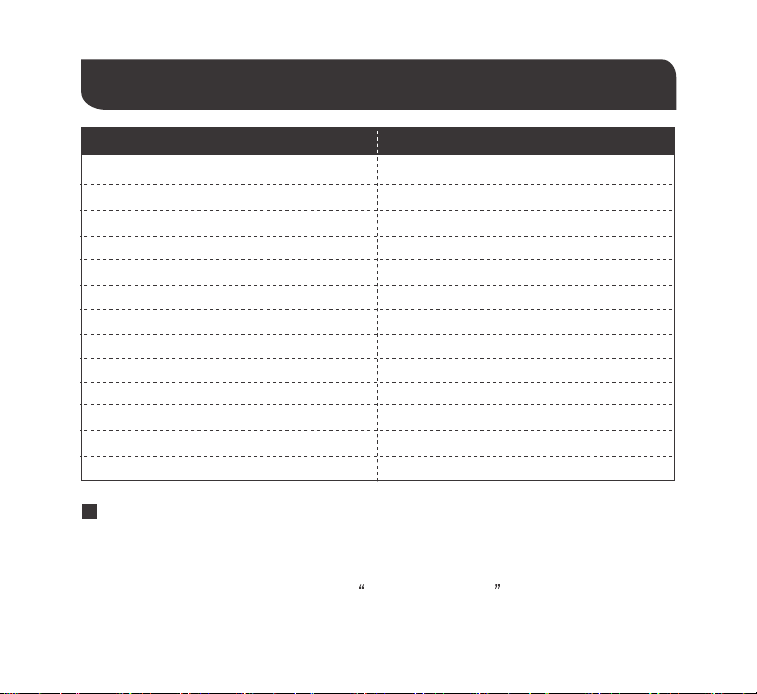
Communication status indicator
Link Indicator
Solid (Green) RS485
Flash (Green) CAN
Compatible Models
Status Note
Communication Protocol RS485 and CAN
Port Type RJ45
All Renogy Products with RJ45 PortCompatible Models
Green Communication Indicator:
Description Parameter
Input Voltage 9V-60V
Standby Power Consumption 0.324w
Operating Power Consumption <0.35W
Communication Range
Serial Baud Rate
Communication Protocol RS485 CAN
Port Type RJ45
Cable Length 5.00m (16.4ft)
Dimensions 160*48*23mm 6.29*1.89*0.91in
Installation Dimensions
Weight 125g (4.41oz)
Operation Temperature
≤82ft
RS485-9600 bps CAN-500 kbps
151.4 φ3.5mm(5.96 φ 0.14in)
Communication Hub
-20℃~85℃(-4°F to 185°F)
Model
Technical Specifications
1.The Android version of the Renogy DC Home APP is available to download on
Renogy.com and the Google Play Store.
In the Google Play Store, simply search Renogy DC Home in App store to download.
To Download App
2.
For IOS version, simply search “Renogy DC Home” in App store to download.
10
Renogy reserves the right to change
the contents of this manual without notice.
RENOGY.COM
US
2775 E Philadelphia St, Ontario, CA 91761, USA
909-287-7111
www.renogy.com
support@renogy.com
https://www.renogy.cn
support@renogy.cn
CN
400-6636-695
苏州高新区科技城培源路1号5号楼-4
CA
https://ca.renogy.com
supportca@renogy.com
https://au.renogy.com
supportau@renogy.com
AU
JP
https://www.renogy.jp
supportjp@renogy.com
https://uk.renogy.com
supportuk@renogy.com
UK
https://de.renogy.com
supportde@renogy.com
DE
