COREBOX
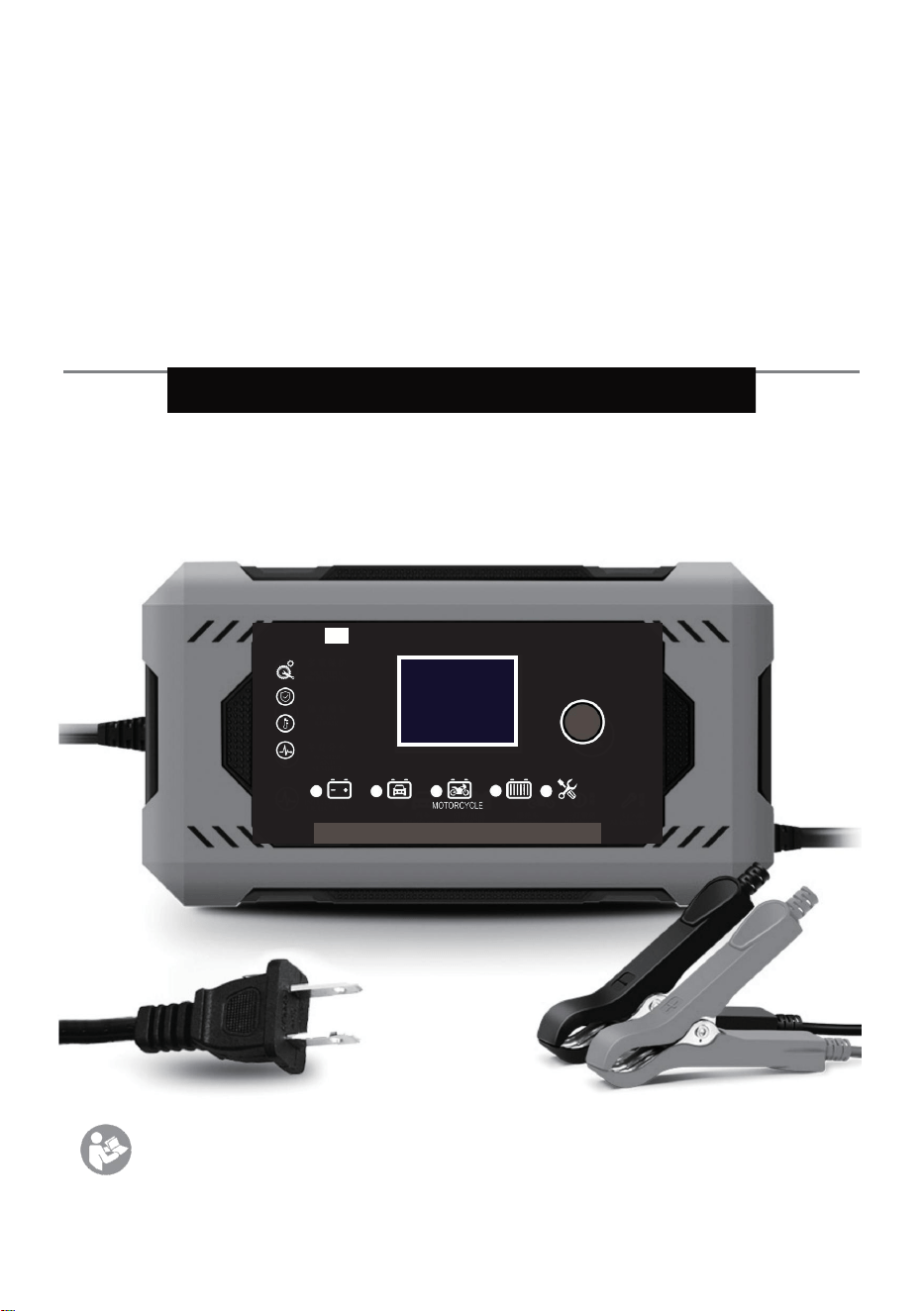
SIntelligent
Battery Charger
This manual applies to the following models only:
H-6C/H-8C/H-10C/H-15C
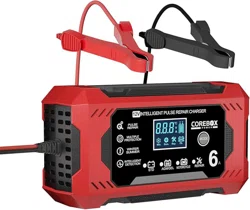
12V INTELLIGENT PULSE REPAIR CHARGER
STD AGM/ G EL
INT E LL I G ENT DETE CTI O N
MULTI PLE PROTEC TIO N
WI N TE R SU MM E R
PU L S E R E P A I R
LIFEPO4
MODE
REPAIR
*Read this manual carefully before use and keep it for future
reference.
User Manual
Charger Components
①
②
4 3
F
H
A B C
D
E(A+B+C)
Win. Sum. Rep. Fit.
W S
I
G
STD AGM/GEL
LIFEPO4
REPAIR
MUL TIP LE PROT EC TI ON
W I N T E R S U M M E R
INT EL LI GEN T DETEC TI ON
2 1
12V INTELLIGENT PULSE REPAIR CHARGER
ST D AGM / GE L
5
PU L S E R E P A I R
LIF EP O 4
MODE
REPA IR

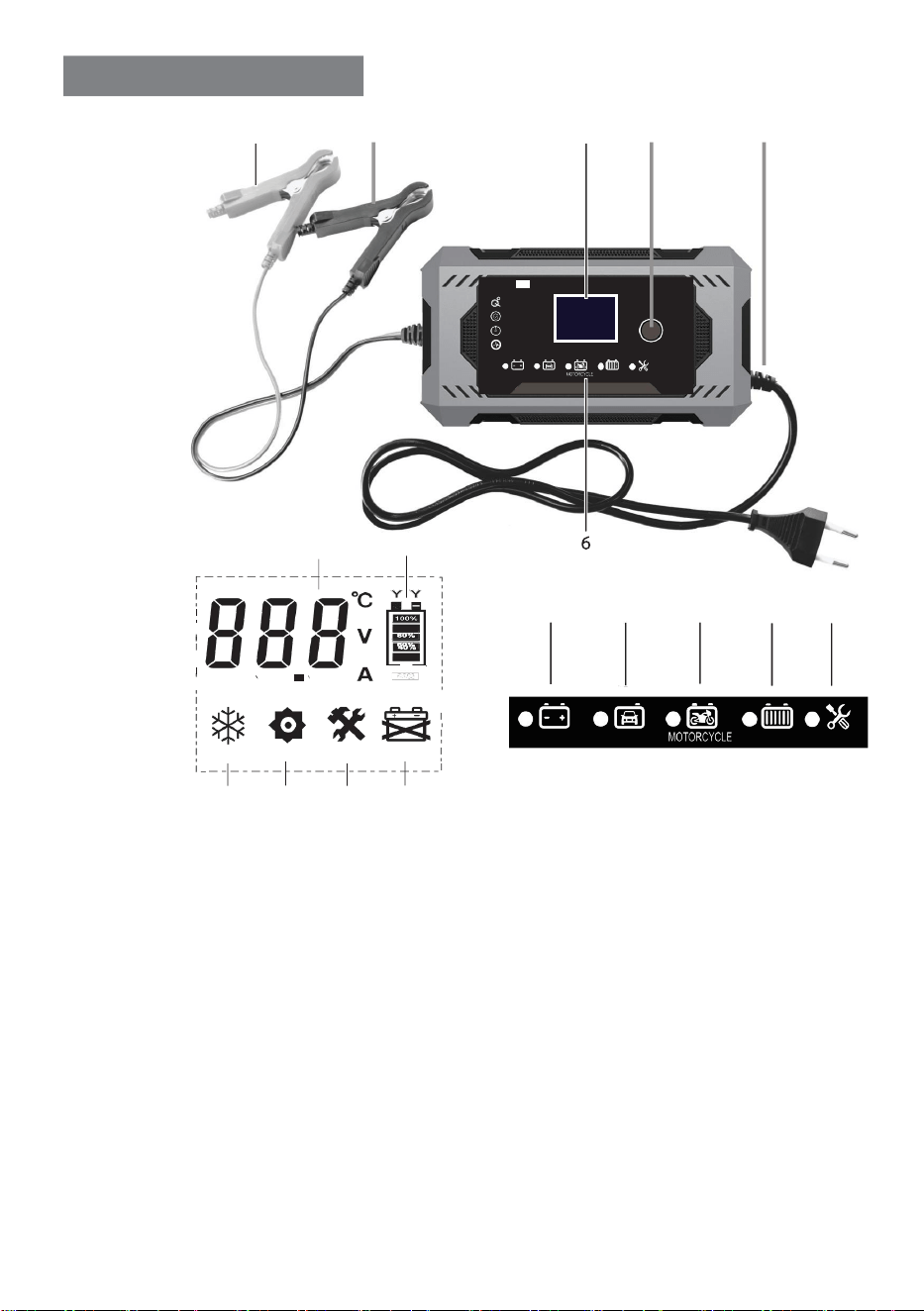
1.Mode Switch Button
A.Standard Mode
G.Reverse
connection
abnormality
2.Display Screen
B. AGM/Gel/EFB Battery
Mode
H.Power display
3.Black Negative Clamp (-)
C.Motorcycle Mode
I.Repair Icon
4.Red Positive Clamp (+)
D.
LiFePO4 Battery Mode
W.
Winter Icon
5.Power Input Cable
E.Repair Mode
S.
Summer Icon
6.Mode Indicator Lights
F.Temperature, voltage,
and current display
充电器使用方法
1.Verify battery parameters match the charger.
2.Connect clamps to battery terminals: red (+) to
positive, black (-) to negative.
3.Plug the charger into a power outlet.
4.Select the appropriate mode (refer to "Charging Mode
Selection").
5.Charging stops when "OFF" appears. Disconnect clamps
after confirmation.
Charging Mode Selection
Mode
Description
STD (Lead-
Acid)
For standard lead-acid/maintenance-free batteries.
After activation, "DFS" appears for desulfurization (5
mins), then switches to charging. Displays
current/voltage/temperature alternately. Stops at
"FU" to prevent overcharging.
AGM/GEL
For AGM/GEL/EFB start-stop batteries. Displays
current/voltage/temperature alternately. Stops at
"FU".
MOTOR
(Motorcycle)
For small batteries (e.g., motorcycles). Maintains
charge automatically if voltage drops.
LIFEPO4
For LiFePO4 batteries with BMS. Displays
current/voltage/temperature alternately. Stops at
"FU".

Mode
Description
REPAIR
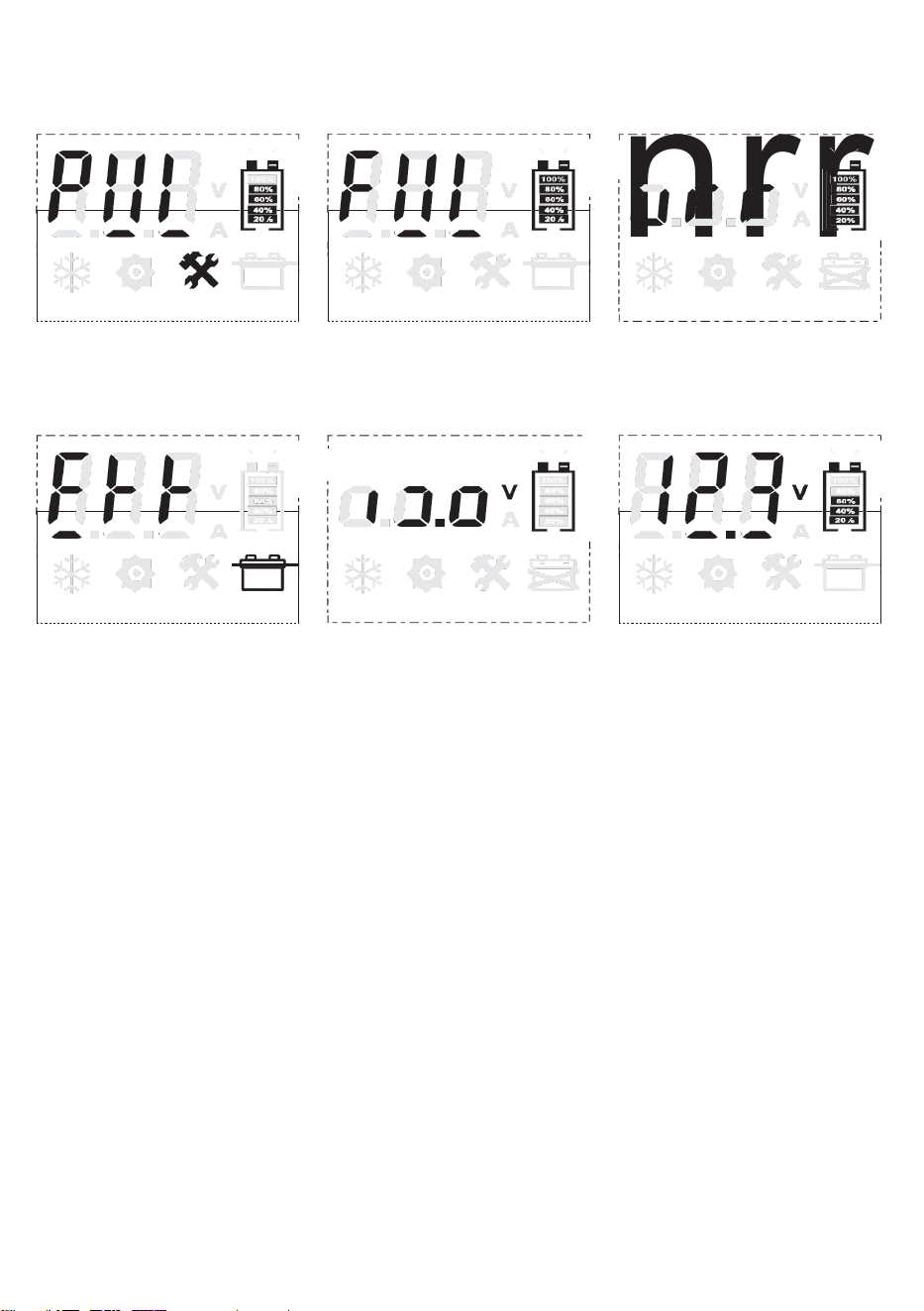
For faulty batteries (lead-acid only). Screen shows
"PUI". Stop immediately if overheating occurs.
Lithium batteries cannot be repaired.
SUPPLY
Force-charge mode or DC 12V power supply (e.g.,
car fridge). Hold mode button for 3s to activate
("SUP"). Click again or disconnect clamps to exit.
Temperature Compensation
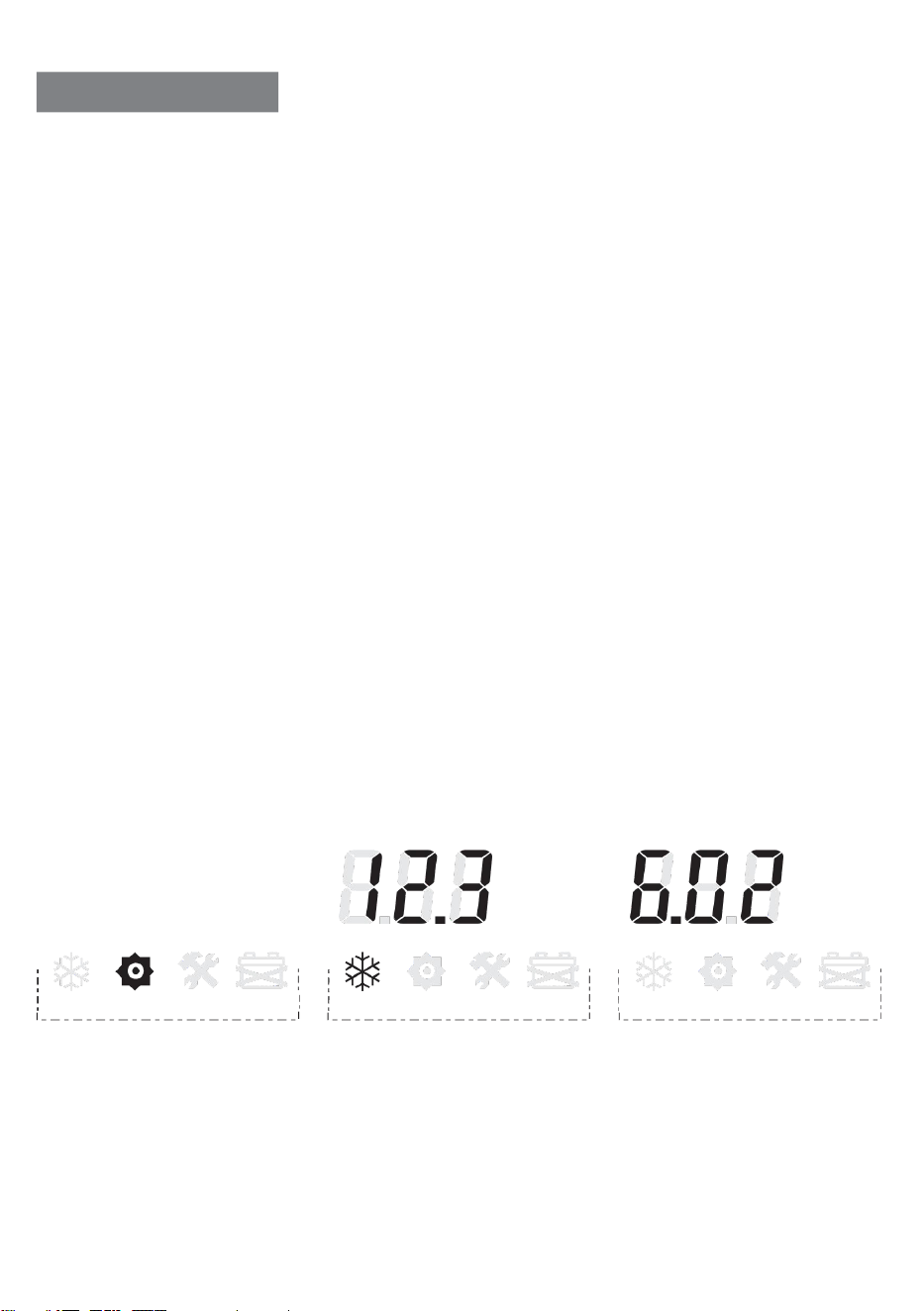
Winter Mode (W): Activates below 10°C.
Summer Mode (S): Activates above 27°C.
Normal Range (10–27°C): No icon. Automatic temperature
adjustment for optimal charging.
Product Specifications
Model
H-6C
H-8C
H-10C
H-15C
Input Voltage
AC 100–240V, 50/60Hz
Output Voltage
3.3–14.7V
Output Current
0–6A
0–8A
0–10A
0–15A
Dimensions
215×111×65mm
Weight
470g
520g
580g
600g

Charging Time Reference (20% Residual Capacity)
Battery (Ah)
12V 6C
12V 8C
12V 10C
12V 15C
20Ah
2.5H
2H
1.5H
1H
40Ah
5.5H
4H
3.2H
2H
60Ah
8H
6H
4.5H
3.5H
100Ah
13.5H
10H
8H
5.5H
150Ah
20H
15H
12H
8H
200Ah
26.5H
20H
16H
10.5H
400Ah
53.5H
40H
32H
21.5H
For batteries ≤40Ah, use Motorcycle Mode.
Troubleshooting
1.
Battery shows "FUL" but remains undercharged:
Cause: Sulfation, aging, or high internal resistance.
Fix: Press mode button 3 times to activate Repair Mode.
2.No response after connecting to AC power:
Cause: No AC input.
Fix: Check/replace the power outlet.
3.
Battery icon flashes:
Cause: Dead battery.
Fix: Parallel-charge with a functional battery or replace.
4.Prolonged charging:
Cause: Sulfation, low electrolyte, or damaged cells.
Fix: Stop if overheating. Check electrolyte levels for flooded
batteries.
-C
V
A
Wintr Sumer Repair Error Wintr Sumer Repair Error Wintr Sumer Repair Error
·Ambient Temperature
·Charging Voltage
·Charging Current
oc
V
A
-C
V
A
nrr
><
Error
Wintr Sumer Repair
i
·Repair Mode
·Charge Complete
·Automatically stop charging
·false alarm · The battery box icon is flashing
and the battery is not recognized ·During normal charging,the
battery level flashes sequentially
Shuo, current, voltage, and room temperature are displayed alternately
><
Error
Wintr Sumer Repair
><
Error
Wintr Sumer Repair
><
Error
Wintr Sumer Repair
7 n
Wintr Sumer Repair Error
Wintr Sumer Repair Error
i
i
i
I

Safety Warnings
Do NOT charge:
Damaged/non-lead-acid/lithium/zero-voltage batteries.
Disassemble the charger. Keep away from flames.
Charge in a safe area:
Remove batteries from vehicles. Avoid flammable materials.
Avoid unattended charging >12 hours.
Outdoor use prohibited. Ensure ventilation. Do not cover the
charger.
Replace damaged cables via professionals only.
Disconnect power before attaching/detaching clamps.
Note:
Failure to follow these guidelines voids warranty and may result in
damage or injury.