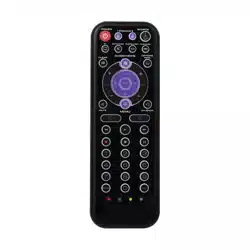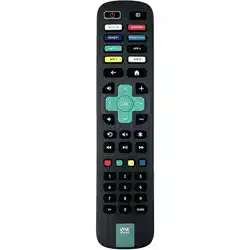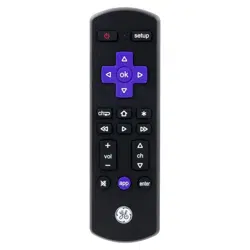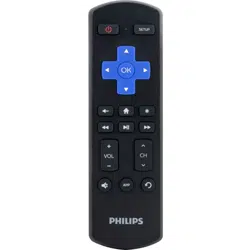
RCR18B
Roku
®
TV Replacement Remote
Owner’s Manual
Manual del Propietario (parte posterior)
Battery Saver
Your remote control saves battery power by automatically turning off
if any key is pressed for more than 15 seconds. This saves your battery
life should your remote get stuck in a place where the keys remain
depressed, such as between sofa cushions.
Your Roku TV remote requires two AAA alkaline batteries (not
included).
To install the batteries:
1. Remove the battery compartment cover.
2. Insert the batteries, matching the batteries to the (+) and (–)
marks inside the battery compartment.
3. Push the battery cover back into place.
Battery Precautions:
• Do not mix old and new batteries.
• Do not mix alkaline, standard (carbon-zinc) or rechargeable (nickel-
cadmium) batteries.
• Always remove old, weak or worn-out batteries promptly and recycle or
dispose of them in accordance with Local and National Regulations.
Voxx Accessories Corporation (the “Company”) warrants to you the original retail
purchaser of this product that should it, under normal use and conditions, be proven
defective in material or workmanship during its lifetime while you own it, such defect(s)
will be repaired or replaced (at the Company’s option) without charge for parts and
repair labor. To obtain repair or replacement within the terms of the warranty, the
product is to be delivered with proof of warranty coverage (e.g. dated bill of sale),
specication of defect(s), transportation prepaid, to an approved warranty station. For
the location of the nearest warranty station to you, call toll-free to our control ofce:
1-800-645-4994.
This Warranty does not cover product purchased, serviced or used outside the
United States or Canada. This Warranty is not transferable and does not extend to
costs incurred for installation, removal or reinstallation of the product. This Warranty
does not apply if in the Company’s opinion, the product has been damaged through
alteration, improper installation, mishandling, misuse, neglect, accident, or the
simultaneous use of different battery types (e.g. alkaline, standard or rechargeable).
THE EXTENT OF THE COMPANY’S LIABILITY UNDER THIS WARRANTY IS LIMITED
TO THE REPAIR OR REPLACEMENT PROVIDED ABOVE AND, IN NO EVENT, SHALL
THE COMPANY’S LIABILITY EXCEED THE PURCHASE PRICE PAID BY PURCHASER
FOR THE PRODUCT.
This Warranty is in lieu of all other express warranties or liabilities. ANY IMPLIED
WARRANTIES, INCLUDING ANY IMPLIED WARRANTY OF MERCHANTABILITY
OR FITNESS FOR A PARTICULAR PURPOSE SHALL BE LIMITED TO DURATION
OF THIS WARRANTY. IN NO CASE SHALL THE COMPANY BE LIABLE FOR ANY
CONSEQUENTIAL OR INCIDENTAL DAMAGES WHATSOEVER. No person or
representative is authorized to assume for the Company any liability other than
expressed herein in connection with the sale of this product.
Some states/provinces do not allow limitations on how long an implied warranty lasts
or the exclusion or limitation of incidental or consequential damage so the above
limitations or exclusions may not apply to you. This Warranty gives you specic legal
rights and you may also have other rights, which vary from state/province to state/
province.
Trademark(s) ® Registered©2023 Voxx Accessories Corp.
Step 1: Install your batteries
Troubleshooting
Limited Lifetime Warranty
RCR18B US 01
Care and Maintenance
• Keep the remote dry. If it gets wet, wipe it dry immediately.
• Use and store the remote only in normal temperature environments.
• Handle the remote gently and carefully. Don’t drop it.
• Keep the remote away from dust and dirt.
• Wipe the remote with a damp cloth occasionally to keep it looking new.
• Modifying or tampering with the remote’s internal devices can cause malfunction
and invalidate its warranty.
FCC Statement:
This device complies with part 15 of the FCC Rules. Operation is subject to the
following two conditions: (1) This device may not cause harmful interference, and (2)
this device must accept any interference received, including interference that may
cause undesired operation.
Note: This equipment has been tested and found to comply with the limits for a Class
B digital device, pursuant to part 15 of the FCC Rules. These limits are designed to
provide reasonable protection against harmful interference in a residential installation.
This equipment generates, uses and can radiate radio frequency energy and, if not
installed and used in accordance with the instructions, may cause harmful interference
to radio communications. However, there is no guarantee that interference will not
occur in a particular installation. If this equipment does cause harmful interference to
radio or television reception, which can be determined by turning the equipment off
and on, the user is encouraged to try to correct the interference by one or more of the
following measures:
• Reorient or relocate the receiving antenna.
• Increase the separation between the equipment and receiver.
• Connect the equipment into an outlet on a circuit different from that to which
the receiver is connected.
• Consult the dealer or an experienced radio/TV technician for help.
Caution: Any Changes or modications not expressly approved by the party
responsible for compliance could void the user’s authority to operate this equipment.
Industry Canada Regulatory Information
CAN ICES-3 (B)/NMB-3 (B)
Avis d’Industrie Canada
CAN ICES-3 (B)/NMB-3 (B)
Problem: The remote does not operate your device.
• Remove any obstacles between the remote and the device. Make sure
you’re aiming the remote at the device’s IR sensor.
• Make sure the batteries are fresh and are properly installed. Replace
the batteries with two new AAA batteries, if necessary (see the Battery
Installation section).
IMPORTANT: This remote is for Roku TVs only! It is not
compatible with the Roku Streaming Sticks and boxes.
For more information, including instructional videos and
customer support, visit RCARemotesSupport.com
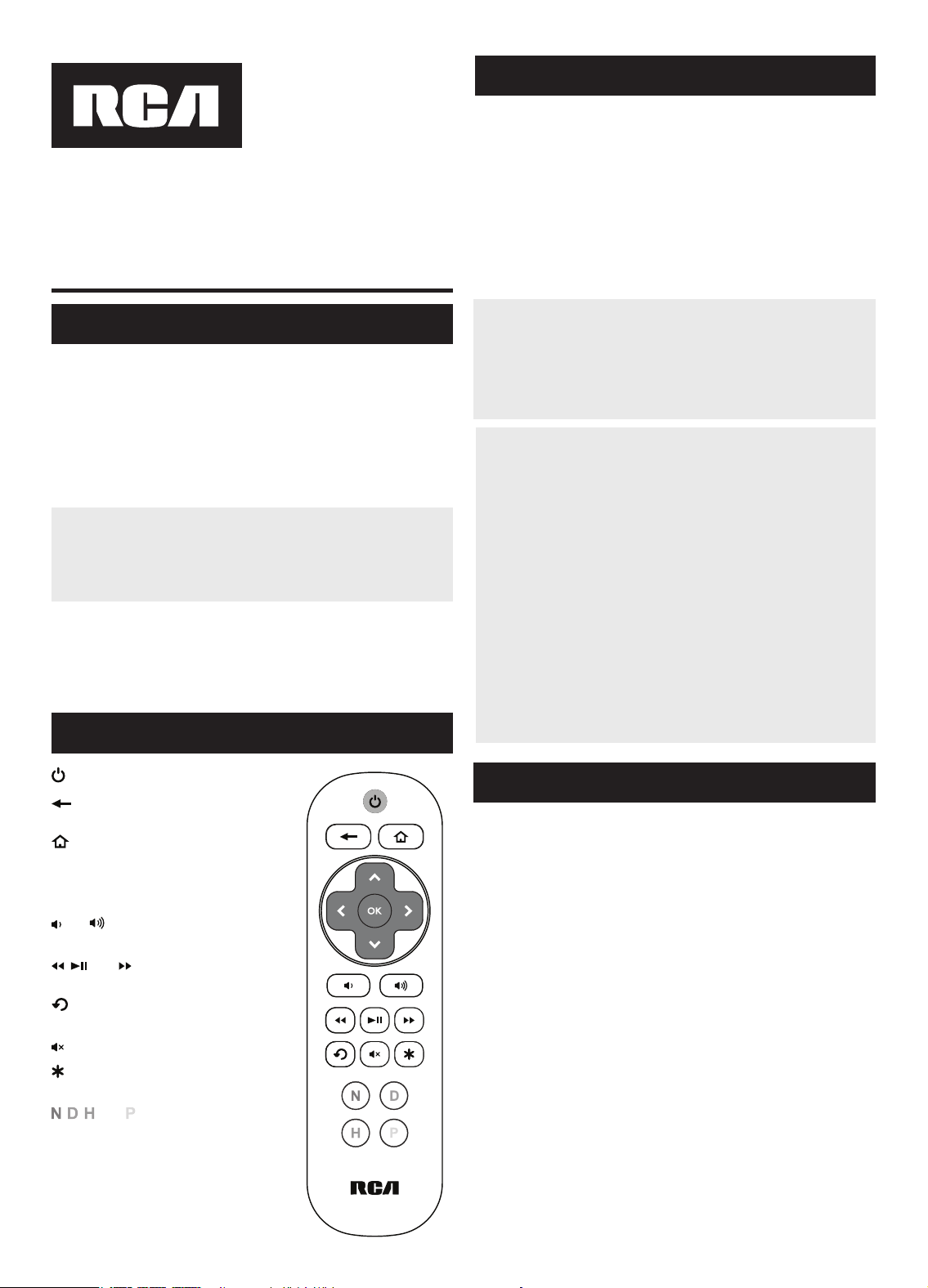
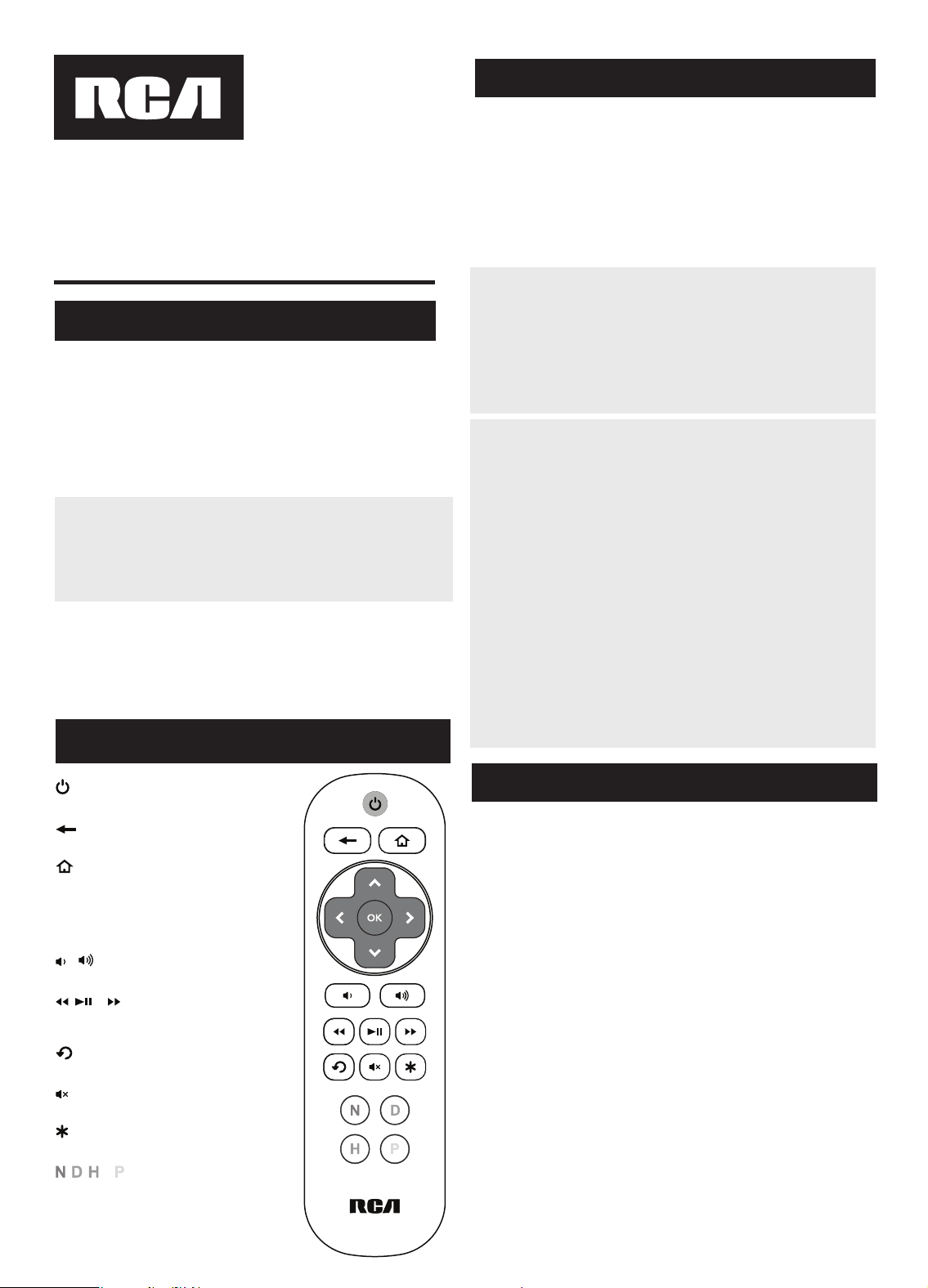
key turns your Roku TV on and off.
returns to the previous menu or
screen.
accesses your Roku TV’s Home
screen.
Arrow keys and OK let you highlight
and select on-screen items.
and decrease or increase your
TV’s volume.
, , and rewind, play/pause, and
fast forward through content.
replays the previous seconds of
content.
mutes the TV’s volume.
displays the options available for
the current screen.
, , , and provide direct access
to Netix, Disney+, Hulu, and Amazon
Prime Video.
Actual model may vary from
illustration
Tour of the Remote Control
Resolución de Problemas
RCR18B
Manual del Propietario del Control
remoto de reemplazo de Roku® TV
Owner’s Manual (English on back)
Ahorro de Batería
Su control remoto ahorra la potencia de las baterías al apagar
automáticamente cualquier tecla que se oprima por más de 15 segundos.
Esta acción prolonga la vida útil de las baterías en caso de que el
control remoto quede pillado en un lugar donde las teclas permanezcan
oprimidas, tal como entre los cojines de un sofá.
El control remoto necesita dos baterías alcalinas AAA (no suministradas).
Para instalar las baterías:
1. Retire la tapa del compartimiento de las baterías.
2. Inserte las baterías, cerciorándose de que las polaridades (+) y (–)
correspondan con el diagrama que aparece en el compartimiento de las
baterías.
3. Vuelva a colocar la tapa del compartimiento de las baterías en su
posición.
Precauciones sobre las Baterías:
• No combine baterías nuevas y viejas.
• No combine diferentes tipos de baterías: alcalinas, estándar (carbón-
zinc) o recargables (níquel-cadmio).
• Siempre remueva de inmediato baterías viejas, débiles o desgastadas,
y recíclelas o deséchelas según lo disponen las normas locales y
nacionales.
Paso 1: Instale las baterías
Problema: El control remoto no maneja su dispositivo.
• Retire los obstáculos ubicados entre el control remoto y el dispositivo.
Asegúrese de apuntar el control remoto directamente al sensor
infrarrojo del dispositivo.
• Asegúrese que las baterías estén cargadas y debidamente instaladas.
Reemplace las baterías con dos baterías AAA nuevas, de ser necesario
(consulte la sección Instalación de las Baterías).
Para obtener más información, incluido videos instructivos y
asistencia al cliente, visite RCARemotesSupport.com
Voxx Accessories Corporation (la “Compañía”) le garantiza a usted, el comprador
original de este producto que si, bajo condiciones y uso normales, se encontrara
que presenta defectos materiales o de mano de obra durante su vida útil mientras
sea de su propiedad, tales defectos serán reparados o reemplazados (a opción de la
Compañía) sin cargo alguno por las piezas y labores de reparación.
Para obtener los servicios de reparación o reemplazo dentro de los términos de esta
garantía, el producto se entregará con prueba de cubierta de garantía (por ejemplo,
factura fechada de venta), especicación de los defectos, transporte prepagado, a una
estación de garantía aprobada. Para ubicar la estación de garantía más cercana a su
domicilio, llame sin costo a nuestra ocina de control: al 1-800-645-4994.
Esta Garantía no cubre un producto adquirido, mantenido o utilizado fuera de los
Estados Unidos o Canadá. Esta Garantía no es transferible y no incluye los costos
incurridos en la instalación, remoción o reinstalación de este producto. Esta Garantía
no aplica si, es opinión de la Compañía que, este producto ha sufrido daños debido a
alteraciones, instalación inadecuada, abuso, uso indebido, negligencia, accidente o el
uso simultáneo de baterías de tipos diferentes (p.ej., alcalinas, estándar o recargables).
EL ALCANCE DE LA RESPONSABILIDAD DE LA COMPAÑÍA BAJO ESTA GARANTÍA
ESTÁ LIMITADO A LA REPARACIÓN O EL REEMPLAZO PROVISTO ARRIBA Y, EN
NINGÚN CASO, DEBERÁ LA RESPONSABILIDAD DE LA COMPAÑÍA EXCEDER EL
PRECIO DE COMPRA PAGADO POR EL COMPRADOR DE ESTE PRODUCTO.
Esta Garantía reemplaza cualesquiera otras responsabilidades o garantías expresas.
CUALESQUIERA GARANTÍAS IMPLÍCITAS, INCLUYENDO CUALQUIER GARANTÍA
IMPLÍCITA DE COMERCIABILIDAD O ADAPTABILIDAD PARA UN PROPÓSITO EN
PARTICULAR ESTARÁN LIMITADAS A LA DURACIÓN DE ESTA GARANTÍA. EN
NINGÚN CASO LA COMPAÑÍA SERÁ RESPONSABLE POR DAÑOS EMERGENTES O
INCIDENTALES. Ninguna persona ni representante está autorizado a asumir, a nombre
de la Compañía, ninguna responsabilidad salvo la expresada aquí en conexión con la
venta de este producto.
Algunos estados/provincias no permiten limitaciones sobre la duración de una garantía
implícita o la exclusión o la limitación de daños incidentales o emergentes, de modo
que es posible que las limitaciones o exclusiones anteriores no se apliquen en su caso.
Esta Garantía le conere derechos legales especícos; según el estado/provincia,
puede disfrutar además de otros derechos.
Garantía Limitada Durante la Vida Útil del Producto
Cuidado y Mantenimiento
• Mantenga el control remoto seco. Si se moja, séquelo inmediatamente.
• Utilice y almacene el control remoto únicamente en entornos de temperatura
normal.
• Maneje el control remoto de forma cuidadosa. No lo deje caer.
• Mantenga el control remoto resguardado del polvo y la suciedad.
• Limpie el control remoto con un paño húmedo de vez en cuando para mantenerlo
en buenas condiciones de operación.
• Modicar o sabotear los dispositivos internos del control remoto podría ocasionar
desperfectos y anular la garantía.
Información FCC
Este aparato obedece las especicaciones de la Parte 15 de las regulaciones FCC.
Las funciones están sujetas a las siguientes condiciones: 1) Este aparato no puede
causar interferencias dañinas, y 2) este aparato puede recibir cualquiera interferencia,
incluyendo aquellas que puedan causar funciones no deseadas.
Nota: Se probó este equipo y podemos armar que cumple con las restricciones
establecidas para un dispositivo digital Clase B, de acuerdo con la Sección 15 de
la Reglamentación de FCC. Estas restricciones fueron designadas para brindar
una protección razonable frente a la interferencia perjudicial en una instalación
residencial. Este equipo genera, usa y puede irradiar energía de radiofrecuencia y, si
no está instalado o no se lo utiliza de acuerdo con las instrucciones, puede ocasionar
interferencias perjudiciales para las comunicaciones de radio. Sin embargo, no existe
ninguna garantía de que no se vaya a producir una interferencia en una instalación
particular. Si este equipo produce una interferencia perjudicial con la recepción de la
radio o la televisión, lo cual podría determinarse apagando y encendiendo el equipo,
se le pide al usuario que intente corregir la interferencia siguiendo una o varias de las
siguientes medidas.
• Vuelva a orientar o cambie de lugar la antena receptora.
• Aumente la separación entre el equipo y el receptor.
• Conecte este equipo a un tomacorriente en un circuito diferente al que esté
conectado el receptor.
• Consulte al distribuidor o a un técnico experimentado de radio y televisión para
solicitar asistencia.
Precaución: Cualquier cambio o modicación no expresamente aprobados por la parte
responsable por el cumplimiento podría invalidar la autoridad del usuario para operar
este equipo.
Información Regulatoria de la Industria Canadiense
CAN ICES-3 (B)/NMB-3 (B)
permite encender y apagar el Roku
T V.
permite regresar al menú o
pantalla anterior.
permite acceder a la pantalla de
inicio de Roku TV.
Las teclas de echa y OK le permiten
resaltar y seleccionar elementos en
pantalla.
y permiten subir y bajar el
volumen del televisor.
, , y permiten retroceder,
reproducir/pausar y avanzar
rápidamente por el contenido.
permite a reproducir los segundos
anteriores de contenido.
permite silenciar el volumen del
televisor.
muestra las opciones disponibles
para la pantalla actual.
, , , y proporcionan un acceso
directo a Netix, Disney+, Hulu y
Amazon Prime Video.
El modelo actual puede ser diferente
al ilustrado
Recorrido del control remoto