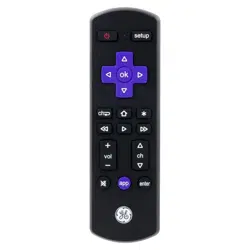
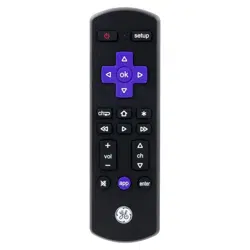
GE 66814-RF1 Roku TV Replacement Remote
Product's Documents
Below are documents related to this product, you can read online or download:
- User Manual - (English) Read Online | Download pdf
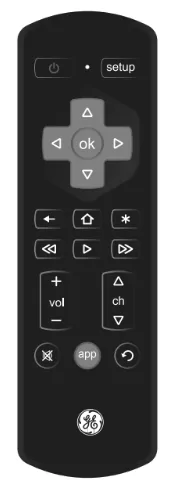
NOTE: If your remote is not operating properly, replace the batteries with new ones.
Preprogrammed for immediate use with Roku-enabled TVs. Simply insert two (2) AA batteries (not included) and you're ready to enjoy your favorite shows. Alkaline batteries are recommended for this remote.
"An Insignia or Sharp Roku-enabled TV may require programming. Additionally, if you wish to program the remote to operate a Roku streaming player rather than a Roku TV, please see the Programming Instructions section for details."
Your remote automatically turns off if the buttons are held down for more than 8 seconds. This saves battery life if your remote gets stuck in a place where the buttons remain depressed (e.g., between sofa cushions).
You have up to 10 minutes to change the batteries in your remote without losing the codes you have programmed.
Remote does not operate your device
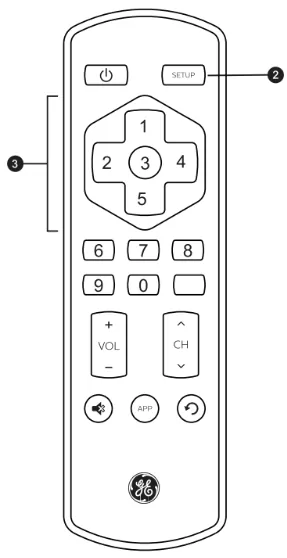
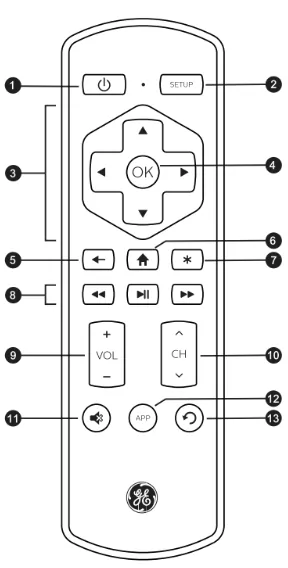
Some Insignia and Sharp models may need additional programming. Use the included Code List and follow the steps below.
This remote can operate either a Roku TV or a Roku streaming player. It does not work with Roku streaming sticks. Programming is required for use with compatible Roku streaming players. Use the included Code List and follow the steps below.
Supplier’s Declaration of Conformity | Model #: 66814 | Jasco Products Co., 10 E. Memorial Rd., Oklahoma City, OK 73114, www.bjasco.com
This device complies with Part 15 of the FCC rules. Operation is subject to the following two conditions: (1) this device may not cause harmful interference, and (2) this device must accept any interference received, including interference that may cause undesired operation.
FCC NOTE: The manufacturer is not responsible for any radio or TV interference caused by unauthorized modifications to this equipment. Such modifications could void the user's authority to operate the equipment.
NOTE: This equipment has been tested and found to comply with the limits for a Class B digital device, pursuant to Part 15 of the FCC Rules. These limits are designed to provide reasonable protection against harmful interference in a residential installation. This equipment generates, uses and can radiate radio frequency energy and, if not installed and used in accordance with the instructions, may cause harmful interference to radio communications. However, there is no guarantee that interference will not occur in a particular installation. If this equipment does cause harmful interference to radio/television reception, which can be determined by turning the equipment off and on, the user is encouraged to try to correct the interference by one or more of the following measures:
ICES‑3(B)/NMB‑3(B).
Register your product – Receive exclusive deals and register your product. Scan code or visit byjasco.com/deals.
Having Problems? Let us know how we can help. Call 1‑800‑654‑8483 between 7AM–8PM, M–F, Central Time.
Like our product? Leave a review on your favorite retailer website or amazon.com.
For additional CE products, visit our website: www.bjasco.com
GE is a trademark of General Electric Company and is under license by Jasco Products Company LLC, 10 E. Memorial Rd., Oklahoma City, OK 73114. This Jasco product comes with a limited‑lifetime warranty. Visit www.bjasco.com for warranty details.
MADE IN CHINA
66814 v1 1/22