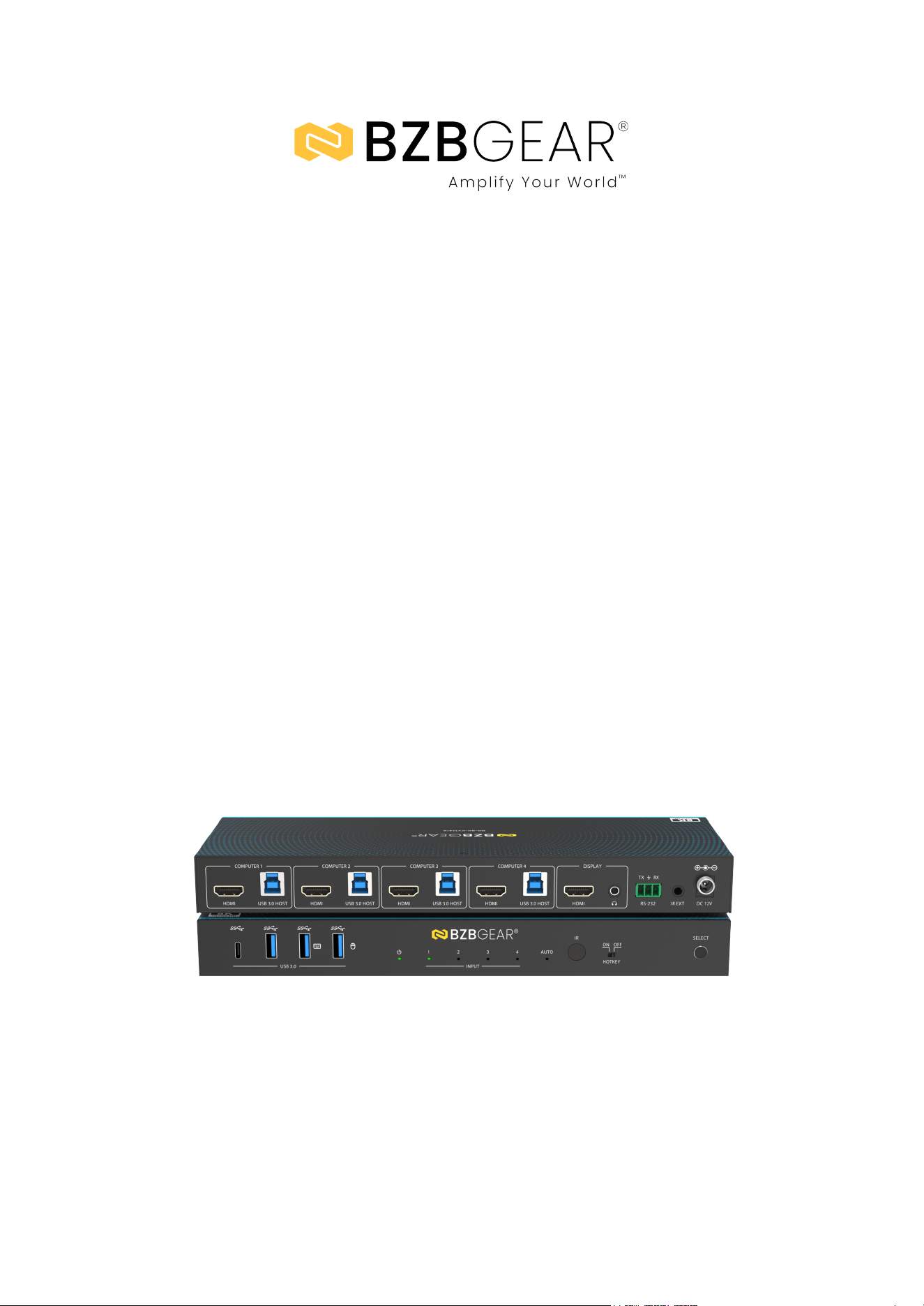
BG-8K-KVM41A
8K60 HDMI 2.1 4x1 KVM Switch with USB 3.0, Hotkey Switching &
IR Control
User Manual

BZBGEAR BG-8K-KVM41A PRODUCT MANUAL
Address: 830 National Drive #140, Sacramento, CA 95834, USA · Tel: +1(888)499-9906 · Email: support@bzbgear.com 2

BZBGEAR BG-8K-KVM41A PRODUCT MANUAL
TABLE OF CONTENTS
Statement 4
Safety Precaution 4
Introduction 5
Features 5
Packing List 6
Specifications 7
Operation Controls and Functions 9
IR Pin Definition 11
IR Remote Control Functions 11
Hotkey Switch Function 12
Keyboard Hotkey Functions 12
Mouse Hotkey Functions 12
ASCII Commands Control 13
Connection Diagram 15
Troubleshooting 16
Tech Support 17
Limited Product Warranty Terms 17
Mission Statement 18
Copyright 18
Address: 830 National Drive #140, Sacramento, CA 95834, USA · Tel: +1(888)499-9906 · Email: support@bzbgear.com 3

BZBGEAR BG-8K-KVM41A PRODUCT MANUAL
Statement
Please read these instructions carefully before connecting, operating, or configuring this
product. Please save this manual for future reference.
Safety Precaution
● To prevent damaging this product, avoid heavy pressure, strong vibration, or immersion
during transportation, storage, and installation.
● The housing of this product is made of organic materials. Do not expose to any liquid,
gas, or solids which may corrode the shell.
● Do not expose the product to rain or moisture.
● To prevent the risk of electric shock, do not open the case. Installation and maintenance
should only be carried out by qualified technicians.
● Do not use the product beyond the specified temperature, humidity, or power supply
specifications.
● This product does not contain parts that can be maintained or repaired by users.
Damage caused by dismantling the product without authorization from BZBGEAR is not
covered under the warranty policy.
● Installation and use of this product must strictly comply with local electrical safety
standards.
Address: 830 National Drive #140, Sacramento, CA 95834, USA · Tel: +1(888)499-9906 · Email: support@bzbgear.com 4

BZBGEAR BG-8K-KVM41A PRODUCT MANUAL
Introduction
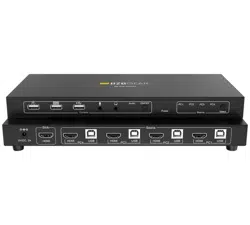
The BG-8K-KVM41A is a high-performance 4×1 KVM switch designed for seamless
control of multiple computers using a single keyboard, mouse, and monitor.
Supporting resolutions up to 8K@60Hz, 4K@120/144Hz, and 1080P@240Hz, it
delivers ultra-clear visuals with zero video or audio latency. With full HDMI 2.1 and
HDCP 2.3 compliance, HDR formats including Dolby Vision, HDR10+, and HLG
pass-through, it ensures uncompromised image quality for professional, gaming, or
creative setups.
Equipped with USB 3.0 connectivity, hotkey switching, IR remote, and front-panel
controls, the BG-8K-KVM41A makes switching between devices fast and effortless.
Its virtual interaction feature can automatically wake connected PCs from standby,
while EDID emulators on each input ensure consistent compatibility with any
system. Compact, plug-and-play, and compatible with Windows, macOS, and
Linux, this KVM switch is ideal for users seeking maximum efficiency, flexibility, and
reliability in multi-computer workflows.
Features
● HDCP 2.3 Compliant: Ensures full compatibility with the latest HDCP-protected
content.
● Ultra-High Resolution: Supports up to 8K@60Hz, 4K@120/144Hz, and
1080P@240Hz for crystal-clear visuals.
● HDMI 2.1 Advanced Features: Includes VRR, ALLM, QMS, QFT, and SBTM for
smooth gaming and video performance.
● HDR & Dolby Vision Support: Passes through HDR, HDR10, HDR10+, Dolby
Vision, and HLG for vibrant colors.
● Single Control for Multiple PCs: Manage up to 4 computers with one keyboard,
mouse, and monitor.
● Fast & Seamless Switching: Switch video and keyboard/mouse instantly via
hotkeys, IR remote, or front panel.
● EDID Emulators: Each input provides correct display info to ensure stable output
and compatibility.
● Hot-Plug Support: Connect or disconnect devices at any time without interrupting
operation.
● Auto-Switching Function: Automatically cycles to active input when needed for
efficiency.
● Zero Latency Design: Advanced hardware and software guarantee no video or
audio delay.
● USB 3.0 Sharing: Share peripherals like printers, scanners, webcams, and storage
with 5Gbps speed.
● Compact & Flexible: Space-saving design allows easy installation in any setup.
Address: 830 National Drive #140, Sacramento, CA 95834, USA · Tel: +1(888)499-9906 · Email: support@bzbgear.com 5

BZBGEAR BG-8K-KVM41A PRODUCT MANUAL
Packing List
● 1 × BG-8K-KVM41A 8K60 4×1 KVM Switcher
● 1 × IR Remote Control
● 1 × 3-pin 3.81mm Phoenix Connector (male)
● 1 × Fixed Frequency 38KHz IR Receiver Cable (1.5 m)
● 4 × USB 3.0 Cable (Type A to Type B, 1.8 m)
● 4 × HDMI Cable (male to male, 1.5 m)
● 2 × Mounting Ears
● 4 × Machine Screws (KM3×4)
● 1 × 12V/1A Multinational Locking Power Supply
● 1 × User Manual
Address: 830 National Drive #140, Sacramento, CA 95834, USA · Tel: +1(888)499-9906 · Email: support@bzbgear.com 6
BZBGEAR BG-8K-KVM41A PRODUCT MANUAL
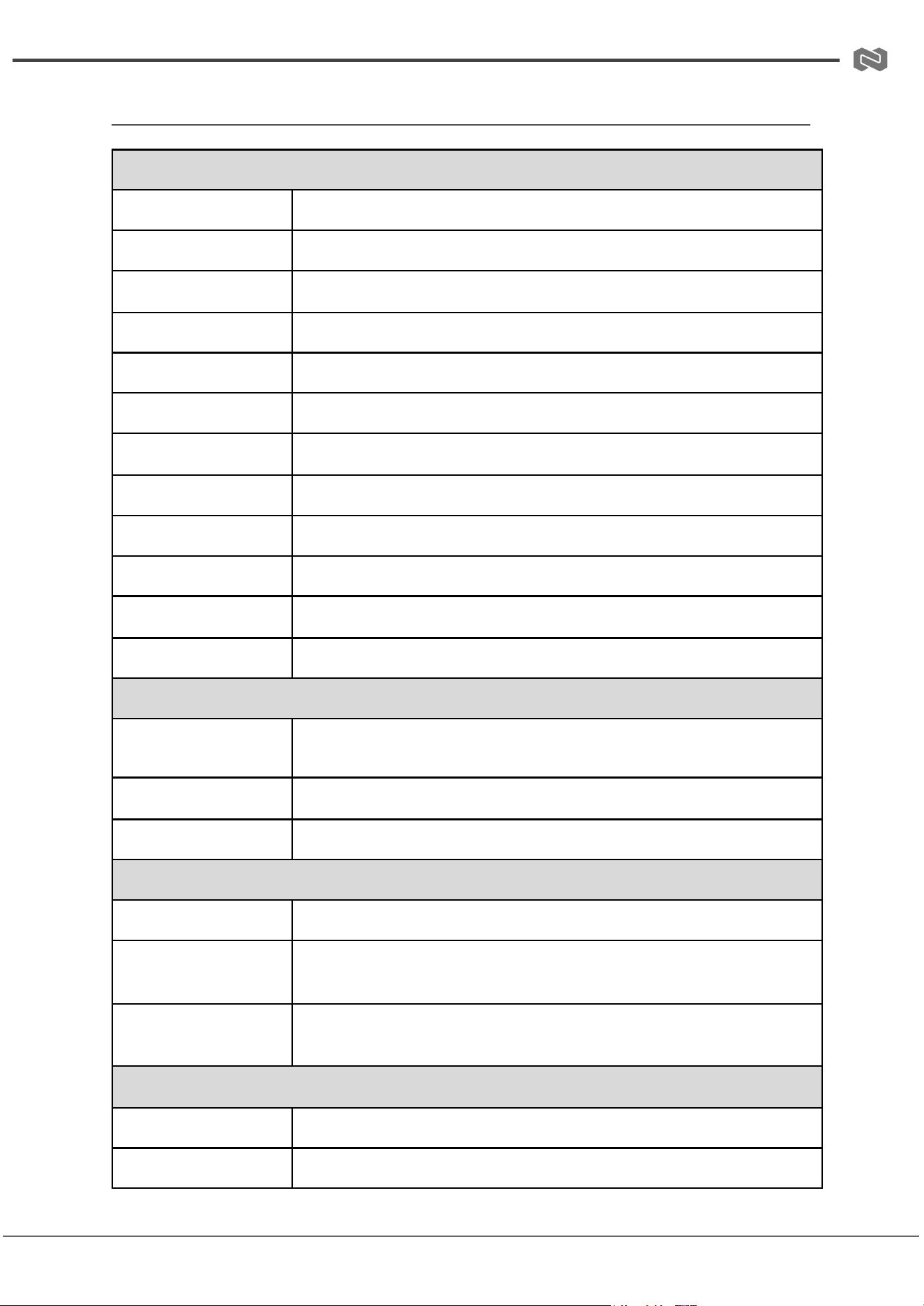
Specifications
Technical Specifications
HDMI Compliance
HDMI 2.1
HDCP Compliance
HDCP 2.3
Video Bandwidth
40 Gbps
Audio Latency
No Latency
Video Latency
No Latency
Video Resolution
Up to 8K@60Hz, 4K@120Hz/144Hz, 1080P@240Hz
IR Level
5Vp-p
IR Frequency
Fixed frequency 38KHz
Color Space
RGB 4:4:4, YCbCr 4:4:4, YCbCr 4:2:2, YCbCr 4:2:0
Color Depth
8/10/12bit
HDR
HDR, HDR10, HDR10+, Dolby Vision, HLG
CEC
Support
Audio Formats
HDMI IN/OUT
LPCM, Dolby Digital/Plus/EX, Dolby True HD, Dolby Atmos, DTS, DTS-EX,
DTS-96/24, DTS High Res, DTS-HD Master Audio, DTS:X, DSD
L/R OUT
PCM 2.0CH
ESD Protection
IEC 61000-4-2: ±8kV (Air-gap), ±4kV (Contact)
Connection Specifications
Input Ports
4 × HDMI Input (Type A, 19-pin female)
Output Ports
1 × HDMI Output (Type A, 19-pin female), 1 × L/R Audio Output (3.5mm
Stereo Mini-jack)
Control Ports
1 × RS-232 (3-pin 3.81mm Phoenix), 1 × IR EXT (3.5mm Mini-jack), 4 ×
USB HOST (Type B), 4 × USB DEVICES (Type A)
Mechanical Specifications
Housing
Metal Enclosure
Color
Black
Address: 830 National Drive #140, Sacramento, CA 95834, USA · Tel: +1(888)499-9906 · Email: support@bzbgear.com 7
BZBGEAR BG-8K-KVM41A PRODUCT MANUAL
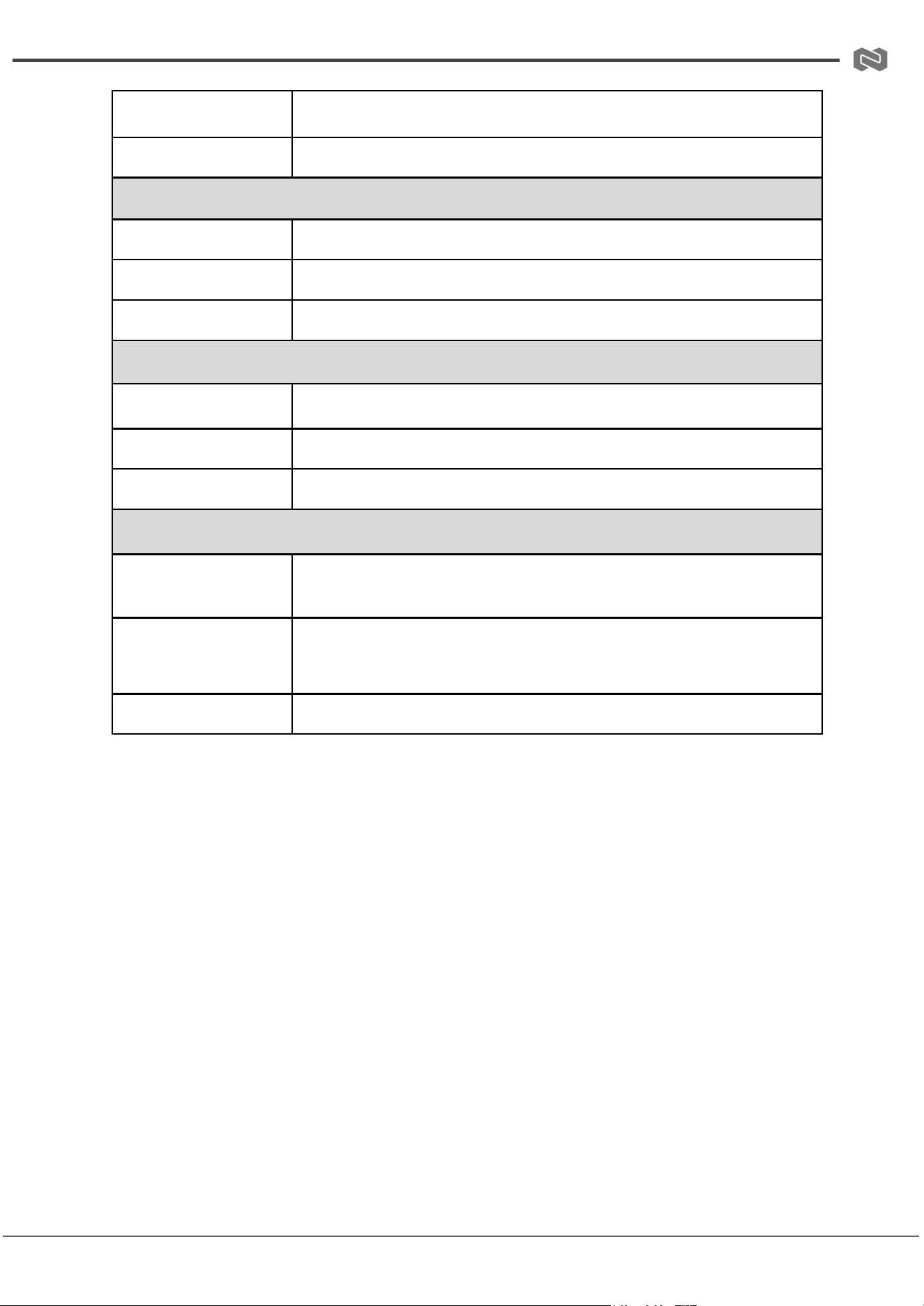
Dimensions (W×D×H)
11 × 3.9 × 1.2 in / 270 × 100 × 30 mm
Weight
1.7 lbs / 756 g
Power Supply Specifications
Input
AC 100–240V 50/60Hz
Output
DC 12V/1A (US/EU Standard, CE/FCC/UL Certified)
Power Consumption
Typical: 6.26 W, Standby: 0.6 W
Operating Conditions
Operating Temperature
32–104°F / 0–40°C
Storage Temperature
-4–140°F / -20–60°C
Relative Humidity
20–90% RH (non-condensing)
Recommended HDMI Cable
Video Resolution
8K60/8K30/4K120: Ultra HDMI 2.1 cable
4K60/1080P: HDMI cable
HDMI Cable Length
(IN/OUT)
8K60/8K30/4K120: 2 m / 6.6 ft
4K60: 5 m / 16 ft
1080P: 10 m / 33 ft
Note
Use “Premium High Speed HDMI” cables for optimal performance
Address: 830 National Drive #140, Sacramento, CA 95834, USA · Tel: +1(888)499-9906 · Email: support@bzbgear.com 8
BZBGEAR BG-8K-KVM41A PRODUCT MANUAL
Operation Controls and Functions
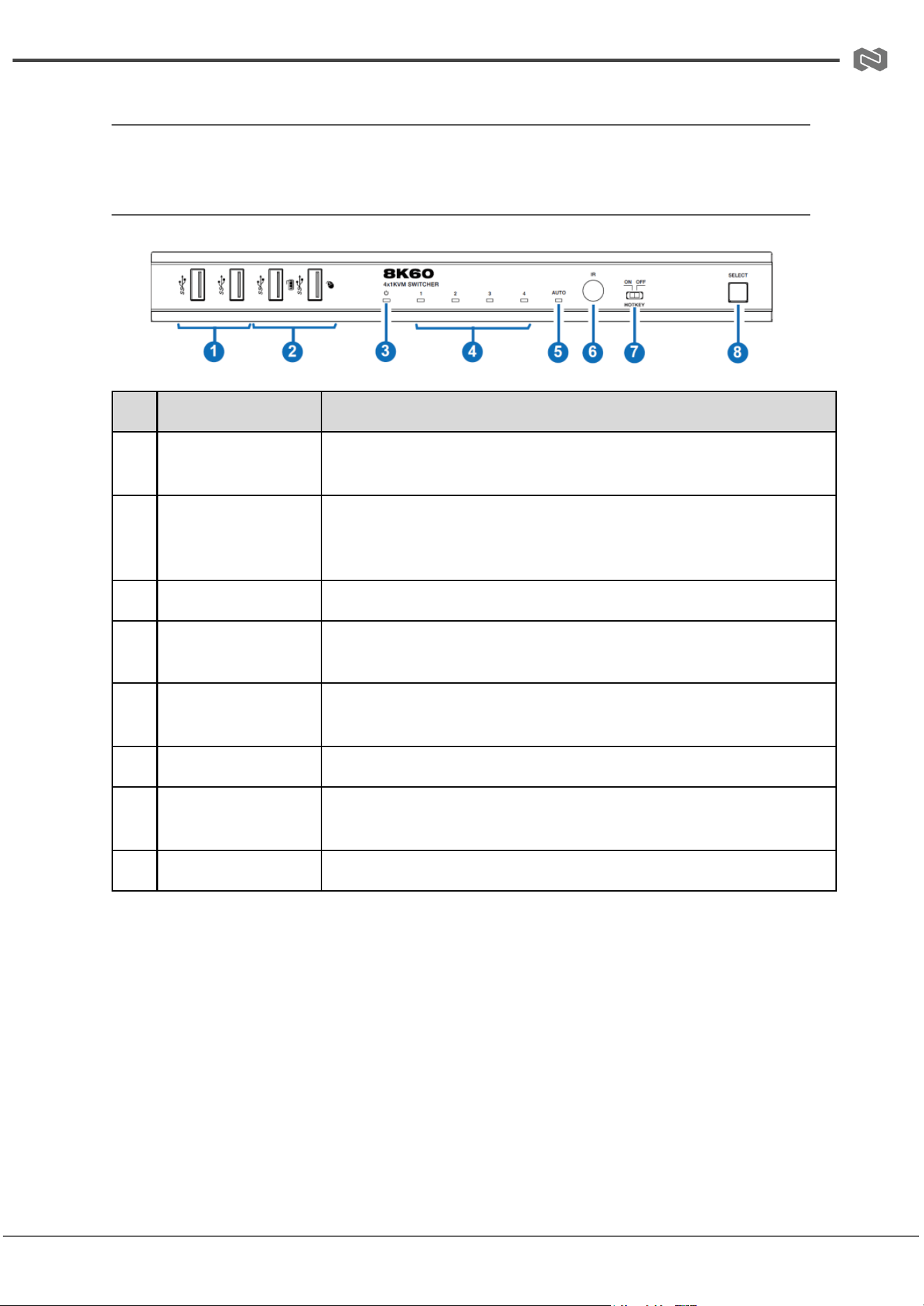
Front Panel
No.
Name
Function Description
1
USB 3.0 Ports
USB 3.2 Gen 1 device ports, connect to USB flash drives,
cameras, printers, etc.
2
USB 3.0 Ports
(with Hotkey Mode)
When Hotkey switch is OFF, these ports support USB 3.2 Gen 1
devices. When Hotkey switch is ON, they support USB 1.1
keyboard and mouse only.
3
Power LED
Lights green when the product is working, red when on standby.
4
Input Channel LED
1/2/3/4
Corresponding LED lights green when HDMI input port 1/2/3/4 is
selected.
5
AUTO LED
Lights green when auto-switching function is enabled; off when
disabled.
6
IR Window
Receives IR signals from the remote control.
7
HOTKEY Switch
Enable or disable hotkey switching mode. ON: keyboard/mouse
support hotkey mode. OFF: hotkey mode disabled.
8
SELECT Button
Press to manually switch the input channel.
Address: 830 National Drive #140, Sacramento, CA 95834, USA · Tel: +1(888)499-9906 · Email: support@bzbgear.com 9
BZBGEAR BG-8K-KVM41A PRODUCT MANUAL
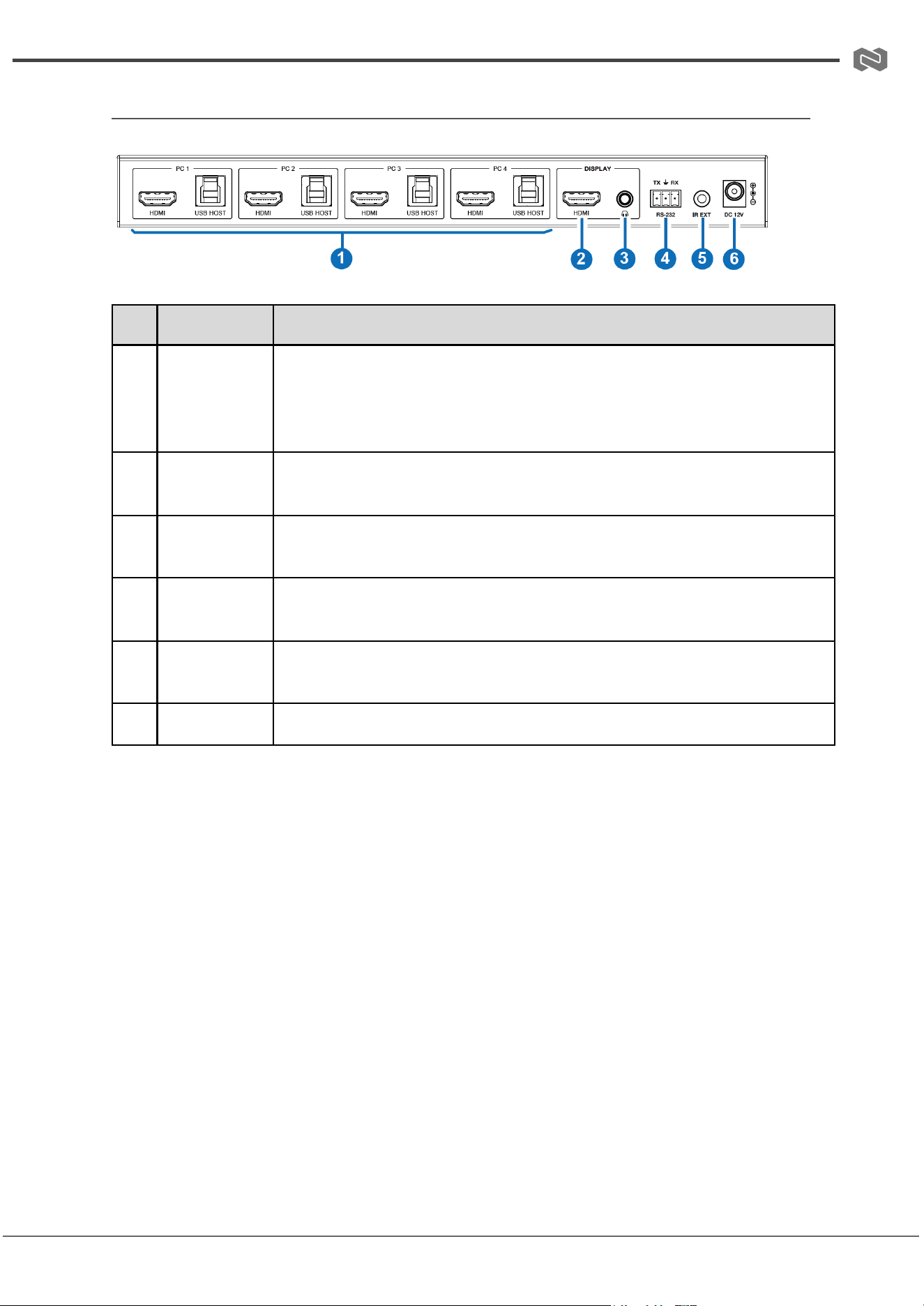
Rear Panel
No.
Name
Function Description
1
PC 1/2/3/4
Ports
HDMI: HDMI signal input port, connected to HDMI source devices
such as PCs using an HDMI cable.
USB HOST: USB Host port, connected to the same PC along with
HDMI. (Note: PC 1 USB HOST port can be used for firmware upgrade.)
2
DISPLAY
HDMI Port
HDMI signal output port, connected to HDMI display devices such as
TV or monitor using an HDMI cable.
3
L/R Audio
Port
3.5mm analog audio output port.
4
RS-232 Port
3-pin phoenix connector, connected to a PC or control system for serial
port communication or firmware upgrade.
5
IR EXT Port
IR signal receiving port, connected with the 38KHz IR Receiver cable.
Use if the IR window is blocked or unit is installed out of line of sight.
6
DC 12V
DC 12V/1A power input port.
Address: 830 National Drive #140, Sacramento, CA 95834, USA · Tel: +1(888)499-9906 · Email: support@bzbgear.com 10
BZBGEAR BG-8K-KVM41A PRODUCT MANUAL
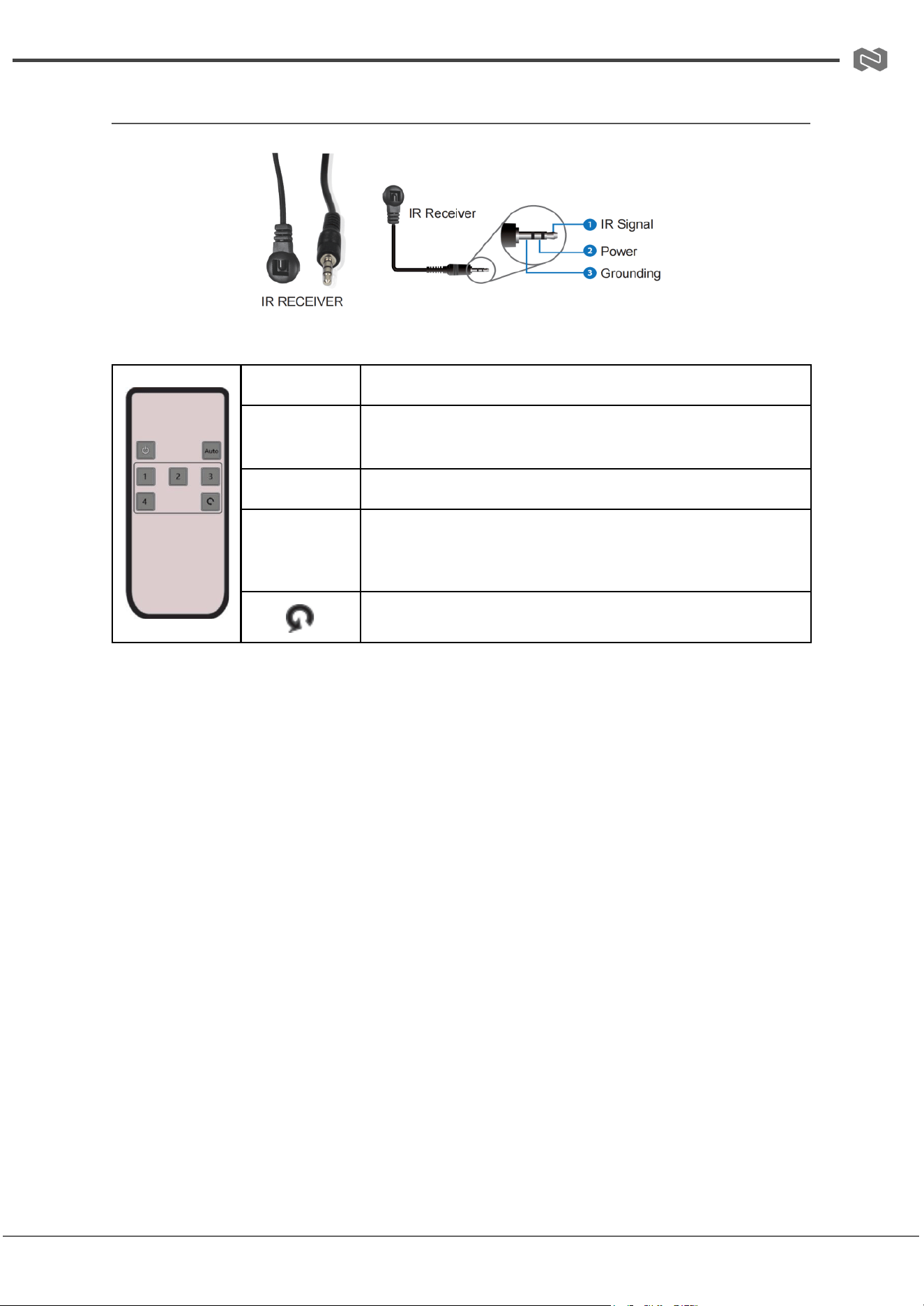
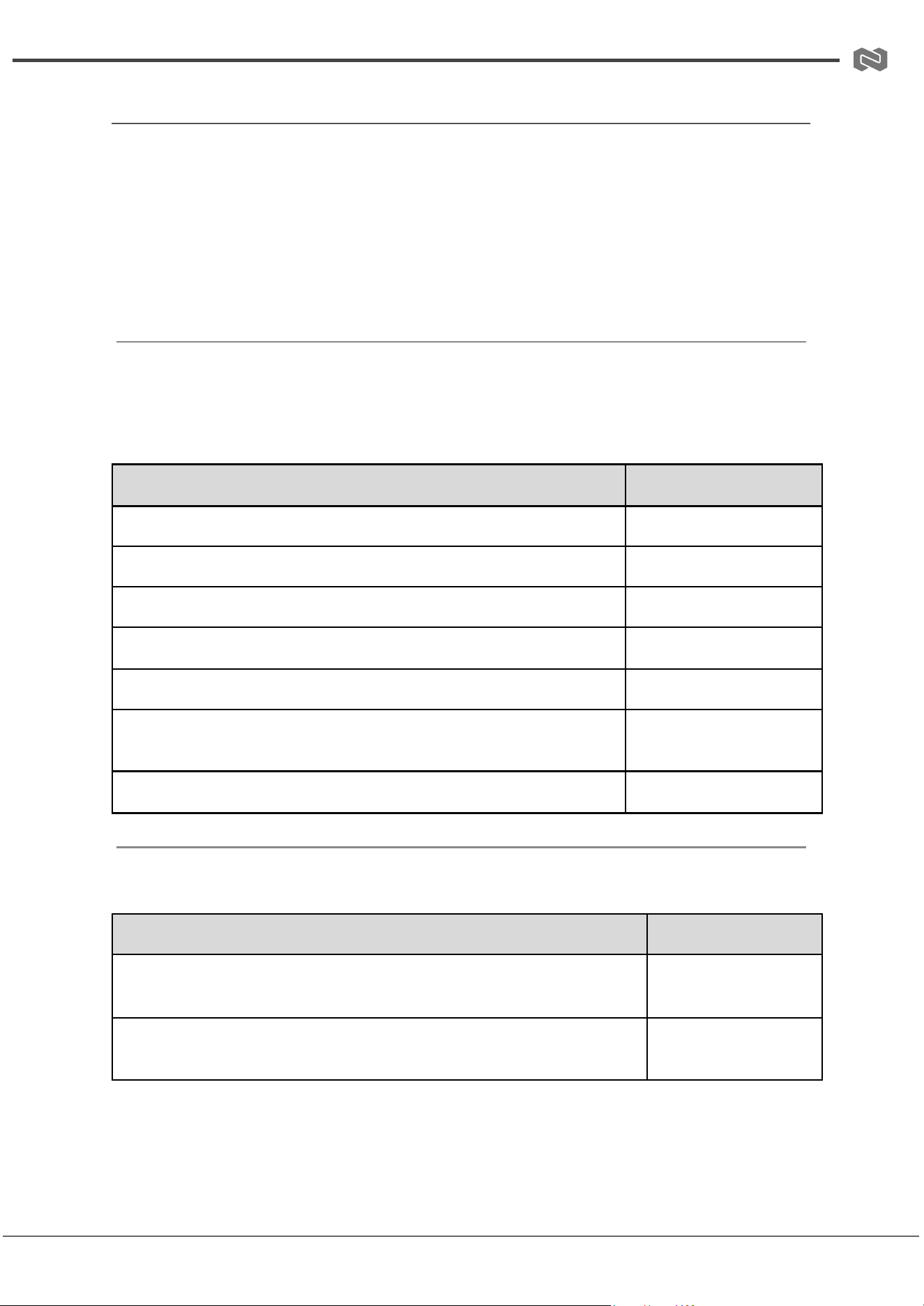
IR Pin Definition
IR Remote Control Functions
Button
Function Description
Power On /
Standby
Press to turn the KVM switcher on or put it in standby
mode.
Auto
Press to enable or disable the auto-switching function.
1 / 2 / 3 / 4
Select the corresponding HDMI input port (1–4). The
corresponding input channel LED on the front panel will
light green.
Press to cycle through all input channels sequentially.
Address: 830 National Drive #140, Sacramento, CA 95834, USA · Tel: +1(888)499-9906 · Email: support@bzbgear.com 11
BZBGEAR BG-8K-KVM41A PRODUCT MANUAL
Hotkey Switch Function
The Hotkey switch on the front panel allows you to enable or disable hotkey control:
● OFF: Hotkey function is disabled. The two USB 3.0 ports (with hotkey mode)
function as standard USB 3.2 Gen 1 device ports.
● ON: Hotkey function is enabled. The two USB 3.0 ports (with hotkey mode) support
only USB 1.1 keyboard and mouse for hotkey switching.
Keyboard Hotkey Functions
When hotkey mode is enabled, use the keyboard to switch inputs or control the device:
Hotkey
Function
Scroll Lock + Scroll Lock + 1 or Ctrl + Ctrl + 1
Switch to input 1
Scroll Lock + Scroll Lock + 2 or Ctrl + Ctrl + 2
Switch to input 2
Scroll Lock + Scroll Lock + 3 or Ctrl + Ctrl + 3
Switch to input 3
Scroll Lock + Scroll Lock + 4 or Ctrl + Ctrl + 4
Switch to input 4
Scroll Lock + Scroll Lock + Page Up or Ctrl + Ctrl + Page Up
Switch to next input
Scroll Lock + Scroll Lock + Page Down or Ctrl + Ctrl + Page
Down
Switch to previous
input
Scroll Lock + Scroll Lock + F12 or Ctrl + Ctrl + F12
Enable/Disable buzzer
Mouse Hotkey Functions
Action
Function
Double-Click Middle-Right (double-click the scroll wheel, then click
the right button)
Switch to next input
Double-Click Middle-Left (double-click the scroll wheel, then click the
left button)
Switch to previous
input
Address: 830 National Drive #140, Sacramento, CA 95834, USA · Tel: +1(888)499-9906 · Email: support@bzbgear.com 12
BZBGEAR BG-8K-KVM41A PRODUCT MANUAL
ASCII Commands Control
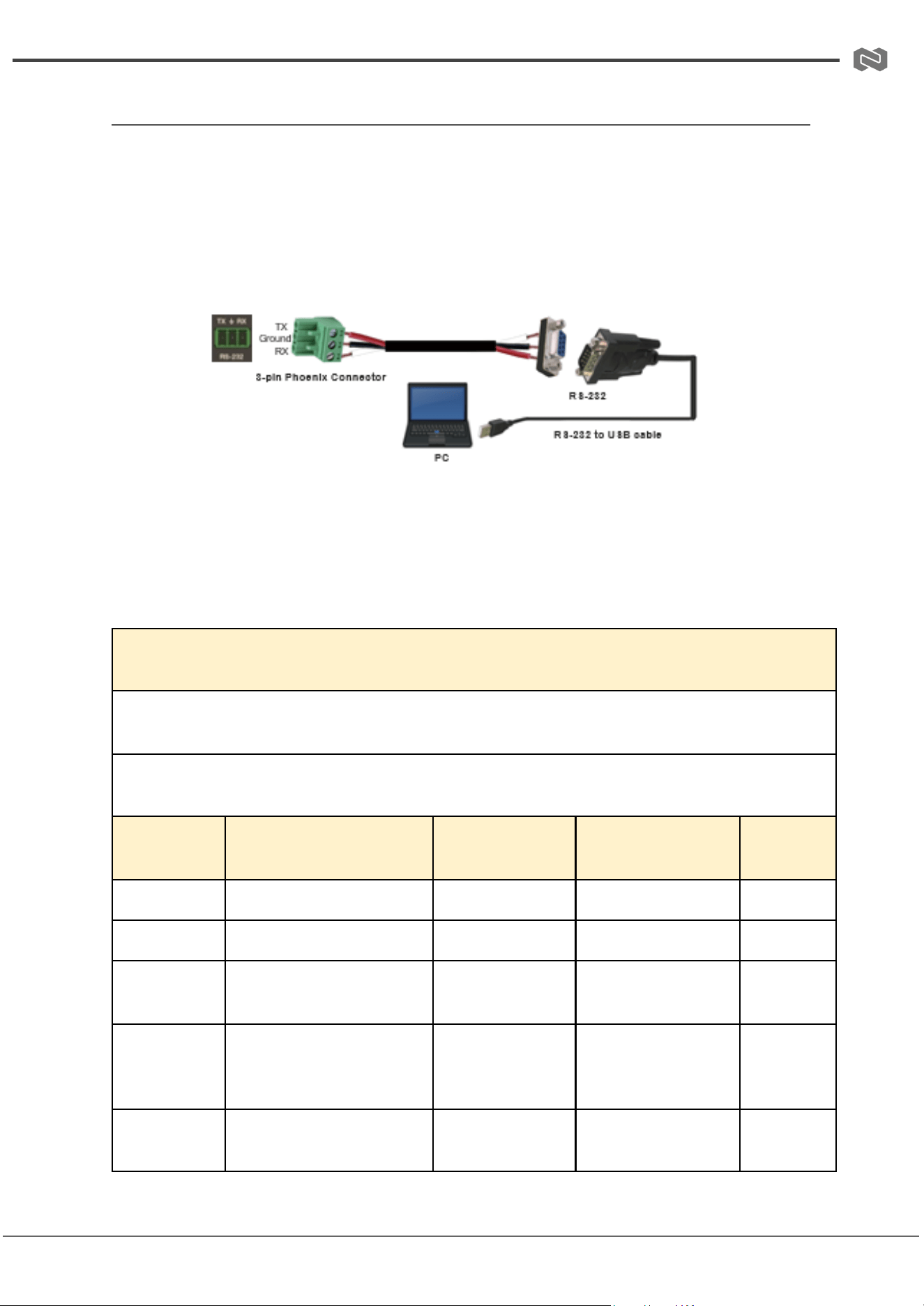
The BG-8K-KVM41A supports control via ASCII commands through the RS-232 port.
Follow these steps to connect and operate the device:
1. Connect the RS-232 port to a PC using:
○ A 3-pin Phoenix connector cable
○ An RS-232 to USB adapter cable
2. Launch a Serial Command Tool on the PC. This software will allow you to send
ASCII commands to the KVM switch.
Note: Make sure the RS-232 connection is secure, and the correct COM port is
selected in your Serial Command Tool before sending commands.
ASCII Commands
Baud rate: 115200 (default), Data bits: 8, Stop bits: 1, Check bit: 0
x = Parameter 1, z = Parameter 2, ! = Delimiter
Command
Code
Function Description
Example
Feedback
Default
Setting
help!
List all commands
help!
–
–
status!
Get device current status
status!
–
–
r type!
Get device model
r type!
4x1 kvm hdmi2.1
switcher
–
r fw version!
Get firmware version
r fw version!
mcu fw version:
vx.xx.xxkvm fw
version: vx.xx.xx
–
power z!
Power on/off the device
(z=0~1)
power 1!
power on / power
off
power on
Address: 830 National Drive #140, Sacramento, CA 95834, USA · Tel: +1(888)499-9906 · Email: support@bzbgear.com 13

BZBGEAR BG-8K-KVM41A PRODUCT MANUAL
r power!
Get current power state
r power!
power on
–
reboot!
Reboot the device
reboot!
reboot…
–
reset!
Reset to factory defaults
reset!
reset to factory
defaults
–
s output 1
stream x!
Set output 1 stream
enable/disable (x=0~1)
s output 1
stream 1!
output 1 stream:
enable / disable
output 1
stream:
enable
r output 1
stream!
Get output 1 stream
status
r output 1
stream!
output 1 stream:
enable / disable
–
s auto
switch x!
Enable/disable auto
switch (x=0~1)
s auto switch 1!
auto switch: enable
/ disable
auto
switch:
enable
r auto
switch!
Get auto switch feature
r auto switch!
auto switch: enable
/ disable
–
s output 1 in
source x!
Route input x to output 1
(x=1~4)1.input1 2.input2
3.input3 4.input4
s output 1 in
source 1!
output1->input1
–
r output 1 in
source x!
Get output 1 selected
input source
r output 1 in
source!
output1->input1
–
s beep z!
Enable/disable buzzer
(z=0~1)
s beep 1!
beep on / off
beep off
r beep!
Get buzzer state
r beep!
beep on / off
–
Address: 830 National Drive #140, Sacramento, CA 95834, USA · Tel: +1(888)499-9906 · Email: support@bzbgear.com 14
BZBGEAR BG-8K-KVM41A PRODUCT MANUAL
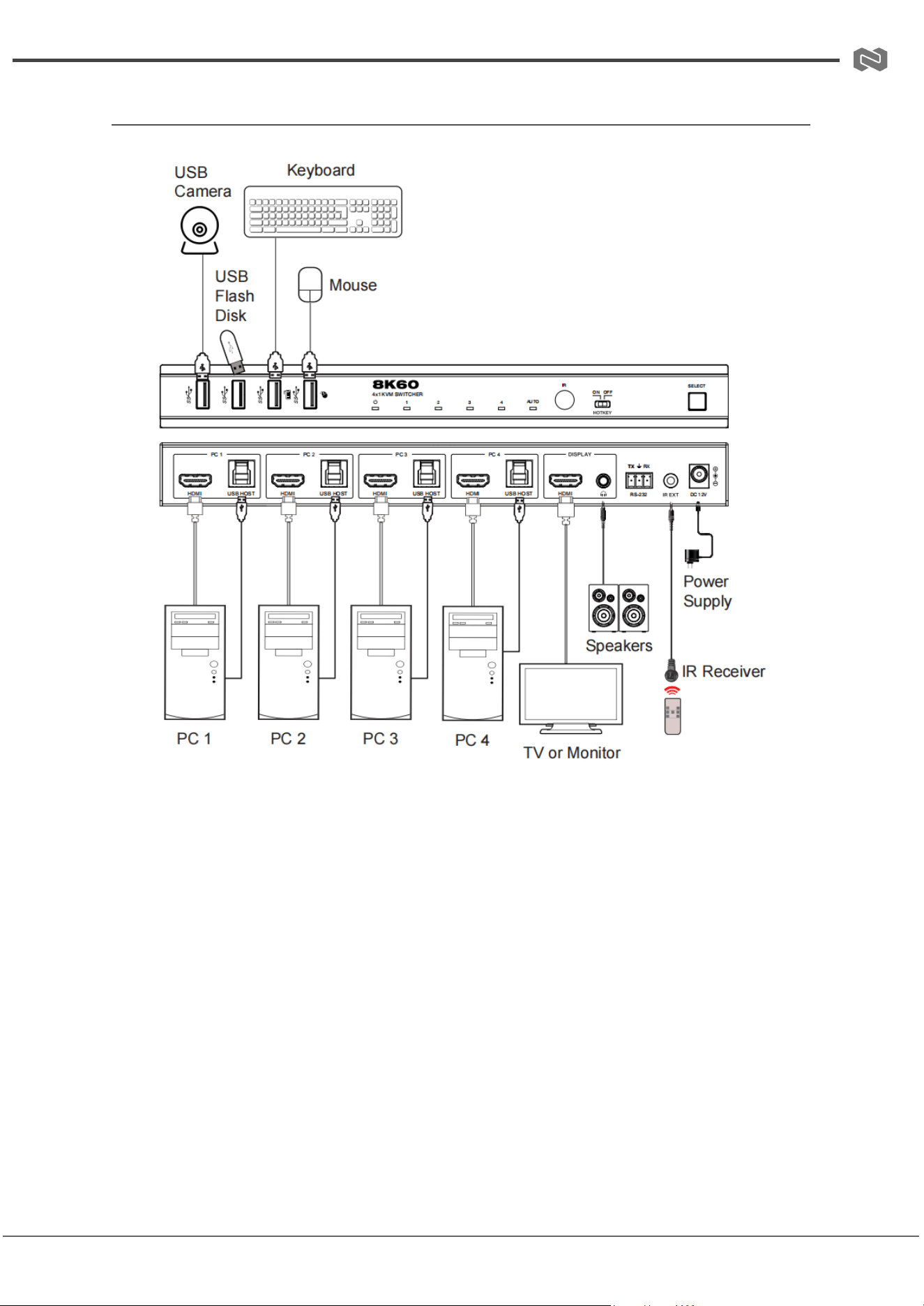
Connection Diagram
Address: 830 National Drive #140, Sacramento, CA 95834, USA · Tel: +1(888)499-9906 · Email: support@bzbgear.com 15
BZBGEAR BG-8K-KVM41A PRODUCT MANUAL
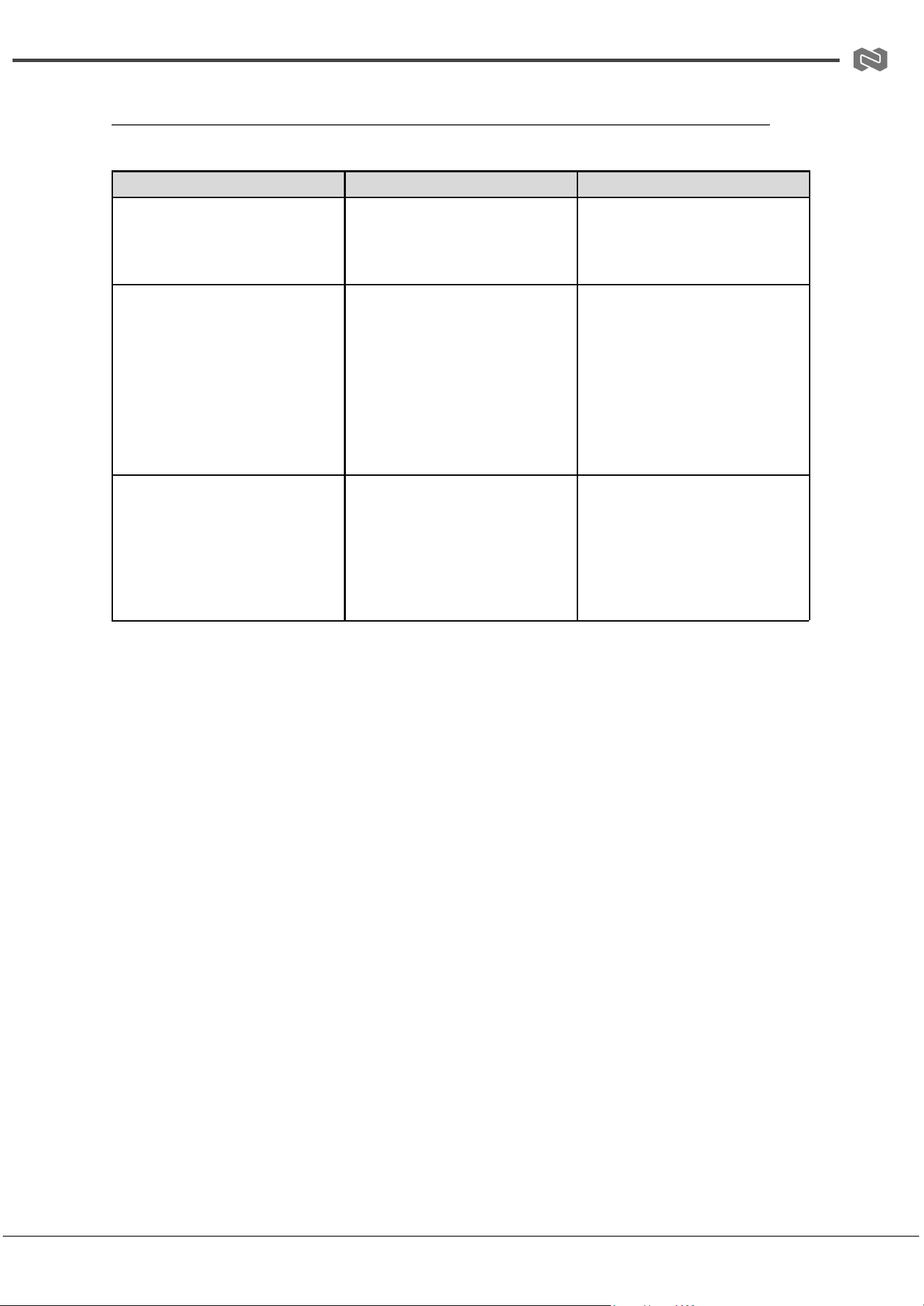
Troubleshooting
Problems
Causes
Solutions
No Power / All LED off
Power supply not connected,
connected fully, or wrong power
supply.
Check if the power supply is
connected correctly and the
output voltage value is within
recommended specifications.
No sound or sound issues
The HDMI connection is faulty,
the audio format is not
supported by the displays, or
the source player is set to
another port for audio output
Check if the HDMI cables are
connected correctly.
Check if the audio format is
supported by the display and
that a user has not changed the
supported audio format on the
player`s audio output. Ensure
output settings from the HDMI
source device as set correctly.
No picture or picture flickers
The HDMI cable may be faulty
or the category cable quality is
faulty.
Check if the HDMI
and category cable connections
are correct and undamaged.
Change to another good
working HDMI cable or category
cable (CAT6 or better cable is
recommended).
Address: 830 National Drive #140, Sacramento, CA 95834, USA · Tel: +1(888)499-9906 · Email: support@bzbgear.com 16

BZBGEAR BG-8K-KVM41A PRODUCT MANUAL
Tech Support
Have technical questions? We may have answered them already!
Please visit BZBGEAR’s support page (bzbgear.com/support) for helpful information and
tips regarding our products. Here you will find our Knowledge Base
(bzbgear.com/knowledge-base) with detailed tutorials, quick start guides, and step-by-step
troubleshooting instructions. Or explore our YouTube channel, BZB TV
(youtube.com/c/BZBTVchannel), for help setting up, configuring, and other helpful how-to
videos about our gear.
Need more in-depth support? Connect with one of our technical specialists directly:
Phone
1.888.499.9906
Email
support@bzbgear.com
Live Chat
bzbgear.com
Limited Product Warranty Terms
Pro Line: 5-year warranty from the date of purchase for AV/Broadcasting products bought
on or after August 1, 2024.
Essential Line: 3-year warranty from the date of purchase for AV/Broadcasting products
bought on or after August 1, 2024.
Cables: Lifetime Limited Product Warranty.
For complete warranty information, please visit bzbgear.com/warranty.
For questions, please call 1.888.499.9906 or email support@bzbgear.com.
Address: 830 National Drive #140, Sacramento, CA 95834, USA · Tel: +1(888)499-9906 · Email: support@bzbgear.com 17

BZBGEAR BG-8K-KVM41A PRODUCT MANUAL
Mission Statement
BZBGEAR is a breakthrough manufacturer of high-quality, innovative audiovisual equipment
ranging from AVoIP, professional broadcasting, conferencing, home theater, to live
streaming solutions. We pride ourselves on unparalleled customer support and services.
Our team offers system design consultation, and highly reviewed technical support for all
the products in our catalog. BZBGEAR delivers quality products designed with users in
mind.
Copyright
All the contents in this manual and its copyright are owned by BZBGEAR. No one is allowed
to imitate, copy, or translate this manual without BZBGEAR’s permission. This manual
contains no guarantee, standpoint expression or other implies in any form. Product
specification and information in this manual is for reference only and subject to change
without notice.
All rights reserved. No reproducing is allowed without acknowledgement.
Address: 830 National Drive #140, Sacramento, CA 95834, USA · Tel: +1(888)499-9906 · Email: support@bzbgear.com 18