Store this manual for future reference
1232-110-01
®
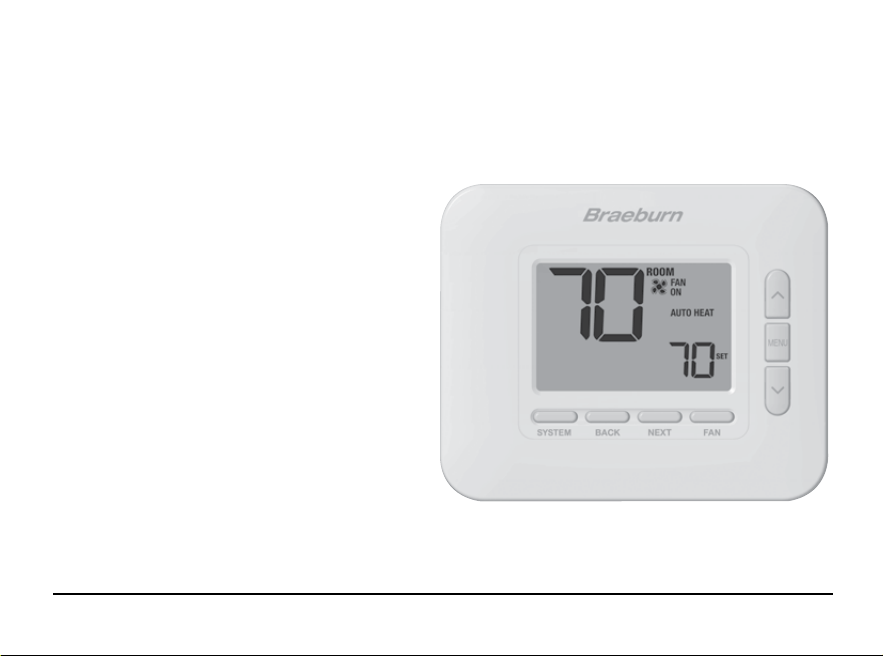
Non-Programmable Thermostat
User Manual
Read all instructions before proceeding.
Up to 3 Heat / 2 Cool Heat Pump
Up to 2 Heat / 2 Cool Conventional
1232
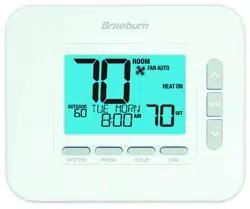
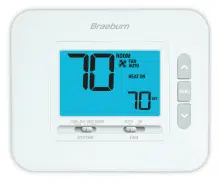
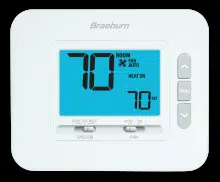
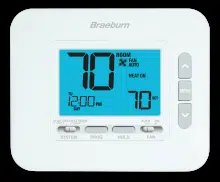
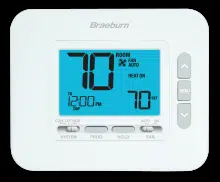
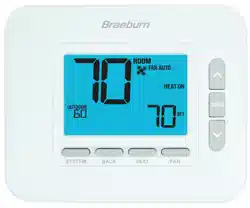
This manual covers the following thermostat model:
Economy
Series
Contents
1 About Your Thermostat
Quick Reference - Thermostat and Display ............... 4
2 User Settings
Accessing User Settings ........................................... 8
Table of User Settings ...............................................9
Resetting Filter Reminder .........................................9
Backlight Control ......................................................9
Filter Reminder .......................................................10
Temperature & Lock Code .......................................10
Resetting Thermostat ..............................................10
3 Operating Your Thermostat
Setting the System Control Mode ............................ 11
Setting the Fan Control Mode ..................................12
Temperature Adjustment .........................................13
System Status and Maintenance Indicators .............13
4 Additional Operation Features
Auto Changeover Mode ........................................ 17
Circulating Fan Mode ...........................................18
Compressor Protection .........................................18
Locking and Unlocking the Thermostat ................ 19
Indoor Remote Sensing ........................................ 20
Outdoor Remote Sensing ..................................... 20
5 Thermostat Maintenance
Battery Replacement ............................................21
Thermostat Cleaning ............................................21
User Manual 2

Congratulations! You are in control of one of the easiest-to-use thermostats on the market today.
This thermostat has been designed to provide you with years of reliable performance and comfort control.
Features
• Stylish new design with large display and bright blue backlight
• Extra large display characters make viewing settings even easier
• User selectable service monitor reminds you of required filter maintenance
• Multi-level keypad lockout prevents unauthorized use
• Precise temperature accuracy keeps you in control of your comfort
• Convenient circulating fan mode
• Optional indoor or outdoor remote sensing
3 User Manual
1
About Your Thermostat
User Manual 4
1
5
2 3 4
6
7
5 User Manual
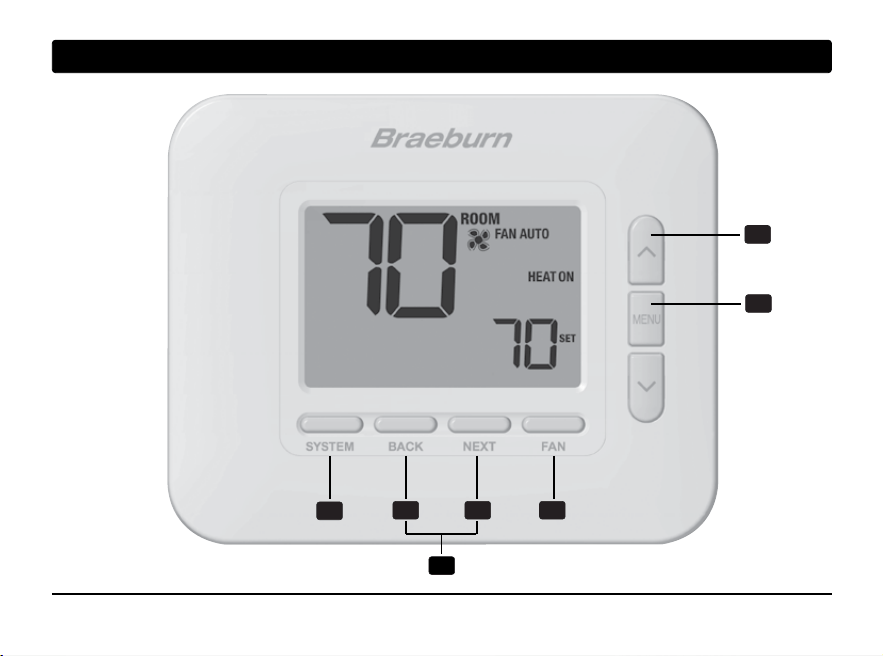
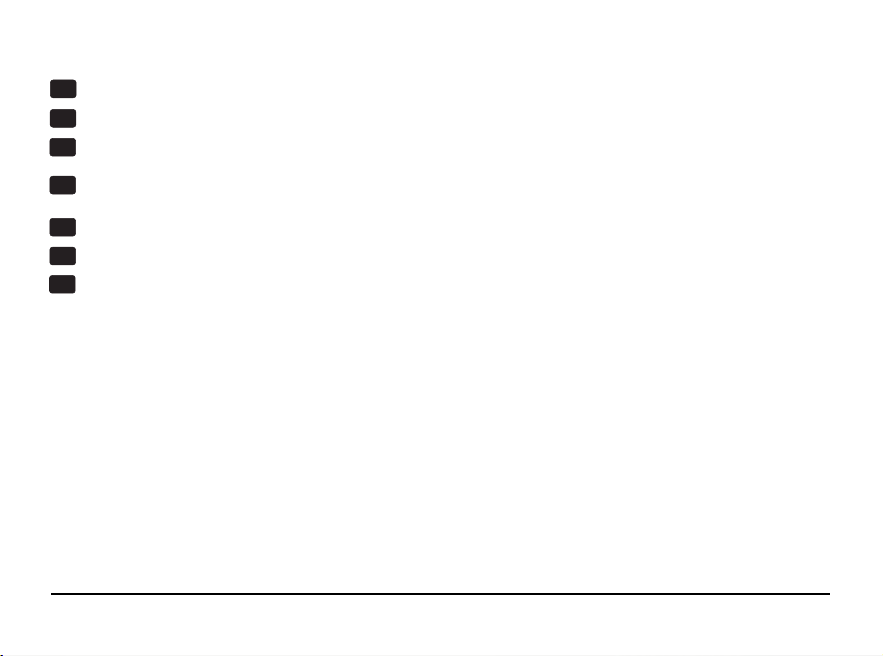
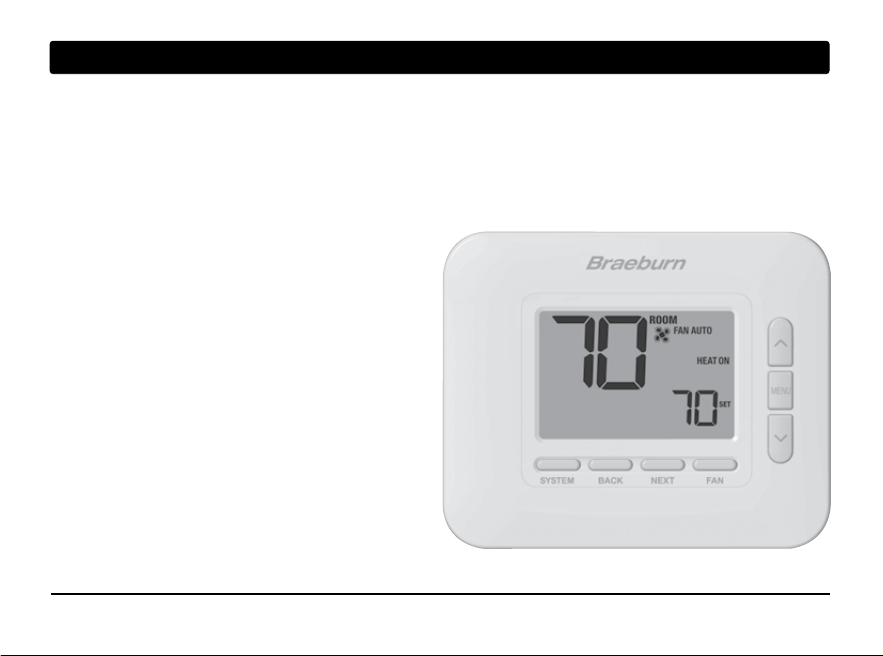
SYSTEM Button .................... Selects the system you want to control
BACK Button.......................... Moves to previous setting
NEXT Button .......................... Moves to next setting
FAN Button ............................ Selects the system fan mode
RETURN Button* .................... Secondary function of the FAN button - Exits program or settings modes
Up / Down Arrow Buttons ..... Increases or decreases settings (time, temperature, etc.)
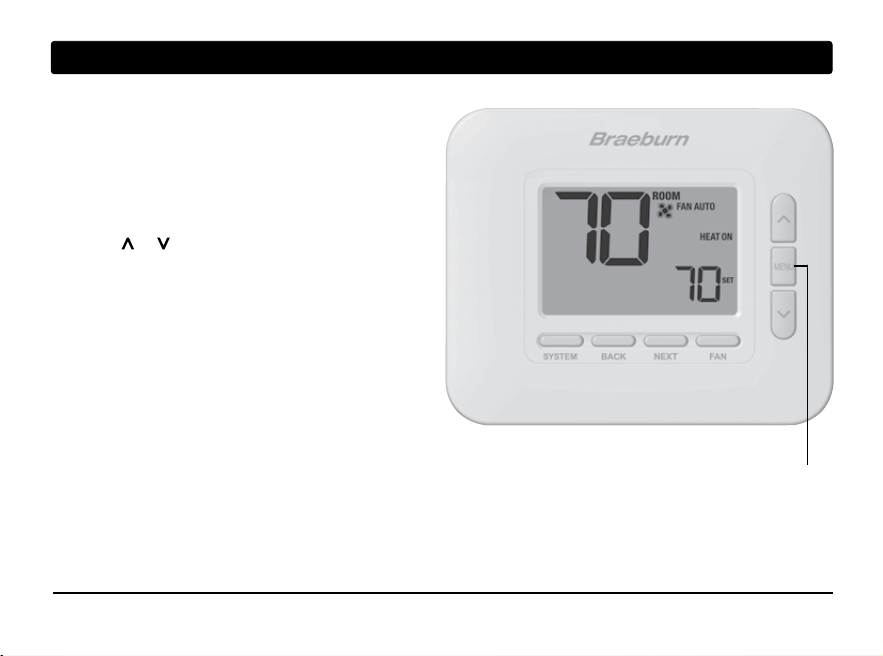
MENU Button ......................... Used to access user settings mode
Lock / Unlock Thermostat .... Access user Lock / Unlock screen by holding BACK and NEXT
together for 5 seconds
Battery Compartment .......... Located on the back side of thermostat (if installed)
1
2
3
4
5
6
7
Thermostat
* RETURN is a secondary function of the FAN button. When in
configuration mode, RETURN appears in the
display screen indicating that the FAN button now functions as RETURN.
User Manual 6
1
About Your Thermostat
1
3
2
5
7
6
4
8
9
7 User Manual
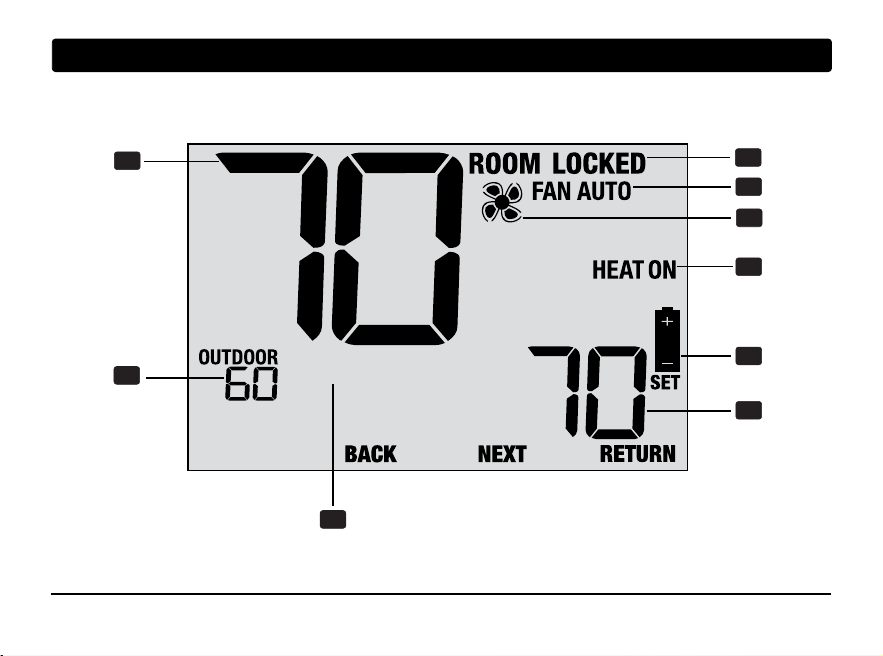
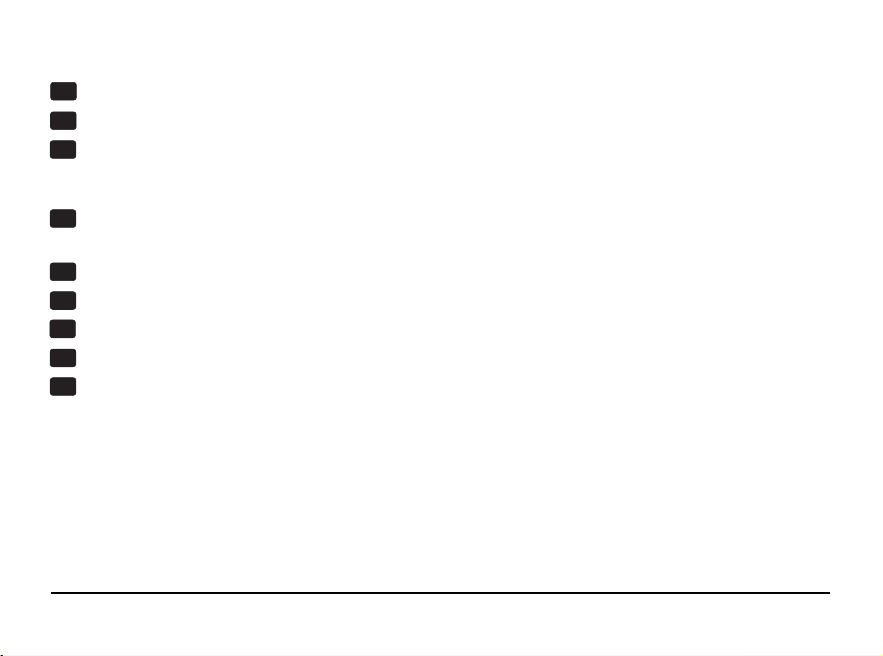
Room Temperature .............................Displays the current room temperature
Set Temperature .................................Displays the current setpoint temperature
Outdoor Temperature .......................... If a Braeburn
®
outdoor sensor is connected, the
outdoor temperature will be displayed
Message Center ................................... Displays various thermostat status and
maintenance information
System Mode ...................................... Displays the system mode and current system status
Fan Mode Indicator .............................. Indicates the current system fan mode
Fan Status Indicator ............................ Indicates that the system fan is running
Lock Mode Indicator ............................ Indicates if the thermostat is locked
Low Battery Indicator .......................... Indicates when the batteries need to be replaced
Thermostat Display
1
2
3
4
5
6
7
8
9
User Manual 8
2
User Settings
User Settings allow you to customize various
thermostat features.
To access the User Settings, press and release the
MENU button to display the first User Setting.
Press the or buttons to change the value for the
displayed User Setting. After your desired setting is
displayed, press NEXT to advance to the next
User Setting. You may also press BACK to
move backwards through the User Settings.
When your changes are complete, press
RETURN (FAN) to exit.
MENU
9 User Manual
Table of User Settings
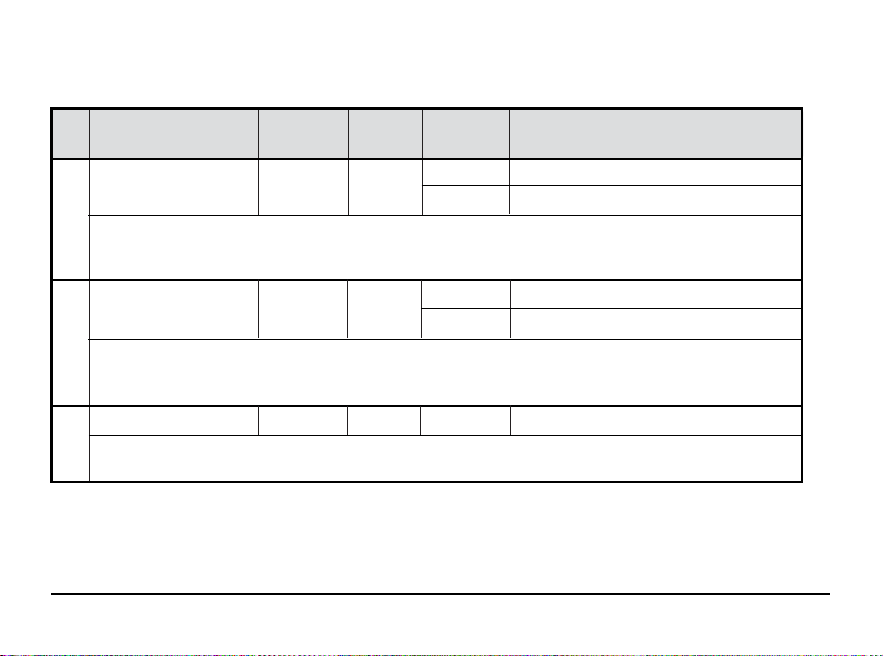
NOTE: Some user settings may not be available, depending on how the thermostat was configured during installation.
No.
User Setting
Displayed
Default
Available
Description of
Setting Settings Available Settings
1 Reset SERVICE RESET N0
FILTER Message FILTER
[Only appears if the service filter time interval has expired] If a service filter time interval was selected in setting 4,
the thermostat will display a SERVICE FILTER message once that time interval is reached. Select NO to keep the message
displayed or select YES to clear the message and reset the timer.
2 Constant Backlight BACKLITE AUTO
[Only available if thermostat is hardwired with a 24 VAC common (C) wire] Select AUTO (default) for backlight to
turn on only with the press of a button. Backlight will turn off automatically after approximately 10 seconds. Select ON
for backlight to remain on at all times.
3 Backlight Brightness
BACKLITE 3
[Only available if thermostat is hardwired with a 24 VAC common (C) wire] Select the level of backlight brightness
with 5 being the brightest.
N0 Select to keep message displayed
YES Select to remove message and reset timer
AUTO Backlight only turns on with button press
ON
Backlight is always on
1, 2, 3, 4, 5 Select the level of backlight brightness
User Manual 10
No.
User Setting
Displayed
Default
Available
Description of
Setting Settings Available Settings
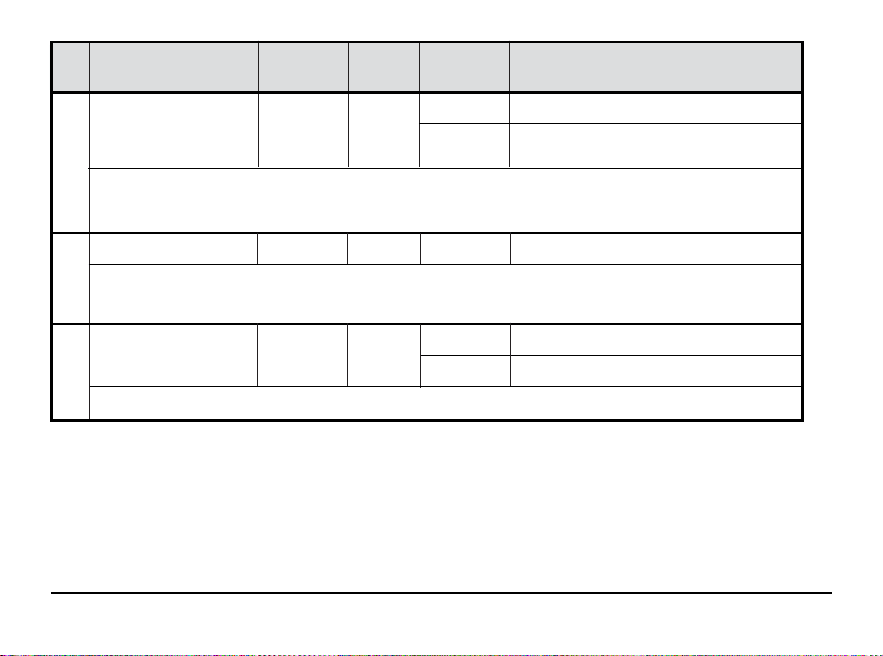
4 Service Filter Timer
FILTER OFF
[Not available on heat-only hydronic systems] Select the number of days before receiving a reminder to change your
system filter (if equipped). When the timer interval has expired, the thermostat will display the message SERVICE FILTER.
To reset this reminder, see setting 1. To disable, select OFF.
5 Thermostat Lock Code
SET LOCK 000
The Thermostat Lock Code sets a 3-digit code that you may use at any time to lock or unlock the thermostat keypad.
Setting the 3-digit code does not activate the lock feature. To lock or unlock the thermostat, see Locking/Unlocking
Thermostat, section 4. The lock code 000 cannot be used.
6 User Reset RESET NO
Selecting YES will reset all user settings. Thermostat lock code and Installer Settings will not be affected.
OFF Service filter timer is disabled
30, 60, 90,
Select number of days for service filter timer
120, 180, 365
0-9
Select a 3-digit lock code of 0-9 for each digit
NO Reset disabled - no changes made
YES
Reset enabled - resets thermostat
11 User Manual
3
Operating Your Thermostat
Setting the SYSTEM Control Mode
The System Control has 5 modes of operation – COOL, OFF, HEAT, AUTO and EMER. The mode can be selected
by pressing the SYSTEM button to scroll through the different system modes.
NOTE: Depending on how your thermostat was configured, some system modes may not be available.
COOL Only your cooling system will operate.
OFF Heating and cooling systems are off.
HEAT Only your heating system will operate
AUTO The system will cycle between heating and
cooling automatically based on your temperature
set points. AUTO will be displayed with either
HEAT or COOL.
EMERGENCY Operates a backup heat source
(Emergency Heat) for heat pump
systems only.
User Manual 12
Setting the FAN Control Mode
The Fan Control has 3 modes of operation – AUTO, ON and CIRC. The mode can be selected by pressing the
FAN button to scroll through the different fan modes.
NOTE: Depending on how your thermostat was configured, some fan modes may not be available.
AUTO The system fan will run only when your heating
or cooling system is running.
ON The system fan stays on.
CIRC The system fan will run from time to time to
help circulate air and provide more even
temperature when the heating or cooling
system is not active.
13 User Manual
Temperature Adjustment
Press or to adjust the current set temperature.
System Status and Maintenance Indicators
Status indicators are messages or symbols that appear in the
display to let you know what function your system
is currently
performing. They are also used to inform you of various service
and maintenance functions.
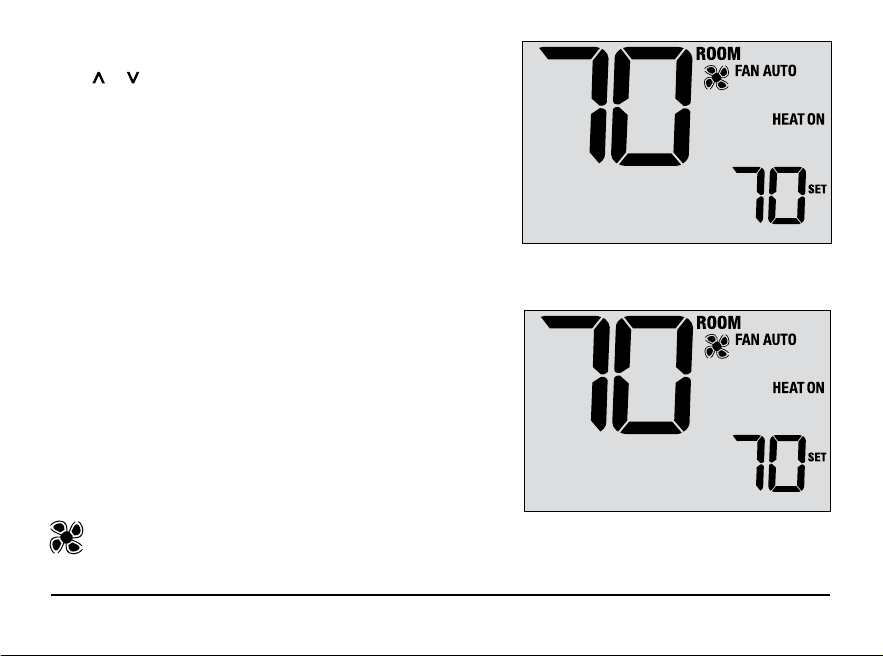
HEAT ON The heating system is running.
COOL ON The cooling system is running.
HEAT ON AUX The auxiliary stage of heating is running
(multistage systems only).
EMERGENCY
The emergency heating system is
HEAT ON running (heat pump systems only).
Indicates that the system fan is running.
User Manual 14
System Status and Maintenance Indicators (continued)
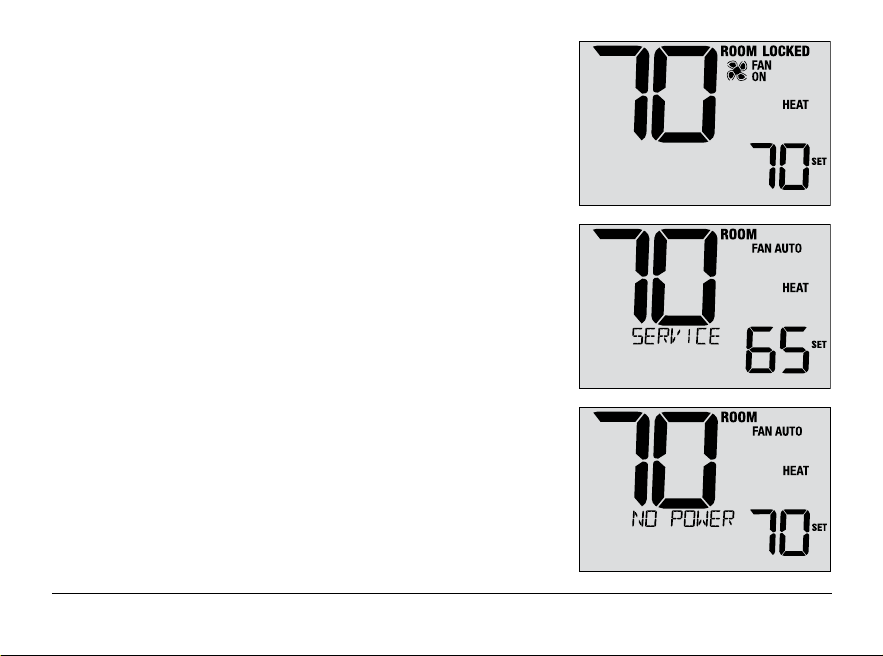
LOCKED Thermostat has been fully or partially locked.
See Locking and Unlocking thermostat, section 4.
SERVICE A user selectable service reminder for changing
the filter has been triggered. To set or reset these
reminders, see User Options, section 2.
NO POWER AC power to thermostat has been lost. Only available
if thermostat is hardwired and thermostat is configured
for power monitoring.
15 User Manual
System Status and Maintenance Indicators (continued)
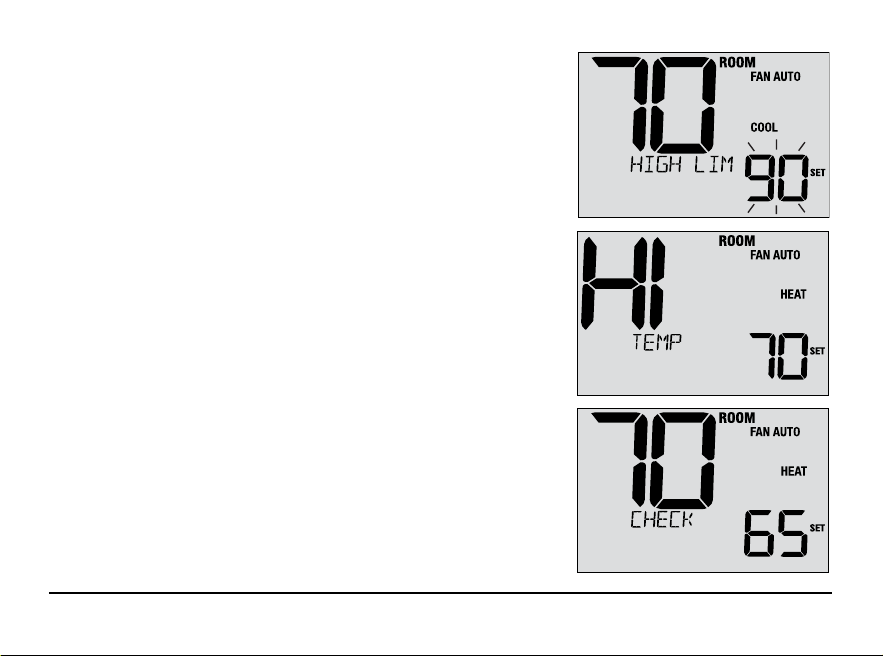
HIGH LIM Setpoint temperature has reached its
upper limit maximum.
LOW LIM Setpoint temperature has reached its
lower limit maximum.
HI TEMP Room temperature has risen above the
display range. Cooling will still operate to
help lower temperature.
LO TEMP Room temperature has fallen below the
display range. Heat will still operate to help
raise temperature.
CHECK Indicates that there is a potential problem with
SYSTEM your system. Contact a local service technician.
Display will alternate between CHECK / SYSTEM.
System Status and Maintenance Indicators (continued)
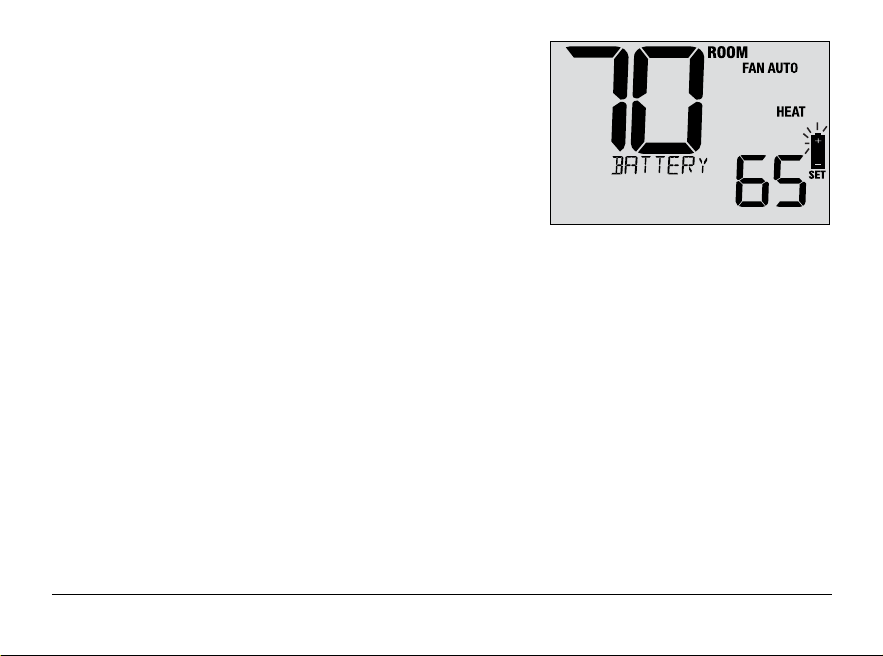
CHANGE If batteries are installed and they become
BATTERY low, the battery symbol appears in the display.
When the batteries become critically low, the
battery symbol will flash, and CHANGE / BATTERY
will alternate in the display (see “Changing the
Batteries” in section 5).
User Manual 16
17 User Manual
4
Additional Operating Features
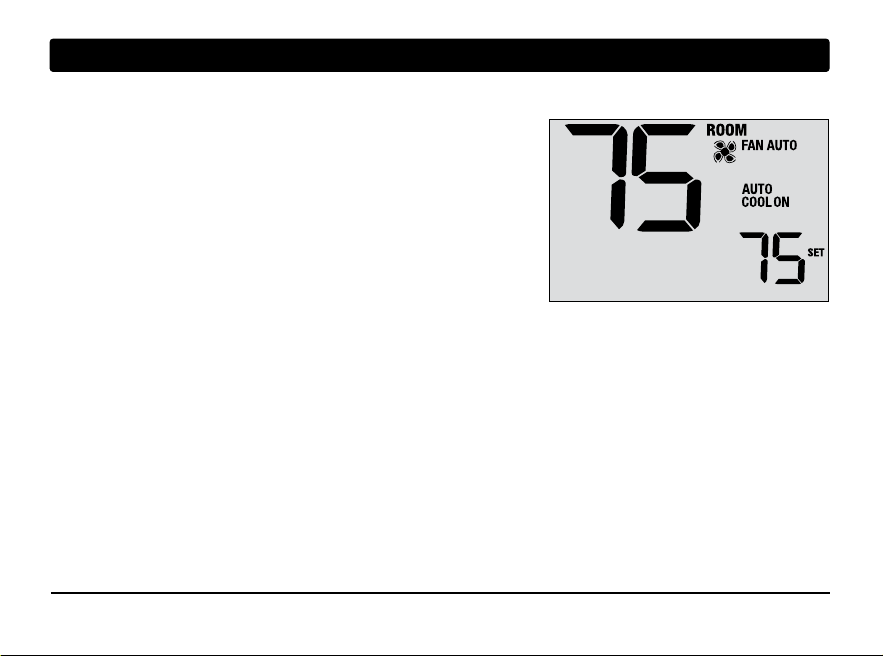
Auto Changeover Mode
When Auto Changeover mode is enabled and selected, the system
automatically switches between heating and cooling when the
room temperature meets the current heating or cooling set points.
To operate properly, the thermostat maintains a forced separation
between the heating and cooling setpoints to prevent these systems
from working against each other. If a setting is made in either
heating or cooling which violates the forced separation, the opposite
mode will adjust up or down accordingly to maintain the current
forced separation.
Select Auto Changeover Mode by pressing the SYSTEM button until AUTO HEAT or AUTO COOL appears in the
display. Whichever system was running last will remain in the display until the opposite system runs.
Circulating Fan Mode
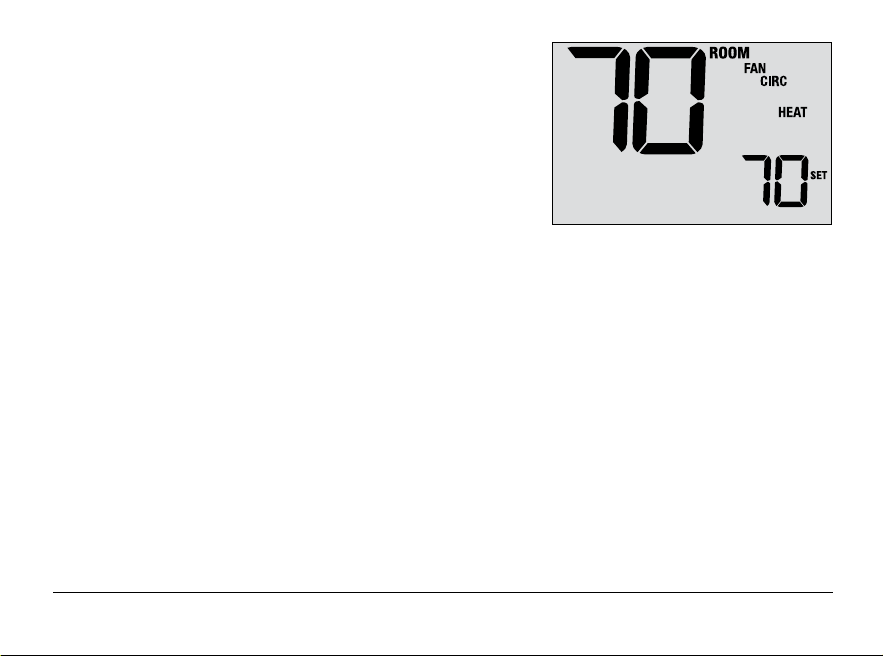
Circulating Fan Mode is selected by touching the FAN button until
CIRC appears in the display. When in CIRC mode the fan operates
as required by the heating and cooling system (just like AUTO mode).
When heating or cooling is not active, fan will run as needed to
ensure a 35% minimum run time.
Compressor Protection
This thermostat includes an automatic compressor protection delay to avoid potential damage to your system
from short cycling. This feature activates a short delay after turning off the system compressor.
Additionally, for multistage heat pump systems, this thermostat provides cold weather compressor protection by
locking out the compressor stage(s) of heating for a period of time after a power outage greater than 60 minutes.
During this lockout period, the thermostat will operate the auxiliary stage of heating.
User Manual 18
19 User Manual
Locking and Unlocking the Thermostat
Your 3-digit Lock Code is set in the User Settings portion of this
manual (section 2). Once the code is set, the thermostat can be
locked or unlocked at any time by entering that code.
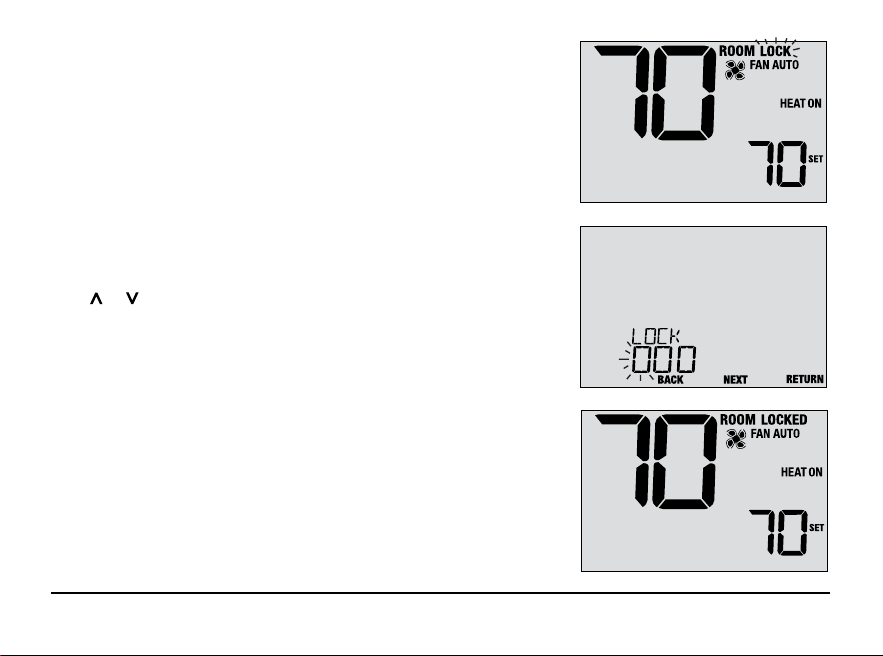
To lock or unlock the thermostat, press and hold the BACK and
NEXT buttons together for 5 seconds. While holding these buttons,
LOCK will flash in the display (Figure 1).
The screen will change displaying LOCK CODE 000 (Figure 2).
Press or to enter the first digit of your lock code and then
press the NEXT button to advance to the next digit. Repeat this
process to enter the second and third digit of your lock code.
After entering the third digit, press NEXT to advance to the next
User Setting or RETURN to exit.
If you entered a valid code, the thermostat will be locked or
unlocked (depending on its previous state). When locked, the
word LOCKED appears in the display (Figure 3). If an invalid code
is entered, WRONG CODE will briefly appear in the display.
Figure 1
Figure 2
Figure 3
Outdoor
Remote Sensing
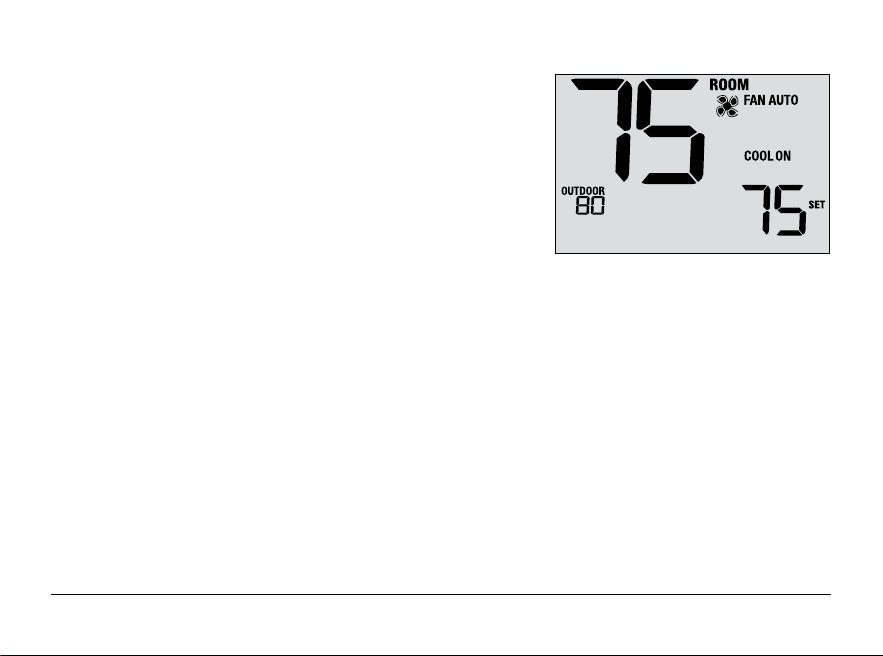
Outdoor remote sensing is achieved by installing a Braeburn
®
remote outdoor sensor (model 5490).
When properly connected, the current outdoor temperature can be
viewed in the left side of the display. An outdoor sensor can also
used in certain Heat Pump applications for heating and
cooling balance points.
Indoor
Remote Sensing
Indoor remote sensing is achieved by installing a Braeburn
remote indoor sensor (model 5390).
If
a Braeburn indoor remote sensor was installed and properly
configured, the thermostat will sense temperature at a remote
location or an average of a remote location and the
thermostat location.
User Manual 20
21 User Manual
5
Thermostat Maintenance
Changing the Batteries
Depending on your installation, this thermostat may be equipped with
two (2) “AA” type alkaline batteries.
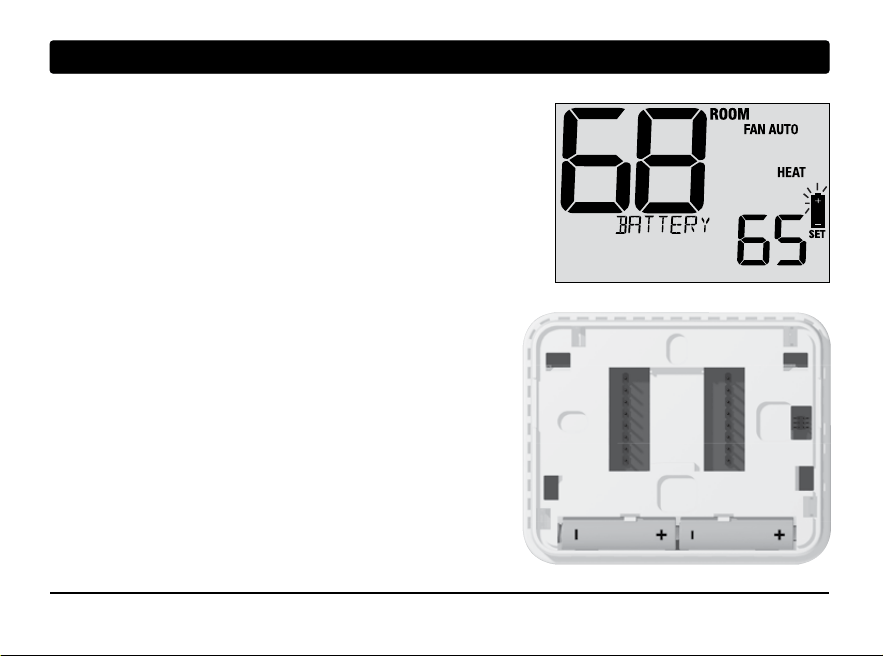
If batteries are installed and they become low, the battery symbol
appears in the display. When the batteries become critically low,
the battery symbol will flash, and CHANGE / BATTERY will alternate
in the display.
To change your batteries:
1. Remove thermostat body by gently pulling it from base.
2. Remove old batteries and replace with new batteries.
3. Make sure to correctly position the (+) and (-) symbols.
4. Gently push thermostat body back onto base.
NOTE: We recommend replacing the thermostat batteries
annually or if the thermostat will be unattended for
an extended period of time.
Thermostat Cleaning
Never spray any liquid directly on the thermostat. Spray
your
cleaning liquid on a soft cloth and then proceed to
clean the screen
with the damp cloth. Only use water or
household glass cleaner. Never use any abrasive cleansers
to clean your thermostat.


For more information, visit www.braeburnonline.com
Limited Warranty
When installed by a professional contractor, this product is backed by a 5 year limited warranty. Limitations apply. For limitations, terms
and conditions, you may obtain a full copy of this warranty. Visit us online: www.braeburnonline.com/warranty, phone us: 866.268.5599
or write us: Braeburn Systems LLC, 2215 Cornell Avenue, Montgomery, IL 60538.
55
YEAR
WARRANTY
LIMITED

Braeburn Systems LLC
2215 Cornell Avenue • Montgomery, IL 60538
Technical Assistance: www.braeburnonline.com
Call us toll-free: 866-268-5599 (U.S.)
630-844-1968 (Outside the U.S.)
©2025 Braeburn Systems LLC • All Rights Reserved.
1232-110-01