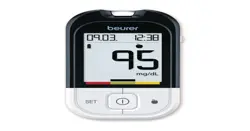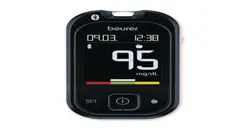
GL 49
ENshort instruction
GL 49 / LD 04
Beurer GmbH
•
Söflinger Straße 218
•
89077 Ulm, Germany
•
www.beurer.com
www.beurer-gesundheitsratgeber.com
•
www.beurer-healthguide.com
Lancet needles / Lanzetten / lancettes / lancetas / lancette:
SteriLance Medical (Suzhou) Inc., No.168 PuTuoShan Road
New District, 215153 Suzhou, Jiangsu
PEOPLE’S REPUBLIC OF CHINA
Emergo Europe B.V.
Westervoortsedijk 60, 6827 AT Arnhem
The Netherlands
2
Warnings and safety notes
Before first use
Always read the full instructions for use before taking your first blood glucose measurement. Check the
measuring unit in accordance with the instructions for use.
Risk of infection
The monitor and accessories may come into contact with human blood and are therefore a possible
source of infections.
• Never use a monitor, lancing device or accessories together with other people.
• When using the measurement system on dierent people, please observe the general hygiene
regulations.
• Use a new, sterile lancet needle for taking each blood sample.
• Prior to taking the blood sample, wash your hands with warm water and soap, and then dry them.

3
• Download the free “ beurer HealthManager Pro” app from the Apple App Store or Google
Play.
• Activate Bluetooth
®
in your smartphone’s settings.
• Start the app.
• Select GL 49 in the app and follow the instructions.
• When connecting for the first time, a six-digit PIN code will be displayed on the device. Enter the PIN code
on the smartphone. After successfully entering the code, the device will be connected to the smartphone.
List of system requirements and compatible
devices
Transfer measured values using Bluetooth
®
4
Preparing the monitor and lancing device
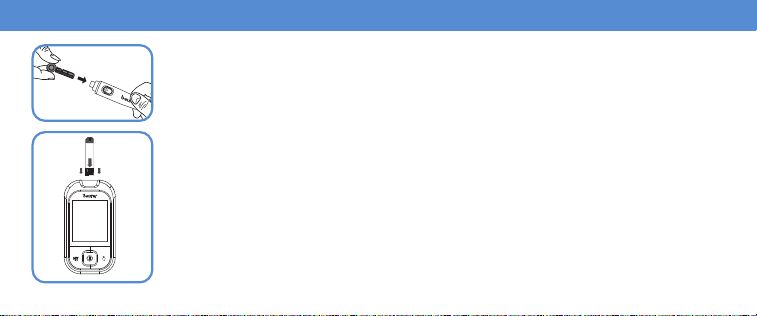
Inserting the test strip
Insert the test strip into the monitor with the electrode first.
The start screen is shown for a short moment. Then wait briefly until the flashing blood
droplet symbol can be seen on the display.
Inserting the lancet needle
Turn o cap from the lancing device. Insert lancet needle in the lancing device.
Hold the shaft of the lancet needle and remove protective disc by turning. Retain the
protective disc. Reapply the cap to the lancing device. Turn the moving upper part of
the cap until the desired penetration depth is displayed. Pull the tensioning device back
until it engages.
5
Taking a blood sample
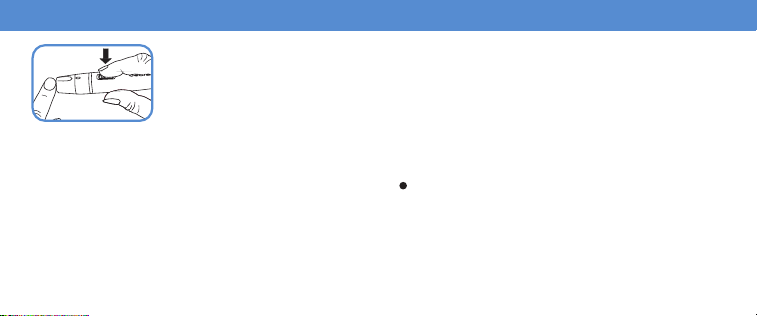
Pricking your finger
Firmly position the lancing device slightly to the side of the centre of the fingertip. Press
the trigger.
The blood sample taken must:
• be in droplet form and must not be smeared
• be at least 1.2 mm (original size
).
5
6
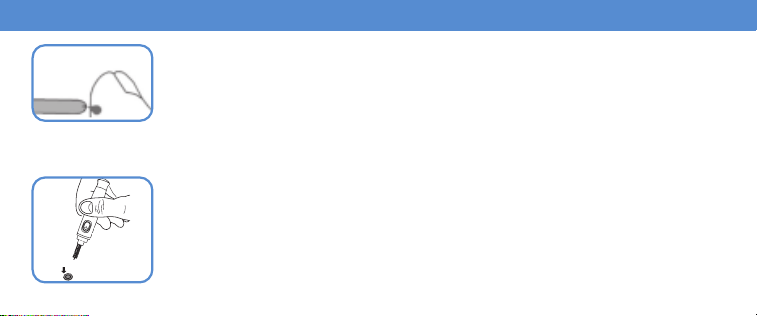
Applying blood to the test strip
Hold the blood sample gap on the test strip against the drop of blood until the gap is
completely filled and the display of the monitor starts counting backwards. Wait for ap
-
prox. 5 seconds until the measured blood glucose value is shown on the display.
Normal value: 2 hours after a meal: 70 – 140 mg/dL (3.9 – 7.8 mmol/L)
On an empty stomach: 70 – 100 mg/dL (3.9 – 5.6 mmol/L)
Disposing of the lancet needle
Remove the cap. Place the retained protective disc on a surface and stick the tip of the
needle into it.
Use the sliding switch on the side. This causes the lancet to drop out of the holder.
Properly dispose of the test strip and lancet. Reapply the cap.
7
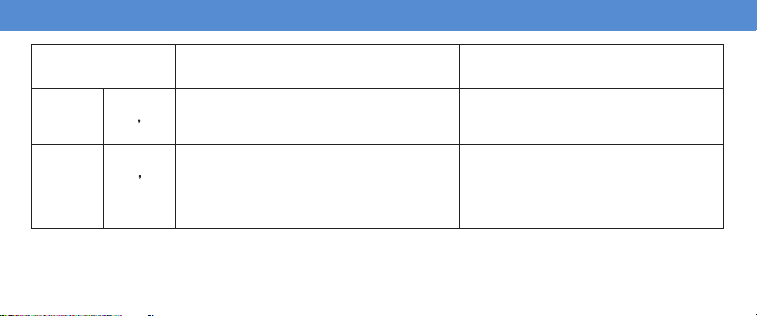
Evaluating critical measured values
Lo
Very low blood glucose level
< 20 mg/dL (< 1.1 mmol/L)
Seek medical attention immediately.
65
mg/dL
3
6
mmol/L
Low blood glucose level
< 70 mg/dL (< 3.9 mmol/L)
Have a snack.
Follow your doctor’s instructions.
150
mg/dL
8
3
mmol/L
High blood glucose level
On an empty stomach > 100 mg/dL
(> 5.6 mmol/L)
2 hours after a meal > 140 mg/dL
(> 7.8 mmol/L)
Seek medical attention.
8
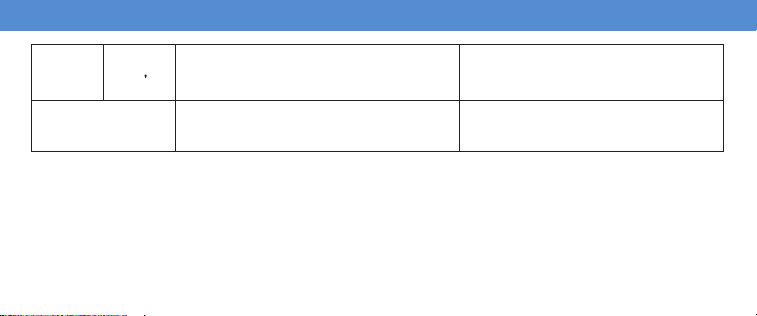
300
mg/dL
16
7
mmol/L
High blood glucose level, possibly
ketones
> 240 mg/dL (> 13.3 mmol/L)
Ketone test recommended.
Consult your doctor.
H i
Very high blood glucose level
> 630 mg/dL (> 35.0 mmol/L)
Take another measurement using a
new test strip. If the result is identical,
seek medical attention immediately.
The Bluetooth
®
word mark and logos are registered trademarks owned by Bluetooth SIG,Inc. and any use of such marks by Beurer GmbH is
under license. Other trademarks and trade names are those of their respective owners.
Apple and the Apple logo are trademarks of Apple Inc., registered in the U.S. and other countries. App Store is a service mark of Apple Inc.,
registered in the U.S. and other countries.
Google Play and the Google Play logo are trademarks of Google LLC.
Android is a trademark of Google LLC.
GL49_2024-06-28_05_QSG_BEU_EN Subject to errors and changes