
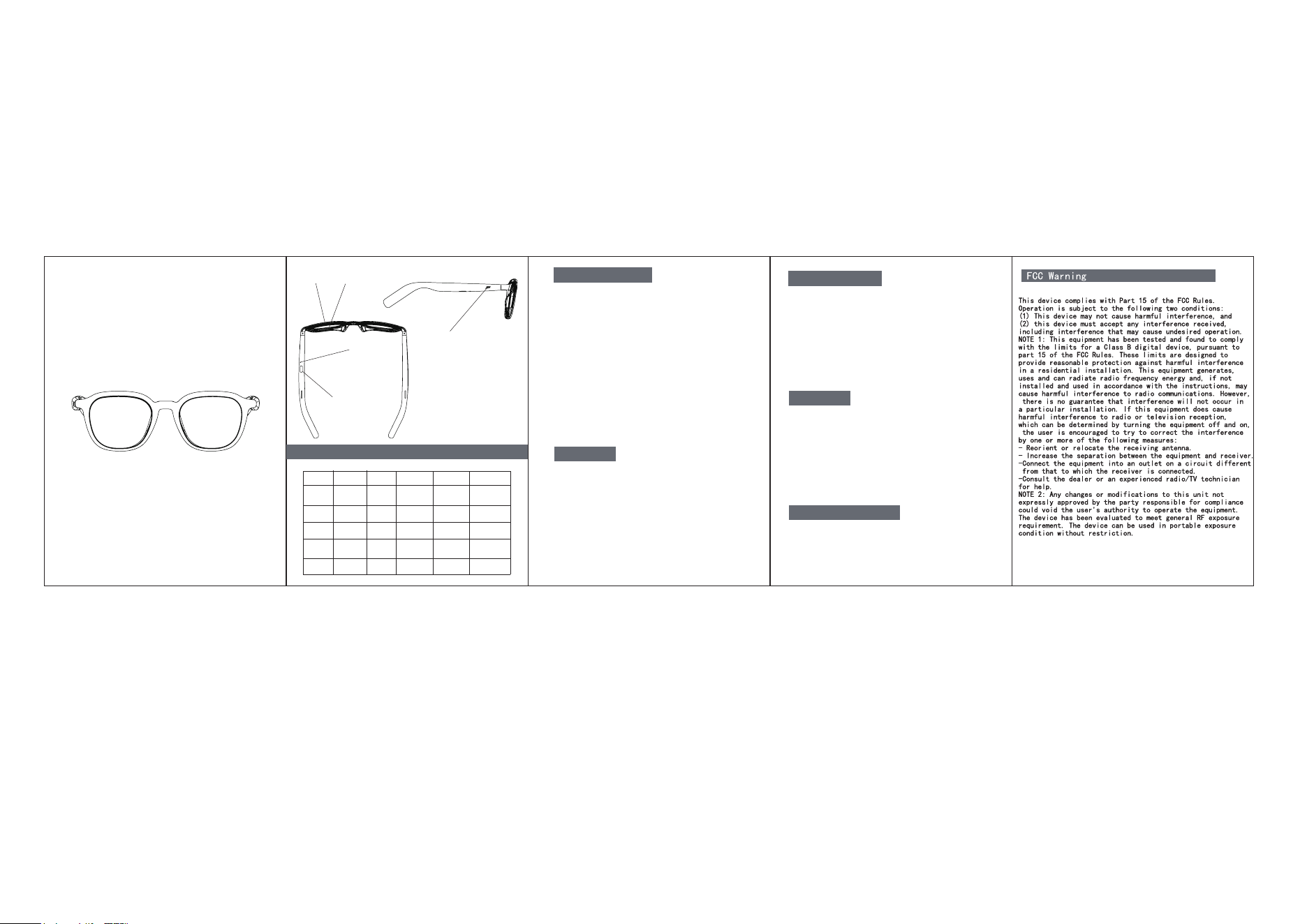
Touch
multifunction keys
lens
Indicator
light
Current
Status
Frame
YX04
Smart Glasses
5S/Po wer off
2S/Power on
2S
Wake up Siri
Magnetic
charging port
Model: YX04
Bluetooth version: V6.0
Transmission frequency: 2.402G-2.480G
Connection distance: 10M
Supported protocols: HFP, A2DP, AVRCP, AVDTP
Music playback time: 6-7H
Standby time: about120H
Battery capacity: 3.7V 100mAh
Charging input: 5V 500mA
Charging time: 1-2H
Working environment: -10-50℃
1. Charging glasses:
Charge glasses with Type C charging cable
During charging, the red LED is always on
The red light goes off after charging is completed
2. Power reminder:
When the power is lower than 10%, the red light flashes
Please recharge your glasses in time.
Charging
Power-on pairing
Shut down
Automatic connect back
1. Press and hold the multi-function button for about 2 seconds
to turn on the glasses.The red and blue lights flash alternately
when turning on.
2. After turning on, it automatically enters pairing mode, turn on
the Bluetooth of the mobile phone, search for the Bluetooth
device YX04, and click to connect.After the connection is
successful, the blue light flashes once every 5 seconds.
1. Manual shutdown:Press and hold the multi-function key
5 seconds and turn off the glasses. The red light flashes
3 times when shutting down.
2. Automatic shutdown: If the glasses are turned on without
bluetooth pairing, they will automatically shut down after
5 minutes; if the bluetooth connection is disconnected for
5 minutes, the glasses will automatically shut down.
When you use it again, the glasses will automatically
connect to the device after turning on.
USER MANUAL
Click
Double-Click
Three Clicks
Five Clicks
Long Press
2S
Call rejection
2S
Wake up Siri
Power on/
Power off
Music mode
Call mode
Power-on
to connect
Connection
successful
Technical specifications
Multifunction button definition
Reset
Previous track
Next track
Play/Pause
Answer/Hang up