APP
soundcore
Apple and the Apple logo are trademarks of
Apple Inc.
Google Play and the Google Play
logo are
trademarks of Google Inc.
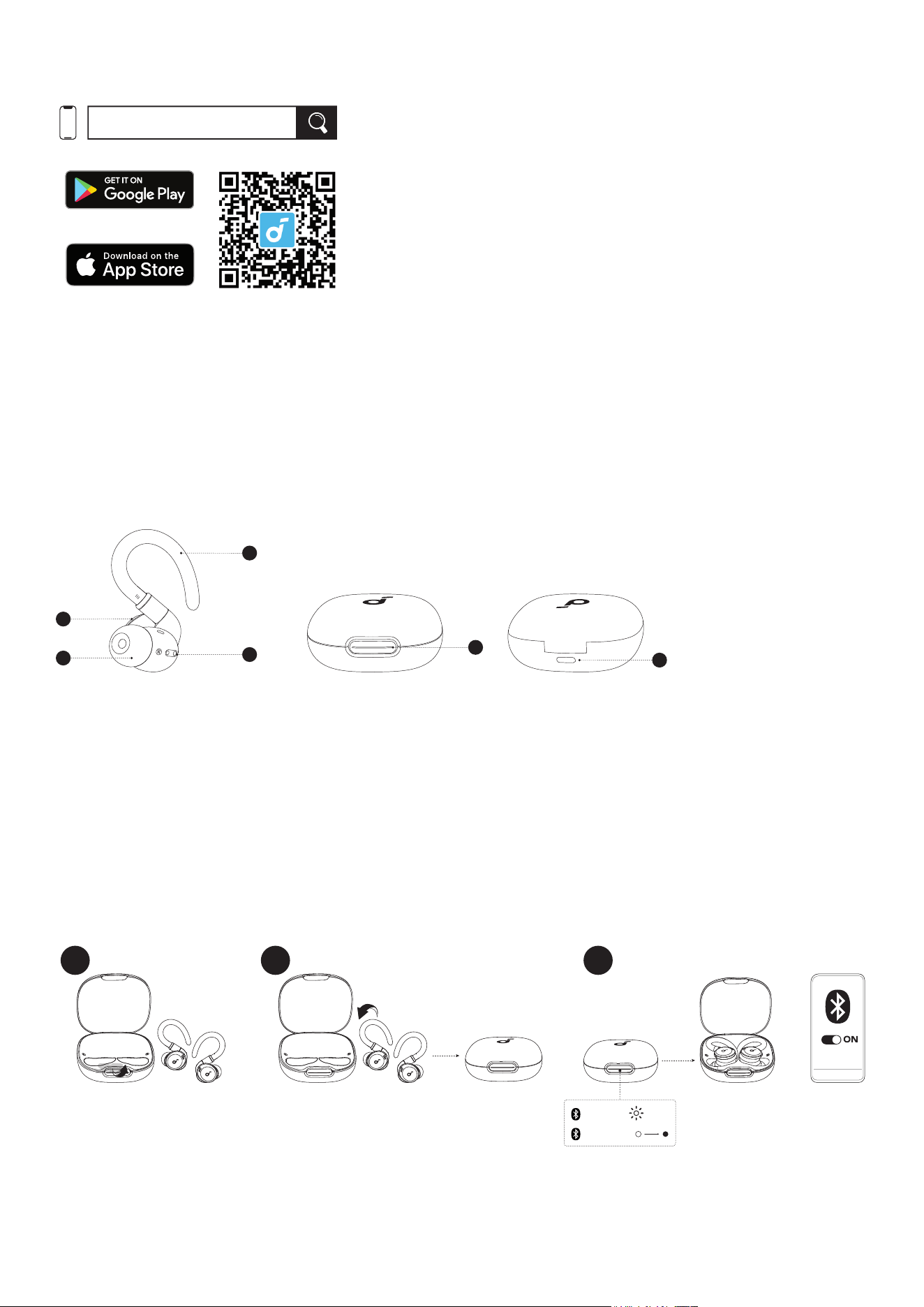
Download the soundcore app to experience adaptive noise cancelling, HearID sound, custom EQ, firmware update,
and more exciting features.
If your earbuds cannot connect with the soundcore app, re-install the app or update it to the latest version in your
mobile app store.
Click this link to download: http://dl-soundcore.soundcore.com/qcdl?flow=soundcore
OVERVIEW
1
2
5
6
4
3
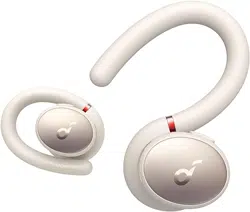
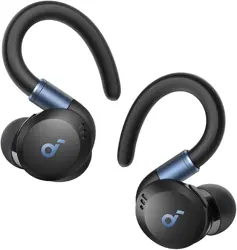
1. Adjustable & Rotatable Earhook
2. Charging Contactors
3. Eartip
4. Multi-function Button
5. Charging Case Button
6. USB-C Charging Port
PAIRING
1 2 3
soundcore
Sport X20
PAIRING
CONNECTED
2s
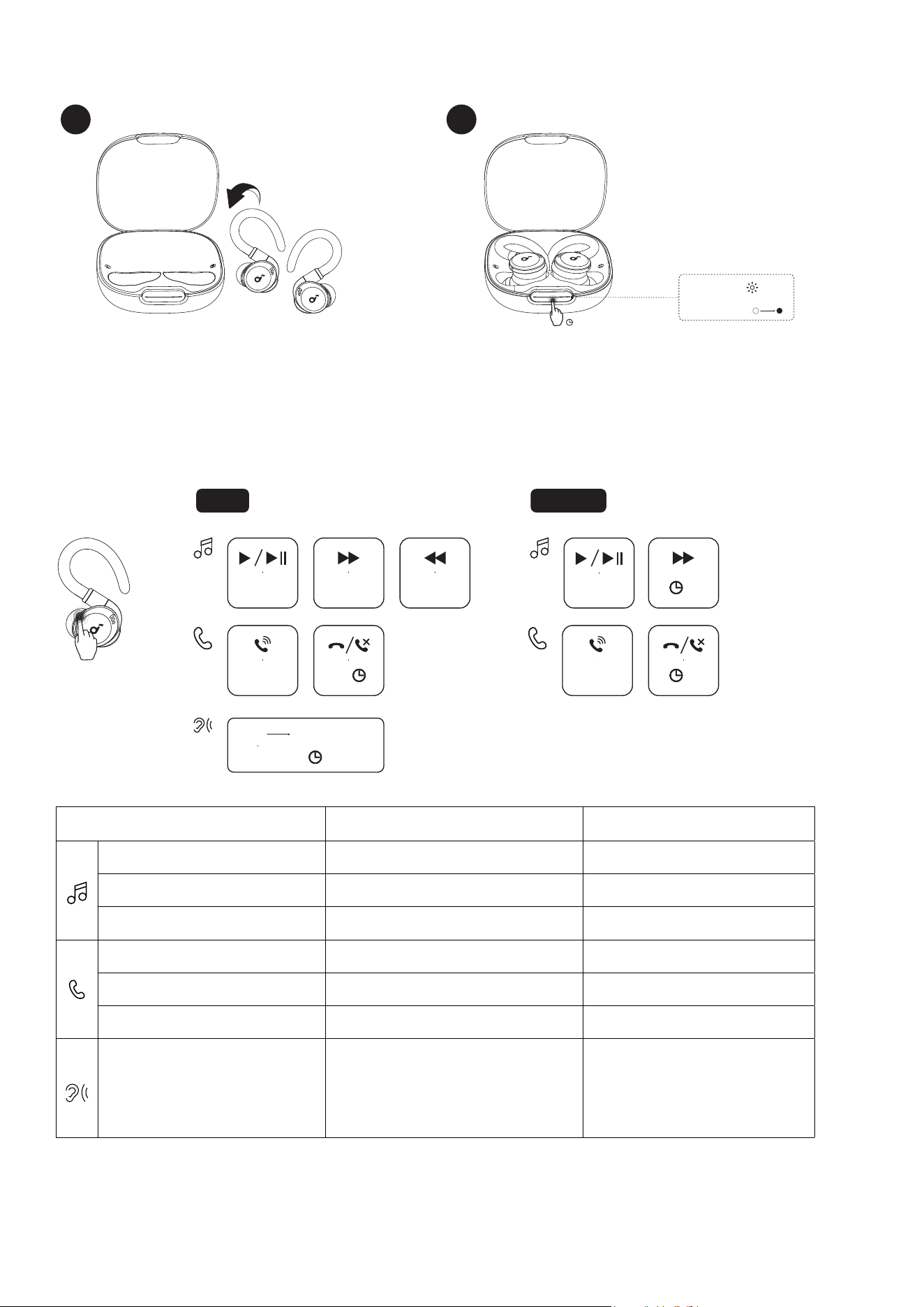
After removing the insulation stickers on the earbuds, return earbuds to the charging case, then activate Bluetooth
pairing by closing and reopening the case lid. Subsequently, the earbuds will automatically power on and enter
Bluetooth pairing mode. Select "soundcore Sport X20" from your device's Bluetooth list when connecting for the
first time.
• When pairing, the LED light strip will start flashing white. After the pairing is successful, the LED light strip will stay
on for 2 seconds and then go off.
* When taken out, the earbuds will automatically power off after 30 minutes if they are not connected. The duration
can be set in the soundcore app.
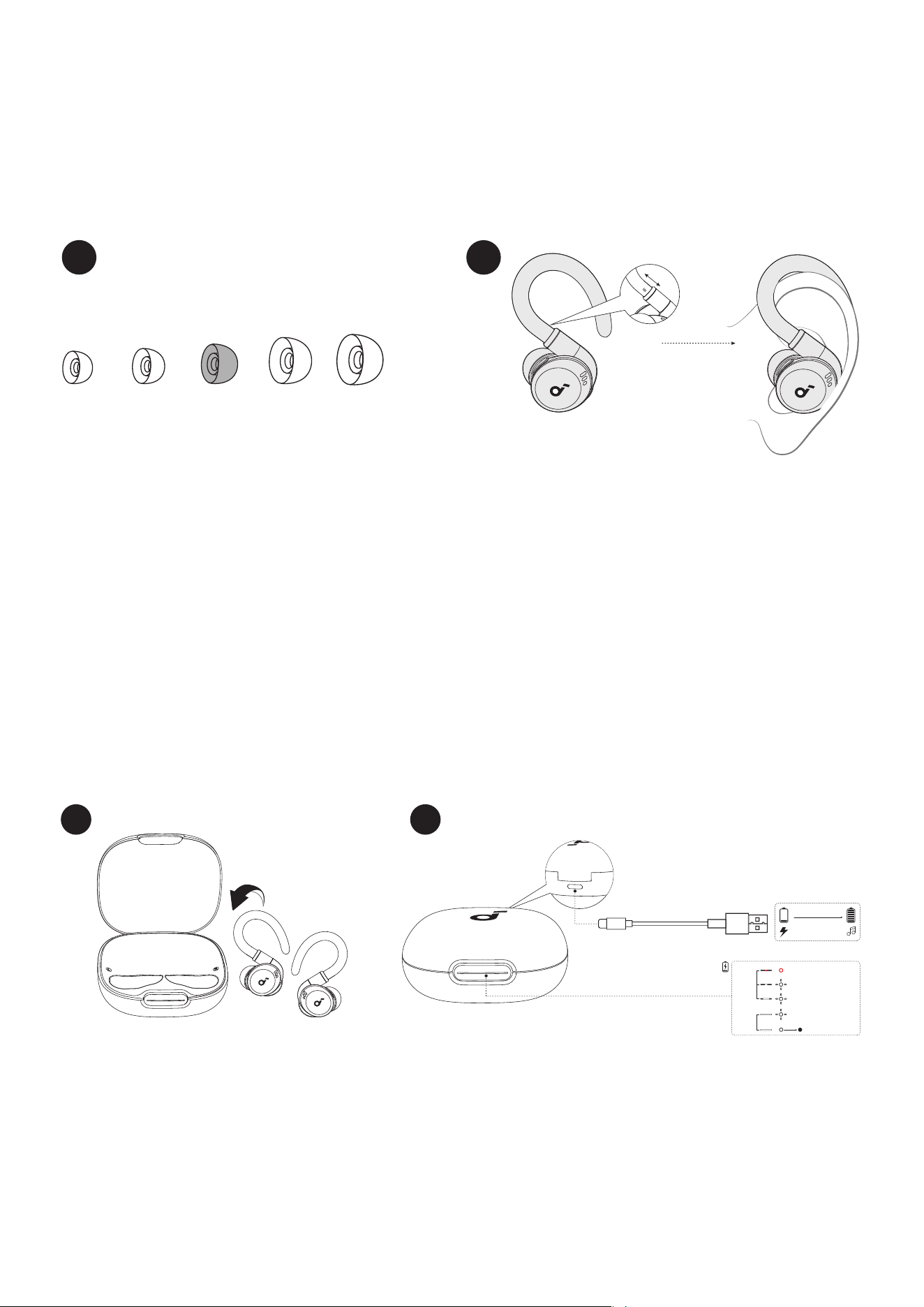
WEARING
1
L
XS S M
XL
2
1. Choose the ear tips that fit your ears best and take a fit test in the soundcore app to ensure you get the best ANC
performance.
2. Lift and bend the earhooks around your ears for a secure and comfortable fit.
3. Insert the earbuds into the inner canal of your ears and turn gently until you find the most comfortable and
secure position.
Tips: For a more comfortable wearing experience, hold the stems of the adjustable and rotatable earhooks and
stretch them to an appropriate length.
* Dust, earwax or other debris can accumulate in the earbuds. To maintain optimal sound quality, regularly clean
your earbuds via using a cotton swab slightly moistened with rubbing alcohol to gently wipe the metal mesh filter
under the rubber ear tips.
CHARGING
1 2
5 mins=2 hrs
3 hrs
< 10%
10% - 30%
60% - 99%
30% - 60%
100%
10s
short
light
long
light
1. Place the earbuds in the charging case and close it.
• Fully dry off the earbuds and the USB-C charging port before charging.
2. Connect the charging case to a power supply by using the provided USB-C charging cable
.
PAIRING WITH ANOTHER DEVICE
PAIRING
CONNECTED
2s
1 2
3s
To pair with another device, place the earbuds in the charging case and leave the case open. Press and hold the
charging case button for 3 seconds until the LED light strip flashes white rapidly.
CONTROLS
TWS
L/R
×1
MONO
×1
L/R
×1
L/R
2s
L/R
2s
×1
2s
R
×2
L
×2
2s
ANC Transparency
TWS mode Mono mode
Play / Pause Press once (L/R) Press once
Previous track Press twice (L) /
Next track Press twice (R) Press and hold for 2 seconds
Answer a call Press once (L/R) Press once
Hang up Press and hold for 2 seconds (L/R) Press and hold for 2 seconds
Reject a call Press and hold for 2 seconds (L/R) Press and hold for 2 seconds
Switch ambient sound modes
(ANC / Transparency)
Press and hold for 2 seconds (L/R) /
* You can also customize controls in the soundcore app.
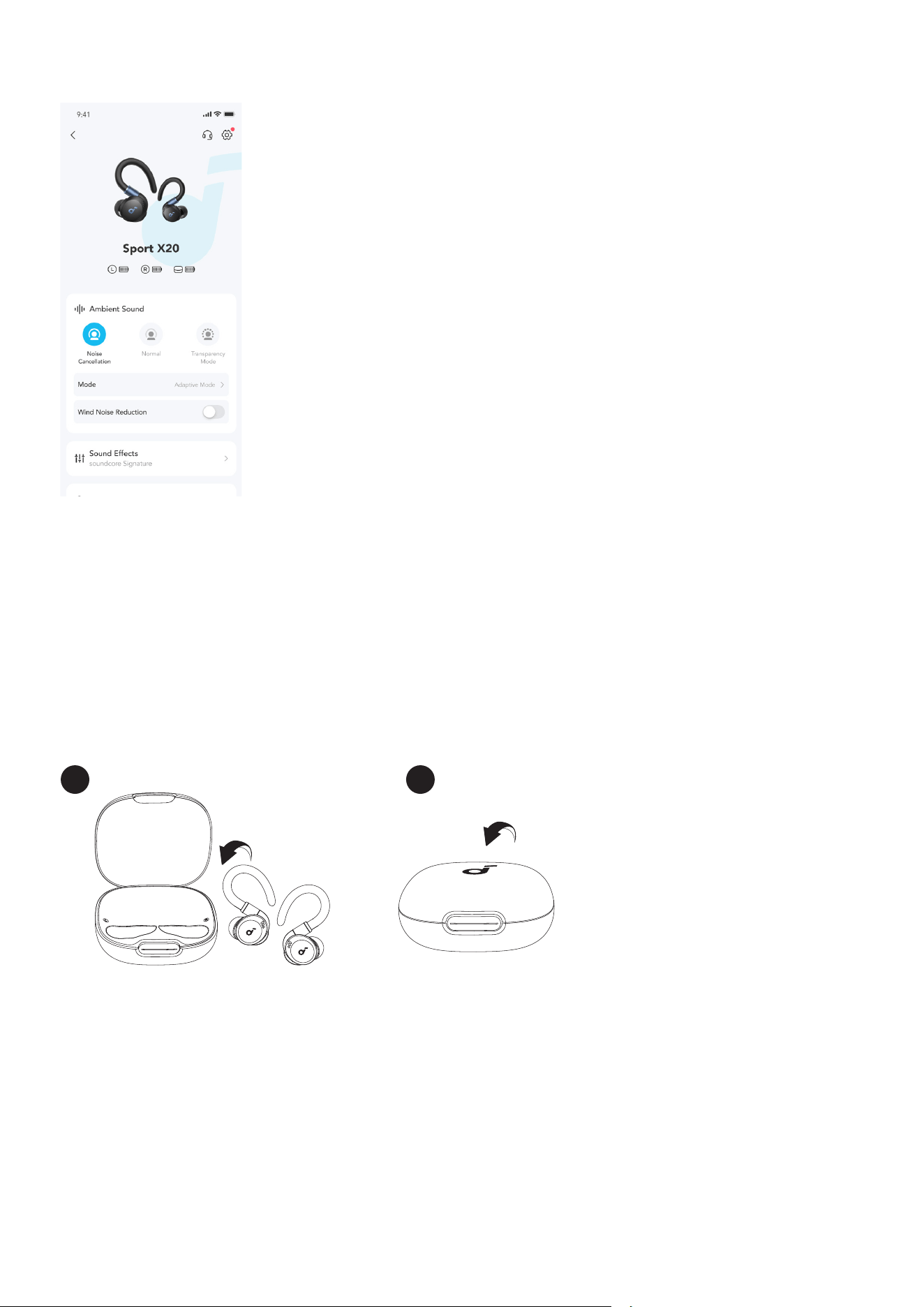
AMBIENT SOUND
You can select Noise Cancellation, Normal, or Transparency mode in the soundcore app.
• Adaptive ANC: Optimize noise cancellation by adapting to the surrounding environment.
• Transparency: Stay aware of your surroundings while listening to music.
POWERING ON OR OFF
With the Charging Case
Once connected successfully in first-time use, the earbuds will automatically reconnect to your device every time
you open the charging case, as long as you haven't deleted the pairing history from your device.
To power off, return both earbuds to the charging case and close it.
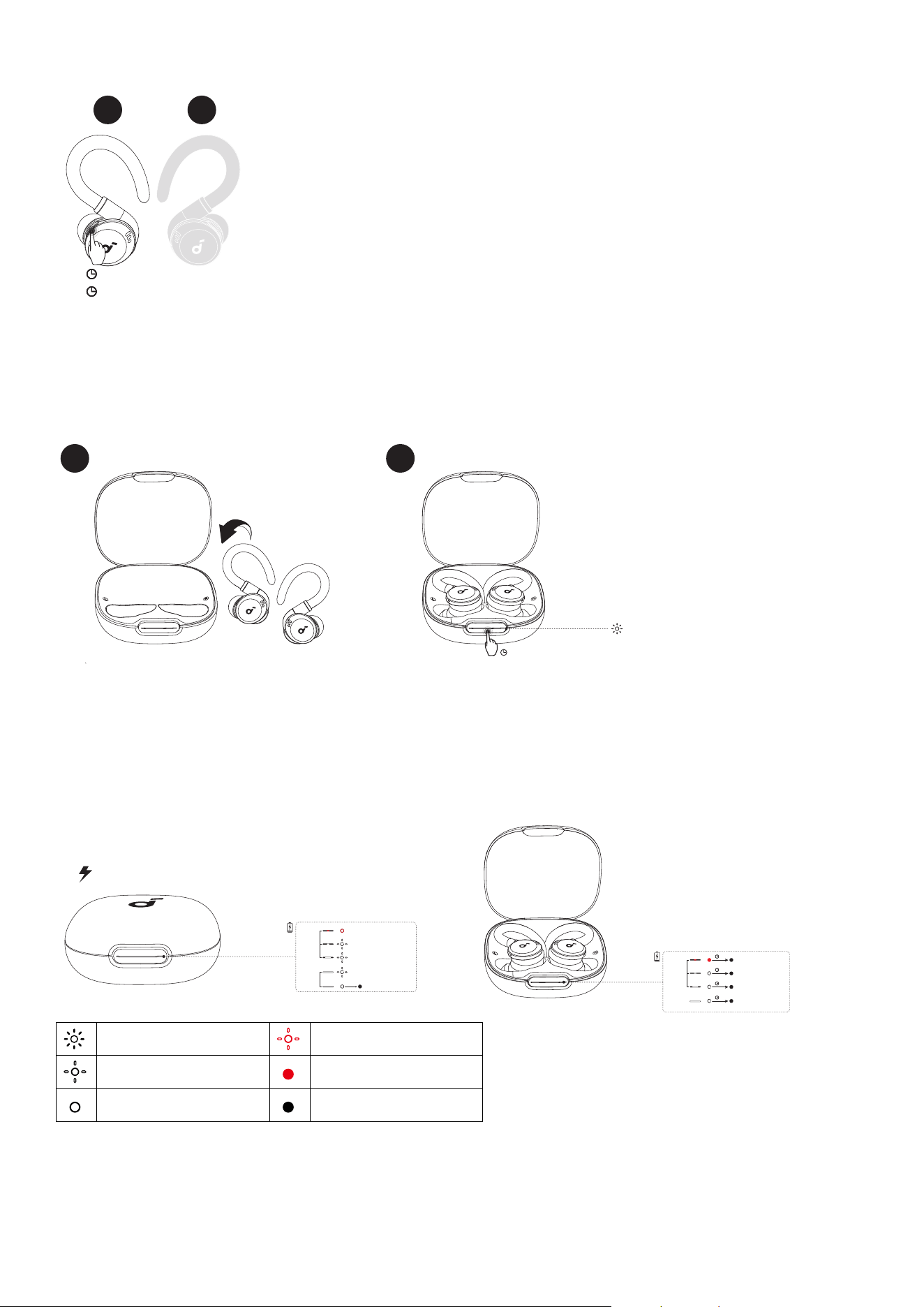
1 2
* When returning the earbuds to the charging case, make sure that you carefully align the charging contactors
between the earbuds and charging case. If either earbud is successfully back into the case, the LED light strip will
light up in white and then go off.
Without the Charging Case
3s
10s
L R
On
Off
To power on a single earbud, press and hold the multi-function button of the corresponding earbud for 3 seconds.
To power off a single earbud, press and hold the multi-function button of the corresponding earbud for 10 seconds.
RESET
1 2
10s
×3
You might need to reset the earbuds if you experience any connectivity problems or function issues.
Place the earbuds in the charging case and leave the case open. Press and hold the charging case button for 10
seconds until the LED light strip flashes white rapidly three times.
LED LIGHT GUIDE
< 10%
10% - 30%
60% - 99%
30% - 60%
100%
10s
short
light
long
light
< 10%
10% - 30%
60% - 100%
30% - 60%
short
light
long
light
5s
5s
5s
5s
Flashing white rapidly Flashing red slowly
Flashing white slowly Steady red
Steady white Light off
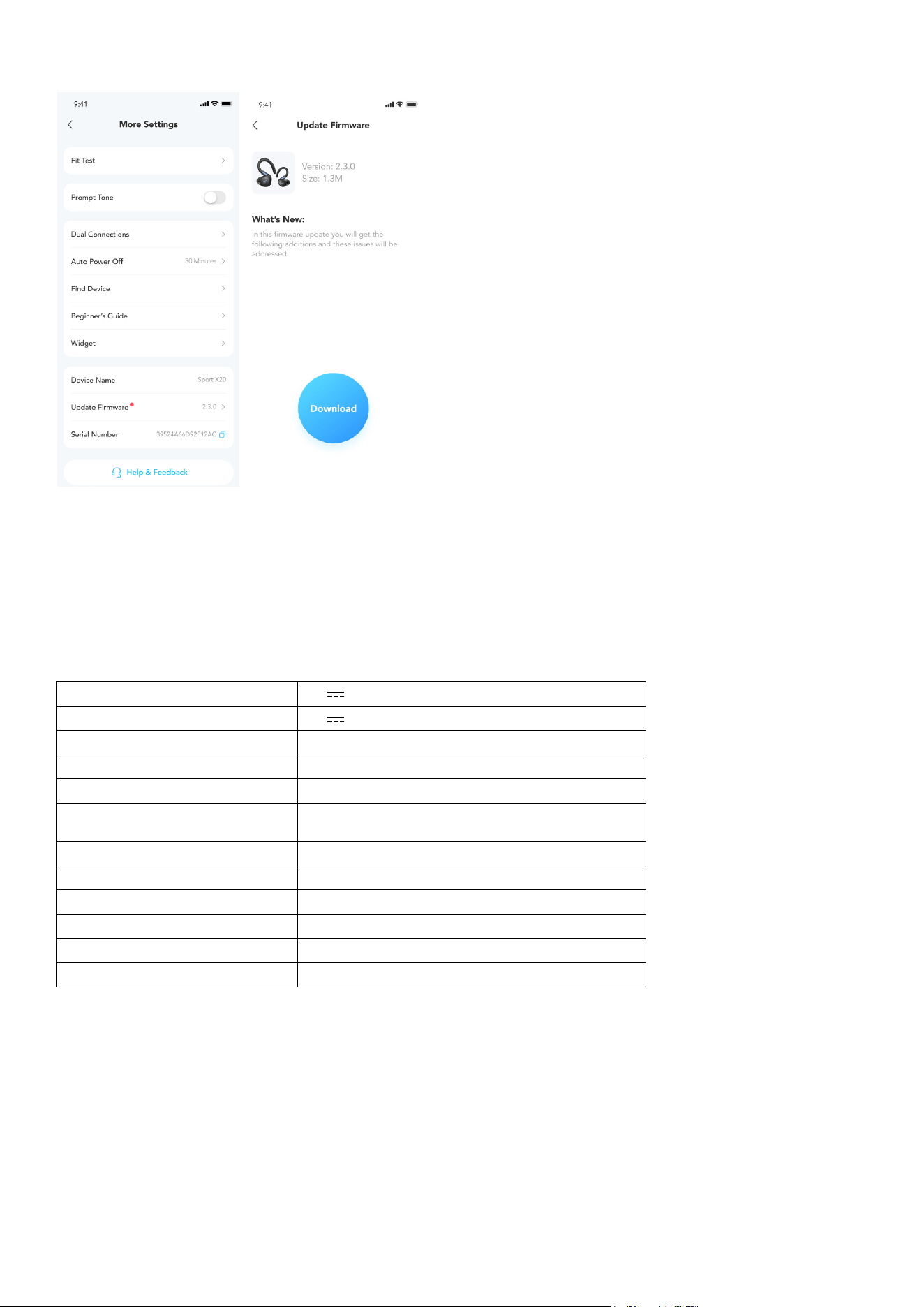
FIRMWARE UPDATE
You will be informed once a new firmware version is detected when you connect the earbuds to the app. Ensure
the earbuds are placed in the charging case and the case remains open until the firmware update is complete.
During the update, ensure the earbuds are being charged and avoid any usage.
SPECS
Specifications are subject to change without notice.
Input 5V 0.45A
Output 5V 0.3A(0.15A per port)
Battery capacity 580mAh / 2.158Wh
Playtime (with ANC off) 12 hours / 48 hours
Playtime (with ANC on) 7 hours/ 28 hours
Charging time
Full Charging Time for Earbuds: 1.5 hours
Full Charging Time for Charging Case: 3 hours
Driver unit 11mm Dynamic Driver
Frequency response 20-20KHz
Impedance 16Ω
Waterproof rating (earbuds) IP68
Bluetooth version Bluetooth 5.3
Bluetooth range 10m
Customer Service
support.mea@soundcore.com (For Middle East and Africa Only)
support@anker.com (
日本
)
+1 (800) 988 7973 (US/Canada)
+44 (0) 1604 936200 (UK)
+49 (0) 69 9579 7960 (DE)
03 4455 7823 (
日本
)
+86 400 0550 036 (
中国
)
+82 02-1661-9246 (
한국
)
+971 529750842 (Middle East & Africa)
+971 8000320817 (UAE)
+966 8008500030 (KSA)
+965 22069086 (Kuwait)
+20 8000000826 (Egypt)
+61 3 8331 4800 (Australia)
+90 (850) 460 14 14 (Türkiye)
+8 (800) 511-86-23 (Russia)
+91 18003138831 (India)
Note: The 'x' of SN Code: xxxxxxxxxxxxxxxx is a variable, see below table.
Variable 'x' Range of variable
Content
Seventh
0-F
Denotes the hardware version which is not effected on the safety
compliance.
Ninth and tenth
20,21,22,23,24...
Denotes the year, 20 means 2020, 21 means 2021, 22 means
2022, 23 means 2023, 24 means 2024, and so on.
Eleventh and twelfth
01,02,03...
Denotes weeks, 01 means the first week in this year, 02 means
the secondary week in this year, and so on.
Eleventh and twelfth
0001-FFFF Denotes serial No.
Hereby, Anker Innovations Limited declares that this device is in compliance with The Product Security and
Telecommunications Infrastructure (Security Requirements for Relevant Connectable Products) Regulations 2023.
For the Statement of Compliance, visit the website: https://uk.soundcore.com/pages/psti-related.
1. Power consumption in standby mode: ≤0.5W
2. Powermanagement: ≤20min
3. Information of applicable adapter:
Brand: ANKER
Manufacturer: Anker Innovations Limited
Model: A2337
Input: 100-240Vac, 1A, 50-60Hz
Output: 5V 3A / 9V 3A / 12V 2.5A / 15V 2A / 20V 1.5A (30W Max)
Default Open Port: Classic Bluetooth
Port Description: After the device is powered on, Classic Bluetooth visibility (or pairing mode) is automatically
enabled, providing Bluetooth pairing (or control) services. The Bluetooth service is disabled when the device is
powered off.