SGW588
DMR Mobile Radio Quick
Installation Guide
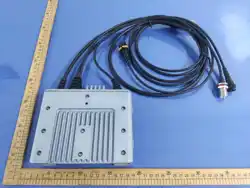
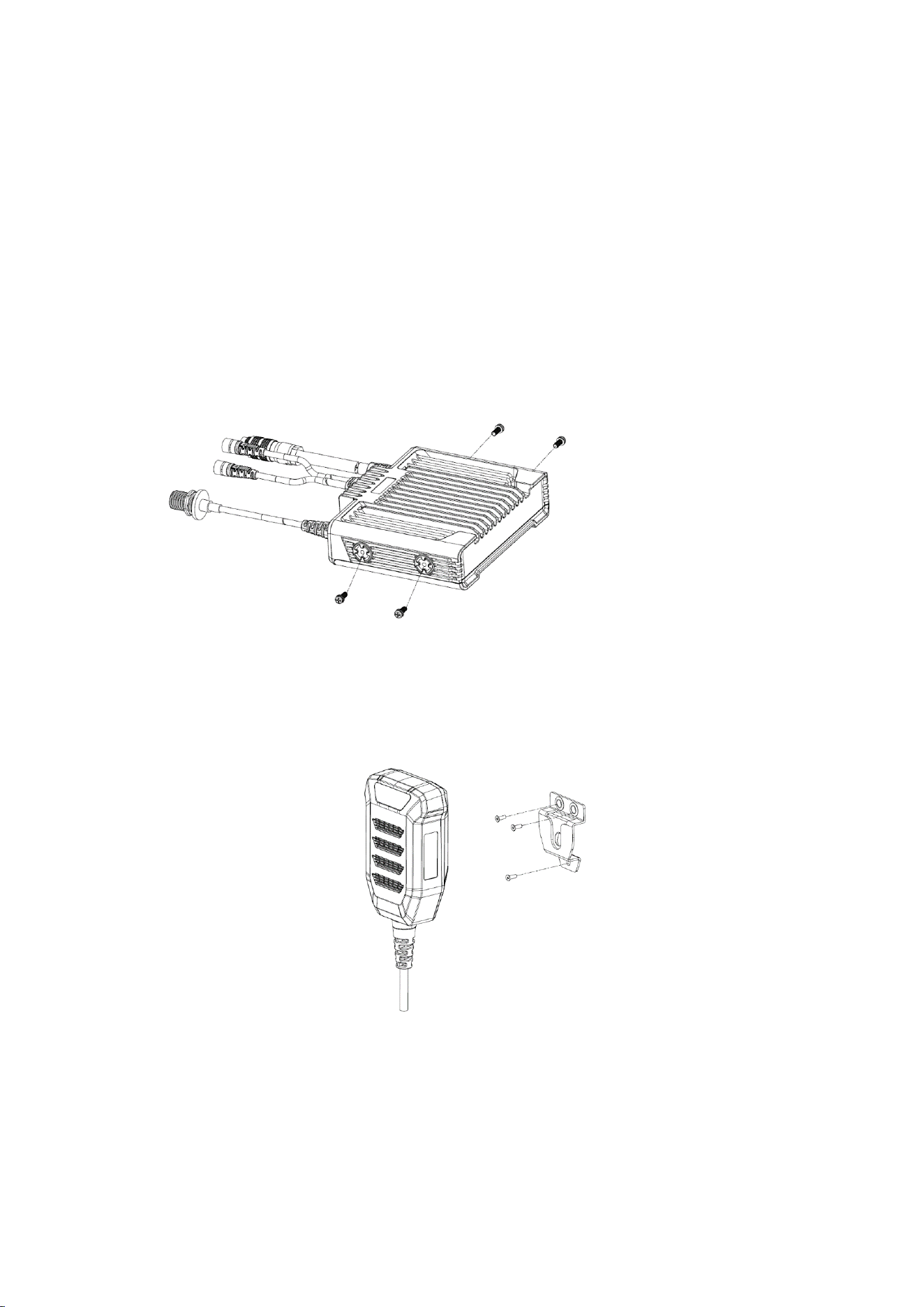
1. Vehicle-mounted radio fixed
The vehicle-mounted radio is secured to the car with four M4 screws on both sides, and the car
must have pre-drilled mounting holes.
2. Handheld microphone fixed
The microphone is secured via a bracket, which must be positioned on the car based on whether
pre-drilled screw holes are available for fixation or if double-sided tape can be used to attach the
bracket to the car's center console.
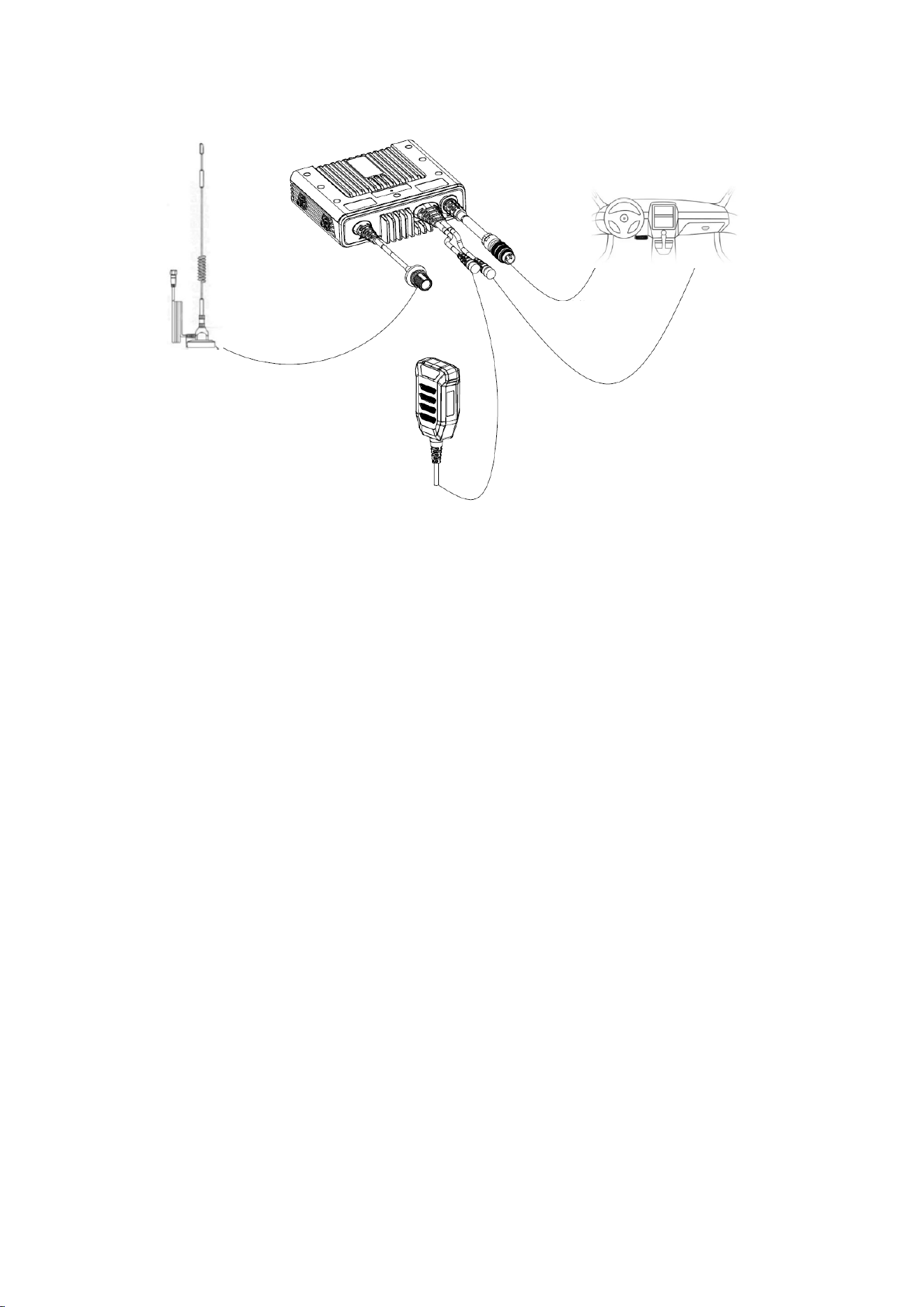
3. Connection form of the whole machine
There are three interfaces for the car radio connector, one interface is connected to the handheld
microphone, one interface is connected to the car center control, and the other interface is
connected to the car power supply port.
In addition, the antenna position is also an adapter, and the adapter cable on the car platform is
directly fixed to the roof with a nut.
4. Switching Zones
A zone is a group of channels. You can switch among different channel groups by switching to
different zones. Up to 16 zones are supported, each having up to 16 channels.
To switch to a zone, in the home page, go to the menu, select Zone, and then select a zone.
5. Slecting a Channel
In the standby interface, you can switch channels within the zone.
Each channel can be configured as an analog channel or a digital channel. By switching from digital
to analog mode, some functions and menus are not available.
6. Adjusting the Volume
Rotate the multi-function knob clockwise to increase the volume,
or counterclockwise to decrease it.
7. Initiating a Call
Initiating a call to a default contact
If a default contact for each channel is preset, press PTT to initiate a call to the contact.
● Selecting a contact to initiate a call
Go to Contacts, select a contact from Contact List, and press PTT to initiate a call.
● Dialing to initiate a call
In the "Contacts" menu, enter the "Manual Dialing" interface, directly enter the other party's ID
number, and press the PTT to initiate the call.
● Initiate a call through the one click call button
In the "Contacts" menu, select Dial, dial a callee ID, and press PTT.
● Call a Contact by Pressing a One-Key Call Key
You can call a contact of individual call, or contacts of group call by pressing a programmed one-
key call key. One contact can be set for a one-key call key.
8. Receiving/Responding to a Call
When a call is received, the radio is automatically switched to receiving mode. Green LED indicator
light is on, and a call icon ( individual call, group call, or all call), alias or ID, and incoming call icon
Antenna
Handset
Power
Central control
a
re displayed on the LCD screen.
Note:
To receive a group call from another user, you need to have the radio set as a member of the group.
The setting can be done by your dealer.
9. Short Message (Digital)
You can receive and send short messages, each containing up to 300 characters.
10. Emergency Alarm
Under emergency, you can send a confirmed emergency alarm and an emergency voice message
to a specified radio group. You can send an emergency alarm anytime even signals are being
received through the current channel.
11. Call Records (Digital)
Through the call records, you can check and manage recent outgoing calls, incoming calls and
missed calls on the radio. Only private calls are recorded.
RED Caution
1. Frequency:400-470MHz, TX Power: 25Watts(High), 10Watt(Low)
2
. Hereby,
Segway Technology Co.,Ltd.Segway Technology Co.,Ltd.Segway Technology Co.,Ltd.Segway Technology Co.,Ltd.Segway Technology Co.,Ltd.Segway Technology Co.,Ltd.Segway Technology Co.,Ltd.
declares
compliance with essential requirements and
of Directive 2014/53/EU. This product is
EU member states.
that this product is in
other relevant provisions
allowed to be used in all

FCC Caution:
Any Changes or modifications not expressly approved by the party responsible for compliance
could void the user's authority to operate the equipment.
This device complies with part 15 of the FCC Rules. Operation is subject to the following
two conditions: (1) This device may not cause harmful interference, and (2) this device
must accept any interference received, including interference that may cause undesired
operation.
IMPORTANT NOTE:
Note: This equipment has been tested and found to comply with the limits for a Class B digital
device, pursuant to part 15 of the FCC Rules. These limits are designed to provide reasonable
protection against harmful interference in a residential installation. This equipment generates,
uses and can radiate radio frequency energy and, if not installed and used in accordance with
the instructions, may cause harmful interference to radio communications. However, there is
no guarantee that interference will not occur in a particular installation. If this equipment does
cause harmful interference to radio or television reception, which can be determined by turning
the equipment off and on, the user is encouraged to try to correct the interference by one or
more of the following measures:
—Reorient or relocate the receiving antenna.
—Increase the separation between the equipment and receiver.
—Connect the equipment into an outlet on a circuit different from that to which the receiver is
connected.
—Consult the dealer or an experienced radio/TV technician for help.
FCC/IC Radiation Exposure Statement:
This equipment complies with FCC/ISED radiation exposure limits set forth for
controlled environment. This equipment should be installed and operated with
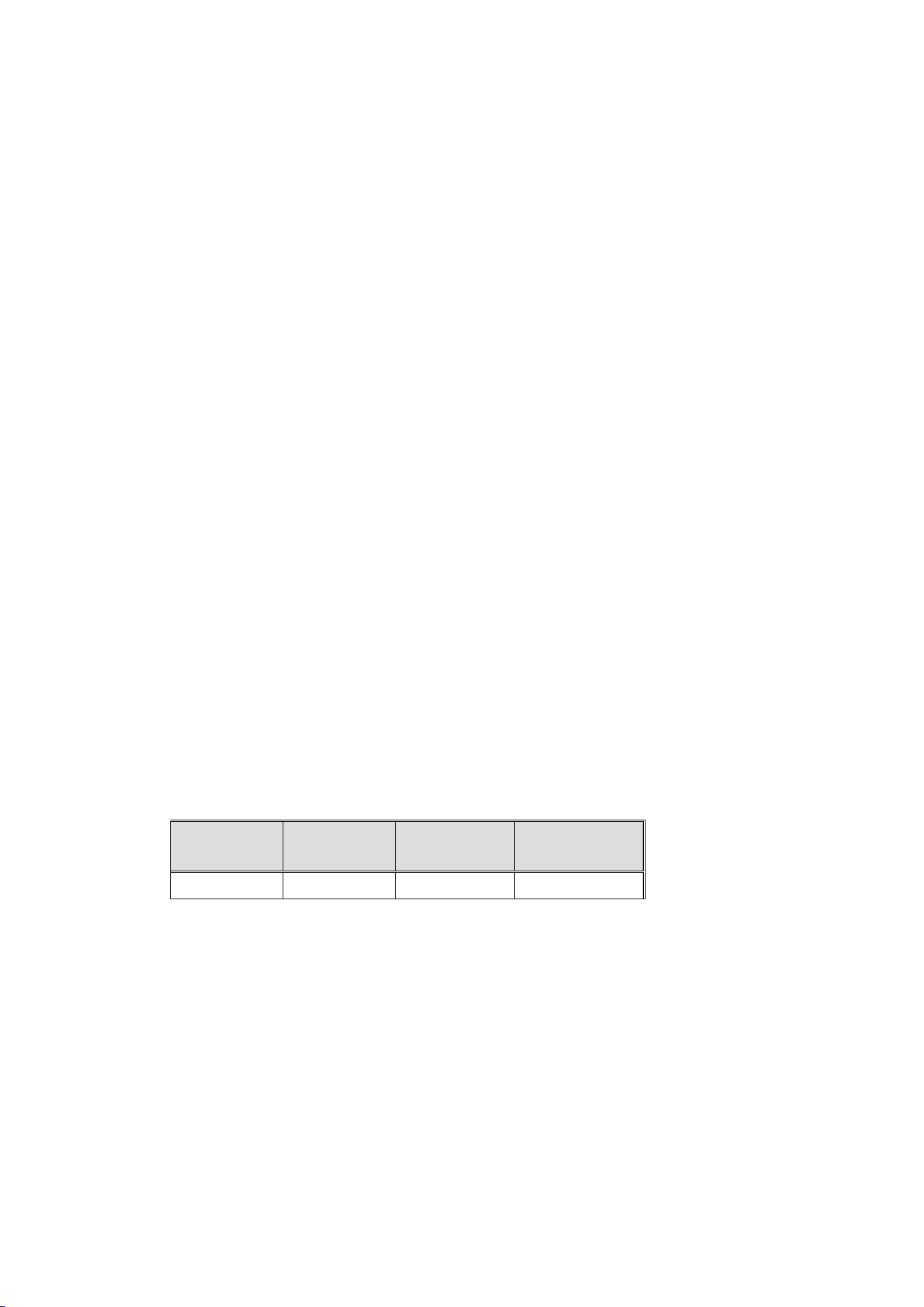
Antenna
Type
Antenna
Gain
Impedance
Frequency
Range
Dipole
0dBi 50
Ω
400-470
MHz
minimum distance
30
cm between the radiator& your body.
L'appareil est conforme aux limites d'exposition aux rayonnements spécifiées par la FCC/
ISED pour les environnements contrôlés. La distance entre le radiateur et le corps doit
être d'au moins
30
cm lors de l'installation et du fonctionnement de l'appareil.
This product sends out radio frequency (RF) signals when the Push-to-Talk(PTT) button is
pressed. The device is authorized to operate at a duty factor not to exceed 50%.
Ce produit émet des signaux radiofréquences (RF) lorsque le bouton Push-to-Talk (PTT) est
enfoncé. L'appareil est autorisé à fonctionner avec un facteur de marche ne dépassant pas 50 %.
This radio transmitter [IC: 26598-SGW588] has been approved by Innovation, Science and
Economic Development Canada to operate with the antenna types listed below, with the
maximum permissible gain indicated. Antenna types not included in this list that have a
gain greater than the maximum gain indicated for any type listed are strictly prohibited for
use with this device.
Cet émetteur radio [IC: 26598-SGW588] a été homologué par Innovation, Sciences et
Développement économique Canada pour fonctionner avec les types d’antennes
énumérés ci-dessous, le gain maximal admissible étant indiqué. L’utilisation de tout type
d’antenne non inclus dans cette liste et dont le gain dépasse le gain maximal indiqué pour
chaque type répertorié est strictement interdite avec cet appareil.

T
his radio is designed for and classified as
----Occupational Controlled Use Only , meaning it must be used only during the course of
employment by individuals aware of the hazards, and the ways to minimize such hazards; NOT
intended for use in an General population/uncontrolled environment
----D
O NOT operate the radio without a proper antenna attached, as this may damage the radio
and may also cause you to exceed RF exposure limits. A proper antenna is the antenna supplied
with this radio by the manufacturer or an antenna specifically authorized by the manufacturer for
use with this radio, and the antenna gain shall not exceed 0dBi by the manufacturer declared.
----D
uring operation, the separation distance between user and the antenna shall be at least 30cm,
this separation distance will ensure that there is sufficient distance from a properly installed
externally‐mounted antenna to satisfy the RF exposure requirements
D
uring transmissions, your radio generates RF energy that can possibly cause interference with
other devices or systems. To avoid such interference, turn off the radio in areas where signs are
posted to do so. DO NOT operate the transmitter in areas that are sensitive to electromagnetic
radiation such as hospitals, aircraft, and blasting sites.