PP伄⩪ᣎ享
PPቨರݖᶭ҅ᶎܦڬ
&$
᧔กԡB(9B&$ګ
ᮧᜌ
WarningTIP
TIP
11
• Please use the charger and USB cable
provided with the device.
• Åđ¿ÅÞđ¤~Óđ~ÞÞÓõđ¿~Óđ×ÅãÓ×đÅđčÓđÅÓ
under extreme heat conditions.
• Only use alternating current (AC) power provided
by standard wall outlets. Do not use non-standard
power sources (such as generators or inverters),
and do not directly connect the battery to wall
outlets or car cigarette lighter sockets.
• Åđ¿ÅÞđôÐÅ×đÞ¤đî§đÞÅđčÓĜđôйÅקſĜđÅÓ
other hazardous environments.
• When using the device, it is recommended to
maintain a distance of at least 10 cm (3.94 inches)
from pacemakers to avoid potential interference.
• Do not use and store the watch in dusty, hot, cold,
electric, chemical areas. Please always keep the
watch and accessories dry.
• Do not drop, shake or knock the watch. Rough
handling can break it.
• Clean watch using a dry cloth. Do not use harmful
chemicals or detergents.
• Åđ¿ÅÞđ§××~××¾¹đÅÓđÓčÞđÞ¤đï~Þ¤đ~×đ§Þđ粒¹
void your warranty.
• Attempting to use other batteries can cause the
watch to function incorrectly, or damage the watch.
• To avoid accidents, never use watch while driving.
• P¹~×đÞãÓ¿đÅđÞ¤đï~Þ¤đ蠟¹đĎõ§¿đ~¿đŹ¹Åï
any restrictions. Wireless devices can cause
interference in aircraft.
• Connect the USB cable
from charging base to
the AC adaptor.
• Place the watch into the
charging base correctly, you
đ 粒¹đ¤~Óđ×ÐŶ¿đÅ¿čÓ¾~ާſ
“your watch is charging”.
• Please charge the smartwatch
fully every day or whenever
the battery is low. It will take
about 2 hours to fully charge.
We advise emergency contacts to switch off any
voicemail feature on their phone to prevent delay in
reaching help. However, the following safeguards
are used if a voicemail is reached:
• The wearer can end the current call by clicking
the SOS button and the calling sequence to
continue if the voicemail does not automatically
disconnect.
• An emergency contact can call back to the
watch if they are disconnected. Remember
that the watch maybe already calling the next
contact unless the calling sequence has
been stopped.
• After SOS alarm is activated, you will hear a
đ îŧđÐÓžÐÞđÅ¿čÓ¾§¿đÞ¤đ~Þ§î~ާſđÅđÞ¤
SOS alert and allowing you approximately 10
seconds to cancel the alarm. If the SOS is not
cancelled in time an SOS alert text message is
immediately sent to the emergency contact
numbers followed by the outgoing calls.
• *đÞ¤đ~¹¹đÞÅđÞ¤đčÓ×Þđ¿ã¾Óđ~§¹×ĜđÞ¤đ×¾~ÓÞï~Þ¤
will wait another 10 seconds and attempt to call
the second number. It will continue this process
through your call list until connecting.
• Between each call, it will have a 10 second delay,
during this time, user can stop call sequence or
prevent a possible false alarm by pressing
SOS button.
^ÅđÞđ~¿đ§¿§Þ§~¹đ"PWđčôĜđÅ
outdoors or near a window so the
ï~Þ¤đ~¿đÞđ~đčôđÅ¿đÞ¤đ×~Þ¹¹§Þ×ě
This could take a few minutes
depending on your environment.
The watch can automatically detect a fall. When this
occurs the watch will give a warning message to the user.
•
The watch also provides Wi-Fi and LBS positioning.
When GPS is unavailable, it will switch to either of
these modes for locating.
• The home Wi-Fi and beacons provide at-home
out-of-home information in addition to optimizing
watch battery life.
• Please note Wi-Fi and LBS tracking service is not
100% accurate, it can be used to approximate
your location only.
• Some daily activities like sports or even sitting
down abruptly can trigger the fall alarm.
• The wearer has a short time to cancel a fall alarm
by clicking cancel on the watch. If alarm is not
cancelled, emergency contacts will be called.
1 Dimensions: 49.1 x 41 x 14.1mm
2 Weight: 50.6 grams
3 Battery: 700mAh (Rechargeable; magnetic 2-pin)
4 Waterproof: IP67
5 GPS locating technologies: 4G, 3G, 2G
1 At watch face, you can see time and date.
2 You have three different watch face options
available. To change them, press and hold,
then
swipe between the two faces to change it.
3 Pull down the status bar to display battery,
date, and watch settings.
12
There are two ways to activate SOS alarm.
1 Press the side button for 3 seconds until
you feel the watch vibrate.
2 When screen is on, long press the screen for
3 seconds until you feel the watch vibrate.
3 sec.
3 sec.
Please comply with the instructions
to extend the watch life:
"¿Ó~¹đ×Чč~ާſ×
10
GPS
"ÞÞ§¿đ~đ"PWđčô
9
Fall alarm
8
Notes on voicemail
7
Activating an SOS alarm
GPS functionality may be unavailable or inaccurate
in some locations (for example, if the wearer is
indoors, near tall buildings, or underground).
The watch battery is not removable. It can continue
to discharge even when not in use, so after a long
period of inactivity, it may not turn on. This is why
it is important to charge your smartwatch every day.
When the watch is turned on, swipe leftwards
or rightwards to view all available functions.
It displays watch face, pedometer, settings, stopwatch,
pulse/blood pressure and temperature.
It is possible that the watch will not detect every real fall.
We strongly advise the wearer to press the SOS button
in an emergency situation, if they are able.
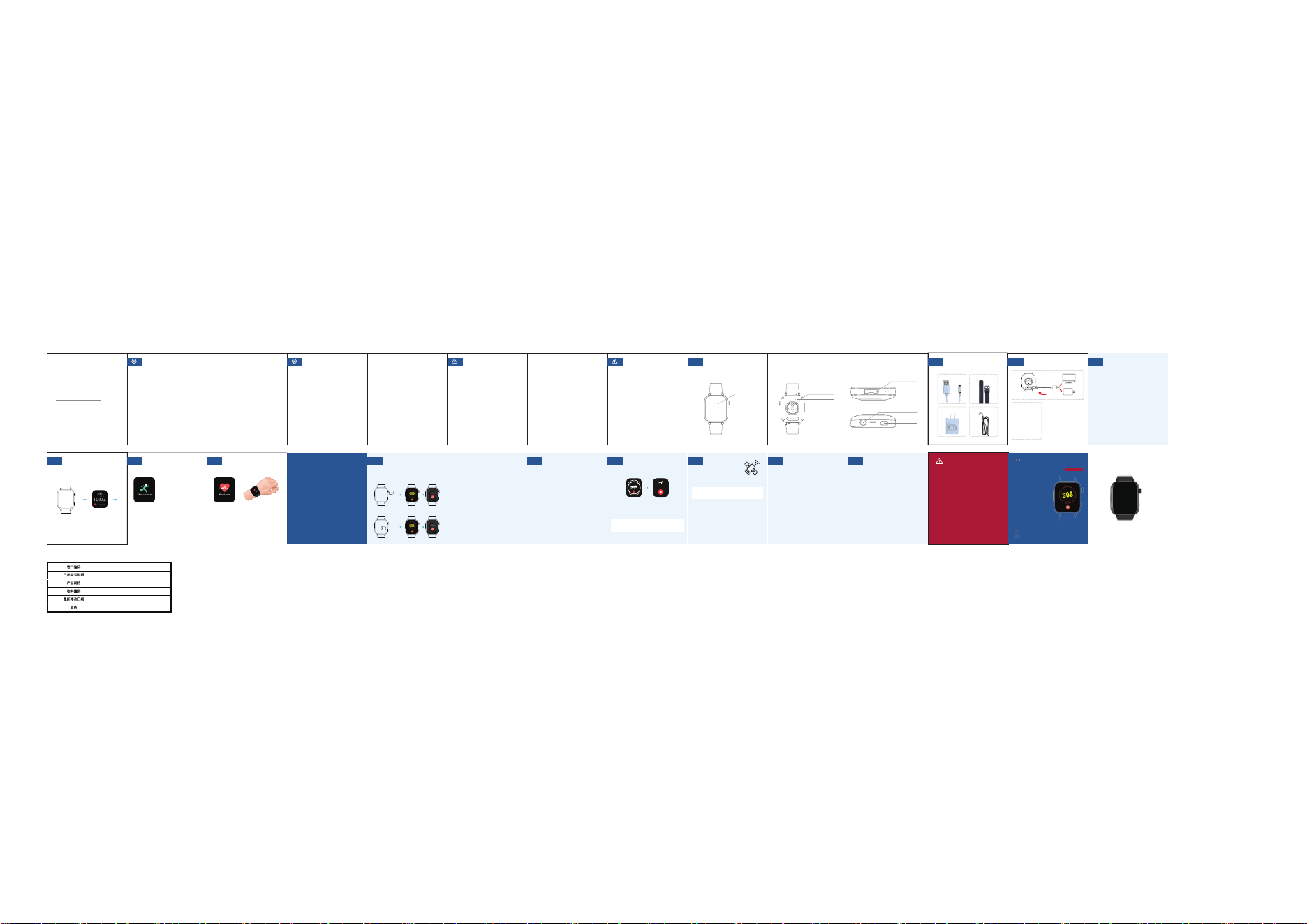
This smartwatch is designed for elderly users
who may be living alone. It combines many
intelligent functions, including SOS alarm,
two-way talking, heart rate monitor, and many
more. The functions are complex, but the
operation is simple.
Please read this operation guide carefully
before using it.
– Front – Back – Side
USB Cable
Charging Block Lanyard
Watch Strap
1
Getting to know your watch
2
Accessories
3
Charging your watch
4
Functions and basic settings
5
Steps
6
Heart rate measurement
Swipe right on the watch face
ÞÅđč¿đÞ¤đPedometer display.
Step counting is enabled by
default and opened all day.
This resets at midnight.
Swipe the watch face until you reach the
Pulse & Blood Pressure display. Wait for several
seconds, and
the screen will display your heart rate
in Beats Per Minute (BPM).
Quick Start Guide
Emergency Alert Smartwatch
Emergency Alert Smartwatch
TA-SW-200i
TA-SW-200i
8
s
Stop SOS alarm?
Sim Card Holder
Speaker
ĴĴĴ
ĴĴĴ
Heart Rate Sensor
Microphone
Charging Contacts
Touch Screen
Watch Strap
Power Button
SOS Button
Charging Port
Radiation Exposure Statement
This device meets the government's
requirements for exposure to radio waves.
The guidelines are based on standards that
ïÓđî¹ÅÐđõđ§¿Ð¿¿Þđק¿Þ§čđ
organizations through periodic and thorough
î~¹ã~ާſđÅđק¿Þ§čđ×Þã§×ěđ^¤đ×Þ~¿~Ó×đ
include a substantial safety margin designed
to assure the safety of all persons regardless
of age or health. The SAR limit of USA (FCC)
is 1.6 W/kg averaged. Device types:
TA-SW-200i (FCC ID: 2BVWK-TASW200I)
has also been tested against this SAR limit.
SAR information can be viewed on‐line at
http://www.fcc.gov/oet/ea/fccid/. Please use
the device FCC ID number for search. This
device was tested simulation typical 0mm to
body.
To maintain compliance with FCC RF exposure
requirements, the use of accessories should
maintain a separation distance between the
user's bodies mentioned above, the use of
user's bodies mentioned above, the use
of accessories should not contain metallic
components in its assembly, the use of
accessories that do not satisfy these
requirements may not comply with FCC
RF exposure requirements, and should be
avoided.
For body worn operation, this device has
been tested and meets the IC RF
exposure guidelines when used with an
accessory designated for this product or
when used with an accessory that
contains no metal and that positions the
handset a minimum of 0mm from the
body. Noncompliance with the above
restrictions may result in violation of RF
exposure guidelines.
Déclaration d’exposition
aux rayonnements
Cet appareil est conforme aux exigences du
gouvernement en matière d’exposition aux ondes
radio. Les directives sont basées sur des normes
¹~ÅÓ×đÐ~Óđ×đÅÓ~¿§×~ާſ×đק¿Þ§čÒã×đ
indépendantes à travers une évaluation
périodique et approfondie des études
ק¿Þ§čÒã×ěđ×đ¿ÅÓ¾×đ§¿¹ã¿Þđã¿đ¾~Óđđ
sécurité importante destinée à garantir la sécurité
de toutes les personnes, quel que soit leur âge ou
leur état de santé. La limite DAS (SAR) aux
États-Unis (FCC) est de 1,6 W/kg en moyenne.
Types d’appareils: TA-SW-200i (FCC ID:
2BVWK-TASW200I) ont également été testés
conformément à cette limite DAS. Les
informations relatives au DAS peuvent être
consultées en ligne à l’adresse suivante :
http://www.fcc.gov/oet/ea/fccid/
. Veuillez utiliser le numéro FCC ID de l’appareil
pour effectuer la recherche. Cet appareil a été
testé dans des conditions simulées typiques avec
une distance de 0 mm du corps.
č¿đđ¾~§¿Þ¿§Óđ¹~đÅ¿ÅÓ¾§Þđ~îđ¹×đ
exigences de la FCC en matière d’exposition aux
radiofréquences, l’utilisation d’accessoires doit
maintenir une distance de séparation entre le
corps de l’utilisateur mentionnée ci-dessus. Les
accessoires ne doivent pas contenir de
composants métalliques dans leur assemblage.
L’utilisation d’accessoires ne satisfaisant pas à
ces exigences peut ne pas être conforme aux
exigences d’exposition RF de la FCC et doit être
évitée.
Pour une utilisation portée sur le corps, cet
appareil a été testé et est conforme aux
directives d’exposition RF d’IC lorsqu’il est utilisé
avec un accessoire désigné pour ce produit ou
avec un accessoire ne contenant pas de métal et
maintenant le combiné à une distance minimale
de 0 mm du corps. Le non-respect des
restrictions ci-dessus peut entraîner une
violation des directives d’exposition aux
radiofréquences.
FCC Warning
This device complies with Part 15 of the FCC
Rules. Operation is subject to the following
two conditions:
(1) This device may not cause harmful
interference, and (2) this device must accept
any interference received, including
interference that may cause undesired
operation.
Note: This equipment has been tested and
found to comply with the limits for a Class B
digital device, pursuant to part 15 of the FCC
Rules. These limits are designed to provide
reasonable protection against harmful
interference in a residential installation. This
equipment generates, uses and can radiate
radio frequency energy and, if not installed
and used in accordance with the instructions,
may cause harmful interference to radio
communications. However, there is no
guarantee that interference will not occur in a
particular installation. If this equipment does
cause harmful interference to radio or
television reception, which can be
determined by turning the equipment off
and on, the user is encouraged to try to
correct the interference by one or more
of the following measures:
•
Reorient or relocate the receiving
antenna.
•
Increase the separation between the
equipment and receiver.
•
Connect the equipment into an outlet
on a circuit different from that to which
the receiver is connected.
•
Consult the dealer or an experienced
radio/TV technician for help.
?ÅÞđƔĝđ¿õđ¤~¿×đÅÓđ¾Å§č~ާſ×đÞÅđ
this unit not expressly approved by the
party responsible for compliance could
void the user's authority to operate the
equipment.
IC Warning
This device contains licence-exempt
transmitter(s) that comply with Innovation,
Science and Economic Development
Canada’s licence-exempt RSS(s). Operation is
subject to the following two conditions:
(1) This device may not cause interference.
(2) This device must accept any interference,
including interference that may cause
undesired operation of the device.
L’émetteur/récepteur exempt de licence
contenu dans le présent appareil est
conforme aux CNR d’Innovation, Sciences et
Développement économique Canada
applicables aux appareils radio exempts de
licence. L’exploitation est autorisée aux deux
conditions suivantes:
1. L’appareil ne doit pas produire de brouillage;
2. L’appareil doit accepter tout brouillage
radioélectrique subi, même si le brouillage est
susceptible d’en compromettre le
fonctionnement.