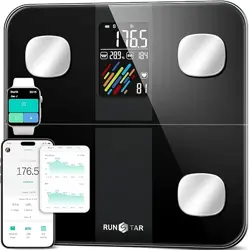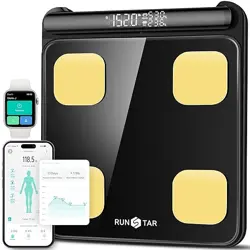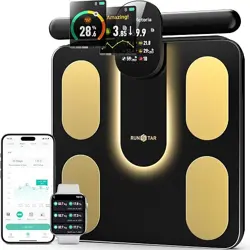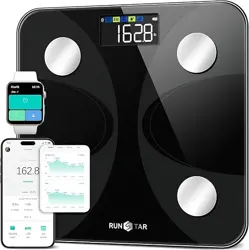
Analysis
report
Visceral
Fat
Body
Type
Multiple
Users
FCC ID:2AP3Q-FI2019LB-G
Model: FI2019LB-G
CUSTOMER SERVICE
WhatsApp (chat only): +1 (626) 743-7007
Email: [email protected]
Monday – Friday
Questions or concerns? ↓

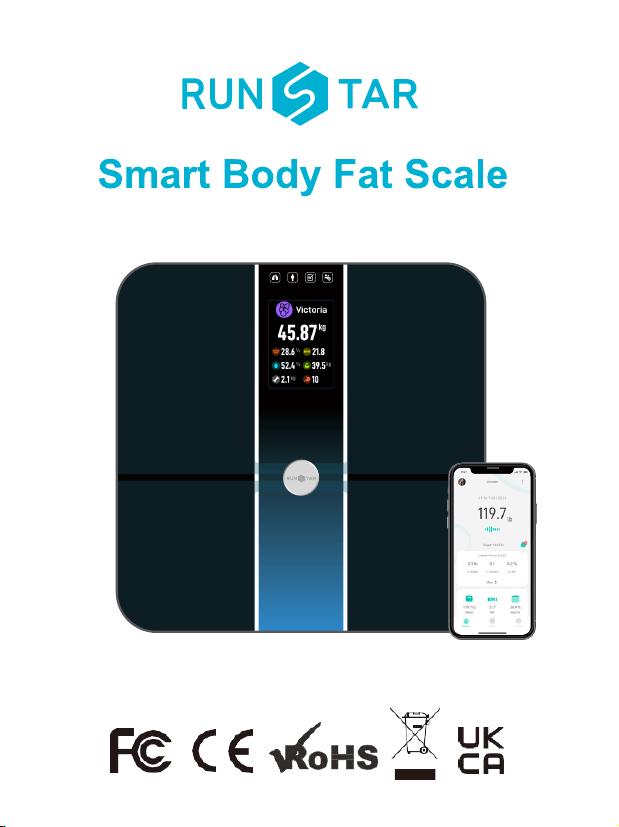
Thank you for choosing Smart Body Scale! This scale is
your personal health assistant. It uses boi-electrical impedance
analysis (BIA) technology to offer you the data you need to keep
track of your personal health metrics: BMI(Body Mass Index), Body
Fat %, Body Water, Muscle Mass, Bone Mass, Protein, and much
more! We sincerely hope that you enjoy using your new product.
Bluetooth Scale User Manual
1

Caution
Safety precautions:
When using digital scale, certain basic safety precautions must be
followed, including the following:
1. The Bluetooth scale should not be used to diagnose or treat any
medical condition. You should consult a doctor when undertaking
any diet or exercise program.
2. lf you are pregnant or have a pacemaker or other internal
device,you should not over rely on the data provided by this
product. All data is for reference and is not a substitute for advise
from a licensed health care professional.
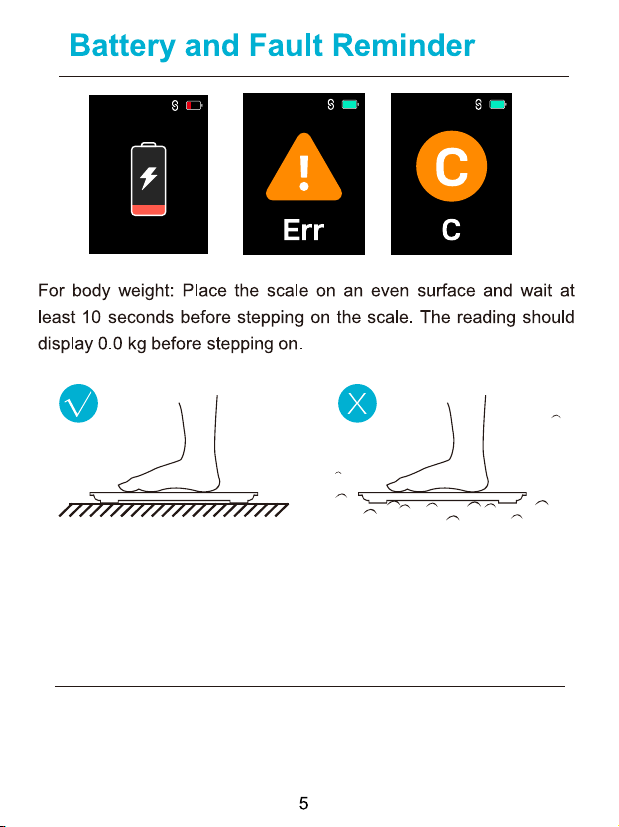
3. lf the scale malfunctions, first check the batteries and replace if
needed.
4. Check the device before each use. Do not use the device if
damaged. The continuous use of a damaged unit may cause
injury or improper results.
Note:
1. Scale is a high-precision measuring device. Never jump or
stamp on the scale or disassemble. Please handle the scale
carefully to avoid breakage.
2. Place the scale on a hard, flat surface during use. Using the
scale on a soft surface like carpet or linoleum may affect the
accuracy of the scale readings.
3. To ensure weighing accuracy, please gently step on the scale
to wake it up and wait at least 10 seconds before weighing on the
2

scale. You must also wake up the scale if it has been moved. Take
your measurements at the same time each day to ensure the most
accurate results.
4. When not in use, please remove the batteries and place the
device in a dry room and protect it against extreme moisture, heat,
lint, dust and direct sunlight. Never place any heavy objects on the
equipment.
5. Before using the scale, make sure you have entered all your
personal data through the Starfit app.
6. Use the scale while barefoot. The scale cannot measure body
fat percentage if you're wearing shoes or socks.
7. Make sure your feet are dry before weighing yourself.
8. This scale is not waterproof; never immerse the scale in water.
To clean the surface, use a damp cloth or glass cleaner. Do not
use soap or other chemicals.
Specifications
Size: 10.94x10.94x1.06 inch
Weight: 1.54kg/3.95 lb
Batteries: 4*1.5 V AAA
Capacity: 396 Ib / 80 kg
Division: 0.02 lb/0.01kg
Unit: Ib / kg / st
3
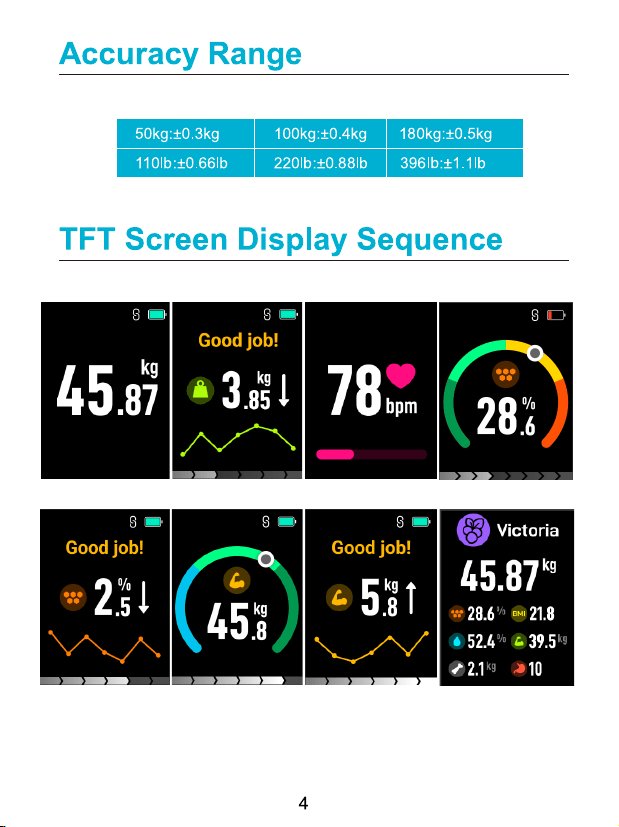
During body data measurement, scale will show as below:
Body weighing Heart Rate Body fat rateWeight Comparison
Fat Rate Comparison Muscle Body Date SummaryMuscle Comparison
For body fat and other body composition analysis: Stand straight
on scale and uniformly touched the electrodes with bare and dry
feet as shown below.
The Bluetooth Scale can connect with your mobile phone
(Android 6.0+ & IOS 8.0+) or iPad via Bluetooth 4.0. Download
the ‘
Starfit’ app free from the App Store or Google Play.
Operating instructions
Low battery Overload Calibration
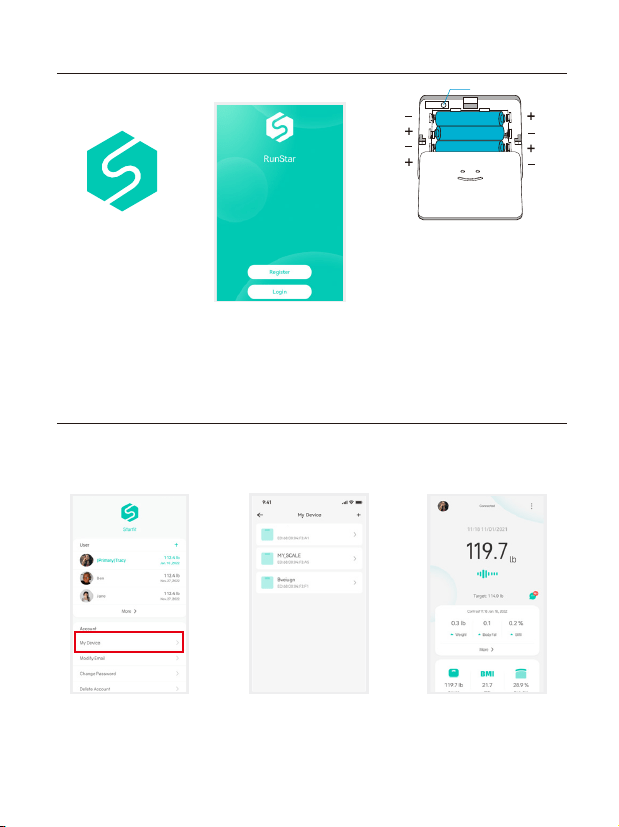
Turn on Bluetooth on your smartphone. Location also needs to be
turned on for Android 6.0 or higher.
Download " Starfit "
via App Store or
Google Play.
Press [My Devices] and
Device Management
to enter measuring
page and find device.
Power on the scale,
press[+] to select
"Runstar-R10" to
add the device.
Come back to measure page.
Step on the scale and keep
standing for 5-10 seconds
with bare feet. The weighing
has finished after the
analysing datas come out.
Install the original battery
set. Please note the
batteries offered are trial
version. We recommend
replacing them within 3
months and removing the
batteries when not using
for a long time.
Register your own ID,
then add personal data
and confirm OK.
Download App and install the batteries
Pairing the scale with your smartphone
6
Runstar-R10
UNIT
UNIT:kg/lb/st
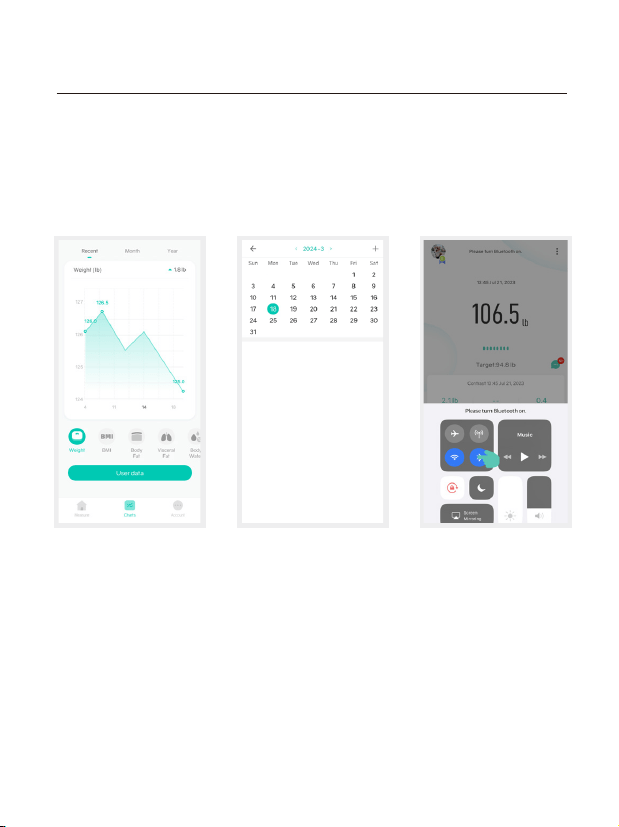
Click " Charts " to view your progress history. Enter it into the
User Data to form a list and select a dataset or all data you want to
delete. You can also select different date datas to contrast and
share to friend via facebook,instagram, or SMS by click button
View reports, deleted data, set reference data,
share progress by recently,weekly,month and year.
7
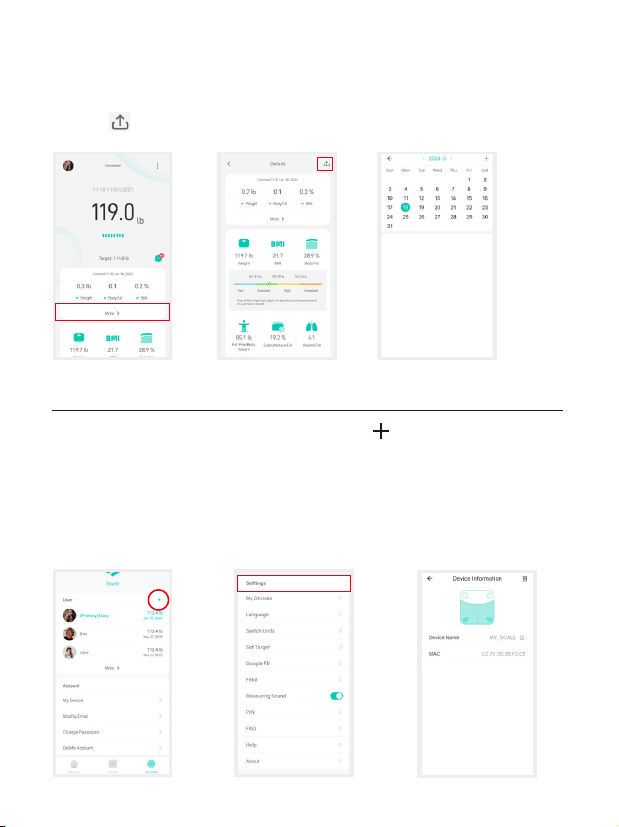
At the bottom, you will find a bar where you can select different
types of data to display. You can share your fitness data with
friends via Facebook, Instagram, or SMS by clicking the share
button [ ] and Share on the Measuring page.
Under " Account " you can add user(s) " " . To delete an
account, swipe the account to the left and select " Delete " .
Themes, Set goals, Weight units, Weighing done sounds,
Languages, Passwords can all be set under the Settings.
Please note that you can change the weighing unit under
Press the Unit button,then if will control the unit of App.
Add/Delete Users & Basic Settings
8
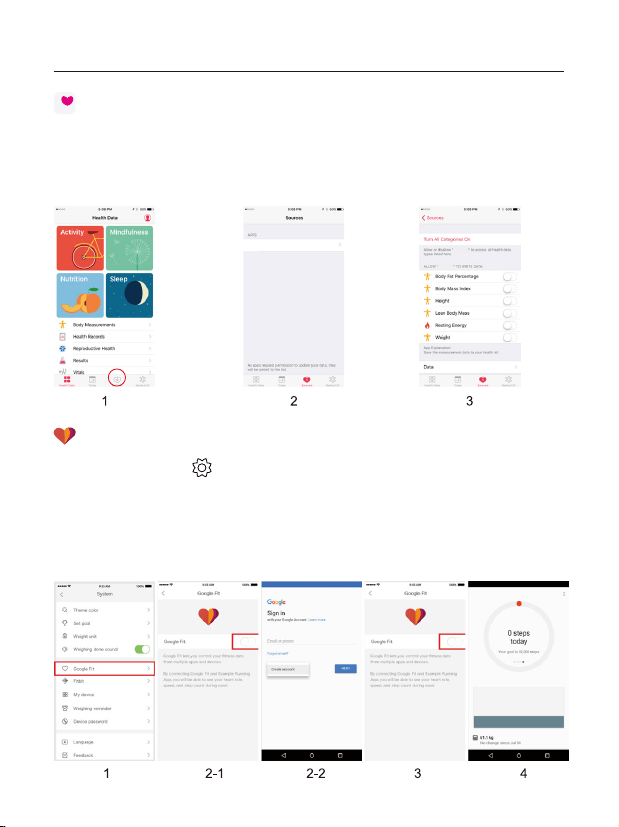
Fitdays
Fitdays
Fitdays
1)Open the " Health " app on your iPhone, select 'Data Sources.
2) Select " Starfit " from the sources list.
3)Turn on all categories to allow the Starfit app to work.
1) Enter Setting " " page, select " Google Fit "
2) Turn on " Google Fit " button, login to your Google account.
3)It will now automatically redirect you to the " Google Fit " page.
4) After the connection has been established, the data " Weight "
will sync to Google Fit.
Apple Health
Google Fit
Sync to fitness app
Starfit
9
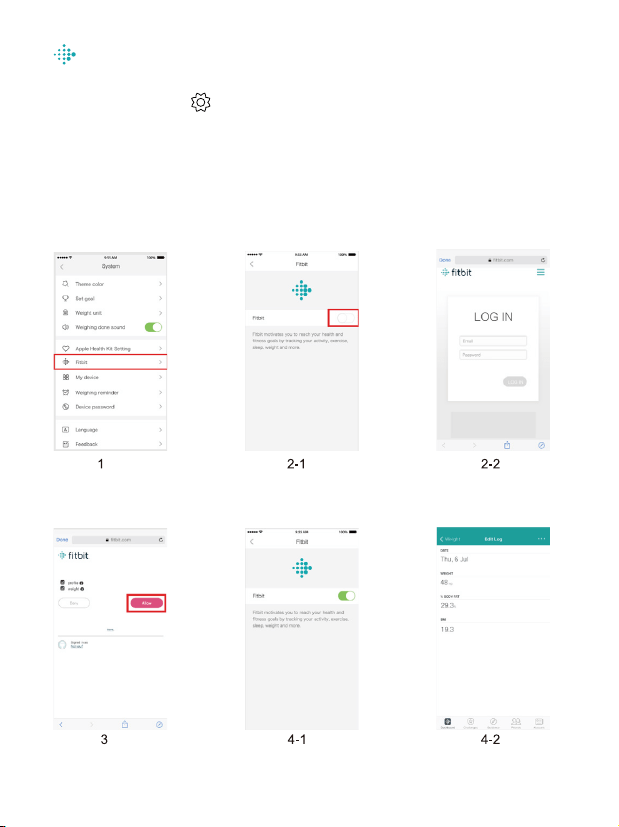
Fitbit App
1) Enter Setting " " page, select Fitbit
2) Turn on Fitbit button, login to your Fitbit account.
3) Select " Allow " to access Fitbit App.
4) After connection, the data (Weight, Body Fat%, BMI) will sync to
Fitbit app. You can view both on app and web.
10
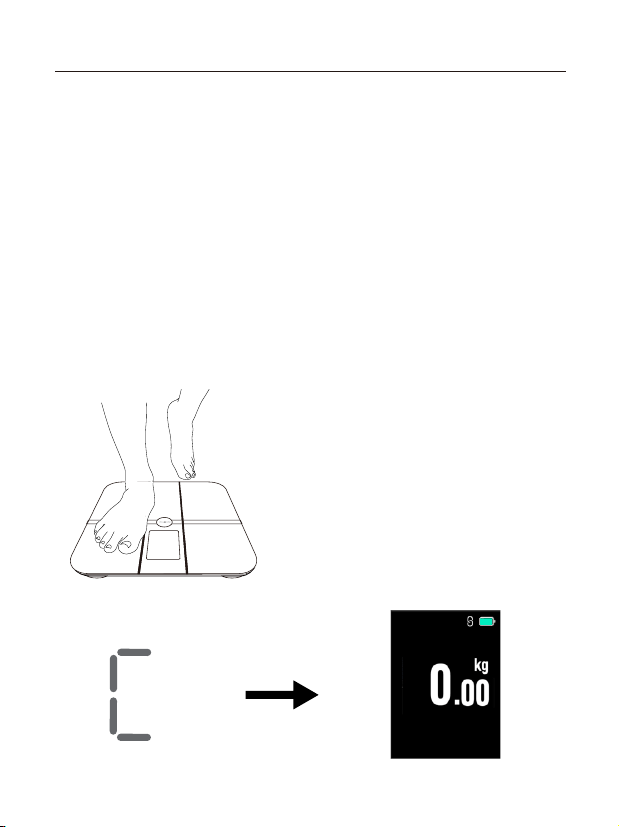
If the scale has been moved or flipped up side down,
It must be recalibrated to ensure accurate results.
1.Place the scale on a hard, flat surface.
2.Step on the scale with one foot until the digits appear on the
display, then, step off.
3.The scale will show “0.00”, indicating
that the calibration process is complete.
Recalibrating the scale
Maintenance
11
Analysis
report
Visceral
Fat
Body
Type
Multiple
Users

1.Why doesn't the scale work? Why does the data on screen
disappear in a flash?
- Please check the batteries are installed properly, replace
batteries if necessary.
2. The scale cannot connect with App.
- Check that the phone's software is iOS 8.0 or higher or
Android6.0 or higher.
- Download and open the newest version of the Starfit App.
- Enable Bluetooth on your phone. For Android 6.0 or higher,
location needs to be enabled
3.No body fat measured when weighing.
- Step on with dry and bare feet
- Ensure Bluetooth is enabled and working
- Ensure personal data is entered.
Frequently Asked Questions&Answers
12

Operation is subject to the following two conditions:
(1) This device may not cause harmful interference.
(2) This device must accept any interference received, including
interference that may cause undesired operation.
Note: This equipment has been tested and found to comply with
the limits for a Class B digital device, pursuant to part 15 of the
FCC Rules. These limits are designed to provide reasonable
protection against harmful interference in a residential installation.
This equipment generates, uses and can radiate radio frequency
energy and, if not installed and used in accordance with the
instructions, may cause harmful interference to radio communica-
tions. However, there is no guarantee that interference will not
occur in a particular installation. If this equipment does cause
harmful interference to radio or television reception, which can be
determined by turning the equipment off and on, the user is
encouraged to try t
o correct the interference by one or more of the
following measures:
• Reorient or relocate the receiving antenna.
• Increase the separation between the equipment and receiver.
• Connect the equipment into an outlet on a circuit different from that
to which the receiver is connected.
• Consult the dealer or an experienced radio/TV technician for help.
FCC Statement
13