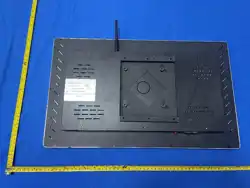

Touch-enabled
all-in-one device
user's guide

21
Dear Customer,
Thank you for purchasing and using this device. Upon unpacking, please
verify that all included accessories are present. Before using the device,
please carefully read this user manual. After use, please keep this user
manual for future reference.
Chapter 1: Safety Guidelines
Important Notes!
This device operates under high voltage; do not open the casing to avoid electric shock.
Any maintenance should be performed by qualified professionals.
Improper operation may lead to electric shock or fire hazards. To ensure your safety and
prolong the service life of your LCD computer television, please carefully read the following
safety precautions before use.
1. Do not use accessory devices not recommended by the manufacturer; improper use of such
devices may lead to unexpected failures.
2. Please use the power cords or power adapters supplied by our company. Our company shall
not be held liable for any adverse consequences resulting from the use of power cords or
adapters from other manufacturers.
3. Do not use any object to press against or wrap around the power cord, as a damaged power
cord can cause electric shock or ignite a fire.
4. Do not attempt to repair this device yourself. Due to the presence of high-voltage components
and other fragile parts inside the device, improper handling may pose various hazards to both
personnel and the equipment itself. Please always have the device serviced by qualified
technical personnel.
5. Do not touch any control components not mentioned in the instruction manual. Improper
adjustment of such control components may damage the device and increase the maintenance
workload for qualified technical personnel.

22
6. When replacing parts, please confirm with the service personnel that you are using
manufacturer-approved parts or parts with equivalent performance to the original components;
do not replace parts without authorization. Improper use of parts may lead to hazards such as
fire, electric shock, or machine damage.
7. If you wish to mount this unit to a wall or hang it from the ceiling, please follow the
installation instructions provided by the manufacturer.
8. Careful placement of the product: Do not place this device on an unstable cart, stand, tripod,
or table.
9. Before cleaning this machine, disconnect the power supply.
10. During handling, please handle the product gently to avoid causing any adverse effects.
11. During thunderstorms or if the device has not been used for an extended period, please unplug
the AC power plug.
12. Do not use this machine in environments with high temperature or high humidity.
13. Ensure that no other objects obstruct the ventilation holes on the rear casing of this product, to
prevent the machine from overheating and potentially leading to malfunctions.
14. The LCD panel of this device is manufactured from sensitive materials; do not rub or strike
the LCD screen with any object. If this device falls from a height or sustains an impact, the
LCD panel may crack. In such cases, immediately cease use of the device.
15. Do not place this unit in direct sunlight or near heat sources, such as radiators, heating
equipment, stoves, or other heat-emitting objects.
16. Do not insert any metal objects into the housing to prevent personal injury.
Chapter 2: Appendices
When opening the packaging box, please carefully check that all
the following items are present; if you have any questions, please
contact your sales representative.
1、 Bare metal (×1)

23
2、 Power cord (×1)
3、 Instruction Manual (×1)
4、 warranty card
5、 certificate
Chapter 3: Product Usage
1. User Guide
1、 Plug the power plug of the all-in-one device into a 220 V AC
power socket, then turn on the main power switch at the bottom of the
device; the device's indicator light will then turn red.
2、 After logging into the operating system, please verify that the
touch screen system is functioning correctly by touching any area of
the LCD screen with your finger to confirm that the display moves
accurately in response to your touch. This touch display utilizes
driverless touch technology, meaning no touch driver installation is
required.
3、 To turn off the device, first shut down the computer, then press the

24
power button on the remote control to turn off the display screen, and
finally unplug the power cord.
Chapter 6: Product Maintenance Guidelines
1. Cleaning and Maintenance of the All-in-One Unit
You may need to regularly wipe away dust and fingerprints from the integrated
all-in-one computer's LCD screen and the rear cover base.
1. Before cleaning the LCD screen and the rear cover of the all-in-one unit, first turn
off the power and unplug the power cord.
2. Lightly moisten the cloth with water or a non-detergent cleaning solution (do not
use a spray solution, or do not soak the cloth), then wipe it.
3. After the LCD screen has been cleaned and completely dried, turn on the power
switch.
2. The touch screen does not respond
1. Check that the USB connection cable of the touch screen is properly connected and
securely fastened.
2. If you still encounter any issues, please contact our distributor.
3. The monitor screen does not illuminate
Check whether the monitor's indicator light is flashing red. If the indicator light is not
lit, check whether the power switch at the bottom of the monitor is turned off.

FCC Warnning:
This equipment has been tested and found to comply with the limits for a Class B digital device,
pursuant to part 15 of the FCC Rules. These limits are designed to provide
reasonable
protection against harmful interference in a residential installation. This equipment generates,
uses and can radiate radio
frequency
energy
and,
if
not
installed
and
used
in
accordance
with
the
instructions,
may cause
harmful
interference
to
radio
communications.
However,
there
is
no
guarantee
that interference
will
not
occur
in
a
particular
installation.
If
this
equipment
does
cause
harmful interference to radio or television reception, which can be
determined by turning the equipment off
and
on,
the
user
is
encouraged
to
try
to
correct
the interference
by
one
or
more
of
the following measures:
•
Reorient or relocate the receiving antenna.
•
Increase the separation between the equipment and receiver.
•
Connect the equipment into an outlet on a circuit different from that to which the receiver is
connected.
• Consult the dealer or an experienced radio/TV technician for help.
Caution:
Any
changes
or
modifications
to
this
device
not
explicitly
approved
by
manufacturer
could void your authority to operate this equipment.
This
device
complies
with
part
15
of
the
FCC
Rules.
Operation
is
subject
to
the
following
two
conditions:
(1)This
device
may
not
cause
harmful
interference,
and
(2)
this
device
must
accept
any
interference received, including interference that may cause undesired operation.
This
equipment
complies
with
FCC
radiation
exposure
limits
set
forth
for
an
uncontrolled
environment.
This
equipment
should
be
installed
and
operated
with
minimum
distance
20cm
between the radiator and your body.