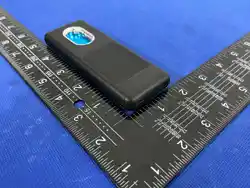

ES6 DETECTOR
01 Product Introduction
The ES6 combines multiple detection technologies to help
identify hidden cameras, wireless signal transmitters, GPS
trackers, and magnetic tracking devices. It is designed to
enhance personal privacy and security in a wide range of
environments.
Wireless
Magnetic
AI
Detection
Applicable Scenarios
Hotel
Home
Rooms
Changing
In-car
02 Product Structure
Optical Filter Lens
Red Light Emitter Port
HD Touchscreen
Power Button
Speaker
Type-C Charging Port
03 Quick Start Guide
Power On
Press and hold the power
button for 3 seconds. The
screen will turn on, and the
device will enter standby mode.
Power Off
Press and hold the power
button. When the “Power Off”
option appears on the screen,
tap it to turn off the device.
Tip: The screen stays on constantly once the device is
powered up. To save power and protect the device,
please turn it off if you won’t be using it for a while.
04 Camera Detection
Quickly locate hidden camera lenses by picking up
reflected red light.
Operation Steps
lighting mode
Select "Camera Detection"
mode
Red light turns on
automatically
Look through the optical filter
lens and slowly scan the
suspected area.
A bright red reflective spot
may indicate a hidden camera
lens.
Constant
On Mode
Slow
Flash Mode
Fast
Flash Mode
05 Night Vision Camera Detection
Use the green scanning light in a dark environment
to locate infrared night vision cameras.
Operation Steps
Use this function in a dark
environment.
Select “Night Vision Camera
Detection” mode.
Scan suspicious areas with
the top green detection light.
06 Wireless Signal Detection
Detect wireless signal transmitters, including Wi-Fi,
Bluetooth, GPS, and mobile communication devices.
Operation Steps
Select “Wireless Signal
Detection” mode.
Hold the device upright and
scan the surrounding area slowly.
The faster the beeping and the
higher the displayed value, the
stronger the detected signal.
Adjust the sensitivity using
the “+” and “–” buttons.
07 Magnetic Device Detection
Detect magnetic devices, such as GPS trackers and
other magnetic tracking devices.
Operation Steps
Select “Magnetic Device
Detection” mode.
Move the device close to the
suspected area.
The detector will sound an
alert when a strong magnetic
field is detected.
Inspect the target area
carefully for a concealed
magnetic device.
Recommended detection locations
Vehicle
Undercarriage
Wheel
Wells
Car Seats
Metal
Surfaces
08 AI-Assisted Signal Localization
AI-assisted spectrum analysis and extended monitoring
help detect and locate intermittently transmitted
tracking signals.
Operation Steps
Select “AI-Assisted Signal
Localization” mode.
Place the device near the
suspected area.
The device will automatically
record and analyze changes
in signal strength.
Open the Records screen to
review detected signal activity.
Recommended detection locations
Car Seats
Trunk Luggage
Drawers
Parcels
09 Sentry Guard Mode
The device automatically sounds an alarm if it is
moved or disturbed, helping protect your belongings.
Operation Steps
Applicable Locations
Select “Guard Mode”
Hang the device on a door
handle or attach it to the item
you want to protect.
After a 5-second countdown,
the device will enter guard
mode.
An alarm will sound if the
device is moved or disturbed.
Hotel
Room Doors
Luggage
Office Doors
Room Doors
10 Product Parameters
Product
Name
Screen
Detection
Modes
Battery
Charging
Input
Charging
Time
Product
Dimensions
Net Weight
Operating
Temperature
ES6 Signal Detector
1.83-inch HD
Touchscreen
Multiple Detection Modes
600mAh Polymer
Lithium Battery
Type-C,5V-370mA
Approx. 1.5 Hours
4.88 X 1.83 X 0.56 Inch
71g
-4°F~122°F
(-20°C~50°C)
11 Settings Menu
Sound & Vibration
Sound / Vibration
Brightness
Language
English/español
Voice
On / Off
12 Package List
ES6 Detectorx1 Type-Cx1
User Manualx1
13 FAQ
Q1. What is the difference between Hidden Camera
Detection and Night Vision Camera Detection?
Camera Detection Mode
This mode uses optical lens-reflection detection. The red
detection light illuminates the suspected area. When viewed
through the optical filter lens, a camera lens may appear as a
bright red reflection spot. This mode can be used to locate
exposed camera lenses and does not depend on whether the
camera is online, recording, or connected to a network.
Night Vision Camera Detection Mode
This mode is designed to locate cameras equipped with
infrared night vision LEDs. In a dark environment, the green
scanning light helps reveal infrared LEDs as visible bright spots.
For best results, use this mode in a dark room.
Q2. Why does the detector keep beeping?
The detector responds to nearby wireless signals, such as Wi-Fi
routers, smartphones, Bluetooth devices, smart TVs, and other
RF devices. This is normal. Reduce the sensitivity or move away
from known wireless devices before scanning again.
Recommendations:
• Start with Low Sensitivity.
• Turn off nearby wireless devices whenever possible.
• Move the detector slowly while scanning.
Q3. Why can’t the detector find a hidden camera?
Not all hidden cameras transmit wireless signals. Some
cameras record directly to a memory card, while others may
be wired or temporarily offline.
Try the following:
• Dim or turn off the room lights.
• Look through the optical filter lens.
• Scan suspicious areas slowly.
• Repeat the scan from several angles.
Q4. Can the detector detect wired cameras?
Yes. A wired camera may still be detected in Hidden Camera
Detection mode through lens reflection. Wireless Signal
Detection mode can detect it only if the camera also transmits
a wireless signal.
Q5. Why can’t the detector find a GPS tracker?
Some GPS trackers transmit data only at scheduled intervals or
when the vehicle is moving.
Try the following:
• Repeat the scan several times.
• Use Wireless Detection Mode.
• Use Magnetic Detection Mode.
• Use AI Tracking Detection Mode.
• Move slowly around the target area.
Q6. Why does the signal-strength reading keep changing?
Signal strength may fluctuate because of obstacles,
environmental interference, changes in antenna orientation,
movement of the transmitter, or low battery levels. This is
normal.
Q7. How can I locate the signal source more accurately?
Start with high sensitivity to identify the general area.
Gradually reduce the sensitivity as you move closer.
Scan the suspected area slowly from different directions.
The strongest and most consistent signal usually indicates
the closest point to the source.
Q8. Why does the detection distance vary between scans?
Detection distance depends on several factors, including
transmitter power, antenna orientation, surrounding obstacles,
environmental interference, and the detector’s sensitivity
setting. Different devices naturally have different detection
ranges.
Q9. Why does Magnetic Device Detection not respond?
Magnetic Device Detection responds only to devices
containing magnets or producing a detectable magnetic field,
such as magnetically mounted GPS trackers. It will not detect
ordinary non-magnetic hidden cameras.
Q10. Can the ES6 detect every hidden surveillance device?
No. The ES6 is designed to detect hidden cameras, wireless
signal transmitters, GPS trackers, Bluetooth trackers, and
magnetic tracking devices. Detection results depend on the
device type, operating condition, transmission status, distance,
and surrounding environment.
Q11. Why should I scan slowly?
Moving too quickly may cause weak or intermittent signals to
be missed. Recommended scanning speed:
approximately 5–10 cm/s (2–4 in/s).
Q12. Can I use the detector while it is charging?
Yes. The ES6 can be used while charging from a USB charger,
power bank, or computer USB port.
Q13. Is the AI analysis 100% accurate?
No. AI analysis is based on wireless signal patterns, Bluetooth
activity, magnetic-field information, and other detection data.
The results are provided for reference only and should be
verified through additional inspection.
Q14. Why is a device sometimes detected only after
several scans?
Made in china
Recommended detection locations
-
+
---
Some devices transmit signals intermittently to reduce power
consumption. For more reliable results, continue scanning for
several minutes and inspect the area again from different angles.
Usage Tips
• Begin with a low sensitivity setting.
• Scan slowly from multiple angles.
• Use Hidden Camera Detection mode in a dark environment
• Gradually reduce sensitivity as you approach the suspected
signal source.
• GPS trackers and Bluetooth trackers may transmit
intermittently.
• Repeat the scan several times to improve detection accuracy.
Safety Notice
The ES6 is an auxiliary detection device and cannot guarantee
the detection of every hidden surveillance device. For more
reliable results, use multiple detection modes together and
carefully inspect the surrounding environment.
4
5
6
7
8
10
11
Hotel
rooms
Offices Changing
Rooms
RVs
Homestays
Changing
rooms
Meeting
Rooms
Vehicles Luggage
Recommended detection locations
2
IR Sensor Area
1
IR Detection Assist Light
Detection
Detection
Meetings
Rooms
travel
Magnetic Field Sensor Area
Camera
Detection
IR
Detection
Lanyardx1
Guard
Mode
Long Slow
Fast
Flashlight
Lanyard Hole Position
3
9
Installed on the rear,not visible upfront
An audible alert “Suspicious
object detected, please inspect”
confirms a suspicious device
for better visibility of reflected light.
This device complies with part 15 of the FCC Rules. Operation is
subject to the following two conditions:
(1) this device may
not cause harmful interference, and
(2)
This device must accept any interference received, including
interference that may cause undesired operation.
Changes or modifications not expressly approved by the party
responsible for compliance could void the user’s authority to
operate the equipment. This equipment has been tested and found to
comply with the limits for a Class B digital device,
pursuant to Part 15 of the FCC Rules. These limits are designed to
provide reasonable protection against harmful interference in a
residential installation. This equipment generates uses and can
radiate radio frequency energy and, if not installed and
used in accordance with the instructions, may cause harmful
interference to radio communications. However, there is no
guarantee that interference will not occur in a particular installation. If
this equipment does cause harmful interference to radio or television
reception, which can be determined by turning the equipment off
and on, the user is encouraged to try to correct
the interference by one or more of the following measures:
‐‐
Reorient or relocate the receiving antenna.
‐‐
Increase the separation between the equipment and
receiver.
‐‐
Connect the equipment into an outlet on a circuit different
from
that to which the receiver is connected.
‐‐
Consult the dealer or an experienced radio/TV technician
for
help.ct.
*
RF warning for Portable device:
The device can be used in portable exposure condition without
restriction.