Click for Philips Hue
P/N: FOH-DSxx
Included in package:
● 1 - Dual Rocker Switch
● 1 - Screwless faceplate
● 1 - Single Rocker insert
● 1 - Wire nut for bypassing wired switch
● 1 - Backplate for surface mounting
● 2 - ⅜” Backplate attachment screws
● 2 - ¾” Junction box mounting screws
● 2 - Command Strips ®
● 1 - Installation Guide
Overview
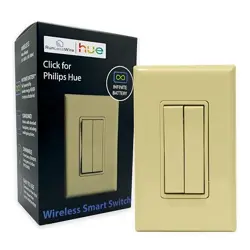
The Click for Philips Hue is a “Friends of Hue”
switch that offers press and hold dimming and
scene functions when connected to the Philips Hue
Bridge v2+. Once connected to the Bridge, Click for
Philips Hue may be configured with the Hue App or
Apple Home Kit.
No battery or external power is needed. The switch
transmits control signals powered by the kinetic
energy produced with the click of the button.
Click for Philips Hue works with either Dual Rocker
inserts for controlling multiple zones or scenes or a
single rocker insert to match standard switches.
Both options support press and hold dimming. Use
the Dual Rocker inserts when adding Click to the
Hue Bridge, then install the Single Rocker insert if
desired.
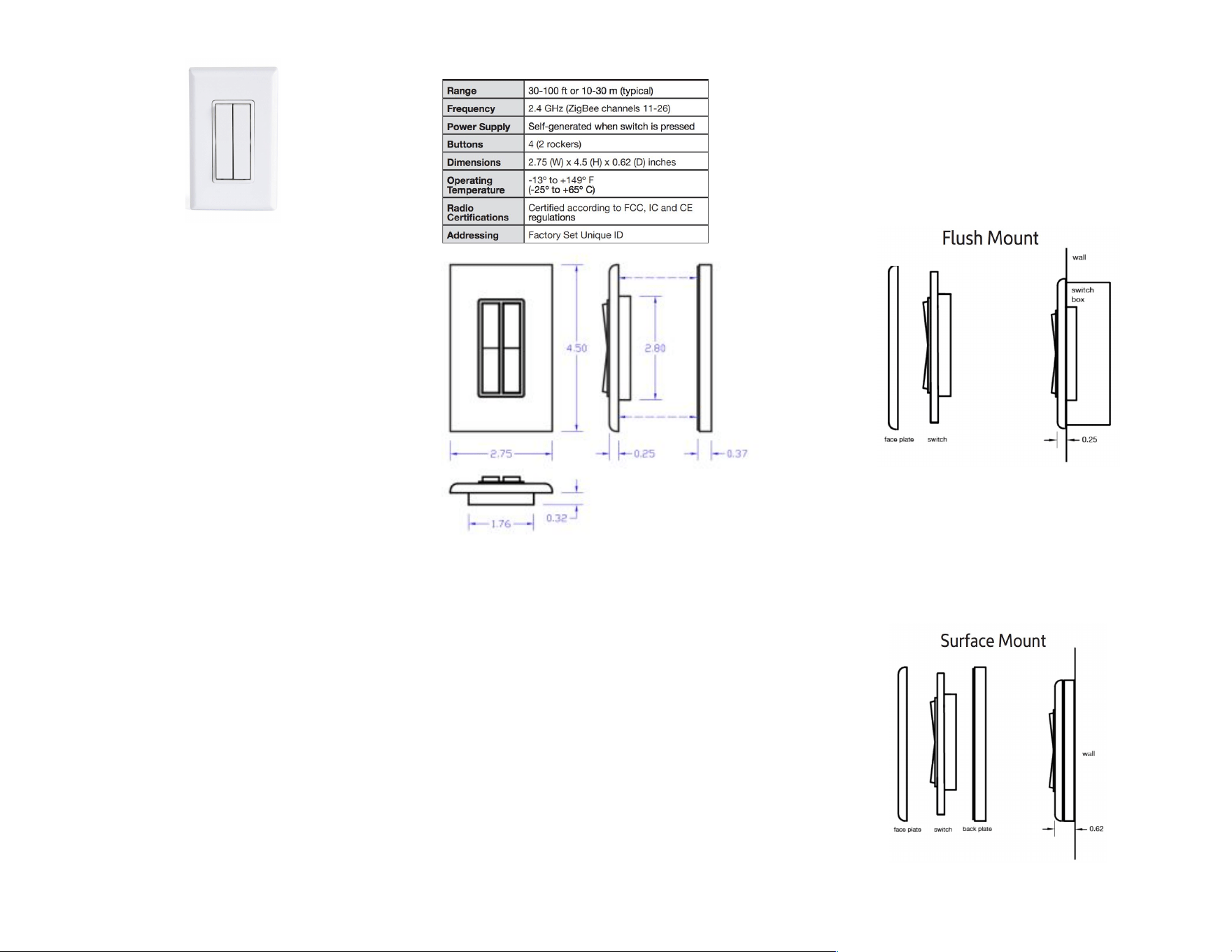
Specifications:
The light switch is compatible with standard
decorator style faceplates. A screwless faceplate is
included.
Mounting
Always follow local electrical codes when installing this device.
Installation should be performed by a qualified professional.
Add the switch to the Hue bridge before mounting.
See instructions on page 2.
After adding the switch to the Hue bridge,
optionally replace the Dual rocker inserts with the
included Single Rocker (see instructions on page
2). Adding Click to the Hue Bridge is not supported
with the single rocker insert.
Option A: Flush mount on a standard electrical
switch box using included ¾” junction box mounting
screws. If installing in place of an existing switch:
turn off power, remove the existing switch, join
together all wires previously connected to the old
switch with the included wire nut. Cover with any
faceplate with Decora size opening. Restore
power.
Option B: Surface mount backplate to a flat
surface using included Command Strips or with
screws (not included). If using Command Strips,
make pull tabs accessible from center of backplate.
After the backplate is mounted, attach switch to
backplate using included ⅜” backplate attachment
screws. Snap on screwless faceplate.
AHD0643D 1
Add Click for Philips Hue to Hue Bridge
1. Access the Hue App for either Apple
iOS or Android Google Play.
2. Open the ‘Settings’ page.
3. Click on ‘Accessory setup’.
4. Click on ‘Add accessory’.
5. Select ‘Friends of Hue switch’.
6. Follow the on-screen instructions.
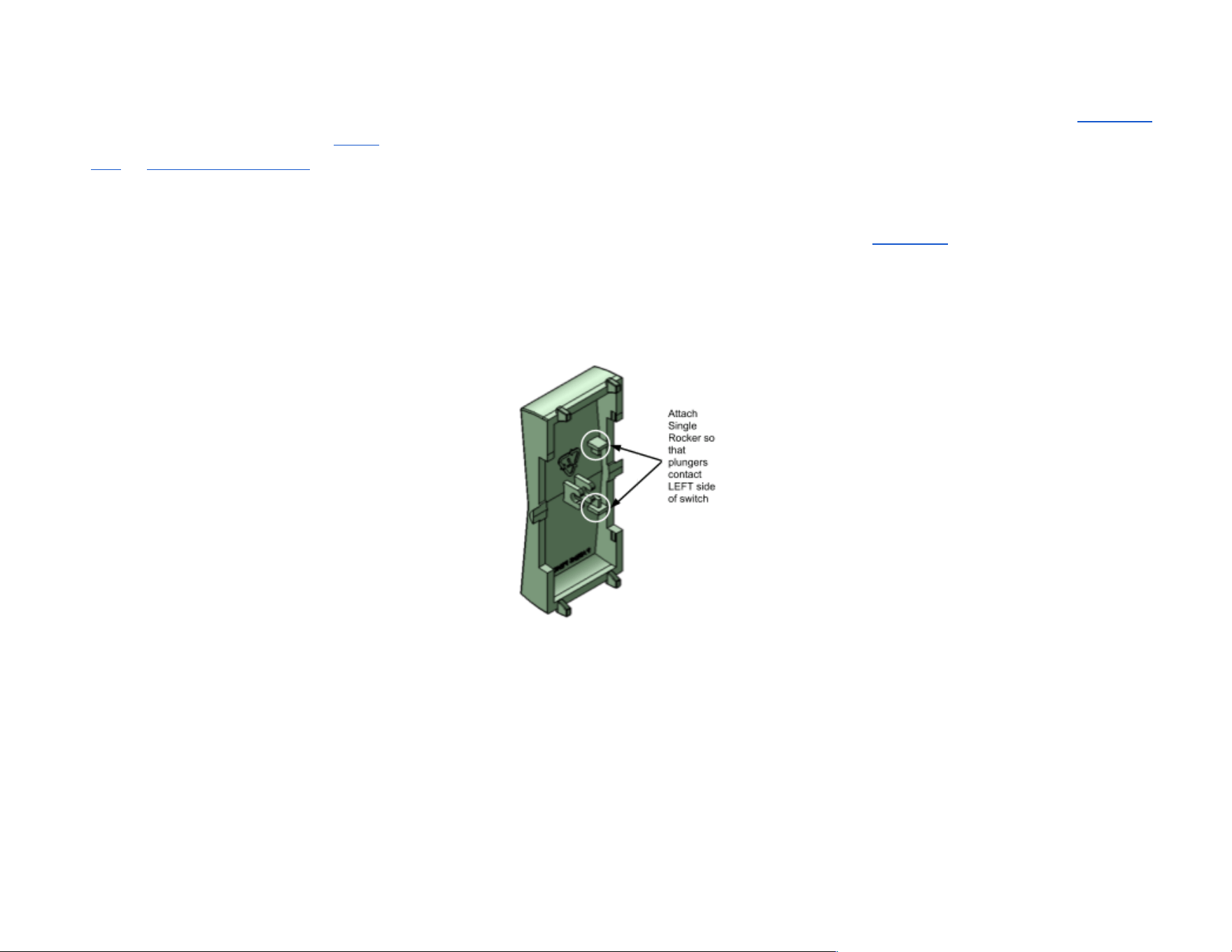
Instructions for using Single Rocker:
1. Carefully remove trim piece by
releasing 4 clips on the back of the
Click for Hue switch.
2. Pull off the Dual Rockers.
3. Snap the Single Rocker insert on so
that plungers contact the LEFT side
of the switch.
Requires a Philips Hue Bridge (v2) and Philips Hue app for
Android or iOS for initial setup. Learn more on
meethue.com
Privacy Notice: Please be informed that Philips Lighting will
have access to your personal and usage data via the Hue
bridge. In order to understand how Philips Lighting processes
your personal data and usage data please read respectively
Philips Lighting’s privacy notice and terms of use which can be
found on
meethue.com
.
Contains FCC ID: SVZ-PTM215Z
Contains IC: 5713A-PTM215Z
The enclosed device complies with Part 15 of the FCC Rules.
Operation is subject to the following two conditions: (i.) this
device may not cause harmful interference and (ii.) this device
must accept any interference received, including interference
that may cause undesired operation.
Philips is a trademark of Koninklijke Philips N.V.
Hue, Friends of Hue, and all related logos are trademarks of
Signify Holding.
Command Brand is a trademark of 3M.
AHD0643D 2