Operating Instructions
Website: www.jtechdigital.com
Toll Free: 1-888-610-2818
Email: support@jtechdigital.com
USER MANUAL
HDMI 18G Extender 230Ft DownScale
Model: JTECH-EX230
JTD-ID: 536

The 18G Extender Set Control Path has been tested for conformity to safety
regulations and requirements, and has been certified for international use.
However, like all electronic equipment, the JTECH-EX230 should be used with
care. Please read and follow the safety instructions to protect yourself from possible
injury and to minimize the risk of damage to the unit.
Follow all instructions and warnings marked on this unit.
Do not attempt to service this unit yourself, except where explained in this
manual.
Provide proper ventilation, air circulation, and do not use near water.
Keep objects that might damage the device away and assure that the placement
of this unit is on a stable surface.
Use only the power adapter, power cords, and connection cables designed for
this unit.
Do not use liquid or aerosol cleaners to clean this unit. Always unplug the power
to the device before cleaning.
SAFETY AND NOTICE

INTRODUCTION ....................................................................................................... 1
PACKAGE LIST ......................................................................................................... 1
FEATURES ................................................................................................................ 1
PANEL DESCRIPTION .............................................................................................. 2
PANEL DESCRIPTION .............................................................................................. 3
SYSTEM CONNECTION ........................................................................................... 3
SPECIFICATION ....................................................................................................... 4
TABLE OF CONTENTS

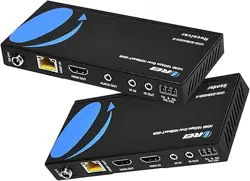
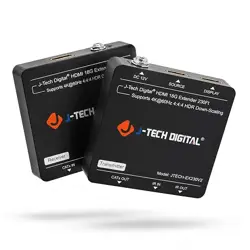
The JTECH-EX230 is a cost-effective point-to-point extender set for HDMI 2.0 and
IR signals; this kit supports 4K/UHD video @ 60 Hz with 4:4:4 Chroma sampling, as
well as HDMI data rates up to 18 Gbps, HDCP 2.2 compliant; It provides HDMI
transmission up to 230 feet (70 meters) for 4K@60Hz 4:4: 4 or 1080p, over single
CAT5e/6 cable. It supports video resolution down-scaling, the 4K input can be
automatically downscale to 1080p output for compatibility with 1080p display.
1x Transmitter (Tx)
1x Receiver (Rx)
1x IR Receiver
1x IR Emitter
1x Power Adapter (5V DC 1A)
2x Velcro Tape
1x User Manual
Supports HDMI 2.0, up to 4K@60Hz 4:4:4, HDR, 18G, HDCP 2.2.
Extends 4K or 1080p HDMI signal up to 230 feet (70m) over a single CAT5e/6
cable.
HDMI loop out on transmitter.
Bi-directional IR pass-through.
Supports video resolution down-scaling, the 4K input can be automatically
degraded to 1080p output on receiver for compatibility with legacy 1080p
display device.
Features visually lossless compression with no latency.
EDID pass-through.
Compact design, easy to install and simple to operate.
INTRODUCTION
PACKAGE LIST
1
FEATURES
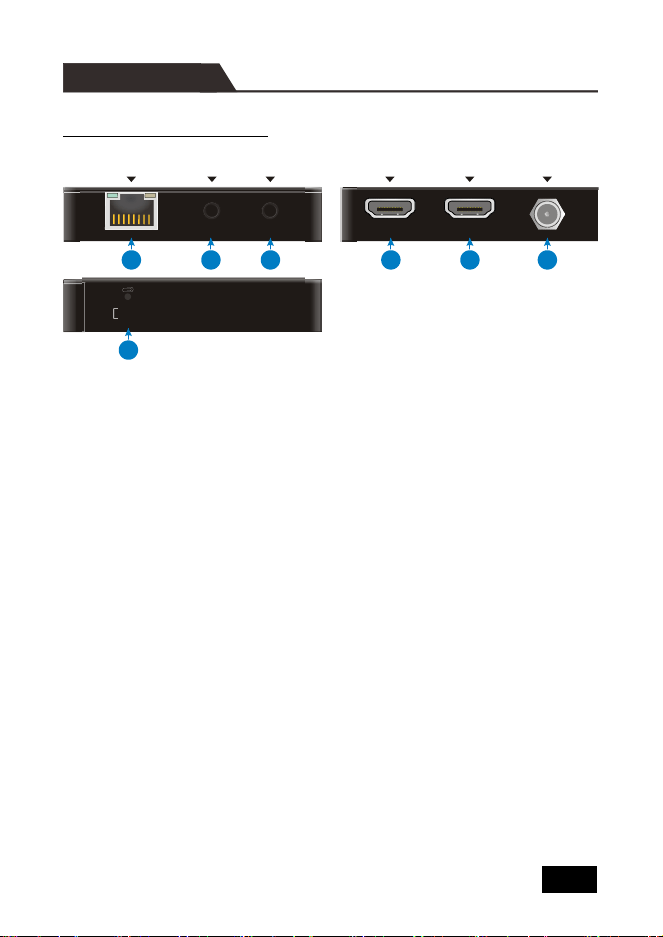
Transmitter Panel Description
① CATx OUT: RJ45 port to connect the CATx IN port of receiver by CATx cable. It
supports 12V PoC to power the receiver. The orange LED illuminates when
there is a valid HDMI signal input. The green LED illuminates when power is
applied.
② IR IN: 3.5mm mini jack to connect IR receiver for IR pass-through.
③ IR OUT: 3.5mm mini jack to connect IR emitter for IR pass-through.
④ DISPLAY: Type-A female HDMI port to connect HDMI display device.
⑤ SOURCE: Type-A female HDMI port to connect HDMI source device.
⑥ DC 12V: DC connector for the power adapter connection.
⑦ EDID Management: Press the button with paper clip or other sharp tool to set
EDID bypass mode, or press and hold it for 3 seconds to copy the EDID from
the display device.
Note: Press and hold the button while powering off, and then release it after 5
seconds of power on to restore the default setting: The source device learns
EDID from the TV which has the lowest resolution.
EDID BYPASS
EDID COPY Tx/3s
IR OUTIR IN CATx OUT
DISPLAY
SOURCE
DC 12V
1
2
3
4
5
6
7
2
PANEL DESCRIPTION
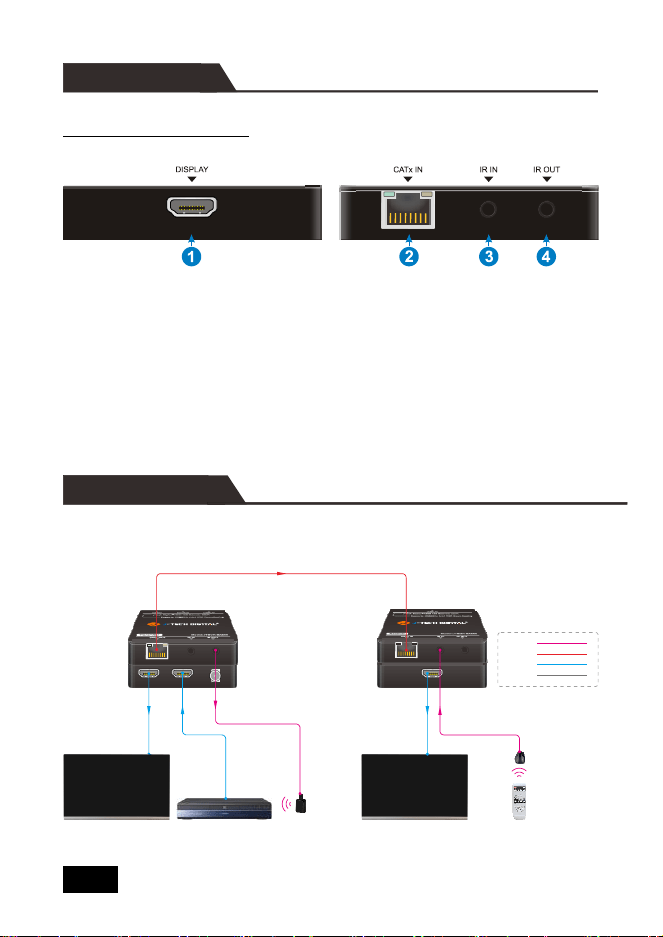
Receiver Panel Description
① DISPLAY: Type-A female HDMI port to connect HDMI display device.
② CATx IN: RJ45 port to connect the CATx OUT port of transmitter by CATx
cable. It supports 12V PoC and the receiver can be powered from the
transmitter. The orange LED illuminates when there is a valid HDMI signal
input. The green LED illuminates when power is applied.
③ IR IN: 3.5mm mini jack to connect IR receiver for IR pass-through.
④ IR OUT: 3.5mm mini jack to connect IR emitter for IR pass-through.
The following diagram illustrates the typical input and output connection of the
splitter:
IR Emitter
Blu-Ray Remote
IR
Receiver
Bedroom TV4K Blu-Ray
Tx Rx
Living Room TV
Power:
IR:
HDMI:
Catx:
SYSTEM CONNECTION
3
PANEL DESCRIPTION

Transmitter
Input
(1) SOURCE
Input Connector
(1) 19-pin type-A female HDMI
Output
(1) DISPLAY, (1) CATx OUT
Output Connector
(1) 19-pin type-A female HDMI, (1) RJ45
Control
(1) IR IN, (1) IR OUT
Control Connector
(2) 3.5mm mini jacks
Receiver
Input
(1) CATx IN
Input Connector
(1) RJ45
Output
(1) DISPLAY
Output Connector
(1) 19-pin type-A female HDMI
Control
(1) IR IN, (1) IR OUT
Control Connector
(2) 3.5mm mini jacks
General
Video Resolution
Up to 4K@60Hz 4:4:4, HDR
Transmission Distance
4K/1080p ≤ 70 meters (230ft)
HDMI Version
Up to HDMI 2.0
HDCP Version
Up to HDCP 2.2. The HDCP of output follows
the HDCP version of display device.
EDID Pass-through
Supported.
Power Supply
Input: 100VAC~240VAC, 50/60Hz;
Output: 12VDC 1A
Power Consumption
4W (Max)
Operation Temperature
-5~55℃
Storage Temperature
-25~70℃
Relative Humility
10%-90%
Dimensions (W*H*D)
80mm x 16.8mm x 80mm
Net Weight
Tx/Rx: 70g
Note: The extender set does not support HBR audio.
SPECIFICATION
4
Product pictures are for reference only.
Specifications, pictures & software described herein are subject to change without prior notification.
Only use the provided power supply when operating this unit. J-Tech Digital® is not responsible for
any damage due to customer neglect.
All trademarks are the sole property of their respective companies.
Copyright ©J-Tech Digital, Inc. All rights reserved.