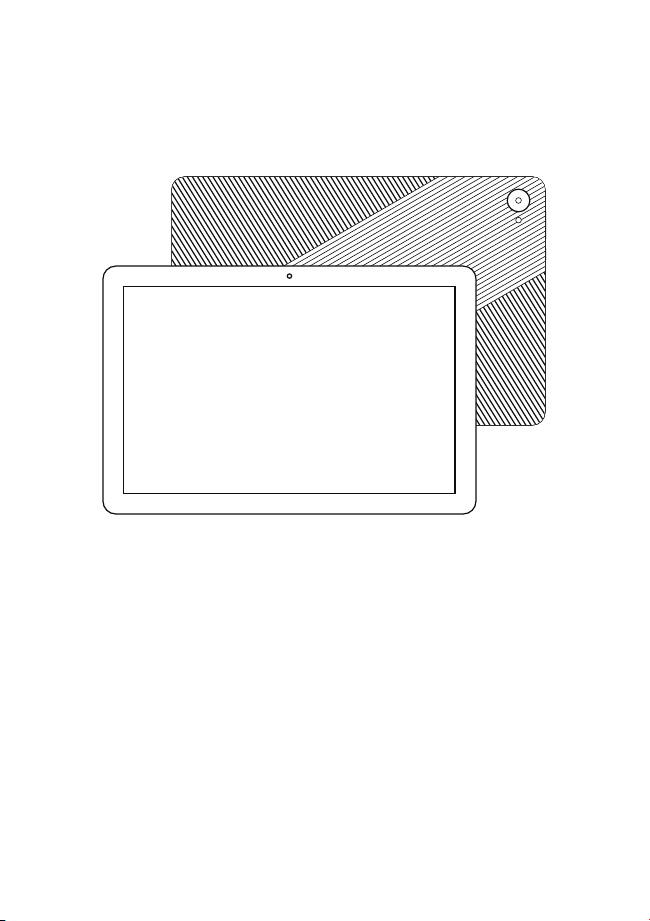
USER MANUAL
PC10M
Tablet
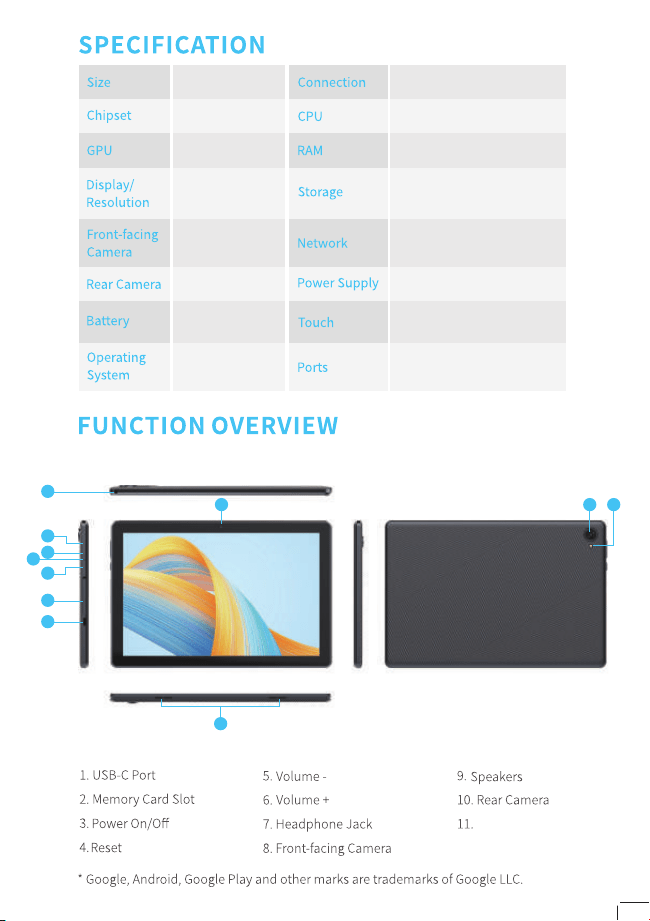
6000mAh
Android
TM
15.0
10.1”
Wifi/BT
Quad core 2.0GHz
3+5GB
32GB
802.11 b/g/n
2.4G
DC 5V/2A
MTK8768
IMG GE8320
IPS 1280*800
P+G
2.0MP
8.0MP
Multi-touch
Type-C
1
8
9
2
7
3
5
6
4
10 11
Flash light
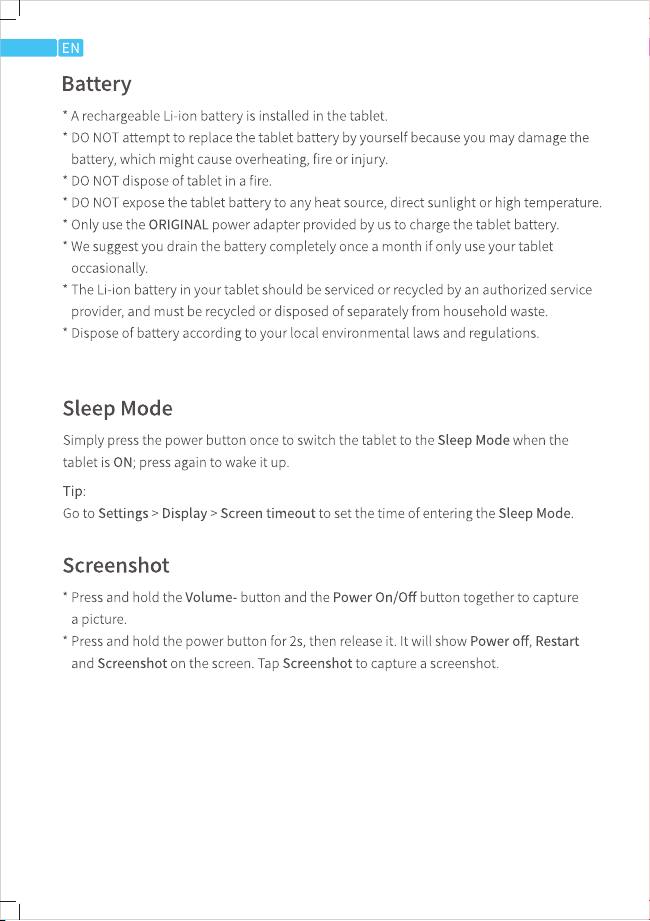
PC10M
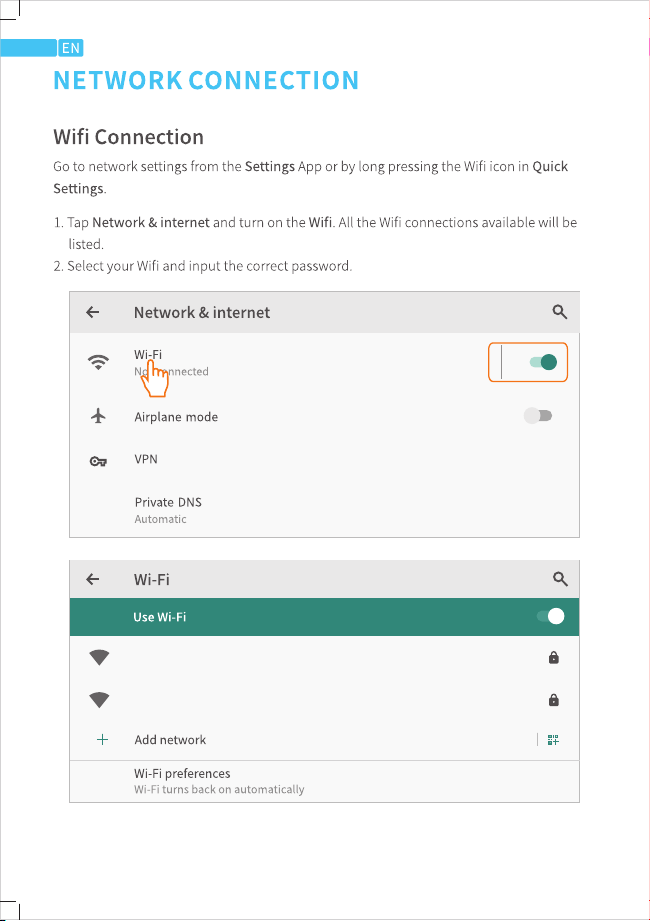
WiFi01
WiFi02
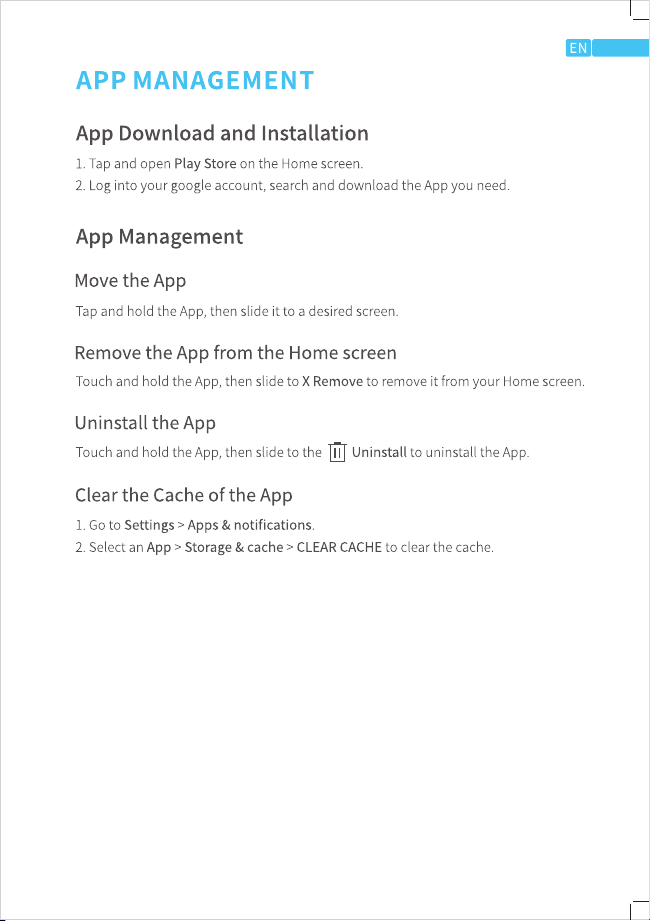
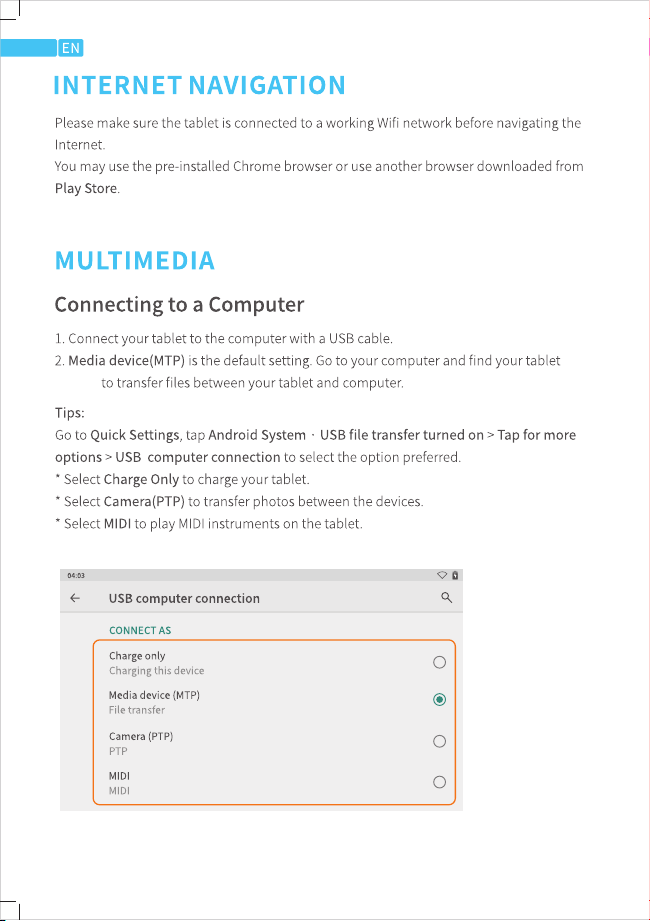
ZB10
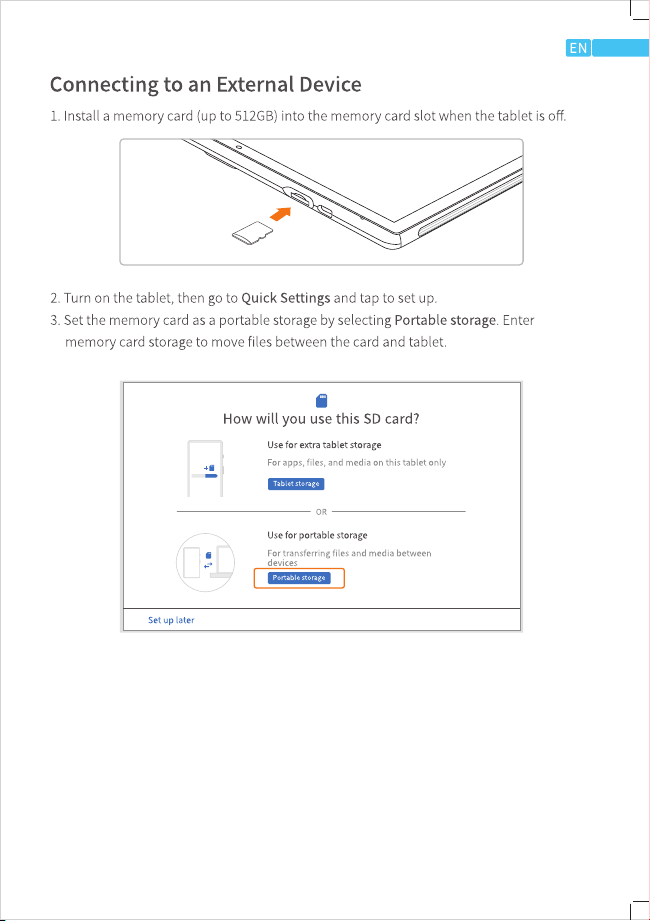

m一
Q7. The tablet comes with scratches on the screen.
• Check 11 the sc「atches are on the film. If yes, please remove the film
QB. Th
e screen 1s unresponsive.
• Check if the screen is dusty or greasy. If yes, please gently wipe the sc「een with a cloth
to clean it
Q9. The nt size is too small to read.
• Please go to Settings> Display> Advanced> Font Size to ad」ust the text size
QlO. How to use your voice to search a fact?
• Tap the microphone icon on Google Search bar, tell the tablet what you want to know
and it will show you the search results.

This device complies with part 15 of the FCC Rules. Operation is subject to the
following two conditions: (1) This device may not cause harmful interference, and (2)
this device must accept any interference received, including interference that may cause
undesired operation.
Any Changes or modifications not expressly approved by the party responsible for
compliance could void the user's authority to operate the equipment.
Note: This equipment has been tested and found to comply with the limits for a Class B
digital device, pursuant to part 15 of the FCC Rules. These limits are designed to
provide reasonable protection against harmful interference in a residential installation.
This equipment generates uses and can radiate radio frequency energy and, if not
installed and used in accordance with the instructions, may cause harmful interference
to radio communications. However, there is no guarantee that interference will not
occur in a particular installation. If this equipment does cause harmful interference to
radio or television reception, which can be determined by turning the equipment off and
on, the user is encouraged to try to correct the interference by one or more of the
following measures:
-Reorient or relocate the receiving antenna.
-Increase the separation between the equipment and receiver.
-Connect the equipment into an outlet on a circuit different from that to which the
receiver is connected.
-Consult the dealer or an experienced radio/TV technician for help.
FCC Radiation Exposure statement
The device has been evaluatec to meel general RF exposure requirement. The device
can be used in portable exposure condition without restriction.