QUICK START
SETUP
3
4
1
2
5
ENGLISH
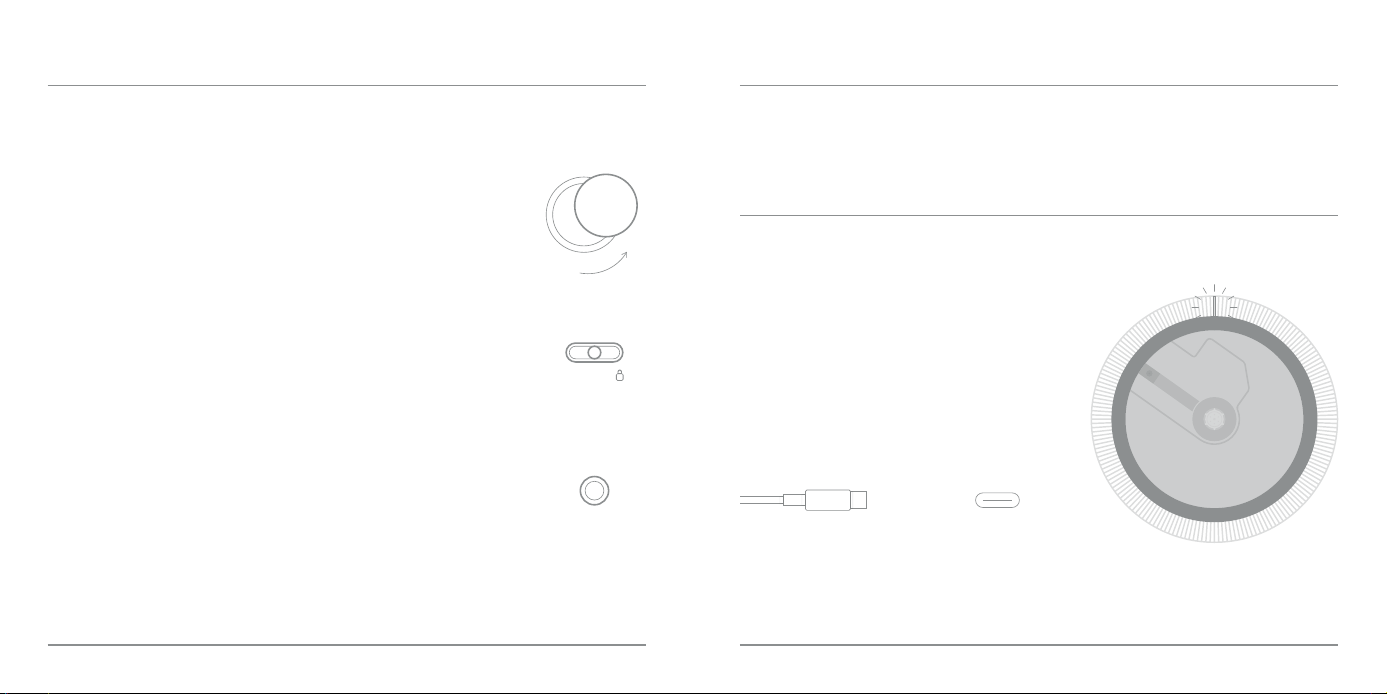
When the orange indicator �ight is ashing, the device needs to be charged.
Dierent colors of the indicator �ight correspond to dierences in running state.
White �ight: work we�l;
Green �ight: fu�ly charged;
Orange �ight: charging;
Orange ashing �ight: baery<20%;
Orange ashing �ight (quickly) :baery<5%;
When fu�ly charged, the device can play for approximately 10 hours with 3.5mm Audio,
and approximately 8 hours in Bluetooth Mode.
USB-C
QUICK START
CHARGING INSTRUCTIONS
4 Plug in your headphones.
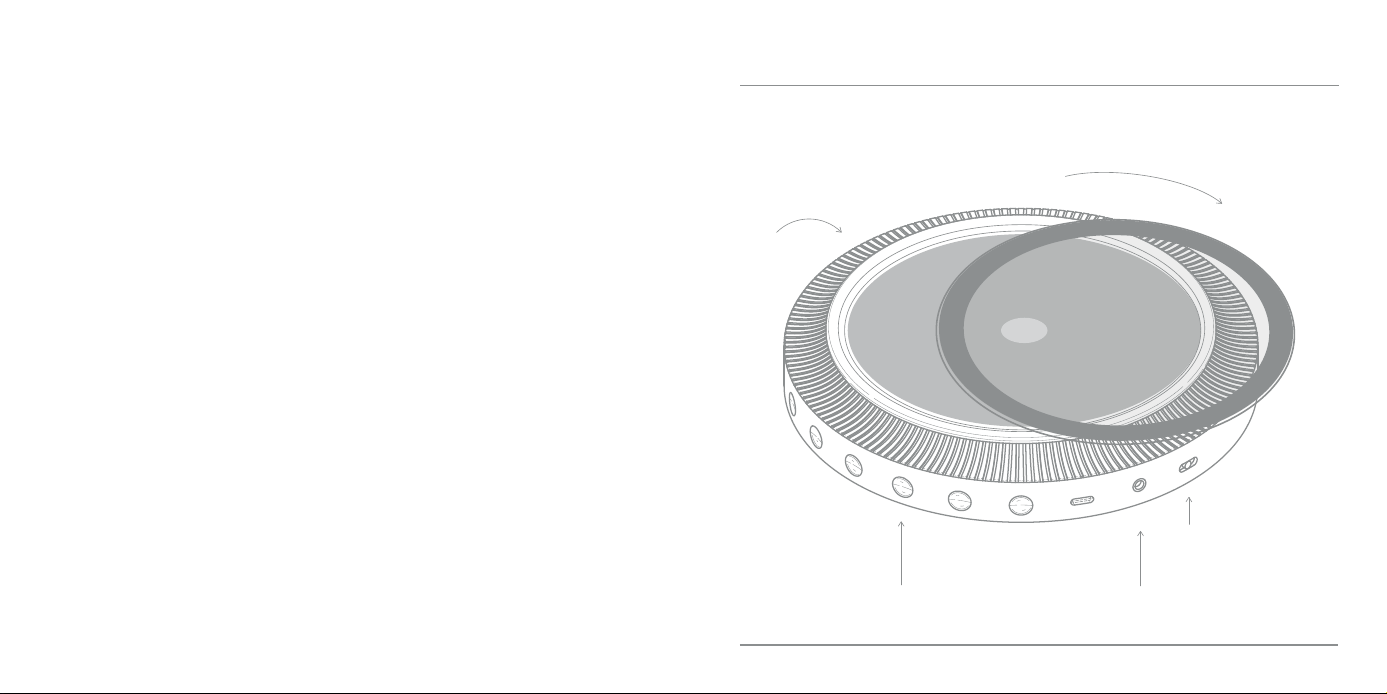
1 Rotate to open the cover �id.
3
The device w��l automatica�ly start,
Default Bluetooth mode enabled.
When inserting headphones, Bluetooth output w��l be muted.
Switch the buon to "ON"
Note: if the CD is not inserted, it w��l automatica�ly shut down aer 2 minutes.
Press the play buon and restart it. Pressing other keys w��l be inva�id.
2
Insert a CD and close the cover �id.
Note: if the device is played norma�ly or not operated,
the screen w��l automatica�ly stop aer one minute, and press any key to ca�l up the screen.
QUICK START
SETUP
o/on
PACKAGE INCLUDED:
TTT-DP3, USER MANUAL, CERTIFICATE OF CONFORMITY
PRODUCT DIAGRAM
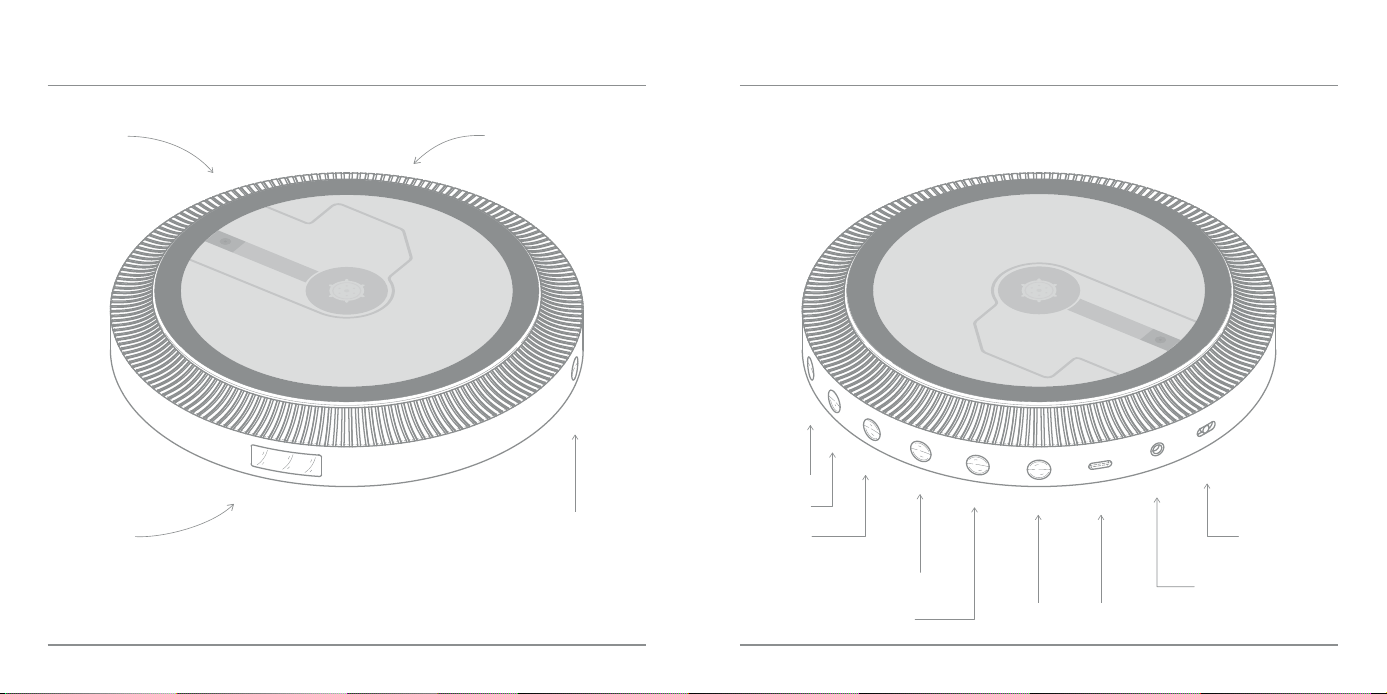
VOLUME +
Volume +
Volume -
Prev Song
Fast Rewind
Play/Pause/Play Modes/Stop Earphone Jack
Next Song / Fast Forward BT/ASP USB-C
Power OFF / ON
and LOCK
COVER
LID
INDICATOR LIGHT
OLED
DISPLAY
PRODUCT DIAGRAM
o/on
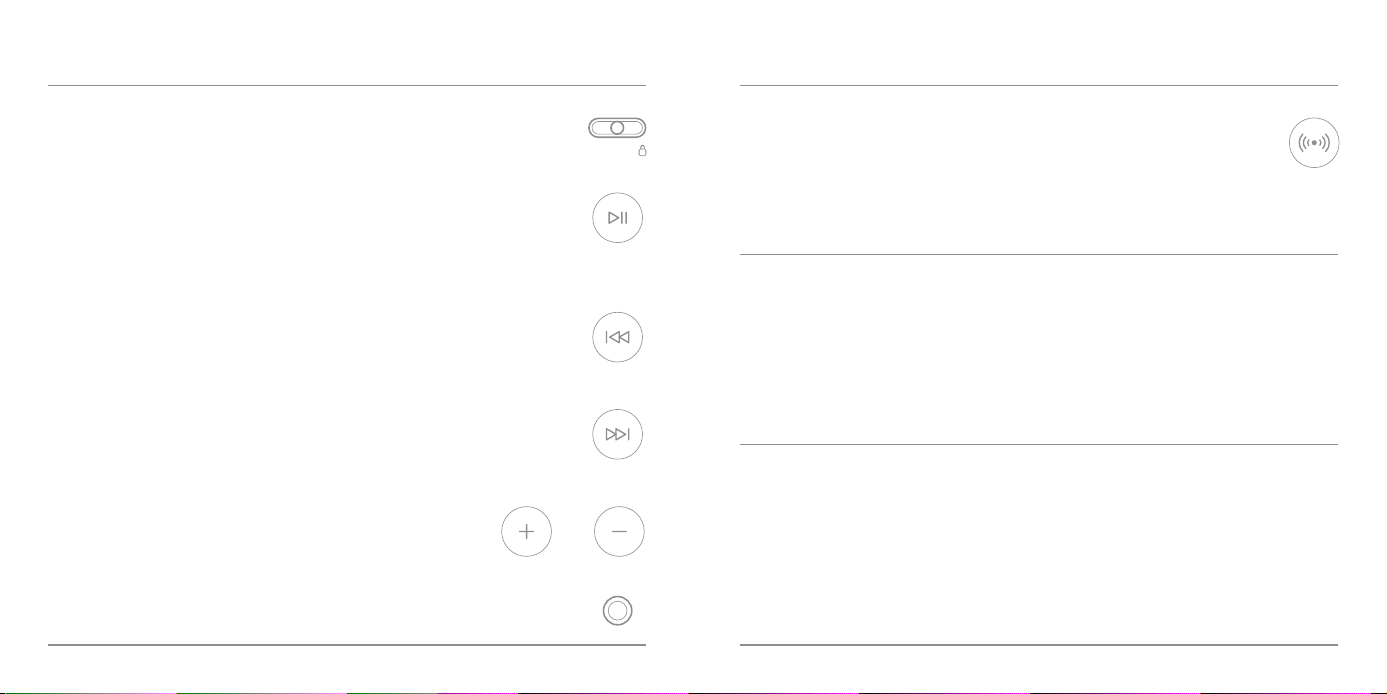
S�ide the switch to "Power OFF", "Power ON" and "LOCK" (to lock buons).
POWER OFF / ON AND LOCK
Short press the "Play" buon to pause and play. Long press the "Play" buon to
stop playing, Short press the buon again to play from the rst song.
Double c�ick the "Play" buon to switch between 3 play modes:
repeat current track, repeat a�l, RND (Play in random order)
PLAY / PAUSE / PLAY MODES / STOP
Short press the "Prev Song" buon to replay the previous track;
Long press the "Prev Song" buon to quickly scan backwards/rewind.
PREV SONG / FAST REWIND
Short press the "Next Song" buon to play the next track;
Long press the "Next Song" buon to quickly scan forward/fast forward.
NEXT SONG / FAST FORWARD
MAIN FUNCTIONS
VOLUME + / VOLUME -
Standard 3.5mm audio output. Connect to headsets, active speakers or cars.
EARPHONE JACK
Short press the "BT" buon to turn on/o Bluetooth mode.
Long press the "BT" buon to switch the anti-shock protection system (ASP) on/o.
BT / ASP
The CD player w��l automatica�ly search for nearby Bluetooth devices to be paired.
Please turn on the Bluetooth feature on your device.
Your device w��l be paired with the CD player in a few seconds.
BLUETOOTH MODE:
NOTICE!
If your device did not pair successfu�ly,
you can try short pressing the 'BT' buon and searching again.
Certain brands of speakers feature a proprietary digital Bluetooth protocol,
which may result in Bluetooth connection fa�lures.
MAIN FUNCTIONS
SPECIFICATIONS
1. Avoid �istening at excessive volumes or for excessive periods of time to reduce
the risk of hearing damage.
2. Avoid contact with moisture, rain, sand or various heat sources.
3. When cleaning, use a so cloth damp with water. Do not use alcohol or
benzene solvent to clean.
4. When riding a bicycle, driving a car or a motorcycle, do not use headphones.
Stay alert to your surroundings.
CAUTION
MODEL
INPUT
CHARGE TIME
CAPACITY
DISC FORMAT
DISC TYPES
OUTPUT MODES
BLUETOOTH
BLUETOOTH RANGE
SNR
THD
MATERIAL
DIMENSION
WEIGHT
TTT-DP3
USB-C 5V 2A
2.5 hours
2000mAh
CD-DA, HDCD
CD, CD-R, CD-RW
3.5mm Audio Interface, Bluetooth
5.4
8-10m
>70dB
<3%
ABS + PC + Metal
170×170×27mm
324g
excessive volume can
damage hearing
to avoid hurting your ears, avoid excessive use.
CAUTION

WHAT IS NOT COVERED BY THE WARRANTY:
Problem Possible Cause or Solution
Our company warrants a�l products to be of the highest qua�ity in material, crasmanship and
service, eective from the date of purchase to the end of the warranty period.
This warranty extends only to personal use and does not extend to any product that has been
used for commercial, rental, or any other use in which the product is not intended for. There are
no warranties other than the warranties expressly set forth with each product.
This warranty is non-transferable. Our company is not responsible in any way for any damages,
losses or inconveniences caused by equipment fa�lure caused by user neg�igence, abuse, or
noncomp�iance with the user manual or non-comp�iance with any additional safety
recommendations or warnings included in the product packaging and manual.
1. The warranty immediately becomes void if the product has been tampered with, repaired or
modied by non-authorized personnel.
2. Damage (accidental or otherwise) to the product that does not impact the product's
operation, including but not �imited to rust, change in color, texture or nish, wear and tear,
and gradual deterioration is not covered.
3. Damage caused by accident, abuse, natural disaster, intentional or accidental misuse, re,
neglect or improper maintenance, and use under abnormal conditions is not covered.
4. Products that have exceeded the warranty service period stipulated by our company are not
covered.
5. The warranty immediately becomes void if the original serial number is removed, ob�iterated
or altered from the product.
6. Packaging and aached accessories, services and additional congurations other than those
promised by the salesperson are not covered.
7. The warranty immediately becomes void if the instructions in the user manual are not
fo�lowed.
The CD player w��l not
turn on.
1. The baery level is too low.Please connect the charging cable
and fu�ly charge it before aempting to turn it on.
2. Check if the switch is turned ON.
The CD player does
not play or stops
playing.
1. Moisture may have condensed on the lens, open the CD cover
and leave it open for about one hour to let it dry out.
2. Make sure that the CD is inserted with the label facing up.
3. Ensure the CD is not scratched or damaged.
4. If the laser head accumulates dust, you can try gently wiping it
with anhydrous alcohol.
No sound or poor
sound.
1. Earphone plug is not rmly inserted into the phone's jack, Please
reinsert and ensure that it is fu�ly inserted.
2. Volume is set to a minimum, increase volume.
3. The baery is low, recharge.
4. CD is defective, replace.
FAQ / TROUBLESHOOTING WARRANTY
FCC Caution.
This device complies with part 15 of the FCC Rules. Operation is subject to the following two conditions:
(1) This device may not cause harmful interference, and
(2) this device must accept any interference received, including interference that may cause undesired operation.
Any Changes or modifications not expressly approved by the party responsible for compliance could void the user's authority to
operate the equipment.
Note: This equipment has been tested and found to comply with the limits for a Class B digital device, pursuant to part 15 of the
FCC Rules. These limits are designed to provide reasonable protection against harmful interference in a residential installation.
This equipment generates uses and can radiate radio frequency energy and, if not installed and used in accordance with the
instructions, may cause harmful interference to radio communications. However, there is no guarantee that interference will not
occur in a particular installation. If this equipment does cause harmful interference to radio or television reception, which can
be determined by turning the equipment off and on, the user is encouraged to try to correct the interference by one or more of
the following measures:
-Reorient or relocate the receiving antenna.
-Increase the separation between the equipment and receiver.
-Connect the equipment into an outlet on a circuit different from that to which the receiver is connected.
-Consult the dealer or an experienced radio/TV technician for help.
The device has been evaluated to meet general RF exposure requirement. The device can beused in portable exposure condition
without restriction.