AI Full Color
Vision Pocket
User Manul

�� Product Introduction ................................
�� Product Appearance and Interfaces .............
�� Quick Start ..............................................
�� Specifications ..........................................
�� Package List .............................................
�� Safety Instructions ....................................
�� Warranty Terms ........................................
�� Disclaimer ...............................................
�� Company ................................................
�
�
�
�
�
�
�
�
��
Contents
11
Product Introduction
Product Appearance and Interfaces
1 2 3 5
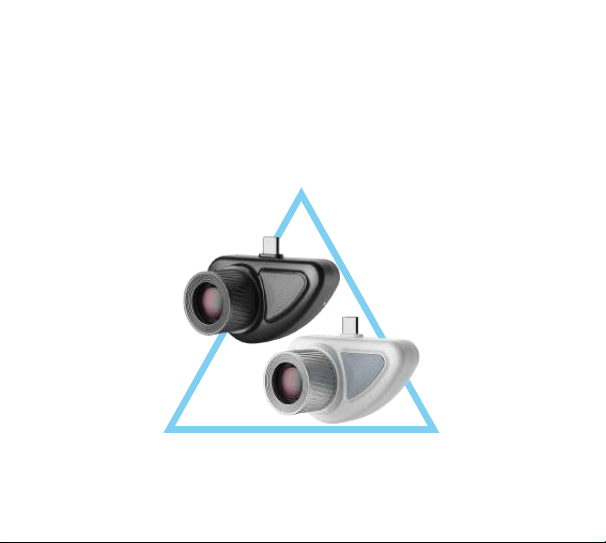
The X� AI Full Color Vision Pocket delivers clear imaging in ultra-low light,
eliminating the "night blindness" of traditional night photography. With low
power consumption and long continuous operation, it suits outdoor observation,
temporary security, vehicle inspection, and pet care. Even in extreme low light,
users enjoy daytime-quality ..imaging—truly clear, accurate, and long-lasting.
4
2

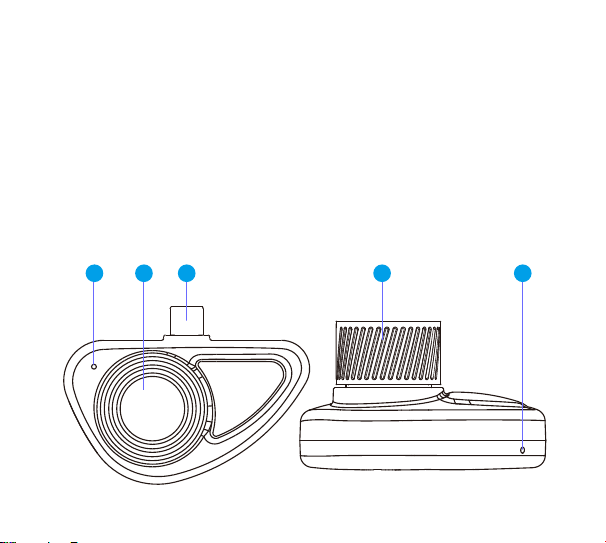
No. Function Module Description
�
Microphone
Supports audio recording, with simultaneous audio
capture while recording video.
� Lens
During daily use, please keep the lens clean and
avoid scratches.
� Type-C Port
Insert into the Type-C port of a phone or other power
supply device for power supply. Input voltage: �V.
�
Focus Knob
Rotate left or right to adjust the sharpness of the
field of view.
� Status Indicator
Light
�. Red light: Power on.
�. green light: WiFi connected and APP video preview
successful (device in normal operation),Red light
switches to green.
�. Red light: Fault occurs during operation,such as
WiFi failure, abnormal video preview and other
malfunctions.
3
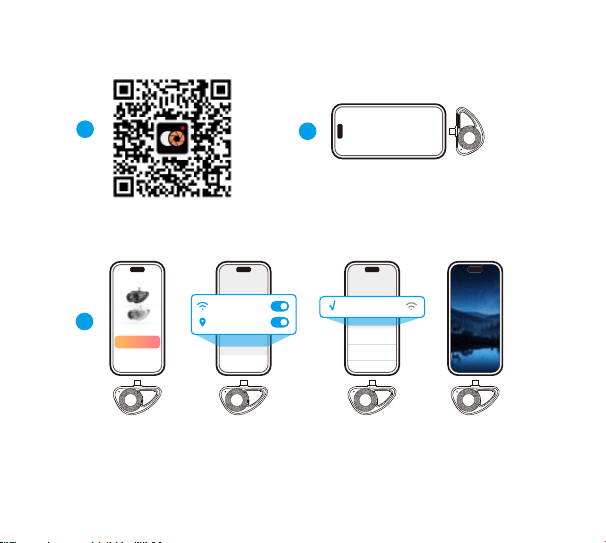
�
Scan the QR code below to
download the iOS/Android APP.
�
Insert product into the Type-C port
of your mobile phone or other
powered devices.
�
�. Open the supporting APP, tap the connect button.
�. Enable the location access/Wi-Fi permissions as prompted.
�. Connect to the Wi-Fi named X�-xxxxxx, password:��������.
�. Return to the app to start video preview automatically.
WiFi_xxxxxx
WiFi
WiFi_xxxxxx
X�-xxxxxx
Add Camera
Settings
WLAN
Location
Quick Start
4
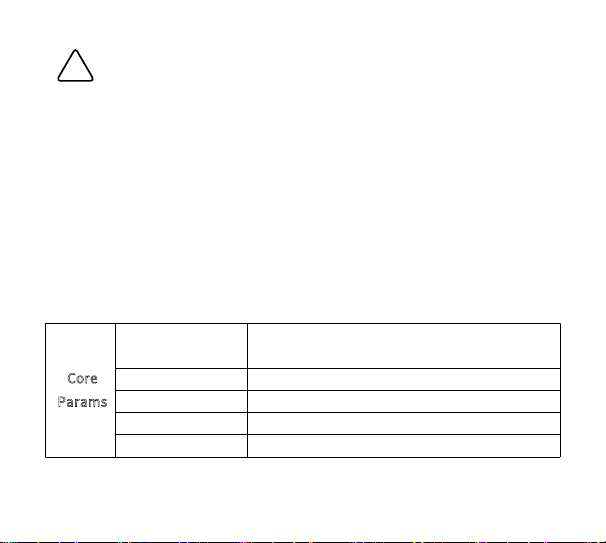
!
Note
· Please keep the lens and microphone clean for normal shooting.
· When rotating the focus knob left/right to adjust clarity and reaching the limit,do
not force rotation to avoid product damage.
· This product works with Type-C Apple/Android phones. When using other power
supplies, ensure �V input to prevent malfunction or damage.
· Store in a dry, cool place. High temperature, high humidity or sudden climate
changes may cause fogging and condensation on the lens and window.
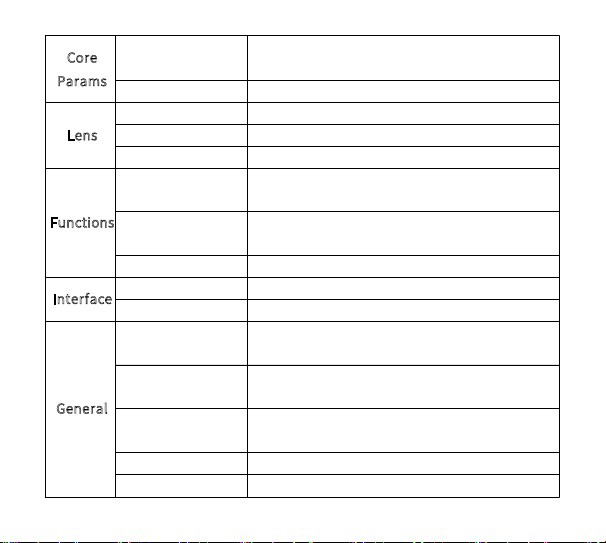
C
ore
Params
Mini Illuminance
Low light vision without fill-in light,minimum
�.���
Max Resolution
����*����@�M
Video Frame Rate
Max ��fps, dynamic adaptive
AI ISP
Full color low light vision AI algorithm
Focusing Method
Manual Focusing
Specifications
5
Lux
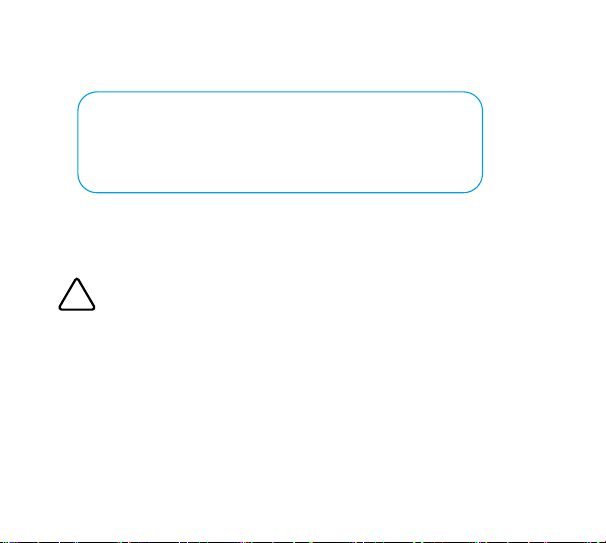
Core
Params
Minimum Imaging
Weight
Distance
���mm
Viewing Distance
Max Distance ���m
Lens
Focus Length
Fixed Focal Lens,��mm
Aperture
F�.�
Field of View
DxHxV:��.�°x��.�°x��.�°
Functions
Photo / Video
Recording
Supported,APP Control
Audio
Supported,Audio Recording Synchronized with
Video
Data Transfer
WiFi �.�g, Max transmitting distance: ��m
I
nterface
USB Interface
Power Supply
Indicator Light
Red & Green Dual-Color Status Indicator
General
Operating Voltage
Range
�V
Power
Consumption
Average �.�W, Peak �W
Operating
Temperature Range
-��~+��℃
Dimensions
L*W*H: ��*��*��.�mm
Approx. ��g
6
Package List
� × Full Color USB Snapshot Camera
� × Lens Cap
� × Lens Cleaning Cloth
� × User Guide
� × Packaging Box
!
Danger
Safety Instructions
· It’s normal that product may become a bit hot during use. Young children
and temperature-sensitive individuals should avoid use to prevent injury.
· Do not point the product directly at the sun or strong light to avoid damage
or eye injury.
7

Warranty Terms
Thank you for choosing our product!
We are dedicated to delivering reliable quality and service. Please review the
warranty terms below.
Warranty Coverage
Free repair or replacement service is provided for eligible products and
components within the warranty period (�‒�� months, depending on product
type). For details, contact your reseller or our official support team. Local
regulations may affect specific terms.
Warranty Claim Requirements
To request service, please provide:
· This warranty certificate
· The original purchase invoice, order record, or valid proof of purchase (clearly
indicating the purchase date)
Claims without valid proof may not be accepted.
The following cases are not eligible for free warranty service
· Damage caused by misuse, accidents, or operation outside the User Guide
instructions.
8

· Unauthorized disassembly, modification, or repair
· Damage from natural disasters or other force majeure events
· Normal wear and tear, surface scratches, or color fading
· Invalid, altered, or mismatched warranty documents
· Any failure not related to product design or manufacturing quality
Disclaimer
· The warranty terms in this guide are your exclusive legal rights and replace all
other warranties. Our maximum responsibility is limited to repairing or replacing
the product. We are not liable for any indirect losses resulting from product use,
including data loss or profit loss.
· Due to product improvements, supply chain changes, and testing variations,
the actual product's appearance, software, features, and specifications may differ
from this guide. Please refer to the physical product. For the latest information,
contact your point of purchase.
9

Brand Owner:Heisendall International Ltd.
Address:�� Kin Hong Street, Kwai Chung, Kwai Tsing District, New Territories
Web: www.naitmoo.net
Email: [email protected]
MADE IN CHINA
Company
10
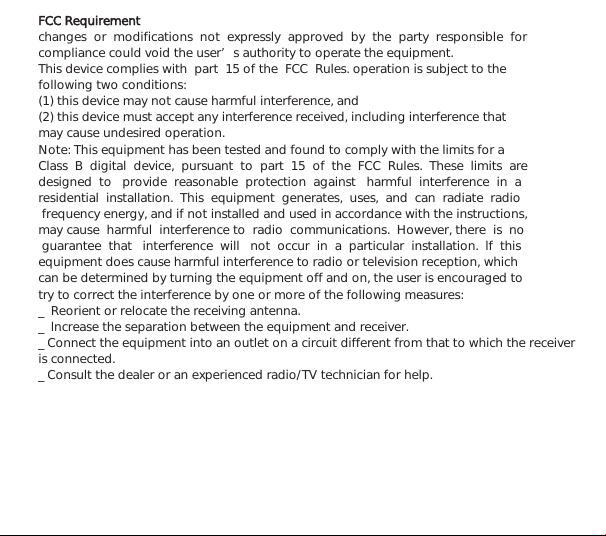
FCC Requirement
changes or modifications not expressly approved by the party responsible for
compliance could void the user’s authority to operate the equipment.
This device complies with part 15 of the FCC Rules. operation is subject to the
following two conditions:
(1) this device may not cause harmful interference, and
(2) this device must accept any interference received, including interference that
may cause undesired operation.
Note: This equipment has been tested and found to comply with the limits for a
Class B digital device, pursuant to part 15 of the FCC Rules. These limits are
designed to provide reasonable protection against harmful interference in a
residential installation. This equipment generates, uses, and can radiate radio
frequency energy, and if not installed and used in accordance with the instructions,
may cause harmful interference to radio communications. However, there is no
guarantee that interference will not occur in a particular installation. lf this
equipment does cause harmful interference to radio or television reception, which
can be determined by turning the equipment off and on, the user is encouraged to
try to correct the interference by one or more of the following measures:
_ Reorient or relocate the receiving antenna.
_ lncrease the separation between the equipment and receiver.
_ Connect the equipment into an outlet on a circuit different from that to which the receiver
is connected.
_ Consult the dealer or an experienced radio/TV technician for help.