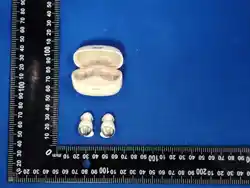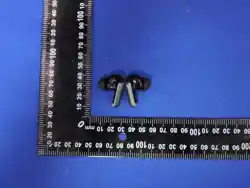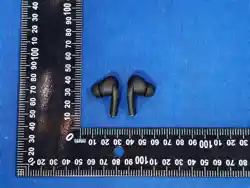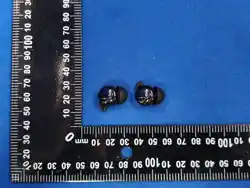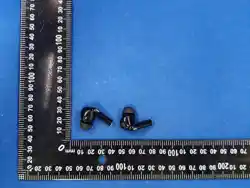

OHR655
True Wireless Earbuds
FCC ID:2A2P5-OHR655
User Manual
英语 English

Please read this user manual carefully when using this product.
Preface
Thank you for purchasing Acer products. For optimum operation, please
read this manual carefully before using.
Model
OHR655
Item Name
True Wireless Earbuds
Package Contents
Headset x2
Charging Chamber x1
USB Charging Cable x1
User Manual x1
Product Description
This V earphone is a wireless connectivity-enabled audio product, which is
compatible with Android and iOS smartphones, tablets, and other portable
electronic devices. By eliminating the constraints of wired connections, it
offers users enhanced convenience and unrestricted mobility, catering to
a wide range of application scenarios.
Product Specifications
Material:ABS
Product Weight:31.4g
Charging port:Type-C
Earphones Size: 31*15*24mm
Charging case size:57.1*52.2*28.1mm
英语 English
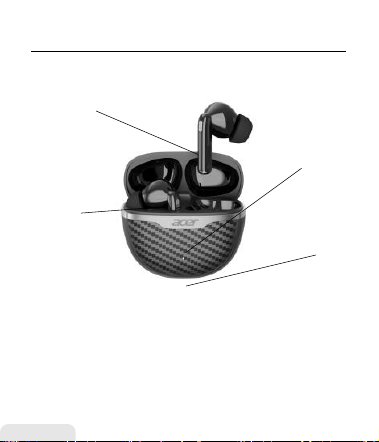
Product structure diagram
1.Charging case indicator light
2.Function Key(Touch)
3.Charging compartment inner tray
4.Charging port
1
2
3
Tips:
Gently insert the earbuds into
your ear canal, then adjust them
after placement to achieve a
comfortable wearing angle.
4
英语 English

Wireless headphone parameters:
1. Bluetooth Version: V 6.0
2. Connection: Bluetooth
3. Communication distance:Approximately 10 meters (in an open and unobstructed
environment).
4. Talk time: About 4 hours.
5. Music playback time: About 5 hours (at medium volume).
6. Frequency response range: 20Hz - 10KHz.
7. Product material: ABS.
8. Wearing style: In-ear.
Operation Instructions:
1. Wireless connection: On Android/iOS platforms, search and pair in the Bluetooth
settings page of your mobile phone.
2. After placing the earbuds in the charging case, they will automatically power off.
The indicator light on the charging case will illuminate. When the earbuds are fully
charged, the indicator light will turn off.
Multifunction key:
1. Power On/Off
Power on: Open the charging case, or long press either earbud’s touch key for 3
seconds.
Power off: Place in the charging case, or long press either earbud’s touch key for 5
seconds.
2. Music Control
Play/Pause: Double tap either earbud’s touch key.
Previous track: Triple tap the left earbud’s touch key.
Next track: Triple tap the right earbud’s touch key.
3. Volume Adjustment
Volume down: Single tap the left earbud’s touch key.
Volume up: Single tap the right earbud’s touch key.
4. Call Functions
Answer/End call: Double tap either earbud’s touch key.
Reject call: Long press either earbud’s touch key for 2 seconds.
5. Extra Functions
Voice Assistant: Long press either earbud’s touch key for 2 seconds and release.
Game/Sleep Mode: Quadruple tap either earbud’s touch key to switch modes.
Note: This product can be connected and used with any device equipped with
Wireless functionality.
英语 English

1. Before using this product for the first time, please fully charge it before using it.
2. The product is not a toy, and children under the age of 12 must be used under the supervision of an adult.
3. Please use a 5V/0.23A charger that has passed the safety certification of a regular manufacturer to avoid
damage to the product caused by a fast charging charger that supports high voltage
4. Please charge in a safe surroundings, when charging the charging case, please pull out the charging cable
as soon as possible after the power is fully charged to avoid damage to the battery caused by long-term
charging. The charging method of the charging case is the Type-C interface.
5. This product has a built-in non-removable rechargeable battery, and repeated charging and discharging of
the earbuds will lead to a decrease in battery performance over time, which malformation nonchargeable
batteries.
6. This product comes with a healthy battery, if it has not been used for a long time, please charge it at least
once a month.
7. If you feel skin discomfort when wearing it due to individual differences, please stop wearing it and
consult a doctor.
8. When using this product with Wireless connection, please adjust the sound of the earphones to an
appropriate volume to avoid hearing damage caused by long-term loud volume.
9. If you use this product while engaging in activities that require concentration, you should pay attention to
your own safety and the safety of others, such as when driving or cycling, on roads, construction sites,
railways, or walking. You should remove your headphones or adjust the volume to ensure that you can hear
the sounds around you, including alarms and warning signals.
10. please follow the relevant regulations of your region or country and use this product as required when
driving.
11. This product contains magnetic materials, please keep away from electrical appliances with strong
magnetic or electric fields, such as microwave ovens, refrigerators, etc., when using or placing the product.
12. it is recommended to use this product in an surroundings with a temperature of -0°C~45°C When the
ambient temperature is below +5°C, battery performance is limited.
13. Do not use this product in places where it is expressly prohibited to use wireless equipment otherwise it
will interfere with other electronic equipment or cause other dangers.
14. Before approaching medical or industrial equipment or boarding a plane, please ask the local staff if they
can use it.
15.Before cleaning and maintaining this product, stop using this product, turn off application, and disconnect
all connections or cables to other equipment.
16. Please dispose of waste electronic products properly in accordance with local laws and regulations, and
do not dispose of electrical and electronic equipment, parts, batteries and other household waste.
17.The power delivered by the charger must be between min 5 Watts required by the radio equipment, and
max 10 Watts in order to achieve the maximum charging speed.
18.Regarding the rechargeable headphones, please use our company's standard USB cable or the
designated charging cable to charge the headphones.
19. To ensure the normal operation of the headphones, please make sure the headphones have sufficient
power.
20.Please use a charger with the specification of 5V 0.23A.
Safety guidelines
英语 English
● Do not use abrasive cleaners to clean this product.
● Do not allow this product to be heated or close to a fire source, such as
a cooking stove.
● Do not expose the product to direct sunlight for a long time.
● Do not discard this product in fire to avoid explosion.
● Do not attempt to disassemble this product to make any
modifications,as it does not contain any maintenance components.
● Do not use this product in rain.
● lf you do not plan to use this product for a long time,please store it in a
dry surroundings and Charge the headset less once to prolong its life and
avoid extreme temperature and dust.
● Permanent hearing loss may occur if earphones or headphones are
used at high volume for prolonged periods of time.
● Batteries may explode if not handled properly.
● Do not disassemble or dispose of batteries in fire.
● Do not short external contacts, crush, puncture or otherwise tamper
with batteries.
● Follow local regulations when disposing of used batteries.
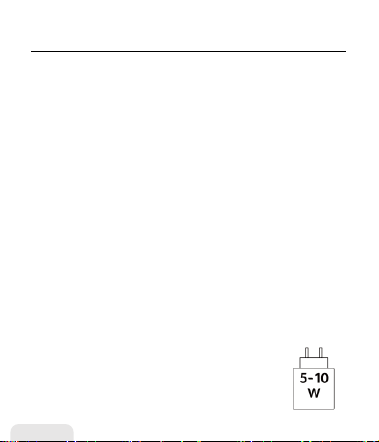
● The power delivered by the charger must be between
min [5] Watts required by the radio equipment, and
max[10] Watts in order to achieve the maximum charging
speed.
Warning
英语 English

FCC Warning
This equipment has been tested and found to comply with the limits for a
Class B digital device, pursuant to part 15 of the FCC Rules. These limits
are designed to provide reasonable protection against harmful
interference in a residential installation. This equipment generates, uses
and can radiate radio frequency energy and, if not installed and used in
accordance with the instructions, may cause harmful interference to radio
communications. However, there is no guarantee that interference will
not occur in a particular installation. If this equipment does cause harmful
interference to radio or television reception, which can be determined by
turning the equipment off and on, the user is encouraged to try to correct
the interference by one or more of the following measures:
—Reorient or relocate the receiving antenna.
—Increase the separation between the equipment and receiver.
—Connect the equipment into an outlet on a circuit different from that to
which the receiver is connected.
— Consult the dealer or an experienced radio/TV technician for help.
Caution: Any changes or modifications not expressly approved by the part
responsible for compliance could void the user’s authority to operate
the equipment.
This device complies with part 15 of the FCC Rules. Operation is subject to
the following two conditions:
(1)This device may not cause harmful interference, and (2) this device
must accept may interference received, interlining reference that may
cause nude sire d operation.
The device has been evaluated to meet general RF exposure requirements.
The device can be used in portable exposure conditions without
restriction.
英语 English
CE Declaration of Conformity
Hereby, Acer Gadget Inc. declares in compliance with the essential
requirements and the other relevant provisions of the Radio Equipment
Directive 2014/53/EU and RoHS Directive 2011/65/EU.
Disposal of Waste Equipment by Users in Private
Households in the European Union
This symbol on the product or its packaging indicates that this product
must not be disposed of with other household waste. Instead, it is your
responsibility to dispose of your waste equipment by handing it over to a
designated collection point for the recycling of waste electrical and
electronic equipment. The separate collection and recycling of your waste
equipment at the time of disposal will help to conserve natural resources
and ensure that it is recycled in a manner that protects human health and
the environment. For more information about where you
can drop off your waste equipment for recycling, please
contact your local city office, your household waste disposal
service or the store or the shop where you purchased the
product.
英语 English

After-sales Customer Service Number:
1. (978)230-8895(US) Mon-Fri: 9am-6pm(EST)
2.+0211 4187 3343(DE) Mon-Fri:9am-5pm
3.+0203868 3233(UK) Mon-Fri:9am-6pm(GMT)
4.+81090-9873-0969(日本) 月~金:午前9時~午後6時
5.+61 451 8926 82(AU) Mon-Fri:9am-6pm
For any product-related issues or concerns, please reach out to
our after-sales service team at the following email address:
1.For Temu and other purchases
shopify@newease.cc
2.For Amazon purchases
NE_hub.service@acergadget.com