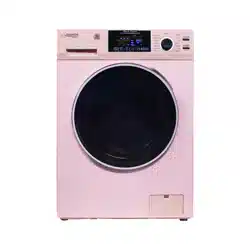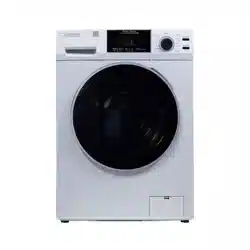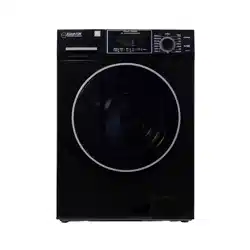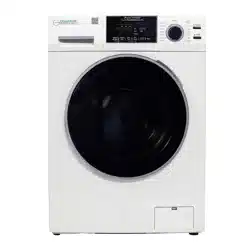
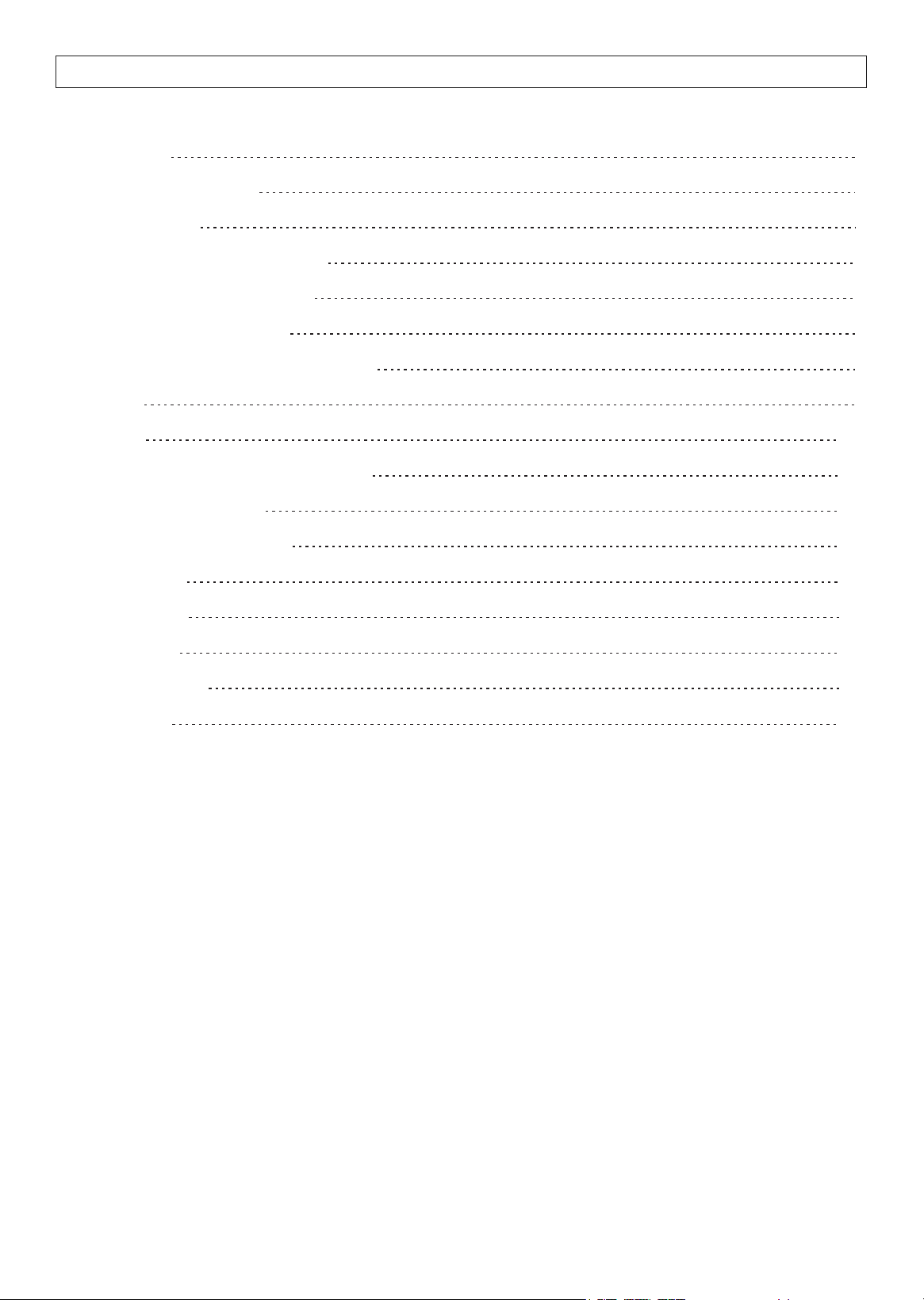
Introduction
Warranty Information
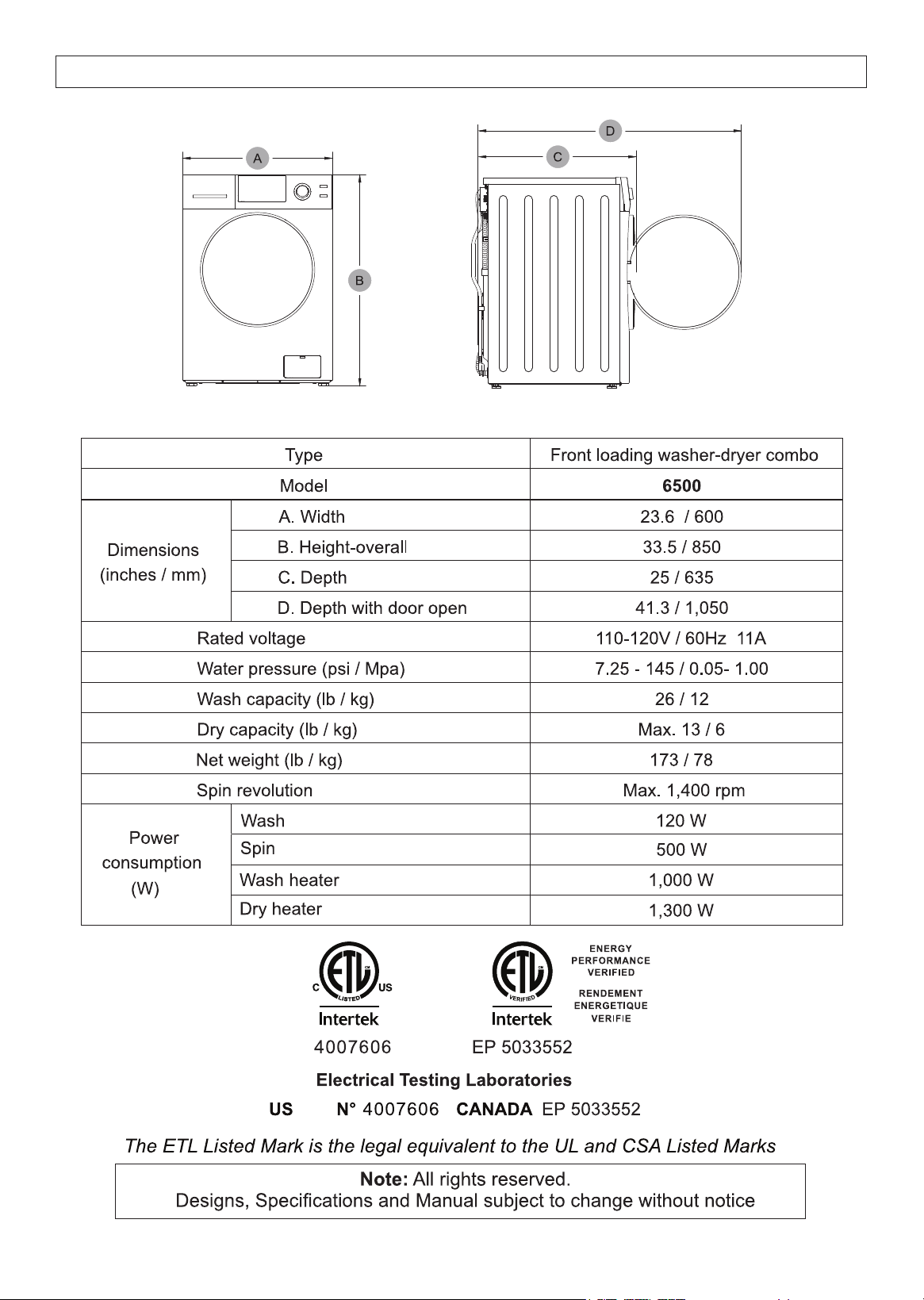
Technical Data
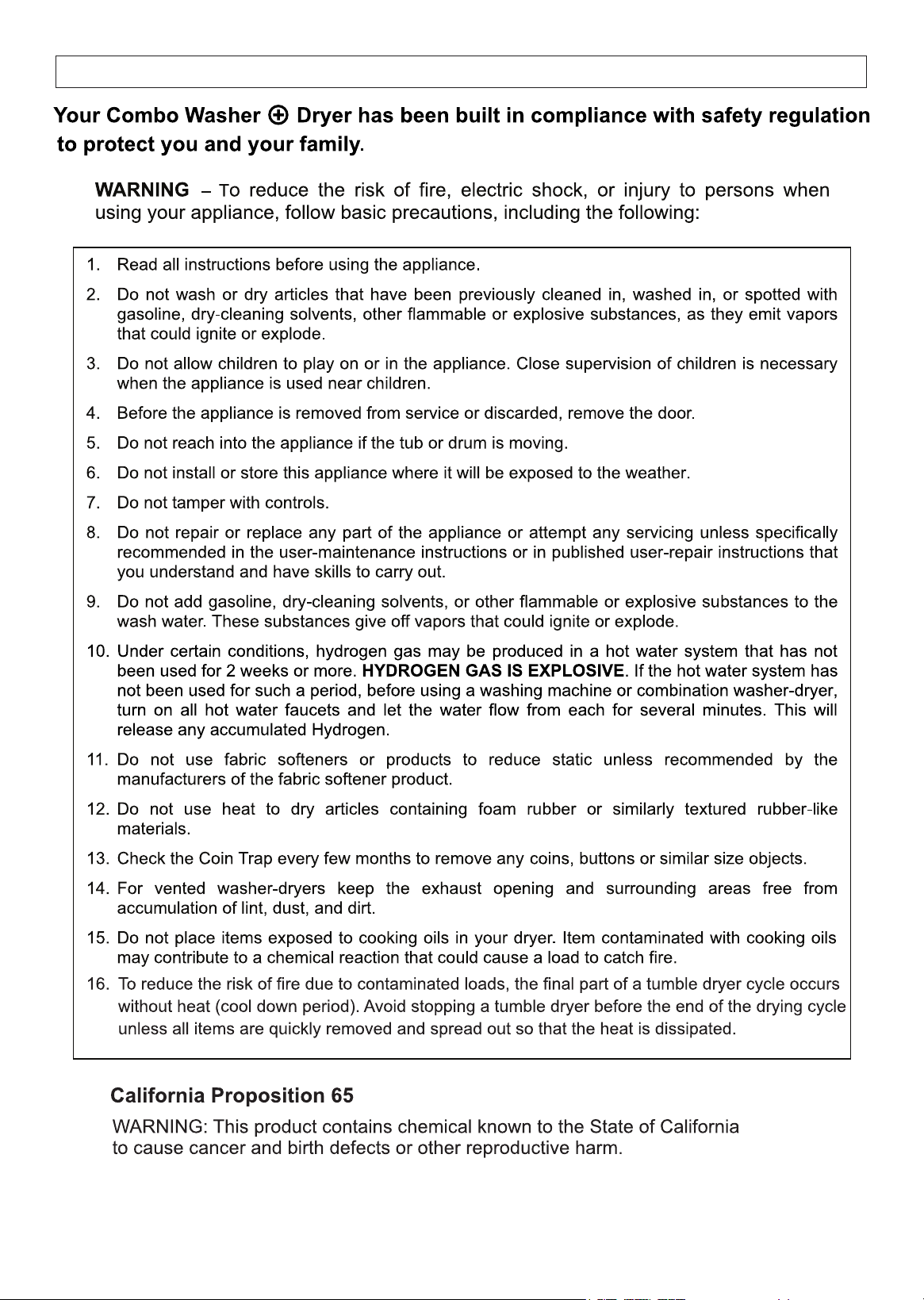
Important Safety Instructions
Diagram of Washer + Dryer
Handling and Placement
Remove Shipping Bolts and Level
Electrical
Plumbing
Special Installation Requirements
Operating Instructions
Program Selection Chart
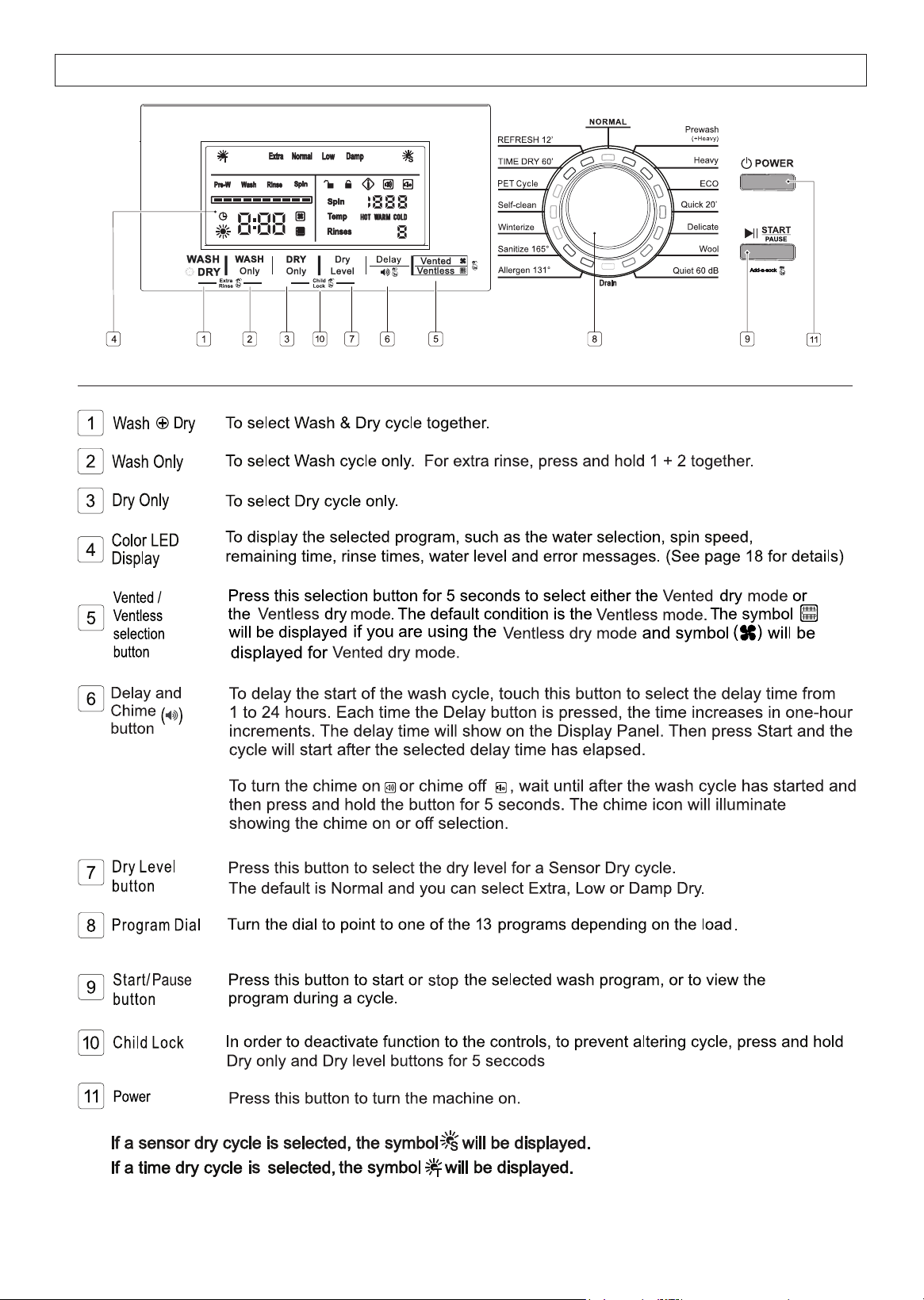
Control Panel
Display Panel
Maintenance
Troubleshooting
Error Codes
1
2
4
5
6
7
8
9
10
14
15
16
17
18
20
22
24
TABLE OF CONTENTS
1
resulting in improved dry times.
INTRODUCTION
2
WARRANTY INFORMATION
3
4
TECHNICAL DATA
5
IMPORTANT SAFETY INSTRUCTIONS
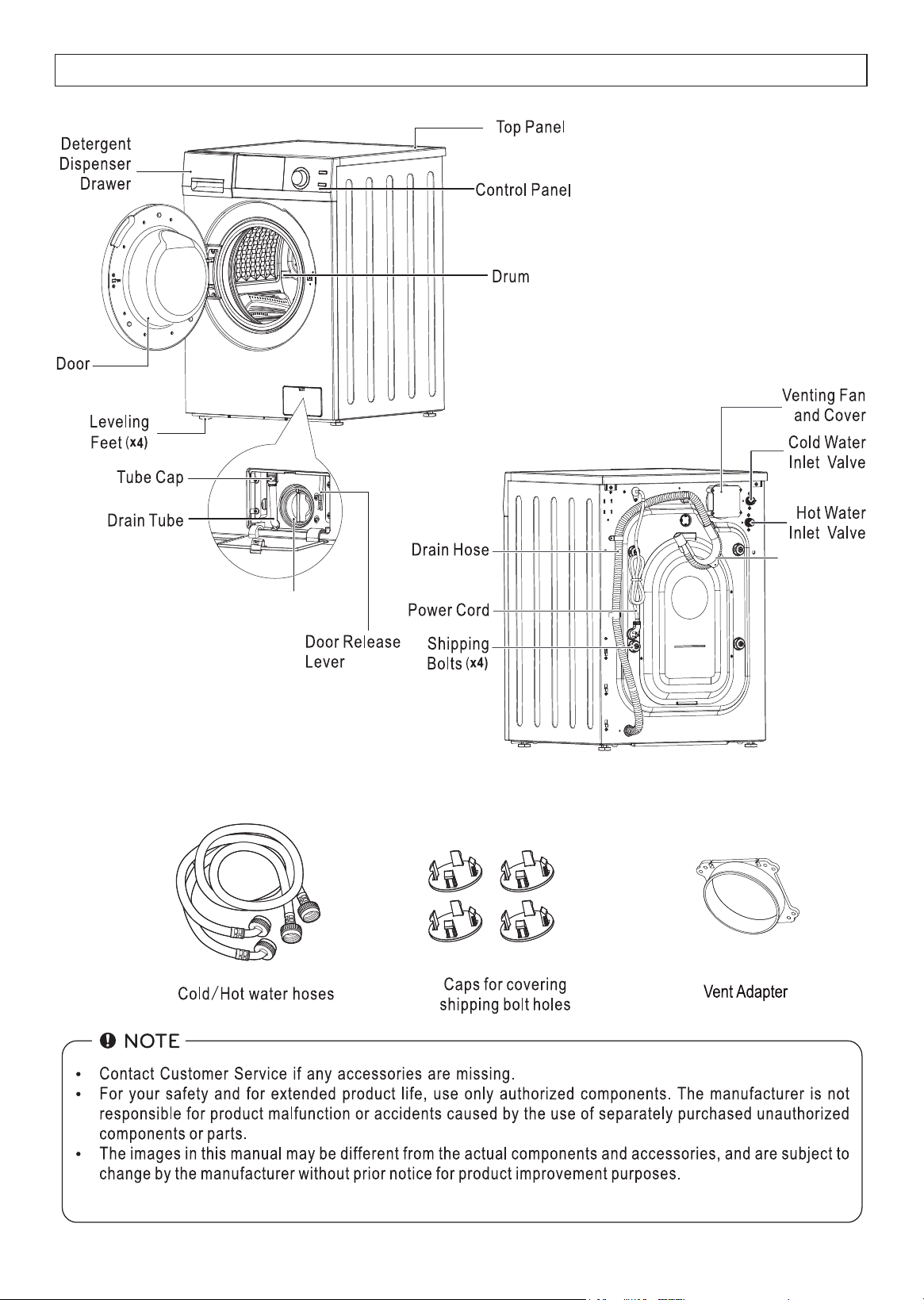
DIAGRAM OF WASHER + DRYER
6
U - Connector
Coin Trap / Knob
(2)
(4)
Included
7
HANDLING AND PLACEMENT
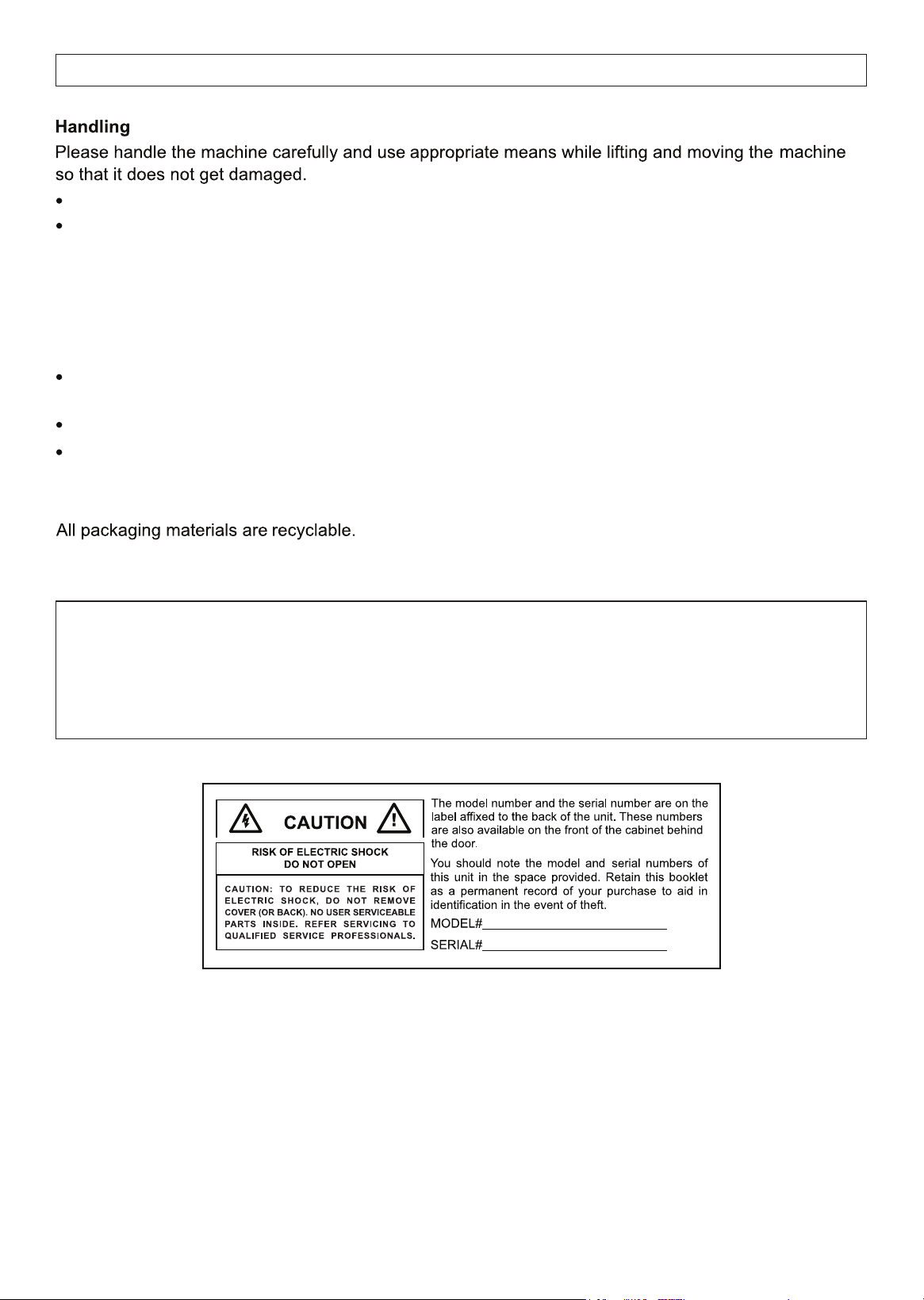
Disposal
Suffocation from plastic and folding cartons.
Please dispose of packing material and your old appliance in accordance with local regulations.
Inspect the Washer to ensure there is no damage.
Placement
Place the appliance away from direct sunlight, sources of heat and high humidity, and also away
from areas or moisture and exposure to cold temperatures.
Ensure the appliance is placed in a well-ventilated and dry environment.
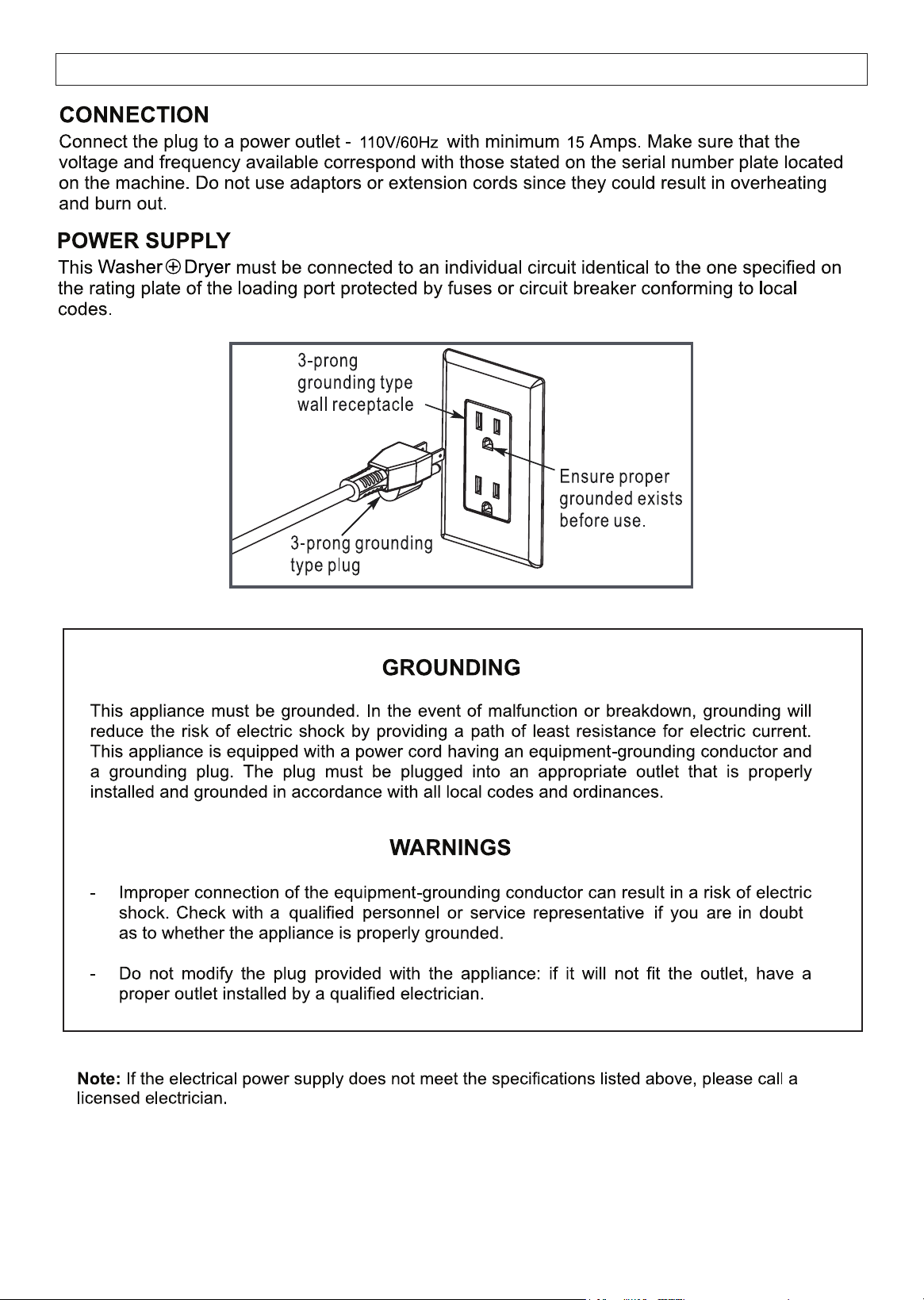
Ensure that the appliance is placed on flat and stable ground. Adjust the 4 feet to make it level.
Any residual moisture inside the drum is due to the final testing which every washing machine
undergoes before leaving the factory. This is normal.
Ensure not to drag the appliance.
Ensure not to hold on to protruding parts when lifting.
DANGER
Keep children away from the shipping carton and packing material.
Before discarding the appliance, remove the door in order to prevent risk of child entrapment.
8
REMOVE SHIPPING BOLTS AND LEVEL
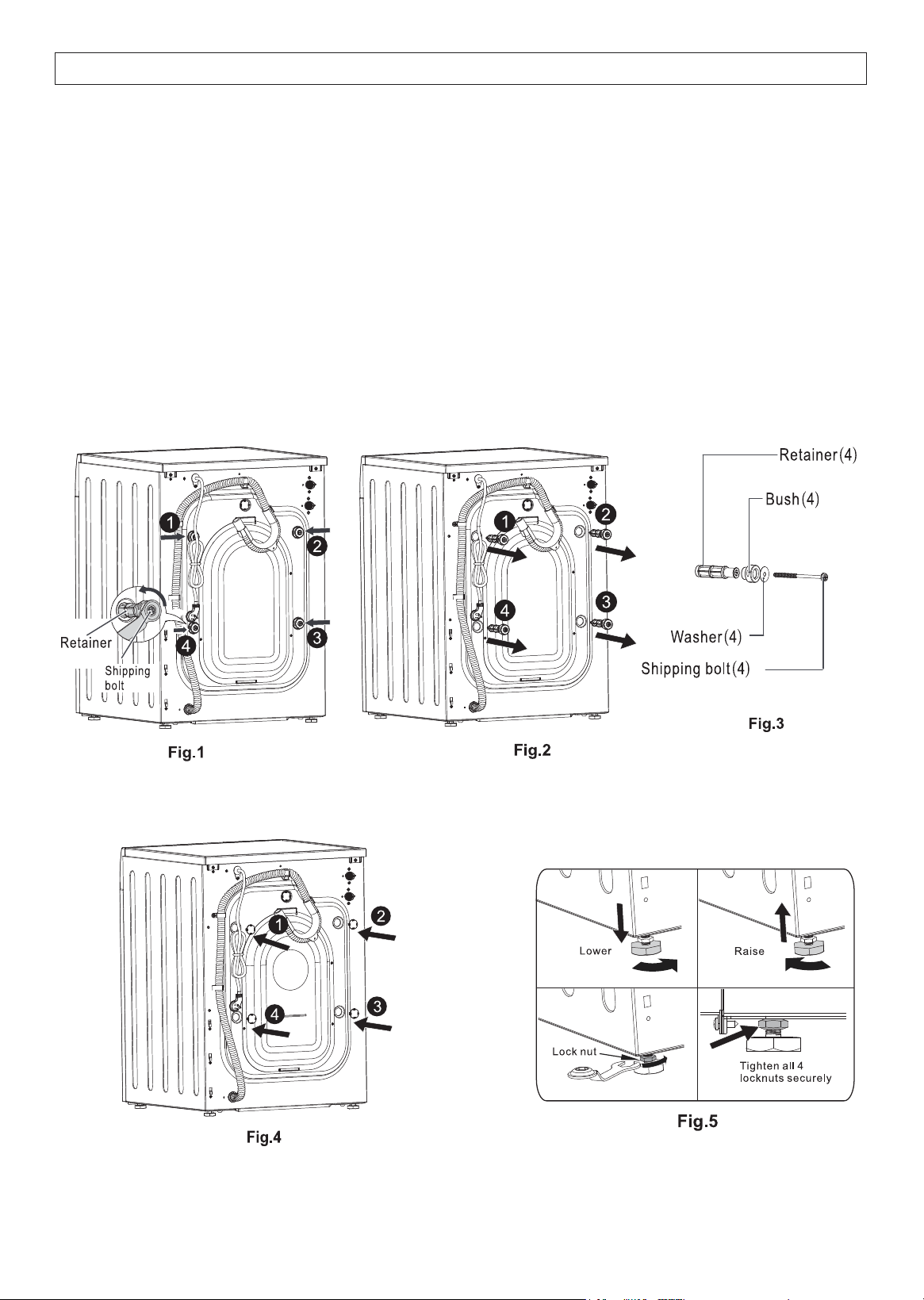
The free-floating drum inside the Combo is held in place during transport with 4 shipping bolts. (Fig. 1.)
Remove each shipping bolt along with the retainer, bush and washer. (Fig. 2.)
Failure to remove shipping bolts may cause severe vibration, noise and can lead
to permanent damage to the machine. IT WILL ALSO VOID THE WARRANTY.
It is important for the machine to be perfectly level. For this reason, the machine is fitted with adjustable
feet used for leveling the machine before use (Fig. 5.)
An adjustable wrench or 17mm open end wrench is required to loosen or tighten the leveling feet.
Close the holes left open by the bolts with the caps provided (Fig. 4).
Store all these parts for future use when moving the Combo to a new location. (Fig. 3.)
DO NOT transport the machine without reinstalling the shipping bolts.
9
ELECTRICAL
10
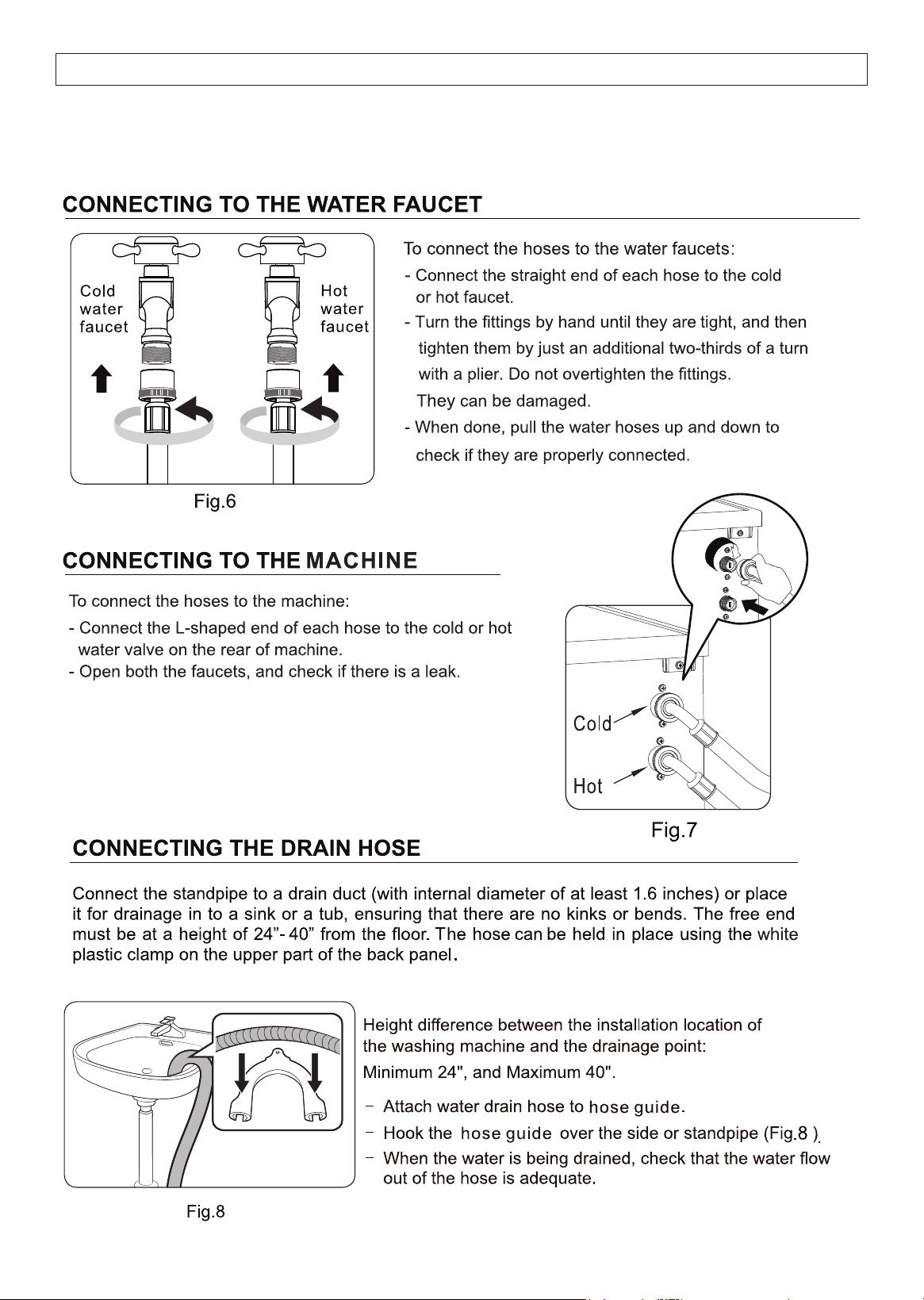
ONLY USE THE WATER INLET HOSES THAT COME WITH THE MACHINE.
Reason: They are custom hoses. The L-Shaped side uses metric thread to fit the valve and the
straight side uses US pipe (NPT) thread. Replacement hoses will not fit the metric thread and will leak.
PLUMBING
11
occurrence.
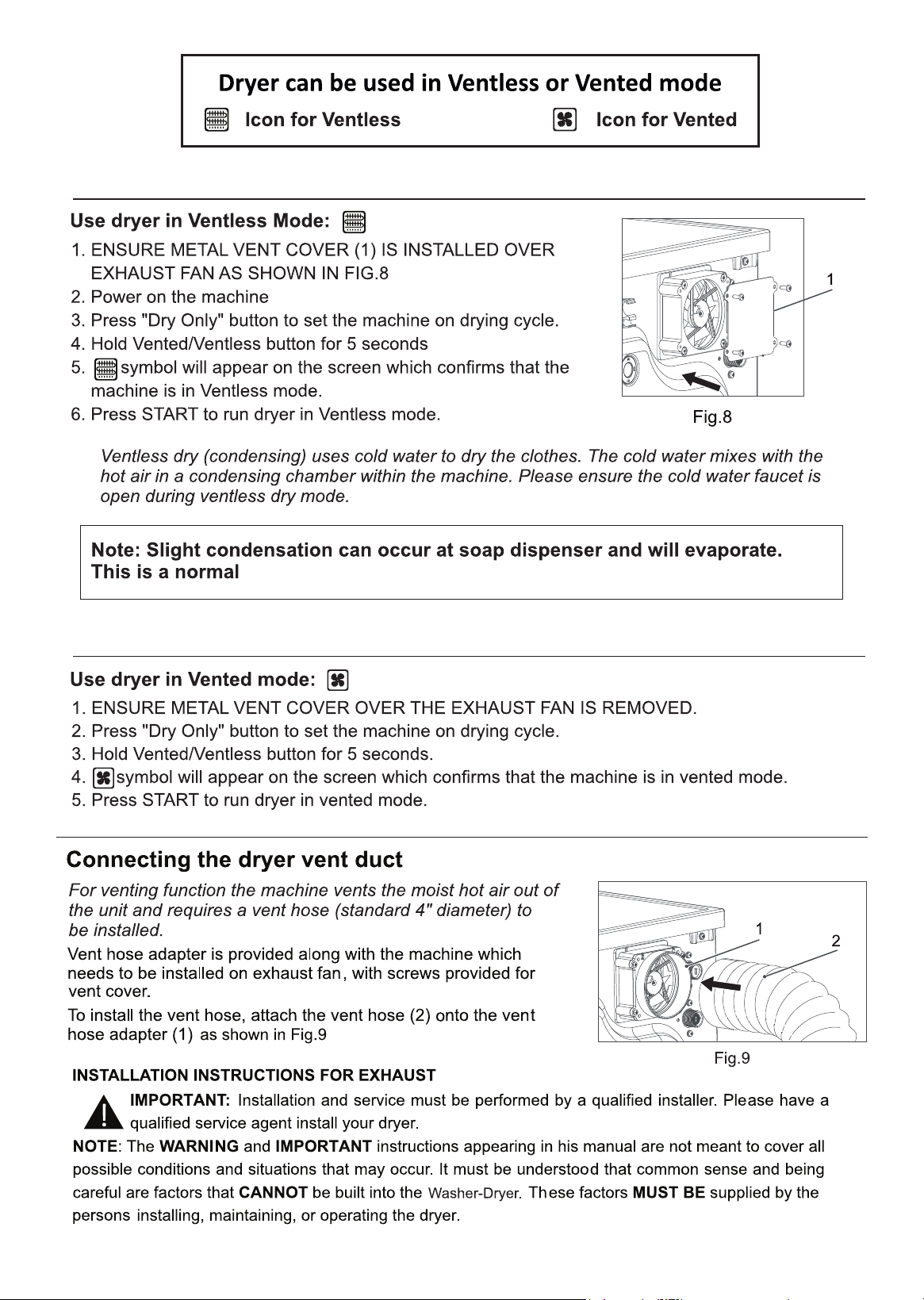
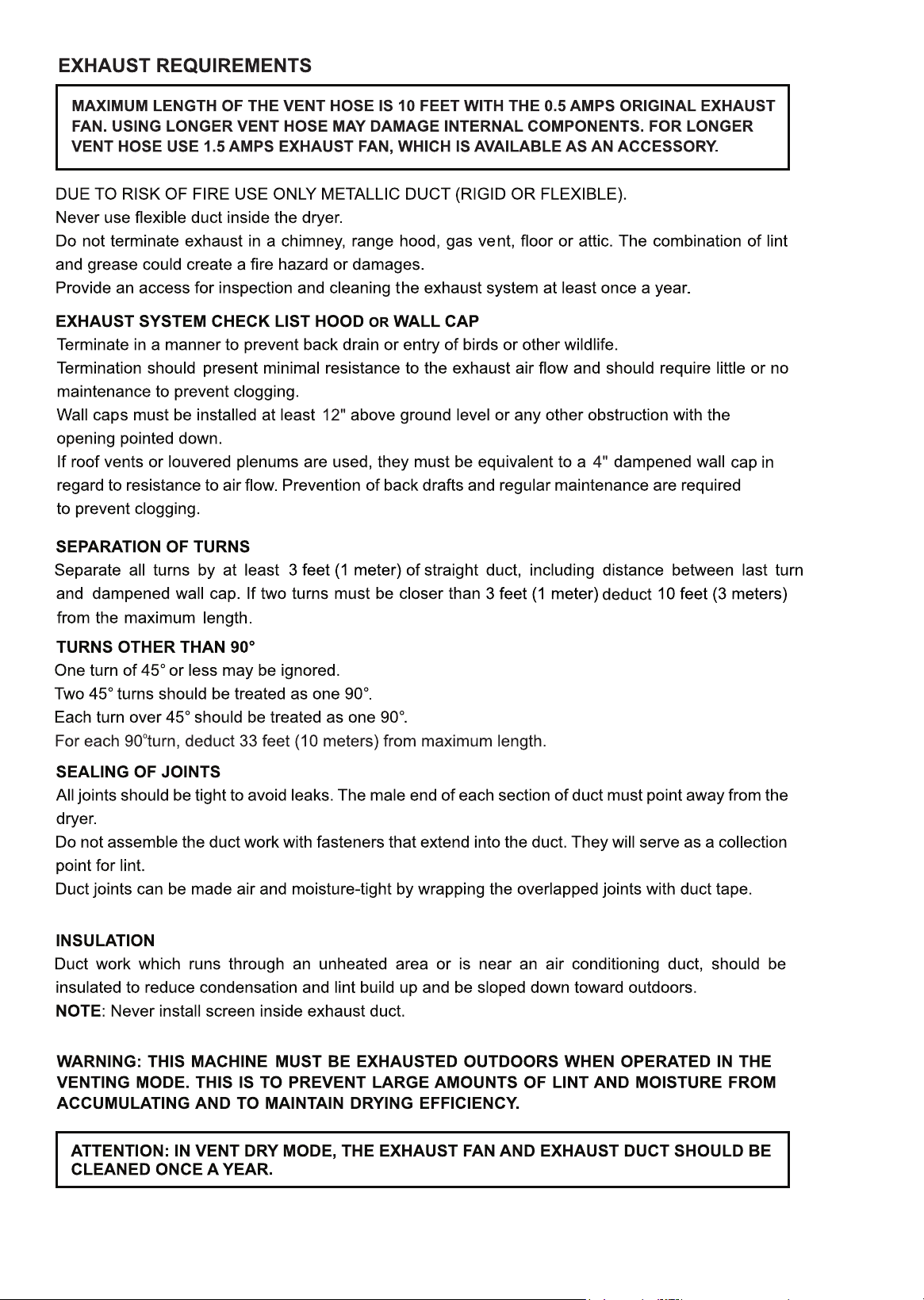
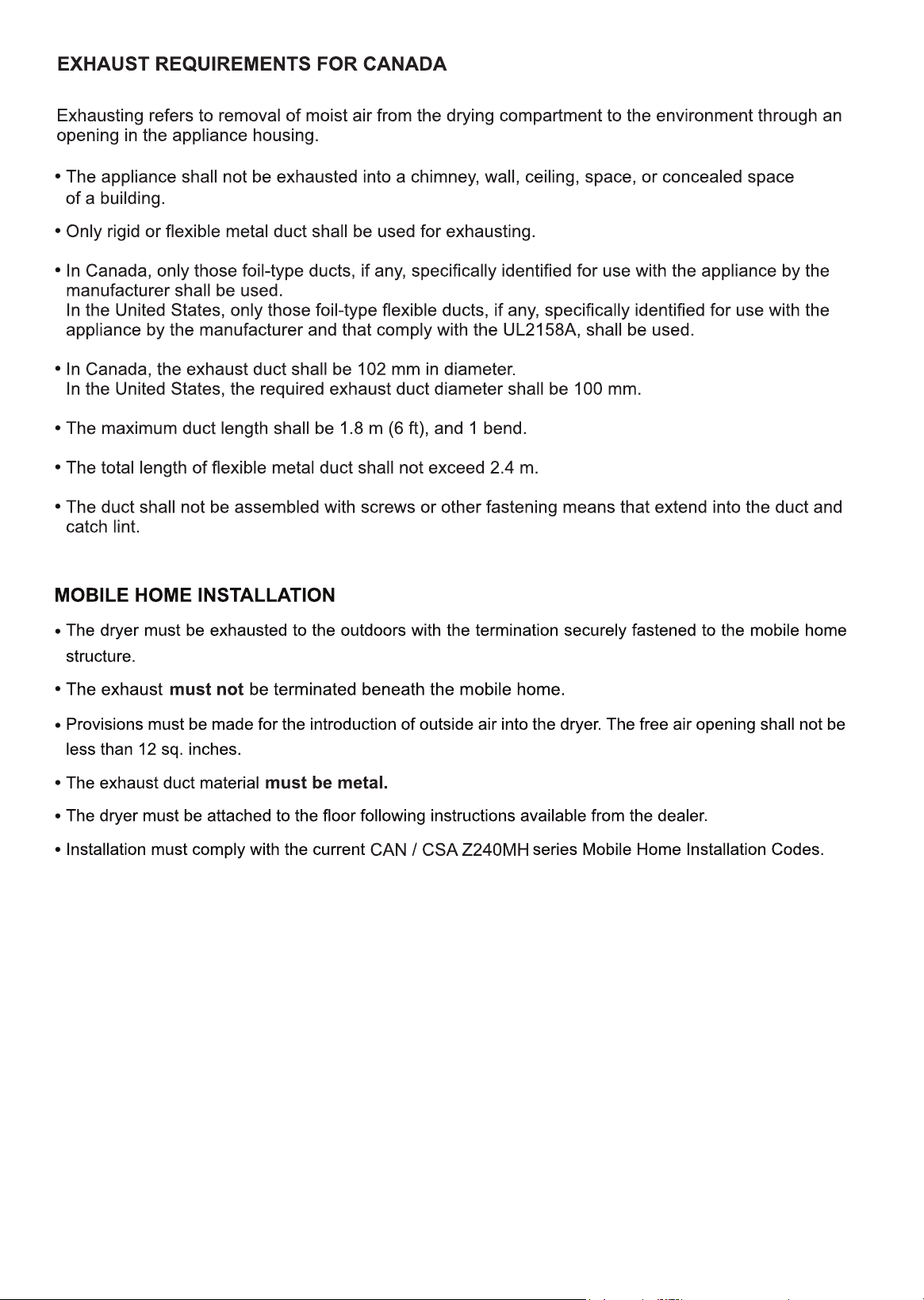
VENTLESS (CONDENSING) DRY
VENTED (HOT AIR) DRY
12
13
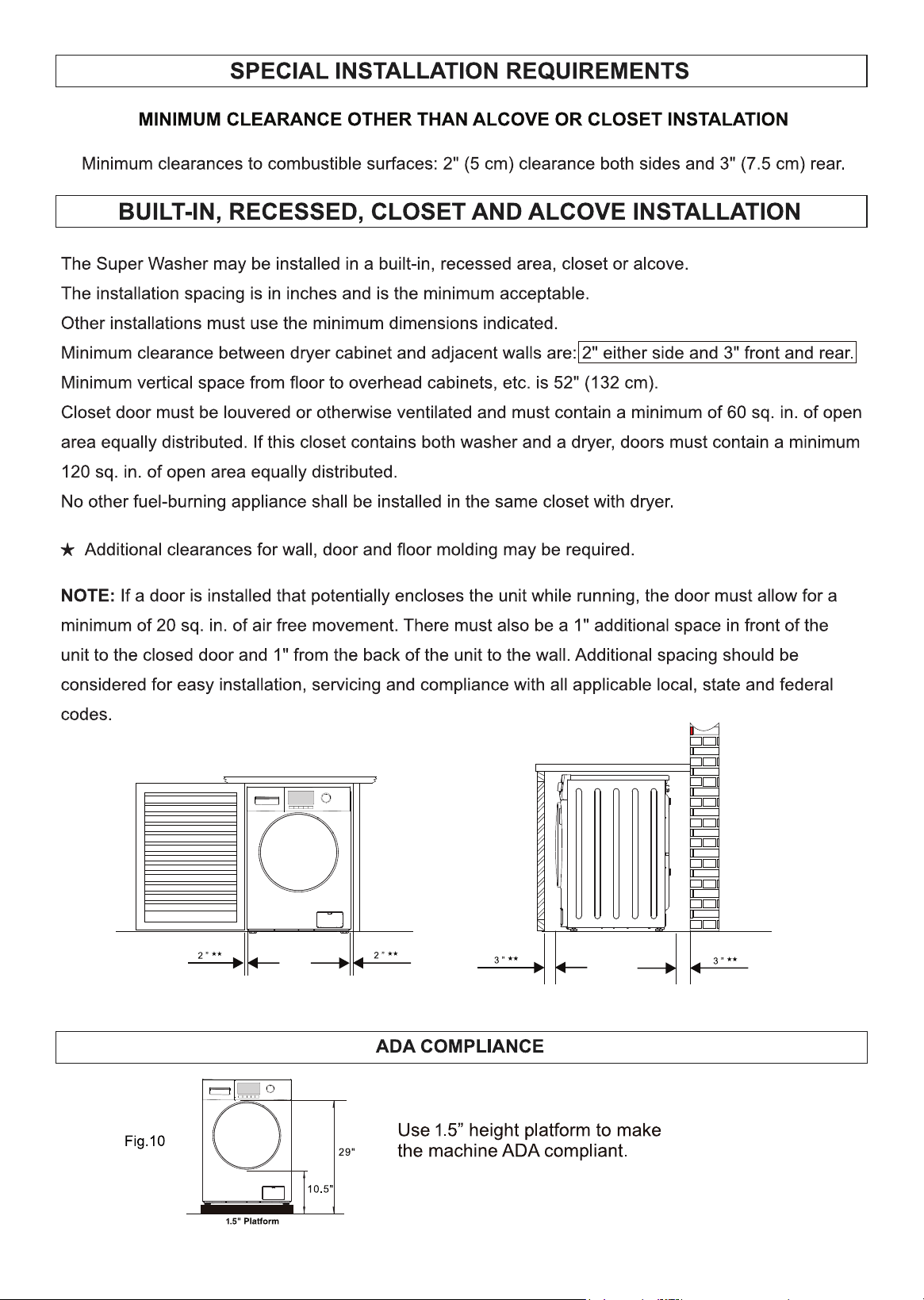
Fig. 9
14
For small items such as socks and children’s clothes please use a mesh bag.
15
After the wash cycle, the clothes can get stuck to the sides of the drum. Using liquid fabric softener will cause
the clothes to unstick immediately and tumble in the dry cycle. This helps to dry clothes faster and cause
less wrinkles.
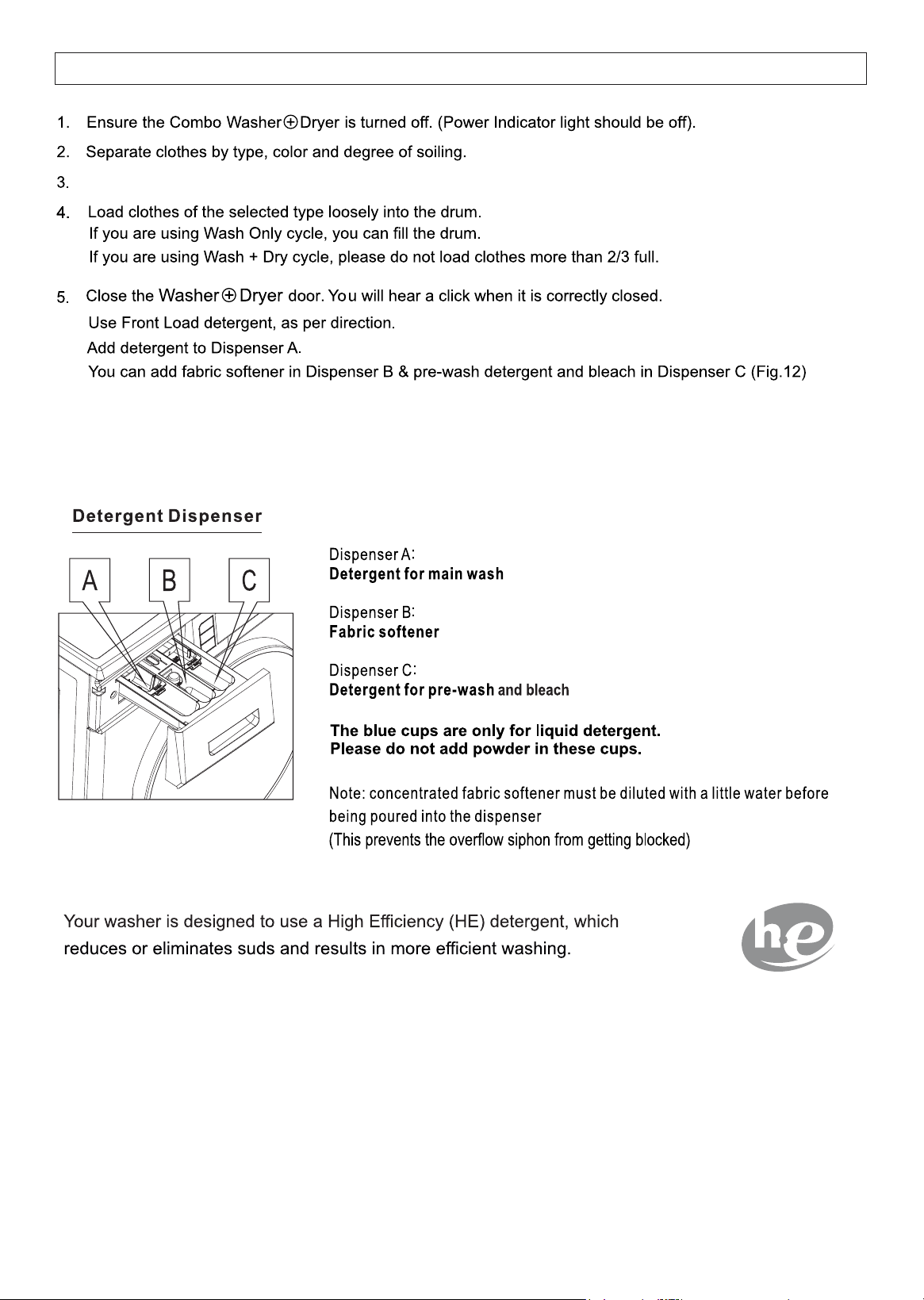
OPERATING INSTRUCTIONS
Fig. 12
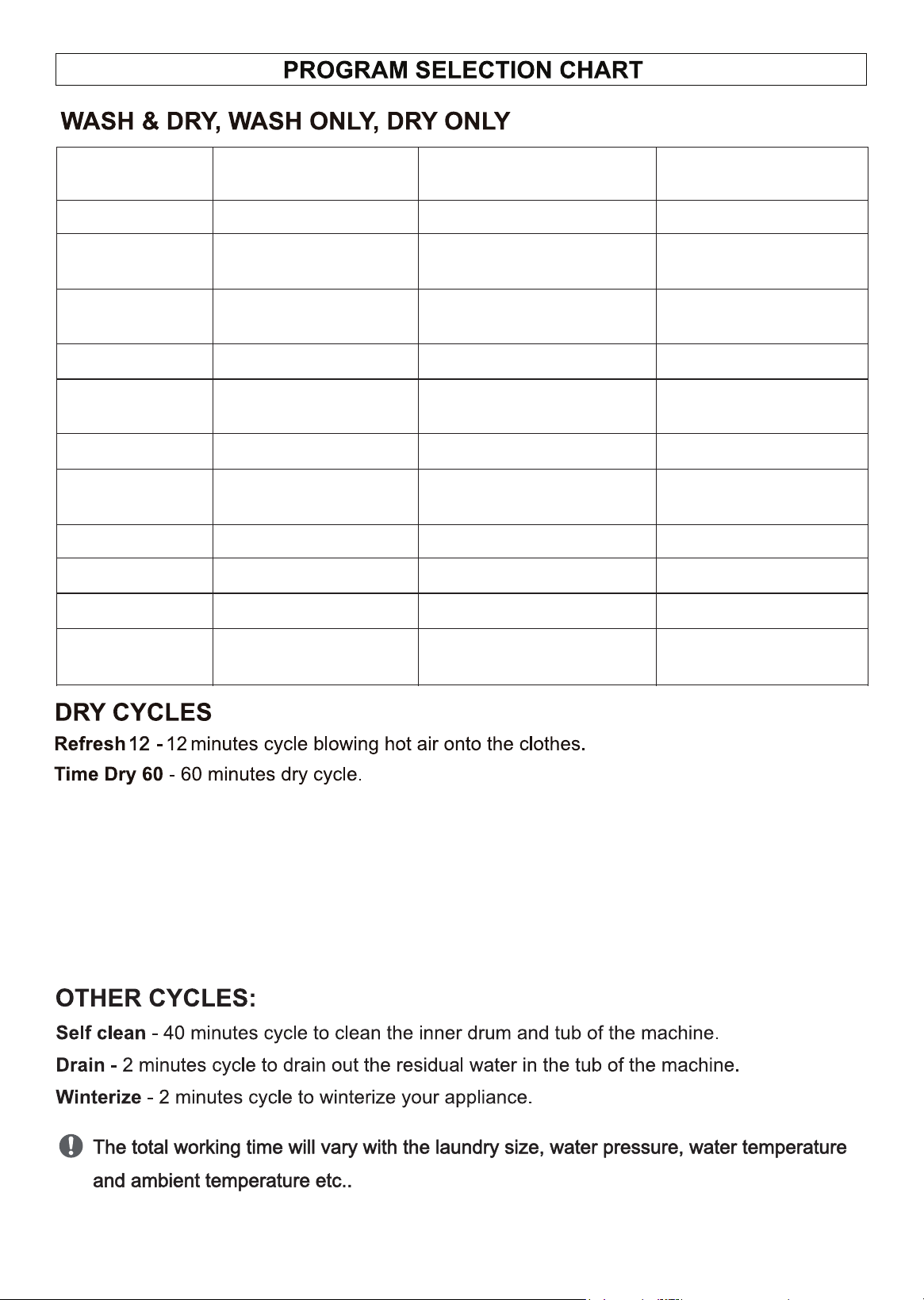
Wash Programs
Description of Load
Water Temp / Spin rpm / Duration
Wash Features
Max. Heat & Approx Time
Drying
Normal
Mixed Cottons
Warm / 1200 / 51 mins
1300W / 90 mins
Prewash +
Heavy
Thick Cottons
(Towels, Jeans)
Cold+Hot / 1400 / 85 mins
1300W / 120 mins
Heavy
(Tshirt, Jeans)
Mixed Cottons
Warm / 1400 / 61 mins
1300W / 120 mins
ECO
Mixed Cottons
Cold / 800 / 31 mins
1300W / 80 mins
Quick 20’
Light Fabrics
Cotton Blends,
Cold / 800 / 20 mins
1300W / 80 mins
Delicate
Silk, Polyester, etc
Cold / 1200 / 6 mins
7500W / 80 mins
Wool
Woolens
Cold / 500 / 46 mins
NO HEAT
Tumble only
Quiet 60dB
Mixed Cottons
Cold / 800 / 41 mins
1300W / 80 mins
o
Allergen 131
Bedsheets, etc
o
Hot 131 F / 1200 / 69 mins
1300W / 120 mins
o
Sanitize 165
Mixed Cottons
o
Hot 165 F / 1200 / 79 mins
1300W / 120 mins
PET Cycle*
(See instructions below)
Mixed Cottons
Cold / 1200 / 46 mins
1300W / 60 mins
750W / 30 mins
PET CYCLE
16
Before loading clothes and sheets into the appliance, remove as much pet hair as possible in
order to prevent buildup and clogging of the drain pump. Wipe the surface of clothes and
sheets with a lint roller or a damp rubber glove to easily remove pet hair.
After the end of the wash cycle, run a quick wash cycle without clothes. After the cycle ends,
wipe down the drum with a damp cloth to collect any pet hair on the drum surface.
17
CONTROL PANEL
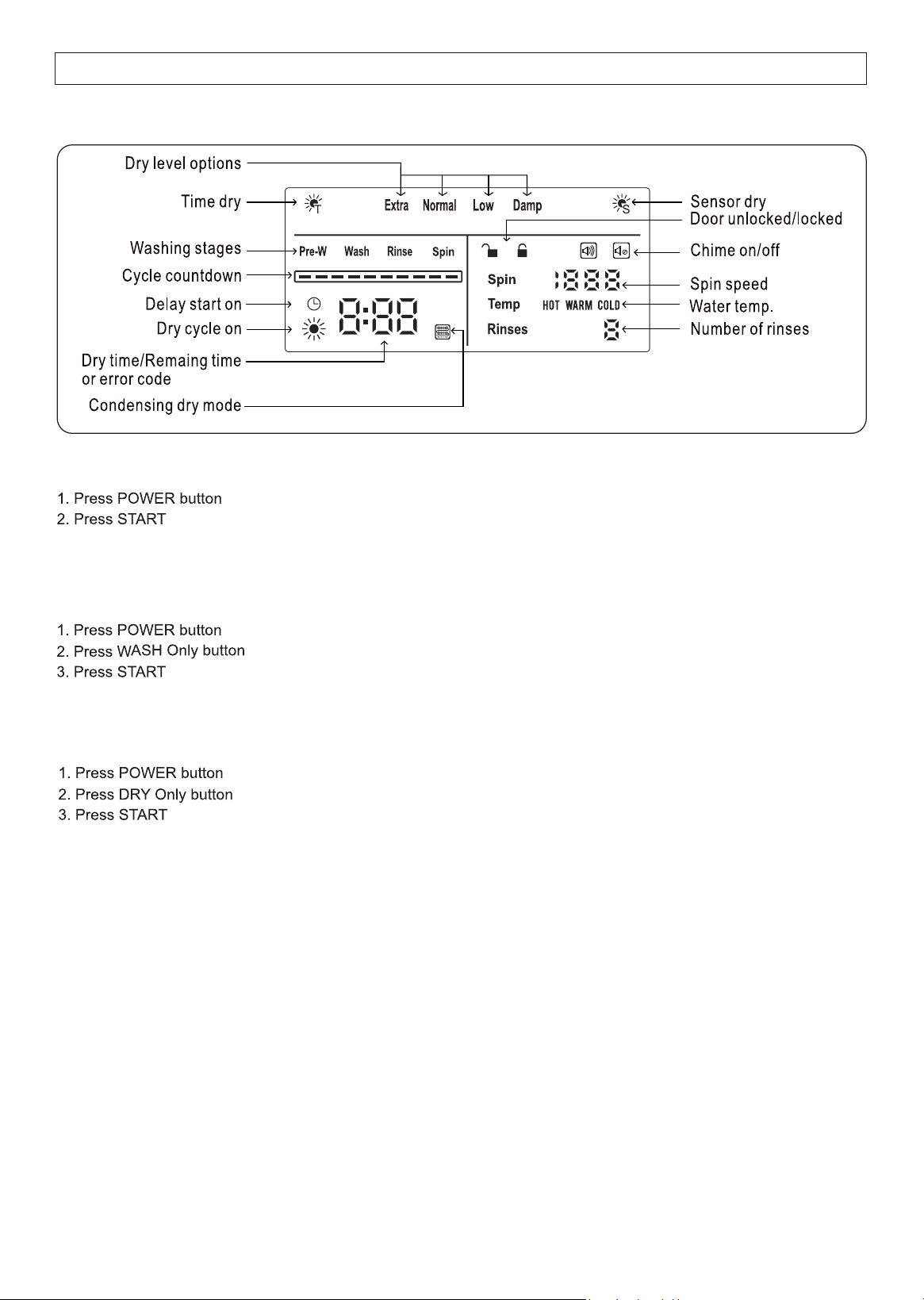
How to Run Wash + Dry Cycle
How to Run Dry only Cycle
How to Run Wash only Cycle
Default cycle is NORMAL - If required you can change to desired drying cycle based on the type of clothes
by rotating the Program Dial Knob.
How to Stop the Wash Cycle
1.The wash program can be stopped at any time.
2. Press START/PAUSE, rotate the knob to another program to cancel the current selected program.
3. Press POWER button for 3 seconds to turn off the machine.
How to Stop the Dry Cycle
1. Press START/PAUSE to stop the dry cycle.
2. Press POWER button for 3 seconds to turn off the machine.
Default cycle is NORMAL - If required you can change to desired washing cycle based on the type of clothes
by rotating the Program Dial Knob.
Default cycle is NORMAL - If required you can change to desired washing cycle based on the type of clothes
by rotating the Program Dial Knob.
Note: In Condensing mode, there is no external exhaust system so the moisture content remains in the machine.
Frequently when it seems the clothes are damp, it is actually the remaining moisture (like dew).
Take clothes out and they will dry within a few minutes.
18
DISPLAY PANEL
Energy saving mode
1. The display is automatically turned off during operation to save energy.
2. Press any button to turn on display during this energy saving mode.
19
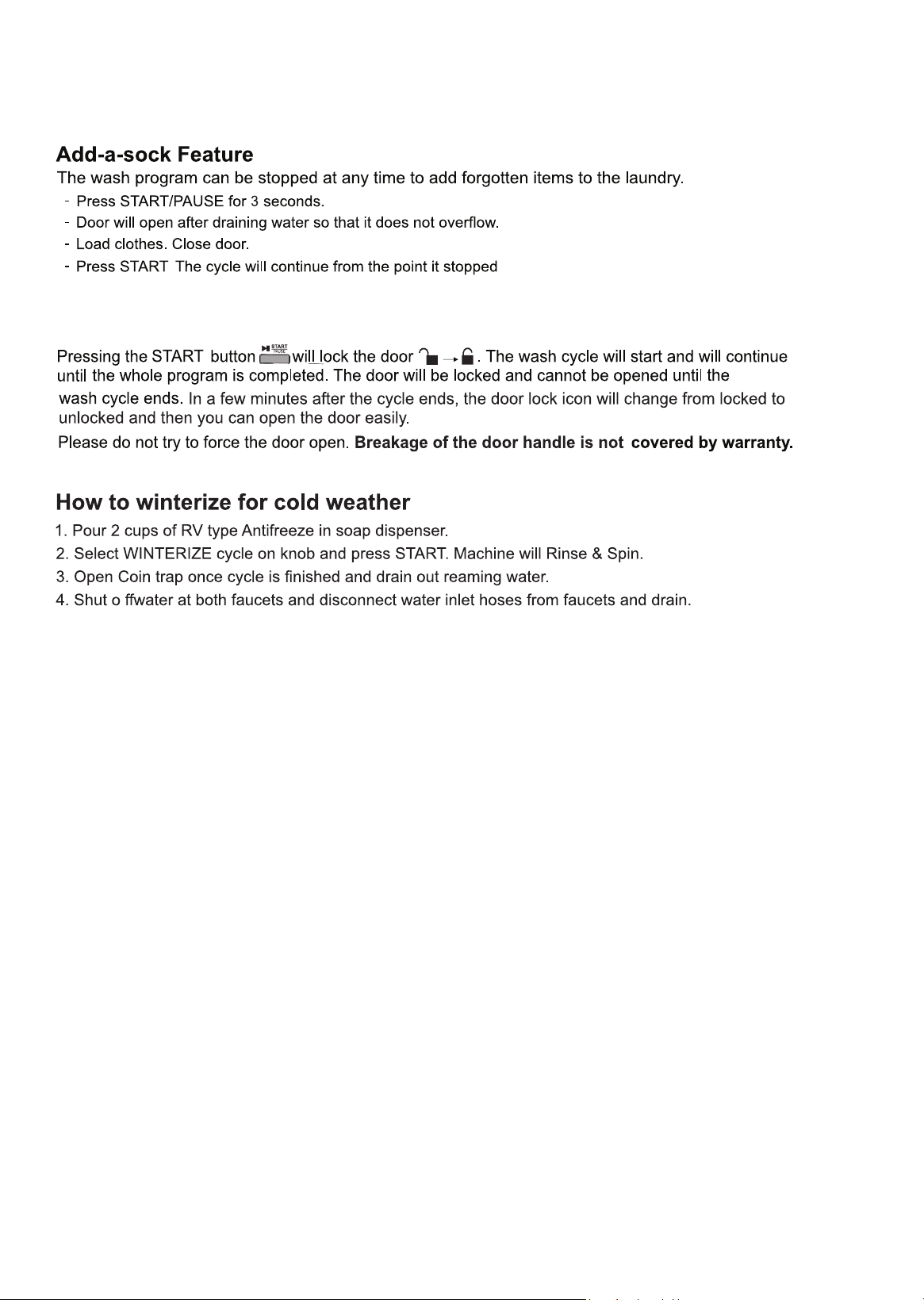
Door Lock function
20
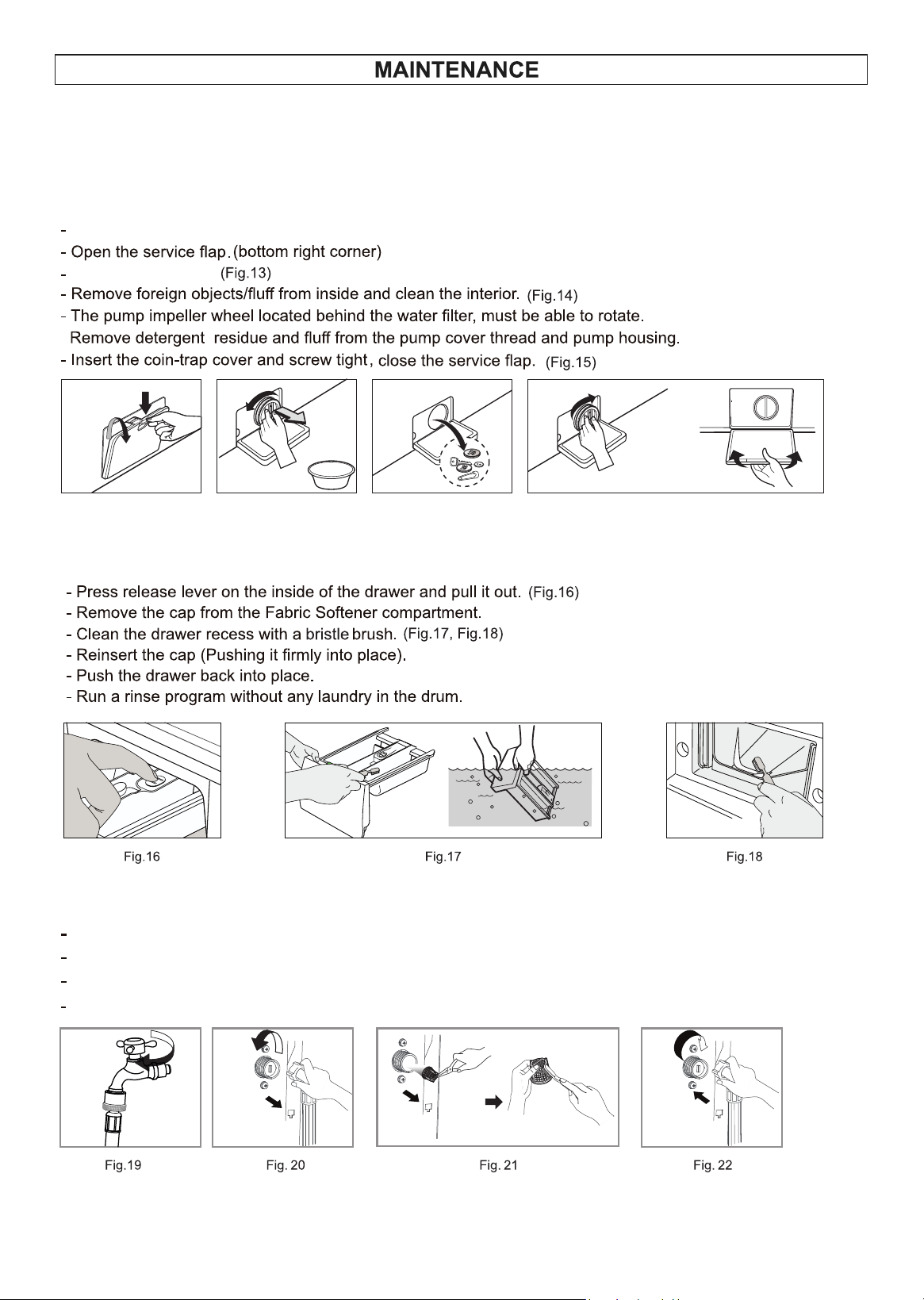
Fig. 12 Fig. 13 Fig. 14 Fig. 15
(Fig. 12)
Clean the outside and inside of the appliance regularly, including the door gasket, using water, mild detergent and
a soft cloth. Please do not use strong chemicals and abrasive materials to clean.
General Cleaning
Turn off the Combo.
Turn knob to the left.
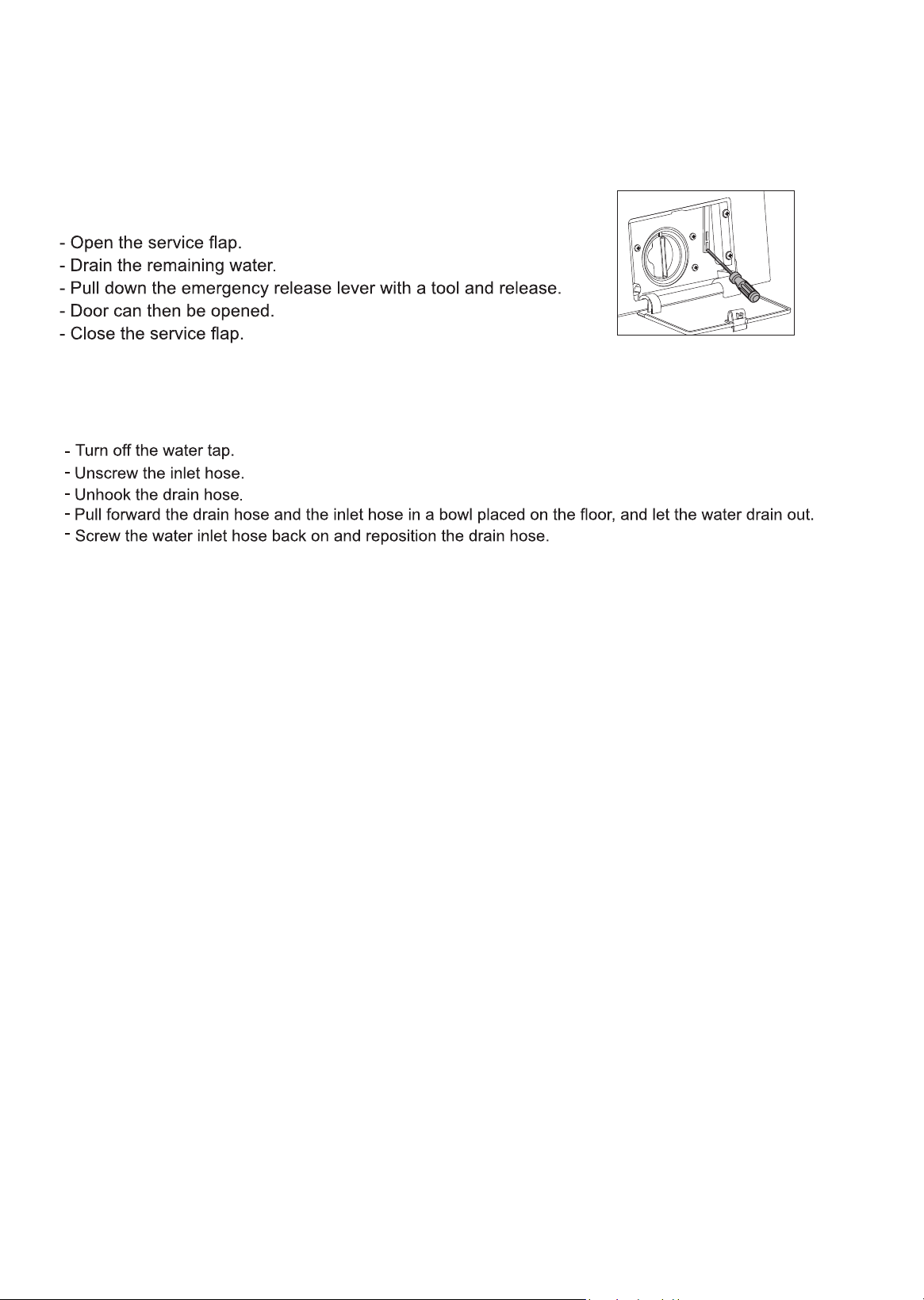
Insert the filter into the valve and tighten up the inlet hose. (Fig. 22)
Turn off the water tap. (Fig.19)
Unscrew the water inlet hose. (Fig. 20)
Clean the filter using a hard bristle brush under the running water. (Fig. 21)
Cleaning the coin trap
Cleaning the Detergent drawers
Cleaning the water inlet filter
21
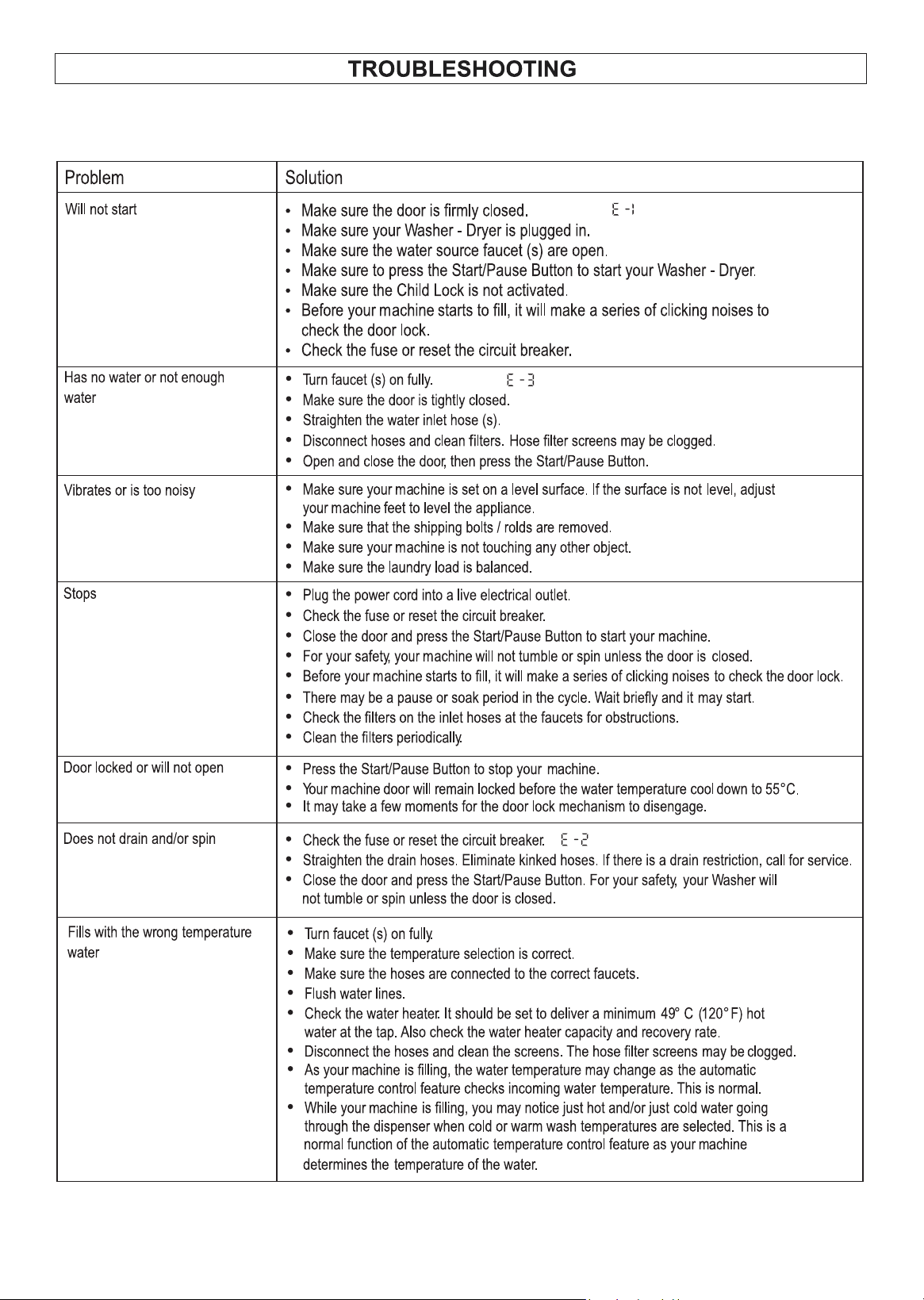
If the machine door is locked and clothes need to be removed,
follow this procedure:
If the machine is exposed to freezing temperatures, certain precautions should be taken.
If the appliance is not going to be used for an extended time, ensure that the door is left open to prevent mold
and odors.
Vacation
Emergency Release
The dangers of freezing
Clean the exhaust fan and duct
In vented dry mode, the exhaust fan and exhaust duct should be cleaned periodically at least once a year to
prevent lint build-up.
22
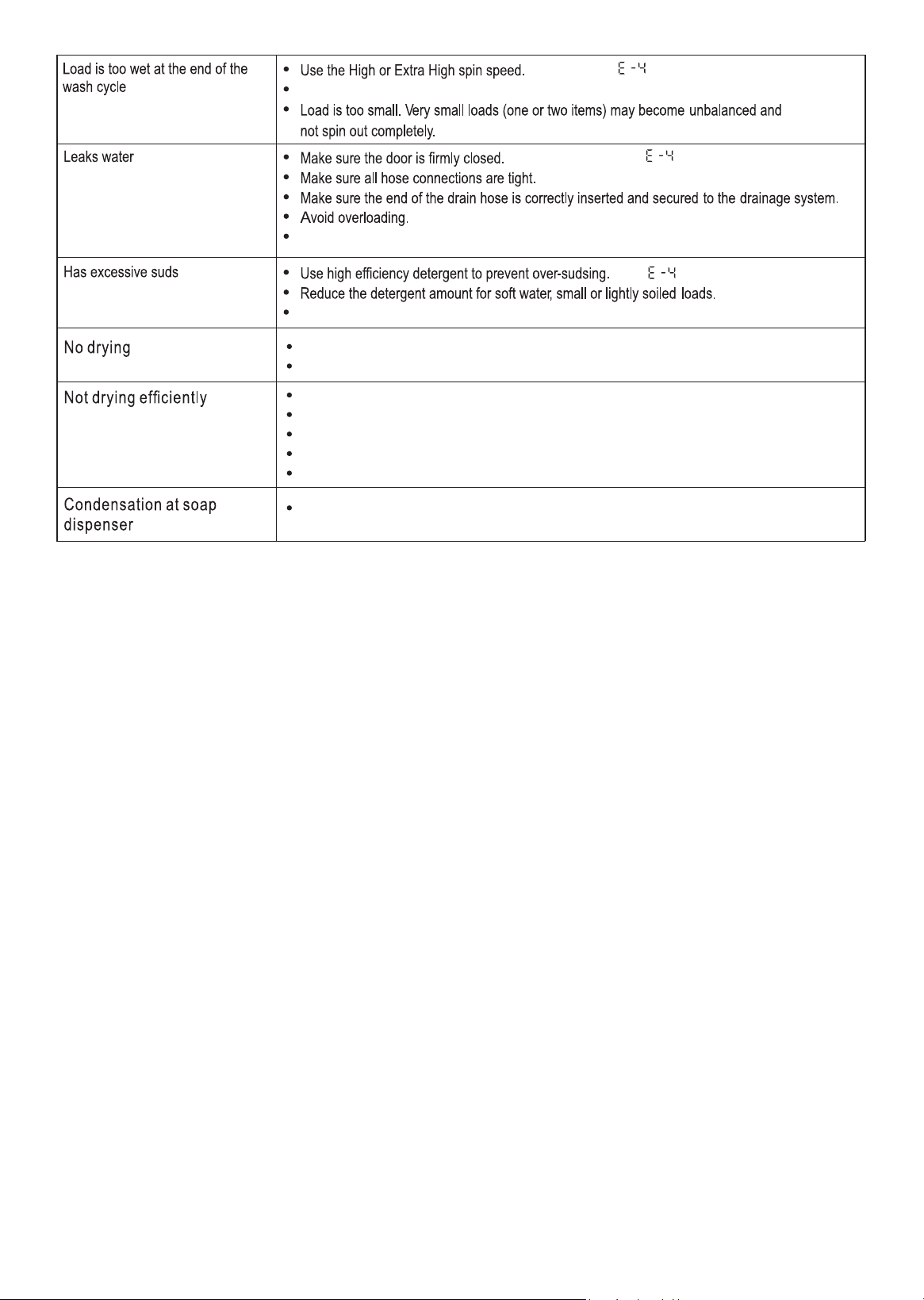
In most cases, when your Washer + Dryer doesn’t work, the problems can be easily solved without
having to call for a technician. Before calling for service, please check the following table.
The dryer knob is in the correct position for drying cycle.
A dry cycle is selected (Time dry / Sensor dry).
The end of drain hose is under water.
The drain pump is obstructed.
The drum is overloaded.
The cold water faucet is not open.
The fabric softener in not being used.
Slight condensation can occur at soap dispenser and will evaporate. This is normal.
23
Use High Efficiency (HE) detergent to prevent over-sudsing.
Use High Efficiency (HE) detergent to prevent over-sudsing.
Non-High Efficiency (HE) detergent is NOT recommended.
Code
Possible Cause
Solution
Component
E1
Door Open
Ensure the door is completely CLOSED and properly latched.
Door Switch
E2
Drain Issue
Ensure the drain HOSE is not kinked, bent, blocked, or crushed.
CLEAN the Coin Trap thoroughly.
Standpipe Height from the floor should be Minimum: 24” and
Maximum: 40”.
Drain Pump
E3
Water Inlet Valve
Confirm that the WATER FAUCETS are fully turned ON.
Check and clean the inlet valve filter if clogged.
Check if there is any water leakage from water / drain hoses.
Inlet Valves
E4
Excess Water /
Excessive Suds
Use appropriate spin speed and adequate High Efficiency (HE) detergent.
Ensure the door is properly CLOSED.
Inlet Valves
E5
Motor
rd
Ensure the drum is NOT OVERLOADED (max 2/3 ) and select the
appropriate wash program based on the fabric type.
Motor + Electronic
Module
E7
Washing Heater
Avoid OVERLOADING the unit.
REDUCE load size and restart the cycle.
Washing Heater
E8
Drying Malfunction
Ensure there is ADEQUATE SPACING around the unit.
Restart the dry cycle to see if the issue is resolved.
Temp. sensor (rear-
bottom of Drum)
E9
Not Drying
Properly
CLEAN Coin Trap.
Restart the Unit.
Ensure proper ventilation and spacing.
Confirm correct INSTALLATION MODE (Venting / Condensing).
Temp. sensor (front
of heater housing)
E10
Water Pressure
Switch
Turn OFF & unplug → see if water still enters
Check water pressure (not above 145 PSI)
Ensure faucets are FULLY OPEN.
Confirm hoses are not kinked or blocked.
Clean inlet valve filters / screens
Check hoses properly connected / damage
Try a RESET (unplug 5 -10 mins)
Water Level Sensor
E11
Not Drying
Properly
Verify the SYMBOL on the DISPLAY MATCHES the selected drying
program. If not, change the setting to match .
If in venting mode, check the EXHAUST FAN at the back for lint; clean it
and restart .
Temp. sensor (near
the blow fan motor)
E12
Not Blowing Hot
Air into the Drum
Check for blockage in airflow/condensing path
“Free-standing" and verify the installation follows the guide.
Turn off and unplug unit, then restart after cooling if overheating.
INSTALLATION CHECK: Confirm if the unit is "Built-in" or
LINT INSPECTION: Check the exhaust fan unit for lint blockages.
Fan Motor
E13
No Heat
WATER SUPPLY: For units with portability kits, confirm cold water is being
used.
PROGRAM MATCHING: Ensure the symbol display matches the drying
option.
LINT INSPECTION: Check the exhaust fan unit for lint blockages.
Thermostat Heating
Element A and B
E16
Communication
Error
If the unit is not responding, UNPLUG it for 10 -15 minutes and plug it back
in.
If the DISPLAY FLICKERS or the unit makes noise while off, perform a
power reset by unplugging and reconnecting after 10–15 minutes.
Communication
Cable
24
ERROR CODES
In most cases, when your Washer + Dryer doesn’t work, the problems can be easily solved without
having to call for a technician. Before calling for service, please check the following table.