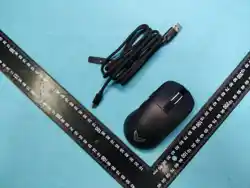

Warm reminder: The images in this manual are schematic diagrams
forreference only. Please refer to the physical product for actualdetails.
User Manual
GAMING MOUSE
ZaryMax NEO V1-v2
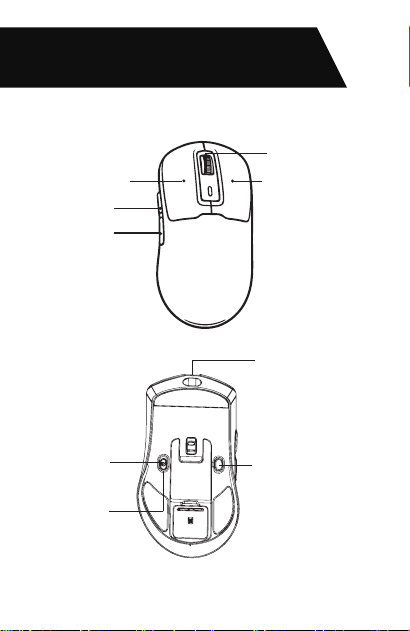
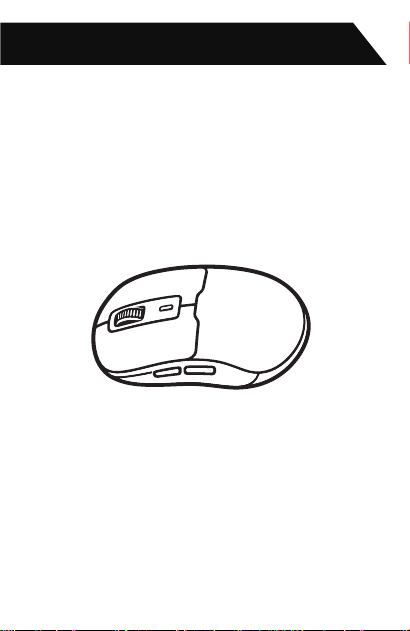
Left key
Forward key
Backward key
Right button
USB Type-C port
BT Pairing Method
Wired mode / OFF
BT mode
Middle button
Mouse wheel
Key description
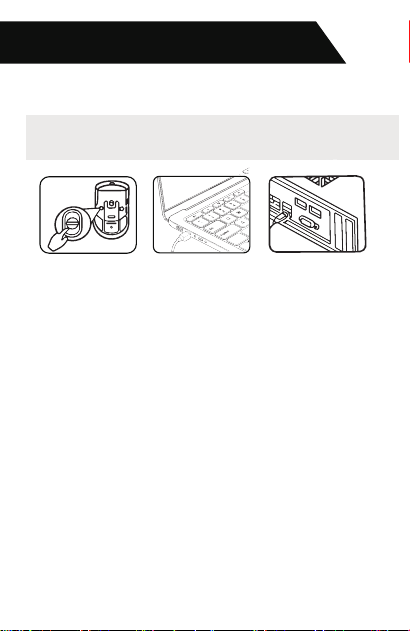
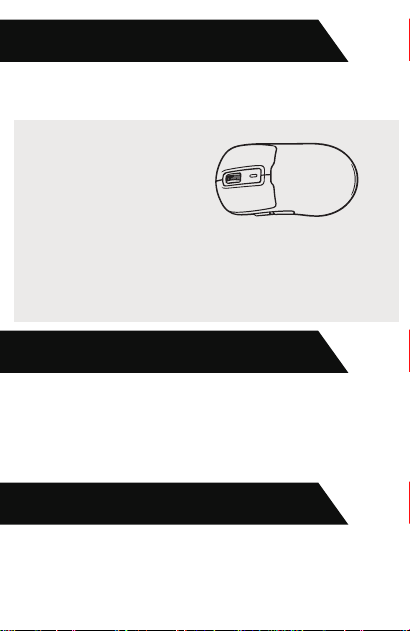
When plugged into a computer's USB port,
Wired Connection
the device will preferentially enter wired USB mouse mode.
Connection Method
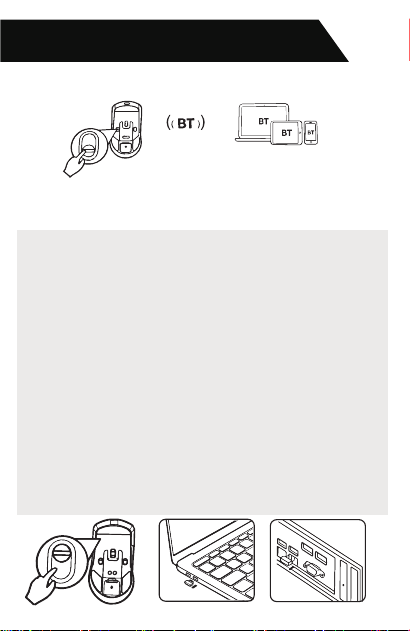
Bluetooth name of the mouse: NEO V1
Connection Method
Wireless Connection
( Bluetooth Modes)
Bluetooth Connection
Switching Method:Slide the switch on the bottom of the
mouse downward to activate Bluetooth mode. The mouse
will enter Bluetooth search mode (blue LED on the bottom
flashes). Click the pairing button to switch Bluetooth
channels (purple LED flashes).
Pairing Method:Slide the switch on the bottom of the
mouse downward to activate Bluetooth mode. Press and
hold the pairing button for 3 seconds to enter pairing
mode (blue LED flashes quickly). Pairing time: 120
seconds. Reconnection time: 10 seconds. If pairing or
reconnection fails, the mouse will enter sleep mode.
Press the DPI switch button to cycle through DPI
settings. Factory default DPI setting is 1600.
Bluetooth mode polling rate
Wired mode polling rate
DPI Adjustment
Polling Rate
Sleep Settings
Red light: 800 DPI
Blue light: 1600 DPI
Pink light: 2400 DPI
Green light: 4800 DPI
Yellow light: 6500 DPI
Cyan light: 16000 DPI
Factory default: 1600 DPI
Bluetooth sleep mode:The mouse enters sleep mode after
30 seconds of inactivity. Move the mouse or press any
button to wake it up.
125 Hz
125 Hz / 250 Hz / 500 Hz / 1000 Hz
DPI Indication:The LED
flashes in the corresponding
DPI color 3 times and then
turns off.
Low battery alert: Red LED flashes.
Charging indication: Red LED stays on while charging;
green LED when fully charged.
Fully charged status: Green LED stays on constantly.
Battery voltage below 3.3V:The battery indicator flashes
red at a frequency of 0.5 Hz, indicating that charging is
Battery Status Indication
required.
FCC Caution:
This device complies with part 15 of the FCC Rules.
Operation is subject to the following two conditions: (1) This
device may not cause harmful interference, and (2) this
device must accept any interference received, including
interference that may cause undesired operation.
Any changes or modifications not expressly approved by the
party responsible for compliance could void the user's
authority to operate the equipment.
NOTE: This equipment has been tested and found to comply
with the limits for a Class B digital device, pursuant to Part 15
of the FCC Rules. These limits are designed to provide
reasonable protection against harmful interference in a
residential installation. This equipment generates, uses and
can radiate radio frequency energy and, if not installed and
used in accordance with the instructions, may cause harmful
interference to radio communications. However, there is no
guarantee that interference will not occur in a particular
installation.
If this equipment does cause harmful interference to radio or
television reception,
which can be determined by turning the equipment off and on
, the user is encouraged to try to correct the interference by
one or more of the following measures:
-- Reorient or relocate the receiving antenna.
-- Increase the separation between the equipment and
receiver.
-- Connect the equipment into an outlet on a circuit different
from that to which the receiver is connected.
-- Consult the dealer or an experienced radio/TV technician
for help.
The device has been evaluated to meet general RF
exposure requirement. The device can be used in
portable exposure condition without restriction.