RAY X
Rechargeable
LED Lamp
User Manual
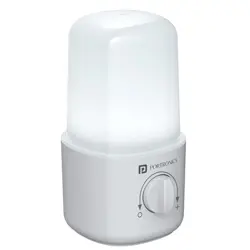
Portronics Ray X is a rechargeable
LED Lamp designed for daily lighting,
power cuts, bedside use, shops,
travel, and emergency backup. It
comes with a rotary switch for easy
brightness control and a bottom
hanging hook for convenient
placement.
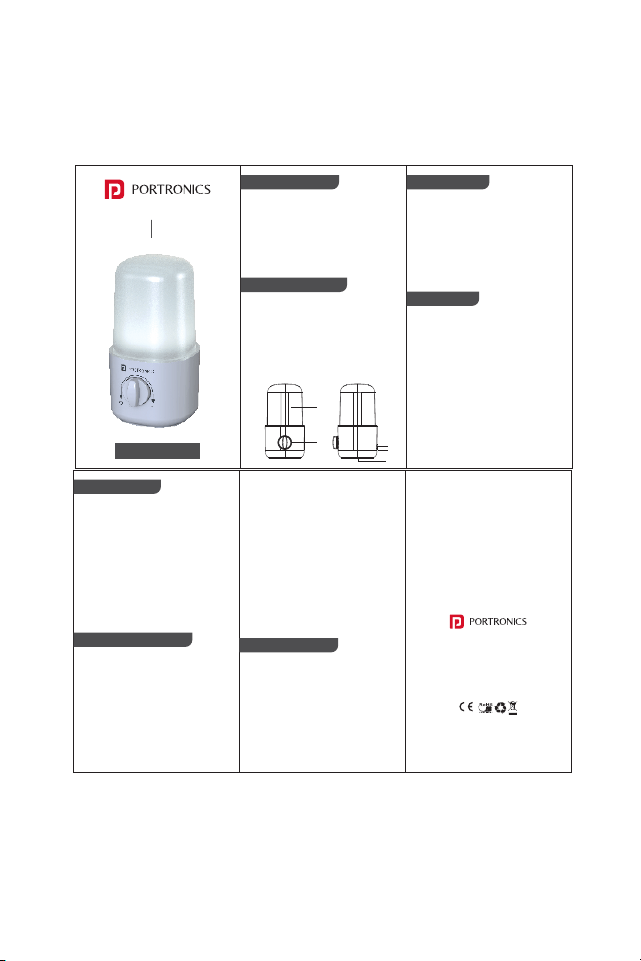
Product Overview
1. LED Lamp
2. Rotary Switch
3. Type C Charging Port
4. Charging Indicator Light
• Red Light: Charging
• Green Light: Fully Charged
5. Bottom Hanging Hook
Product Description
Product Type: Rechargeable LED Lamp
Battery: 2x1500mAh Built-in Battery
Charging Time: 5–6 Hours
Lighting Source: 24 PCS SMD LED
Backup Time: High Brightness: 1–2
Hours, Low Brightness: Up to 10 Hours
• Before first use, fully charge the
Portronics Ray X.
• Turn the rotary switch clockwise to
switch on the Lamp.
• Rotate the switch further to increase
brightness.
• Rotate the switch back to reduce
brightness or turn off the Lamp.
• Place it on a flat surface or use the
bottom hook to hang it wherever
needed.
Specifications
How to Use
• Connect the provided charging
cable to the type-c port.
• Plug the other end into a USB power
source such as an adapter, power
bank.
• The charging indicator will glow red
while charging.
• Once fully charged, the indicator will
turn green.
• Remove the charging cable after
full charge.
How to Charge
Important Instructions
• Charge the Lamp fully before first use.
• Recharge the battery every 3 months,
even if the product is not in use.
• Do not immerse the light in water.
• Use only a suitable 5V USB power
source for charging.
• Do not use the product if the
charging cable or type-C is
damaged.
• Children should use this product
only under adult supervision.
• Do not open, repair, or modify the
product yourself.
• Do not cover the LED Lamp while it is
in use.
• Avoid dropping or hitting the
product.
• Keep the product away from
flammable materials.
• If the product shows unusual
heating, smell, or damage, stop
using it immediately.
Troubleshooting
1. Issue : Lamp is not turning on
Solution : Charge the product fully
and try again.
2. Issue : Light backup is low
Solution : Fully charge the light for
5-6 hours before use.
3. Issue : Charging indicator is not
glowing
Solution : Check the Type-C cable,
adapter, and power source.
4. Issue : Light is dim
Solution : Adjust the rotary switch or
recharge the battery.
E-Waste Management
For E-Waste & ROHS compliance
refer to www.portronics.com/ewaste
www.portronics.com
For Support
Visit : www.portronics.com
E mail : [email protected]
Contact No. : +91 9555245245
(Working Hours : Monday - Saturday 10:00am - 6:00pm)
2
1
3
4
5