Size=503 x 84 mm (Front)
SPECIFICATIONS
POWER ON
• Dual pairing: Yes
• Driver: 10mm
• Supported profile: HFP, A2DP, HSP, AVRCP
• Bluetooth version: 6.0
• Neckband charging time: Up to 60 minutes
• Stand by time: 300 Days
• Playtime: Up to 50 hours @ 60% volume
• EQ modes: 3 Inbuilt EQ Modes
• Bluetooth range: 10m
• Water resistance: IPX5
• Fast Charging- Charge for 10 mins, use for 10 Hours
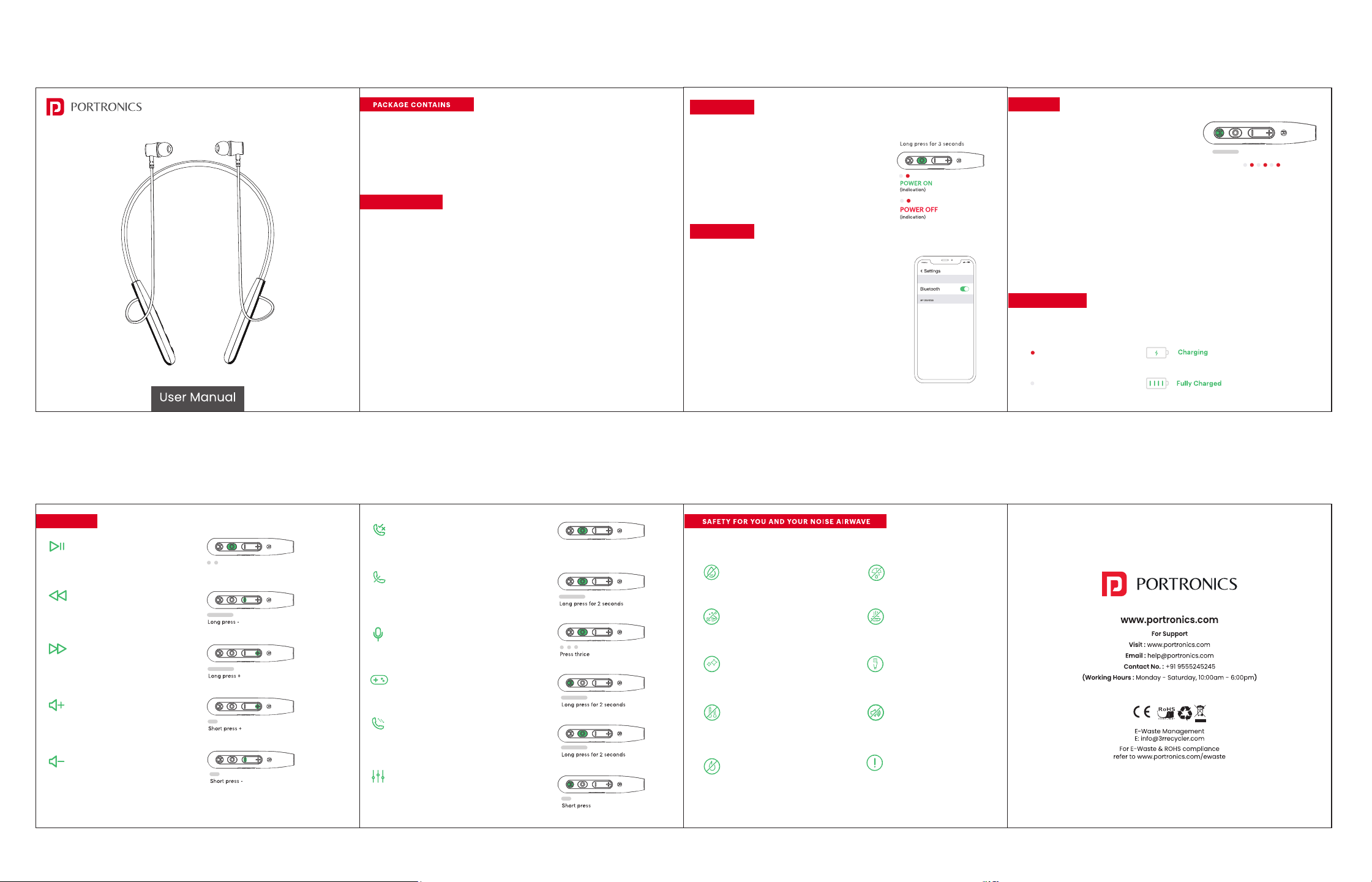
Long press the multifunction button for 3 seconds, the red
and white LED will blink alternatively for 1 second indicating
that it's powered on.
POWER OFF
Long press the multifunction button for 3 seconds, the red
and white LED will blink alternatively for 1 second indicating
it's powered off.
• Long press the multifunction button for 3 seconds, the device
will be in pairing mode once powered on.
• Red and white LED will flash alternately indicating the
device is in pairing mode.
• Turn on the Bluetooth on your smartphone or laptop and open
the Bluetooth menu.
• Select 'Add Device' and from the list of devices select
‘Portronics Harmonics Prime’.
• The White light flashes 2 times every 4 seconds indicating
that your neckband is paired.
Note: The device will automatically turn off if not connected
within 5 minutes.
• Please reset the device, if you are having
trouble connecting or using your Harmonics Prime.
• Before resetting, make sure that your device is fully
charged.
• Press and hold the Mode button for 8 second, when
power is on or device is connected.
• The red and white LED will flash 3 times, indicating
that Portronics Harmonics Prime has been reset.
DUAL PAIRING
• Connect your Harmonics Prime with Device 1.
• Turn off the Bluetooth of Device 1, and connect
Harmonics Prime with Device 2.
• Turn on Bluetooth of Device 1, both the devices
will be paired and are ready to use.
Size=503 x 84 mm (Back)
Plug the Type-C cable to the charging port of the neckband.
On charging mode, LED will be in solid red.
Solid red LED
Once charged, LED will be in solid white.
Solid white LED
Play/Pause
Press the multifunction button once
Previous Song
Long press -
Next Song
Long press +
Volume Up
Short press +
Volume Down
Short press -
Answer/End a Call
Short press the multifunction button once
Reject Call
Long press the multifunction button for 2
seconds
Voice Assistant
Press the multifunction button thrice
Gaming Mode
Long press the mode button for 2 seconds
Switch Call
Long press the multifunction button for 2
seconds
EQ Mode
Short press the mode button to switch between the
3 EQ modes
Do not expose the neckband to liquids,
moisture or humidity as they have
electronics and battery inside.
Don’t use abrasive cleaning solvents to
clean your new neckband.
Wipe them down with a slightly damp
cloth if and when necessary.
Remove and clean the earbud tips
regularly to ensure that you always enjoy
the best sound possible.
Do not expose the neckband to extremely
high or low temperature as this may
damage the battery or even deform the
plastic parts.
Don’t throw the neckband in a fire to
dispose it. The internal battery may
explode.
Don’t try to disassemble your
neckband. There are no user
serviceable parts inside it.
Try not to drop the neckband and
keep them away from sharp objects
such as keys
in your pockets.
Only charge your neckband from
5V USB ports such as phone
chargers and laptops or PCs
Never listen to music at high
volume or you may permanently
damage your hearing.
Pay attention to your surroundings
and never wear any earphones while
riding, driving or walking
in traffic.
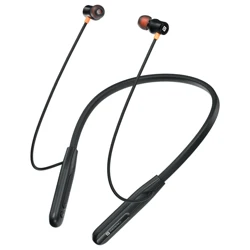
Wireless Stereo Headset
HARMONICS PRIME
Press the Mode button for 8 seconds
(indication)
• Harmonics Prime 1N
• Charging Cable 1N
• User Manual 1N
• Extra Eartips 2 N
RESET
CHARGING
CONTROLS
PAIRING
Portronics Harmonics Prime
Short Press
Follow these tips to get best out of your new Harmonics Prime