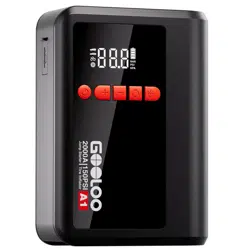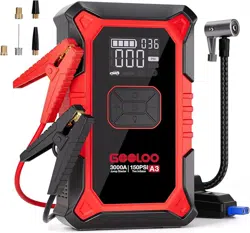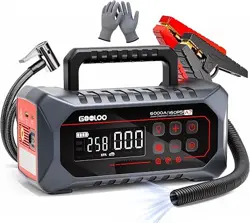
Product Name:
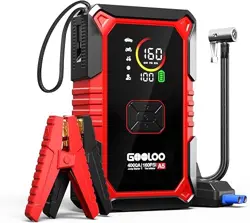
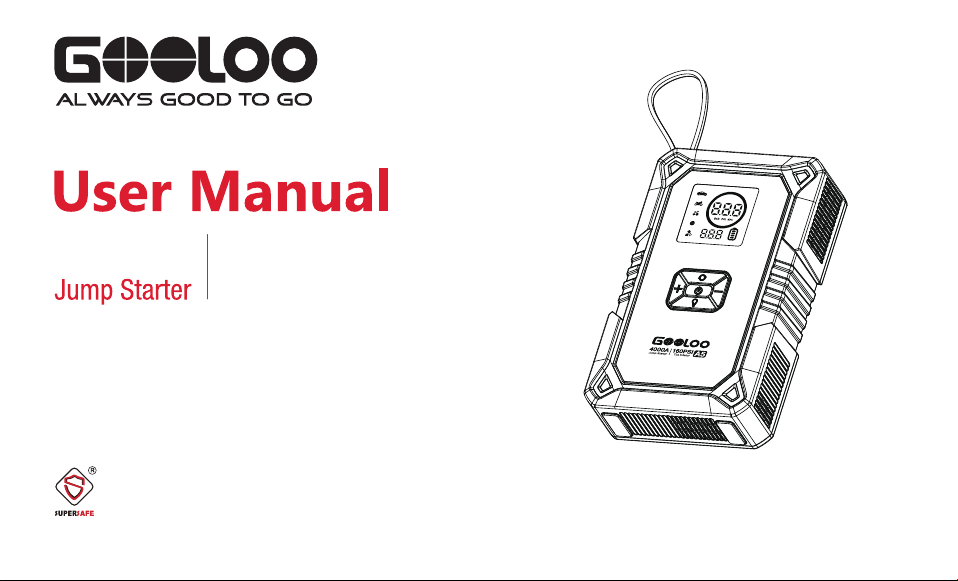
A5 Jump Starter with Inflator
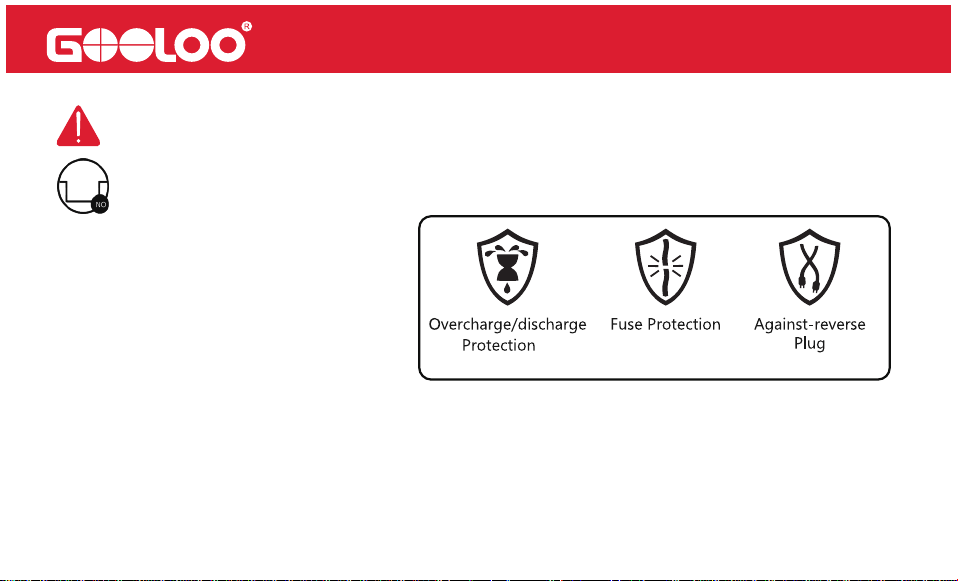
SUPERSAFE is a safety protection technology by GOOLOO
Model: JS-588
4000A 160PSI
Tire Inflator
Fully charge the jump starter before first use. Before attempting to jump start a vehicle,
Product Usage and Storage Instructions
Before First Use
check the battery level and make sure the unit has sufficient power.
Charging Instructions
Charging time may vary depending on the charger and cable used. For best results, use a
compatible charger and charging cable. After the unit is fully charged, disconnect the
charging cable. Do not keep the unit connected to power for an extended period after it
is fully charged.
Maintenance During Long-Term Storage
If the jump starter will not be used for an extended period, recharge it at least once every
3 months to help maintain battery health and avoid deep discharge.
Thank you for choosing the GOOLOO Jump Starter.
Please read this manual carefully before use. It contains important safety and operation
guidelines. Keep this manual for future reference.
Operating Environment
Use the product within the recommended operating temperature range: -4°F to 140°F.
Storage Temperature
Store the product within the recommended storage temperature range: -4°F to 140°F.
Charging Temperature
Charge the product within the recommended charging temperature range: 14°F to 113°F.
Storage Reminder
Do not store the product for an extended period in high-temperature areas, humid
environments, or direct sunlight. Avoid long-term storage inside a vehicle where the
internal temperature may exceed the recommended storage range.
Abnormal Conditions
Stop using the product immediately and contact customer support if you notice battery
swelling, leakage, abnormal odor, excessive heat, visible damage, or charging
abnormalities.
.
This unit is for vehicle (equipment) with 12V batteries. It may be dangerous if it is used with
other types of batteries. Read and understand the safety information before using the jump
starter. Failure to follow the safety information may cause damage to the jump starter, and
may also result in electric shock, explosions, fire, property damage, and personal injury
Warning
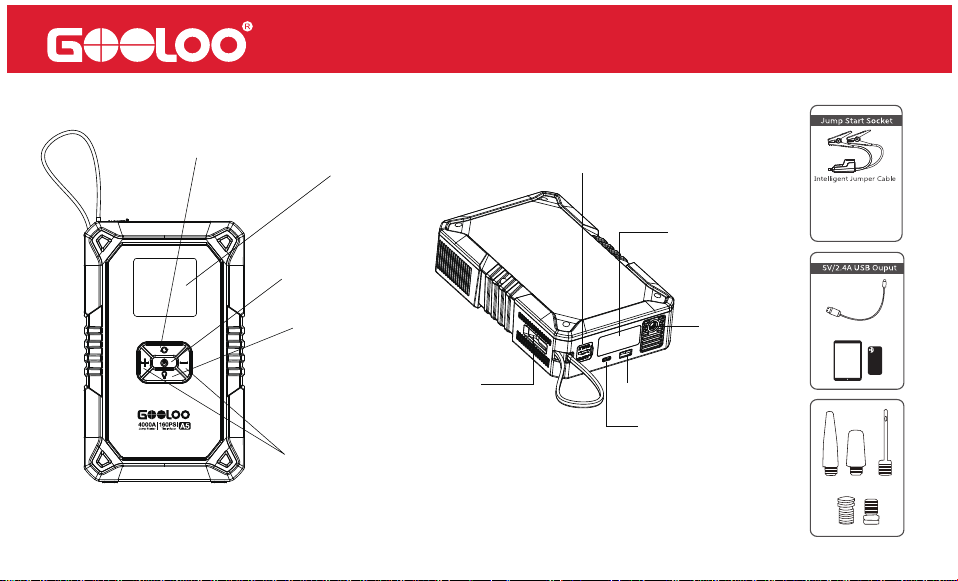
Product Parts and Functions Description
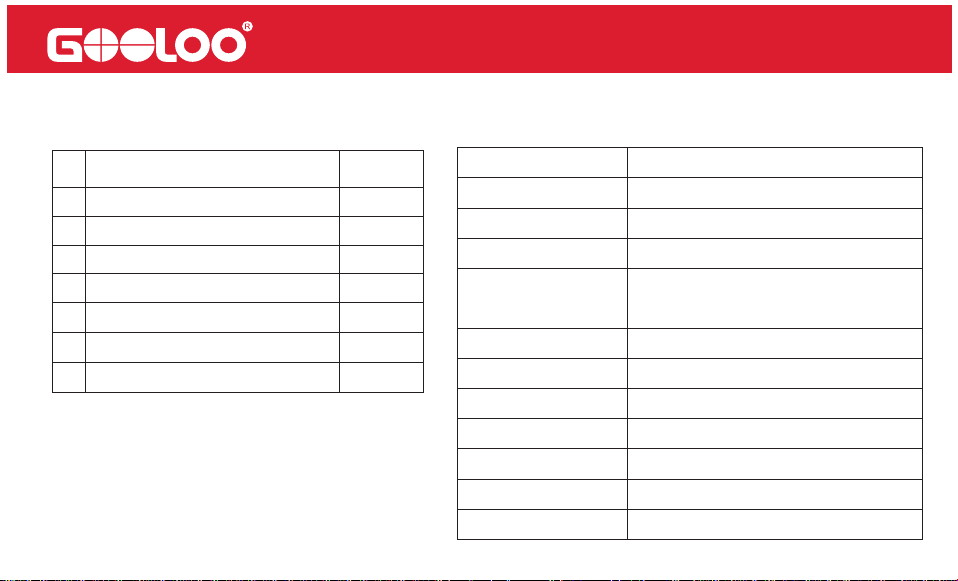
Power Button
LCD Display
1. Up and Down to Select
2. Pressure Increase or Decrease
LED Button
Setting Button
USB-C Input
USB-A Output
Aerated
LED Flash Light
Jump Cable Socket
USB-C Out:
PD45W MAX
Technical SpecificationPackage Content
#
QuantityPart Name
Host
Carrying Bag
Pump Tube
Air Nozzle
USB-A to USB-C Cable
1
1
1
1
1
5
1
1
2
3
4
5
6
7
User Manual
Capacity
Starting Current
Peak Current
USB-C1 In
USB-A Out
Max Pressure
Operating Temp
Lifetime
Full Charge Time
Size
Weight
74Wh
800A
4000A
QC2.0 18W MAX(5V/2A,9V/2A)
5V/2.4A
160PSI
-4 ~ 131
>1000 Cycles
6 hours(9V/2A Charger)
8.98*5.55*2.40in
3.20±0.11lb
PD45W MAX(5V/3A,9V/3A,
12V/3A,15V/3A,20V/2.25A)
USB-C2 Out
Smart Jumper Cable
Operation Instructions
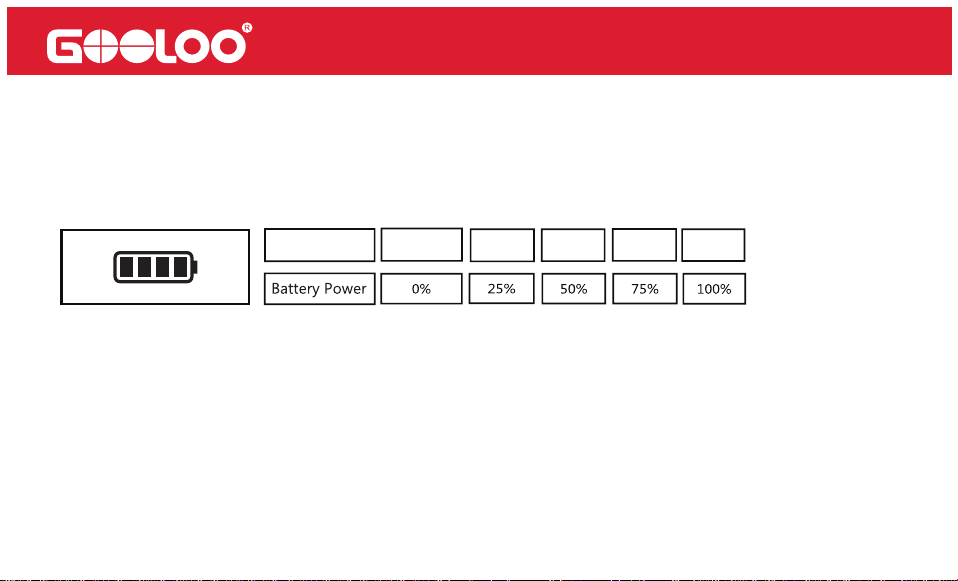
Battery Power:
1 Bar 2 Bars 3 Bars 4 Bars
0 Bar
Battery Icon
Press the Power button to check the current battery level. The number of bars on the battery
icon indicates the approximate charge percentage:
During charging, the battery icon will blink progressively, indicating the charging progress.
Once charging is complete, all four bars will be solid.
To charge the A5, use the included USB-C cable with a compatible wall charger.
Note: Wall charger is not included.
How to Charge the A5
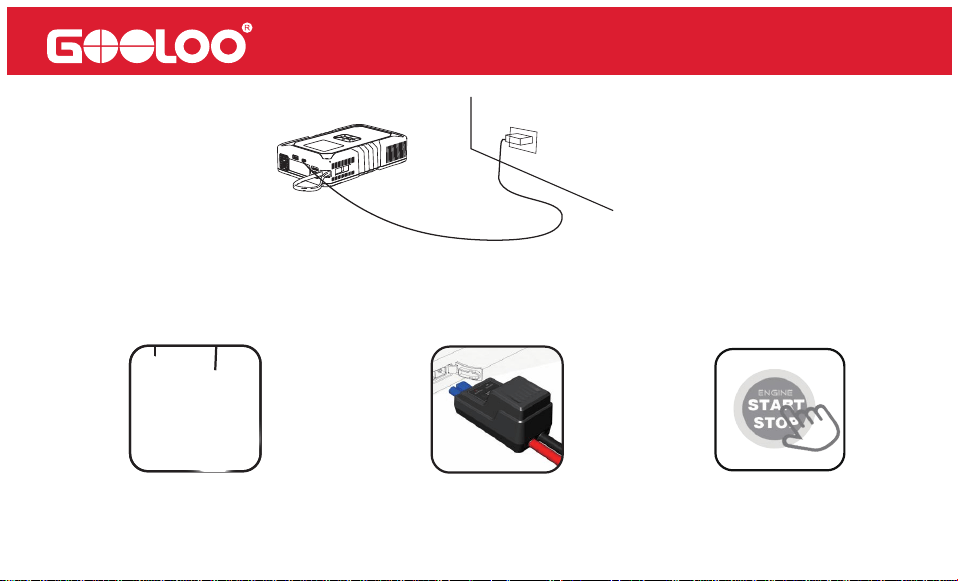
How to Start a 12V Vehicle (
Make sure the battery power≥2 bars)
Note: Please ensure the correct connection of the vehicle battery before pressing the "BOOST" button on the
jumper cable.
1. Connect the vehicle battery
2. Green LED illuminates (solid)
3. Start vehicle engine
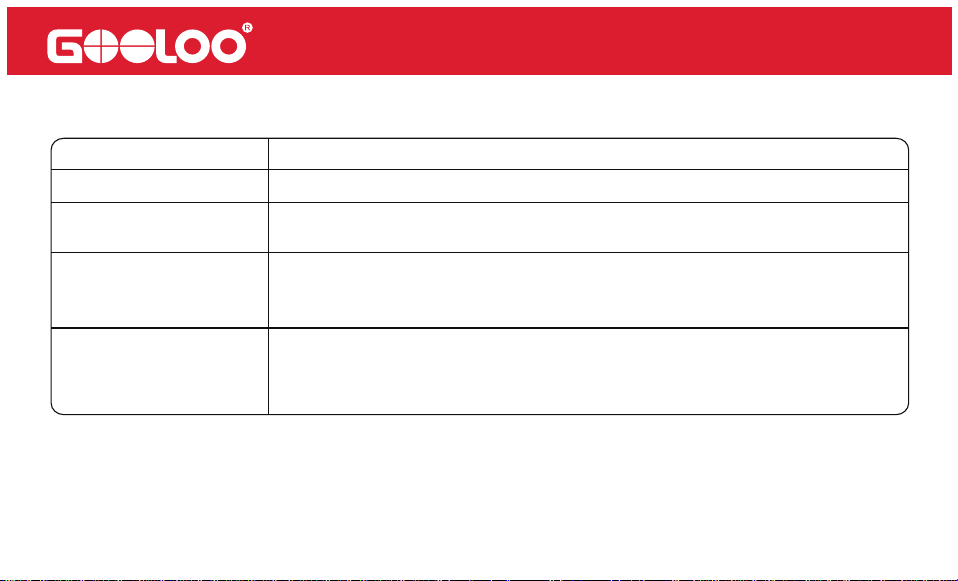
Green LED (solid)
Red LED
Green LED (blinking)
LED Indicator
Proper connection detected. You can start the vehicle immediately.
Reverse polarity detected. Please check that the battery clamps are
connected to the correct terminals.
Operation
Check the LED indicator on the jumper cable and follow the instructions as below:
The vehicle battery voltage is too low. Press the “BOOST” button on the
jumper cable. Once the Green LED turns solid, start the vehicle within 30
seconds.
The vehicle battery may be damaged. First, ensure the clamps are
connected correctly. Then press the “BOOST” button. When the Green
LED turns solid, start the vehicle within 30 seconds.
No Light
If you encounter any persistent issues, we recommend discontinuing the use of the
jump starter and contacting our service team directly at [email protected] (for the
US)/[email protected] (for the EU). Rest assured, we will make every effort to
resolve the problem within 24 hours.
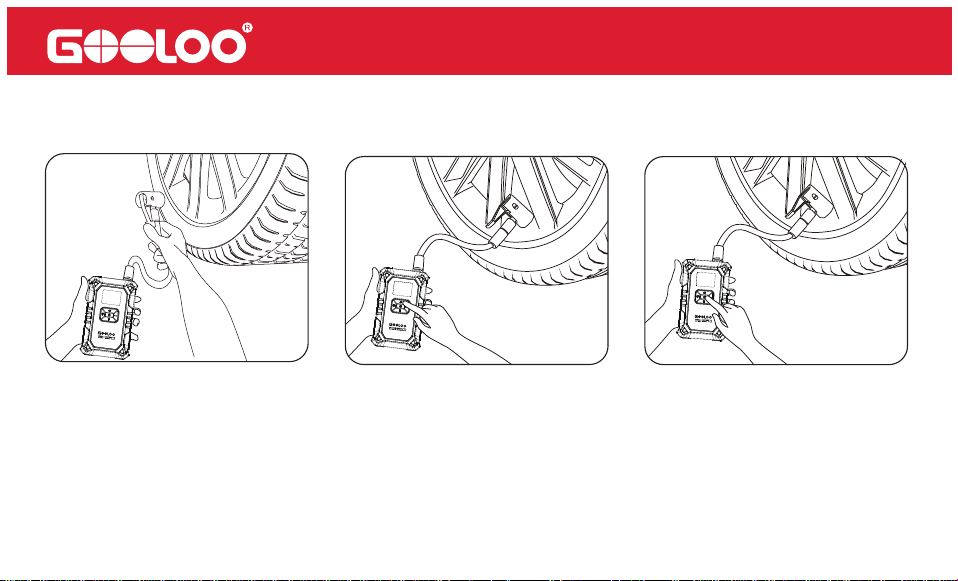
How to Inflate
1. Connect the air nozzle 2. Set the air pressure 3. Start the device. It stops at
the preset pressure.
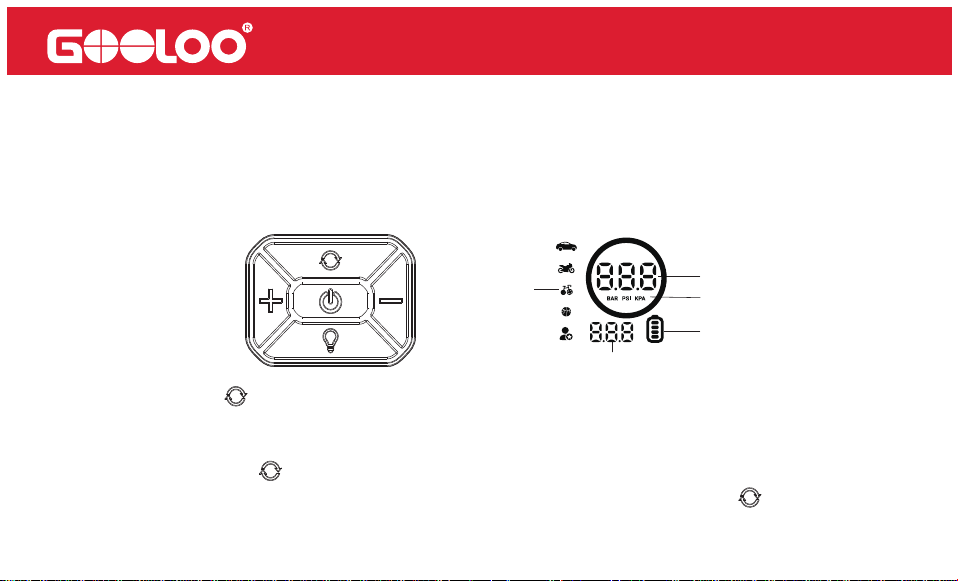
Instructions of buttons and display screen:
1.To power the product on or off, simply press and hold the power button for two seconds. The
battery level is denoted by "1", the tire pressure unit is represented by "2", the inflation mode is
indicated by "3", and the actual tire pressure value is shown as "4". Additionally, the preset tire
pressure value is displayed as "5".
2. Short press the " " button to switch the inflation mode. Each short press will toggle
between the icons for "Car," "Motorcycle," "Bicycle," "Basketball," and "Free Mode." Select
the icon that corresponds to the object you want to inflate.
3. Press and hold the " " button for 2 seconds to switch between different pressure units.
Each long press will toggle between "BAR," "PSI," and "KPA." Release the " " button to
confirm the selected unit.
1
4
3
2
5
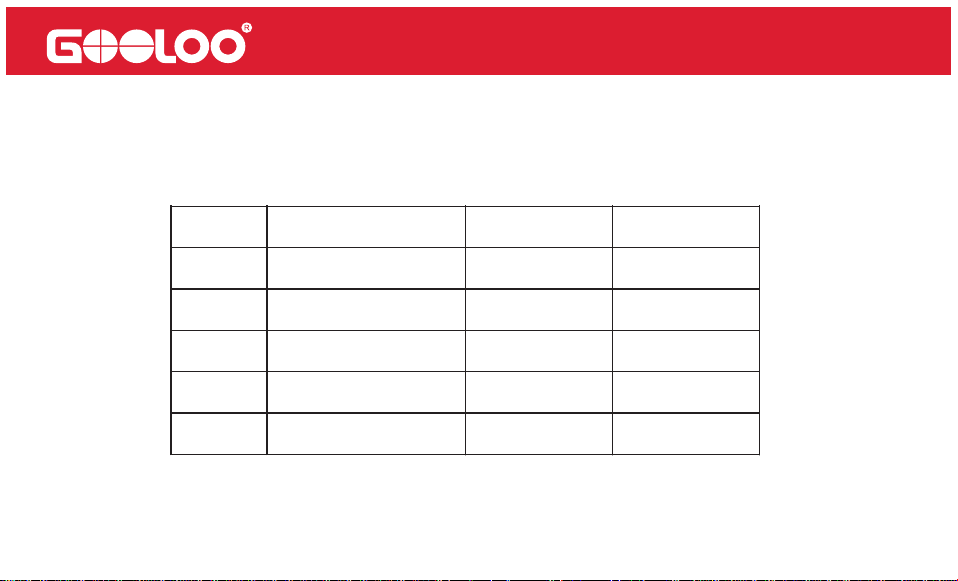
Mode
Adjustable pressure
range
Preset pressure
values
Unit
Free Mode
ball
Bicycle
Motorcycle
Car
7-160
4-16
30-160
26-43
26-50 36
PSI
PSI
PSI
PSI
44
PSI
9
24
32
6.While charging, the battery icon "1" is displayed, and it advances in flashing intervals from the
bottom to the top, corresponding to the increasing power level.
7.When the power of the product drops below 10%, the corresponding power indicator will flash.
4. Short press the "+" or "-" button to adjust the air pressure of the selected object. "+"
increases, "-" decreases. Keep pressing until desired pressure is reached.
5. In the selected inflating mode, briefly press the power switch button to activate the
inflation function. The pump will automatically stop when the desired value is reached.

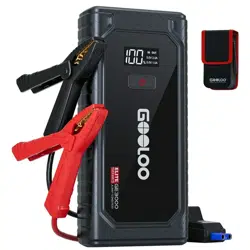
Powerful Jump Starter - The 4000 amp jump starter battery pack provides instant restart
for your 12V dead vehicles, supporting all gas engines and up to 10.0L diesel. Even if the
battery voltage is extremely low, simply press the "BOOST" button to forcefully jump start
your car. With over 1000+ charge cycles, it is built to withstand extreme weather conditions
ranging from -4°F to 131°F.
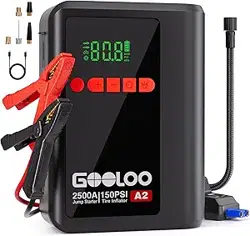
Smart cordless Tire Inflator- Equipped with a smart LED screen, tire pressure detection
and automatic shut-off functions make your operation more convenient.A full charge
provides up to 75 minutes of wireless continuous inflation and supports unit switching
(BAR/PSI/KPA).
5 IN 1 Jump Starter -Not only a car battery jump starter pack, a tire inflator, but also a
portable power bank, a LED flashlight and a SOS emergency light.Compatible with USB
devices such as smartphones and tablets.
Product Highlights

All-Around Defense -Incorporating a high-efficiency battery management system (BMS),
this device offers 10 key protections, including short circuit protection, overcurrent protec-
tion, reverse connection protection, overheating protection, and overcharge protection.
18 months Warranty - We offer a warranty period of 18 months as per our commitment.
Package Including: 1 X jump starter with air compressor, 1 X smart jumper cable, 1 X USB-A
to USB-C cable, 1 X carrying bag, 1 X pump tube, 5 X air nozzle, 1 X user manual.
How to Turn the LED Flashlight On/Off
How to Turn the Unit On and Off
Toxic and Hazardous Substances Declaration
To activate the LED light, briefly press the lighting button. The white light will stay on continuously.
Pressing the button again will cycle through the following modes:
Normal→Burst Flash→SOS Signal→OFF
To turn the unit on, press and hold the Power button for 2 seconds.
To turn it off, press and hold the Power button again for 2 seconds.
The device will automatically power off after 90 seconds of inactivity.

FAQ
Q1: What is the operating and storage temperature range of this unit?
A: This unit contains a lithium polymer battery. The operating temperature range is –4°F to
131°F , and the storage temperature range is –4°F to 140°F. Exposure to temperatures above
140°F may cause internal battery damage, swelling, or safety hazards. To prevent damage,
avoid storing the unit in high-temperature environments such as inside parked vehicles.
Q2: How do I start a vehicle using this unit?
A: Please refer to the section “How to start a 12V vehicle” in this manual for detailed instruc-
tions.
Q3: How do I know if this unit is properly connected to the vehicle?
A: After connecting the clamps to the vehicle battery, check the LED on the jumper cable. A
solid green light means the connection is correct. A solid red light indicates reverse polarity.

Q4: What should I do if the unit doesn’t start the vehicle?
A: First, fully recharge the unit. Then reconnect the clamps and press the BOOST button. If
the green LED turns solid, attempt to start the vehicle within 30 seconds. If the issue persists,
contact us:US Support: [email protected]/EU Support: [email protected]
Please include your order ID for faster assistance.
Q5: What should I do if the unit doesn’t charge?
A: Charge the unit using a USB-C cable and a wall charger overnight. If it still doesn’t charge,
contact us at: US Support: [email protected]/ EU Support: [email protected]
Include your order ID when reaching out.
Q6: What if this unit can’t charge other devices?
A: Try using a different charging cable. If it works, the included cable may be faulty—we’ll
replace it. If the issue continues with another cable, please contact us:US Support: fiona@-
gooloo.com/EU Support: [email protected]
Be sure to include your order ID.

Q7: Can this unit charge other devices while being charged?
A: Yes.
Q8: Can this unit charge other devices while jump-starting a vehicle?
A: No.
Q9: How often should I recharge the unit?
A: We recommend recharging the unit every 3 months to maintain optimal battery health.
Q10: Why does the unit shut off in 30 seconds when charging other devices?
A: The unit requires a minimum load of 200mA. Devices like smartwatches or earbuds that
draw less current may cause the unit to shut off. If the current remains below 200mA, the
unit will automatically power off after 90 seconds.

Warning
1. Read this user manual carefully before operating the device.
2. Use caution while handling this unit. Improper use may cause injury or damage to your
vehicle or equipment.
3. Do not allow untrained individuals to operate this unit without supervision.
4. This unit is not a toy. Keep it out of reach of children.
5. This product is designed for vehicles with 12V batteries only. Do not use with non-12V
vehicles or on aircraft, ships, or other equipment.
6. Do not use the unit if any cable, clamp, or connector is damaged, or if the device appears
swollen, overheated, or leaking.
7. Do not use the unit as a car battery or a standalone battery charger.
8. Do not attempt to jump-start a vehicle while the unit is charging.
9. Only use the supplied clamps for jump-starting and a certified charger for recharging.
10. Do not allow the battery to fully discharge. Recharge every 3 months for optimal perfor-
mance.

11. Ensure the blue plug on the jumper cable is fully inserted into the output port. Loose
connections may cause melting.
12. Clean the vehicle’s battery terminals before connecting. Dirty or corroded terminals may
reduce performance.
13. Do not start the engine more than three times consecutively. Allow 2 minutes between
attempts to prevent overheating.
14. Do not reverse the clamp connection after pressing the BOOST button.
15. Only use the unit to jump-start the vehicle when its battery level exceeds 2 bars.
16. After jump-starting, wait at least 30 minutes before recharging the unit.
17. Do not submerge the unit in water.
18. Do not use the device in explosive or flammable environments (e.g., near gasoline, gas
vapors, or dust).
19. Do not disassemble or modify the unit. Repairs must be performed by qualified service
technicians.
20. Keep the unit away from fire and extreme heat.

21. Do not drop or crush the device. If damaged, have it inspected by a certified technician.
22. Do not store the device in areas where temperatures exceed 140°F.
23. Only charge at ambient temperatures between 32°F to 131°F.
24. Under extreme conditions, battery leakage may occur. Do not touch leaking material with
bare hands.
• If contact with skin occurs, wash the affected area with soap and water immediately. Seek
medical attention if irritation develops.
• If contact with eyes occurs, rinse thoroughly with clean water for at least 10 minutes and
seek medical attention immediately.
25. This unit contains a lithium battery. At the end of its service life or in case of leakage,
dispose of the device in accordance with local regulations.

We provide timely and effective online support for any product issues within 18 months of
purchase.
18-Month Online After-Sales Service
If you experience any product issues within 30 days of purchase, you may request a return
via Amazon for a full refund.
30-Day Money-Back Guarantee
If the product develops a manufacturing defect between 30 days and 18 months after
purchase, we will replace it with a new unit at no additional cost.
30 Days to 18 Months Replacement Guarantee
Your Warranty Includes
Disclaimer
A. To obtain warranty service, the original purchaser must provide proof of purchase (order
ID or receipt). Warranty coverage begins on the date of original purchase.

B. The warranty does not cover damage or malfunction caused by:
• Normal wear and tear
• Physical abuse or impact
• Improper installation
• Misuse or modification
• Unauthorized third-party repairs
C. GOOLOO is not liable for any accidental, indirect, or consequential damages arising from
improper use or misuse of this product.
D. All warranty claims are limited to the repair or replacement of the defective product, at the
sole discretion of GOOLOO.
Attention
Do Not Place Near or Into Fire
Avoid Extreme Temperatures
Do Not Drop
Do Not Disassemble
Do Not Submerge In Water

Customer Service
18 Months Limited Warranty Service
Lifetime Technical Service
Feel Free to Contact Us
For FAQ and More Information
[email protected] (for the US)
[email protected] (for the EU)
www.gooloo.com
1-888-886-1805
Mon.-Fri. PST 9:00a.m.-5:00p.m.

Thank You
for Choosing Us
Made in China