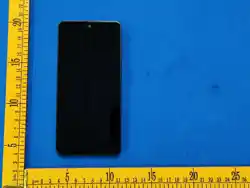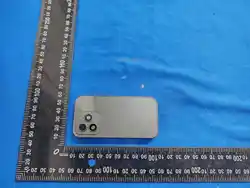

smartphone
H08 TD-LTE Terminal User Manual
(Note: The type approval code is displayed in the form of a label)
I. Basic Product Overview
Model: H08; Product Name: TD-LTE Terminal (hereinafter referred to as the
"Terminal"). This terminal is waterproof and dustproof, integrated with
a public network communication module. It supports 4G calls, data
communication, and high-precision GPS positioning.
II. Product Application Scenarios
Suitable for various industries including outdoor travel, express
transportation, and property management.
III. Main Product Functions
1. Precise Positioning: Equipped with a built-in high-precision GPS module,
supporting the GPS positioning system.
2. SMS Sending and Receiving: Supports SMS transmission with stable and
reliable communication, ensuring communication needs in remote areas or regions
with unstable signals.
3. 4G Call Support: Loaded with a 4G network, providing high-speed data
transmission to meet the demand for large-volume data transmission and adapt to the
future development trend of communication.
IV. Product Card Configuration Information
Public Network Card
The public network SIM card supports 4G standard Nano SIM cards
(compatible with China Unicom, China Mobile, and China Telecom standards
respectively).
Card Slot Operation
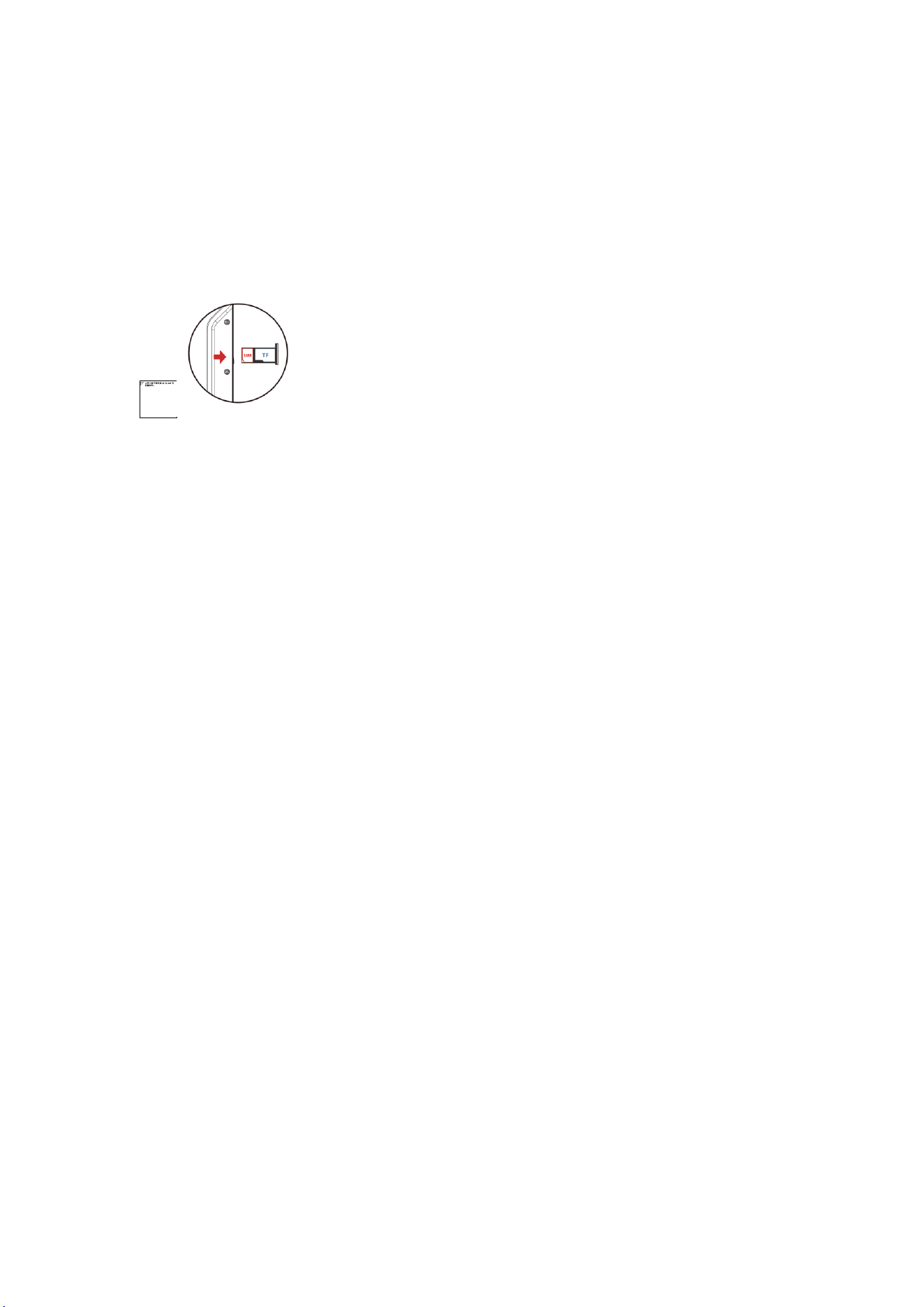
1. Use your hand to snap open the card slot and take it out.
2. Place the SIM card in the designated position, then insert the card slot back
into the device and press the waterproof plug tightly.
V. Notes
1. Before the waterproof test, press the waterproof plug at the SIM socket tightly
as shown in the figure.
2. The speaker sound may be affected after being soaked in water; shake out the
liquid and wait for a period of time to resume normal operation.
3. The waterproof effect may be impaired if the device is subjected to a
destructive drop.
VI. Safety and Effective Use Guidelines
Using third-party ROOT flashing or unauthorized operating system updates
may pose certain risks to the operating system.
This product is not sold with a power adapter. If consumers use a power
adapter for power supply, they should purchase a matching power adapter
that has obtained CCC certification and meets standard requirements.
For the safe and effective use of the terminal, please carefully read the
following information before use. The following suggestions will help you
comply with the warranty terms and significantly extend the service life
of the terminal.
Keep the terminal and all its related accessories out of the reach of
children.
Do not allow the terminal and related accessories to come into contact
with liquids or be placed in humid environments.
Do not attempt to disassemble the terminal, and do not repair the terminal
or its accessories without authorization.
Do not use any charger not specified by the manufacturer to avoid potential
hazards.
On Aircraft

Wireless devices may interfere with the aircraft's electronic navigators.
Please comply with the relevant regulations of the airline and do not use
this device in areas where wireless devices are prohibited.
Personal Medical Devices
The terminal may affect the operation of pacemakers, hearing aids,
cochlear implants, or other implanted devices. Please avoid placing the
terminal in a chest pocket. When answering calls, hold the terminal to
the ear on the opposite side of the pacemaker. Always maintain a minimum
distance of 15cm between the terminal and the pacemaker. If you suspect
interference, immediately turn off the terminal, move it to a farther
position, and contact your cardiologist for details. For other medical
devices or implanted devices such as hearing aids, consult their
manufacturers for specific information.
While Driving
Always stay fully focused while driving. If you receive a call while
driving, pull out of the lane and stop the vehicle.
Child Safety Instructions
Keep the terminal and all its related accessories out of the reach of
children. Do not allow children to use the terminal or its related
accessories; children may cause injury to themselves or others, and may
accidentally damage the terminal or related accessories. Some small parts
in the terminal or its accessories may be disassembled, and swallowing
them can be dangerous.
Would you like me to export this English manual as a Word document
(consistent with the original format) or optimize the image display effect
in the document?
Specific Absorption Rate (SAR) information
SAR tests are conducted using standard operating positions accepted by
the FCC with the smartphone transmitting at its highest certified power
level in all tested frequency bands, although the SAR is determined at
the highest certified power level, the actual SAR level of the smartphone
while operating can be well below the maximum value. Before a new model
smartphone is a available for sale to the public, it must be tested and
certified to the FCC that it does not exceed the exposure limit established
by the FCC, tests for each smartphone are performed in positions and
locations as required by the FCC.

For body worn operation, this model smartphone has been tested and meets
the FCC RF exposureguidelines when used with an accessory designated for
this product or when used with an accessory that contains no metal and
that positions the handset a minimum of 0 cm from the body.
Non-compliance with the above restrictions may result in violation of RF
exposure guidelines.
Head: 0.474 W/kg
Body: 0.607 W/kg

This device complies with part 15 of the FCC Rules. Operation is subject to the
following two conditions: (1) This device may not cause harmful interference, and (2)
this device must accept any interference received, including interference that may cause
undesired operation.
Any Changes or modifications not expressly approved by the party responsible for
compliance could void the user's authority to operate the equipment.
Note: This equipment has been tested and found to comply with the limits for a Class B
digital device, pursuant to part 15 of the FCC Rules. These limits are designed to
provide reasonable protection against harmful interference in a residential installation.
This equipment generates uses and can radiate radio frequency energy and, if not
installed and used in accordance with the instructions, may cause harmful interference
to radio communications. However, there is no guarantee that interference will not
occur in a particular installation. If this equipment does cause harmful interference to
radio or television reception, which can be determined by turning the equipment off and
on, the user is encouraged to try to correct the interference by one or more of the
following measures:
-Reorient or relocate the receiving antenna.
-Increase the separation between the equipment and receiver.
-Connect the equipment into an outlet on a circuit different from that to which the
receiver is connected.
-Consult the dealer or an experienced radio/TV technician for help.