AirImage 2.0
User Manual
Unlock IAQ control
– intelligently
– standard mode

© All rights reserved.
Camfil reserves the right to modify this manual at any time without notice. Without prior written consent from Camfil,
any part of the manual should not be duplicated, reproduced or translated into any other languages.
Version history:
Version Revision date Revision description
1.0 06/10/2025 First release
Table of content
About this manual ....................................................................................................................4
Glossary of symbols ................................................................................................................5
Important safety information ..................................................................................................5
Mounting ..................................................................................................................................6
Technical information ..............................................................................................................7
Set-up ......................................................................................................................................8
Link the first CamCleaner ........................................................................................................8
Screen views ............................................................................................................................ 9
Settings..................................................................................................................................10
MyCamfilConnect portal ........................................................................................................ 11
Maintenance .......................................................................................................................... 12
Troubleshooting .................................................................................................................... 12
Guarantees and undertakings ............................................................................................... 13
Disclaimer of liability .............................................................................................................. 13
Manufacturer’s declaration of conformity ............................................................................ 14
Camfil AirImage 2.0 Manual – Standard Mode 32 Camfil AirImage 2.0 Manual – Standard Mode
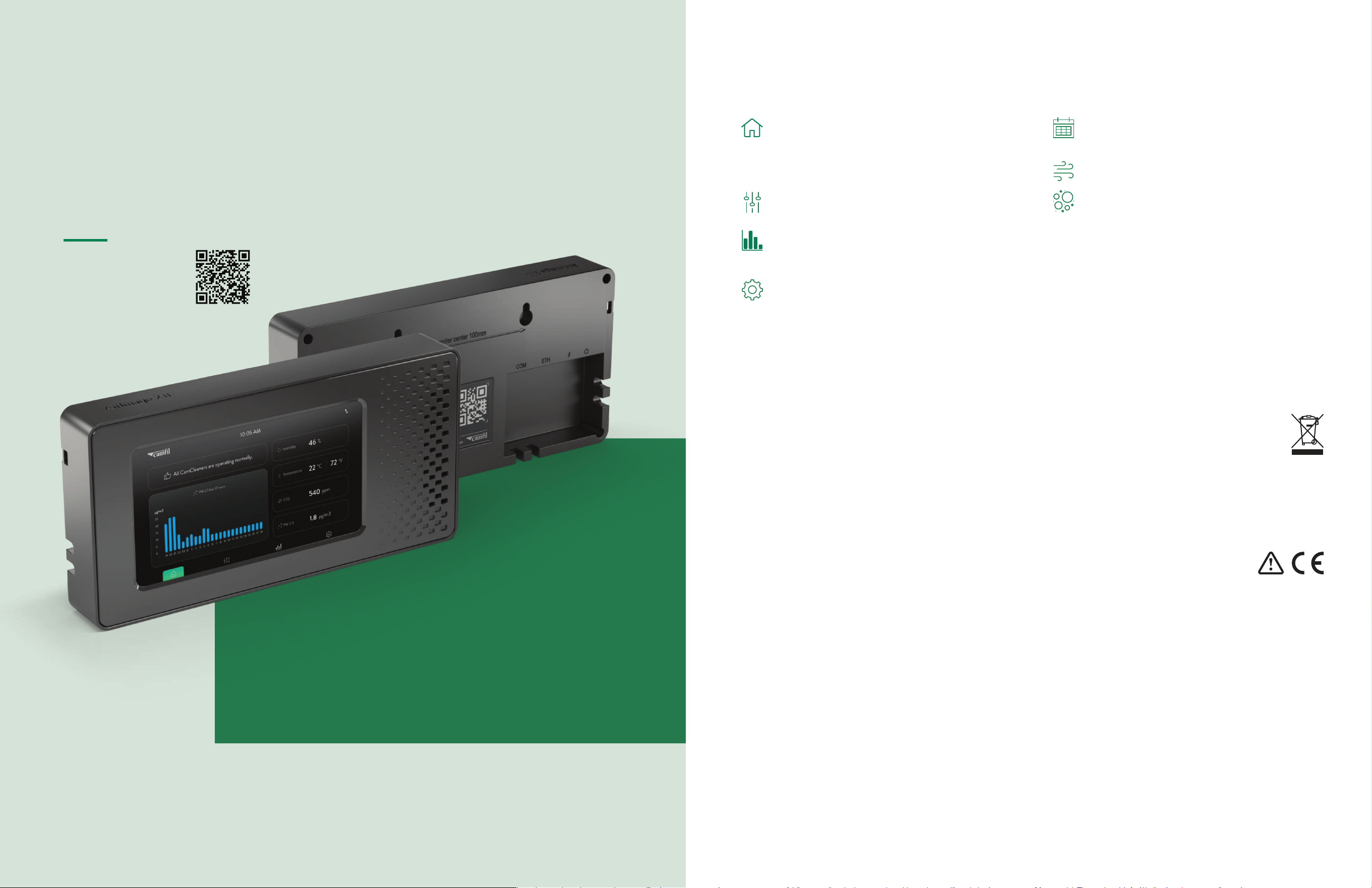
Important safety information:
• Do not open the AirImage 2.0 casing
• Only use the original power supply provided by Camfil
• Do not cover the inlets or outlets
• Use of equipment, components, and accessories other than
those specified by Camfil may impair the safe operation of
the equipment.
• The safe operation of the equipment as part of a larger
system is the responsibility of the installer of the system.
• The AirImage 2.0 is not waterproof. Exposing it to water
or setting it in a pool of water can severely damage your
AirImage 2.0.
• DO NOT mount the AirImage 2.0 upside down.
This will affect the functionality of the measurements
• Mount the AirImage on an inside wall approximately 1.4 m
(4-½ ft) from the floor (or in the specified location), to allow
exposure to the average zone temperature. Avoid locations
that are exposed to discharge air from registers or radiation
from appliances, lights, or the sun
• Clean the AirImage 2.0 carefully with a dry cloth, do not use
liquid cleaners, aerosol cleaners or pressurized air to clean it.
• The AirImage 2.0 is not intended for outdoor use.
• Before plugging the power adapter into a socket, check if
power source, voltage and frequency corresponds to 100–
240V and 50–60Hz. Current rating of power adapter is 0.6A.
• Do not use the equipment at altitudes exceeding 2,000
meters (6,560 feet).
• The maximum power consumption of the AirImage 2.0 is 8W
• The supplied power adapter is rated to operate between 0 °C
and +40 °C (32 °F to 104 °F), with humidity ranging from
20% to 85%
WEEE directive requires that old or defective electri-
cal and electronic products must be disposed of in an
environmentally sound way. The symbol means that your
product should be collected separately from household
waste. Please contact a retailer or your
community for the nearest collection center.
The power adapter is intended for use at supply voltages
with fluctuations not exceeding +/-10% and classified as
overvoltage category II.
Glossary of symbols
Control modes:
Schedule: Assign CamCleaners to a personalized
schedule. Pre-set up to 3 different schedules in the
settings.
Fan Speed: Choose a Fan Speed between 1 and 6.
IAQ Control: Set a maximum PM 2.5 value that your
Air Quality can reach. The CamCleaner will automati-
cally turn on when the level rises above.
Warning Messages:
Filter message: appears when the filter capacity is at 10%
(yellow) or at zero (red).
Fan error: receive an error message in case the fan of one of
the connected CamCleaners is not running properly.
Find both on the Home screen, check CamCleaner unit infor-
mation under device status for fan error details, and on the
CamCleaner Control screen for exact remaining filter capacity.
Menu screens:
Get status updates on all connected devices,
real-time environmental measurements, and a graph
of historical PM 2.5 data. A 4G logo indicates a mobile
connection with double arrows confirming connection
to the cloud.
Connect CamCleaners, adjust their control mode, and
click on them to view detailed unit and filter information.
Gain insights into historical PM 2.5 values, the harmful
particles removed by your devices, and the clean air
they delivered.
Pre-set the schedule and IAQ control settings, access
AirImage unit information, and adjust general settings
like language, time zone, lock, or screen saver.
About this manual
This operator instruction manual is for Camfil’s customers. It describes the
functioning of the product and provides the most important information for
safe use of the unit. All information provided in this operating manual refers
to the current state of the product’s development.
The documentation remains valid as long as the customer does not make any
changes to the product. If the AirImage 2.0 is used in a manner not specified
by the manufacturer, the protection provided by the unit may be impaired.
Read this manual carefully before installing and commissioning equipment.
Up-to-date operating
instructions can also
be downloaded from
www.camfil.com.
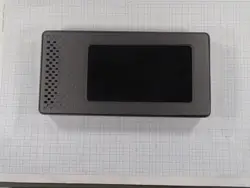
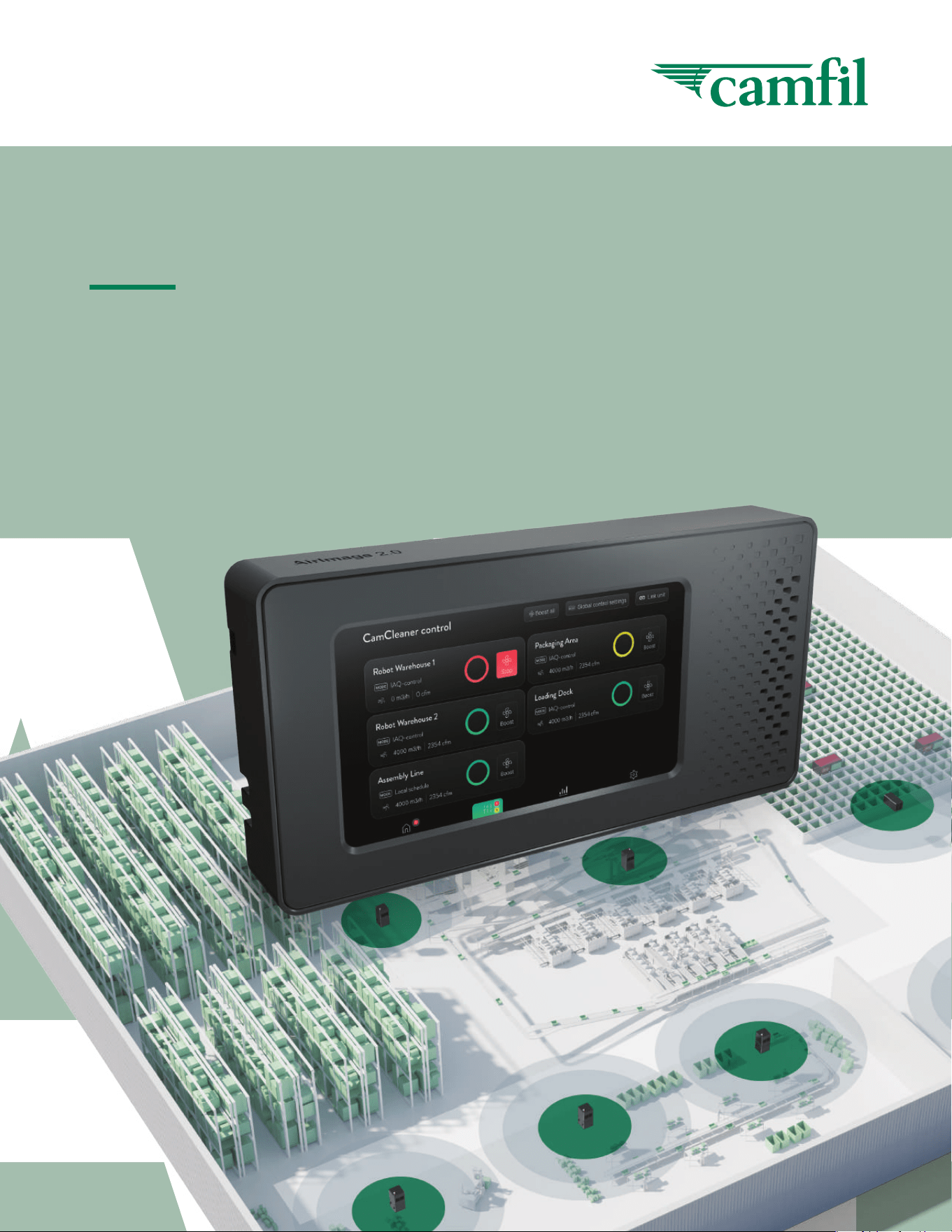
The AirImage 2.0 sensor system is an intelligent system
for monitoring and controlling CamCleaners, providing
indoor air quality smartly. It tracks and predicts optimal
filter change frequency and based on measured indoor
air quality, the AirImage 2.0 regulates the fan speed as
required, resulting in lower energy costs.
Camfil AirImage 2.0 Manual – Standard Mode 54 Camfil AirImage 2.0 Manual – Standard Mode
Technical information
System
Dimensions 245 x 124 x 32 mm
Display 7” LED touch screen
Power supply USB-C, 5V, 10W, min 1.5A
Nominal voltage 3.7V
Sensor specication
PM Sensor
Mass concentration range 0 to 1000 μg/m
3
Mass concentration precision (PM1, PM2.5): ±10%
Particle size range PM1.0, PM2.5, PM4*, PM10*
(*calculated by algorithm)
CO
2
Measurement range 400 - 2000ppm
Accuracy baseline ±50 ppm
Humidity
Typ. relative humidity accuracy 6% RH
Operating relative humidity range 0–95% RH
Temperature
Typ. temperature accuracy 0.8°C
Operating temperature range (°C) 10 - 40°C
Communication
Sim modem External 4G to send
data to Cloud
Wi mesh Range min. 50 m
communication
with CamCleaner
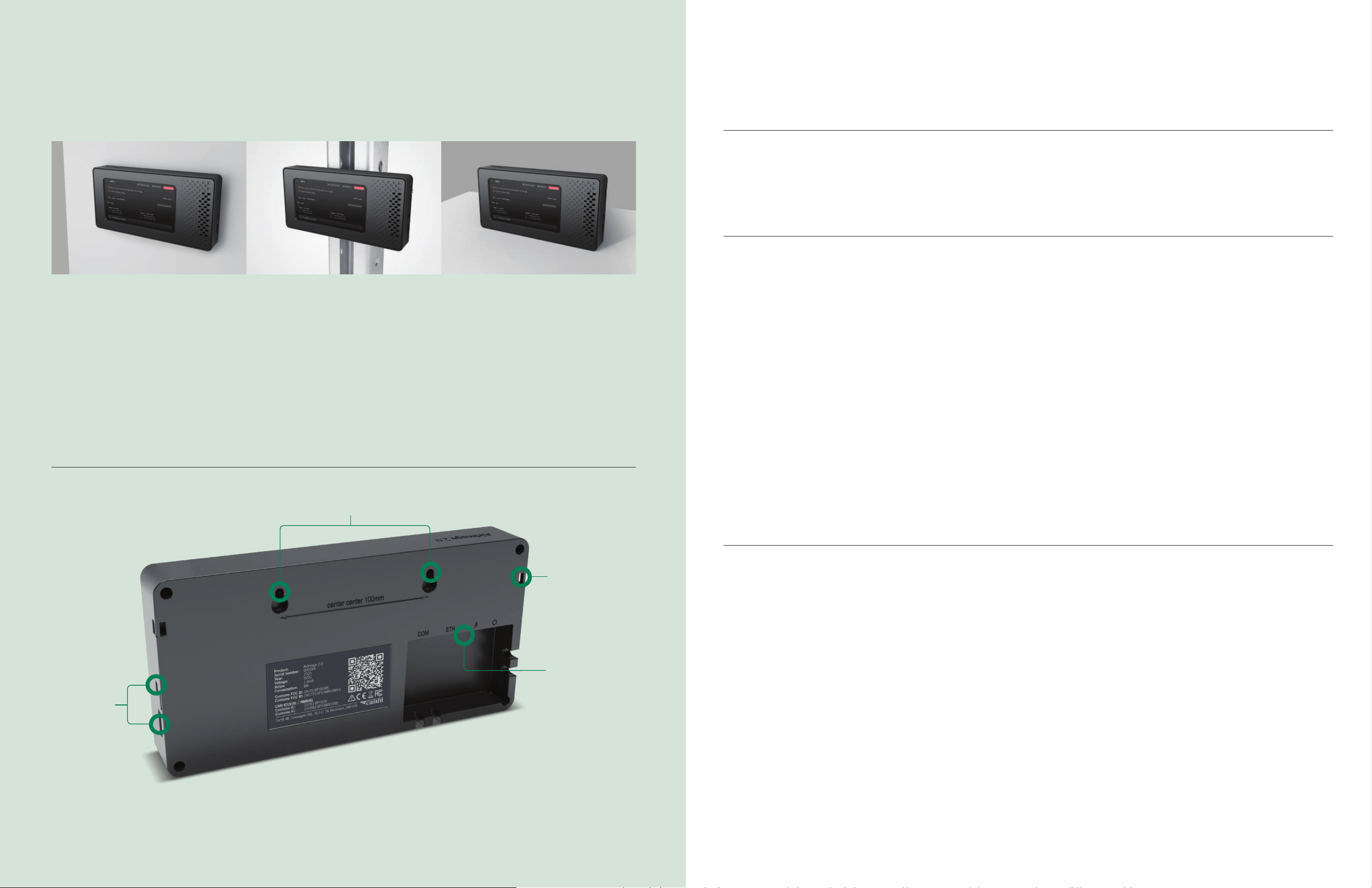
Inlets and
outlets
for the
sensors
Screw holes
for mounting
Holes for
cable tie
installation
COM, ETH,
Power, On/
O Switch
Mounting
AirImage 2.0 can be mounted on the wall with screws,
racking with cable ties or freestanding on a flat surface.
Position recommendations:
• Place the AirImage 2.0 in the same room as the
connected devices for the best outcome.
• Ensure the AirImage 2.0 has a strong 4G signal
in its position, check for the 4G logo and small
arrows on the home screen for reassurance.
• Avoid having thick walls or shelves between the
AirImage 2.0 and the connected devices.
Please leave the measurement openings clear.
On a wall:
To mount the AirImage on a wall, use screws 100 mm
(4 inches) apart, and use the case recesses on the
rear to mount.
Cable ties to a shelf:
If you wish to mount to racking, holes for cable ties
are on the rear case - left and right sides at the top.
Camfil AirImage 2.0 Manual – Standard Mode 76 Camfil AirImage 2.0 Manual – Standard Mode
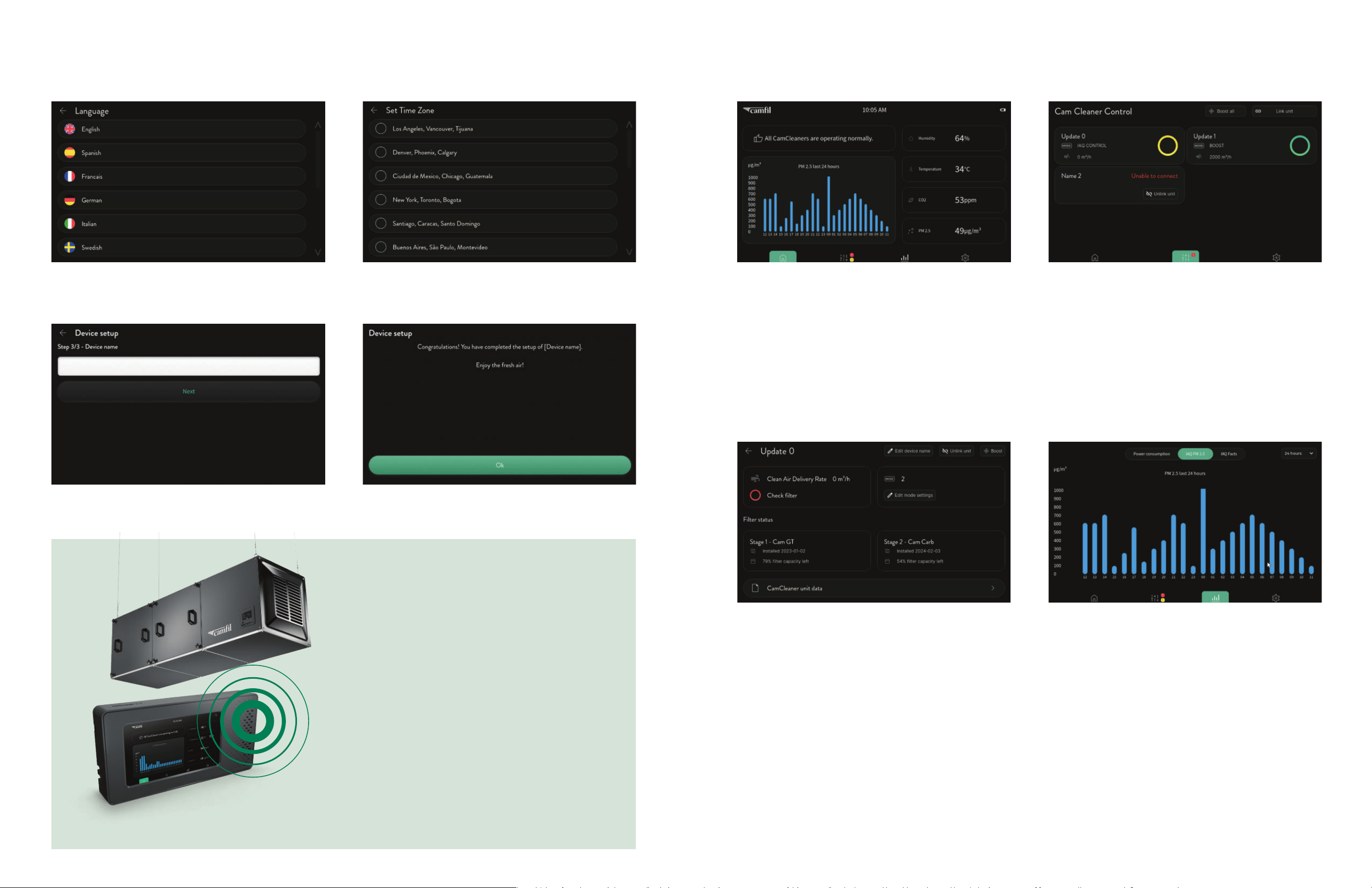
Set-up Screen views
1. Select language Home screen
Error Messages: Error messages from connected CamCleaners
Display of live and historic data: The graph to display can be
selected in settings
Menu bar for accessing AirImage functions
• CamCleaner Control: Connect and control CamCleaners
• Statistics: Graphs of PM2.5 over different time periods,
as well as IAQ facts
• Settings: Change settings including for Schedule and
IAQ control modes
CamCleaner control screen
Monitor all your connected devices as they display their
Airflow, Control mode and Status
Link your Device to the AirImage: Press the “Link unit”
button on the top of the screen, press the “Link with
AirImage 2.0” button on the Settings screen of the
CamCleaner you want to link.
CamCleaner Control & Information: Click on one of the
connected devices to select the control mode and receive
more information about the device, like filter capacity left or
the unit data
Individual CamCleaner control screen
Airflow and Alarms are displayed
Control mode is displayed and can be changed by
pressing Edit mode settings. Select IAQ control, Fan speed
(1-6) or Schedule. Settings for IAQ control and schedule can
be accessed directly or from the settings screen.
IAQ Control: All connected CamCleaners will automatically
turn on as soon as your air quality exceeds your target of
PM2.5 in μ/m³, to ensure good Air Quality (default is 85 μ/m³).
Fan Speed: Select the airflow level for your fan, from 1 to 6.
The airflow will be maintained even with a drop in filter capacity.
The setpoints will depend on the CamCleaner model, see the
Technical Specification of the CamCleaner manual for more
details.
Schedule Control: You can set up to three schedules in the
settings (choose end and start time, fan speed, and repetition
days). A vacation schedule can also be set.
Statistics
This displays historic PM2.5 values.
Select the time period you wish to display.
• 2 hours
• 24 hours
• Days
• Months
• Years
IAQ facts can also be accessed, giving the volume of clean
air delivered and weight of harmful particles removed daily,
monthly, yearly and the totals.
3. Name your device (optional)
2. Set your time zone
4. Done!
Link the first
CamCleaner:
Requirements:
Direct access to the AirImage 2.0 and the
CamCleaner you want to Link.
Steps:
1. Go into the AirImage 2.0’s CamCleaner Control
screen and click on “Link unit”.
2. Press “Link with AirImage 2.0” on the CamCleaner
settings screen.
3. The linking process stops automatically when
they are connected. Find the linked CamCleaner
on the AirImage 2.0’s CamCleaner control screen.
The CamCleaner can now be automatically
controlled by the AirImage 2.0.
Camfil AirImage 2.0 Manual – Standard Mode 98 Camfil AirImage 2.0 Manual – Standard Mode
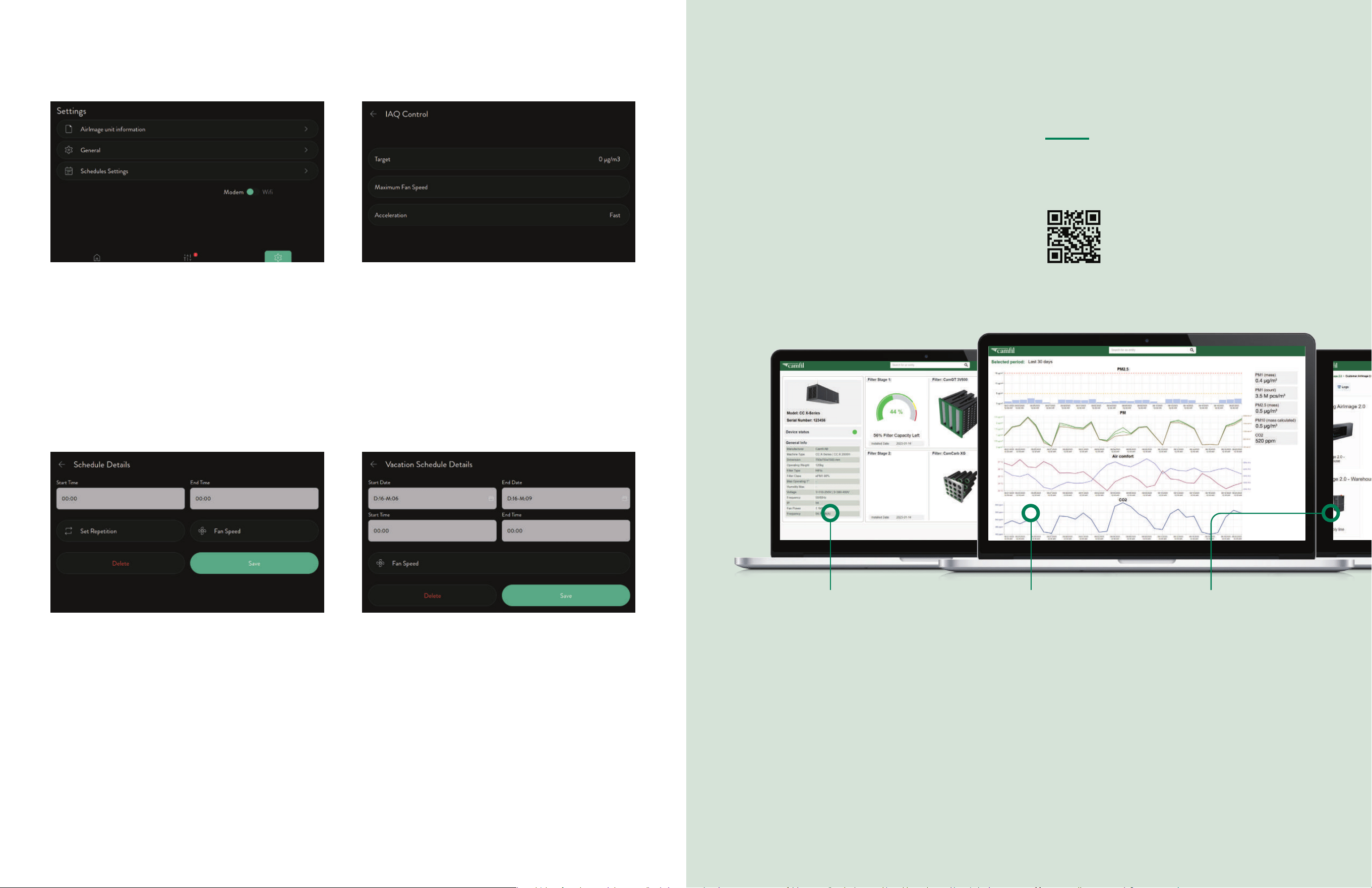
Settings
Settings menu
AirImage unit information: detailed information about
the device
General settings: Language, Time zone, Lock, Screen saver,
Brightness, Units, Factory reset
IAQ control settings: Change the settings for IAQ control
from the default
Schedule settings: Create a personalised schedule
for your CamCleaners
IAQ control settings
The settings can be changed for IAQ control
Target: PM 2.5 value the AirImage 2.0 will control the
CCXs to achieve
Maximum fan speed: The maximum fan speed / airlflow the
connected cam cleaners will use to control the PM 2.5 value.
Acceleration: How quickly or slowly the fan ramps up
Schedule settings
Add Schedule: Personalise up to three schedules in the settings
Vacation schedule
Add Vacation Schedule: The vacation schedule feature
allows you to automate your fan’s operation during a
specific time period.
Choose the end and start time, the repetition (which days)
and the fan speed you want the unit to operate at.
Login to the MyCamfilConnect portal
to use the whole potential of the AirImage 2.0
Historic PM, temperature, humidity and CO
2
values
can be analysed. Detailed information on your
connected CamCleaners are available, including
filter lifetime, pressure drops and machine status.
The AirImage 2.0 sends all the data to the cloud,
which you can view on the IoT portal. Tracking this
historical data is crucial as it can help or influence
future decisions. Additionally, you can monitor the
status of your filters and set up notifications for when
filters need to be replaced or other issues occur.
To access more data and for increased insight
in to your IAQ and CamCleaners, subscribe to
MyCamfilConnect.
Log in/create account:
https://portal.camfil.com/ or the QR
code. Register your device following
the on screen instructions.
Historical data
overview
• View historical data
• Track improvements
• Identify possible changes
in your process for quality
control purposes
Track your
CC X-Series devices
• Monitor lter status
• Set notications
• Easy to understand
interface
Overview of
your devices
• Easy access to all
your installed devices
Camfil AirImage 2.0 Manual – Standard Mode 1110 Camfil AirImage 2.0 Manual – Standard Mode
Link to the support
pages and manual.
Cleaning
Clean your AirImage 2.0 immediately if it comes in
contact with anything that might cause stains or
other damage, for example dirt or sand, ink, soap,
detergent etc.
Follow these guidelines for cleaning:
• Unplug all cables and turn off your AirImage 2.0
• Use a soft, slightly damp, lint-free cloth, for
example, a lens cloth
• Avoid getting moisture in openings
• Don’t use aggressive cleaning products that
attack paint or plastic
• Don’t use compressed air
• Please DO NOT clean the sensors
Service and repair
Do not open the device. In case of defect or da-
mage, please send back the device to Camfil
service. Please contact your local Camfil office at:
https://www.camfil.com/en-us/support-and-ser-
vices/ support/contact-locator
Firmware update:
The AirImage 2.0 has the latest firmware, however,
Camfil may send Software Updates for security or
improvement reasons. The AirImage will be updated
automatically by Camfil, as long as it is connected
by 4G or wifi. The AirImage will operate normally
during the updating process, however, the AirImage
may need to be set-up again after a major update.
If CamCleaners were connected, they may need to be
reconnected. The air quality data will still be available.
There is no “Link AirImage” button on your CC-X?
To link a CC-X to an AirImage 2.0, ensure it’s set to
operate with an AirImage 2.0. If not, perform a
factory reset and set it up accordingly. You can link
it during the setup process, and the button will
appear in the settings.
The linking process between the AirImage 2.0 and
the CamCleaner started but they don’t connect?
If a CamCleaner was disconnected from an AirImage
2.0 without being unlinked and you’re trying to
connect it to a different AirImage 2.0, this issue can
occur. To resolve it, perform a factory reset on your
CamCleaner, then connect it to your AirImage 2.0.
Being too far away or having obstacles like thick walls
or big shelves between the CamCleaner and the
AirImage 2.0 can affect the connection negatively.
Try moving them closer together and avoid any
obstacles.
I can’t set my CamCleaner on the Schedule
or IAQ control:
Before using the schedule or IAQ control, it is
necessary to pre-set them in the settings ( )
under Schedule or IAQ settings.
Maintenance Troubleshooting
Disclaimer of liability
Manufacturer’s
declaration of
conformity
See separate appendix.
Camfil warrants that the AirImage 2.0 sensor system will be
free from defects in materials and workmanship under normal
use and service for a period of one (1) year from the date of
original purchase.
This warranty is strictly limited to the repair or replacement of
the product, at Camfil’s sole discretion. The warranty is not
transferable and applies only to the original business purchaser.
Warranty Exclusions and Conditions
This limited warranty does not cover:
• Consumable Parts: Normal wear and tear of consumable
components, including but not limited to particle sensors.
• Improper Use: Any damage, failure, or defect caused by
improper installation, maintenance, or operation outside of
the guidelines specified in this manual.
• Unauthorized Modifications: Any modifications, repairs, or
service performed by personnel not authorized by Camfil.
• External Factors: Damage resulting from accidents, abuse,
neglect, power surges, or acts of nature.
Camfil makes every effort to ensure the accuracy and
completeness of the information contained in this user manual.
However, Camfil assumes no responsibility for errors or omissions.
The information in this manual is subject to change without notice.
Camfil reserves the right to make changes in design or compo-
nents as progress in engineering and manufacturing may warrant.
NOTICE:
This device complies with Part 15 of the FCC Rules and contains
license-exempt transmitter(s)/receiver(s) that comply with
Innovation, Science and Economic Development Canada’s
licence-exempt RSS standard(s).
Operation is subject to the following two conditions:
(1) this device may not cause harmful interference, and
(2) this device must accept any interference received, including
interference that may cause undesired operation.
L’émetteur/récepteur exempt de licence contenu dans le
présent appareil est conforme aux CNR d’Innovation, Sciences
et Développement économique Canada applicables aux
appareils radio exempts de licence.
L’exploitation est autorisée aux deux conditions suivantes:
(1) l’appareil ne doit pas produire de brouillage, et
(2) l’appareil doit accepter tout brouillage radioélectrique subi,
même si le brouillage est susceptible d’en compromettre le
fonctionnement.
In no event shall Camfil be liable for any direct, indirect,
incidental, special, or consequential damages arising out of
or in any way connected with the use of this product or this
manual, including but not limited to damages for loss of
profits, business interruption, or loss of information.
• Third-Party Equipment: Any defects or failures arising
from the use of third-party components or accessories
not approved by Camfil.
To initiate a warranty claim, the business purchaser must
notify Camfil in writing within the warranty period and provide
proof of purchase, a serial number, and a detailed description
of the defect.
Limitation of Liability
Camfil’s total liability for any and all claims, whether in
contract, tort, or otherwise, arising out of or related to this
product, shall not exceed the price paid by the business
purchaser for the product.
Camfil shall not be liable for any indirect, incidental, special,
or consequential damages, including but not limited to lost
profits, loss of data, loss of business, or any other commercial
losses, even if Camfil has been advised of the possibility of
such damages. This limitation of liability is a fundamental
element of the basis of the bargain between the parties.
Guarantees and undertakings
NOTICE:
Changes or modifications made to this equipment not express-
ly approved by Camfil AB may void the FCC authorization to
operate this equipment.
Radiofrequency radiation exposure Information:
This equipment complies with FCC and IC radiation exposure
limits set forth for an uncontrolled environment. When plugged
in this equipment should be installed and operated with
minimum distance of 20 cm between the radiator and your
body. When used in battery mode, there is no restriction on the
distance between the radiator and your body. This transmitter
must not be co-located or operating in conjunction with any
other antenna or transmitter.
Cet équipement est conforme aux limites d’exposition aux
rayonnements IC établies pour un environnement non contrôlé.
Cet équipement doit être installé et utilisé avec un minimum de
20 cm de distance entre la source de rayonnement et votre
corps. Ce transmetteur ne doit pas etre place au meme endroit
ou utilise simultanement avec un autre transmetteur ou antenne.
Camfil AirImage 2.0 Manual – Standard Mode 1312 Camfil AirImage 2.0 Manual – Standard Mode
Notes
www.camfil.com
Information/recommendation for handling & maintenance
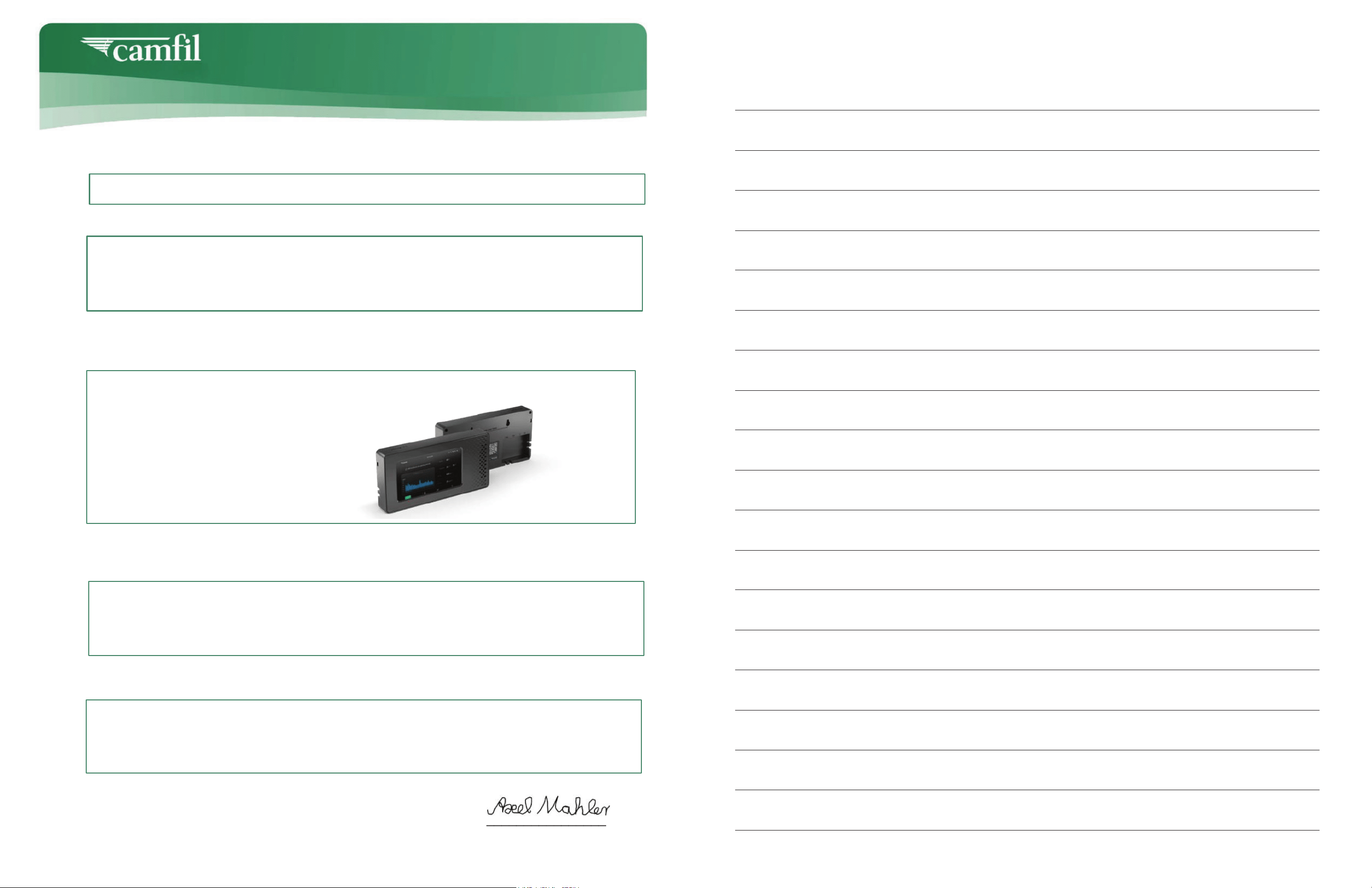
1. Product Name:
2. Manufacturer:
3. This declaration of conformity is issued under the sole responsibility of Camfil AB
4. Object of the declaration:
5. The object of the declaration described above is in conformity with the relevant Union
harmonized legislation:
6. Harmonized standards:
Signed for and on behalf of Camfil AB
Reinfeld, 27.03.2026
________________________
Axel Mahler
Vice President Global Quality & Product Care
AirImage 2.0
The AirImage 2.0 Is a device that monitors air quality and controls air handling units.
and Molecular (activated carbon) filters.
AirImage 2.0
EU Declaration of Conformity
Camfil AB
Sveavägen 56E
11134 Stockholm, Sweden
2014/53/EU - RED (Radio Equipment Directive)
RED Article 3.1(a) - Health & Safety: EN/IEC 62368-1, EN 62311
RED Article 3.1(b) - EMC:EN 301 489-1 V2.2.3, EN 301 489-17 V3.2.4, EN 301 489-52 V1.2.1
RED Article 3.2 RF EN 300 328 V2.2.2, EN 301 908-1 V13.1.1, EN 301 908-13 V13.2.0
Camfil AirImage 2.0 Manual – Standard Mode 1514 Camfil AirImage 2.0 Manual – Standard Mode

Camfil – a global leader in air filters
and clean air solutions.
For more than half a century, Camfil has been helping
people breathe cleaner air. As a leading manufacturer of
premium clean air solutions, we provide commercial and
industrial systems for air filtration and air pollution control
that improve worker and equipment productivity, minimise
energy use, and benefit human health and the environment.
To discover how Camfil can help you to protect people,
processes and the environment, visit us at camfil.com