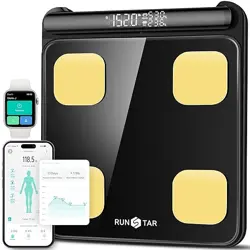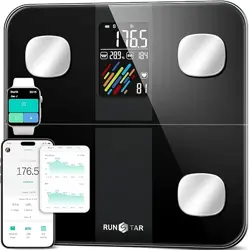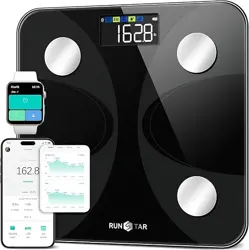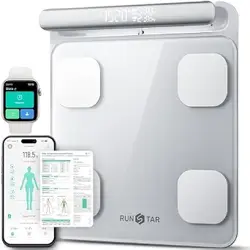
Smart Full
Body Composition Scale
Model No.: FG2202WB
Instruction Manual
Read this manual before using and save for future reference
FCC ID:2AP3Q-FG2202WB
1
1. Download the "Starfit" App from Apple Store or Google Play.
2. Remove the plastic isolation sheet from the battery cover.
3. Place the scale on the hard flat surface.
4. Measure with bare feet and fully contact with the electrodes.
5. Turn on the smart App and get the scale connected before measuring.
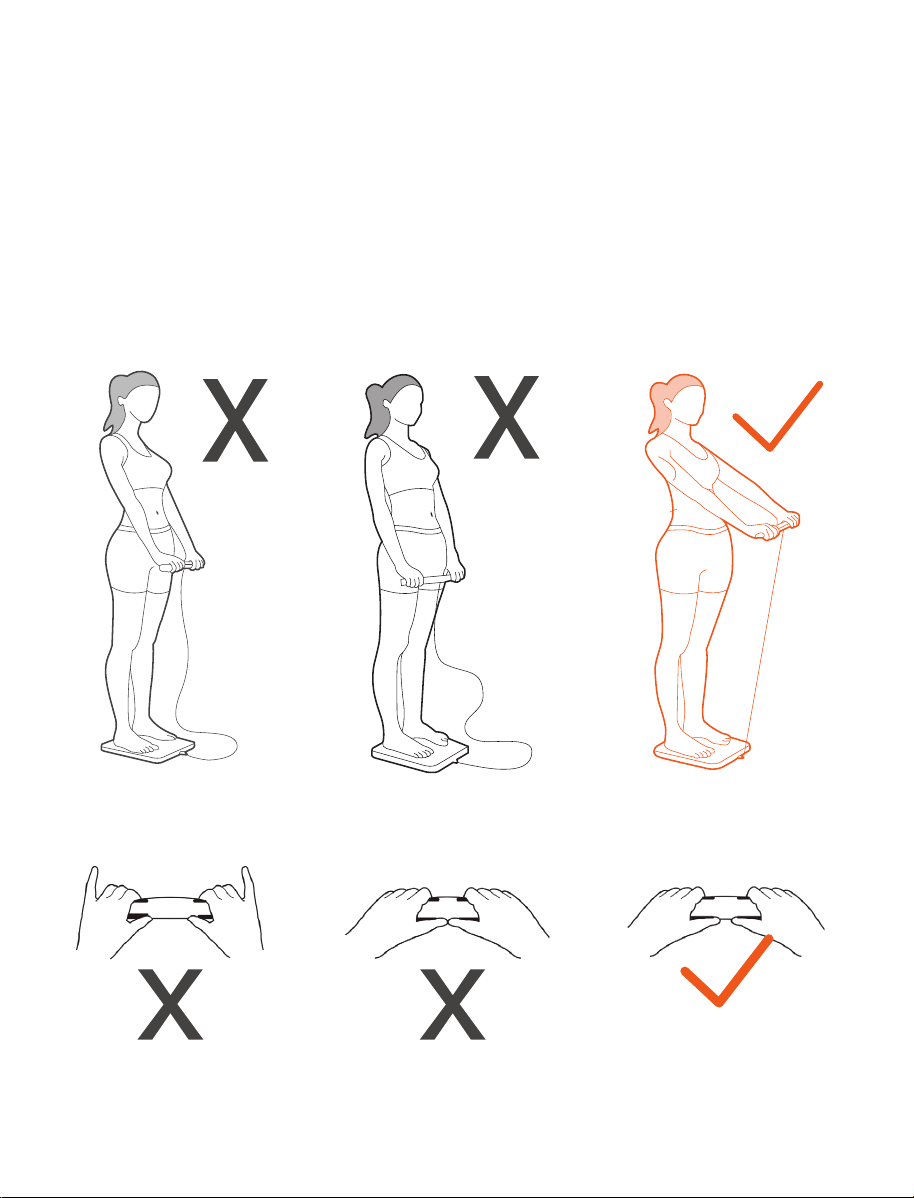
6. Follow below operations and make sure the posture is correct for measuring.
The tail finger does not
touch the electrode pad
Two thumbs close
together
Keep your all fingers
touch the electrode pads
Arms not straight Arms close to waist Keep your arms straight 45
degrees or 90 degrees
Quick Start Guide
Smart Full Body Composition Scale
WARNING
Product Specification
Product size: 304x350x44.5mm/11.96x13.77x1.75inch
LED screen display: 86x36mm/3.38x1.41inch
Weight unit: Kg/lb
Weight limit: 5kg-180kg/11lb-400lb
Weight division: 0.1kg/0.2Ib
Power Supply: 4 x 1.5V AAA batteries
Operating temperature: 10-55℃
Operation humidity: 40%-80% RH
Thanks for choosing Smart Full Body Composition Scale. This scale uses bio-electrical imped-
ance analysis (BIA) technology to help you conveniently measure Body weight, Body balance,
BMI, Body fat rate, Visceral fat, Body water, Skeletal muscle rate, Muscle mass, Bone mass,
Protein, BMR, Body age and etc.
!
●DO NOT use with medical implants such as pacemakers.
●DO NOT stand on the edge of the scale or jump on it;
●DO NOT overload the scale (Max.180kg/440lb)
●DO NOT drop scale or drop the objects on it as this may damage the sensors.
●DO NOT immerse the scale in water or use chemical cleaning agents. Clean the scale with a
slightly damp cloth.
●Not recommended for pregnant women.
●Not recommended for infants, toddlers, and children who are under 10 years of age.
●Any measurement obtained using this device is for reference only and should not be consid
ered as a medical opinion.
●DO NOT be used to diagnose or treat any medical condition. You should consult your primary
care doctor or physician before making changes to your diet, exercise plan or physical
activities.
●Always place the scale on a hard, dry and flat surface before measurement.
●Make sure your feet are dry before stepping on the scale.
●Connect the batteries in accordance with the correct polarities indicated.
●Remove batteries if the scale is not be used for a prolonged period of time
●DO NOT use the device if damaged. The continuous use of a damaged unit may cause injury
or improper results. Please check the device before each use.
●First check the batteries power and replace it if needed, if the scale malfunction.
●Be careful when using on the wet and slippery surface.
2
Indication Symbols
Product Overview
Display Overview
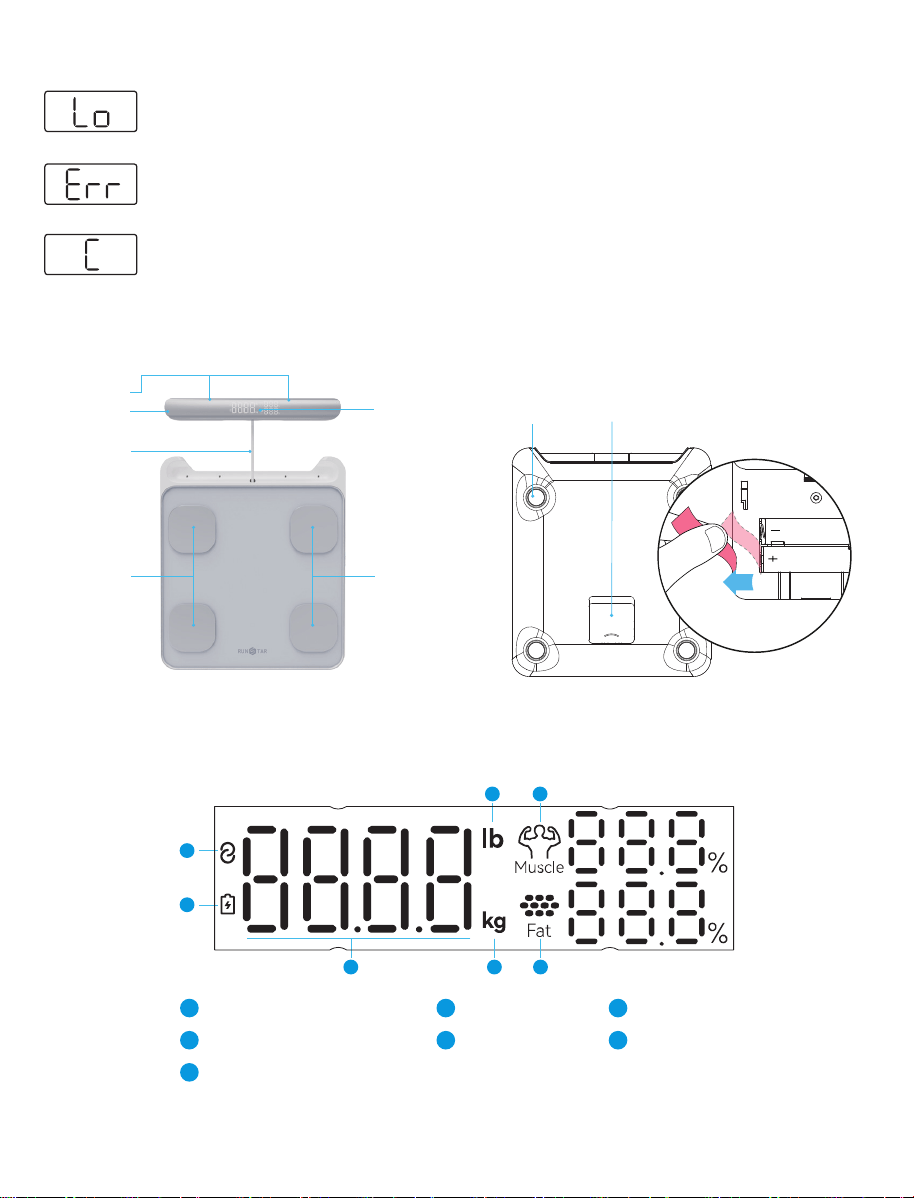
The batteries in the scales are too weak. Insert new batteries (see the"Replacing the
Batteries" chapter).
More than 180kg/400lb are on the scales. The scales are overloaded.
An error has occurred during measurement. Step off the scales for 5 seconds and
step onto them again to repeat the measuring process.
3
Electrode
Handle
LED Display
Sensor Feet Battery
Connecting
Wire
Electrode
Electrode
Connective Symbol
1
1
Battery Symbol
2
Body Weight
3
lb
4
kg
5
Muscle Rate
6
Fat Rate
7
4 6
2
3 5 7
iOS: 8.0 or higher
Android: 5.0 or higher
Indication Symbols
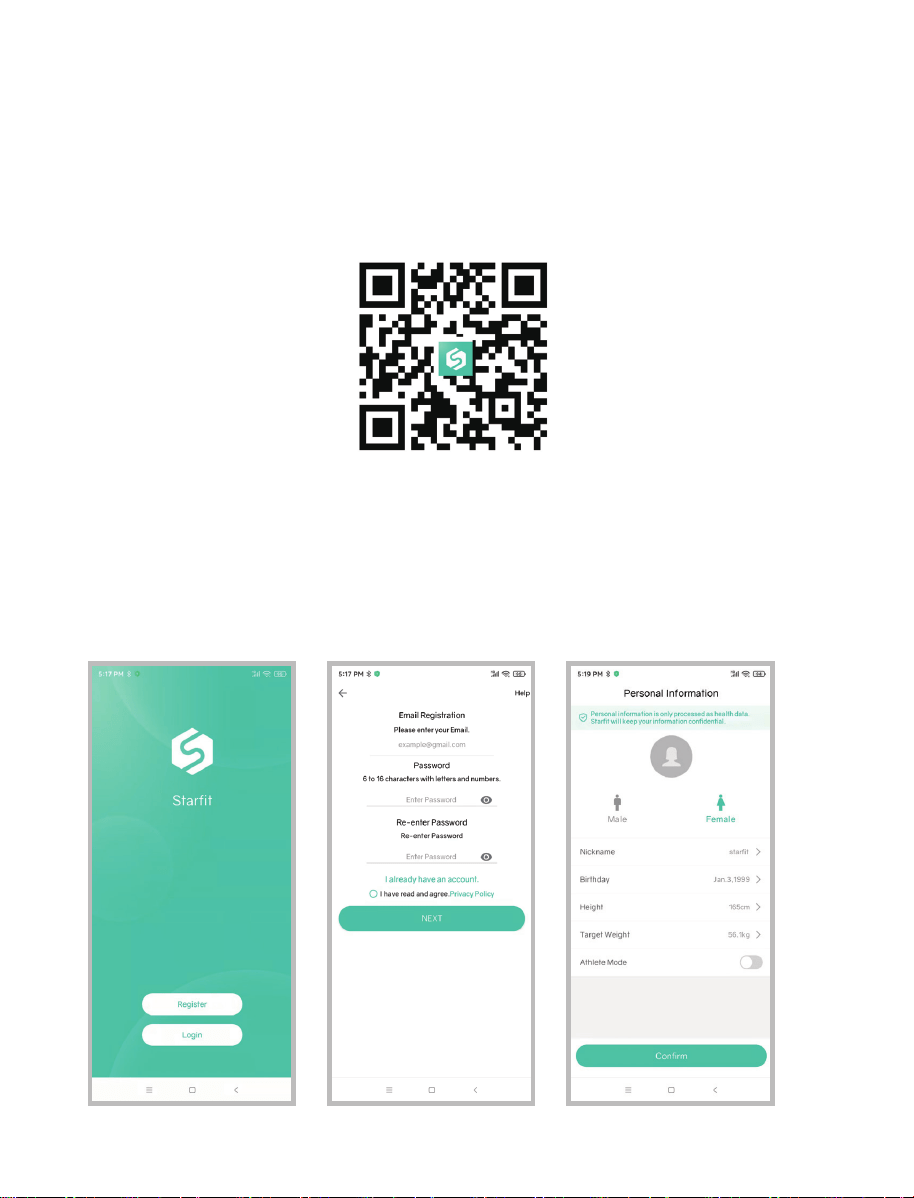
1.Scan the below QR Code to download APP, or search “Startfit” from Apple Store and Google
Play.
2.Download and install the App “Startfit” on your device.
3.The App icon will appear on your phone or tablet after the installation is completed.
1.Open the App “Startfit” on your device.
2.Register your own account by email or login with social media account.
3.Add personal data and confirm.
Install Startfit App
How to use the scale with Starfit App for the first time?
4
4.iOS: Make sure Bluetooth is on and Bluetooth Authorization is allowed.
Android: Make sure Bluetooth is on and GPS and Location is allowed.
5.In the back of scale, pull out the insulation sheet, then place the scale on a hard, flat surface,
step onto the scale with single foot to activate the scale. Wait until the display shows “0.0kg”.
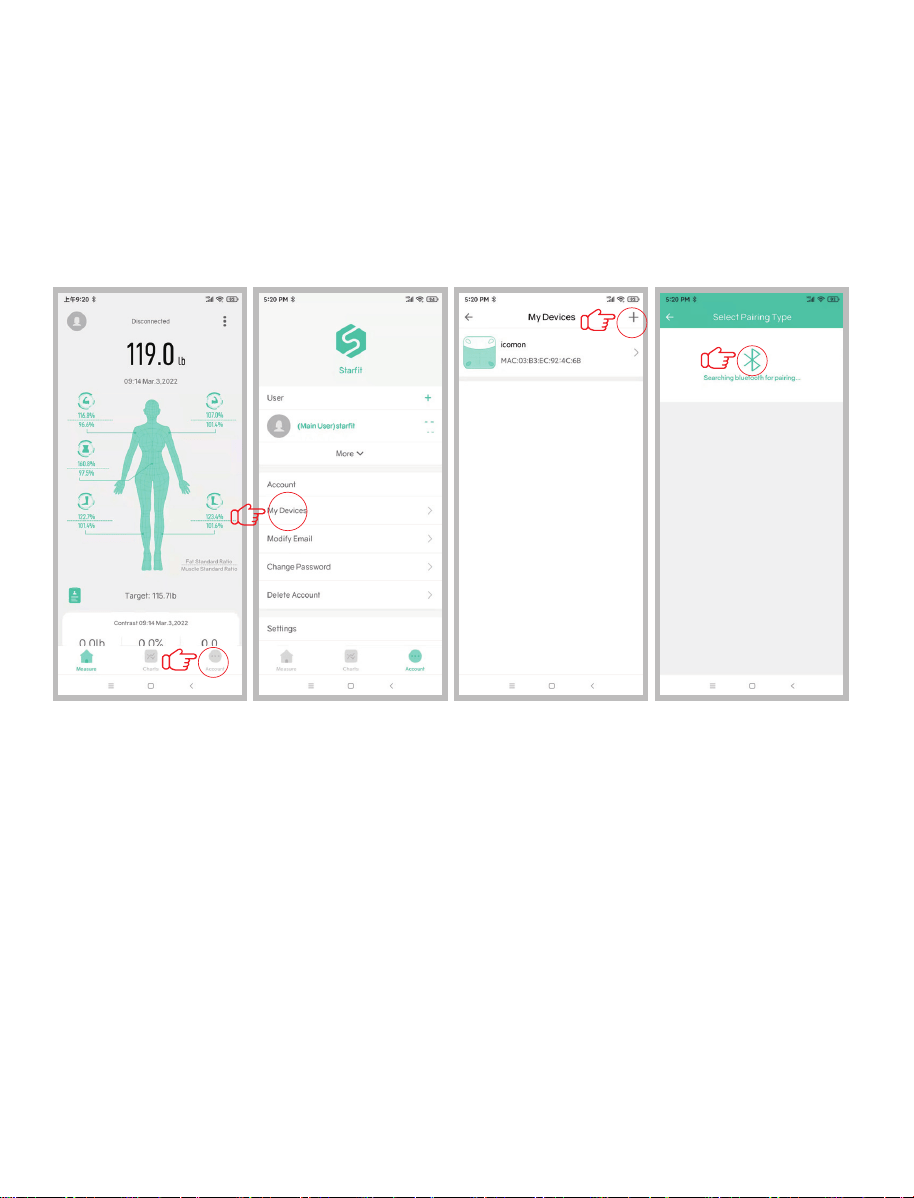
6.Pair the scale through Bluetooth. Make sure the scale is on when pairing. Leaving the APP
on its main screen, it will automatically connect to the scale. Or you could also click “Account“
----> “My Devices”---> “+” ----> “Bluetooth” find the scale Bluetooth ID: Runstar-R12.
7.The app will show your data within a few seconds.
5

Troubleshooting
Bluetooth Connection
1) Regular Connection
See the "How to use the scale with Startfit App for the first time?" chapter
2 ) If the regular connection to Bluetooth failed, please try the below steps:
1. Reset the scale by taking out one battery for 5 seconds and putting it back in.
2. Reset the Bluetooth connection. Ensure Bluetooth and GPS (Android only) are enabled on
your device.
▪ Under the "Account" section, select the “My Devices”. Slide it left to delete the current device.
▪ Tap "+" on the top right to enter pairing mode.
▪ Step onto the scale with single foot to wake it up.
▪ After a few seconds of loading, the scale name will appear, tap and confirm it.
▪ Step on the scale again to complete the pairing.
1. Bluetooth failed to connection.
●Make sure the scale and the Bluetooth and GPS (Android only) on your phone are on;
●Check the system version of your smart phone, it must be iOS 8.0 or higher/Android 6.0 higher;
●For successfully connection, there is a Bluetooth icon on the display and the word “Connected”
will show on the circle of the homepage on phone;
●If fail to connect via Bluetooth, please click Account--->My Devices to find the scale
ID: Runstar-R12.
2.No body fat data after weighting.
●Must step onto the scale with bare feet.
●Make sure your feet and the scale are both dry.
●Step off the scale when measurement does not finish (Please keep standing on the scale
around 10 second until the number on the display stops flashing).
●Bluetooth is not turned on.
●Bluetooth is paired with a difference scale.
3.Incorrect weight data occurs.
●Check whether the scale is on a hard, flat surface.
●Check each sensor foot on the back to make sure nothing is stuck to the bottom of it.
4.Incorrect fat-muscle ratio shows on App.
●The body parameter settings are incorrect, check to make sure you entered the correct gender,
height, and age.
●Check if you activate the Athlete Mode.
5.How to pack up the handle after using?
●Give handle a pull UPWARDS and do it quickly but loose. Then the connecting wire will
automatically contract to scale.
6
6.The scale does not turn on.
●Check if the insulation sheet has been pulled out.
●Check if battery has run out of power and change new batteries if needed.
Place the scale far away from the children in case of falling down or crashing.
1.How to get the most accurate result?
- Stand on the scale firmly, do not shake when weigh-in.
- Take your measurement at the same time each day to ensure the most accurate results.
- Please place your scale on the hard/flat ground, then step on the scale with bare feet, after that
the display will be turned on.
- Check your profile information (gender, age and height), make sure all the data is accurate.
- Check the place, make sure it is hard/flat, some place seems flat, but actually not, you could try
to move to different hard surface until it gets the same result.
- Check the bottom of the scale before measurement, if it is not balanced, the data won't be
accurate.
- Make sure that "0.0" shown on the display, before each time use.
- Keep bare feet, with each foot touching both the top and bottom electrode.
2.How to restart the scale?
- First, take one of the batteries out of the scale.
- Then, put back the batteries and wait for 5 seconds.
- After the scale has been automatic restart, you can step onto the scale.
3.How to change language?
- Starfit APP--->Account--->Settings--->Language
4.How to change unit?
- Starfit APP--->Account--->Settings--->Switch units
For more information, please check FQA from Starfit APP. “Account >Settings >FAQ”
Advice
Frequently Asked Questions & Answers
7
Do not expose the scale to heat or fire, which will easily cause explosion.
Waste electrical products should not be disposed of with household waste.
Please recycle where facilities exist.
Check with your local Authority or retailer for recycling advice.
!