成品尺寸:��×���mm
材质:���g哑粉纸、不低于���g双胶纸(样品纸张太厚,需要改薄)
装帧形式:骑马钉
耳内式数字助听器-说明书
Caution and notices for users
You should remove this device if you experience overly loud sounds, whether short or
long-lasting. If you’re in a loud place, you should use the right kind of hearing protection in-
stead of wearing this device. In general, if you would use ear plugs in a loud place, you
should remove this device and use ear plugs.
Caution: This is not hearing protection.
You should turn down the volume or remove the device if the sound output is un-
comfortably loud or painful. If you consistently need to turn the volume down, you may
need to further adjust your device.
Caution: The sound output should not be uncomfortable or painful.
If any part of your hearing aid, like the eartip, gets stuck in your ear, and you can’t easily
remove it with your fingers, get medical help as soon as you can.
You should not try to use tweezers or cotton swabs because they can push the part farther
into your ear, injuring your eardrum or ear canal, possibly seriously.
Caution: You might need medical help if a piece gets stuck in your ear.
Remove the device from the charging case to power on automatically. You will hear a
voice prompt saying "Power On" or the remaining battery level "Battery Low" , and
then the device will automatically enter hearing aid mode. To turn off, press and hold
the touchable MFB button area for more than � seconds (When used binaurally, only
the hearing aid on the side where the touchable button is pressed will turn off), or
simply place the device back into the charging case—it will turn off automatically,
with light flashing for � second. And you will hear a voice prompt saying "Power Off".
�. Power On/Off
INSTALLATION AND USAGE
The hearing aids have a limited warranty which covers defects in material and workmanship for a
period of one year from the date of purchase. The charging cable is considered a consumable
part, so it's only guaranteed for � months.
Any damage caused by improper handling and care, exposure to elements or chemicals, or unau-
thorized service will not be covered by the warranty.
The eartips are designed for single use for one person. If you need to purchase additional eartips,
please contact us at service.us@zdeer.com
If your hearing aid isn't working, check the Common Issues and How to Fix Them in this manual
first. If the problem still exists, you can send it to us for repair by mail, or call our customer service
hotline for help with the return process.
Warranty
If you are still having trouble despite following the suggested solutions or if you're unhappy with
your hearing aids, please contact our team of experts by contacting us at service.us@zdeer.com
Contact Us
Device specification
Specification
Maximum output (OSPL��)
High-frequency average (HFA) OSPL��
High-frequency average full-on gain (HFA-FOG)
Reference test gain
Frequency response range
Total harmonic distortion
Self-generated noise
EIN (Estimated input noise)
Latency
Battery life without streaming
Charge capacity of the case
Frequency Smoothness
Insertion depth
Parameters
<���+� dB SPL
���+� dB SPL
��+� dB SPL
��±� dB SPL
f� = ��� Hz to f� = ���� Hz
�%
�� dBA
��dB
�� ms
�.�hours
Up to � times per full charge
�� dB
��mm
●
Charge temperature: �°C to ��°C
●
Discharge temperature: ‒��°C to ��°C
●
Store and use the battery in a clean, dry, and well-ventilated environment.
●
Keep the battery away from corrosive substances, open flames, and heat sources.
If the hearing aid will not be used for an extended period, perform a full charge and discharge cycle
every �� to �� days to help maintain battery performance.
Actual battery lifespan may vary depending on usage frequency and the number of
charge-discharge cycles.
Do not disassemble or burn the battery, as this may cause it to explode or leak, resulting in injury.
Battery Operating and Storage Conditions:
Digital Hearing Aids
User Manual
These WARNINGS point out situations which could cause serious injuries to the user
or to the hearing aid.
●
In some acoustic environments, over amplification can cause discomfort and
damage to the patient’s hearing.
●
Do not use your hearing aids in explosive or oxygen-enriched areas.
●
Allergic reactions to hearing aids are unlikely. However, if you experience itching,
redness, soreness, inflammation, or a burning sensation in or around your ears,
inform a hearing healthcare provider and contact your physician.
●
You may notice accelerated accumulation of earwax when using your hearing aid. This
is normal, but see your hearing healthcare provider if you continue to have difficulty.
●
In the unlikely case that any parts remain in the ear canal after the removal of the
hearing aid, contact a physician immediately. Report the event to your hearing
healthcare provider as soon as possible.
●
Remove your hearing aids for CT and MRI scans or for other electromagnetic procedures.
●
Never leave your hearing aids and/or charging case where small children and pets
can reach them.
●
If you feel pain in or behind your ear, if it is inflamed, if skin irritation or accumula-
tions of ear wax occur, please check with a hearing healthcare provider, preferably an
ear-nose-throat doctor (ENT).
●
If you have active implantable devices, please keep magnets (ie. the charging case)
at least � inches away from the active implant.
●
Do not cover the whole charging case while charging with the charging cable, e.g.
with a cloth etc.
●
Please do not share your hearing aids with other people.
●
Sleeping with your hearing aids in your ears is not recommended. Risks vary from
damaging your hearing aids to experiencing discomfort and/or feedback. You will
find, however, that there are many assistive devices available to you, such as wake-up
alarms that can be placed under your pillow or wristbands that vibrate when you have
a phone call.
●
Contact service.us@zdeer.com for support if you experience unexpected operations.
To report a problem involving your hearing aid, you should submit information to FDA
Note: Tell FDA about injuries, malfunctions, or other adverse events.
If you try this device and continue to struggle with or remain concerned about your
hearing, you should consult with a hearing healthcare professional.
Note: If you remain concerned, consult with a professional.
A hearing aid can benefit many people with hearing loss. However, you should know it will not re-
store normal hearing, and you may still have some difficulty hearing over noise. Further, a hear-
ing aid will not prevent or improve a medical condition that causes hearing loss. People who start
using hearing aids sometimes need a few weeks to get used to them. Similarly, many people find
that training or counseling can help them get more out of their devices. If you have hearing loss in
both ears, you might get more out of using hearing aids in both, especially in situations that make
you tired from listening-for example, noisy environments.
Note: What you might expect when you start using a hearing aid.
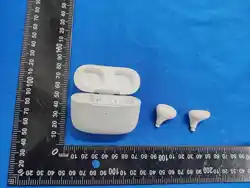
Hearing aid structure
The device consists of a main unit (microphone, amplifier, receiver, shell) , eartips, charging
cable and charging case.
The product is equipped with a charging cable. Please use the charger correctly for charging.
Touchable button
Microphone
Eartips
Charging
port
Eartips
WHAT'S INSIDE THE BOX?
� x charge case � x pair of BS����� hearing aids
� x charging cable for the charging
� x eartips,� x small, medium and large
left right
●
Touchable button - volume adjust and hearing aid mode change
●
Microphone - sound enters your hearing aids through the microphone
●
L/R on touchable button - identifying your left and right hearing aid
●
Eartip - eartips are soft silicon eartips, and hold the hearing aid comfortably and securely in
the ear canal
Choose the appropriate size from the three different-sized eartips provided and
attach it to the sound outlet of the hearing aid. Choose the correct eartip size that
allows the device to feel comfortable and secure in your ear.
After use, remove the hearing aid containing the eartips from your ears.
�.Choose the correct eartip
This device is marked R (Right Ear) and L (Left Ear). Please wear it on the corresponding ear to
ensure proper fit. Incorrect placement may cause discomfort or affect performance.
�.Wear/remove the devices
Tap the touchable button area once to increase the volume. A short "Du" tone confirms each
adjustment. When maximum volume is reached, you will hear "Maximum volume," and tap-
ping again will loop back to the lowest volume. There are � volume levels, cycling from � Tap
the touchable button area once to increase the volume. A short "Du" tone confirms each ad-
justment. When maximum volume is reached, you will hear "Maximum volume," and tapping
again will loop back to the lowest volume. There are � volume levels, cycling from � to � and
back from � to �. The device features independent volume control for left and right ears. And
upon initial activation, the volume is preset to Level �.
�.Volume Up/down
Double-tap the touchable MFB button area to switch between hearing aid modes. Each mode is
�.Hearing Aid Mode Selection
�.Phone calls, music/media directly from your phone/tablet to your
hearing aids via Bluetooth; no app is required.
�.� Bluetooth Connection Procedure:
Step �: Ensure your hearing aids are fully charged and switched on before pairing them with
your phone/tablet.
Step �: Select the Bluetooth setting on your phone to "Device Pair ".
Step �: Select "BS�����" on your smartphone to pair/connect to the Bluetooth of your
phone. Accept any prompts given by your phone regarding the Bluetooth connection. Once
connected, you will hear a voice prompt saying "Connect". Once disconnected, you will hear a
voice prompt say "Disconnected".
Note: Once pairing is complete, the hearing aids will reconnect to your phone
automatically as long as Bluetooth is enabled on your phone
Caution: Do not use the Bluetooth function of your hearing aids for any medical purposes
Standard pairing mode
Take out the hearing aids, the device will turn on automatical-
ly. At this time, you can search for its Bluetooth signal, with the
name BS�����. If there are no previously connected devices
nearby, you could click the list to connect, if there are already
paired devices, it will automatically reconnect.
After the device is powered on for ��� seconds without con-
necting to any device, the pairing will fail and the device will
return to standby mode. If you need to reconnect, please
put the device back into the case, and then take it out
again.
Pairing timeout
●
When listening to the phone call, ensure your phone is in close proximity to your hearing aids.
●
Answer, reject and end a call via your mobile or tablet or on the hearing aid according to the
following action.
Make a phone call
After manually disconnecting the headset from the phone, you can re-establish the Bluetooth
connection directly from your phone's Bluetooth settings.
Reconnection from Mobile Device:
If the connection is lost due to moving out of Bluetooth range, the hearing aid voice prompt "
disconnection". Automatically reconnect to the previously paired device within ��s of re-
turning to range. If the device remains out of range for more than � minutes, the connection
will time out and become disconnected.Then the hearing aid will exit auto-reconnect mode
and return to normal pairing mode.
Reconnection after Returning to Range:
Do not connect the hearing aid/s and headsets to the mobile phone via Blue-
tooth simultaneously.
�.� Auto-Reconnection (Link-Back) Function
When the hearing aid is powered on, it will automatically reconnect to the last paired mobile
device without manual intervention.
Automatic Reconnection after Power-On:
a. The hearing aid is for personal use by the user. Please follow the cleaning, disinfection, and
maintenance methods described in this manual to operate correctly. Do not connect the
hearing aid to any other devices besides those mentioned above.
b. The hearing aid can be reused. Please refer to the cleaning, disinfection, and maintenance methods
provided in the back of this manual for proper operation. It is limited to one patient's use only.
c. Before the hearing aid is fully worn, it may emit a buzzing sound, which is a normal phenome-
non. The correct sign of wearing the hearing aid properly is that it does not emit a buzzing sound.
If the hearing aid still emits a buzzing sound after correct operation, please check if you have fol-
lowed the correct steps to wear the hearing aid. If there are no errors in the operation and the
buzzing sound still exists, please replace with another appropriately sized eartips.
d. When not using the hearing aid, please put it in the packaging box in time.
Important Notes:
Note:All previously paired Bluetooth records will be cleared after reset. Re-pair
with your device by searching for "BS�����" as a new connection.
Resolve pairing abnormalities between the two hearing aids (e.g., failure to pair with each other, un-
synchronized connection) or other functional bugs by restoring the entire device to factory settings.
●
Place both left and right hearing aids into the charging case (ensure good contact with the
charging contacts).
●
Open the charging case lid and keep it open.
●
Locate the reset button on the charging case, press and hold it for �� seconds continuously.
●
Release the button; the device will restore to factory settings (some models indicate success
with LED flashes).
�.Reset The Device
I
f the battery is not performing normally—for example, if it only lasts a short time after a long
charge, or becomes unusually hot during charging or use—please contact the manufacturer im-
mediately for a battery safety check to prevent potential hazards.
Note: Battery life per single charge is variable as a result of different volume levels, wear-
ing times and active streaming. The recommendation is to charge your hearing aids at
the end of each day, overnight or when not in use, even if they have not been fully
drained. Constant charging will not degrade the battery. In fact, When batteries are run-
ning low with about ��% (approximately �� minutes) battery life left in your hearing aids,
you will hear a voice prompt "Battery Low" every ��s, while flashing � times.
No need to switch the charging case on by pressing the power on button.
No need to power off the charging case when a full charge has been reached. The charging
case will automatically go into low power consumption mode once fully charged.
To fully charge the hearing aids and/or charging case takes �.�~� hours respectively. The
charging case and hearing aids can be charged simultaneously. A fully charged charging
case can charge the devices up to � times.
If you planning not to wear your hearing aids for an extended period of time, store your
hearing aids in the charging case. During extended storage, it is recommended to fully
charge your hearing aids and charging case at least every � months to prevent battery
over-discharging. This will prolong the battery life. After an extended storage period,
switch the charging case on by pressing the power switch. If the battery is completely de-
pleted, charging time might take �-� hours.
Charging your hearing aids
Before using the hearing aids for the first time, please charge your hearing aids fully.
The charging cable can connect to any USB power source to charge the charging case. Insert the
charging cable into the bottom of the charging case.
The hearing aids will charge automatically when placed inside the charging case or when the
charging case connects to power.
Your hearing aids can be used for up to �.� hrs on a single, full charge when not connected to Blue-
tooth.It takes between �.�-� hrs to charge the devices fully. It takes between �.�-� hrs to charge the
charging case. The charging case and the device can be charged simultaneously.
Without streaming (Not connected to Bluetooth)
Connected to Bluetooth, but not streaming
�.� hours
Estimated hearing aid battery life when fully charged
� hours
�.� - � hoursStreaming of calls, music or media
Hearing aids are precision electronic devices designed for daily use. Regular cleaning helps
remove earwax and debris, ensuring optimal performance, comfort, and longevity.
Care and Maintenance
HEARING AID REPAIR AND MAINTENANCE
�.Eartips Cleaning and Disinfection
Remove the eartips from the hearing aid.
Rinse it under lukewarm water or gently wipe with an alcohol wipe.
Allow it to air dry completely before reattaching to the device.
Tip: Replace the eartips regularly (recommended every �‒� months) for best sound quality and hygiene.
�.Device Cleaning
Use a soft dry cloth or tissue to wipe down the body of your hearing aid gently. This is an electronic
device. Don't use any liquids (water, solvents or cleaning agents) on the body of your hearing aid.
Should you do so, your hearing aids will break.
Note: Make sure to handle your hearing aid over a soft surface during the cleaning
process in order to prevent damage to the hearing aid, should you drop it.
●
If you do not follow the list above you may damage your hearing device and accessories
during cleaning.
●
Do not immerse your hearing aids in water or liquid, even when cleaning. Follow the recom-
mended cleaning guidelines to clean your hearing aid.
●
Do not use alcohol to clean your eartips.
●
Do not use sharp tools to dislodge ear wax.
●
If your physician prescribes ear drops, clean any moisture that may get into the receiver.
Caution:
Common Issues and How to Fix Them
Issue Possible cause Solution
Battery is run out Recharged
Sound outlet or microphone port is
blocked
Clean the sound outlet or
microphone port
Switch broken Hearing aid replacement
Poor contact between battery and
battery spring
Sent for repair
Hearing aids
have no sound
Insufficient battery power
Recharged
Excessive foreign objects in the ear canal
Use alcohol-soaked cotton or
water to clean the eartip.
Eartip is loose Re-wear the hearing aid.
Blocked ear canal due to excess earwax
or debris
Clean the ear canal
Poor contact between the hearing aid
and the charging case.
Reinsert the hearing aid into the
charging slot of the charging case.
The eartip is not inserted correctly.
Please take it out and reinsert
for a better fit
Volume set too high
Volume set too high Decrease
the volume
Eartip is old or damaged Replace the eartip.
Incorrect position of the eartip Remove and re-fit the eartip
Volume is too high Lower the volume setting.
Weak or muf-
fled sound
Whistling
Hearing aid in
case, but no light.
Power not connected (steady)
Connect the USB cable for
charging.
Indicator light
not on
If your hearing aid still does not work properly according to the above information or
you cannot solve the above problems, please contact the manufacturer.
�.Normal storage conditions
When storing the hearing aids for an extended period of time, make sure to fully
charge them and store them at:
a) Ambient temperature range:-��℃~��℃;
b) Relative humidity range: ≤��%;
c) Atmospheric pressure range:���hPa~����hPa;
�. Gently handle, avoid product collision or strong impact.
To protect the hearing aids, store them in the package with the lid closed when you're
not using them
Keep and store devices and components out of reach of children and pets. Contains
small parts which may be a choking hazard.
●
Avoid any physical shock to the hearing aids.
●
Do not use the electronic dryer to dry or store the rechargeable hearing aids.
●
Do not store the hearing aids for extended periods of time without recharging them
(max. six months).
●
Keep your hearing aids away from high-temperature and/ or a high-humidity atmosphere.
●
Do not attempt to dry the hearing aids in an oven, microwave or other heating
equipment. This will cause them to melt and may cause burns to you.
●
Inspect the hearing aids, eartips regularly.
●
Remove earwax and debris from your hearing aids by using a cleaning tool.
Note: Don't store the hearing aids in the package if they're wet.
�.Normal working conditions
a) Ambient temperature range:�℃~��℃;
b) Relative humidity range: ≤��%;
c) Atmospheric pressure range: ���hPa~����hPa;
TRANSPORT AND STORAGE CONDITIONS, METHODS
Use a charger that complies with the international safety standard IEC �����-� (DC �V, �A). Once the
hearing aid is fully charged, please unplug the charger promptly to avoid overcharging the battery.
Avoid frequently short-circuiting the positive (+) and negative (‒) power outputs during regular use.
Lithium batteries should be recycled and disposed of in accordance with local regulations.
Before using the hearing aids for the first time, charge them fully
Actual battery life varies depending on volume settings, battery age and streaming usage.
In reference to ANSI S�.��:���� / ANSI CTA ����:����,the BS����� was shown to perform at or
better than the following technical specifications associated with Over-the-Counter Hearing Aids
(��CFR���.��).
Information and description of symbols
LOT
The instruction manual /
booklet must be read
The medical device manu-
facture
A type BF applied part com-
plying with IEC �����-�
The manufacturer's batch
code or lot can be identified
The date after which the medi-
cal device is not to be used
A medical device that can be broken
or damaged if not handled carefully
Storage and transportation hu-
midity marking
No sitting
No stepping on surface
The upper and lower limit of
temperature to which the medi-
cal device can be safely exposed
caution is necessary when oper-
ating the device or control close
to where the symbol is placed, or
that the current situation needs
operator awareness or operator
action in order to avoid undesir-
able consequences
a medical device that needs to
be protected from moisture
a medical device that needs to
be protected from sunshine
The correct upright position
of a package
-��%
��°c
��%
��%
Type Ⅱ device
Product information This
symbol indicates important in-
formation on handling and
product safety
Non-ionizing electromagnetic
radiation
Protected against solid objects
over ��.�mm (e.g., a finger) and
Protection against direct sprays of
water up to ��° from the vertical.
WEEE; waste electrical and electronic equipment;
To indicate that separate collection for waste electric and electronic equipment
(WEEE) is required.The symbol with the crossed-out garbage bin is to make you
aware that this hearing device and batteries may not be thrown away as normal
household waste. Please dispose of old or unused hearing devices, at waste disposal
sites intended for electronic waste, or give your hearing device to your hearing
healthcare provider for disposal. Proper disposal protects the environment and health.
Non-ionizing electromagnetic
radiation
PRECAUTIONS AND WARNINGS
This OTC hearing aid is for users who are �� and older. People who are younger than �� with
hearing loss should see a doctor, preferably an ENT, because they may need medical testing
and management. Hearing loss can affect speech and learning, so professional fitting and
continuing care are also important.
You should go to a doctor, preferably an ear-nose-throat doctor (an ENT), because your condition
needs specialized care. Over-the-counter hearing aids are only for users who are age �� or older.
WARNING: If you are younger than ��, do not use this.
If you have any of the problems listed below, please see a doctor, preferably an
ear-nose-throat doctor (an ENT).
●
Your ear has a birth defect or an unusual shape. Your ear was injured or deformed in an accident.
●
You saw blood, pus, or fluid coming out of your ear in the past � months.
●
Your ear feels painful or uncomfortable.
●
You have a lot of ear wax, or you think something could be in your ear.
●
You get really dizzy or hav feeling of spinning or swaying (called vertigo).
●
Your hearing changed suddenly in the past � months.
●
Your hearing changes: it gets worse then gets better again.
●
You have worse hearing in one ear.
●
You hear ringing or buzzing in only one ear.
WARNING: When to See a Doctor
Remove this device from your ear if it causes pain or discomfort when you insert or place it. To
try again, make sure to follow the instructions. If you feel pain or discomfort again, contact the
manufacturer. If your pain or discomfort doesn’t go away, contact your hearing healthcare
professional. You can also report this to FDA as an adverse event according to the instructions
that appear later.
WARNING: This hearing aid should not cause pain when inserting it.
These PRECAUTIONS point out situations which could cause minor or moderate injuries to
the user or to the hearing aid.
●
You should familiarize yourself fully with the entire contents of this user manual before
using the ZDEER BS����� hearing aid to ensure personal safety and correct use. Contact the
Go contact center for support if you experience unexpected operations or performance.
●
Do not attempt to modify the shape of the hearing aids yourself.
●
For best results, use hearing aid accessories provided by ZDEER BS�����.
●
Never leave your hearing aids where small children and pets can reach them.
as soon as possible after the problem. FDA calls them “adverse events,” and they
might include: skin irritation in your ear, injury from the device (like cuts or scratches,
or burns from an overheated battery), pieces of the device getting stuck in your ear,
suddenly worsening hearing loss from using the device, etc.
Take out the device from the charging case,
or press the touchable button for � seconds.
Turn on the device
Turn off the device
Switch between General Mode, Denoise
Mode,Deep Denoise Mode
Answer the phone
Hang up the phone
Volume +, cycle through four volume levels.
Press the touchable button for � seconds, or
put them into the charging case.
Double-click touchable button
Tap touchable button
●
Charging case - Use to charge your hearing aids when the battery runs flat
●
Charging cable - Use to charge the charging case.
The BS����� IN-THE-EAR DIGITAL HEARING AIDS are intended to amplify sound for in-
dividuals �� years of age or older with perceived mild to moderate hearing loss. No
preprogramming or hearing test is necessary. They are adjusted by the user to meet
the user's hearing needs. Although wearing one hearing aid is possible, it is recom-
mended that users wear two hearing aids. Wearing two hearing aids instead of one
has been proven to lead to better outcomes.
Users are urged to wear their hearing aids frequently to obtain the full benefit. The
devices are intended for over-the-counter sale and use without the assistance of a
hearing care professional.
Indication of use
●
Consistently experience feedback (whistling) of the hearing aid when you turn up
the volume to a level that is comfortable for you, even after you have followed the
suggestions in this User Manual to make sure your hearing aid fits properly
This product may not be right for you if you:
The BS����� IN-THE-EAR DIGITAL HEARING AIDS are a pair of wireless air conduction
OTC hearing aids intended for use by individuals �� years and older with perceived
mild to moderate hearing loss.
Intended purpose
GET TO KNOW YOUR HEARING AIDS
●
Feel the hearing aid is not providing enough amplification even at the highest
volume level. A hearing healthcare professional may be able to help you select a dif-
ferent hearing aid solution to meet your needs.
announced with a voice prompt: "General Mode," "Denoise Mode," and "Deep Denoise
Mode”. And upon device startup, Denoise Mode is enabled by default. The modes cycle in
order: General → Denoise Mode → Deep Denoise Mode. Bluetooth pairing, the hearing
aid mode will be turned off when there is media playback or a call but resumes environ-
mental sound amplification.
�.� Music/media, phone call
Listening to Music/Media
●
Play, pause or stop the music/media via your mobile or tablet as you normally would.
●
You can not adjust the volume of connected devices via the hearing aids. We recommend
adjusting the media volume directly on your smartphone or tablet for optimal control.
●
Turning your hearing aids off will pause the music/media you are listening to. You can only
stream music or media through your phone or tablet, and the sound may not be clear.
Phone call
Mobile phone ringtone takes priority. Then you will
hear a voice prompt saying "Incoming Call".
Phone Ringing
Answer Call
Reject Call
End Call
When a call comes in, press the touchable
button �s to reject the incoming call.
During a call, double-click the touchable
button to end the call.
When a call comes in, double-click the touch-
able button to answer the call.
●
When using a phone to make a call, try to reduce the amount of background noise around you.
●
If your phone has a volume control, increase the volume to a comfortable level. Alternatively,
you can increase the volume on your hearing aid to a comfortable level.
●
Hearing aid mode turns off when answering a call and automatically turns back on after the call ends.
Tip: Practice using the telephone with someone familiar to you. Try moving the telephone around
to get the best sound.
reasonable protection against harmful interference in a residential installation. This
equipment generates, uses, and can radiate radio frequency energy and, if not installed
and used in accordance with the instructions, may cause harmful interference to radio
communications. However, there is no guarantee that interference will not occur in a par-
ticular installation. If this equipment does cause harmful interference to radio or television recep-
tion, which can be determined by turning the equipment off and on, the user is en-
couraged to try to correct the interference by one or more of the following
measures:
●
Reorient or relocate the receiving antenna.
●
Increase the separation between the equipment and receiver.
●
Connect the equipment into an outlet on a circuit different from that to which the
receiver is connected.
●
Consult the dealer or an experienced radio/TV technician for help.
Changes
or modifications not expressly approved by Zdeer Technology (Henan) CO., LTD
could void the user's authority to operate this equipment. This device complies with part
�� of the FCC Rules. Operation is subject to the following two conditions:
(�) This device may not cause harmful interference, and
(�) This device must accept any interference received, including interference that may
cause undesired operation. This device complies with FCC radiation exposure limits set
forth for general population.
This transmitter must not be co-located or operating in conjunction with any other
antenna or transmitter.
FCC ID: �BRTX-BS�����
DIGITAL HEARING AIDS
User Manual
MODEL: BS�����
Version No.:�.�
Note: Instructions for reporting are available at https://www.fda.gov/Safety/MedWatch,
or call �-���-FDA-����. You can also download a form to mail to FDA.
Microphone�
Eartip
Right touchable
MFB button
Left touchable
MFB button
Microphone�
Note: Battery life per single charge is variable as a result ofdifferent volume levelswearing
times and active streaming. The recommendation is to charge your hearingaids at the end
of each day, overnight orwhen not in use, even ifthey have not beenfully drained. Constant
charging will not degrade the battery. In fact, When batteries arerunning low with about
��% (approximately �� minutes) battery life left in your hearing aids, you will hear a voice
prompt "Battery Low" every ��s, while flashing � times.No need to switch the charging
case on by pressingthe poweron button.No need to poweroff the charging case when a
full charge has been reached. The chargingcasewill automaticallygo into low power-
consumption modeonce fully charged.To fully charge the hearing aids and/or charging
case takes �.�~� hours respectively.The charging case and hearing aids can be charged
simultaneously. A fully chargedcharging case can charge the devices up to � times.Ifyou
planning not to wear your hearing aids for an extended period oftime, store yourhearing
aids in the charging case. During extended storage, it is recommended to fullycharge your
hearing aids and charging case at least every � months to prevent battery-
over-discharging. This will prolong the battery life. After an extended storage peri-
od.switch the charging case on by pressing the power switch. lfthe battery is com-
pletelydepleted, charging time might take �-� hours.
BS11151

This device complies with part 15 of the FCC Rules. Operation is subject to the
following two conditions: (1) This device may not cause harmful interference, and (2)
this device must accept any interference received, including interference that may cause
undesired operation.
Any Changes or modifications not expressly approved by the party responsible for
compliance could void the user's authority to operate the equipment.
Note: This equipment has been tested and found to comply with the limits for a Class B
digital device, pursuant to part 15 of the FCC Rules. These limits are designed to
provide reasonable protection against harmful interference in a residential installation.
This equipment generates uses and can radiate radio frequency energy and, if not
installed and used in accordance with the instructions, may cause harmful interference
to radio communications. However, there is no guarantee that interference will not
occur in a particular installation. If this equipment does cause harmful interference to
radio or television reception, which can be determined by turning the equipment off and
on, the user is encouraged to try to correct the interference by one or more of the
following measures:
-Reorient or relocate the receiving antenna.
-Increase the separation between the equipment and receiver.
-Connect the equipment into an outlet on a circuit different from that to which the
receiver is connected.
-Consult the dealer or an experienced radio/TV technician for help.
FCC Radiation Exposure statement
The device has been evaluatec to meel general RF exposure requirement. The device
can be used in portable exposure condition without restriction.