Danger Warning
1.Do not disassemble, puncture, or damage the built-in lithium
battery. Improper handling may cause short circuit, fire, or
personal injury.
2.Charge only on a dry, stable surface in a well-ventilated area.
Do not charge on soft surfaces (e.g., beds, sofas), in direct
sunlight, or near flammable materials.
3.This product is splash-resistant, not waterproof. Do not immerse
or expose it to liquids.
4.Keep away from open flames or extreme heat.
Precautions
1.Use the mouse’s original USB cable and charge via computer. For
replacement, select brand products meeting current, voltage, safety
standards & quality requirements.
2.Avoid deep discharge. Recharge when the battery is low instead of
waiting for a full shutdown, as this helps extend lithium battery
life.
3.Modern lithium batteries have no memory effect. You can charge them
anytime—keeping the battery between 20% and 80% is optimal for
battery health.
4.Keep the receiver and mouse free from obstacles and strong
interference sources, such as high-power routers, microwaves, cordless
phones, large metal objects, or dense USB 3.0 devices, as these can
interfere with the 2.4GHz signal.
5.Keep the sensor window clean. Gently wipe the optical/laser sensor
lens with a cotton swab or lint-free cloth, as dust and dirt can cause
pointer drift or unresponsiveness.
6.If unused for more than a month, charge the mouse to about 50% and
FCC Caution.
This device complies with part 15 of the FCC Rules. Operation is
subject to the following two conditions:
(1) This device may not cause harmful interference, and
(2) this device must accept any interference received, including
interference that may cause undesired operation.
Any Changes or modifications not expressly approved by the party
responsible for compliance could void the user's authority to operate
the equipment.
Note: This equipment has been tested and found to comply with the
limits for a Class B digital device, pursuant to part 15 of the FCC
Rules. These limits are designed to provide reasonable protection
against harmful interference in a residential installation. This
equipment generates uses and can radiate radio frequency energy and,
if not installed and used in accordance with the instructions, may
cause harmful interference to radio communications. However, there is
no guarantee that interference will not occur in a particular
installation. If this equipment does cause harmful interference to
radio or television reception, which can be determined by turning the
equipment off and on, the user is encouraged to try to correct the
interference by one or
more of the following measures:
-Reorient or relocate the receiving antenna.
-Increase the separation between the equipment and receiver.
-Connect the equipment into an outlet on a circuit different from that
to which the receiver is connected.
-Consult the dealer or an experienced radio/TV technician for help.
FCC Radiation Exposure Statement:
The device has been evaluated to meet general RF exposure requirement.
The device can be used in portable exposure condition without
restriction.
⑤
② ③ ④
⑥⑦
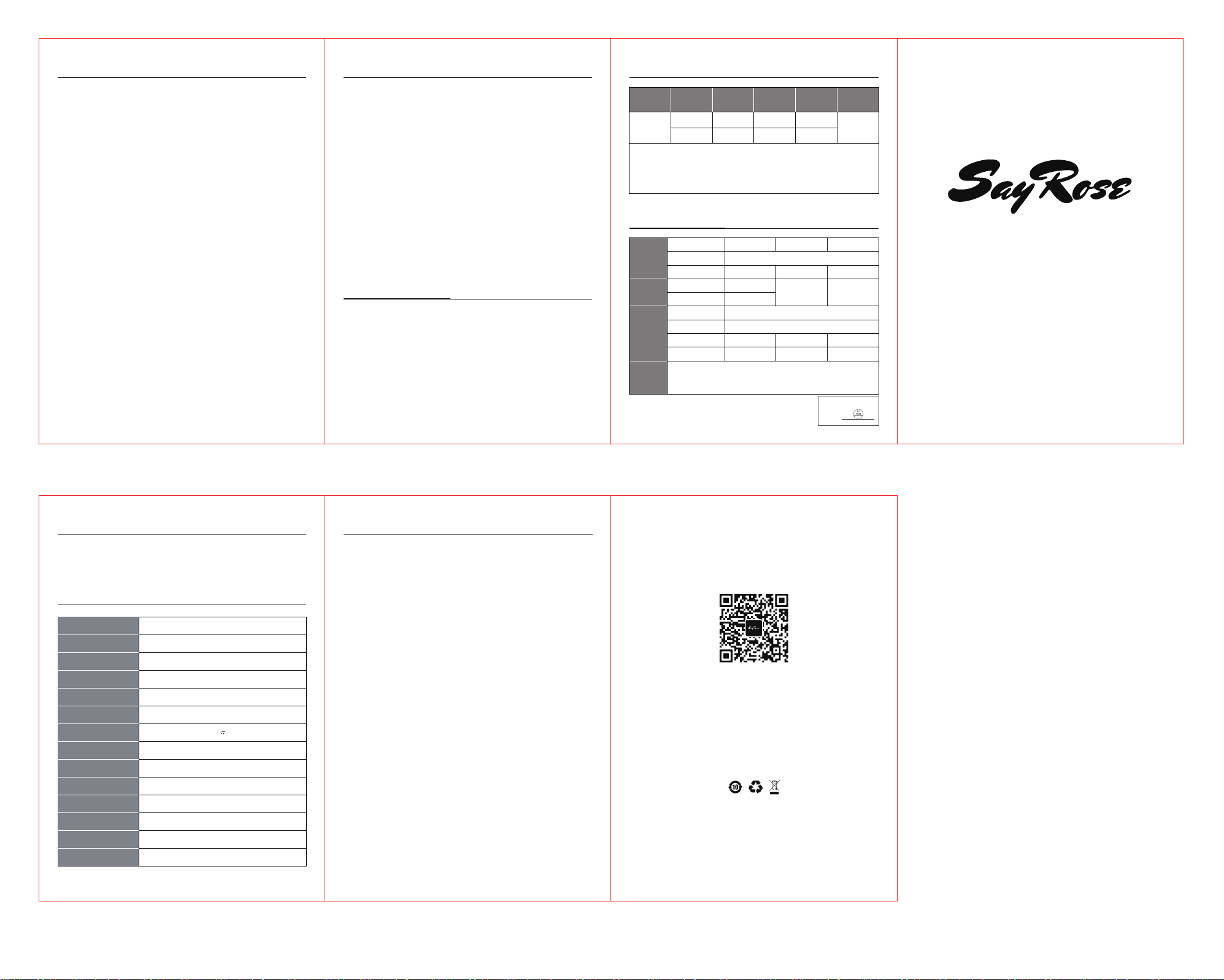
Product Description
1、Light Indicators:
2.4GHz: Red light BT1: Green light BT2: Blue
light
2、2.4GHz Wireless Pairing:
Slide the ON/OFF power switch on the bottom of the mouse to
ON.The mode indicator will flash red.Remove the USB receiver
from the bottom of the mouse and plug it into your
computer.After the red light flashes rapidly and then turns
off, the mouse is successfully connected.
3、 Wireless BT Pairing:
Slide the power switch to ON, then press the mode button for
BT1 (green) or BT2 (blue). The corresponding indicator will
flash rapidly. Select the Bluetooth name that appears on your
device to connect. Once connected, the indicator will flash
and then turn off.
4、Wireless BT Names:
BT1:MO-76 CHI BT2:MO-76 CH2
5、Mode Switching:
A short press cycles through 2.4GHz, BT1, and BT2 modes
(indicator flashes); a long press initiates pairing for the
selected mode.
6、Sleep Timer:
The mouse enters Level 1 sleep after 2 minutes of
inactivity, followed by deep sleep after 10 minutes. Press
Product List
Basic Parameters
Product Name
Product Model
Executive Standard
Product Dimensions
Product Weight
Connection Method
Voltage & Current
Battery Capacity
Button Lifespan
Compatible Systems
DPI
Number of buttons
Effective Distance
Optical IC
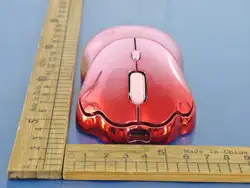
SayRose Vitality Meow Claw Wireless Mouse
MO-76
GB 4943.1-2022
≈118*64*38mm
65g±5g
Dual-mode connection(2.4G+BT)
DC 5V 300mA
500mAh(Polymer lithium battery)
5 Million Times
Windows XP 2000 Visat 7/8/10/11 mac OS
800-1200-1600-3200
4 keys
10 Meters
PAW3212DB-TJDT
�SayRose Vitality Meow Claw Wireless Mouse*1 �Type-C
Cable*1
�Product Philosophy*1 �Instruction Manual*1 �Warranty
Warranty Information
Certificate
Inspector:
INSP 06
Product
Name
SayRose Vitality
Meow Claw
Wireless Mouse
Warranty
Scope
Component
Name
Warranty period
(months)
Warranty
Service Type
Main
Components
Mouse
12 Send for Repair
Random
Materials
Instruction
Manual
0 Not Applicable
Remarks
Notes and Explanations
(1) This table is not a description of the product specifications and configurations. The product specifications and
configurations shall be subject to the actual product.
(2) When you return the product, you should package it properly and cooperate with the logistics provider for inspection.
It is recommended to use the original packaging of the product. If the returned product is not within the warranty scope,
we will contact you to handle it in the way you confirm. Please ensure that your contact information is accurate and your
communication is smooth. If the repaired or replaced product cannot be returned to you within 2 months due to your
reasons, it shall be deemed that you agree that we will dispose of it in an appropriate way.
Warranty Card
User Name
Mailing Address
Contact Number
User
Information
Product
Information
Seller
Information
Remarks
Postal Code
Product Model
Contact Number
Sales Date
Product Name
Product Barcode/
Serial Number/
Batch Number
Email
Postal Code
Invoice Number
Name
Address
Note: (1) This form should be stamped and confirmed by the seller; (2) For
products that are eligible for the relevant "three guarantees" regulations,
this warranty card is equivalent to a "three guarantee certificate"; (3) The
maintenance record shall be based on the authorized service organization's
maintenance certificate. After applying for the service, please take good
After Sales Service Hotline:400-878-0555
①
SayRose Vitality Meow Claw Wireless Mouse
INSTRUCTIONS AND WARRANTY CARD
Manufacturer: Shenzhen VCOS Technology Co., Ltd.
Address:1602, Building 1, Qianhai Kexing Science Park, Labor
Community, Xixiang Street, Bao'an District, Shenzhen, China
Official After-Sales Service Email Address:[email protected]
After sales service hotline: 400-878-0555
Made in China