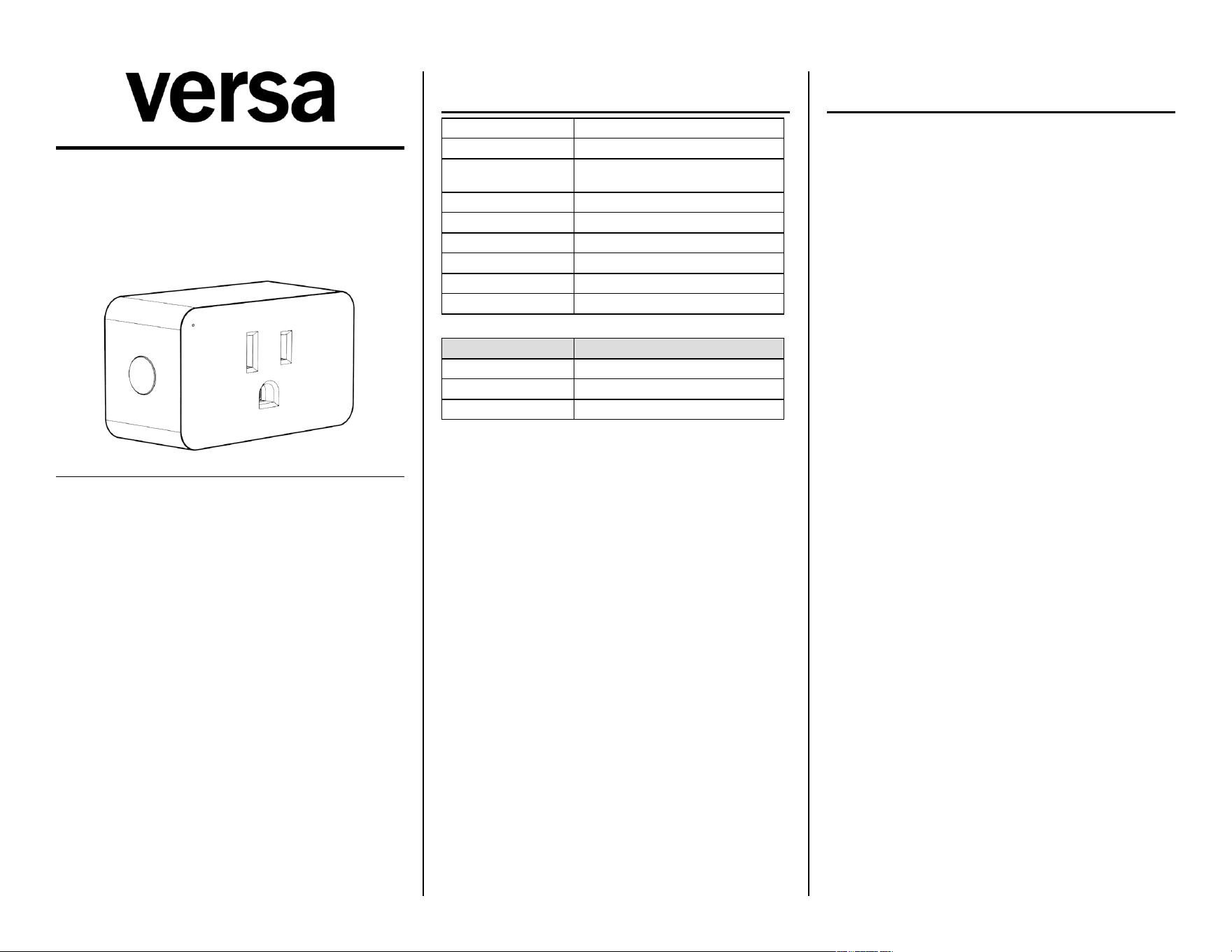
LAMP-ZW2
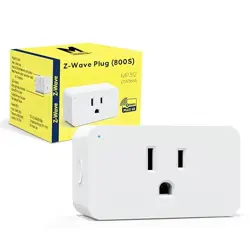
Z-Wave Plus Plug-In Dimmer
Z-Wave 800 · 908.42 MHz
I N S T A L L A T I O N M A N U A L
S P E C I F I C A T I O N S
Input 125 VAC, 60 Hz
Frequency 908.42 / 916 MHz mesh · 912 / 920 MHz LR
Range
Up to 1300 - direct-to-controller (LR) · 330 -
(100 m) per hop (mesh)
Incandescent 200 W max
Dimmable CFL/LED 100 W max
Use Indoor, dry loca4on
Lis'ng ETL Listed (UL 60730-1)
FCC ID 2AD9XLAMP-ZW2
Firmware V8.10.00 (SDK 7.24.1)
LED indicator
LED state Meaning
Solid (color) Normal — color set by Param 3 (default blue)
Pulsing/?ashing Add (inclusion)
Solid magenta Remove (exclusion) / error
Bu+on func'ons
• Press 1×: toggle outlet on/oC (single-tap behavior set by Param
13).
• Press and hold: dim up or down.
• Press 2× quickly: double-tap ac4on (set by Param 14, default =
night-light).
• Press 3× quickly: inclusion / exclusion.
• Press 5× quickly: set min brightness.
• Press 10× quickly: set max brightness.
• Press 8× quickly: cycle Param 8 (restore a-er power fail).
• Factory reset: press 2× quickly, hold the 3rd press for 10 sec.
Features
• Z-Wave on/oC + dimmer control
• Grounded 3-wire plug for safety
• Restores state a-er power failure
• Built-in Z-Wave Plus repeater
• S2 security · Z-Wave 800 chip
• Supports Z-Wave Long Range
Z - W A V E N E T W O R K S E T U P
Adding the device
1. Follow your Z-Wave controller's instruc4ons to add a device.
2. When the controller is ready, press the program buMon on the
smart plug 3× quickly. The LED ?ashes during inclusion.
3. Once paired, control the device from your hub via groups,
schedules, and automa4ons.
If pairing fails, move closer to the hub and retry. You can return to
your &nal loca'on a(er pairing.
Notes
• If the program buMon doesn't light a-er 3 presses, factory-reset
the device and retry.
• Solid magenta LED = device already paired and in exclusion
mode. If add fails, exclude Orst, then re-add.
Removing the device
1. Follow your controller's instruc4ons to remove a device.
2. Press the program buMon 3× quickly.
Factory reset
Press 2× quickly, then hold the 3rd press for 10 seconds. Use only if
the primary controller is missing or inoperable.
SmartStart QR code
Scan the Z-Wave QR code on the back of the outlet using your
SmartStart-capable controller. The device is added automa4cally
within 10 minutes of being powered on within range.
For Z-Wave Long Range: include via SmartStart and ensure the LR
op'on is enabled on your controller.
Associa'on groups
• Group 1 — Lifeline (5 nodes, Binary Switch Report + Device Reset
Locally)
• Group 2 — Send Basic Set ON/OFF (5 nodes, triggered by local
buMon)
P A R A M E T E R S E T T I N G S
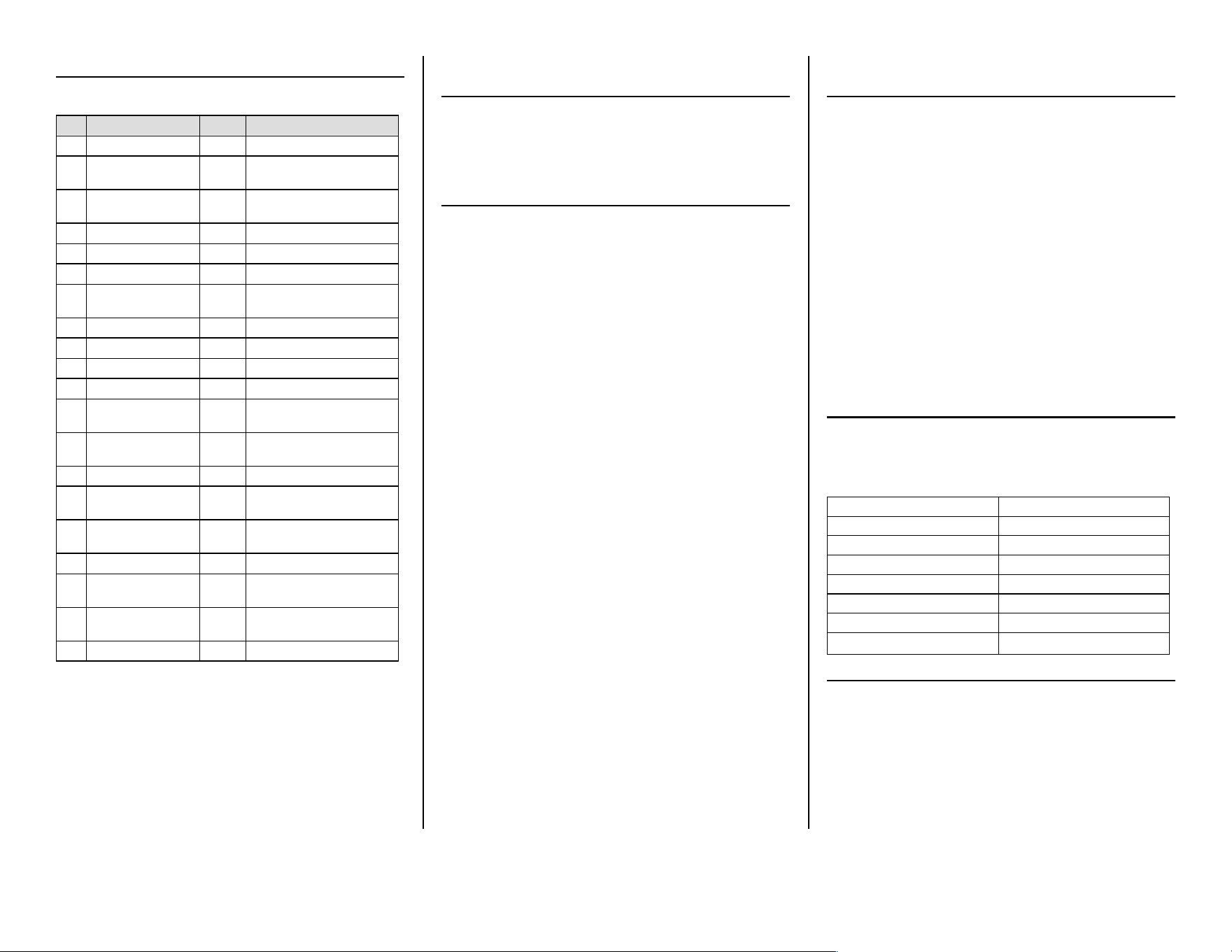
Con&gure from your hub. The LED 2ashes 3× to con&rm a parameter
change.
# Parameter Default Values
1 LED Brightness 1 0=100%, 1=60% (def), 2=30%
2 LED Mode 0
0=on when oC (def), 1=on when
on, 2=always oC, 3=always on
3 LED Color 0
0=blue (def), 1=green, 2=red,
3=yellow, 4=cyan, 5=magenta
4 Auto Turn-O7 0 Minutes 1–65535. 0=disabled.
6 Auto Turn-On 0 Minutes 1–65535. 0=disabled.
7 Night Light 2 1–10 = 10–100% brightness
8
Restore A;er Power
Fail
2 0=oC, 1=on, 2=last state (def)
9 Ramp Rate — Btn ON 2 0=instant, 1–99 sec
10 Ramp Rate — Hold 4 1–99 sec when held
11 Min Brightness 10 0=disabled, 1–99%
12 Max Brightness 99 0=disabled, 1–99%
13 Single-Tap Brightness 0
0=last (def), 1=Param 15,
2=max, 3=100%
14 Double-Tap Behavior 1
0=100%, 1=night-light (def),
2=max, 3=disabled
15 Custom Brightness 0 0=last, 1–99% custom
16 Local/Z-Wave Lockout 1
0=Z-Wave only, 1=both (def),
2=disable both
17
Disable Btn
Programming
0
0=enabled (def), 1=lock out
programming
18 Ramp Rate — Btn OFF 2 0=instant, 1–99 sec
19 Ramp Rate — Hub ON 255
1–254 sec; 255=use Param 9
(def)
20 Ramp Rate — Hub OFF 255
1–254 sec; 255=use Param 18
(def)
21 LED ConCrm Blink 0 0=enabled (def), 1=disabled
Manual min brightness (param 11)
1. Press buMon 5× quickly — LED ?ashes slowly.
2. Hold to set min brightness.
3. Press 5× to conOrm (or wait 10s).
Manual max brightness (param 12)
1. Press buMon 10× quickly — LED ?ashes slowly.
2. Hold to set max brightness.
3. Press 10× to conOrm (or wait 10s).
Z - W A V E I N T E R O P E R A B I L I T Y
Works with any Z-Wave cer4Oed network. All non-baMery nodes act
as repeaters regardless of vendor.
LAMP-ZW2 supports Lifeline communica4on (group 1). Group 1
must be assigned to the primary controller's Node ID. Most
controllers conOgure this automa4cally.
C E R T I F I C A T I O N S & C O M P L I A N C E
• ETL Listed by Intertek — UL 60730-1:2016
• FCC Part 15 Class B · FCC ID: 2AD9XLAMP-ZW2
• Z-Wave Plus cer4Oed · ZW Alliance #5062
FCC compliance
This device complies with Part 15 of the FCC Rules. Opera4on is
subject to the following two condi4ons: (1) this device may not
cause harmful interference, and (2) this device must accept any
interference received, including interference that may cause
undesired opera4on.
Changes or modiOca4ons not expressly approved by the party
responsible for compliance could void the user's authority to
operate the equipment.
FCC Class B
This equipment has been tested and found to comply with the limits
for a Class B digital device, pursuant to Part 15 of the FCC Rules.
These limits are designed to provide reasonable protec4on against
harmful interference in a residen4al installa4on. If this equipment
causes harmful interference to radio/TV recep4on (which can be
determined by turning the device oC and on), try:
• Reorient or relocate the receiving antenna.
• Increase separa4on between equipment and receiver.
• Connect the equipment into an outlet on a circuit diCerent from
that to which the receiver is connected.
• Consult the dealer or an experienced radio/TV technician.
RF exposure
This equipment complies with FCC radia4on exposure limits set forth
for an uncontrolled environment. Install and operate with a
minimum distance of 20 cm between the radiator and any person.
S A F E T Y & W A R N I N G S
RISK OF FIRE / SHOCK / BURNS⚠
To reduce shock risk, this product has a grounding plug (third pin). It
only Ots a grounding-type outlet. If it does not Ot, contact a qualiOed
electrician — do not modify the plug.
Do not exceed load ra4ngs. Do not use to control devices where
unintended opera4on could be unsafe (heat lamps, sun lamps, etc.).
Medical equipment
Do not use this switch to control medical or life-support equipment.
Controlling appliances
Use extreme cau4on with appliances. Schedules, automa4ons, or
network errors may turn devices on/oC uninten4onally — possibly
while you are away. Do not include appliance-controlling devices in
groups or scenes, and do not use Z-Wave to control electric heaters
or any device that could become hazardous if unaMended.
Cau'on — please read
Install per the Na4onal Electrical Code and local regula4ons. If
unsure, consult a qualiOed electrician.
Z - W A V E D E V I C E C L A S S
Generic: 0x11 GENERIC_TYPE_SWITCH_MULTILEVEL
SpeciOc: 0x00 SPECIFIC_TYPE_NOT_USED
Mfr ID: 0x0464 · Type: 0xFF00 · Product: 0xFF0D
Command classes
0x5E ZWAVEPLUS_INFO_V2 0x86 VERSION_V3
0x26 SWITCH_MULTILEVEL_V4 0x72 MFR_SPECIFIC_V2
0x70 CONFIGURATION_V4 0x5A DEVICE_RESET_LOCALLY
0x85 ASSOCIATION_V2 0x73 POWERLEVEL
0x8E MULTI_CHAN_ASSOC_V3 0x9F SECURITY_2
0x59 ASSOC_GRP_INFO_V3 0x6C SUPERVISION
0x55 TRANSPORT_SERVICE_V2 0x7A FIRMWARE_UPDATE_MD_V5
0x87 INDICATOR
W A R R A N T Y
Versa Wireless products are warranted free from manufacturing
defects for one year from the original date of consumer purchase.
Limited to repair or replacement; does not cover consequen4al or
incidental damage. This warranty is in lieu of all other warran4es
expressed or implied. Some states do not allow such limita4ons, so
they may not apply to you. You may have other rights that vary by
state.
versawireless.com