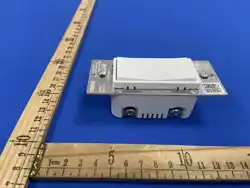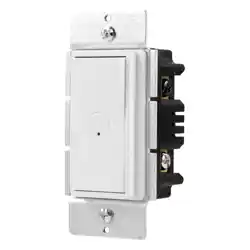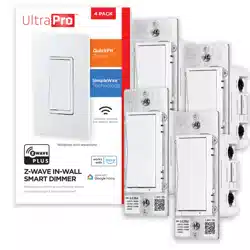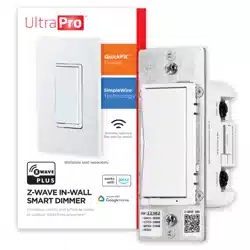
DIM-ZW
In-Wall Z-Wave Paddle Dimmer
Z-Wave 800 LR · S2 Security · SmartStart
I N S T A L L A T I O N M A N U A L
V0000784 · © 2026 Versa Wireless Inc.
Features
• In-wall dimmer — single-pole or 3-way
• Z-Wave 800 LR with S2 security and SmartStart
• Central Scene support (2-tap each paddle)
• Adjustable minimum and maximum brightness
• Adjustable on/o3 and dimming ramp rates
• So4 start; restores state a4er power failure
• Air-gap pull tab for safe bulb changes
• Built-in Z-Wave repeater
• Compa8ble with all cer89ed Z-Wave hubs
S P E C I F I C A T I O N S
Input voltage 125 VAC, 60 Hz
Frequency 908.42 / 916 MHz mesh · 912 / 920 MHz LR
Range
Up to 1300 4 direct-to-controller (LR) ·
330B4 (100Bm) per hop (mesh)
Incandescent 600 W max — ganged: 500 W (2), 400 W (3)
Dimmable LED / CFL 300 W max
Wiring
Single-pole or 3-way; neutral required; 14
AWG copper only
Opera(ng temp. 32–104 °F (0–40 °C)
Use Indoor, dry loca8on; ligh8ng loads only
Lis(ng ETL Listed — UL 60730-1:2016
Version V1.0 (SDK 7.24.1, Z-Wave version 8.2)
Warranty 2 years
LED indicator
State Meaning
Solid blue Dimmer status (see parameter 2)
Blue Lashing Inclusion or exclusion in progress
Green solid 2 s Inclusion or exclusion success
Red solid 2 s Inclusion or exclusion failed
Green Lashing 3× SeNng saved / parameter changed
Red Lashing 3× Parameter change failed
Orange Lashing Min/max brightness seNng mode
Purple Lashing Factory reset in progress
Purple solid 2 s Factory reset complete
B E F O R E Y O U I N S T A L L
⚠ TURN OFF the breaker before removing the wall plate. Verify with a
non-contact voltage tester. Lights only — DO NOT connect to fans,
receptacles, tube/Luorescent 9xtures, or transformer-supplied 9xtures.
You will need
• Phillips & Lat-blade screwdrivers, wire stripper, voltage tester
• Single-gang wall box, 2-3/4″ min depth, 14 AWG copper wire
Iden(fy wires
• Line (black) → LINE terminal
• Load (black/red) → LOAD terminal — line and load can't be swapped
• Neutral (white) → NEUTRAL terminal — required
• Ground (bare/green) → GROUND terminal
• Traveler (3-way only, red) → TRAVELER terminal
Install wires into the terminals
Strip wires 1/2–5/8″. Don't wrap around screws. Li4 screw, press down
to catch thread, insert straight wire, 8ghten clockwise. No power tools.
Copper conductors only.
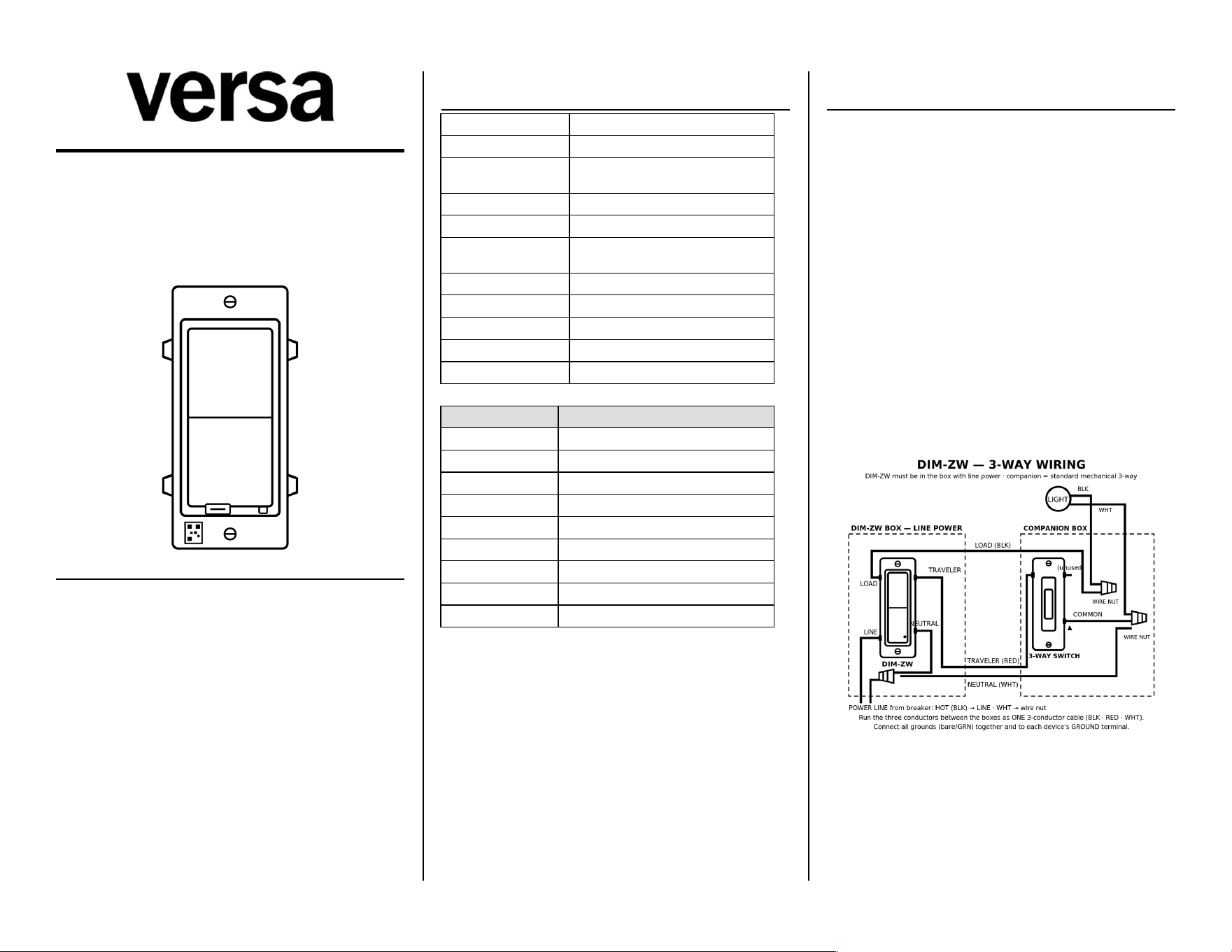
Wiring — 3-way
DIM-ZW must be installed in the box with direct connec8on to power.
Companion switch must be a standard mechanical 3-way — not another
smart switch, dimmer, or add-on. LOAD feeds the light directly. The
companion gets two wires only: neutral on its COMMON screw, red
traveler on a traveler screw.
If your wiring doesn't match, stop and consult an electrician.
Doc: V0000784
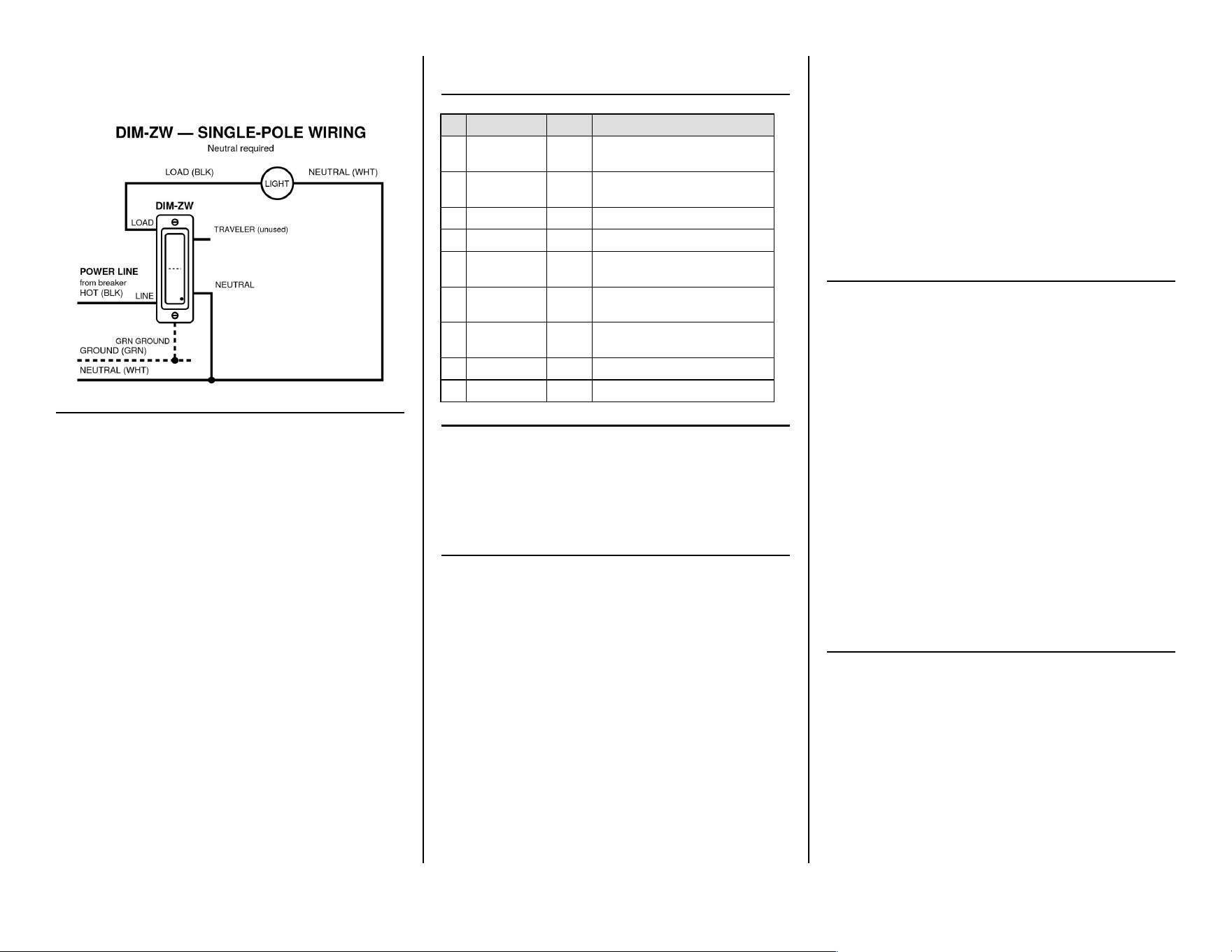
Wiring — single-pole
Power OFF. Ground → GROUND, Neutral → NEUTRAL, Line → LINE, Load
→ LOAD. Tug-test, fold wires in, mount, restore power.
Z - W A V E N E T W O R K S E T U P
Add the device (inclusion)
Set your controller to add a device. Press TOP paddle 3× quickly — blue
LED Lashes. Green 2 s = success. Red 2 s = failed, retry.
Remove the device (exclusion)
Set your controller to remove a device. Press BOTTOM paddle 3× quickly.
Factory reset
Press BOTTOM paddle 2× quickly, hold 3rd press 10 sec. Purple Lash →
solid purple = done. Use only if your controller is missing or inoperable.
SmartStart
Scan the Z-Wave QR code on the front of the device with your
SmartStart-capable controller. Auto-added within 10 minutes.
Associa(on groups
Group 1 — Lifeline (5 nodes)
Group 2 — Single Press (5 nodes, sends Basic Set ON/OFF on local paddle
press)
Paddle func(ons
• Top 1×: ON · BoXom 1×: OFF (Param 1)
• Press & hold: brighten (top) / dim (boXom)
• Top 2×: Scene 1 · BoXom 2×: Scene 2
• Top 3×: include · BoXom 3×: exclude
• Top 5×: set max brightness · BoXom 5×: set min
• Top 8×: cycle Param 1 · BoXom 8×: cycle Param 8
• BoXom 10×: cycle Param 2
Set minimum / maximum brightness
Press BOTTOM paddle 5× quickly — orange LED Lashes slowly and the
light goes to the current minimum. Hold top or boXom to adjust, then
press BOTTOM 5× to con9rm (green Lashes 3×). Use the TOP paddle 5×
the same way to set maximum. 10 s without input exits without saving.
P A R A M E T E R S E T T I N G S
Set from your hub. LED Lashes green 3× for success, red 3× for failure.
# Parameter Default Values
1
BuXon
Func8on
0
0=Top ON/Bot OFF (def), 1=Top
OFF/Bot ON, 2=both toggle
2 LED Indicator 0
0=match dimmer (def), 1=match relay,
2=o3, 3=on
4 Auto Turn-O3 0 1–65535 min. 0=disabled.
6 Auto Turn-On 0 1–65535 min. 0=disabled.
8
Power-Fail
Restore
2 0=o3, 1=on, 2=last state (def)
9
Ramp —
On/O3
2 Full fade in 1–10 s
10
Ramp —
Dimming
4 Full fade in 1–10 s
11 Min Brightness 10 0–99
12 Max Brightness 99 0–99
Z - W A V E I N T E R O P E R A B I L I T Y
Works with any Z-Wave cer89ed network. All non-baXery nodes act as
repeaters. DIM-ZW supports Lifeline (group 1); most controllers
con9gure this automa8cally during inclusion.
Manufacturer ID 0x0464 · Product Type 0xEE00 · Product ID 0xEE02 ·
Installer Icon 0x0700 · User Icon 0x0604
Device class and supported command classes will be published with the
9nal cer89ed 9rmware.
C E R T I F I C A T I O N S & C O M P L I A N C E
• ETL Listed — UL 60730-1:2016 · Intertek control no. 5030071
• FCC Part 15 Class B · FCC ID: 2AD9XDIM-ZW
• Z-Wave Plus cer89ed · Z-Wave 800 LR, SDK 7.24.1
FCC compliance
This device complies with Part 15 of the FCC Rules. Opera8on is subject
to: (1) this device may not cause harmful interference; (2) this device
must accept any interference received, including interference that may
cause undesired opera8on. Changes or modi9ca8ons not expressly
approved by the party responsible for compliance could void the user's
authority to operate the equipment.
FCC Class B
This equipment has been tested and complies with Part 15 Class B limits,
providing reasonable protec8on against interference in residen8al
installa8ons. If interference occurs (verify by powering o3 and on), try:
• Reorient or relocate the receiving antenna.
• Increase separa8on between equipment and receiver.
• Connect to a circuit di3erent from the receiver.
• Consult a quali9ed radio/TV technician.
RF exposure
This equipment complies with FCC radia8on exposure limits set forth for
an uncontrolled environment. Install and operate with a minimum
distance of 20 cm between the radiator and any person.
S A F E T Y & W A R N I N G S
⚠ RISK OF FIRE / ELECTRIC SHOCK / BURNS
TURN OFF the breaker before installa8on. Verify with a voltage tester
before touching any wires.
Do not exceed 600 W incandescent or 300 W dimmable LED/CFL; in
ganged installs derate incandescent to 500 W (2-gang) / 400 W (3-gang).
DO NOT use to control fans, receptacles, tube/Luorescent 9xtures,
transformer-supplied 9xtures, heat lamps, or sun lamps.
Air gap
Pull the tab at the boXom of the paddle out to cut power to the dimmer
before changing a bulb. Push it back in for normal opera8on.
Medical equipment
Do not use this dimmer to control medical or life-support equipment.
Controlling appliances
Use extreme cau8on with appliances. Schedules, automa8ons, or
network errors may cycle a device uninten8onally. Do not include
appliance-controlling devices in groups or scenes, and do not use Z-Wave
to control electric heaters or any device that could become hazardous if
unaXended.
Cau(on — please read
Install per the Na8onal Electrical Code and local regula8ons. Where
required by code, installa8on must be performed by a quali9ed, licensed
electrician. If unsure, consult an electrician.
W A R R A N T Y
Versa Wireless products are warranted free from manufacturing defects
for two years from the original date of consumer purchase. Limited to
repair or replacement; does not cover consequen8al or incidental
damage. This warranty is in lieu of all other warran8es expressed or
implied. Some states do not allow such limita8ons, so they may not apply
to you. You may have other rights that vary by state.
versawireless.com
Doc: V0000784