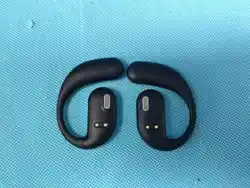
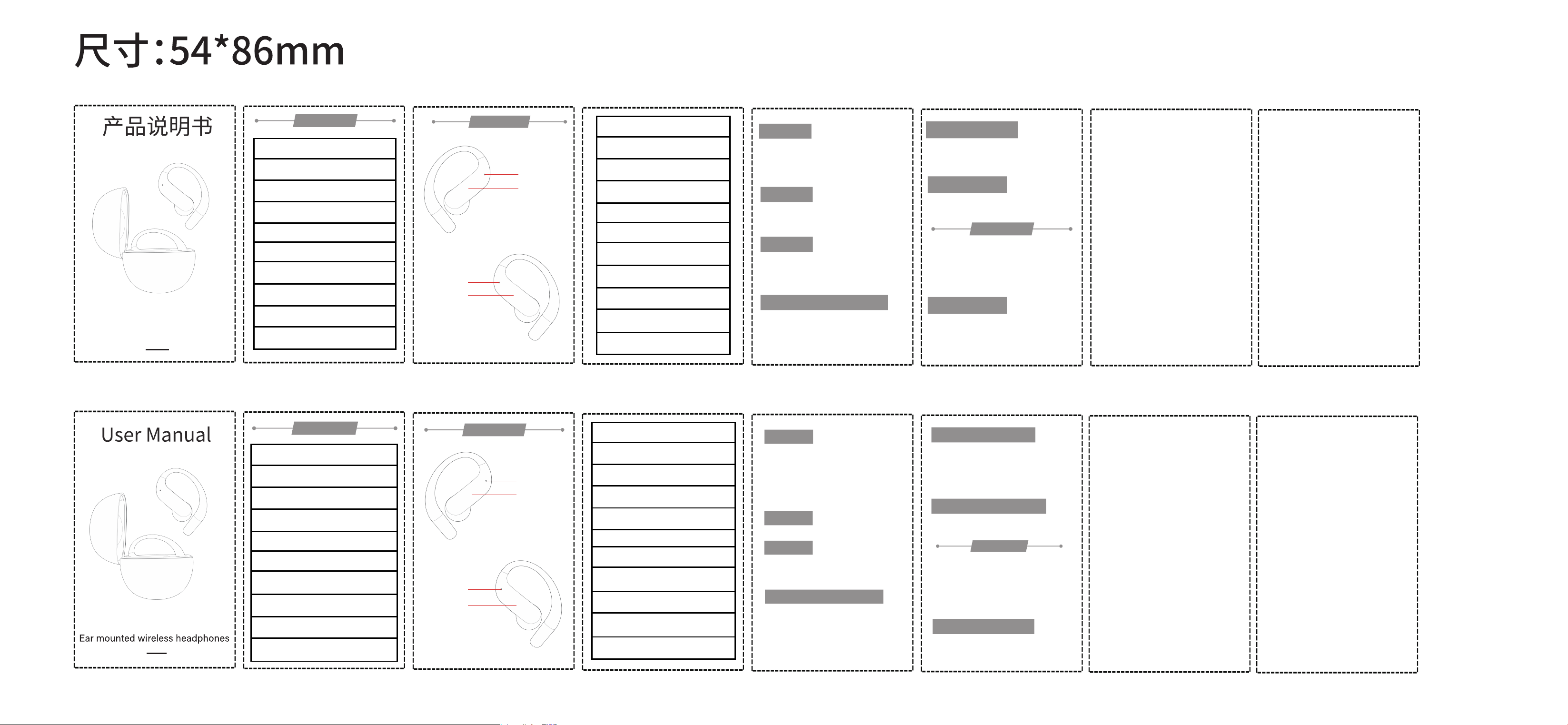
挂耳式蓝牙耳机
⸺Product description⸺
⸺Product description⸺
产品规格
多功能键
安全预防
蓝牙版本:V6.1
通话时间:6小时
音乐播放:6小时
待机时间:30小时
通信距离:≥10m
耳机充电时间:约1.5小时
耳机电池容量:40mAh
充电仓电池容量:200mAh
频率范围:2.402GHz-2.480GHz
暂停/播放:单击MFB键
上一曲:双击L边MFB键
下一曲:双击R边MFB键
音量加:三击R边MFB键
音量减:三击L边MFB键
接听电话:单击MFB键
挂断电话:单击MFB键
来电拒接:长按MFB键2秒
取消通话:单击MFB键
呼叫Siri:长按2秒MFB键
取消Siri:长按2秒MFB键
Pause/Play: Click the MFB button
Previous Track: Double-click the MFB
button on the left side
Next Track: Double-click the MFB button
on the right side
Volume Up: Triple-click the MFB button
on the right side
Volume Down: Triple-click the MFB
button on the left side
Answer a Call: Click the MFB button
End a Call: Click the MFB button
Reject an Incoming Call: Long-press the
MFB button for 2 seconds
Cancel a Call: Click the MFB button
Activate Siri: Long-press the MFB button
for 2 seconds
Deactivate Siri: Long-press the MFB
button for 2 seconds
支持协议:A2DP/AVDTP/AVRCP/
RFCOMM/HFP/HSP/SPP/HID
Product specifications
Wireless version: V6.1
Talk time: 6 hours
Music playing: 6 hours
Standby time: 30 hours
Communication distance:≥10m
Charging time of headset: about 1.5hour
Headset battery capacity: 40mAh
Battery capacity of charging chamber: 200mAh
Frequency range: 2.402GHz-2.480GHz
Support agreement:
A2DP/AVDTP/AVRCP/
RFCOMM/HFP/HSP/SPP/HID
multiple use key
开机关机
如何重置
如何配对
电脑/手提电脑配对的方法
如何给耳机充电
1.从充电仓拿出开机
2.耳机自动配对
3.打开手机/平板的设置---蓝牙---打开蓝牙---搜索---
YYK-Q110---配对/连接--播放音乐。
在未连接状态下,双击+长按2秒,然后关机,重置完成。
给充电仓充电
产品包装内有
请使用手机适配器给充电仓充电,可以使用电脑Type-c线
或者其他Type-c接口的充电器进行充电。
打开电脑设置-设备-蓝牙和其他设备-开启蓝牙--添加蓝牙
或其他设备-搜索蓝牙设备YYK-Q110-配对/连接-播放音乐。
注意:如果电脑没有蓝牙,请插入蓝牙适配器,下载蓝牙驱动
后再正常使用。
Power on/off
How to reset
How to pair
Computer/laptop pairing method
1. Take out the charging chamber to start the machine
2. Automatic headset pairing
3. Open the settings of mobile phone/tablet --- Bluetooth
--- Open Bluetooth --- Search---
YYK-Q110--- pairing/connecting --- playing music.
In the disconnected state, double-click + hold down
for 2 seconds and then power off. Reset is complete.
1.把耳机放入充电仓内,耳机就会自动关机然后开始充电,
充电仓显示屏中间数字和左右对应进度条亮起,说明充电
仓正在给耳机充电。
2.耳机充电时红灯常亮,充满蓝灯亮10秒钟后熄灭。
1.蓝牙耳机2个
2.充电座1个
3.Type-c充电线1条
4.说明书1本
Safety precautions
How to charge the headset
Please use the mobile phone adapter to charge the
charging chamber. You can use the computer Type-c
cable or other chargers with Type-c interface.
For high-quality earphones, please refer to the following instructions to
prolong the service life:
1. Please keep away from high temperature, high humidity and corrosive
environment.
2. Please prevent the product from being hit, dropped, bent, soaked, etc.
3. Please do not remove the headset or charging stand.
4. Please do not allow the product to be overcharged all the time, so as to
reduce the service life of the product.
5. If it causes any discomfort or pain, please stop using this product.
6. Use a DC 5V-1A adapter certified by a regulated manufacturer.
Repeated charging and discharging of the headset will cause the battery
performance to decrease over time, which will affect all rechargeable
Electronic products are normal.
1. Two Bluetooth headsets
2. One charging base
3. One Type-c charging line
4. 1 manual
Charge the charging chamber
1. Put the headset into the charging compartment, the
headset will automatically shut down and start charging.
The number in the middle of the display and the
corresponding progress bar on the left and right side of
the display light up, indicating charging
Cang is charging the earphones.
2. When the earphone is charging, the red light will be
steady on, and the blue light will be off after 10 seconds.
Open Computer Settings - Devices - Bluetooth and
Other devices - Enable Bluetooth - Add Bluetooth
Or other devices - Search for Bluetooth device
YYK-Q110- Pair/Connect - Play music.
Note: If the computer does not have Bluetooth, please
plug in the Bluetooth adapter and download the
Bluetooth driver
Then normal use.
YYK-Q110
YYK-Q110
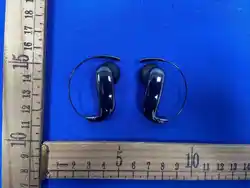
L边MFB键
麦克风孔
R边MFB键
麦克风孔
L-side MFB key
Microphone hole
R-side MFB key
Microphone hole
Inside the product package
高质量的耳机,为了延长使用寿命,请参考以下说明:1.请本品远离高
温、高湿、腐蚀环境。
2.请防止本品被撞击,跌落,弯曲,浸泡等。
3.请不要拆耳机或者充电座。
4.请不要让本品一直过度充电,这样降低本品的使用寿命。
5.如果它引任何不适感或者疼痛,请停止使用本品。
6.使用由受监管的制造商认证的DC 5V-1A适配器。
反复充电和放电耳机会导致电池性能随时间降低,这对所有可充电电
子产品来说都是正常的。
1.开机
方式一:打开充电盒上盖,取出耳机自动开机;
方式二:长按左/右耳机的MFB按键约3秒,耳机开机。
2.关机
方式一:将耳机放回充电盒中,耳机自动关机,
方式二:与蓝牙设备断开连接3分钟后,自动关机。
Please translate the following text into English:
1. Power On
Method 1: Open the lid of the charging case, take out the
earphones, and they will power on automatically.
Method 2: Press and hold the MFB button on the left/right
earphone for about 3 seconds to power on the earphones.
2. Power Off
Method 1: Place the earphones back into the charging case,
and they will power off automatically.
Method 2: The earphones will power off automatically after
being disconnected from the Bluetooth device for 3 minutes.
FCC Caution
This device complies with part 15 of the FCC Rules.
Operation is subject to the following two conditions: (1)
This device may not cause harmful interference, and (2) this
device must accept any interference received, including
interference that may cause undesired operation.
Any Changes or modifications not expressly approved by
the party responsible for compliance could void the user's
authority to operate the equipment.
Note: This equipment has been tested and found to comply
with the limits for a Class B digital device, pursuant to part
15 of the FCC Rules. These limits are designed to provide
reasonable protection against harmful interference in a
residential installation. This equipment generates uses and
can radiate radio frequency energy and, if not installed and
used in accordance with the instructions, may cause
harmful interference to radio communications. However,
there is no guarantee that interference will not occur in a
particular installation. If this equipment does cause harmful
interference to radio or television reception, which can be
determined by turning the equipment off and on, the user is
encouraged to try to correct the interference by one or
more of the following measures:
-Reorient or relocate the receiving antenna.
-Increase the separation between the equipment and
receiver.
-Connect the equipment into an outlet on a circuit different
from that to which the receiver is connected.
-Consult the dealer or an experienced radio/TV technician
for help.
*RF warning for Portable device
The device has been evaluated to meet general RF
exposure requirement. The device can be used in portable
exposure condition without restriction.