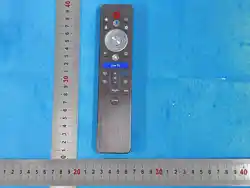
RC900 Instruction manua
1、 Description
he remote control is paired with a TV for remote control, with infrared and Bluetooth
functions, as well as voice input.
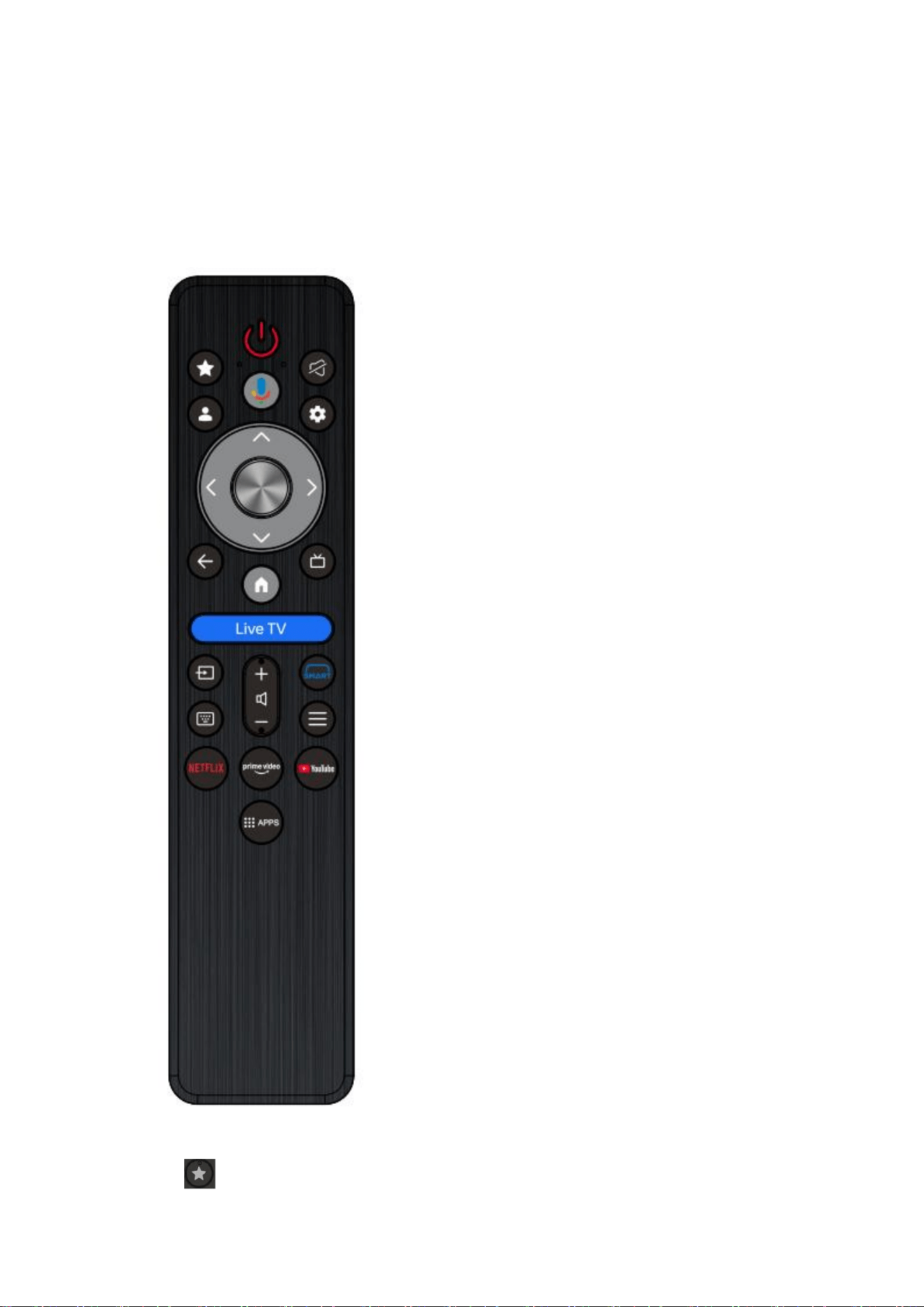
2、 Key definition
1. Power TV on/of
2. Customization

1. Mute Turn off the TV sound
2. Google Open Google
3. Settings System Settings
4. volume+ Turn up the TV volume
5. volume- Turn down the TV volume
6. Voice key voice input
7. Up, down, left, right Cursor movement
8. OK Confirm
9. Live TV OpenLive TV
10. Live EPG Open Live EPG
11. Back Previous Menu
12. Input Input signal selection
13. Keyboard Display keyboard input
14. Home Homepage
15. Menu Retrieve the TV menu interface
16. Smart New features
17. Netflix、Prime Video、YouTube Open related applications
18. APPS Open APPS
Infrared function
When the remote control is not connected to the TV via Bluetooth, control the TV through
infrared.
Bluetooth pairing operation
Turn on the Bluetooth switch on the TV, and press the back and home 2S buttons to
broadcast. The LED will start flashing; After successful pairing, the LED will remain on for 2
seconds and then turn off; If unsuccessful, the LED will turn off after 1 minute.
Voice input
Bluetooth connection is normal. Open the TV network connection, long press the voice
button, speak near the remote control, and then release the voice button. At this time, the TV
can recognize the input command and perform related searches or operations.
FCC
(FCC COMPLIANCE STATEMENT:
This device complies with part 15 of the FCC Rules.
Operation is subject to the following two conditions:
(1) This device may not cause harmful interference, and
(2) this device must accept any interference received, including interference that may
cause undesired operation.
Note: This equipment has been tested and found to comply with the limits for a Class
B digital device, pursuant to Part 15 of the FCC Rules. These limits are designed to
provide reasonable protection against harmful interference in a residential

installation. This equipment generates, uses and can radiate radio frequency energy
and, if not installed and used in accordance with the instructions, may cause harmful
interference to radio communications.
However, there is no guarantee that interference will not occur in a particular
installation. If this equipment does cause harmful interference to radio or television
reception, which can be determined by turning the equipment off and on, the user is
encouraged to try to correct the interference by one or more of the following
measures:
Reorient or relocate the receiving antenna.
Increase the separation between the equipment and receiver.
Connect the equipment into an outlet on a circuit different from that to which
the receiver is connected.
Consult the dealer or an experienced radio/TV technician for help.
Warning: Changes or modifications to this unit not expressly approved by the part
responsible for compliance could void the user’s authority to operate the equipment.
FCC Radiation Exposure Statement
The device has been evaluated to meet general RF exposure requirement.
The device can be used in portable exposure condition without restriction.