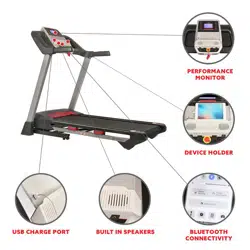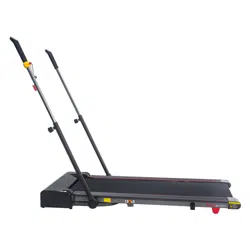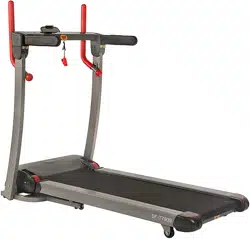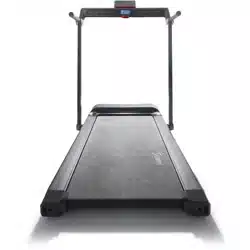
User Manual
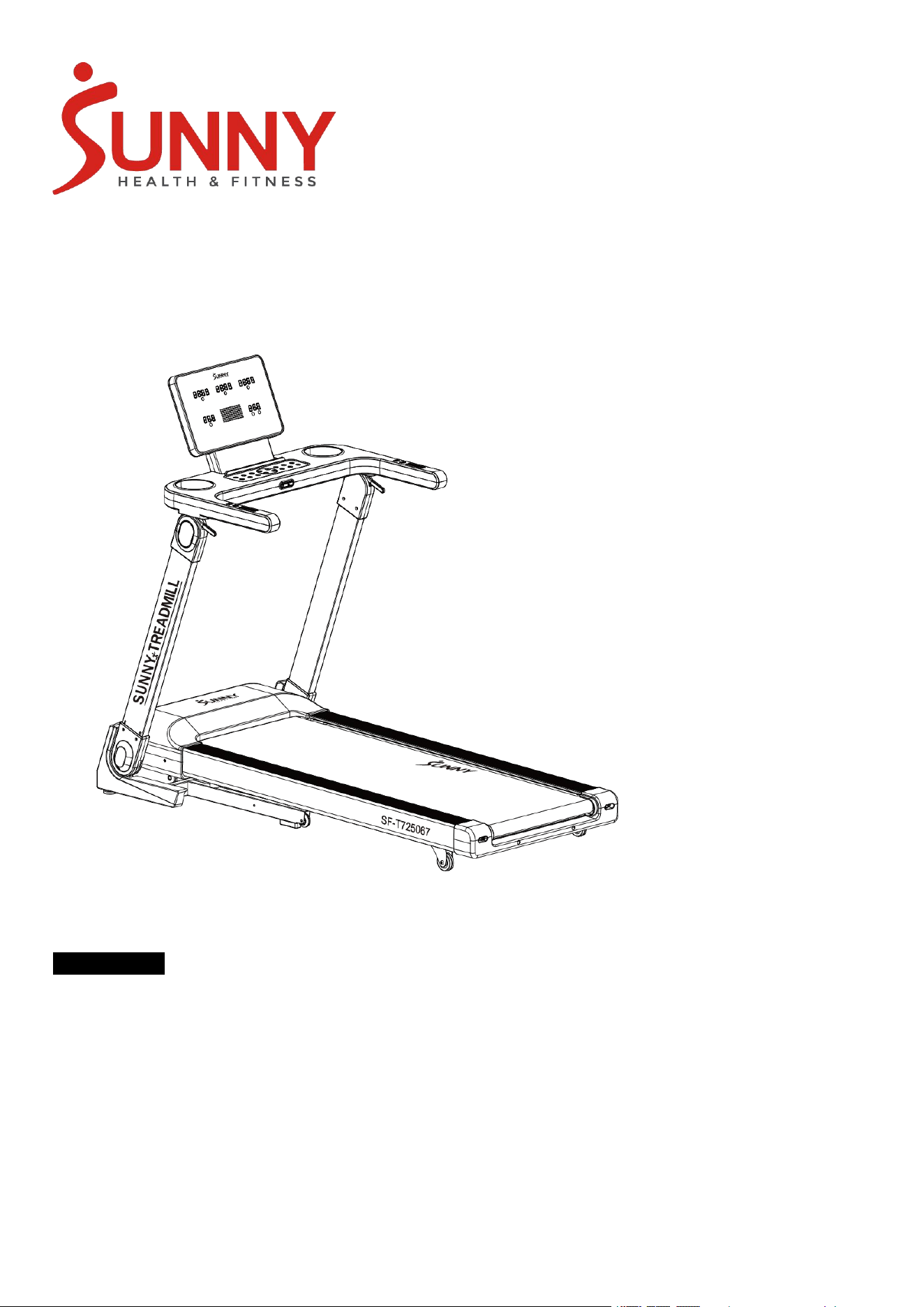
Platinum Smart One Click-Fold Treadmill
SF-T725067
EN
IMPORTANT! Please retain owner’s manual for maintenance and adjustment instructions. Your
satisfaction is very important to us, PLEASE DO NOT RETURN UNTIL YOU HAVE CONTACTED US.

1
Important Safety Information
When using an electrical appliance, basic precautions should always be followed, including the
following:
Read all instructions before using (this appliance).
DANGER –To reduce the risk of electric shock:
Always unplug this appliance from the electrical outlet immediately after using and before
cleaning.
WARNING – To reduce the risk of burns, fire, electric shock, or injury to persons:
1. An appliance should never be left unattended when plugged in. Unplug from outlet when not
in use, and before putting on or taking off parts.
2. This appliance is not intended for use by persons with reduced physical, sensory, or mental
capabilities, or lack of experience and knowledge, unless they have been given supervision or
instruction concerning use of the appliance by a person responsible for their safety. Keep
children under the age of 13 away from this machine.
3. Use this appliance only for its intended use as described in this manual. Do not use
attachments not recommended by the manufacturer.
4. Never operate this appliance if it has a damaged cord or plug, if it is not working properly, if it
has been dropped or damaged, or dropped into water. Please contact Customer Service at
support@sunnyhealthfitness.com.
5. Do not carry this appliance by supply cord or use cord as a handle.
6. Keep the cord away from heated surfaces.
7. Never operate the appliance with the air openings blocked. Keep the air openings free of lint,
hair, and the like.
8. Never drop or insert any object into any opening.
9. Do not use outdoors. Household use only.
10. Do not operate where aerosol (spray) products are being used or where oxygen is being
administered.
11. To disconnect, turn all controls to the off position, then remove plug from outlet.
12. CAUTION: Risk of Injury to Persons – To Avoid Injury, use extreme caution when stepping onto
or off of a moving belt. Read Instruction Manual Before Using.
13. Connect this appliance to a properly grounded outlet only. See Grounding Instructions.
14. REMOVE CONTROL BOX (OR KEY, OR SAFETY PIN, AS APPLICABLE) WHEN NOT IN USE, AND
STORE OUT OF REACH OF CHILDREN.
15. Do not operate under blanket or pillow. Excessive heating can occur and cause fire, electric
shock, or injury to persons.
SAVE THESE INSTRUCTIONS

2
Caution: The user is cautioned that changes or modifications not expressly approved by the
party responsible for compliance could void the user's authority to operate the equipment.
This device contains license-exempt transmitter(s)/receiver(s) that comply with Innovation,
Science and Economic Development Canada’s license-exempt RSS(s) and Part 15 of the FCC
Rules. Operation is subject to the following two conditions:
1) This device may not cause interference.
2) This device must accept any interference, including interference that may cause undesired
operation of the device.
NOTE: This equipment has been tested and found to comply with the limits for a Class B digital
device, pursuant to Part 15 of the FCC Rules. These limits are designed to provide reasonable
protection against harmful interference in a residential installation. This equipment generates,
uses, and can radiate radio frequency energy and, if not installed and used in accordance with the
instructions, may cause harmful interference to radio communications. However, there is no
guarantee that interference will not occur in a particular installation.
If this equipment does cause harmful interference to radio or television reception, which can be
determined by turning the equipment off and on, the user is encouraged to try to correct the
interference by one or more of the following measures:
-- Reorient or relocate the receiving antenna.
-- Increase the separation between the equipment and receiver.
-- Connect the equipment into an outlet on a circuit different from that to which the receiver is
connected.
-- Consult the dealer or an experienced radio/TV technician for help.
FCC Radiation Exposure Statement:
This equipment complies with FCC radiation exposure limits set forth for an uncontrolled
environment. This equipment should be installed and operated with a minimum distance of
20cm between the radiator and your body.
This transmitter must not be co-located or operating in conjunction with any other antenna or
transmitter.

3
Important Safety Information
We thank you for choosing our product. To ensure your safety and health, please use this
equipment correctly. It is important to read this entire manual before assembling and using the
equipment. Safe and effective use can only be achieved if the equipment is assembled,
maintained, and used properly. It is your responsibility to ensure that all users of the equipment
are informed of all warnings and precautions.
1. Before starting any exercise program, you should consult your physician to determine if you
have any medical or physical condition that could put your health and safety at risk or prevent
you from using the equipment properly. Your physician’s advice is essential if you are taking
medication that affects your heart rate, blood pressure, or cholesterol level.
2. Be aware of your body’s signals. Incorrect or excessive exercise can damage your health. Stop
exercising if you experience any of the following symptoms: pain, tightness in your chest,
irregular heartbeat, shortness of breath, lightheadedness, dizziness, or feelings of nausea. If
you do experience any of these conditions, you should consult your physician before
continuing with your exercise program.
3. Keep children and pets away from the equipment.
4. Use the equipment on a solid, flat level surface with a protective cover for your floor or carpet.
To ensure safety, the equipment should have at least 8 feet (240cm) of free space behind it
and 2 feet (60cm) on each side. Do not place the treadmill on any surface that blocks air
openings. To protect the floor or carpet from damage, place a mat under the treadmill.
5. Ensure that all nuts and bolts are securely tightened before using the equipment. The safety of
the equipment can only be maintained if it is regularly examined for damage and/or wear and
tear.
6. Always use the equipment as indicated. If you find any defective components while
assembling or checking the equipment, or if you hear any unusual noises coming from the
equipment during exercise, discontinue use of the equipment immediately and do not use
until the problem has been rectified.
7. Wear suitable clothing while using the equipment. Avoid wearing loose clothing that may
become entangled in the equipment.
8. Do not place fingers or objects into the moving parts of the equipment.
9. The maximum weight capacity of this unit is 300 lbs (135 kg).
10. This equipment is not suitable for therapeutic use.
11. To avoid bodily injury and/or damage to the product or property, proper lifting and moving are
required.
12. Your product is intended for use in cool and dry conditions. You should avoid storage in
extreme cold, hot, or damp areas as this may lead to corrosion and other related problems.
13. This equipment is designed for indoor and home use only; it is not intended for commercial
use!
4
6
Important Operating Information
1. Insert the power plug directly into the socket.
2. Read the manual before operating the equipment.
3. Changes in speed do not occur immediately. Set your desired speed using the adjustment keys on the
main console. The speed will increase gradually.
4. While on the treadmill, move with caution as distractions may cause you to lose balance and stray from
walking in the center of the belt. This may result in serious injury.
5. This unit starts at a very low speed. To begin use, hold onto the handrails, and stand on the side rails
while it starts up, then step onto the belt once it is in motion.
6. Always hold the handrail when making changes in the settings.
7. A safety key is provided for emergency use. The machine will function only if the safety key is inserted
into the computer console. In case of emergency, remove the safety key to immediately stop the belt
and shut off the treadmill. The display screen will reset once the safety key is reinserted.
8. The console control keys are precisely set and require very little finger pressure to use. To avoid
damaging these keys, do not use excessive pressure when operating these controls.
9. This equipment is designed for adult use only! Children should not be allowed to use or play near this
equipment. When present, children should always be supervised by an adult.
10. Women who are pregnant or nursing should consult a physician before attempting to begin any
exercise program.
11. Always stay hydrated during and after exercise.
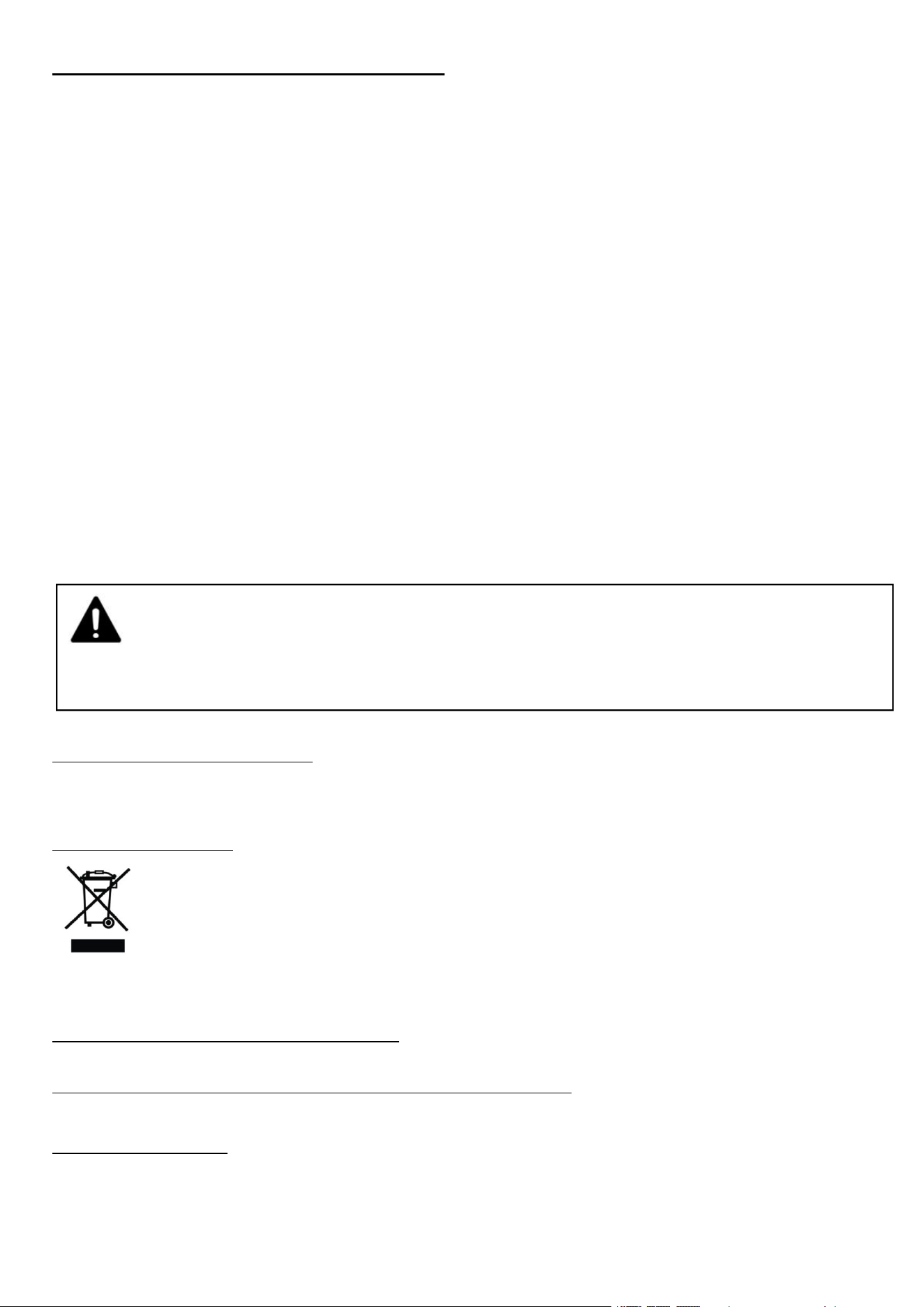
IMPORTANT NOTE:
The running belt must be lubricated before the first use! Please see
Page 11
for instructions on
how to properly apply lubricant.
Statement of Purpose
The treadmill is a cardio workout machine that provides indoor running at various speeds.
Waste Disposal
Sunny Health & Fitness products are recyclable. At the end of its useful life please dispose of this article
correctly and safely (local refuse sites).
EU Declaration of Conformity
You can find the declaration of conformity at the following link:
https://sunnyhealthfitness.com/pages/declaration-of-conformity
Technical Data
Connectivity: Bluetooth LE
Frequency Range: 2400~2483.5Mhz
Transmitting Power: 0dBm
5
Pre-Assembly Check List
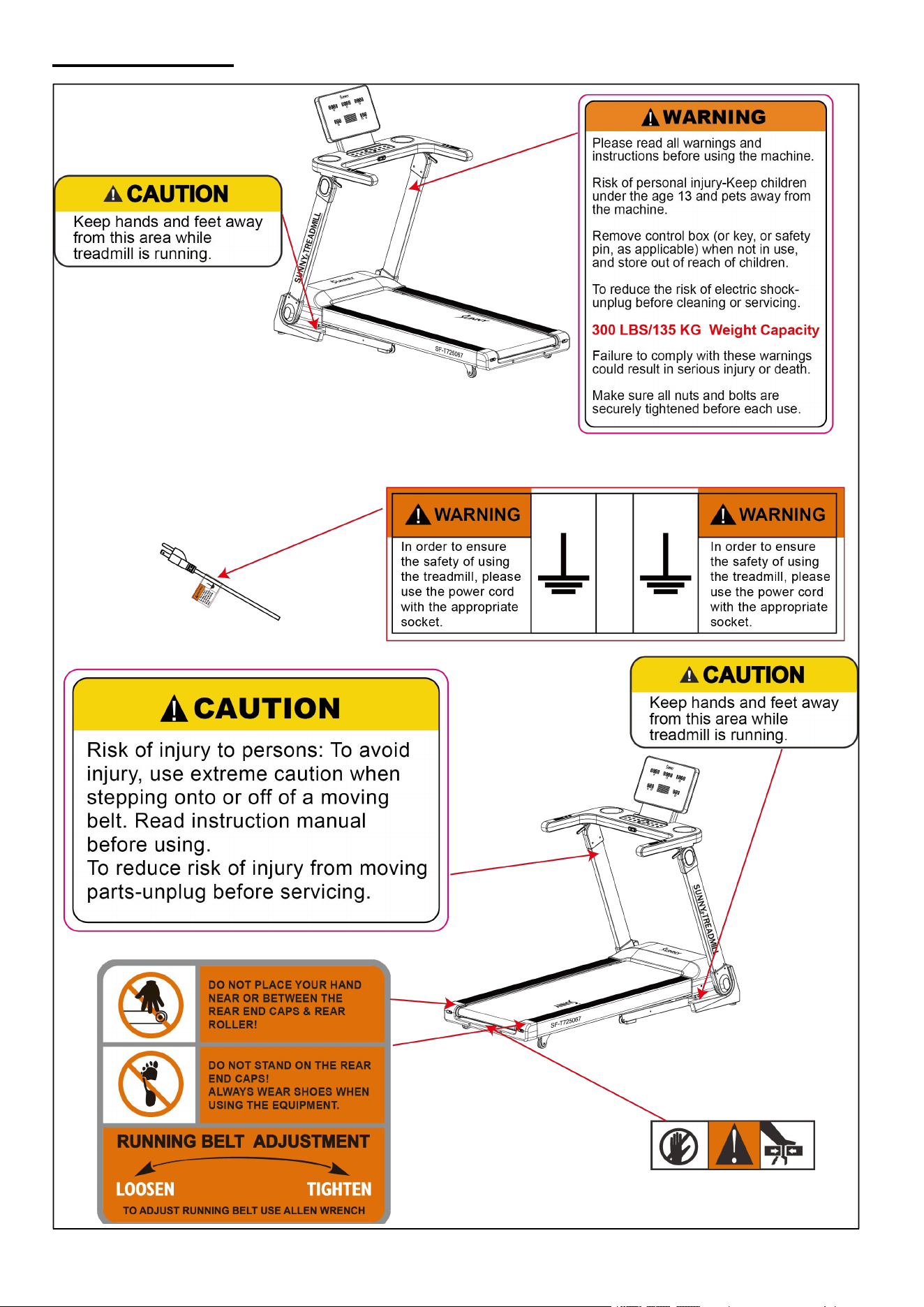
When you open the carton, you will find the following parts:
Ordering Replacement Parts
Please provide the following information in order for us to accurately identify the part(s) needed:
The model number
The product name
The part number
Please contact us at support@sunnyhealthfitness.com or 1-877-90SUNNY (877-907-8669).
No.
Description
Spec.
Qty.
A
Treadmill
1
B
Lubrication Oil
1
E03
Safety Key
1
E17
Power Wire
1
B11
Wrench
1
M
Manual
1
6
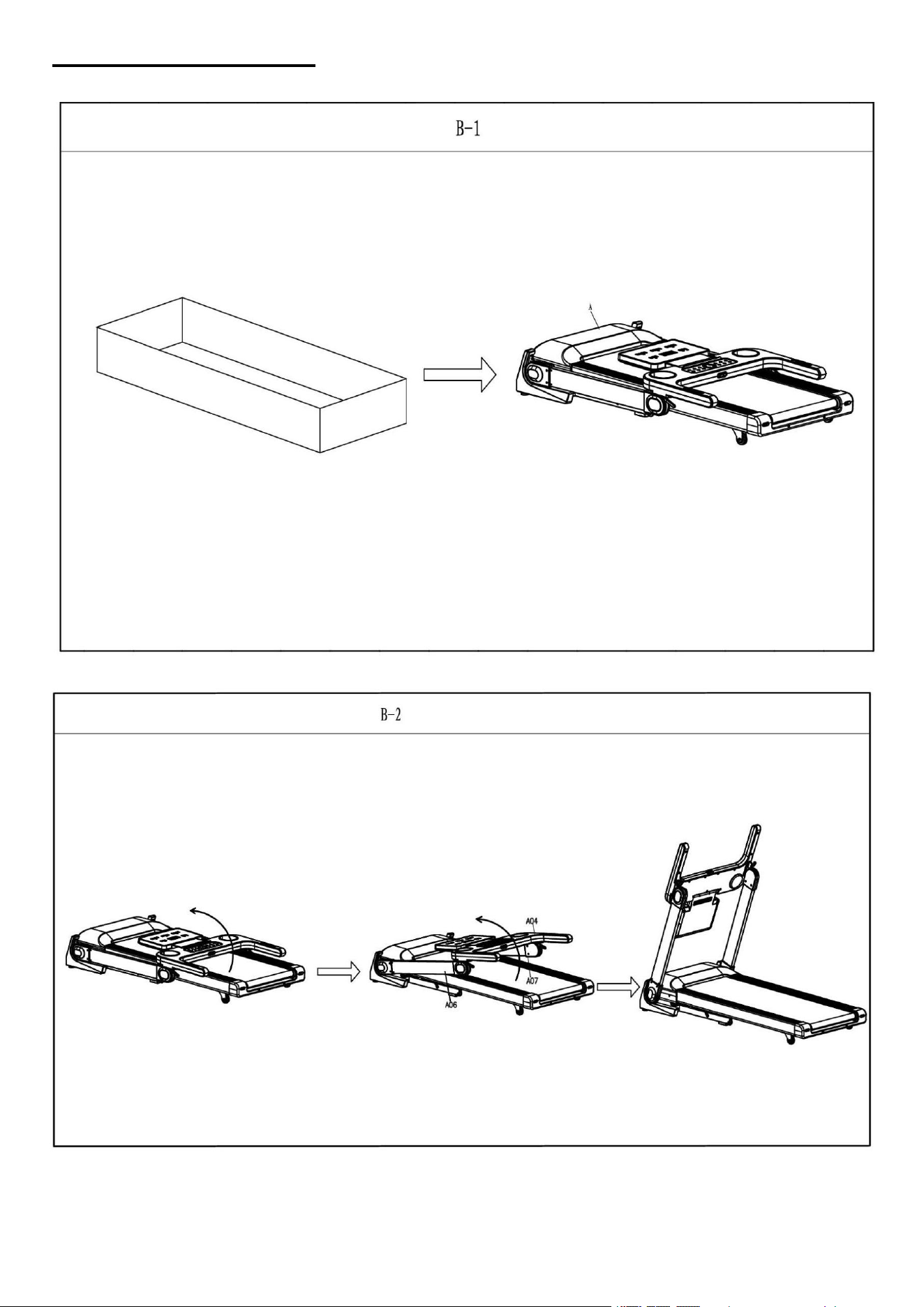
Warning Labels
7
Assembly Instructions
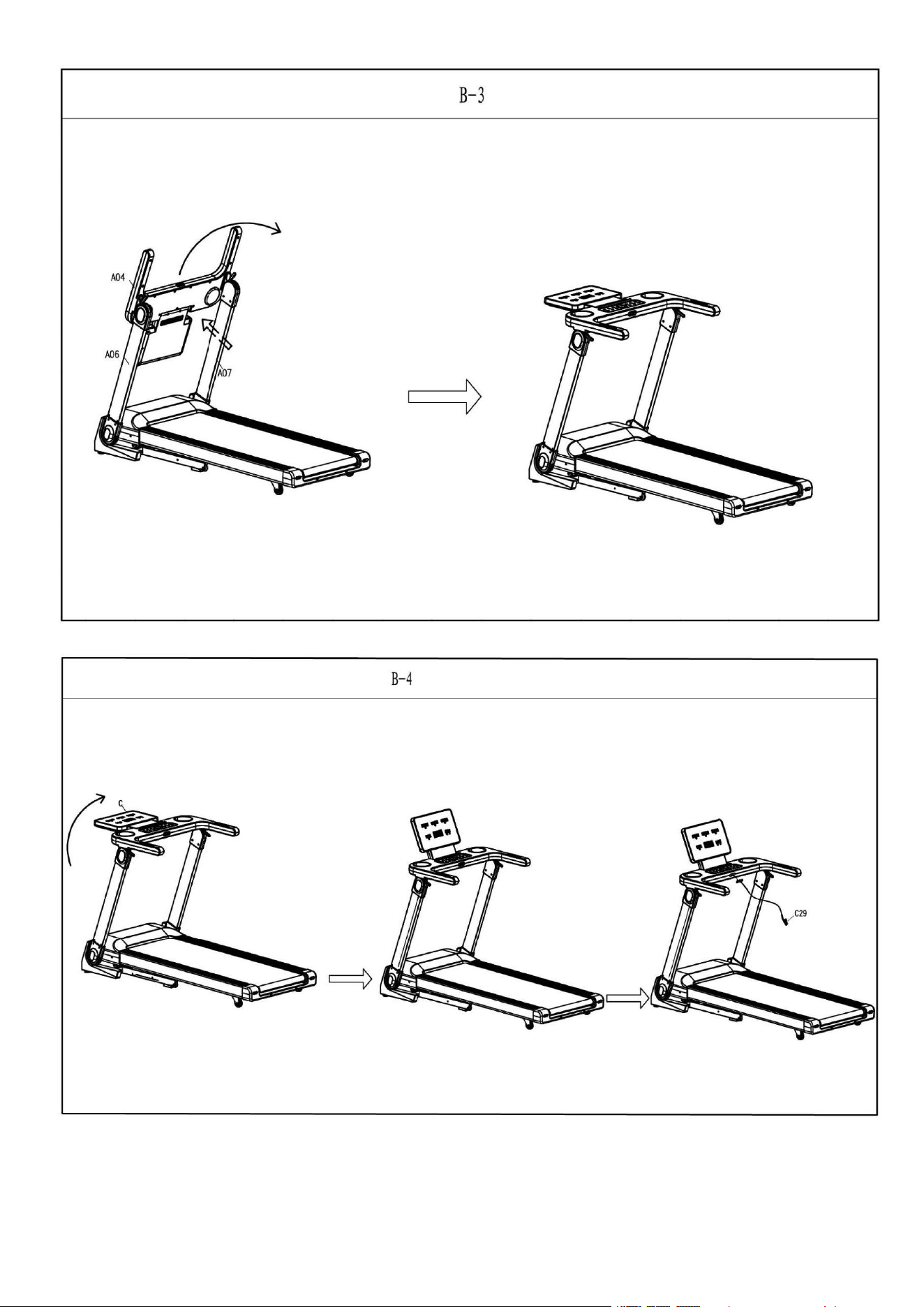
8
9
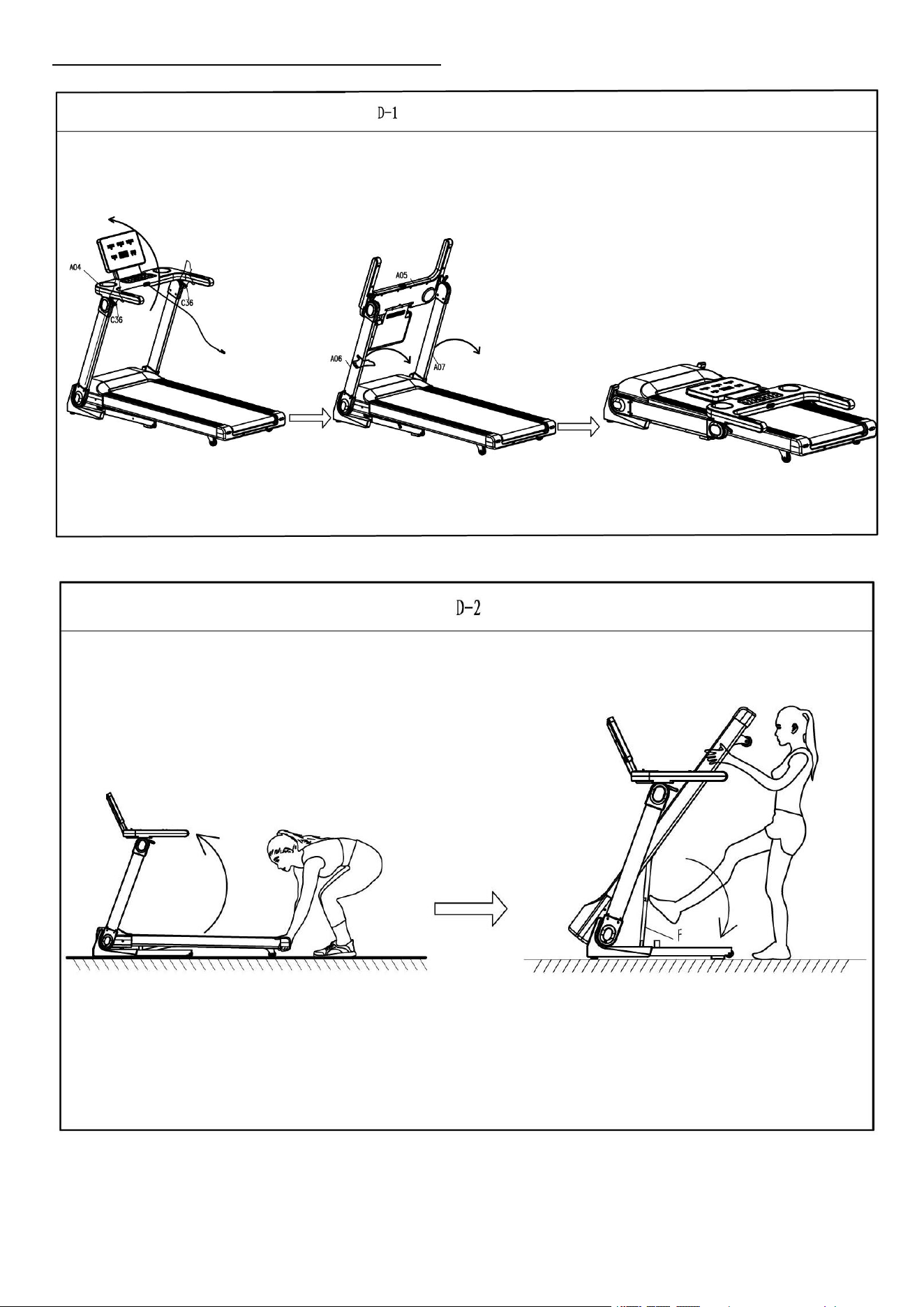
How to Fold/Unfold the Machine
10
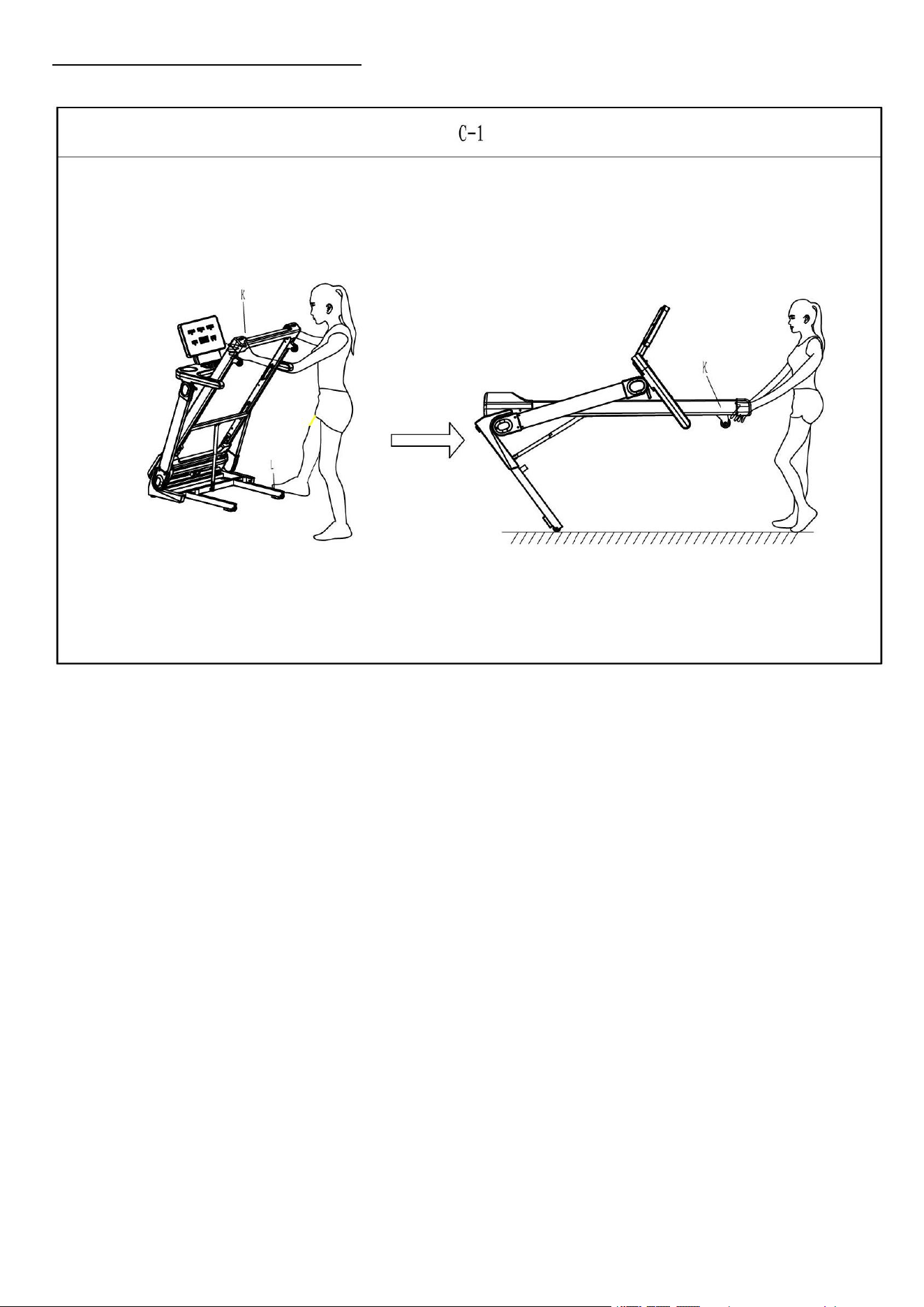
How to Move the Machine
11
Lubricating the Treadmill
IMPORTANT NOTE:
You will need to lubricate your treadmill before the first use.
RUNNING BELTS & TREADMILL LUBRICANT:
Lubricating the Running Board and Running Belt is essential as the friction affects the life span and
operations of the treadmill. Inspect the Running Belt and Running Board regularly. If you find any
wear on the Running Board, please contact us at: support@sunnyhealthfitness.com.
WARNING:
Always unplug the treadmill from the electrical outlet before cleaning, lubricating, or
repairing the unit.
HOW TO LUBRICATE:
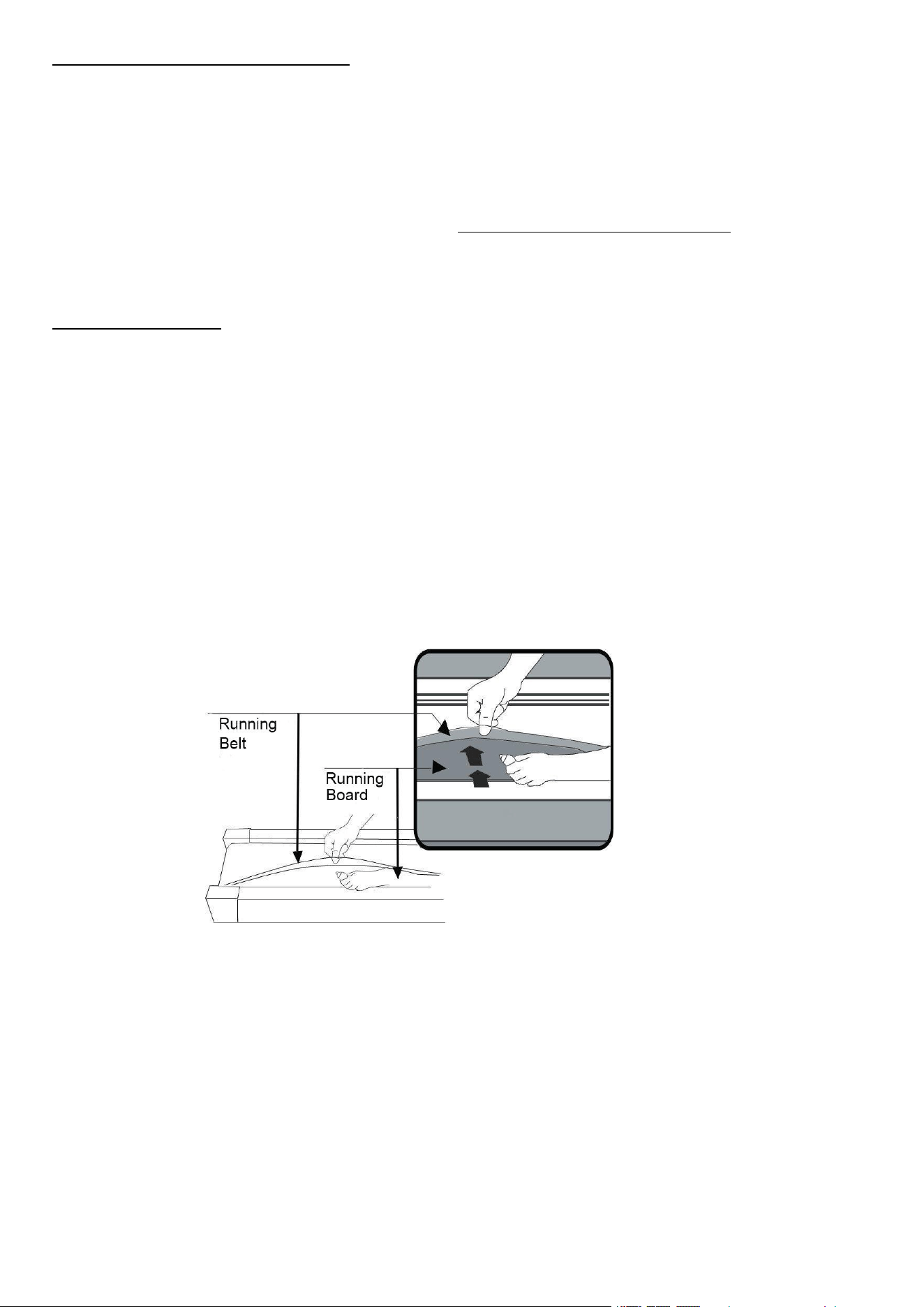
1.To apply lubricant, lift one side of the Running Belt and apply oil to the middle of the Running Board.
Next, start the treadmill and place it at the lowest speed setting and allow the oil to spread over the
Running Board. Repeat this process for the other side.
2. The moving parts should turn freely and quietly. Abnormal moving parts will affect the safety of the
equipment. Inspect and tighten bolts regularly.
3. To better maintain the treadmill and prolong its lifespan, it is suggested that maintenance be done
on a regular basis.
4. DO NOT LOOSEN OR MAKE ANY ADJUSTMENTS TO THE RUNNING BELT WHILE APPLYING
LUBRICANT. A loose Running Belt will result in the runner sliding off during use, while too tight of a
Running Belt will negatively affect the motor’s performance and create more friction between the
roller and Running Belt. The most suitable tightness for the Running Belt is when it is pulled out
50-75mm from the Running Board.
The following timetable is recommended:
Light user (less than 3 hours/ week)
every six months
Medium user (3-5 hours/ week)
every three months
Heavy user (more than 5 hours/ week)
every two months
12
Maintenance & Care
General cleaning will help prolong the life and improve performance of your treadmill.
Keep the unit clean and maintained by dusting the components on a regular basis.
Cleaning two exposed sides of the Running Belt will prevent dust from accumulating
underneath. Keep your running shoes clean so that dirt from your shoes does not wear
out the Running Board and Running Belt. Clean the surface of the Running Belt with a
clean damp cloth.
To better maintain the treadmill and prolong its life, it is suggested that the treadmill be
powered off for 10 minutes every 2 hours and fully powered off whenever not in use.
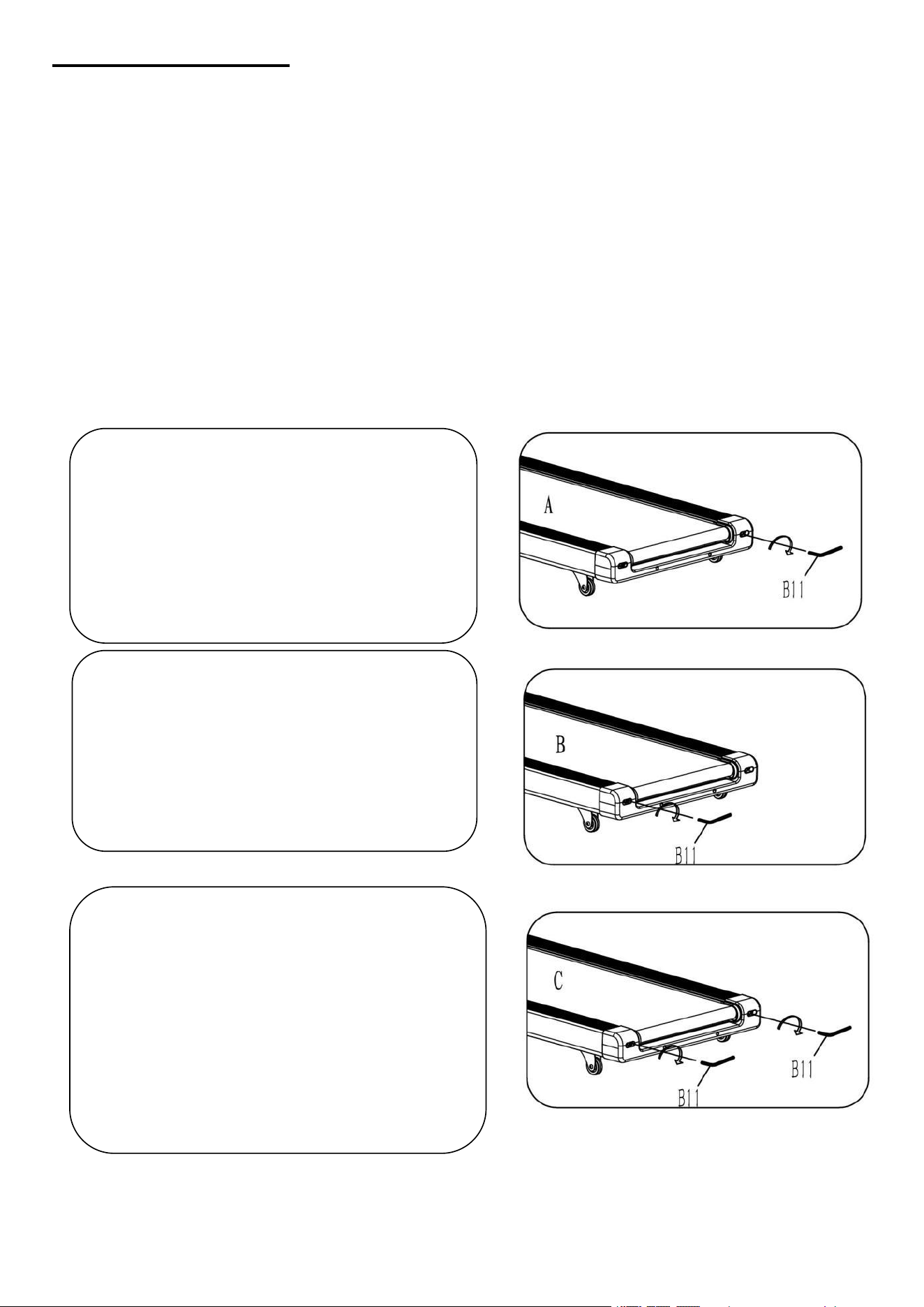
CENTERING THE RUNNING BELT:
Place the treadmill on level ground and set it at 6-8KM/H(3-5MPH) to check if the
Running Belt drifts from the center.
If the Running Belt moves to the right,
turn the right adjusting bolt ¼ turn
clockwise
, then turn the left adjusting bolt
¼ turn
counter-clockwise
. If the Running
Belt does not move, repeat this step until
it centers. Refer to Figure A.
If the Running Belt moves to the left,
turn the left adjusting bolt ¼ turn
clockwise
, then turn the right adjusting
bolt ¼ turn
counter-clockwise
. If the
Running Belt does not move, repeat this
step until it centers. Refer to Figure B.
Over time, the Running Belt will loosen. To
tighten the Running Belt, turn the left &
right adjusting bolts one full turn
clockwise
, check the tension of the
Running Belt. Continue this process until
Running Belt is at the correct tension.
Make sure to adjust both sides equally to
ensure correct belt alignment. Refer to
Figure C.
13
Important Electrical Information
WARNING: This treadmill requires a power source of 15 amps (100-120V) in order to
properly operate. For your safety, as well as the safety of others, please verify that the
power source is correct before plugging in the equipment. Any power source above or
below this level could cause significant damage to the equipment and/or user.
GROUNDING METHODS:
This product must be grounded. Grounding provides a path of the least resistance for
electrical current to reduce the risk of electric shock. The plug must be plugged into an
appropriate outlet that is properly installed and grounded in accordance with all local
codes and ordinances. Ensure that the product is connected to an outlet which contains
the same configuration as the plug. Do not use an adapter for this product.
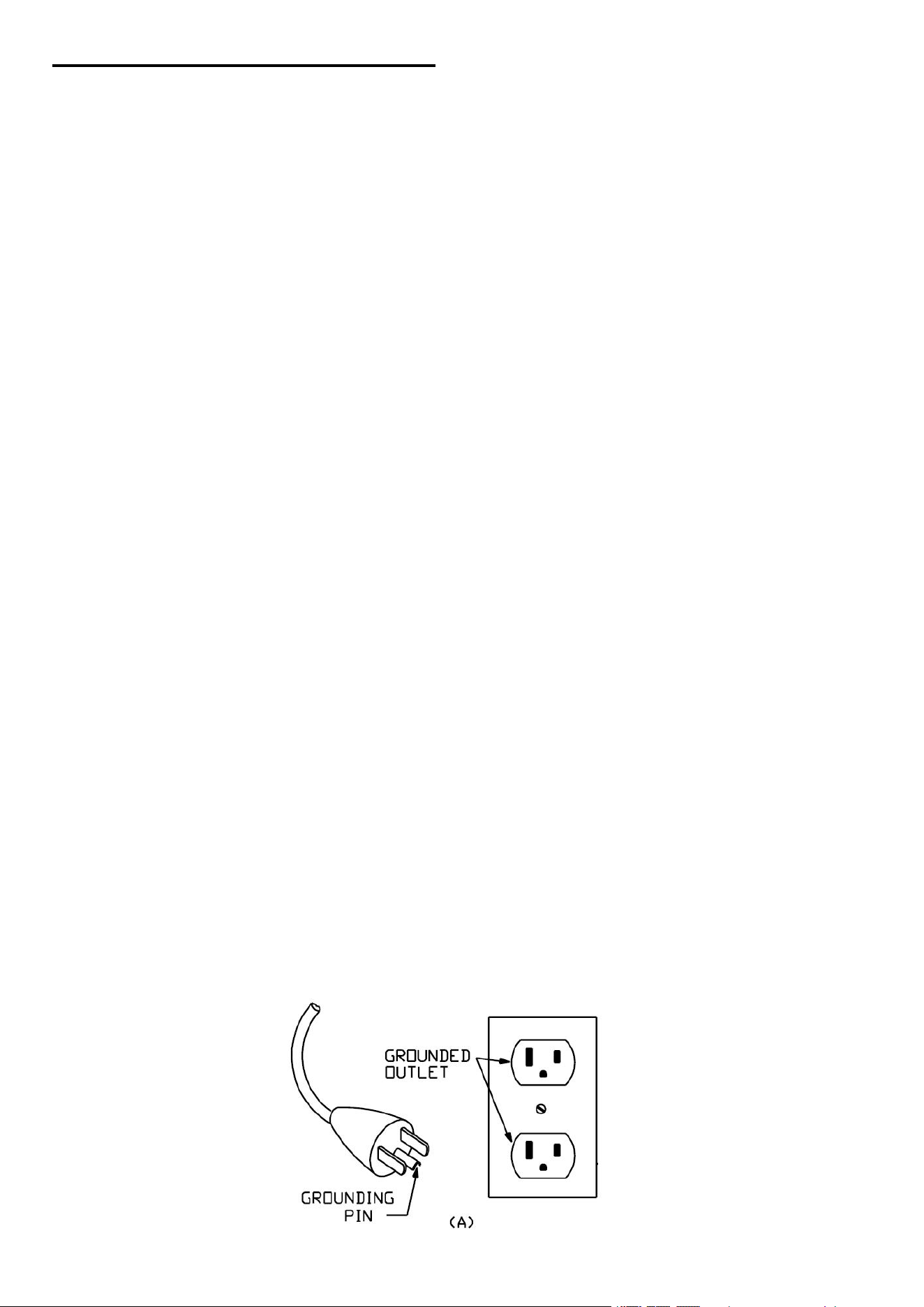
This product is for use on a nominal 120V circuit and has a grounding plug that looks like
the plug illustrated in sketch A.
DANGER:
Improper connection of the equipment can result in a risk of electric shock. Check with a
qualified electrician or serviceman if you are unsure whether the product has been
properly grounded. Do not modify the plug provided with this product. If it will not fit the
outlet, have a proper outlet installed by a qualified electrician.
WARNING!
1. NEVER use a ground fault circuit interrupt (GFCI) wall outlet with this treadmill. Route
the power cord away from all moving parts of the treadmill, including the elevation
mechanism and transportation wheels.
2. NEVER operate the treadmill using a generator or UPS power supply.
3. NEVER remove any cover on the treadmill without first disconnecting power cord.
4. NEVER expose the treadmill to rain or moisture. This treadmill is not designed for
outdoor use or use in any high humidity environment.
GROUNDING METHOD
14
The Display Console
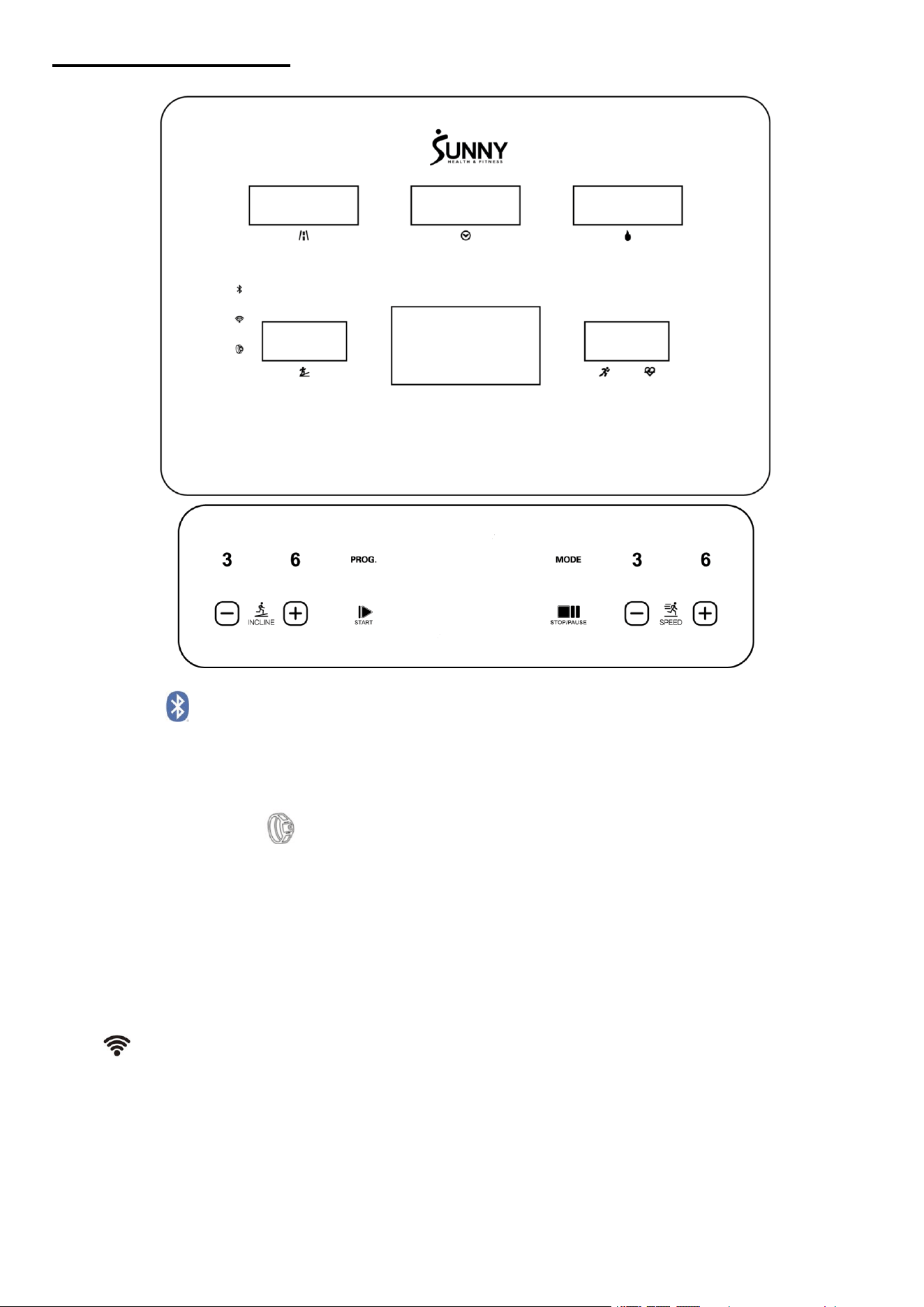
Bluetooth :
1. The Bluetooth icon will flash when the console is on or wakes from power saving mode. If no Bluetooth
connection is established within 3 minutes, the Bluetooth icon will turn off.
2. The Bluetooth icon will stay on when it is connected.
Wireless Heart Rate
1.The wireless heart rate icon will stay on when the heart rate monitor is connected.
2.The console can be connected to the heart rate monitor at any time except in power saving mode.
3.The wireless heart rate icon will flash when the console is on. If the heart rate monitor is not connected
within 3 minutes, the wireless heart rate icon will turn off.
NOTE: The heart rate monitor is not included. Wireless heart rate function works with SunnyFit Heart Rate
Monitor HR200.
WiFi :
1. If access point is not configured or fails to be configured, the WIFI indicator light will turn off.
2. After configuring access point, the WIFI indicator light will flash during the connection to the server.
3. The WIFI indicator light will stay on when the server is successfully connected.
NOTE:
1. WIFI function only supports 2.4G frequency, not 5G frequency.
2. Please use SunnyFit APP to configure WIFI and configure it according to the wizard on SunnyFit APP.
15
Quick Start:
1. Insert the pin end of the Safety Key into the holes on the Console Top Cover.
2. Press the START button, and the system will automatically display a 3 seconds countdown. Once the
countdown reaches zero, the Running Belt will start at the initial default speed of 1.0 MPH or 1. 0 KM/H.
3. To adjust the speed, you can use the SPEED +/- buttons on the Panel Top Cover or on handrails, the
QUICK SPEED buttons 3, 6 MPH(KM/H).
4. To adjust the incline, you can use the INCLINE +/- buttons on the Panel Top Cover or on handrails, the
QUICK INCLINE buttons 3, 6.
NOTE: The maximum speed on this treadmill is 12.0MPH or 19.0KM/H.
Window Display:
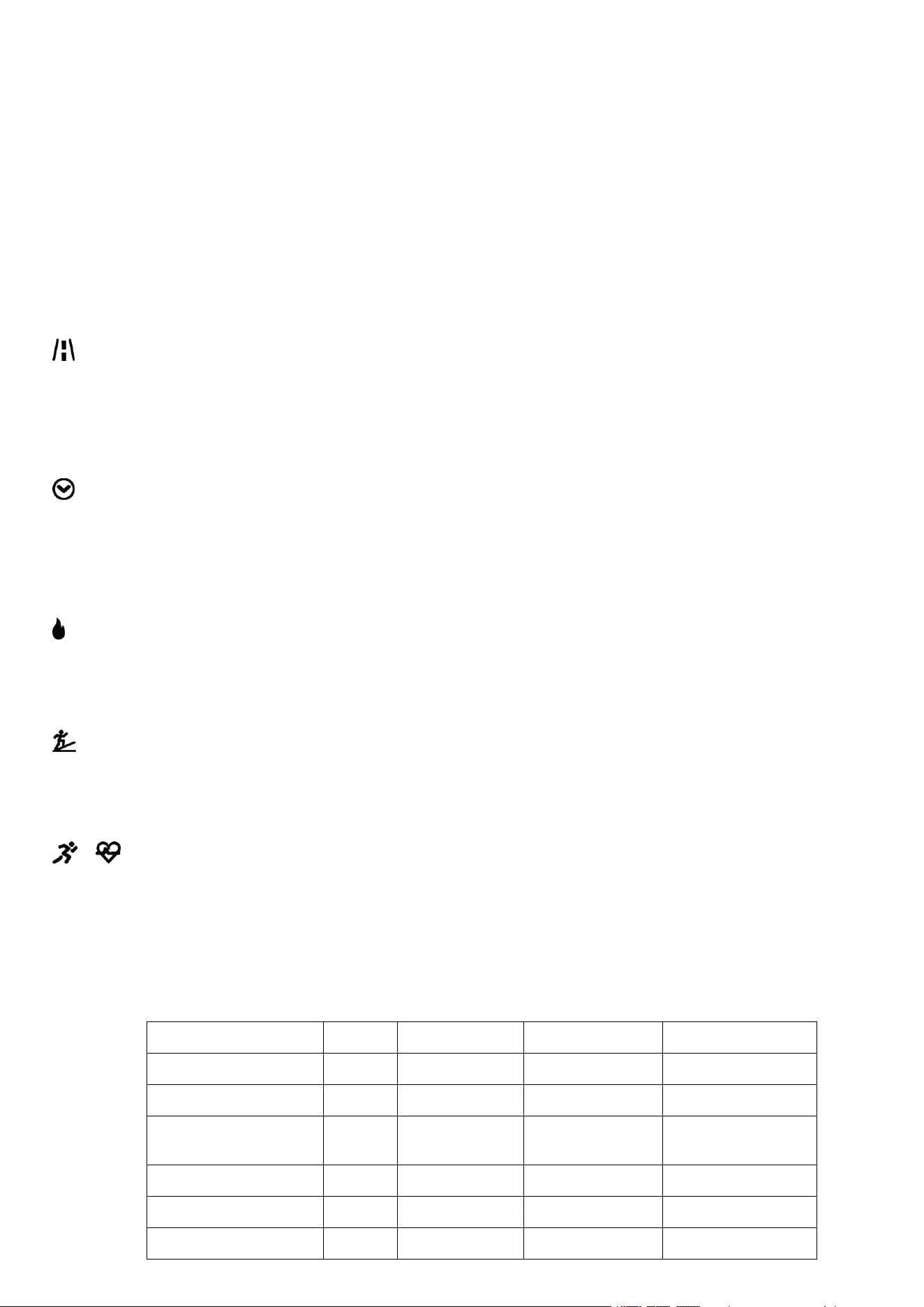
DISTANCE: Displays the distance traveled (0.0-99.9 MILES/KM). When the distance reaches 99.9
MILES/KM, it will reset to 0.00 and begin counting again from 0.0. When in Countdown Mode, it will count
down from the set distance to 0.00. When it reaches 0.00, the treadmill will stop smoothly and display “End”
and automatically reset to the initial setting after 5 seconds.
When setting PROGRAMS, Distance window will display P1-P2-…-P24-U1-U2-U3-FAT.
TIME: Displays the time elapsed (0:00-99:59 MINS). If the time reaches 99:59, the treadmill will stop
smoothly and display “PAUSE” then the data will keep and press “START” button to go on.
When in Countdown Mode, it will count down from the set time to 0:00. When the clock reaches 0:00, the
treadmill will stop smoothly and display “End” then automatically reset itself after 5 seconds. Maximum
Countdown time is 99:00 minutes: seconds.
CALORIES: Displays the number of calories burned from 0 to 999 KCAL. When the count reaches 999
KCAL, it will reset and start back from 0. When in Countdown Mode, it will count down from the desired
setting to 0. Once it reaches 0, the treadmill will stop smoothly and display “End”, then automatically reset
to the initial setting after 5 seconds.
INCLINE: Displays the incline from 0-15 level.
MATRIX: The matrix window will display a 0.25 MILE or 0.4KM running track. Once you finish running the
lap, the machine will beep and show the number of laps you’ve completed. When in Countdown Mode, this
window will display "T", "D", "C".
/ SPEED / PULSE: The speed range is 1.0-12.0 MPH or 1.0-19.0KM/H. 1.0MPH or 1.0KM/H is the
default running speed.
When the runner holds both hands on the pulse sensors (located on the handles) or wear a compatible
heart rate monitor, the system will calculate the runner’s heart beat and display it in this window. The pulse
range is 50-200 beats/min.
NOTE: This data is just for reference and cannot be used for medical purposes.
PROGRAMS
Initial
Default Value
Set Range
Display Range
TIME (MIN: SECOND)
0:00
15:00
5:00-99:00
0:00
-
99:59
INCLINE
0
0
0-15
0-15
SPEED (MPH or KM/H)
1.0MPH
1.0KM/H
1.0MPH
1.0KM/H
1.0-12.0MPH
1.0-19.0KM/H
1.0-12.0MPH
1.0-19.0KM/H
DISTANCE (MILE/KM)
0.00
1.00
0.50-99.9
0.00-99.9
PULSE (BPM)
P
N/A
N/A
50-200
CALORIE (KCAL)
0.0
50
10-999
0.0
-
999

16
Console Function Keys:
PROGRAM: Press the PROGRAM button to set your desired interval setting. Programs are displayed as
P1-P2---P24-U1-U2-U3 and FAT and the various intervals are shown on the face of the treadmill. P1-P24 are
preset programs. U1, U2, U3 are 3 user self-define programs.
MODE: When stopped, press this button to select a Countdown mode.
15:00 MINS is the set Countdown for TIME.
1.0 Mile/KM is the set Countdown for DISTANCE.
50 KCAL is the set Countdown for CALORIES.
When setting each Countdown Mode, you can press the SPEED +/– buttons or INCLINE +/– buttons to
increase or decrease from the set data. Press START to start the treadmill.
START: To start the treadmill, insert the pin end of the Safety Key into the holes on the Console Top Cover
and then press the START button. This treadmill requires the Safety Key in order to start. 1.0 MPH is the
default start speed.
STOP/PAUSE: When in use, press this button once to PAUSE your workout and the current workout data
will still be shown. Press ”STOP/PAUSE” button again to terminate your workout session completely and all
data will be deleted and reset to the initial setting. in the STOP state, press and hold the ”STOP/PAUSE”
button for 6 seconds to disconnect the heart rate monitor. To reconnect the heart rate monitor, press and
hold the “STOP/PAUSE” button for 6 seconds again.
SPEED +/–: Press the +/- buttons to increase or decrease the speed in increments of 0.1 MPH(KM/H).
Pressing and holding either of these buttons for a duration of over ½ of a second will increase or decrease
the speed continually.
3, 6 (QUICK SPEED): These buttons are preset to 3, 6 MPH(KM/H) speeds for convenience.
INCLINE +/–: Press these buttons to adjust incline level. When the treadmill is running, press the +/- buttons
to increase or decrease the incline level. Pressing and holding either of these buttons for duration of over ½
a second will increase or decrease the incline level continually.
The incline levels range from 0-15.
3, 6 (QUICK INCLINE): These buttons are preset to 3, 6 inclines for convenience.
Handrail Function Keys:
SPEED +/– (ON RIGHT HANDRAIL): Press the +/- buttons to increase or decrease the speed in increments of
0.1 MPH. Pressing and holding either of these buttons for a duration of over ½ of a second will increase or
decrease the speed continually.
INCLINE ∧/∨ (ON LEFT HANDRAIL): Press the ∧/∨ buttons to increase or decrease the incline in
increments of 1. Pressing and holding either of these buttons for a duration of over ½ of a second will
increase or decrease the incline continually.
Lubrication Reminder:
Your treadmill needs lubrication maintenance every 300km (188 Miles). The system will release a beeping
sound every 10 seconds and display an “OIL” icon on your display to remind you when it is time. Please read
LUBRICATING THE TREADMILL to learn the proper steps to lubricate your treadmill. Apply the lubricant to
the middle of the running board on both sides. After application, press and hold the STOP button for 3
seconds to clear the “OIL” reminder.
How To Switch Between Metric and Imperial Mode:
In standby mode, remove the safety key, press SPEED+ and SPEED- buttons at the same time and hold for 5
seconds until you hear a beep. The treadmill should switch between metric and imperial mode. The speed
window will show “19” in Metric mode and show “12” in Imperial mode.
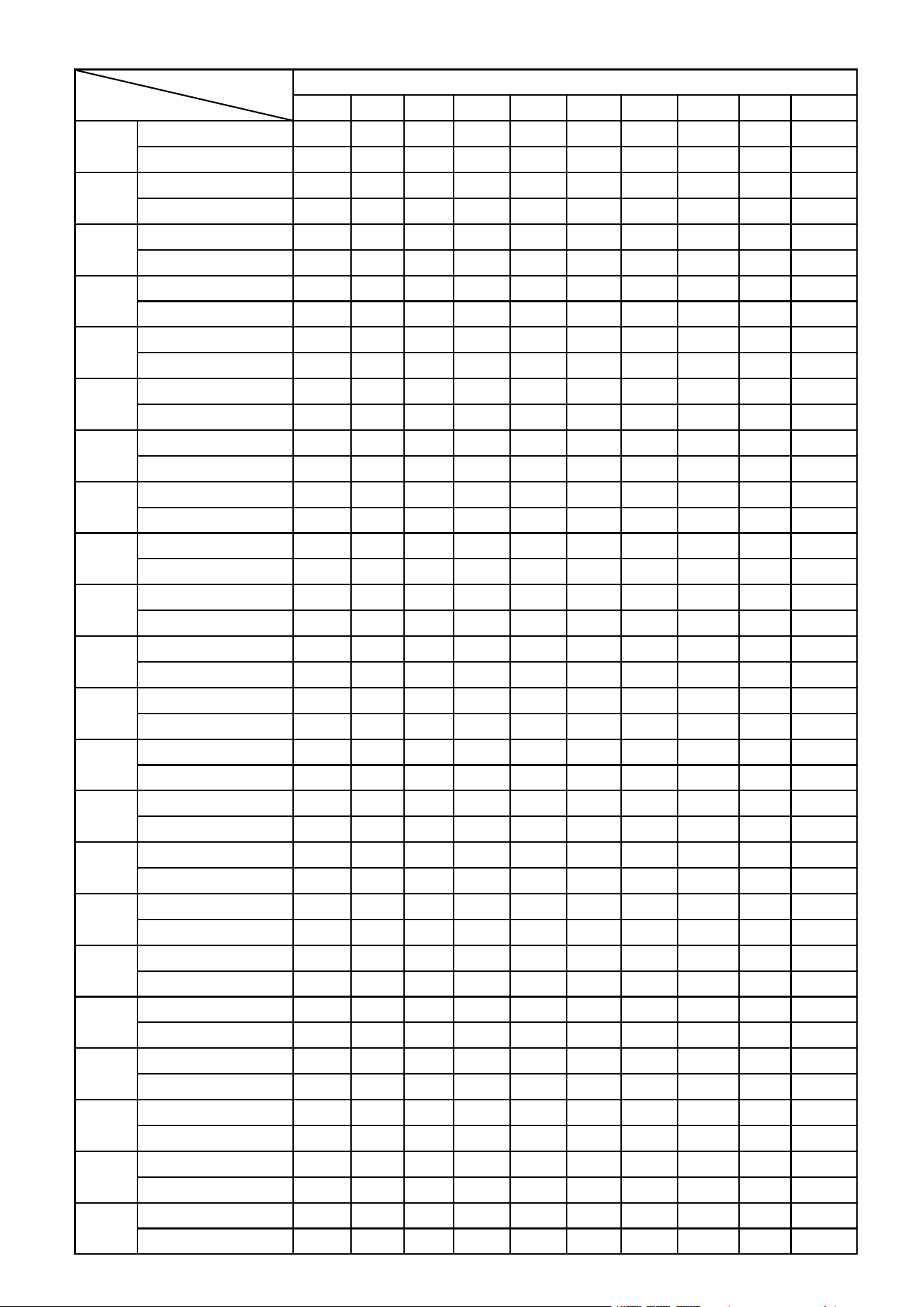
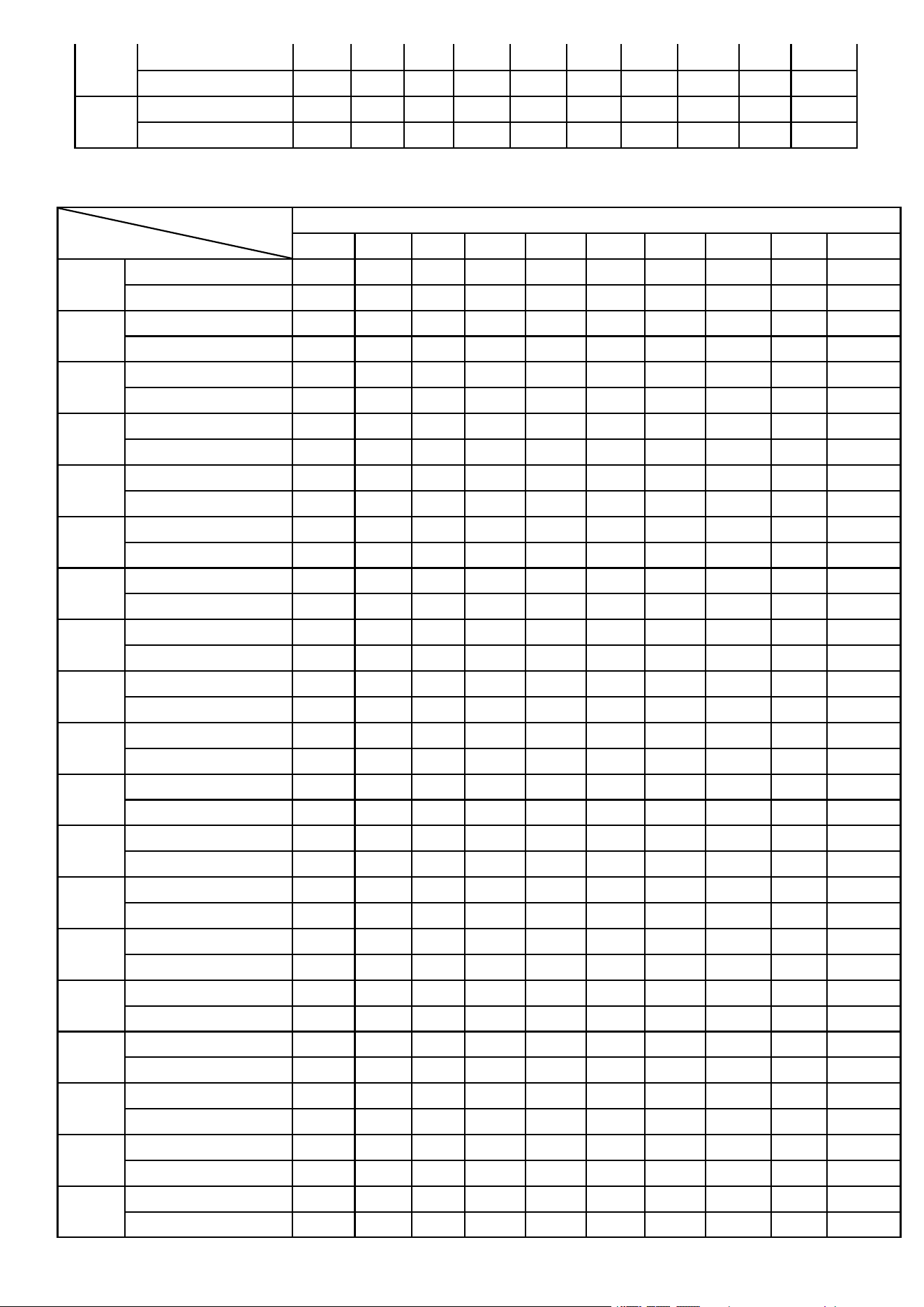
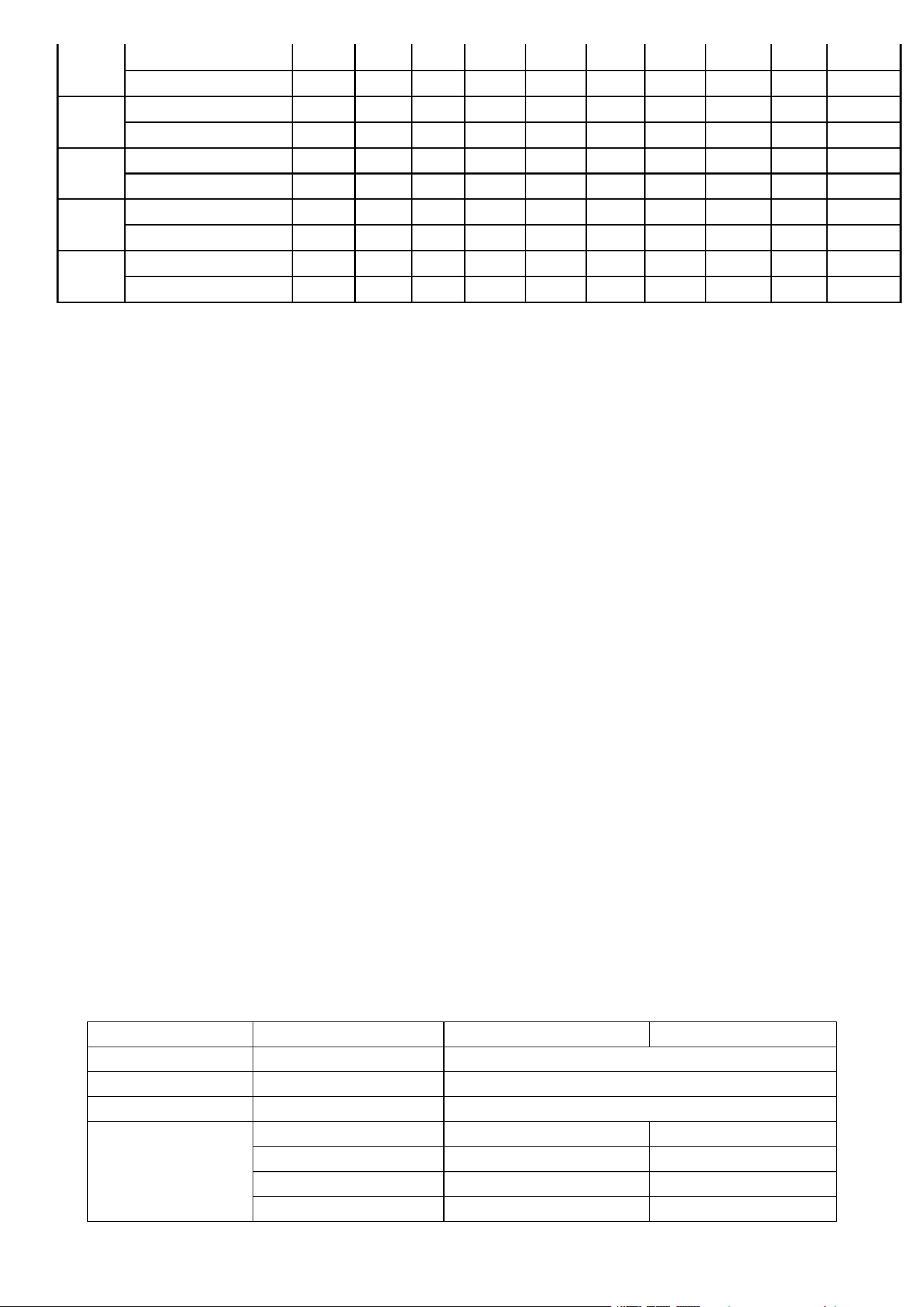
Interval Programs (P1-P24):
Press the PROGRAM button to select an interval setting. Programs are displayed as P1-P24. Select the
desired program, and the console will display a countdown starting from 10:00 MINS, press INCLINE +/-
buttons or SPEED +/- buttons or SPEED +/– buttons or INCLINE ∧/∨ buttons (AT HANDRAIL) if you wish to
increase or decrease the exercise time. Press the START button to start the interval program. The interval
program is divided into 10 sections. Each exercise time equals the setting time divided by 10. When the
speed enters the next interval, the treadmill will beep, and the speed will be changed according to the set
interval. Press INCLINE +/- UP/DOWN buttons or SPEED +/- UP/DOWN buttons or SPEED +/– buttons or
INCLINE ∧/∨ buttons (AT HANDRAIL) to change the INCLINE and. After finishing one program, the system
will beep and display “End”. The machine will gradually come to a stop, then automatically reset to the
initial setting after 5 seconds.
17
TIME
PROG.
TIME INTERVAL= setting time/10
1
2
3
4
5
6
7
8
9
10
P1
SPEED(MPH)
1.2
2.5
1.8
2.5
1.8
3.1
2.5
1.2
3.1
1.8
INCLINE
1
2
3
3
1
2
2
3
2
2
P2
SPEED(MPH)
1.2
3.7
4.3
5
1.8
3.7
5
4.3
3.1
1.2
INCLINE
1
2
3
3
2
2
3
4
2
2
P3
SPEED(MPH)
1.8
5
1.8
5
3.1
5.6
3.1
5.6
7.5
3.7
INCLINE
1
3
5
7
9
10
8
6
5
2
P4
SPEED(MPH)
5
6.2
6.8
7.5
7.5
6.8
6.2
6.2
5.6
5
INCLINE
1
2
2
3
1
2
2
2
2
1
P5
SPEED(MPH)
3.7
6.2
7.5
5.6
6.8
5
7.5
4.3
5.6
1.8
INCLINE
1
2
4
3
2
2
4
5
2
1
P6
SPEED(MPH)
1.2
5
3.7
6.2
6.2
5.6
6.8
5
3.1
1.8
INCLINE
2
2
3
2
3
4
5
6
5
3
P7
SPEED(MPH)
1.2
3.7
4.3
5.6
4.3
5.6
3.7
3.1
2.5
1.2
INCLINE
4
5
6
6
9
9
10
12
6
3
P8
SPEED(MPH)
1.2
2.5
3.7
5
4.3
5
5.6
3.7
2.5
1.2
INCLINE
3
5
4
4
3
4
4
3
3
2
P9
SPEED(MPH)
1.2
2.5
3.1
4.3
3.7
3.1
5
3.7
1.8
1.2
INCLINE
3
5
3
4
2
3
4
2
3
2
P10
SPEED(MPH)
1.2
1.8
3.1
1.8
1.8
3.1
1.8
3.7
1.8
1.8
INCLINE
4
4
3
6
7
8
8
6
3
3
P11
SPEED(MPH)
1.2
3.1
5
6.2
3.7
5.6
3.1
1.8
1.2
1.2
INCLINE
1
3
5
8
10
7
6
3
2
3
P12
SPEED(MPH)
1.2
3.1
3.1
2.5
2.5
3.7
2.5
1.2
1.8
2.5
INCLINE
3
5
6
7
12
9
11
11
6
3
P13
SPEED(MPH)
1.2
4.3
2.5
4.3
5
5.6
2.5
3.1
1.8
1.2
INCLINE
5
6
6
4
6
5
8
9
4
2
P14
SPEED(MPH)
1.2
3.7
3.1
2.5
5
3.7
3.1
1.2
1.8
1.8
INCLINE
5
6
5
8
4
5
5
10
6
3
P15
SPEED(MPH)
1.2
3.7
3.1
2.5
5
4.3
3.1
1.8
1.8
1.2
INCLINE
3
4
5
6
3
5
5
6
4
3
P16
SPEED(MPH)
1.2
3.1
4.3
3.1
5
3.7
3.1
1.2
2.5
1.2
INCLINE
1
5
6
8
12
9
10
9
5
3
P17
SPEED(MPH)
1.2
3.1
3.7
4.3
5
5.6
5
3.1
1.8
2.5
INCLINE
3
5
6
8
6
5
8
7
5
3
P18
SPEED(MPH)
1.2
1.8
3.1
3.7
5
3.7
5.6
3.7
3.1
1.2
INCLINE
5
7
5
8
6
5
9
10
6
2
P19
SPEED(MPH)
1.8
4.3
3.7
3.1
5.6
4.3
3.7
1.8
3.1
1.2
INCLINE
3
5
6
8
5
6
5
12
8
3
P20
SPEED(MPH)
1.8
4.3
5.6
6.2
6.8
7.5
6.2
5
3.1
1.2
INCLINE
2
5
6
7
6
5
8
6
3
2
P21
SPEED(MPH)
1.8
3.7
5
4.3
5.6
6.2
3.1
5
1.8
1.2
INCLINE
3
6
8
9
9
6
8
10
6
3
P22
SPEED(MPH)
1.8
3.1
5
3.7
5.6
6.2
5
7.5
3.7
1.8
INCLINE
2
6
8
10
12
10
12
8
5
2
18
P23
SPEED(MPH)
1.8
3.1
5.6
6.8
7.5
5
3.7
3.1
1.8
1.2
INCLINE
2
6
8
10
9
7
8
10
6
3
P24
SPEED(MPH)
1.8
5
6.2
6.8
7.5
6.2
6.2
5
3.1
1.8
INCLINE
3
6
8
9
10
12
9
6
3
2
TIME
PROG.
TIME INTERVAL= setting time/10
1
2
3
4
5
6
7
8
9
10
P1
SPEED(KM/H)
2
4
3
4
3
5
4
2
5
3
INCLINE
1
2
3
3
1
2
2
3
2
2
P2
SPEED(KM/H)
2
6
7
8
3
6
8
7
5
2
INCLINE
1
2
3
3
2
2
3
4
2
2
P3
SPEED(KM/H)
3
8
3
8
5
9
5
9
12
6
INCLINE
1
3
5
7
9
10
8
6
5
2
P4
SPEED(KM/H)
8
10
11
12
12
11
10
10
9
8
INCLINE
1
2
2
3
1
2
2
2
2
1
P5
SPEED(KM/H)
6
10
12
9
11
8
12
7
9
3
INCLINE
1
2
4
3
2
2
4
5
2
1
P6
SPEED(KM/H)
2
8
6
10
10
9
11
8
5
3
INCLINE
2
2
3
2
3
4
5
6
5
3
P7
SPEED(KM/H)
2
6
7
9
7
9
6
5
4
2
INCLINE
4
5
6
6
9
9
10
12
6
3
P8
SPEED(KM/H)
2
4
6
8
7
8
9
6
4
2
INCLINE
3
5
4
4
3
4
4
3
3
2
P9
SPEED(KM/H)
2
4
5
7
6
5
8
6
3
2
INCLINE
3
5
3
4
2
3
4
2
3
2
P10
SPEED(KM/H)
2
3
5
3
3
5
3
6
3
3
INCLINE
4
4
3
6
7
8
8
6
3
3
P11
SPEED(KM/H)
2
5
8
10
6
9
5
3
2
2
INCLINE
1
3
5
8
10
7
6
3
2
3
P12
SPEED(KM/H)
2
5
5
4
4
6
4
2
3
4
INCLINE
3
5
6
7
12
9
11
11
6
3
P13
SPEED(KM/H)
2
7
4
7
8
9
4
5
3
2
INCLINE
5
6
6
4
6
5
8
9
4
2
P14
SPEED(KM/H)
2
6
5
4
8
6
5
2
3
3
INCLINE
5
6
5
8
4
5
5
10
6
3
P15
SPEED(KM/H)
2
6
5
4
8
7
5
3
3
2
INCLINE
3
4
5
6
3
5
5
6
4
3
P16
SPEED(KM/H)
2
5
7
5
8
6
5
2
4
2
INCLINE
1
5
6
8
12
9
10
9
5
3
P17
SPEED(KM/H)
2
5
6
7
8
9
8
5
3
4
INCLINE
3
5
6
8
6
5
8
7
5
3
P18
SPEED(KM/H)
2
3
5
6
8
6
9
6
5
2
INCLINE
5
7
5
8
6
5
9
10
6
2
P19
SPEED(KM/H)
3
7
6
5
9
7
6
3
5
2
INCLINE
3
5
6
8
5
6
5
12
8
3
19
Self-Define Program
Besides 24 inner installed programs, there are 3 user self-define programs: U1, U2, U3.
1.User self-define program setting:
In the initial situation, press “PROG” continually till U1, U2, U3, and the “TIME” window glitter, show the time
10:00, press “speed+”, “speed-” to set the running time; press “MODE” to set program data, set the first
interval time, press “speed+”, “speed-” or press speed shortcut button or SPEED +/– buttons (AT HANDRAIL)
to set the speed, press INCLINE “+/-” or press incline shortcut button or INCLINE ∧/∨ buttons (AT
HANDRAIL) to set the incline; then press “MODE” button to finish the first interval time and enter into the
second interval time, until finish 10 interval time. The data will be kept until the next setting. the data will
not be lost when powered off.
2. User self-define program starting:
When the machine is waiting for operation, press the “PROG” button continuously till U1, U2, U3, set the
running time then press “START” button to start the machine.
3. User self-define program instruction:
Each program will be divided into 10-time sections, set the speed in each interval time, then press “START”
button to run the machine.
Body Mass Index
:
Press the PROGRAM button until the window displays FAT to access Body Mass Index. Press MODE to enter
F-1, F-2, F-3, F-4, F-5.
F-1 SEX, F-2 AGE, F-3 HEIGHT, F-4 WEIGHT, F-5 is Body Mass Index
Press SPEED +/- BUTTONS to set F1-F4 (refer to the chart below). Once you have finished setting F1-F4,
press MODE. This will enter you into the set up for F-5 (Body Mass Index). To set F-5, grasp the Pulse Sensors
located on the handles with both hands and hold them for 3 seconds. The window will display your body
mass index. The Body Mass Index is used to test the relation between your height and weight. It is only for
reference not suitable for medical use. The Body Mass Index is suitable for both male and female.
NOTE: General Body Mass Index score is 20-25%
Underweight Below 19.0
Normal 20.0 – 25.0
Overweight 26.0 – 29.0
Obesity 30.0 – and above
Body Mass Index (BMI) Chart:
F-1
Sex
01 Male
02 Female
F-2
Age
10---99
F-3
Height
100---200 CM (40---80 INCHES)
F-4
Weight
20---150 KG (44---330 LBS)
F-5
BMI
≤19
Underweight
BMI
=(20---25)
Normal Weight
BMI
=(26---29)
Overweight
BMI
≥30
Obesity
P20
SPEED(KM/H)
3
7
9
10
11
12
10
8
5
2
INCLINE
2
5
6
7
6
5
8
6
3
2
P21
SPEED(KM/H)
3
6
8
7
9
10
5
8
3
2
INCLINE
3
6
8
9
9
6
8
10
6
3
P22
SPEED(KM/H)
3
5
8
6
9
10
8
12
6
3
INCLINE
2
6
8
10
12
10
12
8
5
2
P23
SPEED(KM/H)
3
5
9
11
12
8
6
5
3
2
INCLINE
2
6
8
10
9
7
8
10
6
3
P24
SPEED(KM/H)
3
8
10
11
12
10
10
8
5
3
INCLINE
3
6
8
9
10
12
9
6
3
2
20
Treadmill Functions
Safety Lock Function:
Removing the Safety Key from the Console Top Cover while the treadmill is running will cause it to stop
immediately. Once the treadmill reaches a full stop, the window display of the console will show“- - -”and
the speaker will beep 3 times. To start the treadmill again, insert the pin end of the Safety Key into the
Console Top Cover and press the START button.
Power Save Function:
When the treadmill has been inactive for 10 minutes, it will enter Power Saving Mode. While the treadmill is
in this mode, the window display of the Console Top Cover will be turned off. To turn it back on, press any
button.
POWER ON:
Flick the power switch to this symbol to turn on the treadmill.
POWER OFF:
Flick the power switch to this symbol to turn the treadmill off at any time. This includes during exercise.
Safety Note:
We recommend that you maintain a slow speed at the beginning of a session and hold the Console Top
Cover handrails until you have become familiar with the treadmill.
Insert the pin end of the Safety Key into the holes on the Console Top Cover and attach the opposite end
(containing the safety clip on it) to your clothing before starting your workout. To end your workout, press
the STOP button or remove the Safety Key and the treadmill will stop immediately.
Exercise Instructions
Getting Started:
Before starting any exercise program, you should consult your physician to determine if you have
any medical or physical conditions that could put your health and safety at risk or prevent you
from using the equipment properly.
Be aware of your body’s signals. Incorrect or excessive exercise can damage your health. Stop
exercising immediately if you experience any of the following symptoms: pain, tightness in your
chest, irregular heartbeat, shortness of breath, lightheadedness, dizziness, or feelings of nausea.
Get to know your treadmill. Before attempting to use the treadmill take some time to stand
alongside and familiarize yourself with the controls.
1. Once you get on, you can stand with your feet on the Side Rails and stabilize yourself by
holding onto the handrails.
2.
Next, attach the clip end of the Safety Key to your clothes and insert the pin end of the key
into the holes on the Console Top Cover.
3.
Press the START button to start the treadmill.
4.
The treadmill will start at the system default setting speed of 1.0MPH (1.0KM/H). When you feel
comfortable, you may slowly increase this speed.
5.
When you are finished with your exercise, press the STOP button to stop the treadmill or you
can remove the pin end of the to stop the treadmill.
USB CHARGING: You can charge your device by the USB port.
21
APP Connection:
Connect Smart Equipment to SunnyFit App:
1. Scan to download SunnyFit from the app store:
2. Ensure that the Bluetooth function is turned on from your mobile device.
3. If this is your first time using the SunnyFit app, follow the in-app instructions to register for your
free SunnyFit account and log in.
4. Begin any workout activity that matches your smart equipment, then follow the onscreen
prompts to search for and connect to your smart equipment.
5. When connected, your stats and records will be displayed at the end of your course/session and
recorded in your account profile!
APP Troubleshooting:
If you are having trouble connecting your smart equipment, visit www.sunnyfit.com/guide or
scan the QR code below:
If you require additional support, please contact support@sunnyfit.com.
22
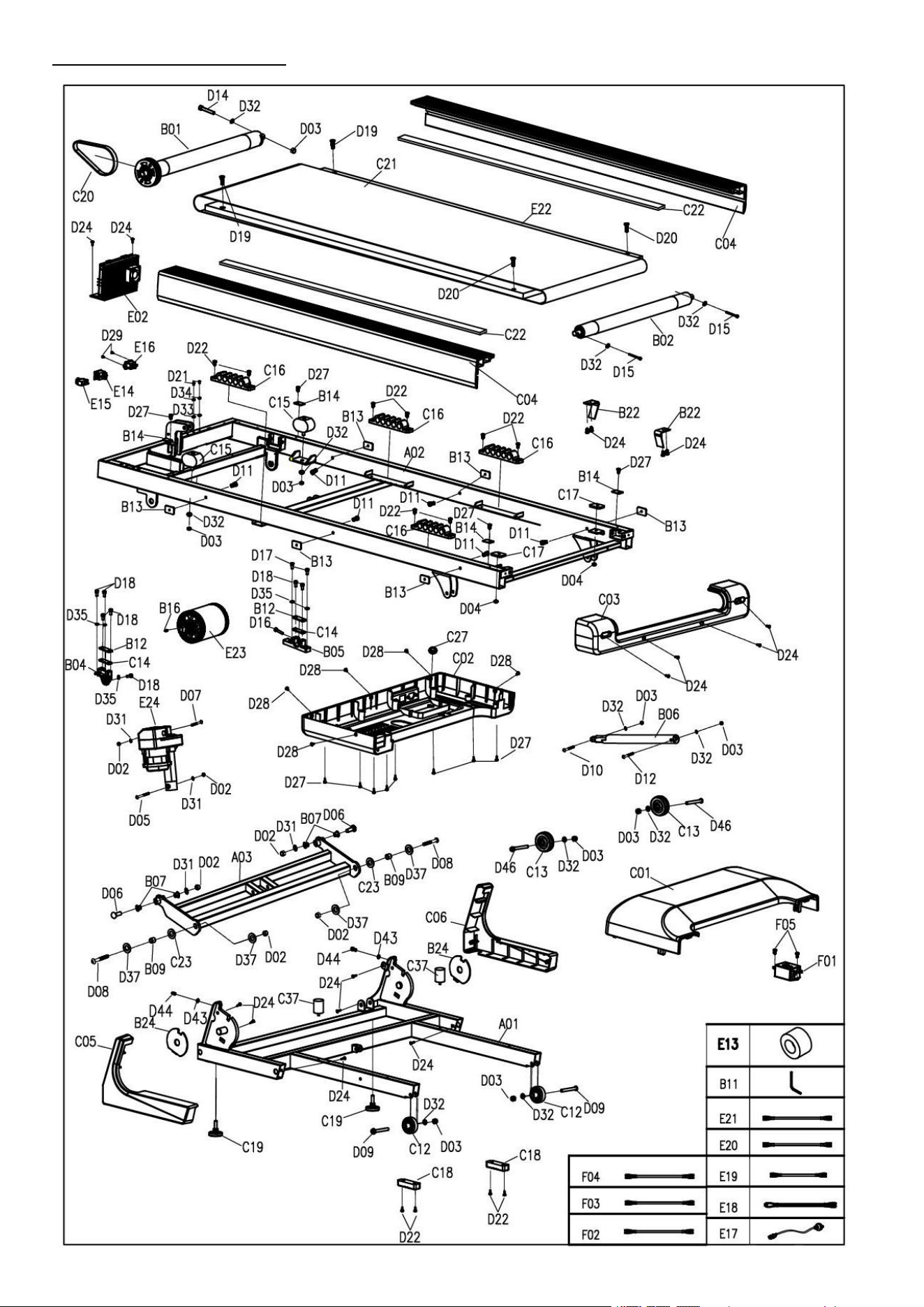
Troubleshooting
PROBLEM
POSSIBLE CAUSE
SUGGESTED ACTION
Treadmill will not
start
Not plugged in.
Plug cord into outlet.
Safety Key is not inserted.
Insert Safety Key.
Running belt not
centered
Running belt tension is not
correct on the left or right
sides of the running board.
Tighten the left and right adjusting bolts of the rear
roller.
Computer not
working
Wires from the console and
bottom control board are
not properly connected.
Check wire from the console to the control board.
Transformer is damaged.
If the transformer is damaged, contact customer
service.
E01/E15: Message
failure
Wires from the console and
bottom control board are
not properly connected.
Check wire connections from the console to the control
board. If the wire has been punctured or damaged, you
will need to replace it. If the problem is not rectified,
you may need to replace the control board.
E03: No hall signal
Hall signal cannot be
received by the motor.
Check if the motor hall sensor plug is not inserted
properly, or the sensor wire of control board is broken or
damaged; If the sensor signal circuit on the control
board is abnormal, replace the control board; Replace
the motor if the Hall signal inside the motor fails or is
damaged.
E04: Incline
failure
The incline motor is
damaged or the wire for the
incline motor is not
connected properly or has
become damaged
Re-connect or replace the wire for the incline motor.
Replace the incline motor with a new one if
damaged. Check the control board, replace if damaged.
Press incline self-inspection button of the control board
once replace a new control board or a new motor.
E06: Current
overload
protection (Self
Protecting
System)
The incoming voltage is too
low or too high. The control
board is damaged.
Press the Overload Protector to restart the treadmill.
Restart the treadmill. Check the incoming voltage to
ensure it’s correct. Check the control board, replace if
damaged.
A moving part of the
treadmill is stuck and
therefore, the motor is
unable to rotate properly.
Inspect moving parts of the treadmill to ensure that
they are operating correctly. Check the motor, listen for
strange noise and check for a burning smell. Replace
the motor if necessary.
E08: Overheat
protection
The treadmill is overloaded,
make the current is too
high, the control board is
damaged.
Wait the temperature of control board drop; Check
whether the fan rotates and replace the fan.
Add the lubricating oil; Replace the control board if
necessary.
23
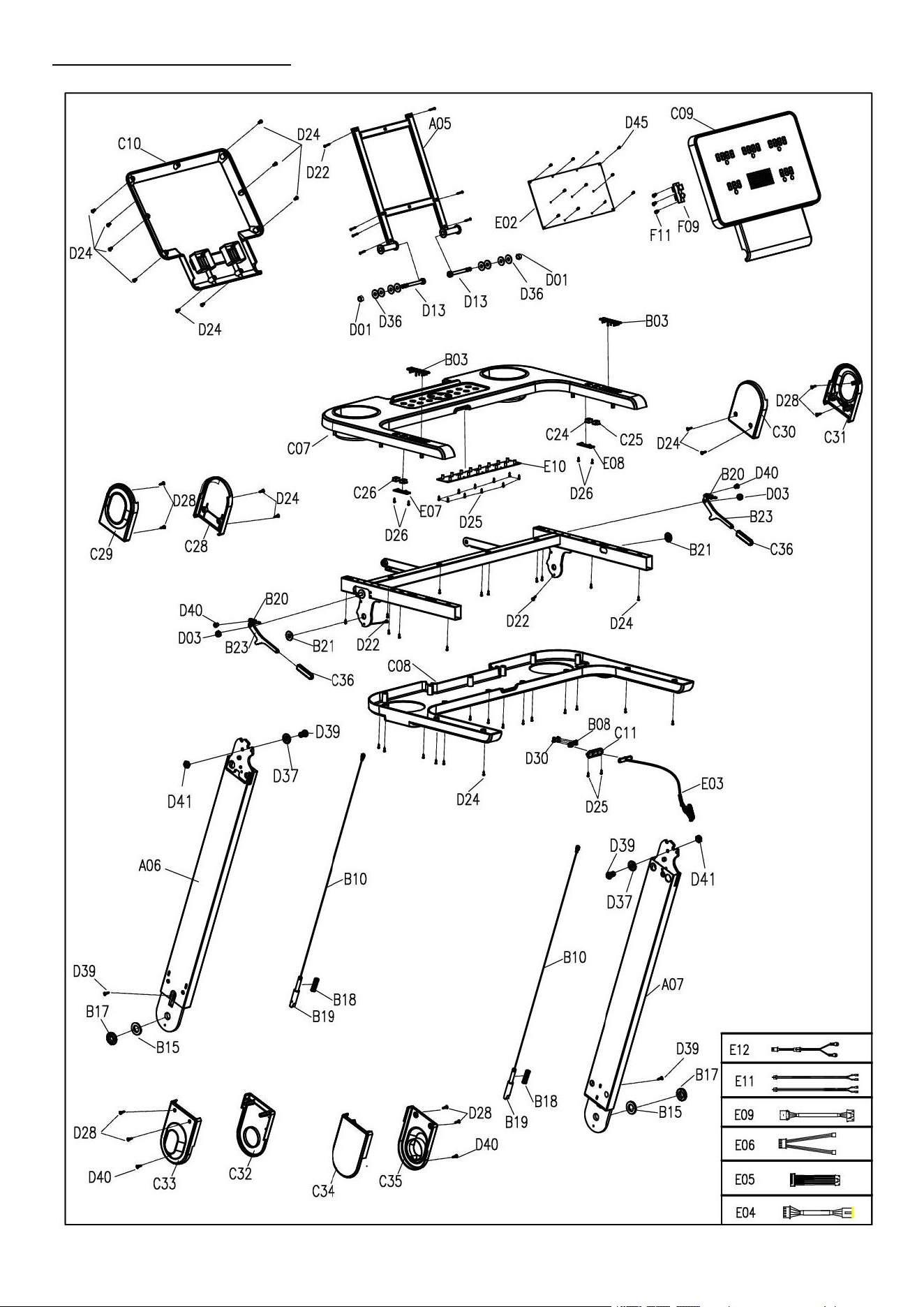
Exploded Diagram 1
24
Exploded Diagram 2
25
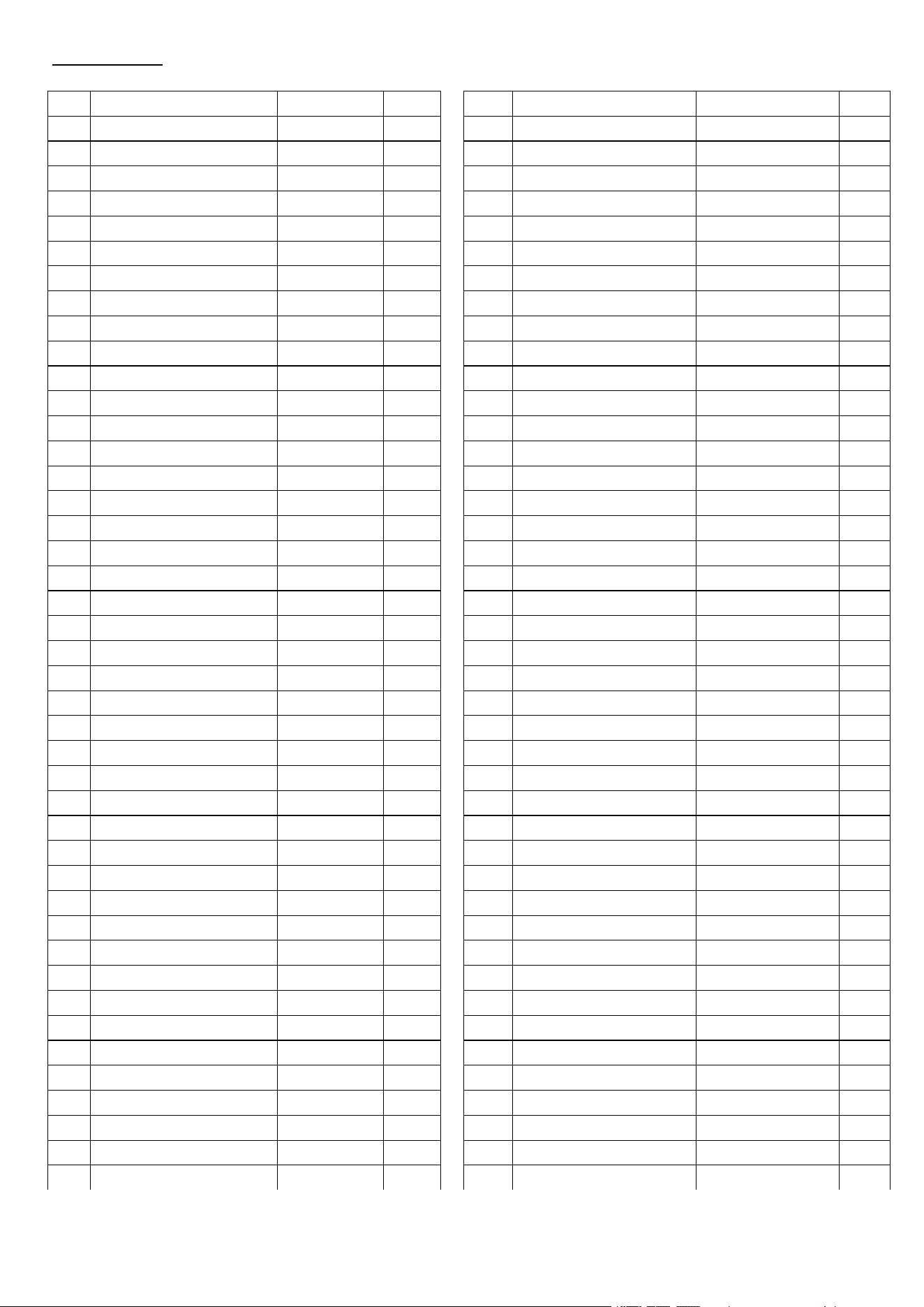
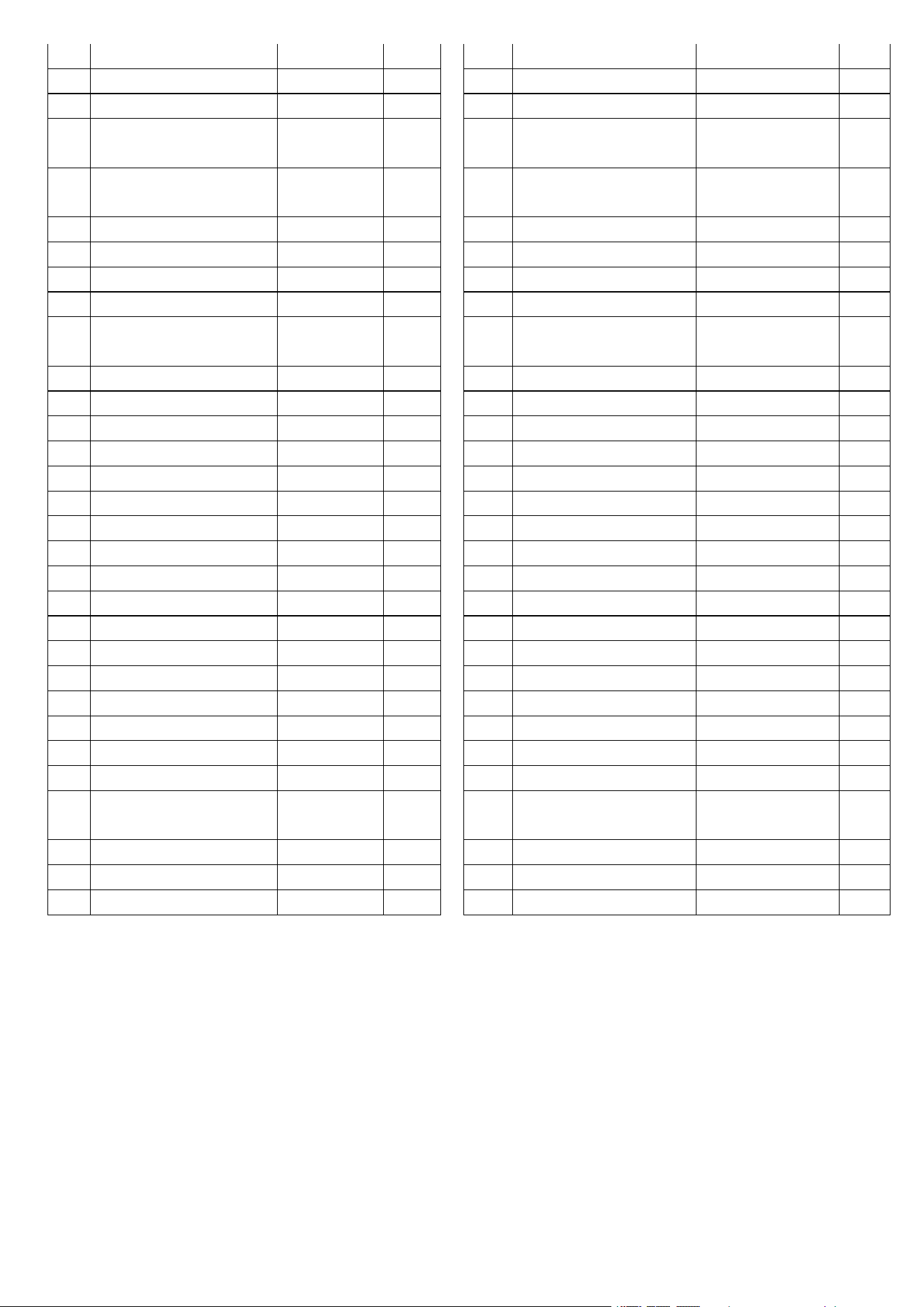
Parts List
No.
Description
Specification
Qty.
No.
Description
Specification
Qty.
A01
Base Frame
1
C13
Adjustable Wheel
2
A02
Main Frame
1
C14
Fixed Plate
2
A03
Incline Frame
1
C15
Cushion
2
A04
Console Base Bracket
1
C16
Middle Cushion
4
A05
Panel Fixed Bracket
1
C17
Rubber Cushion
2
A06
Left Upright Tube
1
C18
Foot Pad
2
A07
Right Upright Tube
1
C19
Adjustable Foot pad
2
B01
Front Roller
1
C20
Motor Belt
1
B02
Rear Roller
1
C21
Running Belt
1
B03
Hand Pulse Sheet
4
C22
EVA Pad
2
B04
Motor Mount Aluminum L
1
C23
Plastic Gasket
Φ30*3
2
B05
Motor Mount Aluminum R
1
C24
Button”+”
1
B06
Air Cylinder
1
C25
Button”-”
1
B07
Incline Frame Bushing
4
C26
Button
2
B08
Spring
2
C27
Ring-shaped Plug
1
B09
Turning Bushing
2
C28
Left Upper Inside Cover
1
B10
Wire Rope
2
C29
Left Upper Outside Cover
1
B11
Allen Wrench
1
C30
Right Upper Inside Cover
1
B12
Motor Fixed Board
2
C31
Right Upper Outside Cover
1
B13
Side Rail Pressing Plate
6
C32
Left Bottom Inside Cover
1
B14
Front Side Rail Pressing Plate
4
C33
Left Bottom Outside Cover
1
B15
Bearing
2
C34
Right Bottom Inside Cover
1
B16
Grounding Copper Sheet
1
C35
Right Bottom Outside Cover
1
B17
Nut
2
C36
Gum Cover
2
B18
Pin Spring
2
C37
Cylindrical Cushion
2
B19
Upright Pin
2
D01
Nut
M10
2
B20
Handle Spring
2
D02
Nut
M10
6
B21
Sleeving 2
2
D03
Nut
M8
11
B22
Guild Hook
1
D04
Nut
M6
2
B23
Folding Handle
2
D05
Bolt
M10*90 L20
1
B24
Gap Gasket
2
D06
Bolt
M10*55 L15
2
C01
Motor Top Cover
1
D07
Bolt
M10*45 L15
1
C02
Motor Bottom Cover
1
D08
Bolt
M10*30 L15
2
C03
Rear Cover
1
D09
Bolt
M8*40
4
C04
Side Rail
2
D10
Bolt
M8*30
1
C05
Left Upright Tube Cover
1
D11
Bolt
M6*38
6
C06
Right Upright Tube Cover
1
D12
Bolt
M8*45
1
C07
Console Top Cover
1
D13
Bolt
M10*95
2
C08
Console Bottom Cover
1
D14
Bolt
M8*60
1
C09
Panel Top Cover
1
D15
Bolt
M8*55
2
C10
Panel Bottom Cover
1
D16
Bolt
M6*60
1
C11
Safety Key Socket
1
D17
Bolt
M6*20
2
C12
Transportation Wheel
2
D18
Bolt
M6*12
7
26
Version 1.0
No.
Description
Specification
Qty.
No.
Description
Specification
Qty.
D19
Bolt
M8*25
2
E03
Safety Key
1
D20
Bolt
M6*32
2
E04
Upper Signal Wire
1
D21
Bolt
M5*12
2
E05
Button Board Top Signal
Wire
1
D22
Bolt
M5*12 (head
with pad)
14
E06
Handpulse Top Signal Wire
1
D23
Screw
ST4.2*20
7
E07
Quick Incline Board
1
D24
Pan Head Tapping Screw
ST4.2*12
56
E08
Quick Speed Board
1
D25
Pan Head Tapping Screw
ST2.9*8
12
E09
Lower Signal Wire
1
D26
Screw
ST2.9*6
4
E10
Button Board
1
D27
Screw
ST4.2*12 (head
with pad)
12
E11
Handpulse Top Signal Wire
2
D28
Countersunk Head Screw
ST4.2*12
13
E12
Safety Key Connecting Wire
1
D29
Countersunk Head Screw
ST2.9*8
2
E13
Magnetic Core
1
D30
Screw
ST2.0*6
4
E14
Square Switch
1
D31
Locking Washer
Φ10
4
E15
Overload Protector
1
D32
Locking Washer
Φ8
11
E16
Power Socket
1
D33
Locking Washer
Φ5
2
E17
Power Wire
1
D34
Spring Washer
Φ5
2
E18
Grounding Wire
1
D35
Flat Washer
Φ6
6
E19
AC Single Line
1
D36
Big Washer
Φ10
8
E20
AC Single Line
2
D37
Big Flat Washer
Φ10
6
E21
AC Single Line
2
D38
Bolt
M4*16
2
E22
Running Board
1
D39
Bolt
10*20*S6
2
E23
Brushless Motor
1
D40
Bolt
M5*8
4
E24
Incline Motor
1
D41
Nut
M10
2
F01
Filter
1
D42
Big Flat Washer
Φ8
2
F02
AC Single Line
Brown
1
D43
Nut
M6
2
F03
AC Single Line
Blue
1
D44
Bolt
M6*25
2
F04
Grounding Wire
1
D45
Screw
ST2.5*6
11
F05
Pan Head Self-Drilling
Tapping Screw
ST4.2*12
2
D46
Bolt
M8*35
2
H01
USB Module
1
E01
Console
1
H02
USB Connecting Wire
1
E02
Control Board
1
H03
Screw
ST2.9*8
3
27
Register
Register your product and verify warranty terms:
Sunnyhealthfitness.com/warranty
Download
Track your fitness progress & join FREE workout courses!
Download SunnyFit App today!
Follow
Find us on social media
Contact
Get in touch with us for any questions
1-877-90SUNNY (877-907-8669)
support@sunnyhealthfitness.com
www.sunnyhealthfitness.com