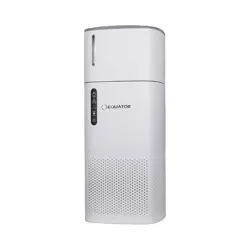
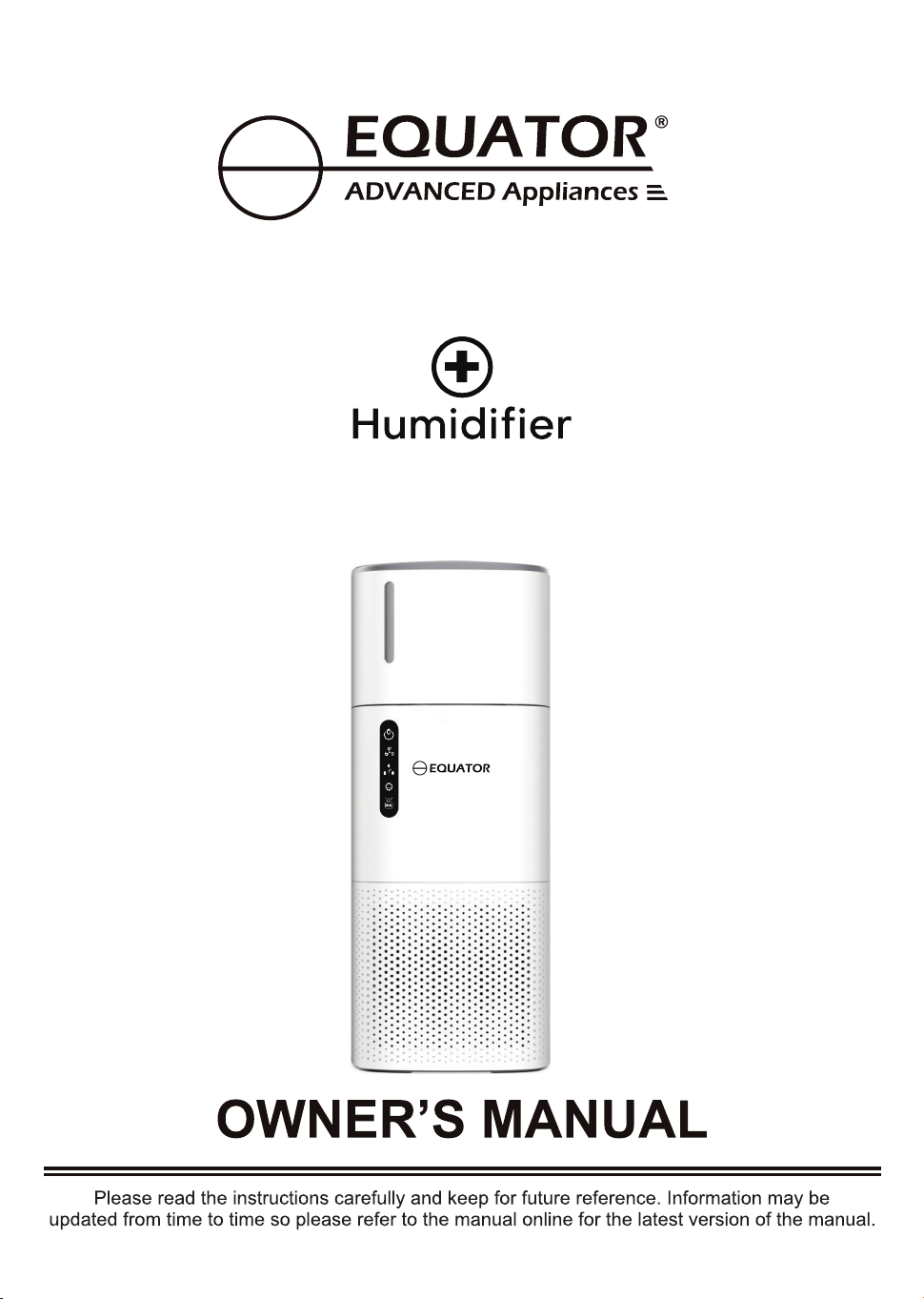
Model - APSH 430 W
Purify | PET
POWER
Smoke
UV-C
ION
Sterilize
Air Purifier
(with PET Function)
Equator Appliances undertakes to the consumer-owner to repair or, at
our option, to replace any part of this product which proves to be defective
in workmanship or material under normal personal, family or household
use, in USA and Canada, for a period of one year from the date of original
purchase. For commercial use, the product is warranted for a period of
90 Days. During this period, we will provide all labor and parts necessary
to correct such defect, free of charge, if the appliance has been Installed
and operated in accordance with the written instructions with the appliance.
Ready access to the appliance, for service, is the responsibility of the
consumer-owner. Services would be provided from Monday to
Friday between normal business hours.
In no event shall Equator Appliances be liable for incidental or
consequential damages or for damages resulting from external
causes such as abuse, misuse, incorrect voltage or acts of God. This
warranty does not cover service calls which do not involve defective
workmanship or materials covered by this warranty. Accordingly,
diagnosis and repair costs for a service call which does not involve
defective workmanship or materials will be the responsibility of the
consumer-owner.
Warranty
Exclusions
Specifically, the following work is not covered under
warranty and does not constitute warranty work:
Most work is covered. The defining factor is, has the machine
malfunctioned (Equator Appliances is responsible) or has the customer
omitted or done something to cause the machine to malfunction
(customer is responsible). Some states do not allow the exclusion or
limitation of incidental or consequential damages, so the above limitation
of exclusion may not apply to you.
Breakage of cover
You can register your Warranty by either of the following methods:
Call: 1-800-776-3538
Email: [email protected]
Web: www.ApplianceDesk.com
Business hours: 9:00 am to 5:00 pm weekdays
For Service:
This warranty is given by:
Equator Appliances
10222 Georgibelle Drive, Suite 200
Houston, Texas 77043-5249
Since it is a responsibility of the consumer-owner to establish
the warranty period by verifying the original purchase date,
Equator Appliances recommends that a receipt, delivery slip or
some other appropriate payment record be kept for that purpose.
This warranty gives you specific legal rights, and you may also
have other rights which vary from State to State.
WARRANTY SERVICE
GENERAL
1. Open Smart Phone
2. Open Camera
3. Scan QR Code
4. Click the Link
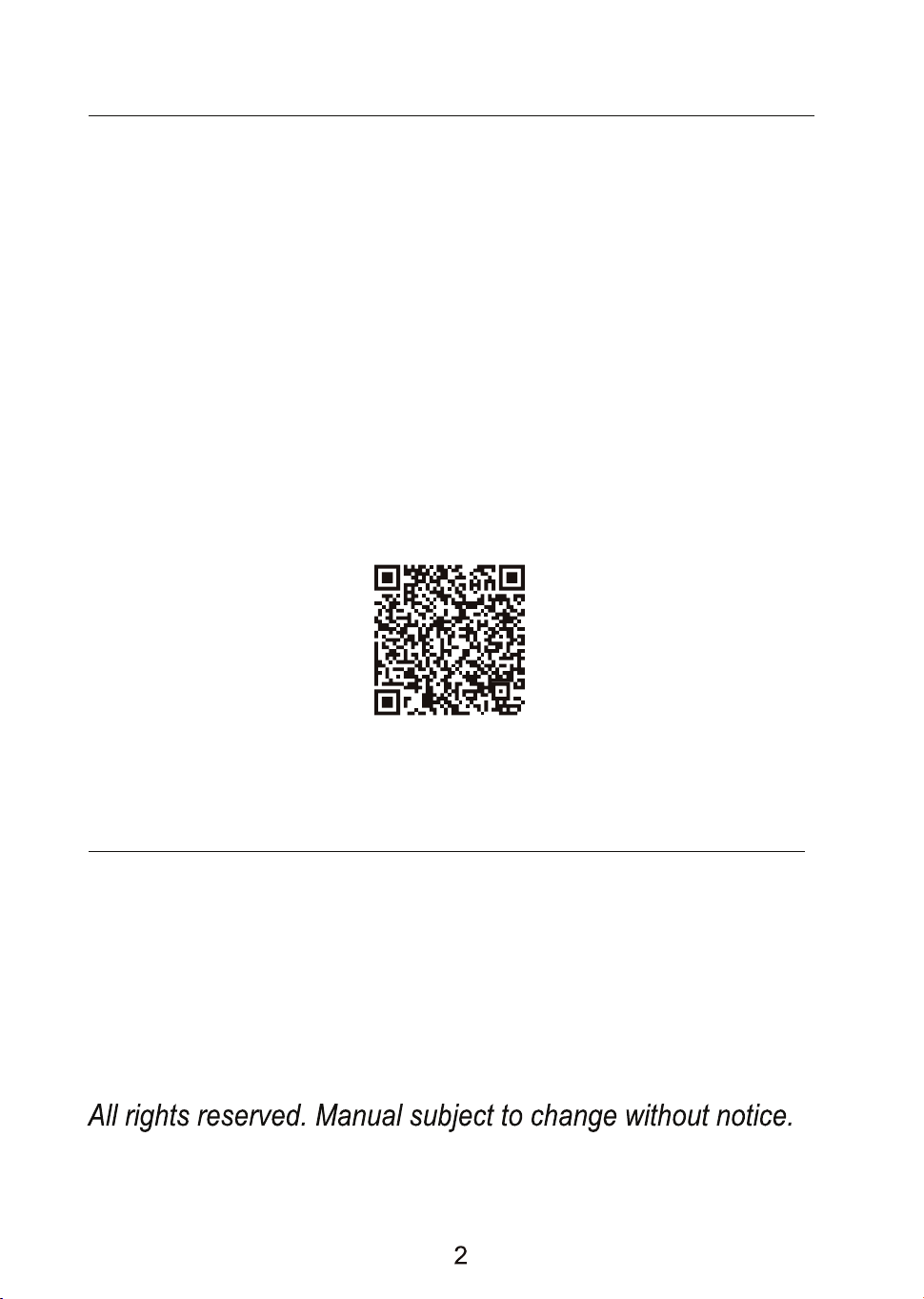
QR Code
1. Scan QR Code
2. Register online at ApplianceDesk.com/Warranty
Ensure that the adaptor connector is plugged in to unit first, before
plugging the appliance into the main power socket.
DO NOT:
Operate the Air Purifier and Humidifier at the same time, as it will
affect the performance of the appliance.
Here are some of the best reasons for buying your appliance for the
ultimate clean air experience:
· Multiple filters and functions that cleans and sterilizes the air you breathe.
· ION function to remove smoke and odors.
· UVC light to kill germs, bacteria and fungi.
· Carbon, outer and HEPA filter to keep your family and pets surrounded
by fresh, clean air.
· Touch controls make it easy to use.
Congratulations on your new Air Purifier!
In addition to its contemporary design, this is a highly sophisticated
engineered product that will give you many years of satisfaction.
The Air uses a pre-filter, true HEPA filter and Purifier
carbon-activated filter, which removes fur, dust, particles and odors.
If you have pets, the 3-part filtration system is ideal for keeping the
indoor air fresh and clean.
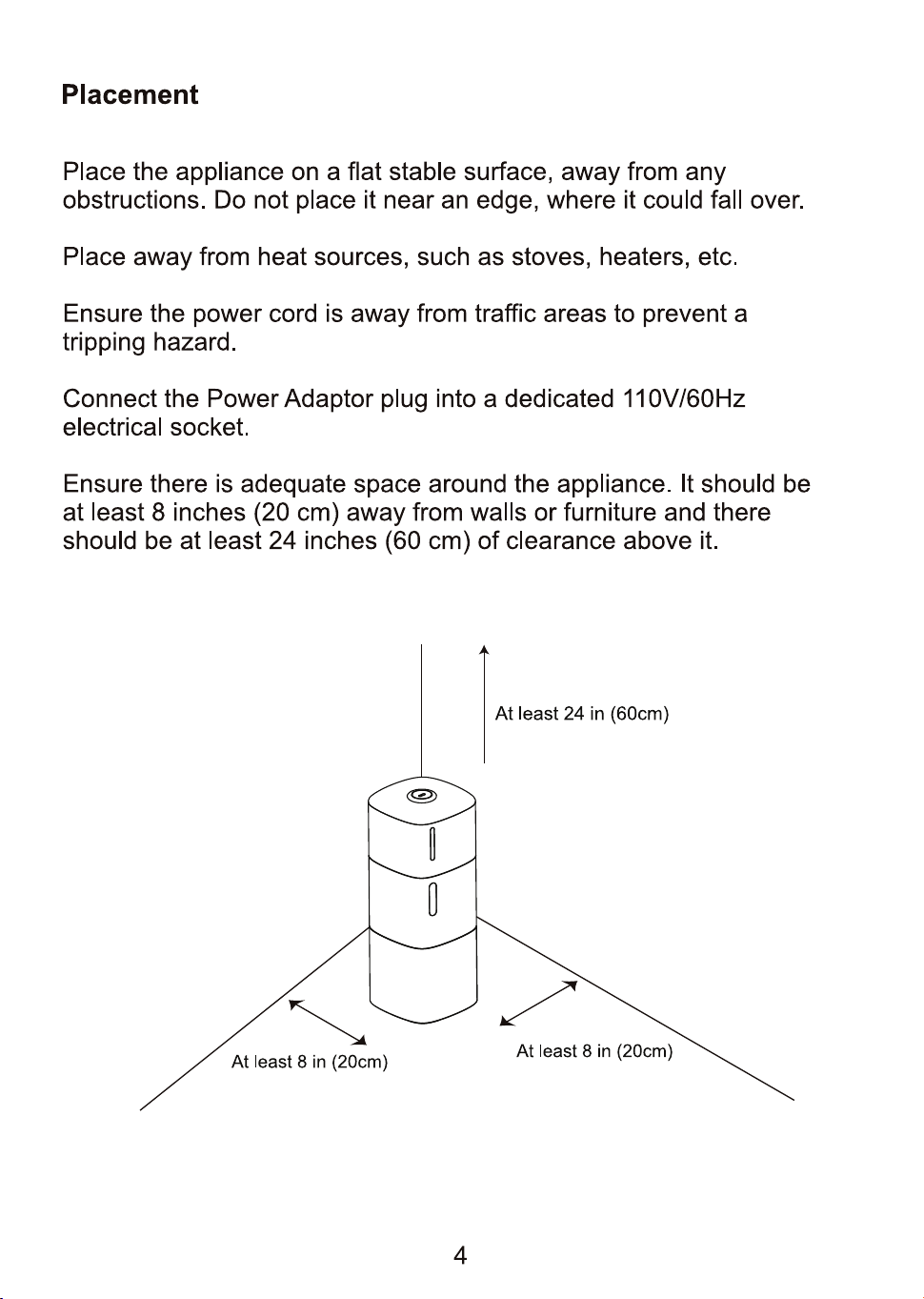
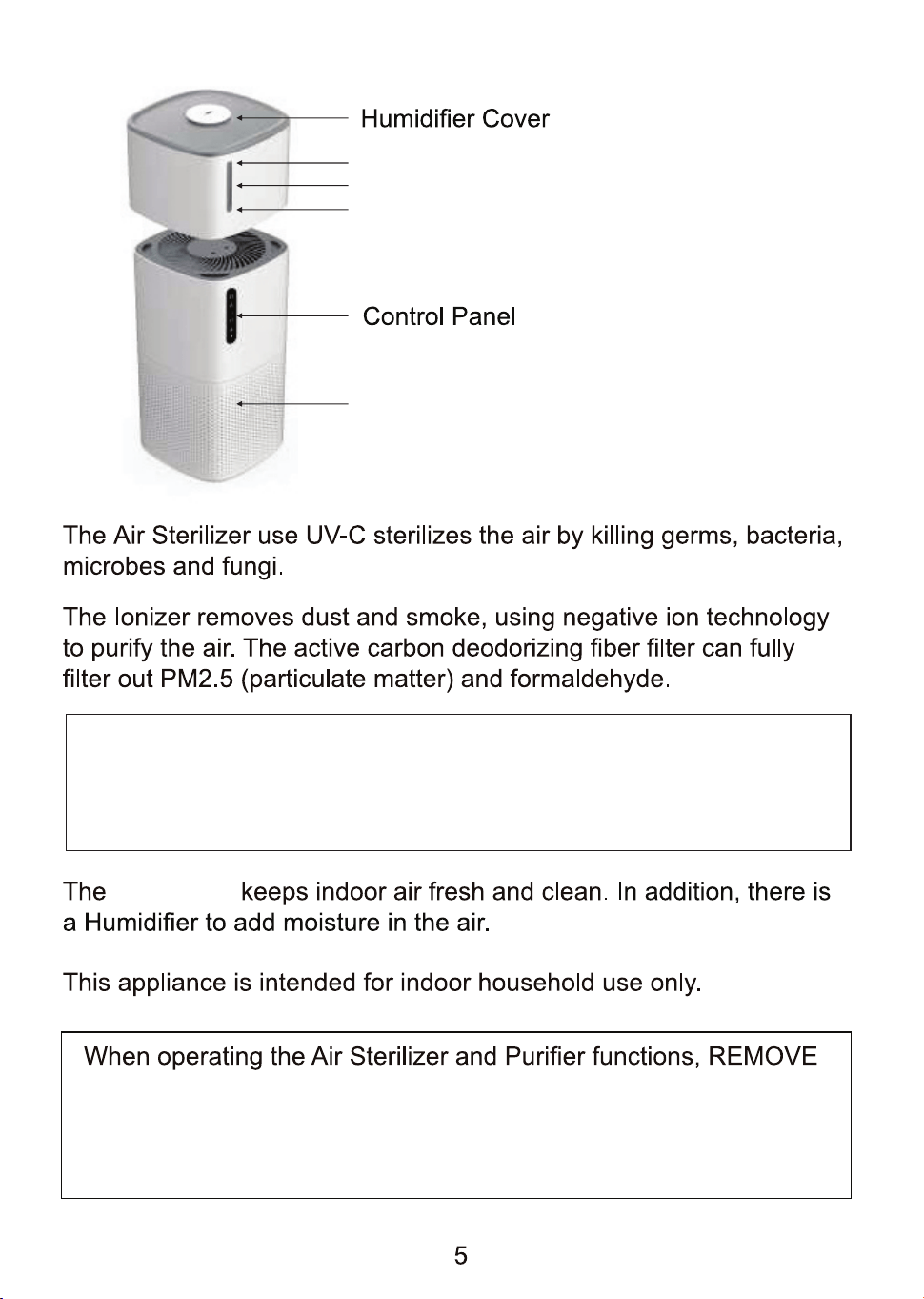
Humidifier Water Tank
Max Water Line
Min Water Line
the Humidifier Water Tank and Cover.
The Humidifier Water Tank and Cover are placed on the Air
Sterilizer only when th Humidifier function is to be used.
Air Sterilizer
Air Purifier
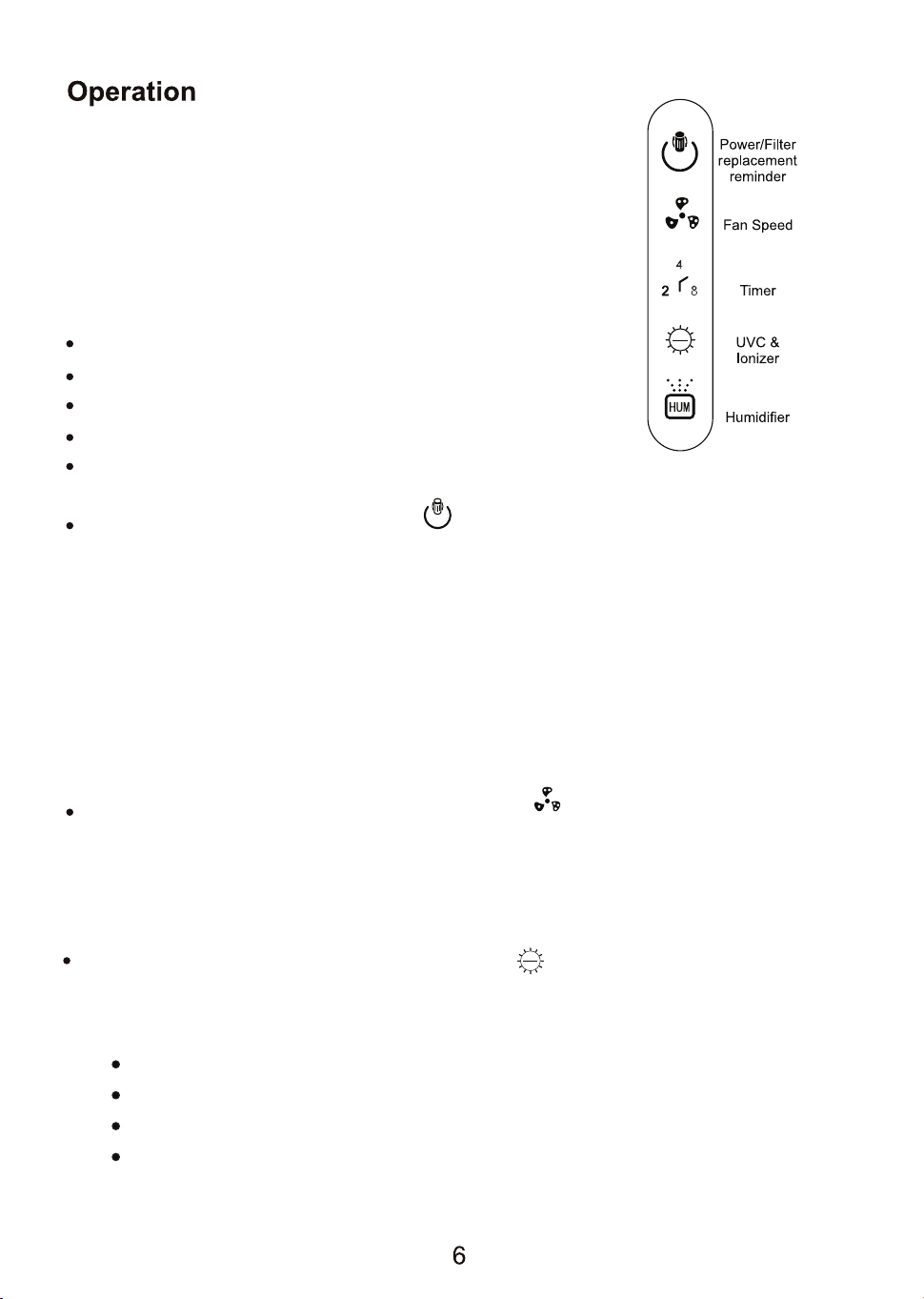
The Control Panel is located on the side of the
appliance. The appliance can be operated by
pressing the buttons on the Control Panel, the
remote or by using the App. To operate the
remote it must be within 15 feet of the appliance.
The Control Panel has the following buttons:
POWER and Filter Replacement Reminder
Fan Speed
Timer
UV-C & Ionizer
Humidifier.
Power: Press the Power icon to start or stop operating the
appliance. When turned on, the Power button Illuminates, and
air purification begins. Air Circulates 360 degrees in all directions.
The Power icon also acts as the filter replacement reminder.
The filter can be used for approximately 2200 hours. When it is
time to change the filter, the Power icon flashes and beeps.
Press this icon and the beep stops but the icon will continue to
flash until the filter is changed.
Fan Speed: Press the Fan Speed icon to select low, medium
or high air flow speed. The air Purify dots will illuminate
corresponding to the fan speed selected. PET is the highest speed
and is recommended for cleaning the air if you have pets.
Purify | PET
POWER
Smoke
UV-C
ION
Sterilize
POWER
Purify | PET
When select the pet function (Wind III), the UVC and Ionizer will be auto ON. If the end
users don't like the function of UVC and Ionizer, they can turn off the UVC or Ionizer
separately.
UV-C and Ionizer: The UV-C function sterlizes the air by killing
germs, bacteria, microbes and fungi. The Ionizer function removes
of dust and smoke.
Press once: UVC on, one short beep.
Press 2 times: Ionizer on, two short beeps.
Press 3 times: Both UVC and Ionizer on, three short beeps.
Press 4 times: Both UVC and Ionizer off, one long beep.
Smoke
UV-C
ION
Sterilize
Air Purifier
With PET Function
Humidifier: Press Humidifier icon to operate this function. The
humidifier increases the humidity in the air, prevents static electricity
and relieves dry nose and throat for increased comfort.
When operating the humidifier, the fan will work at a preset speed.
Timer: Press Timer icon to select 2, 4 or 8 hours as the
duration of time desired for the appliance to operate.
8
4
2
PET Function: When you select highest speed with PET the
UVC and Ionizer will automatically start.
PET function combines high fan speed with UVC and Ionizer features.
If you do not need UVC or Ionizer, please deactivate them by pressing
the appropriate UVC and Ionizer icon once.
PET Dander and Hair along allergens and polluten also mold, bacteria
and which bring relief for allerges including asthma sinus and irritation of the eyes.
Removing these harmful substances will bring relief for allergies,
including asthma, sinus and irritation of the eyes.
This will remove microbes, bacteria, pet dander, hair and odors to
clean and sterilize the air for optimum results.
Purifier.
Purifier.
Note:
The capacity is about half a gallon (2 liters) which will last for 16 hours.
The consumption time is 16hours. The water container capacity is 2.5L.
The actual available capacity is about 2L due to the water line constraints
If there is no water then Humidifier will not operate. Water Level can be
checked through the transparent part of water tank.
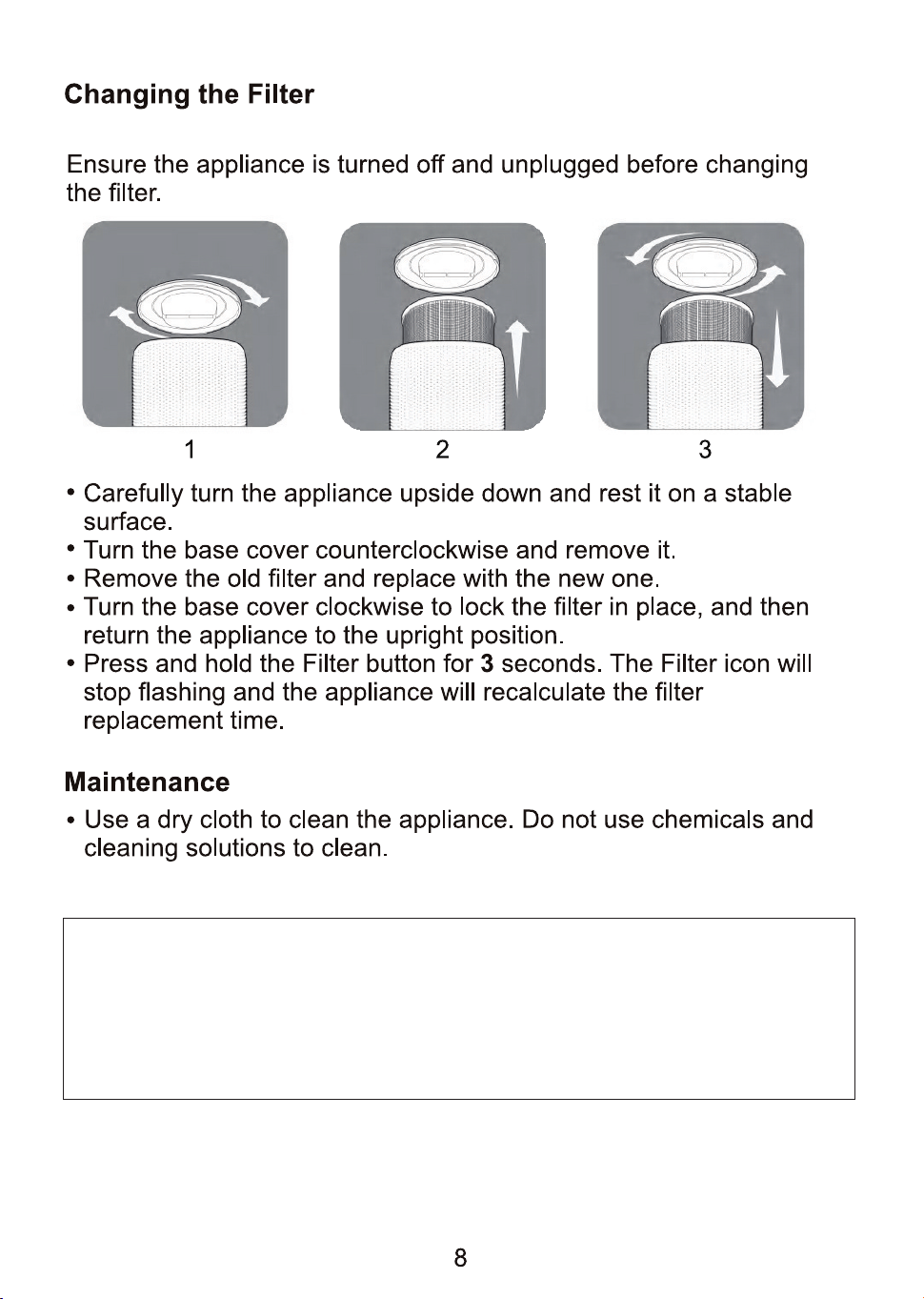
(Combined pre-filter, true HEPA filter and carbon-activated filter)
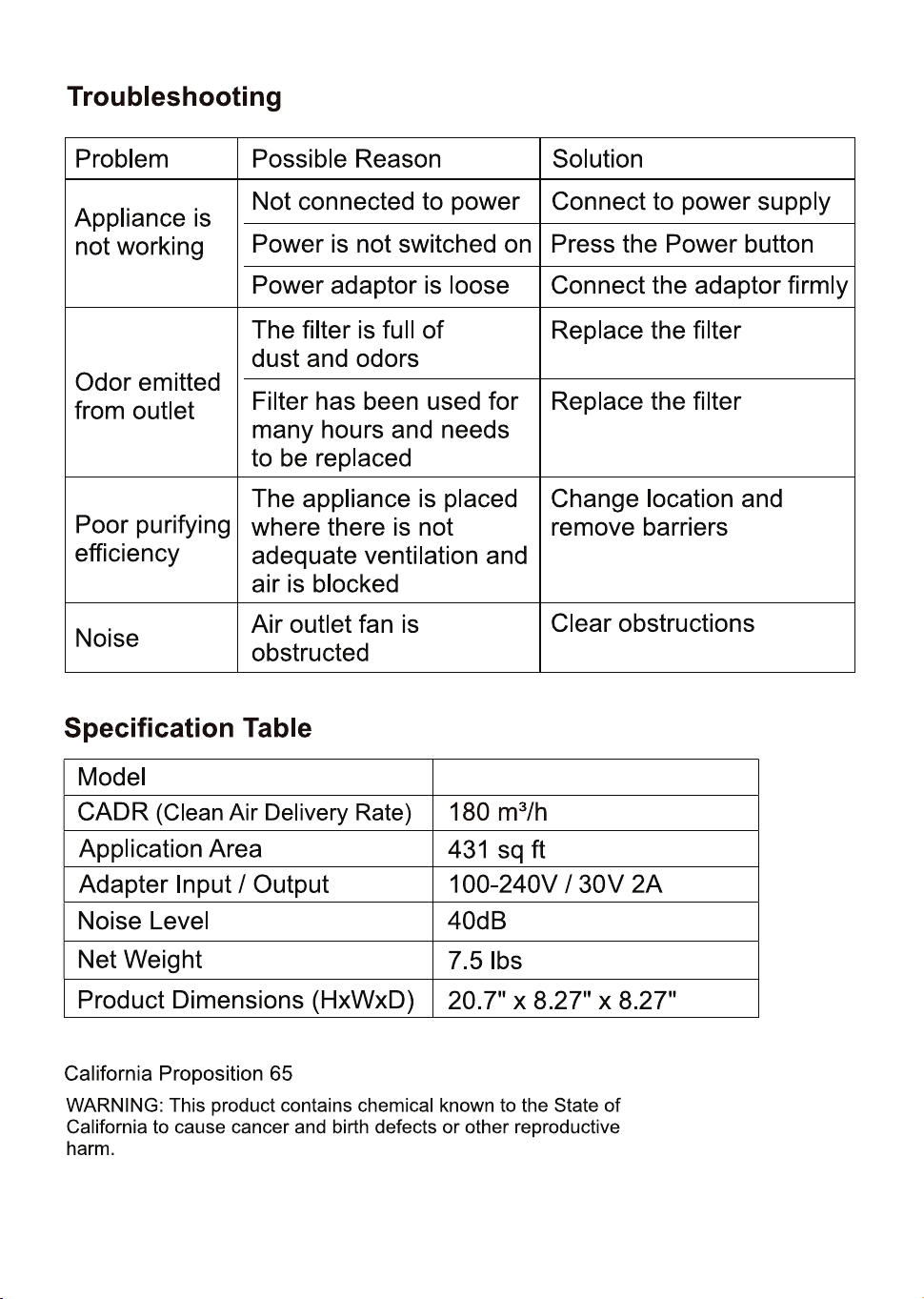
To restore the default factory settings, ensure that the power button is off.
Press and hold the Humidifier button for 10 seconds. This will clear all
caches, filter usage times and settings on the App. When the appliance
is powered on, the indicator will be flashing. Once connection to the
network is successful, it will stop flashing and the appliance will be
ready to use.
When Wi-Fi indicator flashes, select “Add Device”. Select your device and follow the
instructions on the display.
● Method 2
When Wi-Fi indicator flashes, open “Equator Appliances” App and the unit will connected
via bluetooth automatically.
This appliance allows you to operate the appliance via your home network. A prerequisite
is a permanent Wi-Fi connection to your router and the free app “Equator Appliances”.
2. Activate the Wi-Fi function in the settings of your appliance.
The “Equator Appliances” mobile app is available for
iOS and Android.
Information on how to use the App:
1. Install the “Equator Appliances” app by searching on Apple App Store and Android
PlayStore (look for Equator logo above) and create a user account.
To disconnect, press and hold the “Timer” button for about 5 seconds, and the Wi-Fi light
goes off.
If the Wi-Fi indicator flashes rapidly, it can be connected directly.
If the Wi-Fi indicator flashes slowly, press “Go to Connect” and connect to the Wi-Fi
named “Equator-XXXX”.
To download Equator App and for instructions, please scan QR code on the warranty
page.
Note:
Once the appliance has been successfully connected, the Wi-Fi light illuminates. Now you
can operate the appliance using the App.
Check the status of the Wi-Fi indicator and choose the correct status.
Open the bluetooth on your mobile phone or other device.
● Method 1
Connect via Bluetooth:
3. Place the appliance at a distance of about 16 feet (5 meters) to your router.
4. As long as the power is turned on, the Wi-Fi indicator flashes. After 3 minutes, the
status will be canceled if there is no network configuration, and the indicator light is off. If
you need to re-connect the Wi-Fi press and hold the “timer” button for 5 seconds to start
the network configuration until the Wi-Fi indicator flashes again.
Connect Wi-Fi
10
APSH 430 W
Equator Advanced Appliances USA,
founded in 1991, offers Efcient, High-Quality,
and Innovative household appliances.
Our Vision is to enhance our Customer’s
Quality of Life!
Our Mission is to simplify domestic chores
and save Time, Space, and Energy.
