

Product Overview
Safety instructions
1
Brief description
2
Product parameters
TS-NACS Parameter Introduction
6
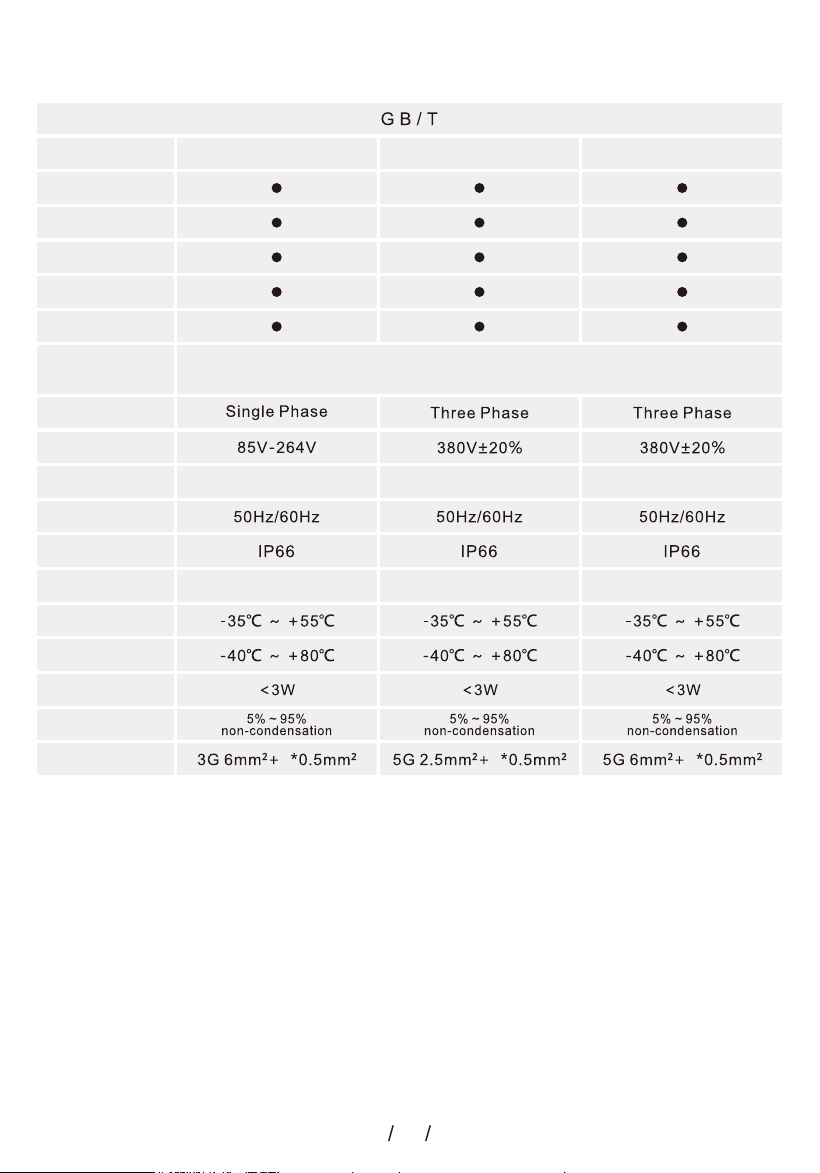
GB/T Parameter Introduction
5
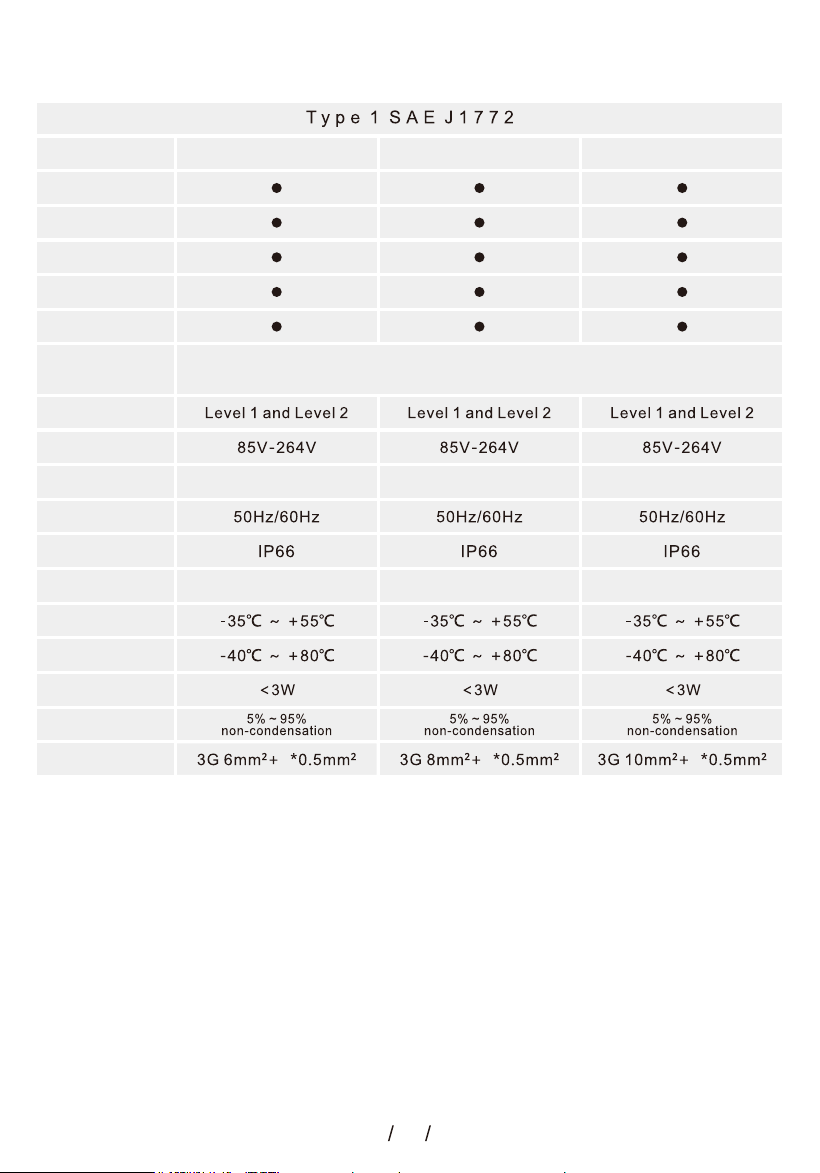
Type 1 Parameter Introduction
4
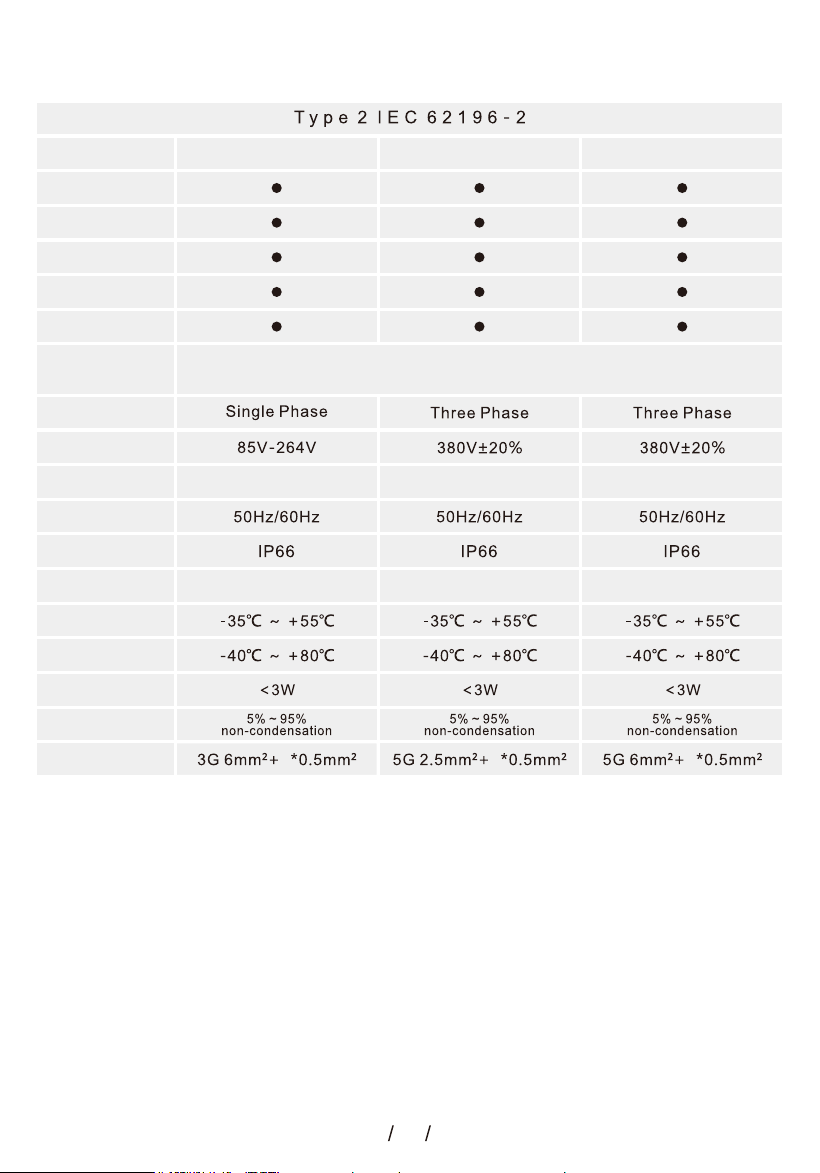
Type 2 Parameter Introduction
3
Stop Charging
9
Start Charging
8
Start-up Device
8
Waiting for start Charging status
8
7
Standby Status
Charging steps
Pre-use Preparation
7
Operating Instructions
5.Device Settings
24
4.PV DLB Settings
19
7.Password Settings
26
6.Device Info
25
2.Charging Log
16
3. RFID Manage
17
1.Charge Plan
13
Key operation instructions
Three-phase Wiring instructions
38
Single-phase Wiring Instructions
37
Control Box LCD Display
34
How to use the App
30
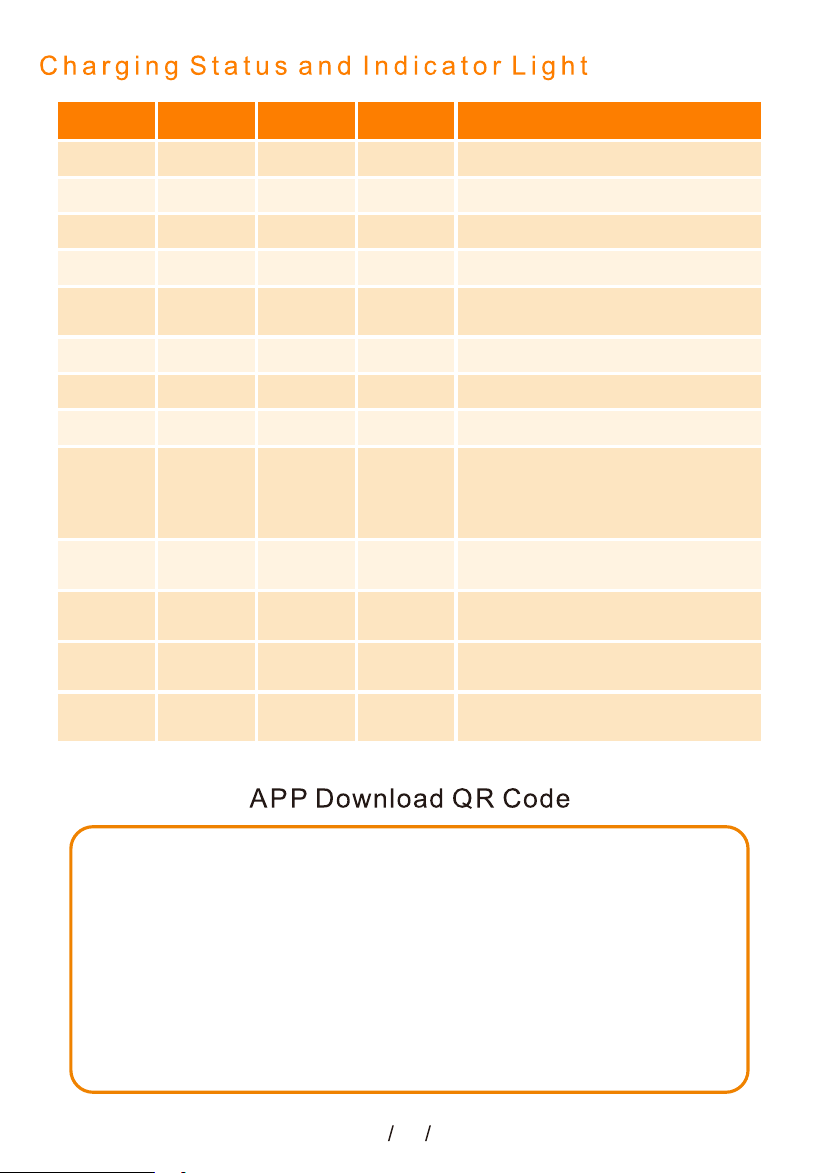
Charging Status and Indicator Light
41
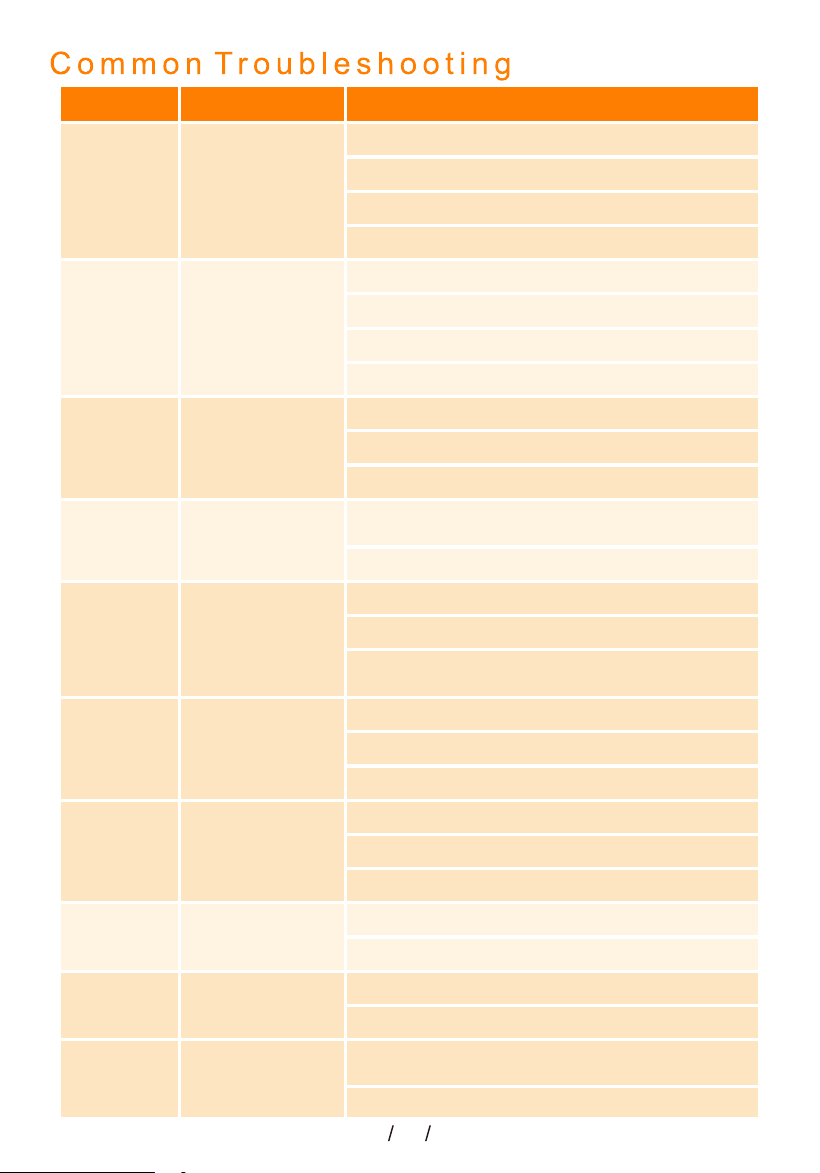
Common Troubleshooting
40
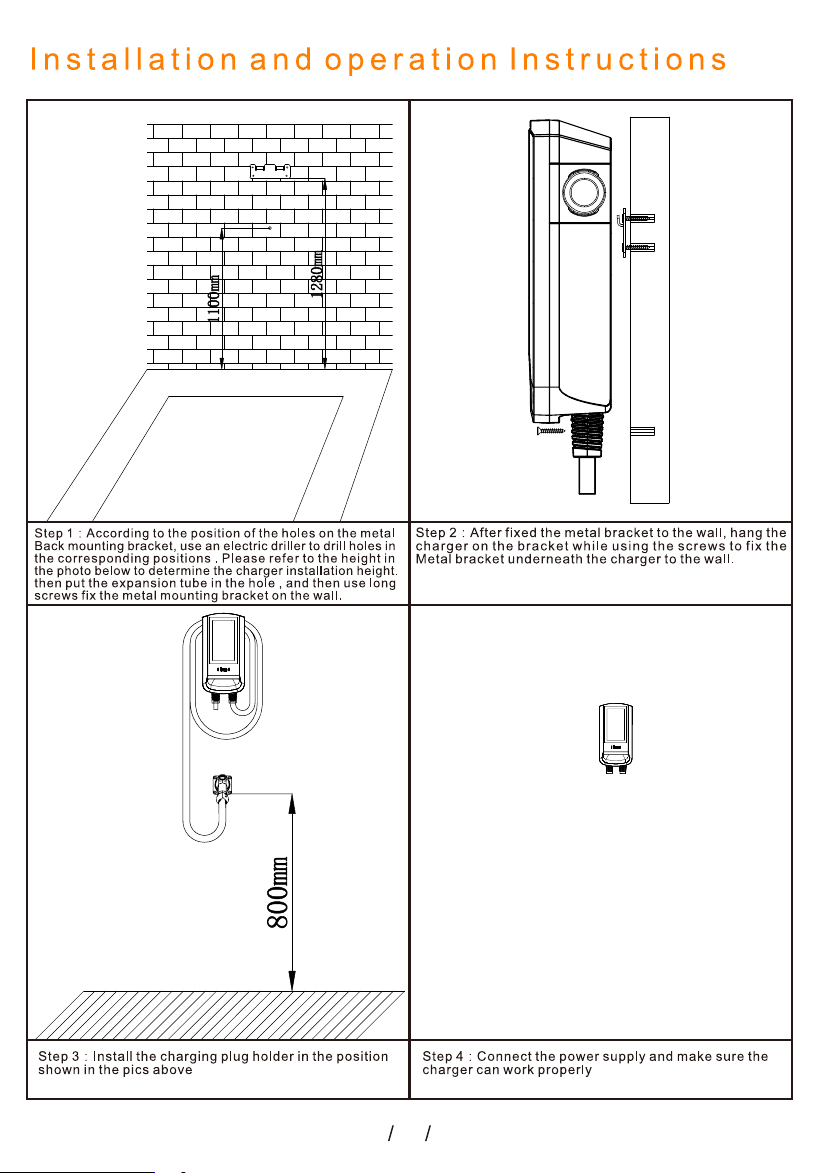
Installation and operation Instructions
39
App Homepage Introduction
31
1
charging station
2
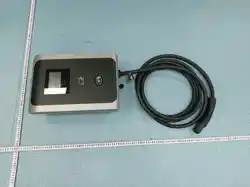
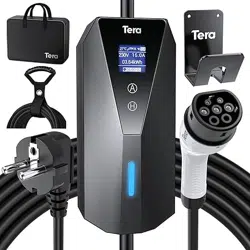
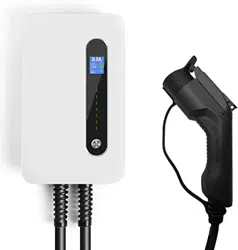
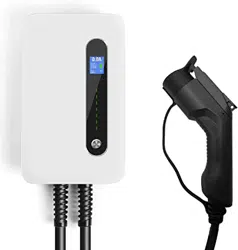
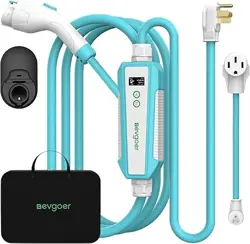
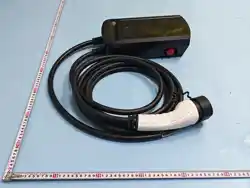
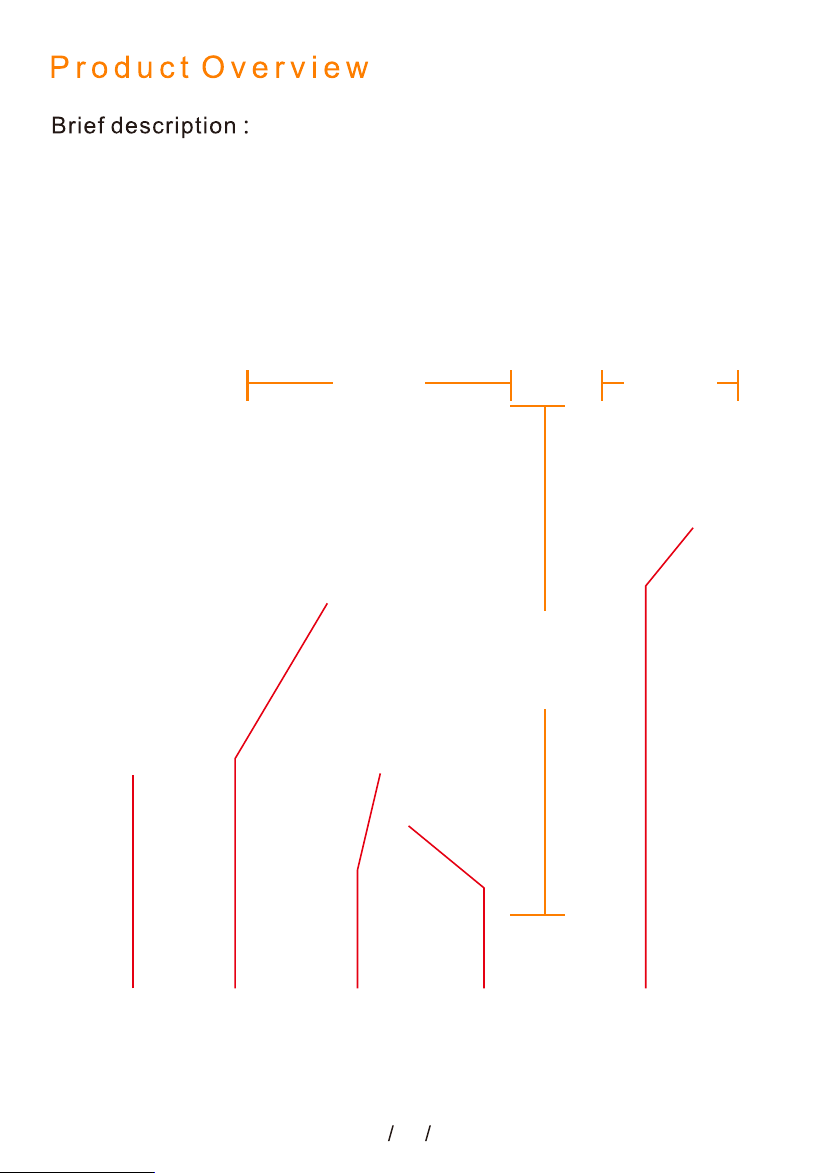
This product is used for electric vehicle AC charging, the product design is
highly simple, divided into Type2,Type1,GB/T, TS-NACS,four kinds of specifi-
cations.It is equipped with swipe card and plug-and-play charging methods
and multiple safety protection functions. with good dustproof and waterproof
function, can be operated safely in outdoor.
83.5mm
161mm
310mm
RJ45 Port 7-inch
Display
RFID card
induction area
Status
Indicator
Emergency
stop switch
Control box function:
1.Leakage protection (restart
recovery)
2.Overvoltage and undervoltage
protection(self-test recovery)
3.Lightning protection
4.Overcurrent protection
5.Overheat protection
6.Grounding protection
7.RFlD card function(can be set
according to user needs)
8.Appointment Time
9.WIFI
10. Set energy charigng
Product Performance:
1.Charging plug according to lEC
62196-2 standard
2.Charging control box in accordance
with IEC61851 control principle
3.Insulation resistance:>1000Ω
4.Terminal temperature rise:<50K
5.Mechanicallife: Charging Plug
plugging and unplugging times (Non
operating state)>10000 times
6.External impact:Charging Station Plug
can withstand the 1-meter drop and 2
tons of vehicle crushing
7.Altitude:≤2000m
8.With emergency stop function
Charger Plug
TypeB: AC 30mA+DC 6mA
Leakage
Protection Value
6A-32A 6A-16A 6A-32A
Charger Box
IP65 IP65 IP65
3
2 2 2
7.6kW 11kW 22kW
PV DLB
Load Balancing
App
RFID Card
Exclusive RFID
Leakage
Protection Value
PV DLB
Power Rating
Load Balancing
App
RFID Card
Exclusive RFID
Charger Plug
Charger Box
Rated Voltage
Rated Current
Input Frequency
Working humidity
Standby Power
Power Supply
System
Working
Temperature
Storage
Temperature
Cable
Specification
Type 2 Parameter Introduction
Charger Box
IP65 IP65 IP65
Control box function:
1.Leakage protection (restart
recovery)
2.Overvoltage and undervoltage
protection(self-test recovery)
3.Lightning protection
4.Overcurrent protection
5.Overheat protection
6.Grounding protection
7.RFlD card function(can be set
according to user needs)
8.Appointment Time
9.WIFI
10. Set energy charigng
Product Performance:
1.Charging plug according to SAE J1772
standard
2.Charging control box in accordance
with IEC61851 control principle
3.Insulation resistance:>1000Ω
4.Terminal temperature rise:<50K
5.Mechanicallife: Charging Plug
plugging and unplugging times (Non
operating state)>10000 times
6.External impact:Charging Station Plug
can withstand the 1-meter drop and 2
tons of vehicle crushing
7.Altitude:≤2000m
8.With emergency stop function
Charger Plug
TypeB: AC 30mA+DC 6mA
Leakage
Protection Value
6A-32A 6A-40A 6A-50A
4
2
2 2
7.6kW 9.6kW 12kW
PV DLB
Load Balancing
App
RFID Card
Exclusive RFID
Leakage
Protection Value
PV DLB
Power Rating
Load Balancing
App
RFID Card
Exclusive RFID
Charger Plug
Charger Box
Rated Voltage
Rated Current
Input Frequency
Working humidity
Standby Power
Power Supply
System
Working
Temperature
Storage
Temperature
Cable
Specification
Type 1 Parameter Introduction
Charger Box
IP65 IP65 IP65
Control box function:
1.Leakage protection (restart
recovery)
2.Overvoltage and undervoltage
protection(self-test recovery)
3.Lightning protection
4.Overcurrent protection
5.Overheat protection
6.Grounding protection
7.RFlD card function(can be set
according to user needs)
8.Appointment Time
9.WIFI
10. Set energy charigng
Product Performance:
1.Charging plug according to GB/T20234
standard
2.Charging control box in accordance
with IEC61851 control principle
3.Insulation resistance:>1000Ω
4.Terminal temperature rise:<50K
5.Mechanicallife: Charging Plug
plugging and unplugging times (Non
operating state)>10000 times
6.External impact:Charging Station Plug
can withstand the 1-meter drop and 2
tons of vehicle crushing
7.Altitude:≤2000m
8.With emergency stop function
Charger Plug
TypeB: AC 30mA+DC 6mA
Leakage
Protection Value
6A-32A 6A-16A 6A-32A
5
2 2 2
7.6kW 11kW 22kW
PV DLB
Load Balancing
App
RFID Card
Exclusive RFID
Leakage
Protection Value
PV DLB
Power Rating
Load Balancing
App
RFID Card
Exclusive RFID
Charger Plug
Charger Box
Rated Voltage
Rated Current
Input Frequency
Working humidity
Standby Power
Power Supply
System
Working
Temperature
Storage
Temperature
Cable
Specification
GB/T Parameter Introduction
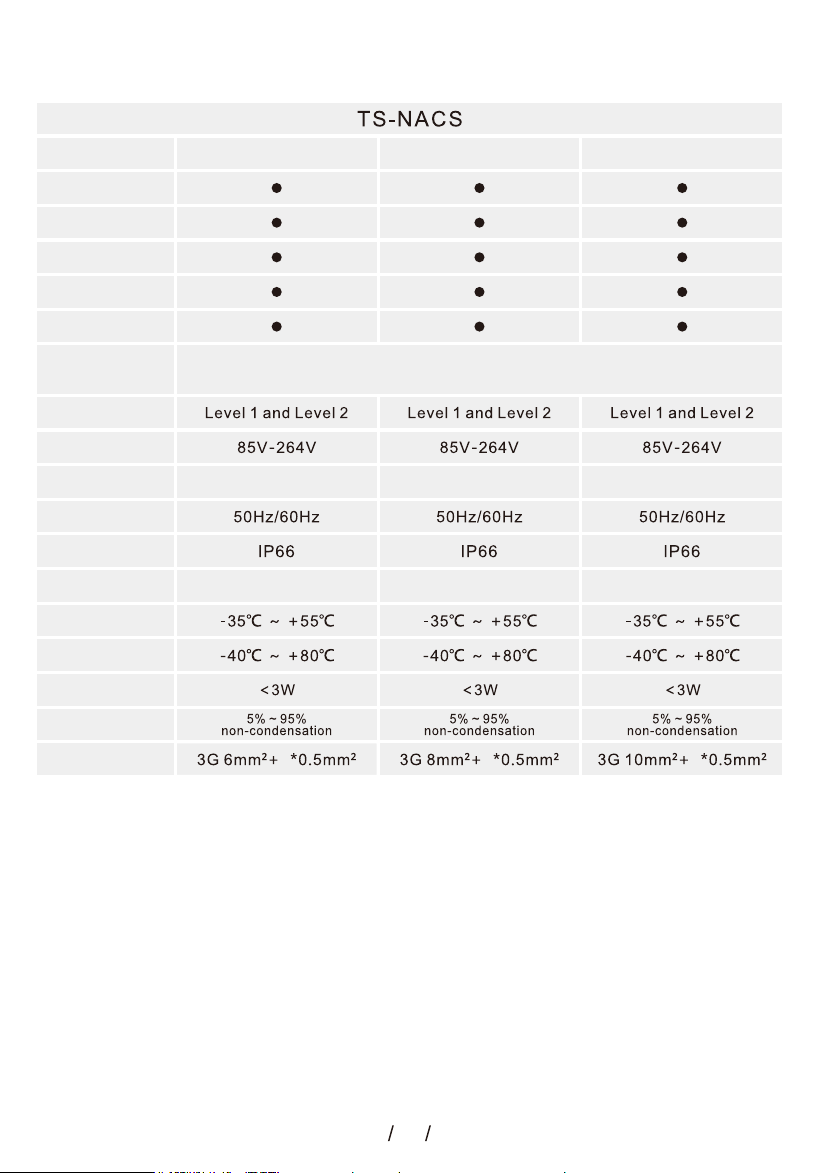
Charger Box
IP65 IP65 IP65
Control box function:
1.Leakage protection (restart
recovery)
2.Overvoltage and undervoltage
protection(self-test recovery)
3.Lightning protection
4.Overcurrent protection
5.Overheat protection
6.Grounding protection
7.RFlD card function(can be set
according to user needs)
8.Appointment Time
9.WIFI
10. Set energy charigng
Product Performance:
1.Charging plug according to TS-NACS
standard
2.Charging control box in accordance
with IEC61851 control principle
3.Insulation resistance:>1000Ω
4.Terminal temperature rise:<50K
5.Mechanicallife: Charging Plug
plugging and unplugging times (Non
operating state)>10000 times
6.External impact:Charging Station Plug
can withstand the 1-meter drop and 2
tons of vehicle crushing
7.Altitude:≤2000m
8.With emergency stop function
Charger Plug
TypeB: AC 30mA+DC 6mA
Leakage
Protection Value
6A-32A 6A-40A 6A-50A
6
3 3 3
7.6kW 9.6kW 12kW
PV DLB
Load Balancing
App
RFID Card
Exclusive RFID
Leakage
Protection Value
PV DLB
Power Rating
Load Balancing
App
RFID Card
Exclusive RFID
Charger Plug
Charger Box
Rated Voltage
Rated Current
Input Frequency
Working humidity
Standby Power
Power Supply
System
Working
Temperature
Storage
Temperature
Cable
Specification
TS-NACS Parameter Introduction
7
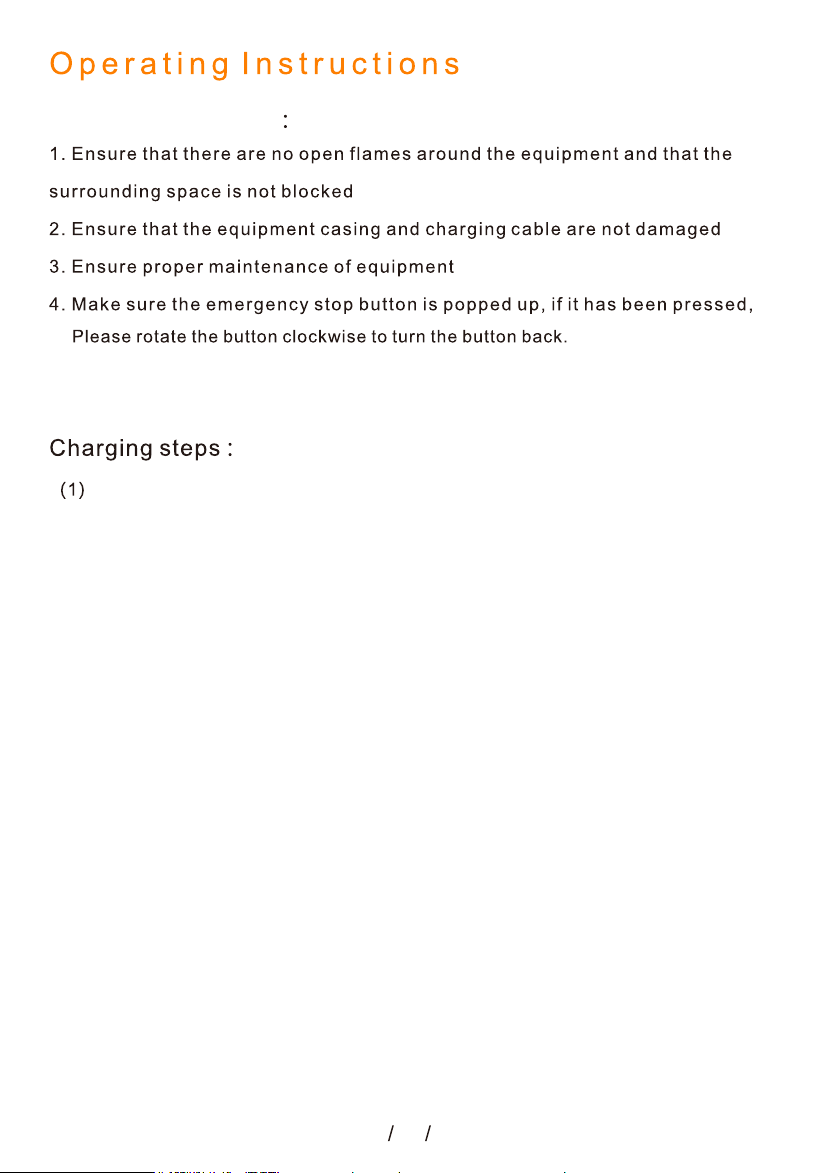
When the charging station in standby mode, the interface shows that the device is
ready for charging,as shown in the figure below:
The indicator light on the wallbox is green and always on.
5. After the product is launched, you can choose to set a password or skip
the settings. The password is set on page 35, with detailed explanations.
t.
d.
Standby Status
Pre-use Preparation
8
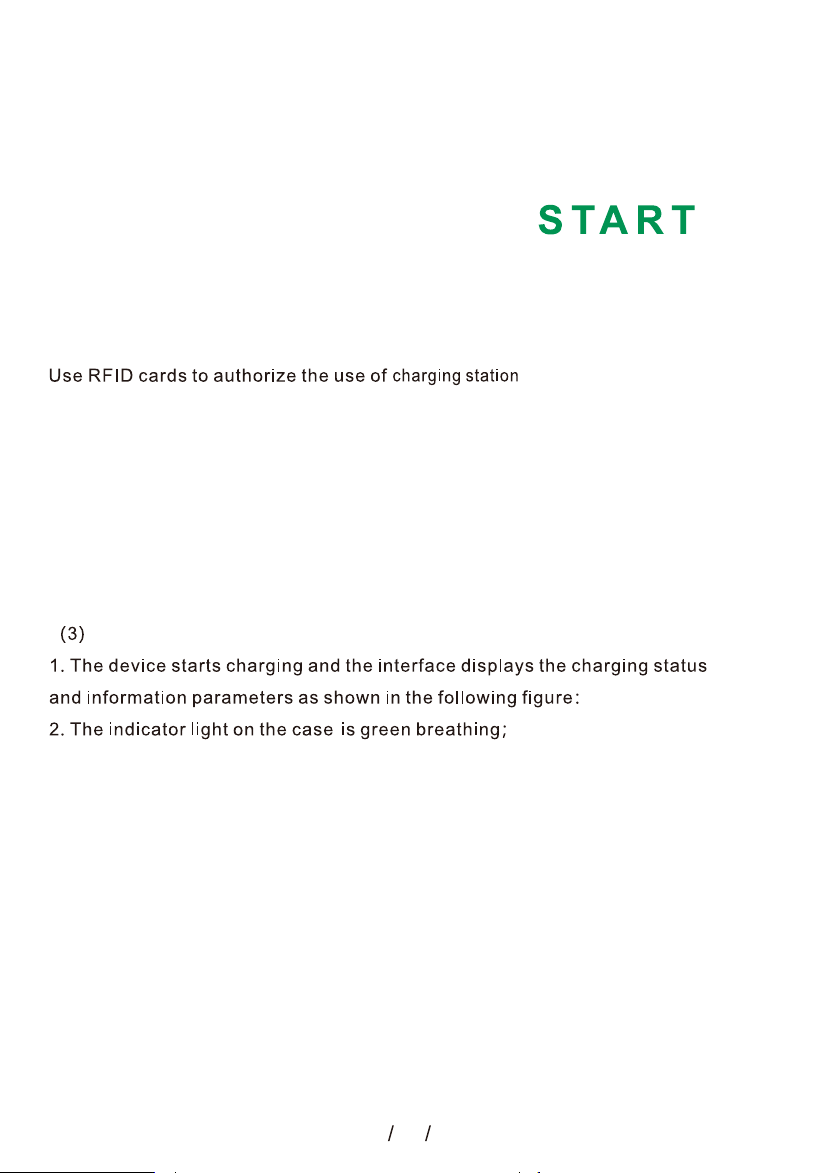
After park your car near the charging station, take the charging plug from the
plug holder,set the charging current,then insert the charging plug into the
connector of the electric vehicle.Please make sure that the plug is inserted in
place and the connection is safe and reliable.When the charging plug monitors
that the charging plug is inserted correctly,It will enter the status of identity
verification, as shown in the following figure:
There are three charging methods:
01. Use RFID
02
. Plug & Charge
03
. Use APP
01.Start charging by RFID
(2) Waiting for start Charging status
Start-up Device
Start Charging

9
2 RFID card can also be used to authorize stopping the use of the charglng statlon
during charging;
ff.
Stop Charging

10
Stop charging
When the vehicle is fully charged, the charging station will automatically stop charging;
In case of emergency, you can manually press the Emergency stop button to cut off
power.
02 Plug & Charge
If you don't need to use RFID to start charging, you can turn off the RFID function and
plug in the charging head to charge.

11
03 Mobile App
Start charging via the Smart Life or Tuya app.
Use APP start charging
button to authorize the
use of charging station.
Stop charging
You can use the stop
charging function on the
app to stop charging.
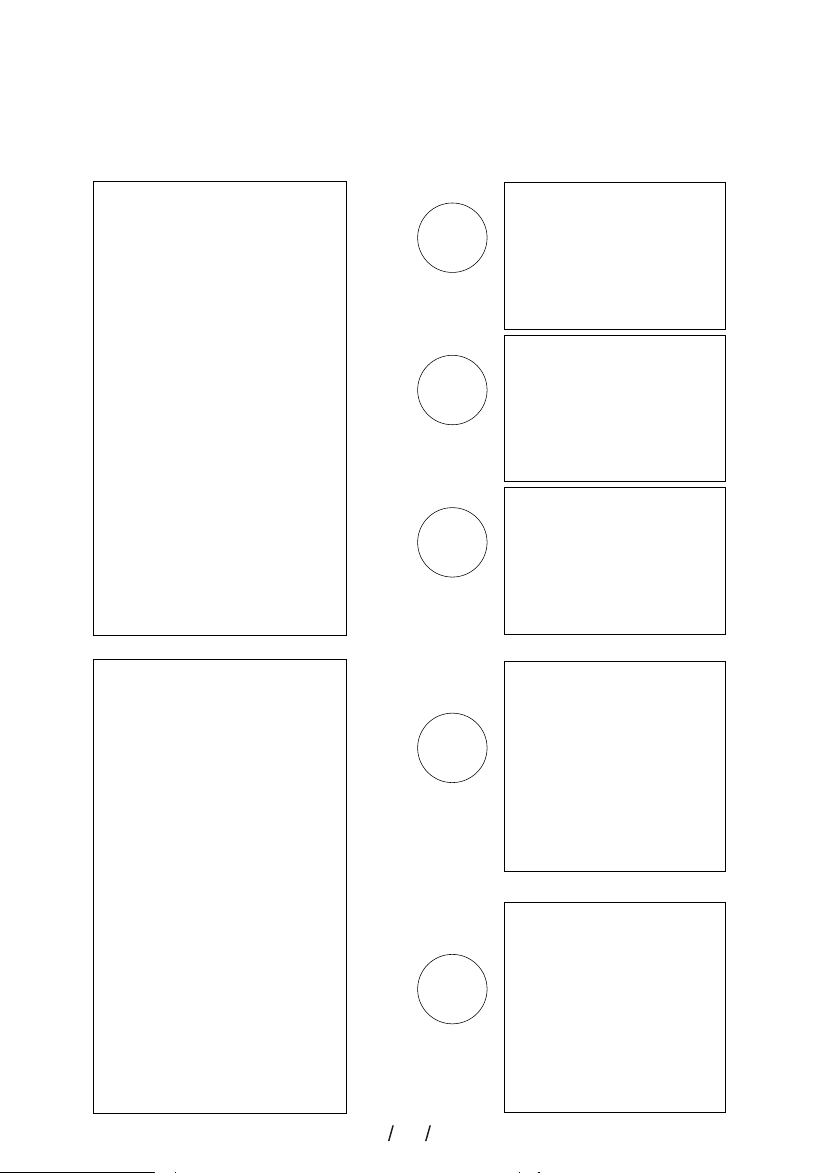
The display is as follows
12
Key Operation Instructions
• Swipe left or right to browse more adjustable function bubbles.
• Tap a function bubble to adjust its corresponding parameter.
Note: The orange indicator dot on the bubble indicates the function is enabled.
Function
Enabled
Function
Disabled
Function
Disabled
Function
Disabled
Function
Disabled

13
1.Charge Plan
Charge Plan offers multiple adjustable charging parameters, including Set Current,Delay
Charging, Charge Time,Set Energy Charging, Timed Charging and Off-Peak Charging. Configure
the corresponding options to create your personalized charging scheme.
Important Notes:
(1).Set Energy Charging cannot be activated simultaneously with Timed Charging.
(2).Set Energy Charging and Timed Charging cannot be enabled concurrently with Delay
Charging or Charge Time.
(3).Only the latest setting will take effect. All previously activated charging functions will be
automatically deactivated once a new setting is confirmed.
(4).Text shown in orange indicates that the function is enabled.
(5).Settings will be saved upon clicking the Back button
① Set Current:
When the charging plug is not inserted in the car, touch "Set Current" on the touchscreen to
adjust the charging current,the current setting range is determined by the max charging power of
the charger.
7.6kW:6A...32A adjustable.
9.6kW:6A...40A adjustable.
11kW:6A...16A adjustable.
12kW:6A...50A adjustable.
22kW:6A...32A adjustable.
② Set Delay Time:
When the charging plug is not inserted in the car,touch“Set Delay Time”on the touchscreen to set
the delayed charging time, and the range can be set from 0 to 24 hours.
③ Set Charge Time:
When the charging plug is not inserted in the car,touch“Set Charge Time”on the touchscreen to
set the charge time,and the range can be set from 0 to 24 hours.
①
②
③
④
⑤
⑥
14
④ Set Energy Charging:
The function works under three scenarios:
(1).Only Start Time activated
The charger starts charging at the scheduled time and continues until the battery is fully charged.
(2).Only Set Charge Energy configured
Charging will stop automatically once the preset energy is reached.
(3).Both Start Time and Set Charge Energy configured
Charging commences at the scheduled time and stops when the preset energy value is achieved.
Daily Option: Activate the Daily switch to execute this charging schedule repeatedly every day.
(1) (2) (3)

15
⑤ Timed Charging
A Start Time and End Time can be configured to specify the period available for charging.
Daily Option: Activate the Daily switch to execute this charging schedule repeatedly every day.
⑥ OFF-Peak Charging
Two no-charging time periods can be configured.
When the function switch is enabled, charging will be prohibited during the set time periods.
16
Run Log
Click To Enter. Select A Single Log And Enter.
View Log Details.
2.Charging Log
Charge Log Function
(1) Run Log : Record the charging logs for the past 12 months.
(2) Fault Log : Record every charging fault report.
17
Fault Log
Click To Enter.
Select A Single Log And Enter.
View Log Details.
3.RFID Manage
Click to open RFID Manage.
RFID Function is not open, unable to operate Add RFID Card and Exclusive RFID Card.
18
Exclusive RFID Card
Establish a binding relationship between RFID cards and charging station to realize access
control via card swiping. Only bound cards can activate the charging station for charging upon
swiping; unbound cards will be rejected. Prevent unauthorized users from access.
Add RFID Card
Tap on the add icon
next to the blank card
Enter the card
recognition page
Identify the card, tap
on add
Added successfully

19
4.PV DLB Settings
Delete RFID card
Tap on Add RFID Card, enter the Add RFID Card option, click on the delete icon next to the added
card, and enter the delete card page.

20
21
① PV Mode Settings
Using photovoltaic power supply
Single-phase Three-phase
22
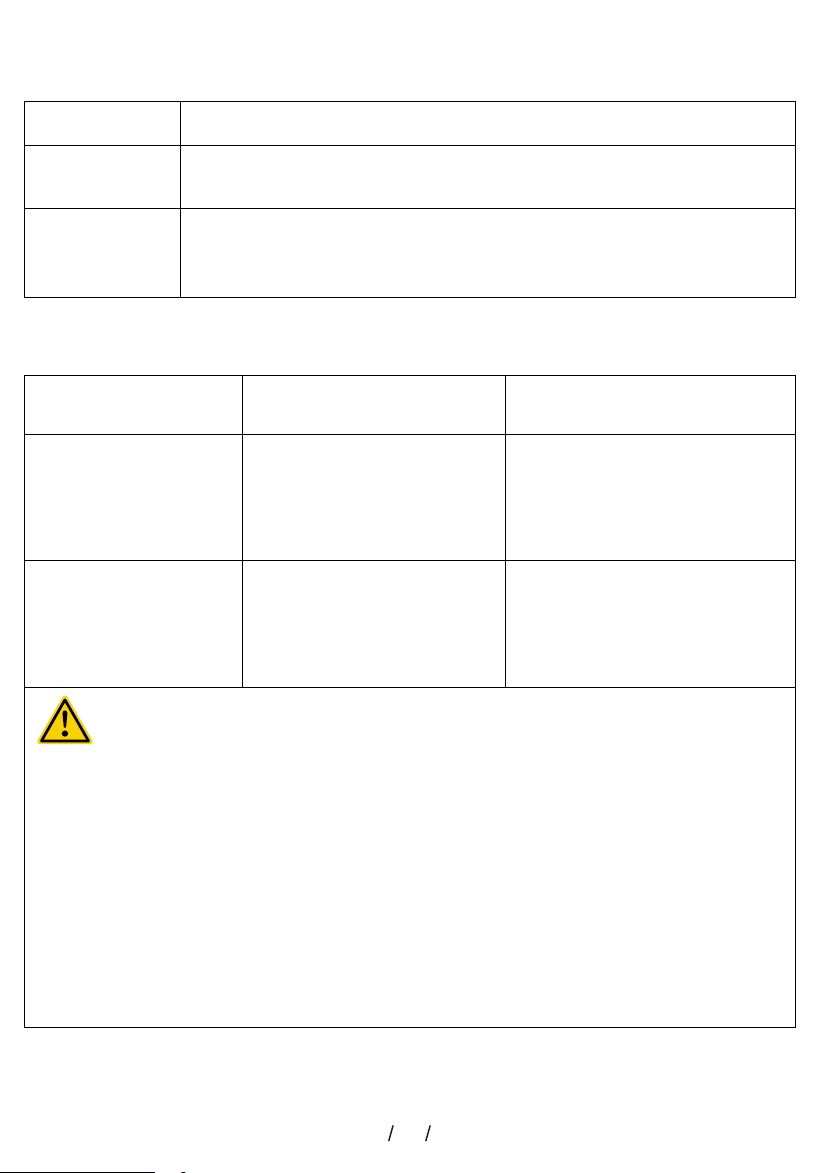
How to find the Total Current:
Step Action
1
Check inverter nameplate for "Rated Output Current" — if listed,
use it directly.
2
If only "Rated Output Voltage + Rated Output Power" are shown,
use the formula below based on your supply type
(single-phase or three-phase)
Current Formula:
Formula (Current I = ?)Supply Type
Single-Phase
(e.g., 220V in China,
120V in USA)
I = P ÷ U
(U = Rated Output Voltage)
Example (Assume Inverter
Power P = 5000W)
If U = 220V:
5000 ÷ 220 = 22.7A
If U = 120V:
5000 ÷ 120 = 41.7A
Three-Phase
(e.g., 380V in China,
400V in Europe)
I = P ÷ U ÷ 1.732
(U = Rated Output Voltage)
If U = 380V:
5000 ÷ 380 ÷ 1.732 = 7.6A
If U = 400V:
5000 ÷ 400 ÷ 1.732 = 7.2A
Voltage is not fixed : The "U" in the formulas above refers to the "Rated Output
Voltage" on your inverter nameplate — NOT a standard value. For example, for
machines exported to the U.S., use 120V for single-phase systems, and 208V or
240V for three-phase systems.
Power Factor Notes : If your inverter nameplate shows a "Power Factor (cosφ)" <
1 (e.g., 0.9), adjust the formula as follows:
Single-Phase: I = P ÷ U ÷ cosφ
Three-Phase: I = P ÷ U ÷ 1.732 ÷ cosφ
For units with cosφ = 1.0, the power factor has no impact on calculations.
Important Notes:
23
② Grid Mode Settings
Using the power grid for power supply
Single-phase Three-phase
24
5.Device Settings
1.Basis Settings
Network Status:
2.Net Settings
• Ground Check : To turn on and off the grounding (PE) detection, please use the charging
station in the grounded(PE)state.
• Leakage Check : Turn on and off the Leakage detection. To ensure safe charging,please use
the charger in a leakage-protected condition.
• Temperature Protection : Over temperature protection activates when temperature exceeds
85°C.
• Undervoltage Protection : Undervoltage protection activates when input voltage drops below
85V AC(Each Phase).
• Overvoltage Protection : Overvoltage protection activates when input voltage exceeds 264V
AC(Each Phase).
• Parameter Settings : Set the minimum and maximum allowable input voltage. If the input
voltage falls below the set minimum value, the charger will trigger an Undervoltage Fault;If the
input voltage exceeds the set maximum value, the charger will trigger an Overvoltage Fault.

25
6.Device Info
3.Time Settings
When connected to the network,
it will automatically synchronize
with the local network.
4.Language 5.Factory Reset
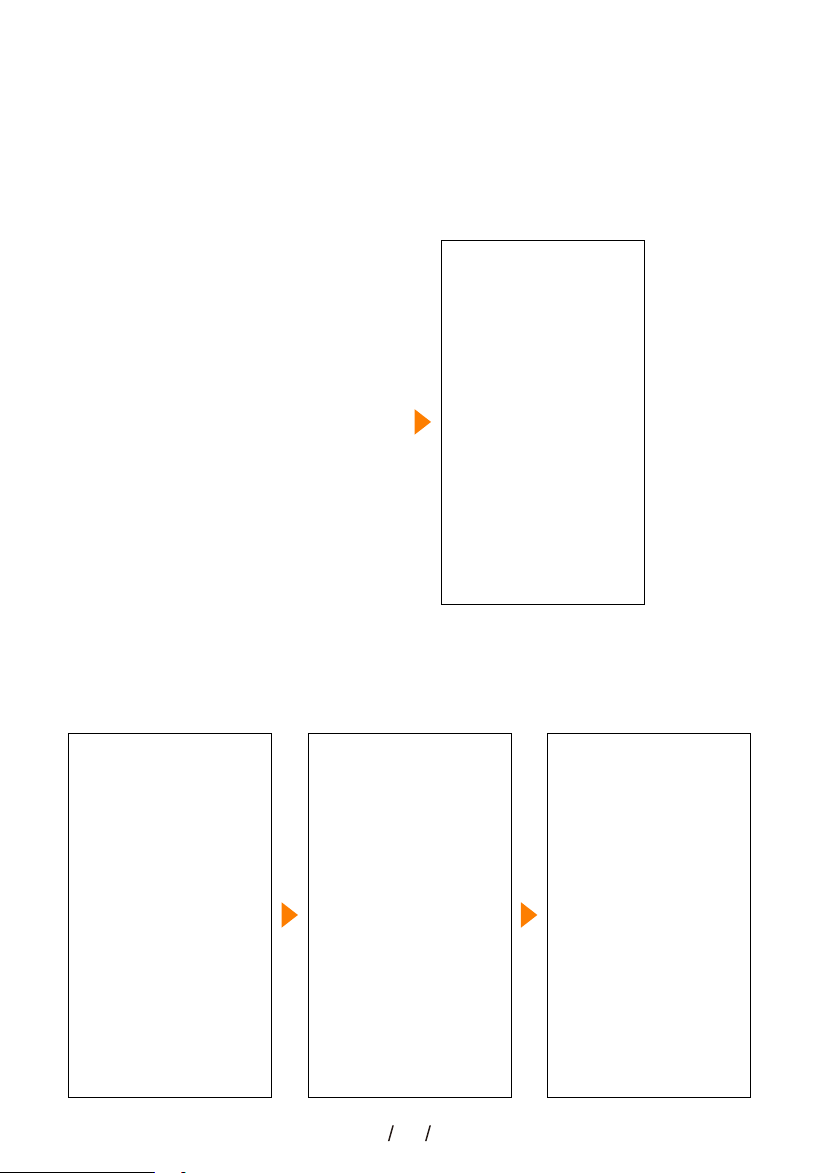
26
7.Password Settings
Set password
When the device is first time actived, enter the password setting interface, click on "Set
Password", confirm the password again - "Set Successful", and enter the device homepage.
①
② ④③
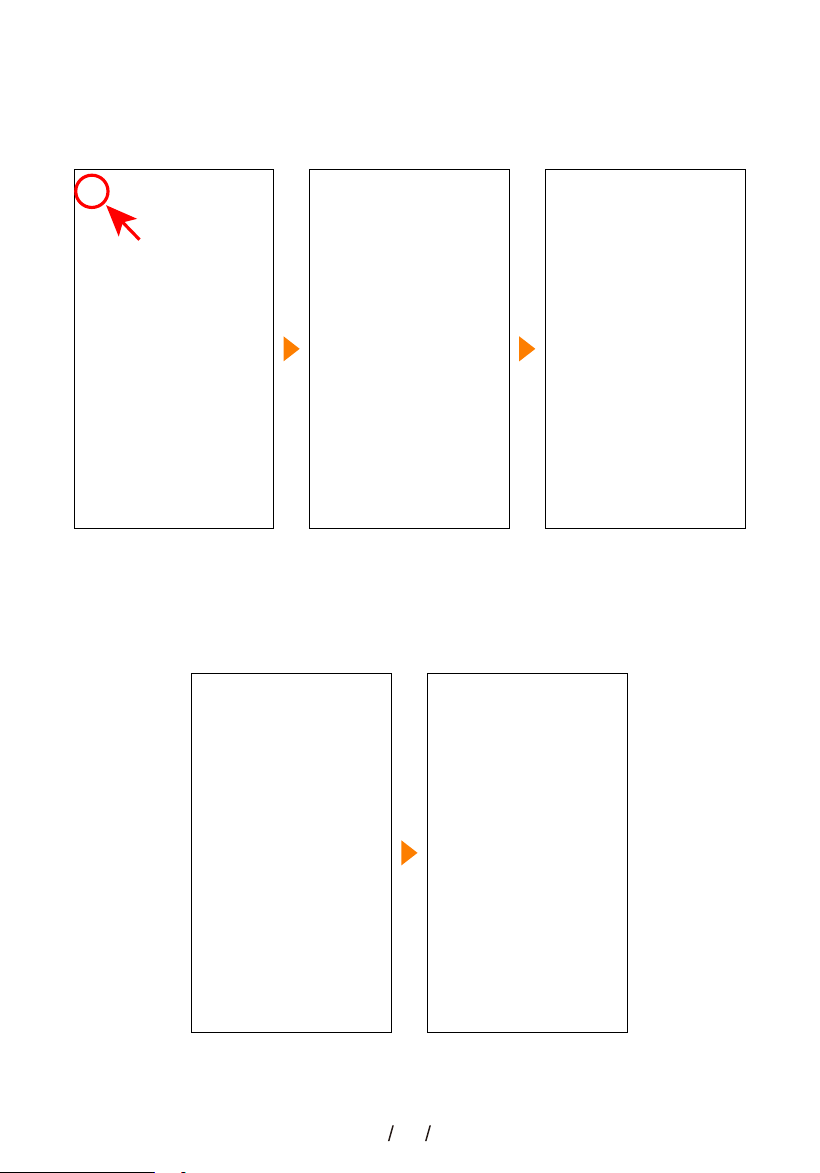
27
Use password enter menu
Once a password is set during initial startup, the Password switch in the MENU will turn on
automatically, and a password will be required for subsequent menu access.
Modify password
① ②
Password setting
interface
Change password
① ②

28
Confirm password again Password changed
successfully
View Password
Password setting
interface
set password
Turn on the password function
If the password setting is skipped at the beginning, the Password option switch under MENU will
be turned off, and there is an option to set the password. After setting the password, the option to
view the password will be displayed.
① ③②
④③
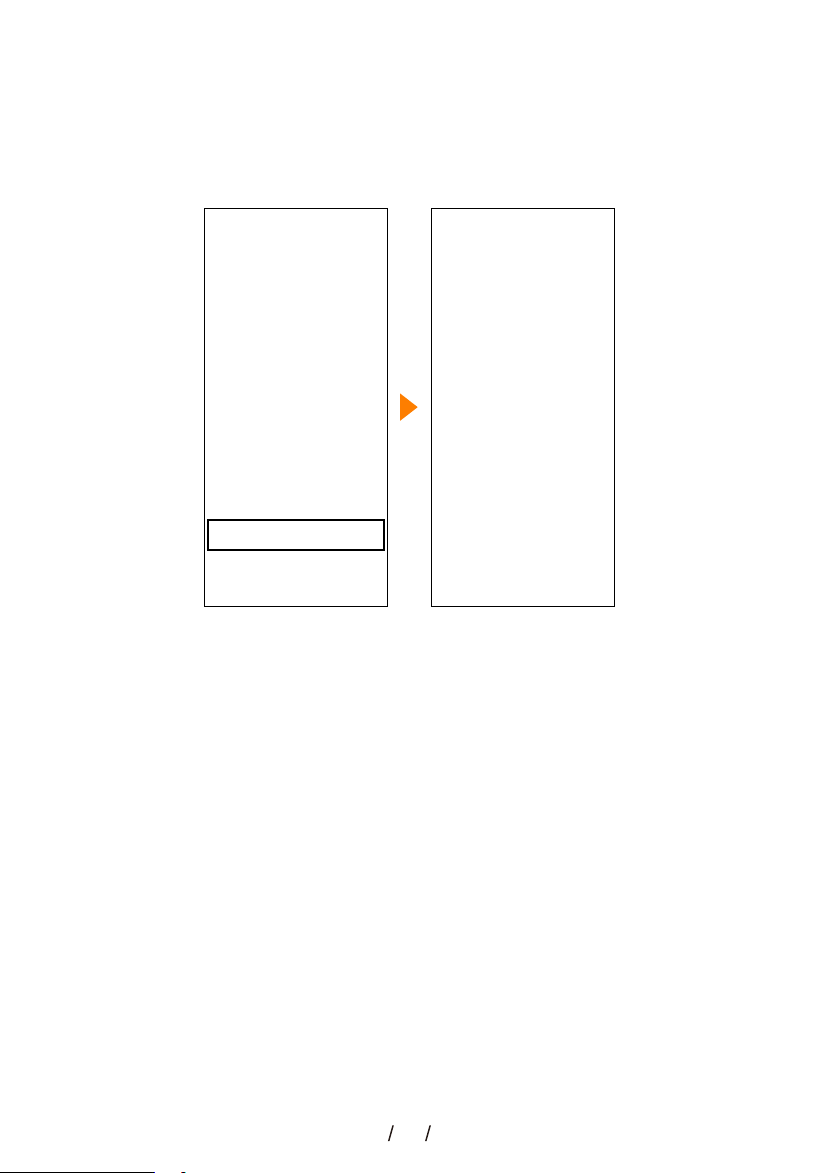
29
view password on app
If a password is set for the charging station, the device password can be viewed through the
mobile app.
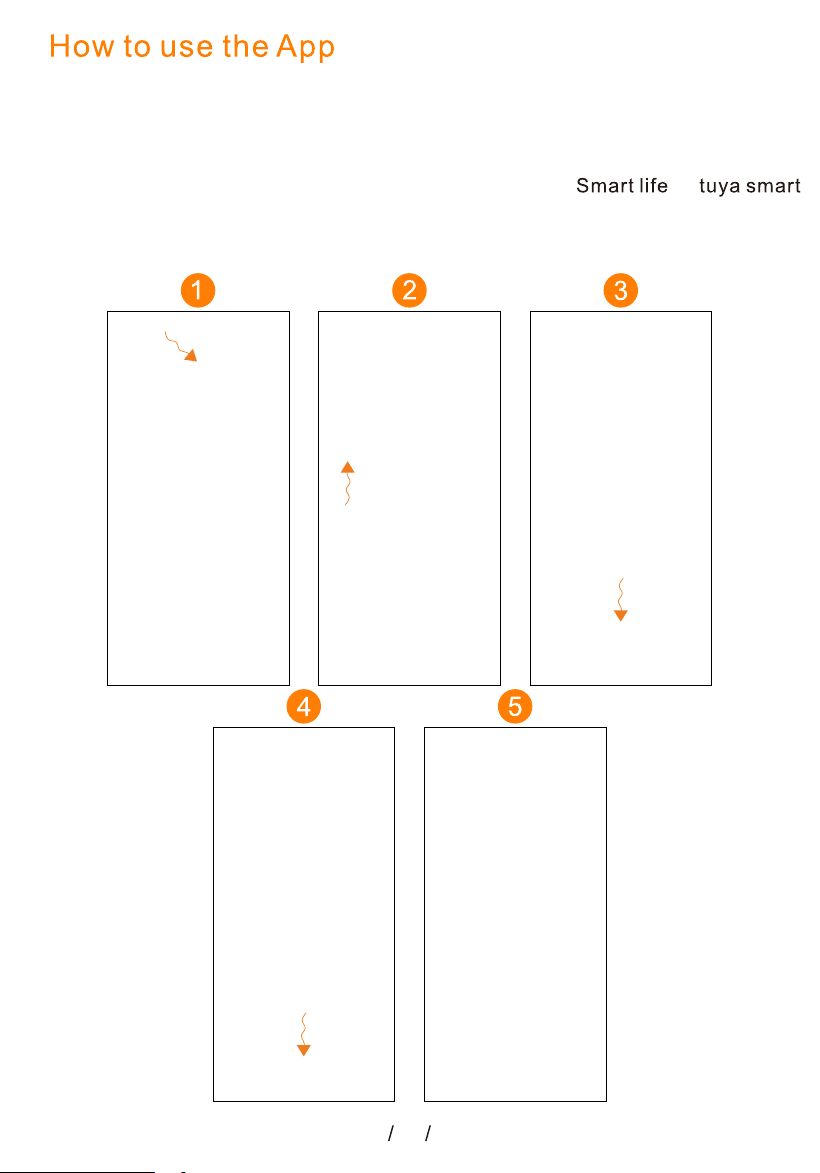
30
1.Please download the "Smart Life" (recommended) or
the "Tuya Smart" APP on your cell phone. The APP icon
as shown above.
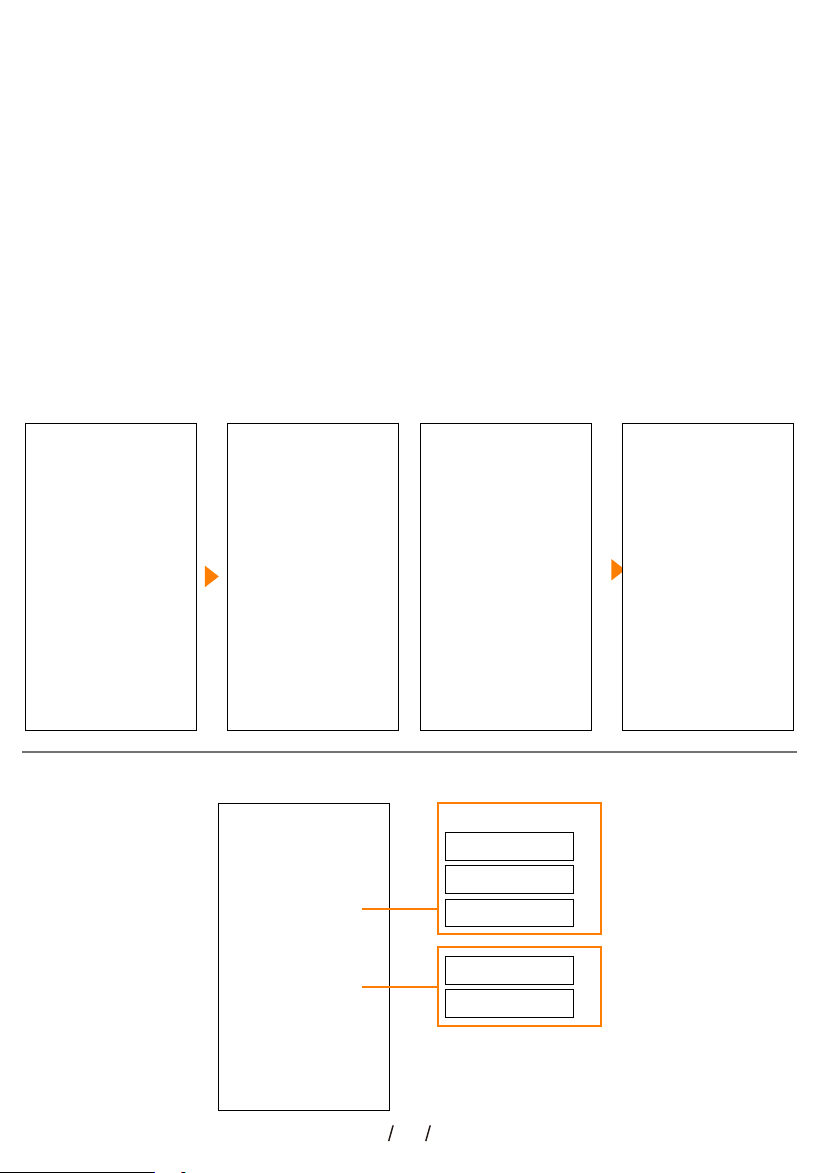
2. After downloading, open the app, turn on your phone WiFi and Bluetooth,
select Add Device, and follow the instructions to complete Add a new device,as
shown below:
How to use the App (the device needs to have Wifi function,and Bluetooth
function)
NEXT
NEXT
NEXT
NEXT

31
App Homepage Introduction
1. Dashboard
2.1 Energy Analysis-Charging Log
2.1 Energy Analysis-Power Analysis
32
3.1 Mine-RFID Management
① Add a card
② Name the card
①
②
33
3.2 Mine-System Update
This product offers OTA (Over-the-Air) update service. When a new system version is
released, you can upgrade wirelessly via the app to ensure your device always runs on the
latest firmware.
Notice: Before performing an OTA upgrade,please ensure a stable network and power
supply.

34
7.6kW/9.6kW/12kW interface as shown below
11kW/22kW interface as shown below
35
Ready to Charge Swipe RFlD Card Charging charging Complete
EMERGENCY STOP Signal Failure Undervoltage Overvoltage
Leakage Overcurrent Over TEMP Missing of PE Protection
Leakage Self Check Relay Self Check Self balancing error
36
EMERGENCY STOP
Ready to Charge Swipe RFlD Card Charging charging Complete
Signal Failure Undervoltage Overvoltage
Leakage Overcurrent Over TEMP Missing of PE Protection
Leakage Self Check Relay Self Check Self balancing error

37
Single-phase Wiring Instructions

38
Three-phase Wiring Instructions
39
40
Reason for failure
1. Ask an electrician measure the input voltage of the charger's
power distribution box
2. If the actual voltage is over 264V for a short time, wait for the
power system to restore itself to the normal voltage range.
3. If the actual voltage is over 264V for a long time, please contact
the local power supply department
4. If the actual voltage of the electrical system in your home is less
than 264V, please contact us;
AC input voltage is too
high
1. Ask an electrician measure the input voltage of the charger's
power distribution box
2. If the actual voltage is less than 85V for a short time, wait for the
power system to restore itself to the normal voltage range.
3. If the actual voltage is less than 85V for a long time, please
contact the local power supply department
4. If the actual voltage of the electrical system in your home is over
85V, please contact us;
AC input voltage is too
low
1.Cut off the power of the charger's power distribution box right
away
2.Check the charging plug for foreign objects and the car's
on-board charger for abnormalities
3.After troubleshooting the above problems, reconnect the power
supply, if the fault still exists, please contact us
AC input current is too
high
1.Cut off the power of the charger's power distribution box right
away
2.Check whether the output cable of the charging station is broken
or connected to ground
3.After troubleshooting the above problems, reconnect the power
supply, if the fault still exists, please contact us
The sensor for detecting
leakage is abnormal
1.Cut off the power of the charger's power distribution box right
away.
2.Check if the charging station is grounded properly.
3.After troubleshooting the above problems, reconnect the power
supply, if the fault still exists, please contact us
Poor grounding or
incorrect wiring
1.Check if the wiring of the charging plug is correct
2. After troubleshooting the above problems, if the fault still exists,
please contact us
Charging plug CC/CP
connection abnormality
1.Check if the red button on the right is pressed, if it is pressed,
rotate it back to reset.
2.After troubleshooting the above problems, if the fault still exists,
please contact us
Reset button is pressed
1.Check if the sum of the standby current and charging current is
less than 6A. If that's the case, reduce the current of your home
appliances.
2.After troubleshooting the above problems, if the fault still exists,
please contact us
standby current+charging
current<6A
1.Cut off the power of the charger's power distribution box right
away
2.Check the charging plug for foreign objects and check the car for
electrical leakage
3. After troubleshooting the above problems,Reset leakage
protector,reconnect the power supply, if the fault still exists,
please contact us
Leakage is greater than
the following values:
TypeB: AC 30mA+DC
6mA
1.Check that there is no other heat generating equipment or
devices next to the charging station and make sure that the ambient
temperature is below 50°C.
2.If the problem cannot be solved, please contact us
Fault name
Over Voltage
Under Voltage
Over Current
Leakage self check
PE Fault
Err:cp
Err:Reset
Err:Load Balance
Elec leakage
Over TEMP
Charger internal
temperature greater than
85°C
Recommendations
41
Power-up for self-test or reset
Charging
Status
Ready
Green Light Blue Light
Ever-bright /
Red Light
/
Detection point 1 voltage is 9 ± 0.8 V.Connect
Charging
Flashing / /
Detection point 1 voltage is 6 ± 0.8 V,relay
closed
/ Breathing /
Charging finishedFinish / Ever-bright /
Single-phase: voltage <85V , Three-phase:
<304V
Under Voltage / /
Flash 2
time(0.5S)
Over Voltage
Single-phase: voltage > 264V, Three-phase: >
457V
/
Flash 3
time(0.5S)
Relay is opened, it will be closed if re-powered
after troubleshooting,
Elec Leakage / /
Flash 4
time(0.5S)
Detection point 1 voltage is 9.8V<U<11.2V;
6.8V<U<8.2V; 12.8V<U or U<5.2V; relay
opened
Err:CP / /
Flash 1
time(0.5S)
Emergency stop button is pressed, the relay is
opened, and it is allowed to close only after the
fault is solved
Err:Reset / /
Flash 7
time(0.5S)
Temperature > 85°C, the relay is opened.
When the temperature is < 65 °C, charging
restarts.
Over Temp / /
Flash 6
time(0.5S)
The line current keep at Ie+2<I≦Ie+4 for 5
seconds, the relay is opened, then restarted
automatically after 10 seconds. It will
permanently disconnect after three repetitions.
At I> Ie+4, the relay is disconnected and the
charging is finished.
Over Current / /
Flash 5
time(0.5S)
Description
Detected that the device is not connected to
the PE line and the grounding resistance is
greater than 5 Ω.
PE Fault / /
Flash 8
time(0.5S)
standby current<6A
Err:
Load Balance
/ /
Flash 9
time(0.5S)


FCC Statement
This device complies with part 15 of the FCC Rules. Operation is subject
to the following two conditions:(1)This device may not cause harmful
interference;(2) this device must accept any interference received,in-
cluding interference that may cause undesired operation.
Note:This equipment has been tested and found to comply with the limits
for a Class B digital device, pursuant to part 15 of the FCC Rules. These
limits are designed to provide reasonable protection against harmful
interference in a residential installation.This equipment generates and
uses can radiate radio frequency energy, if not installed and used in
accordance with the instructions, may cause harmful interference to radio
communications. However, there is no guarantee that interference will not
occur in a particular installation. lf this equipment does cause harmful
interference to radio or television reception, which can be determined by
turning the equipment off and on, the user is encouraged to try to correct
the interference by one or more of the following
measures:
—Reorient or relocate the receiving antenna.
—Increase the separation between the equipment and receiver.
—Connect the equipment into an outlet on a circuit different from that to
which the receiver is connected.
—Consult the dealer or an experienced radio/TV technician for help.
Note:The Grantee is not responsible for any changes or modifications
not expressly approved by the party responsible for compliance.such
modifications could void the user's authority to operate the equipment.
The device has been evaluated to meetgeneral RF exposure
requirement.
To maintain compliance with FCC's RF exposure guidelines, the
distance must be at least 20cm between the radiator and your body,and
fully supported by the operating and installation configurations of the
transmitter and its antennas.