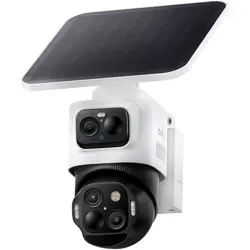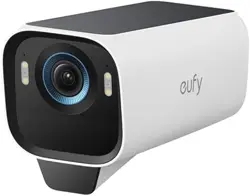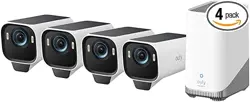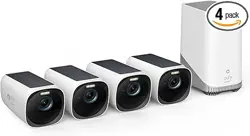
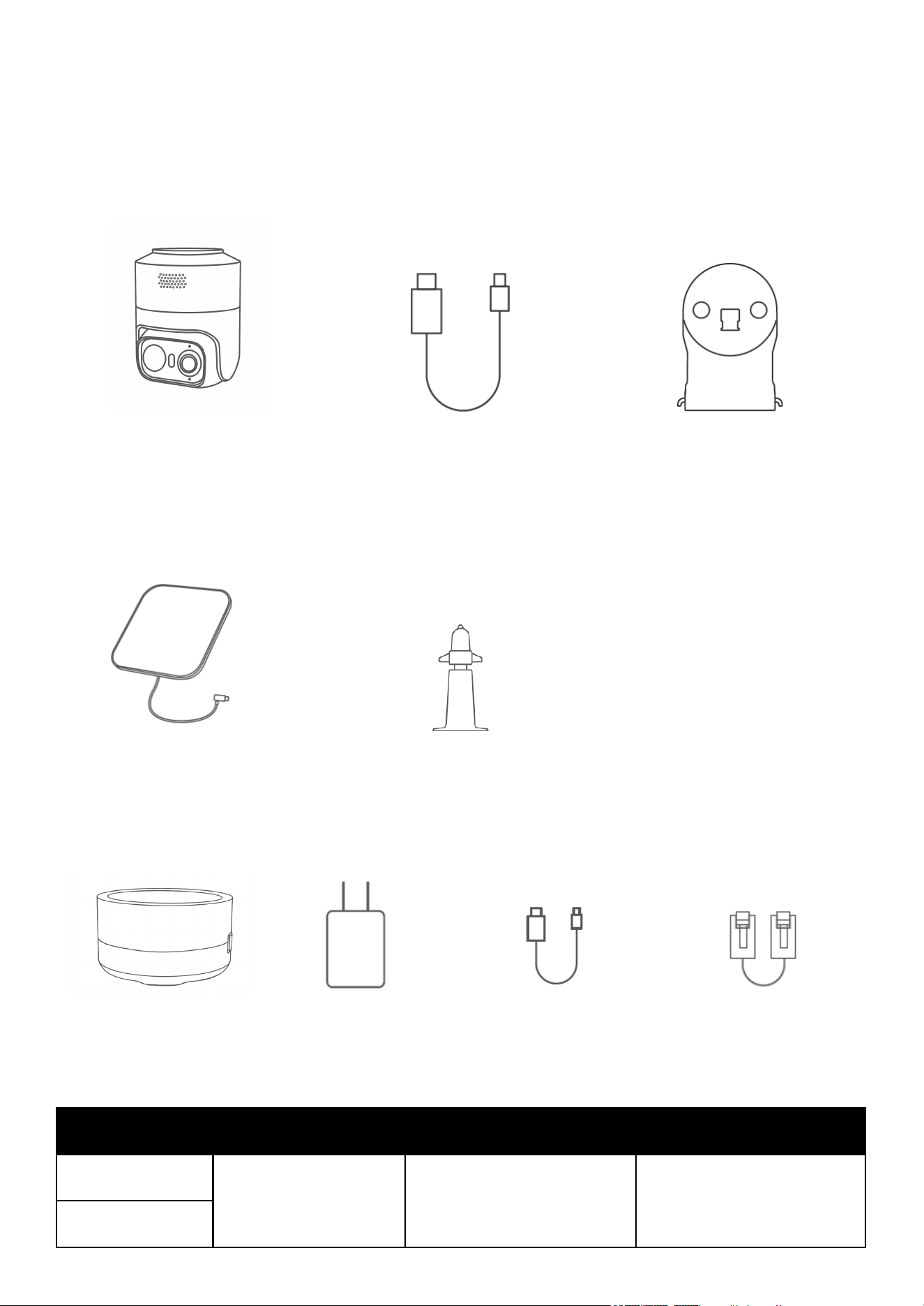
What's in the Box
For Camera Installation
Camera
0.6m USB-C Cable
Mounting Bracket
For Solar Panel Installation
Solar Panel
Solar Panel Mounting Bracket
For HomeBase Setup (Only available in 2-cam / 4-cam Kit)
HomeBase Mini
5V/2A Power Adapter
2m Power Cable
1.2m Ethernet Cable
Items
1-Cam with Solar Panel
2-Cam Kit with Solar Panel
4-Cam Kit with Solar Panel
Camera
1
2
4
Solar Panel
Mounting Bracket
Solar Panel
Mounting Base
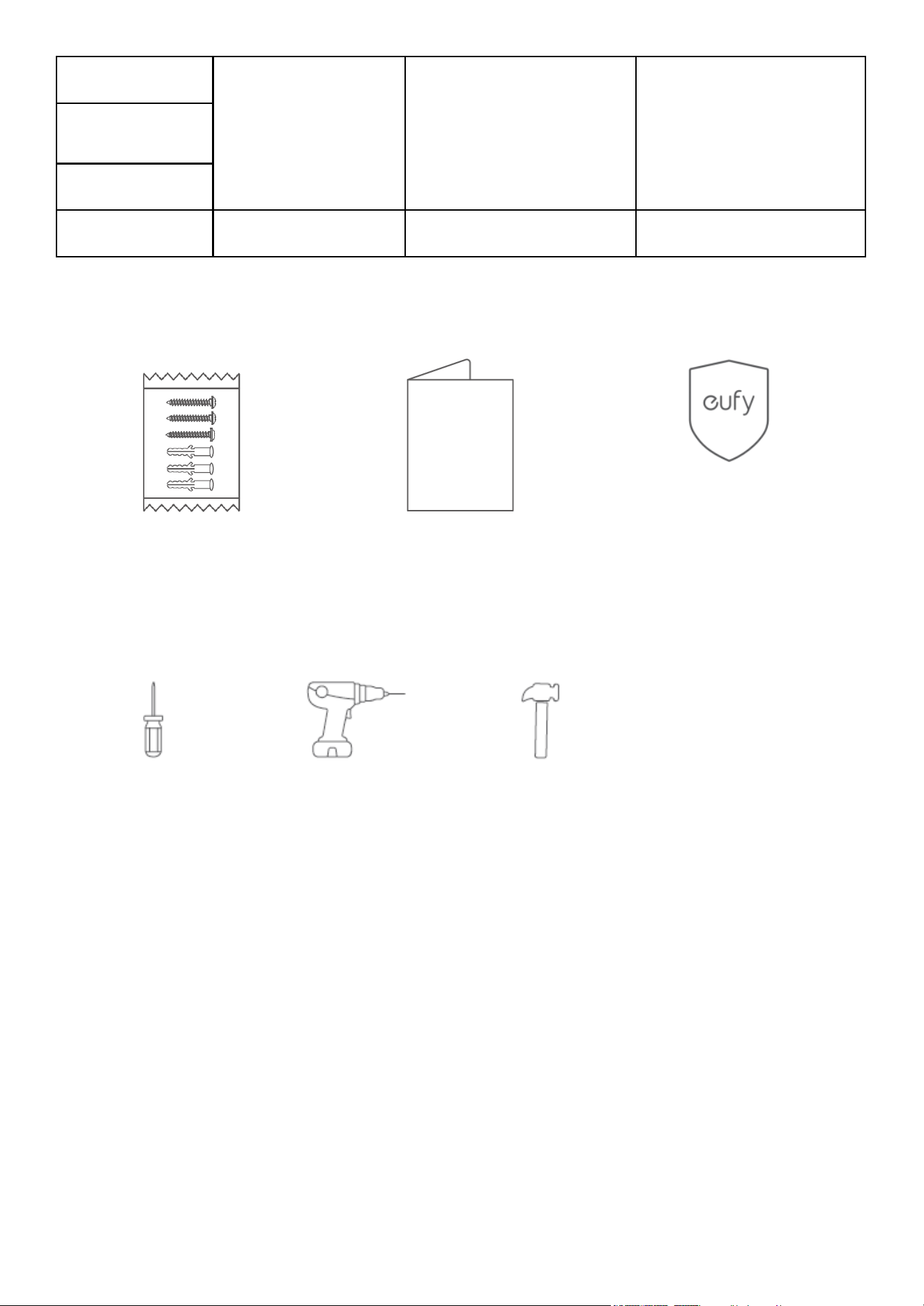
Screw Pack
HomeBase Mini
0
1
1
Other
Screw Pack
(2 for camera, and 3 for solar panel)
Quick Start Guide
Warning Sticker
Tools You Will Need
Phillips Screwdriver
Power Drill (6 mm)
Hammer
At a Glance
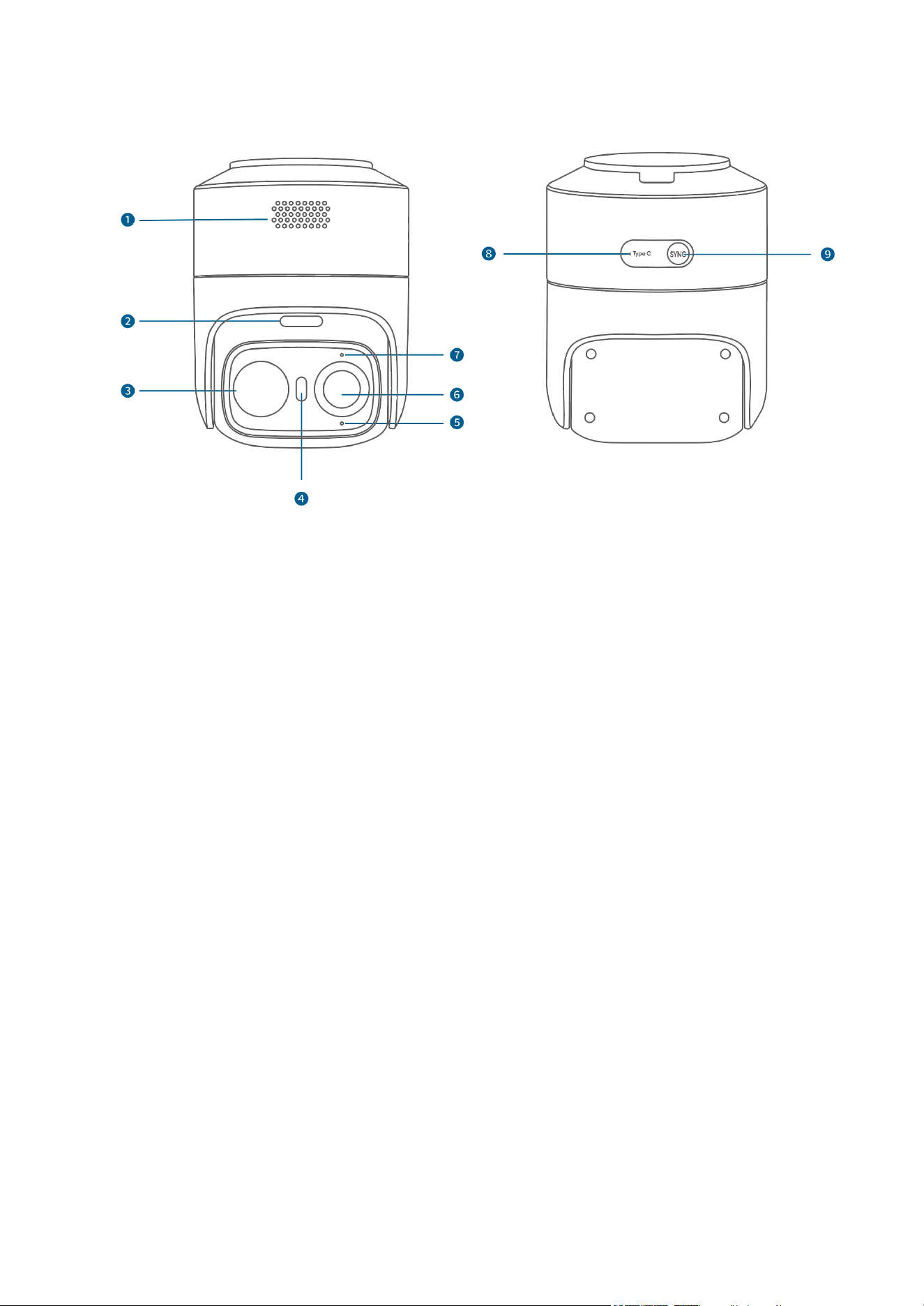
eufyCam C37
1. Speaker
2. microSD Card Slot
3. PIR Sensor
4. Spotlight
5. LED Indicator
6. Camera Lens
7. Microphone
8. Type-C Port
9. Sync Button
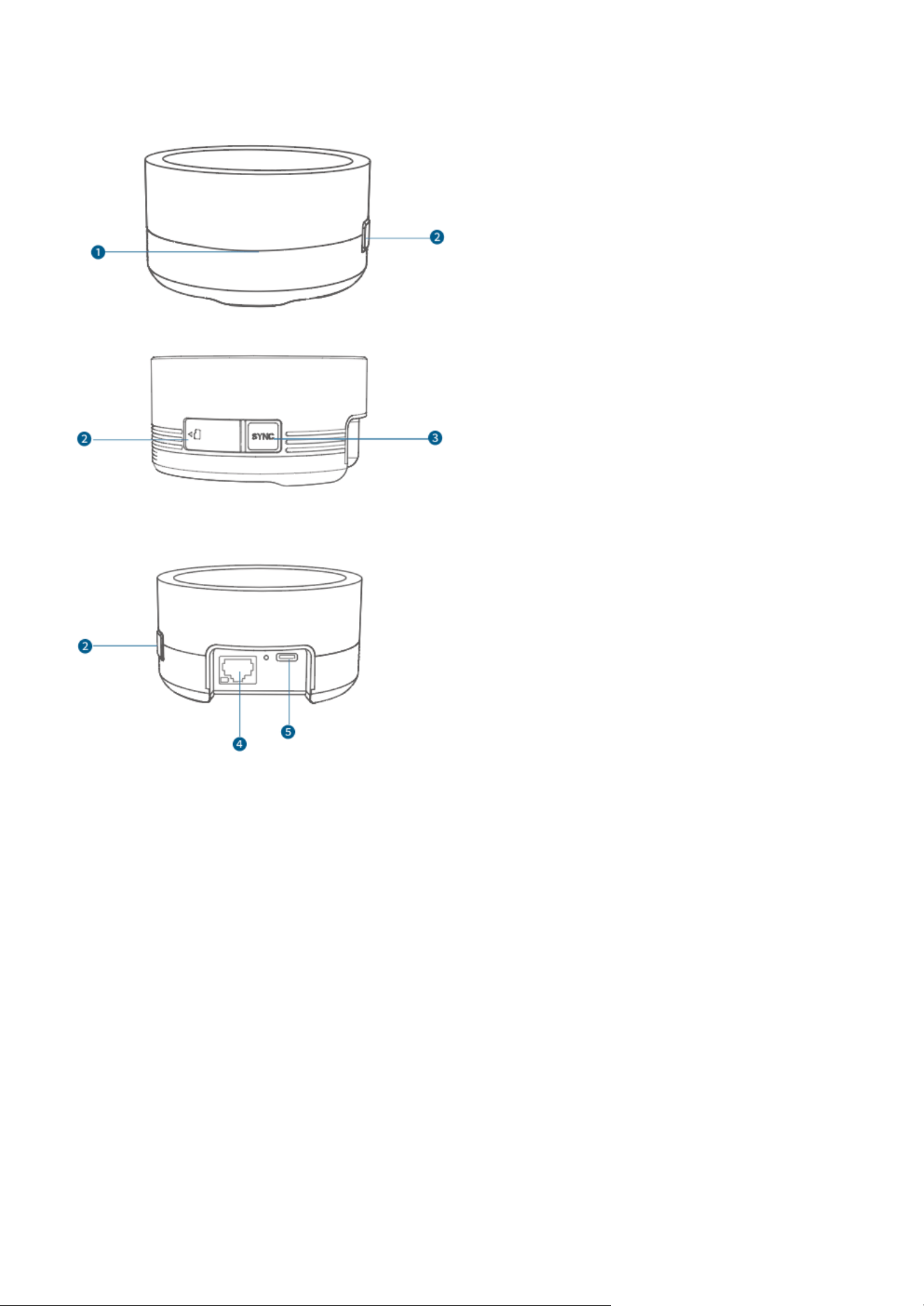
HomeBase Mini
1. LED Indicator
2. microSD Card Slot
3. SYNC Button
4. Ethernet Port
5. USB-C Port
Before Mounting
1. Download the App
① Download the latest version of eufy app.
② Log in or create a new account.
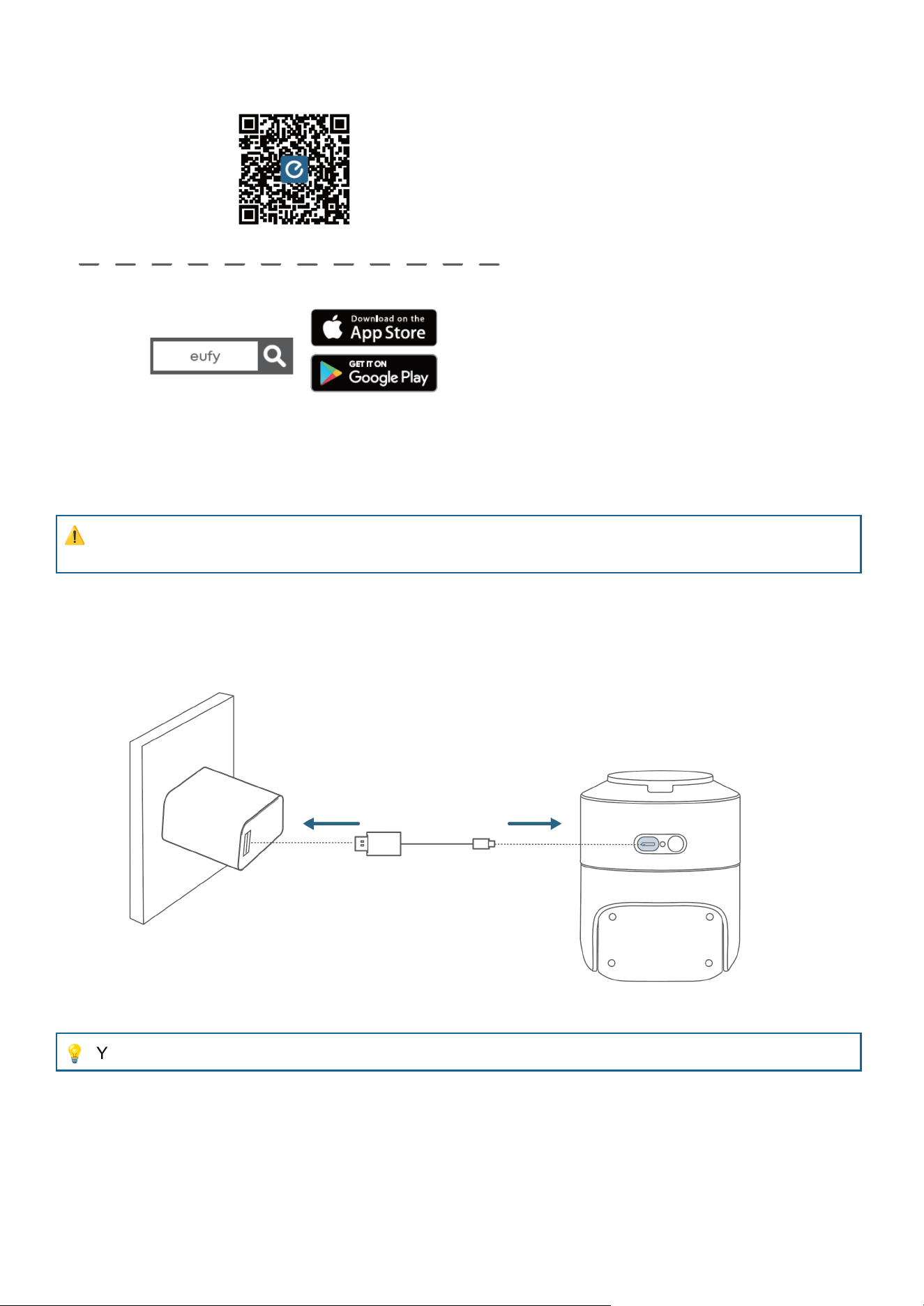
2. Fully Charge the Camera Before First Use
⚠
The device must be powered by a regulated, constant 5 V supply. Using any other fast-charging
adapter will cause damage to the device.
Charge the camera with the provided USB-C cable until the blue light turns off (about 4 hours with a 5V/2A
power adapter).
💡
You can check the battery level in the app.
3. Add HomeBase Mini (Optional)
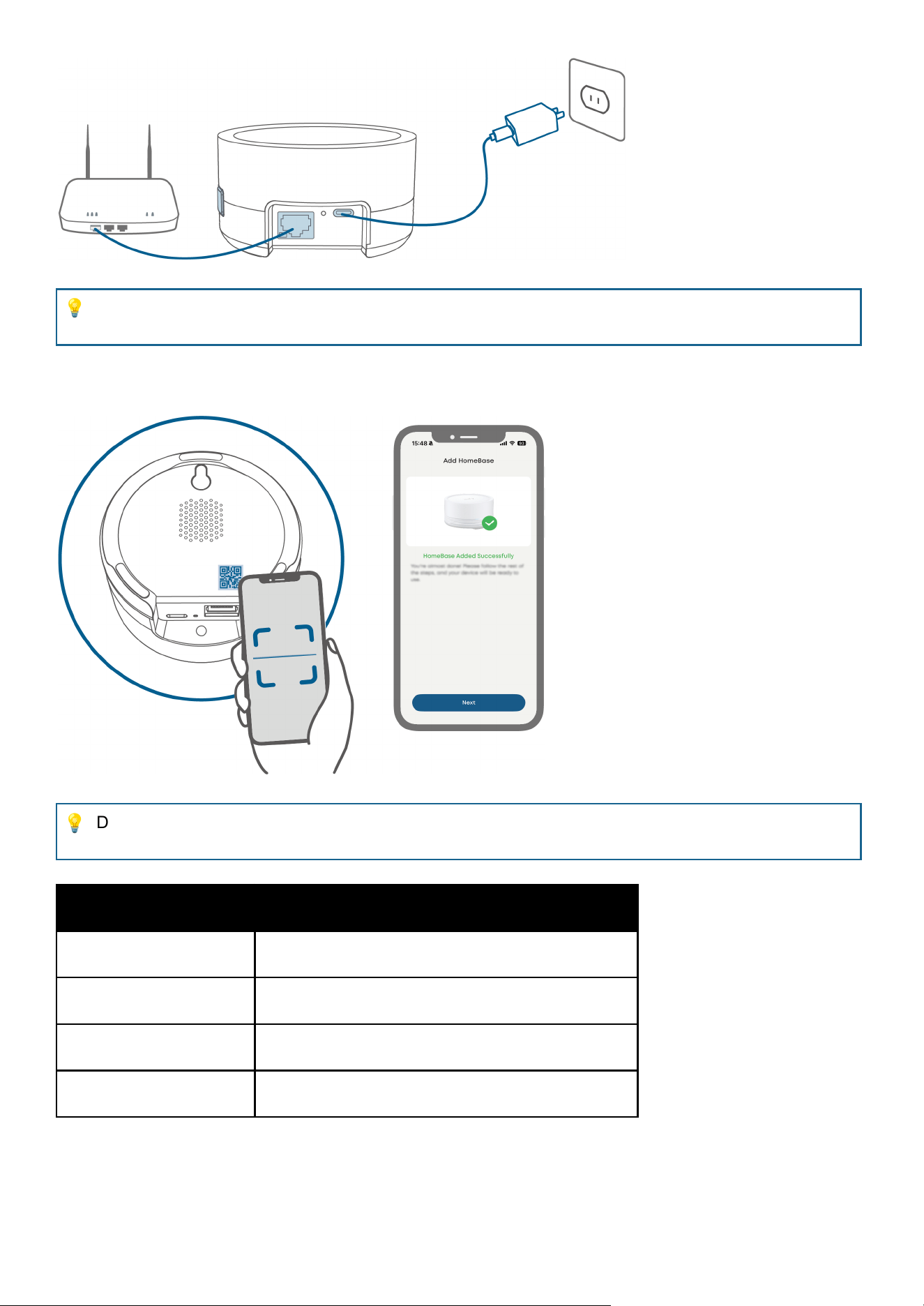
① Power the HomeBase Mini with the included 5V/2A power adapter and then connect it to your router.
Wait about one minute until the blue light blinks slowly.
💡
To ensure proper operation, use only the included original power adapter. If a non-original adapter
must be used, it must be rated at 5V/2A or higher to avoid insufficient power supply.
② Open the eufy app, scan the QR code on the HomeBase Mini. Then follow the in-app instructions to add
the device.
💡
During this process, ensure the network is stable and the HomeBase is powered on. A solid blue
light indicates a successful binding.
LED Indicator
Description
Red Light Blinks Slowly
Powered on, not connected to network
Blue Light Blinks Slowly
Powered on, connected to network
Solid Blue light
Successfully bound
Solid Red light
HomeBase Mini offline / network disconnected
4. Add the Camera
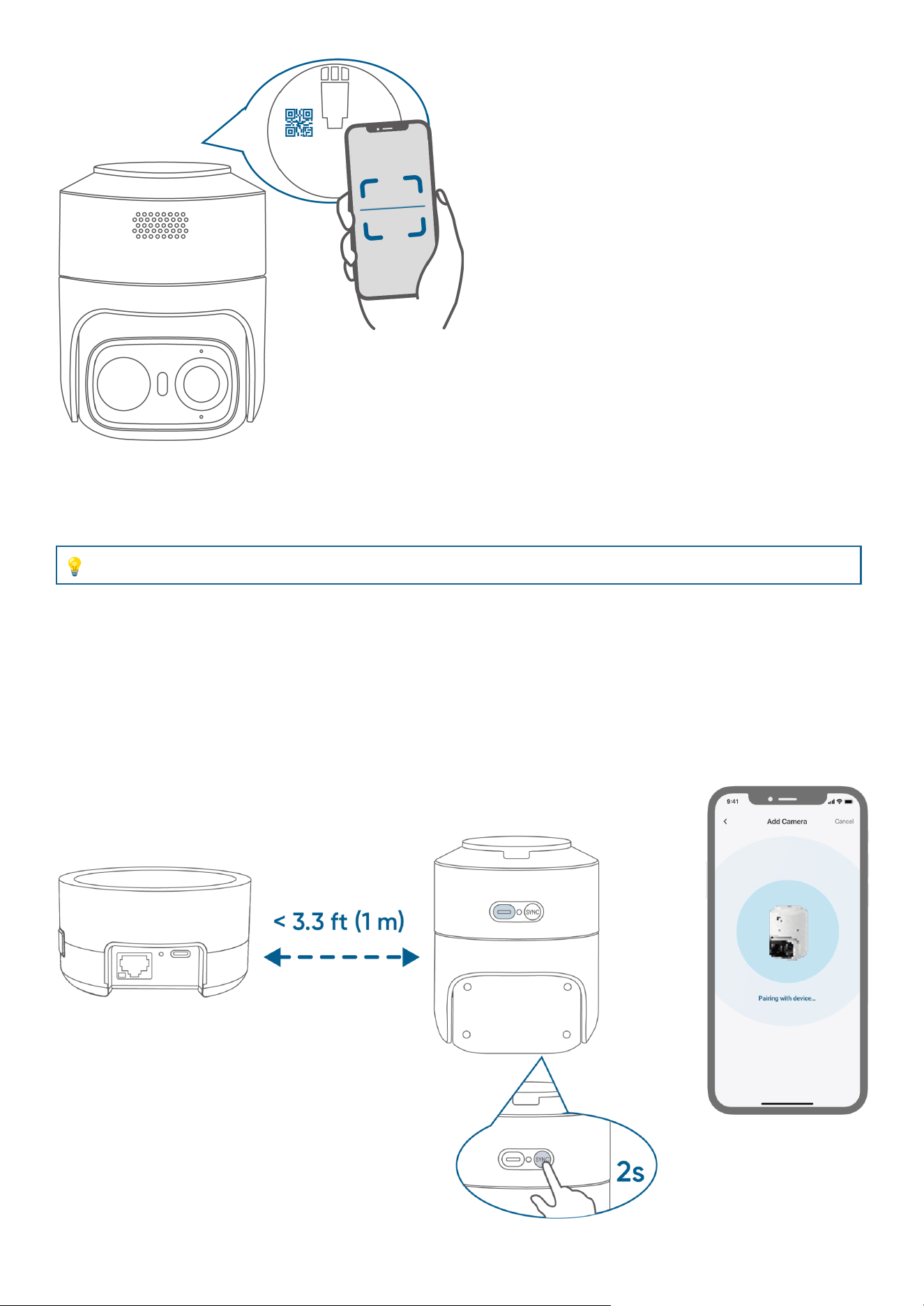
Open the eufy app, tap Add Device and scan the QR code on the camera. Then follow the in-app
instructions to add the device.
Option 1: Connect to your Router (Without HomeBase Mini)
Tap Connect to Router and then follow the in-app instructions.
💡
The device only supports 2.4GHz Wi-Fi network.
Option 2: Connect to HomeBase Mini
● Some features, e.g., local bionic self-learning facial recognition, storage management, and
cross-camera tacking, require your eufyCam to be connected to the HomeBase.
① Tap Connect to HomeBase.
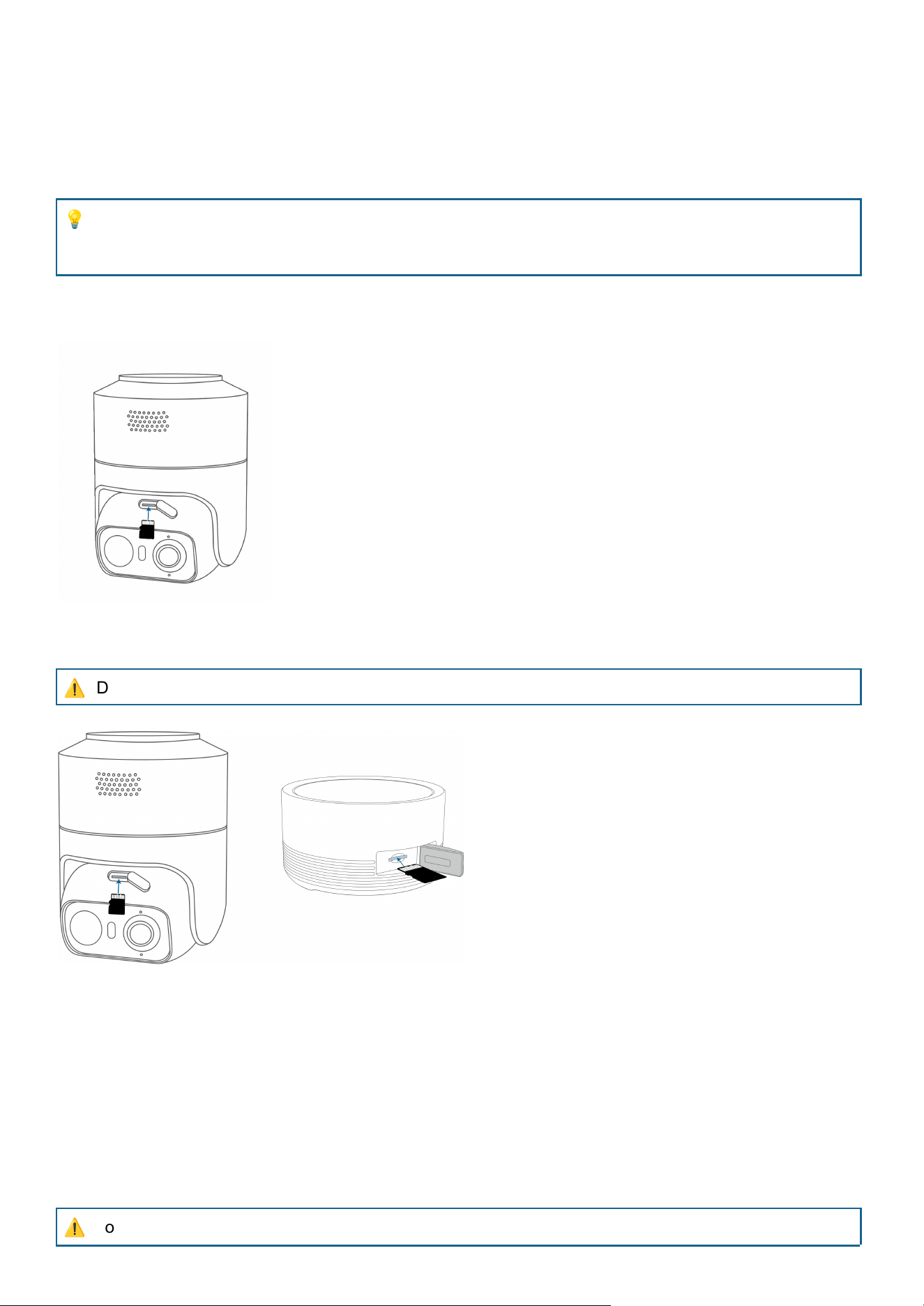
② Press and hold the camera's SYNC button for about 2 seconds until the blue light blinks slowly with a
beep. Then follow the in-app instructions to complete pairing.
5. Expand the Storage (Optional)
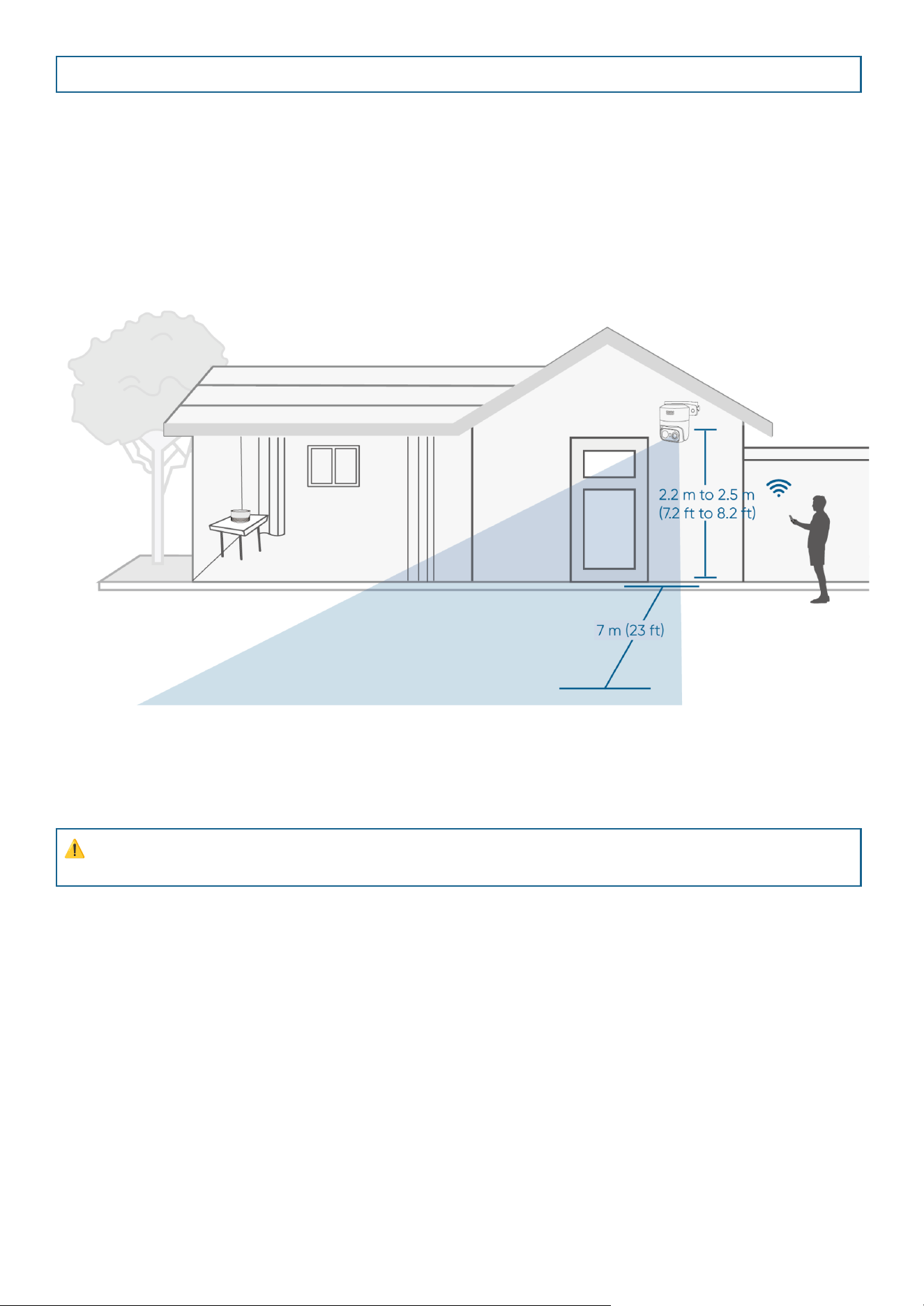
1. Insert the microSD Card
Insert the microSD card with its pins facing UP. Press the card into the slot until it clicks into position.
💡
Once inserted, the microSD card will serve as the primary storage medium, prioritizing the storage
of system-generated data (such as logs and configuration files) and video recordings from the
cameras.
● Without HomeBase Mini: Insert the microSD card (up to 256GB) into the camera.
● With HomeBase Mini: Insert the microSD card (up to 1TB) into HomeBase Mini.
⚠
Do not insert or remove the microSD card when HomeBase Mini is powered on.
2. Remove the microSD Card
To remove the microSD card, press it in to release, then pull it out.
Mounting the Camera
⚠
To prevent network interference, maintain a minimum distance of 1 m (3.3 ft) between the camera,
HomeBase, and router.
1. Choose a Location
Recommended Location:
● Height of between 2.2 m to 2.5 m (7.2 ft to 8.2 ft)
● 7 m (23 ft) field of view
● Strong Wi-Fi signal
2. Install the Mounting Bracket
This bracket can be installed either way —just attach the side with 2 holes to the wall or the top.
⚠
Do not install the bracket in any manner other than as described in the manual. Improper installation
may result in the camera falling.
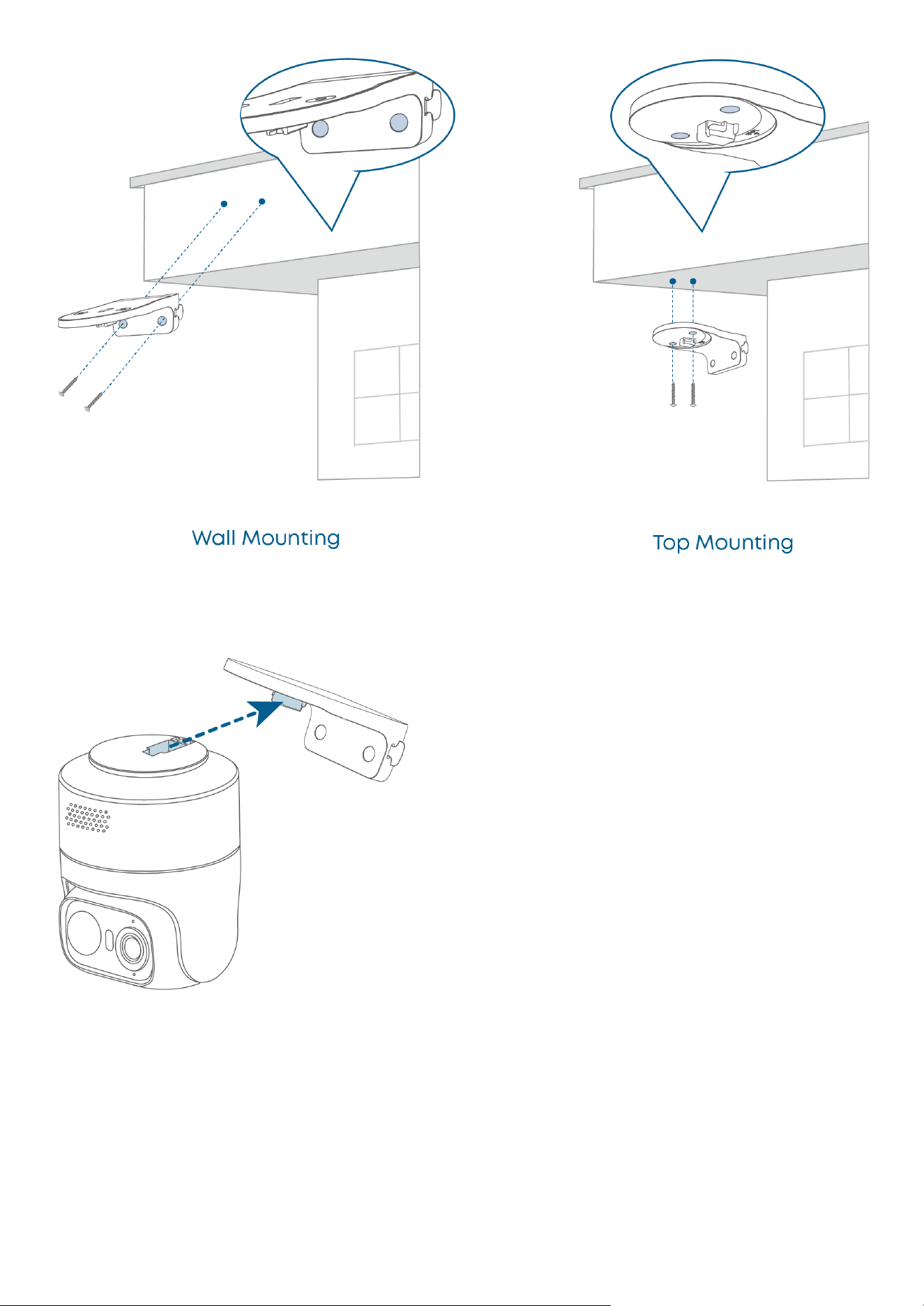
3. Mount the Camera
① Attach the Camera to the Mounting Bracket
② Slide to Lock the Camera
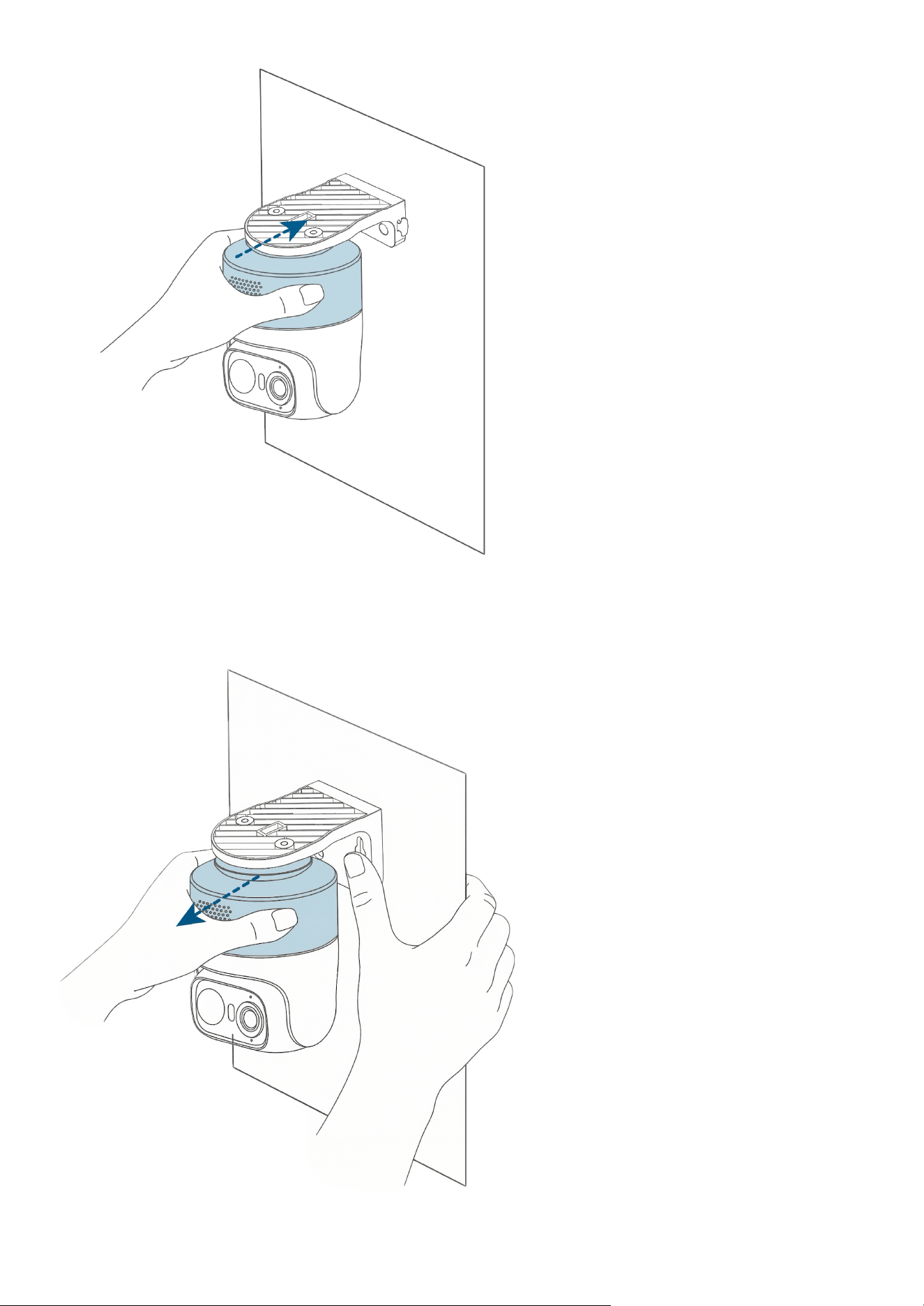
To remove the camera from the bracket:
Hold the bracket with one hand, and pull the camera straight out away from the bracket until it detaches
completely.
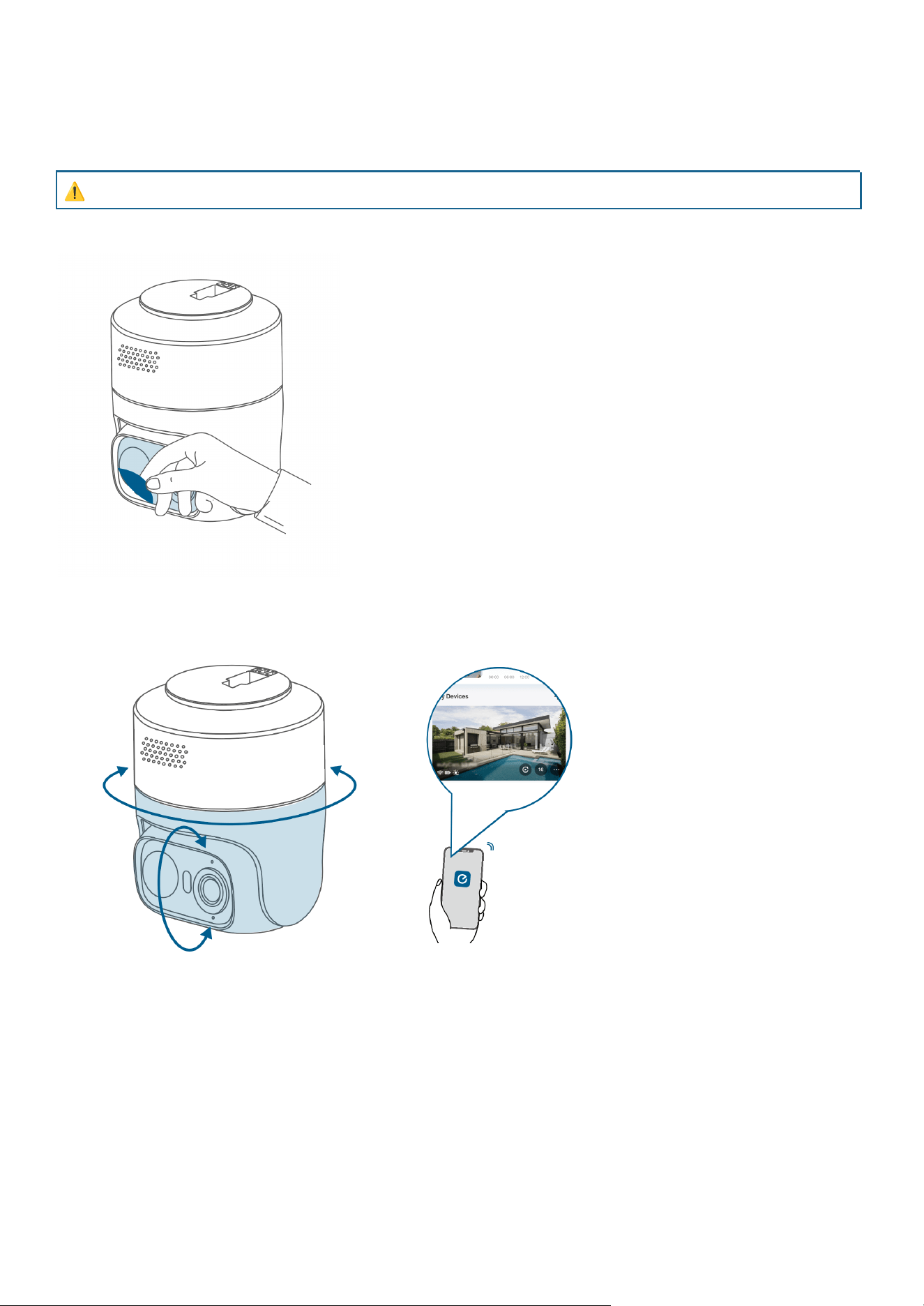
After Mounting
Adjust the Camera Field of View
⚠
There is a risk of the camera freezing and failing to rotate under extreme rain or snow conditions.
1. Remove Protective Film
2. Rotate the Camera via eufy App to Get the Optimal Angle
Decorate the Camera with Stickers (Optional)
① Clean and dry the application surface.
② Choose from
• Patterned waterproof stickers
• White stickers for your own designs
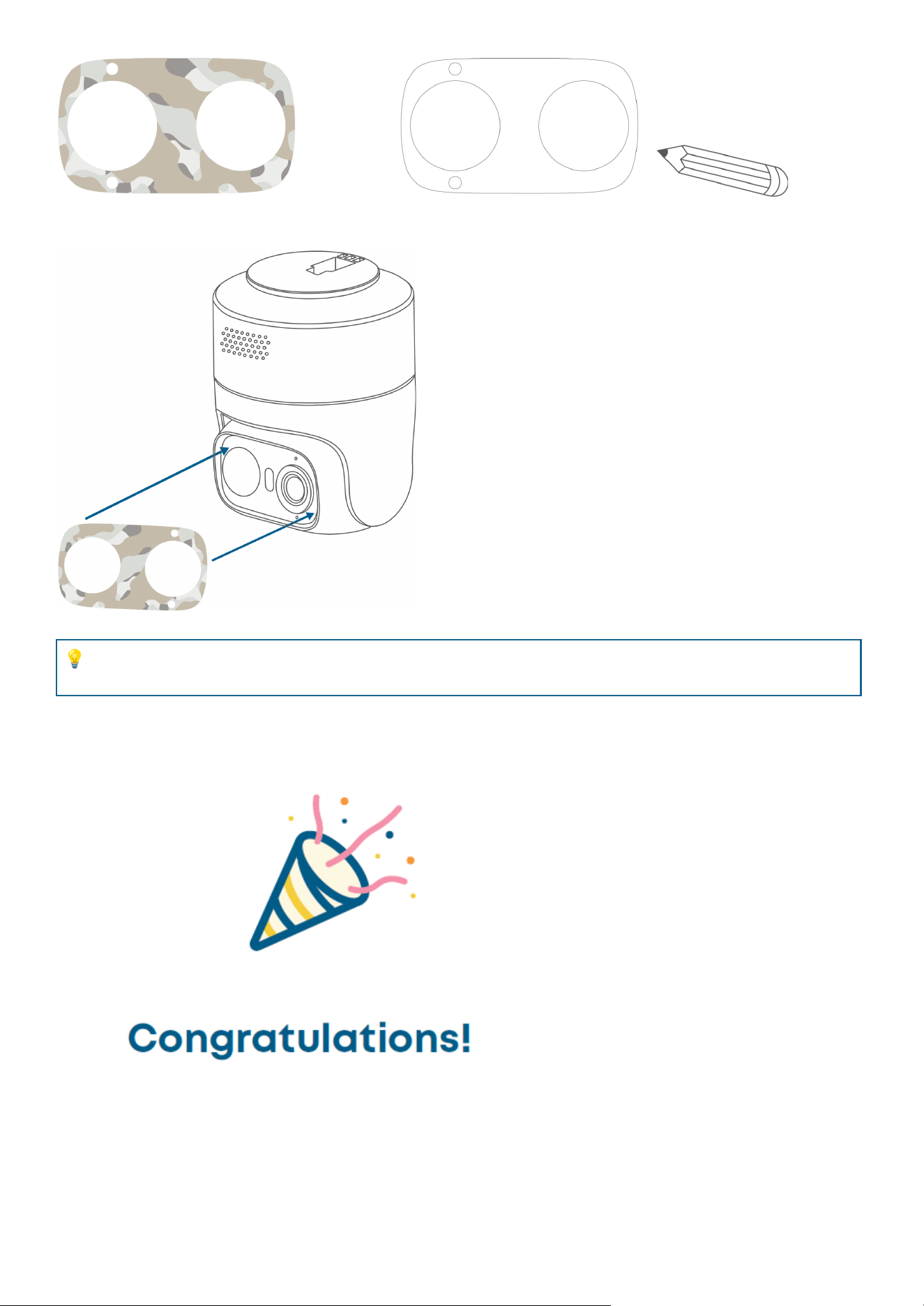
③ When applying the sticker, ensure the microphone and LED indicator remain uncovered.
💡
Outdoor use may cause the sticker's edges to lift over time. This is normal and can be gently
pressed back into place.
Now you're all set to use your eufyCam C37!
Please explore more in the eufy app.
Other Information
Important Safety Instructions

● The recommended temperature range for T814X is -10°C to 45°C. The USB charging temperature
is 0°C to 45°C. The solar panel charging temperature is -10°C to 45°C.
● Note: Actual operating temperature may vary by ±2°C depending on the environmental conditions.
● The recommended temperature range for T8025 is -10°C to 45°C..
● Unless specifically indicated that it is safe to do so in the user guide or instruction manual, do not
use the devices in an environment that exceeds the recommended low or high temperature.
● Unless specifically indicated that it is safe to do so in the user guide or instruction manual, avoid
exposing your devices to direct sunshine or excessively wet environments.
● Do not use the product in any way other than described herein in order to avoid personal injury or
property damage.
● Users should comply with the laws and regulations of the corresponding countries and regions
where the equipment is located(used), abide by professional ethics, pay attention to safety
obligations, and strictly prohibit the use of our products or equipment for any illegal purposes. Our
company will not be responsible for any violators' legal liability under any circumstances.
● When charging, place the devices in an environment that has a normal room temperature and good
ventilation.
● For pluggable equipment, the socket outlet should be easily accessible.
● Use only the adapters provided by the manufacturer. Using unauthorized adapters may cause
danger and violate the Terms of Use and warranty article.
Warning
● Replacing a battery with an incorrect type may bypass safeguards and create danger;
● Disposal of the battery in a fire or a hot oven or other source of significant heat, or mechanically
crushing, or cutting of the battery, may result in an explosion or leakage of flammable liquids or
gases;
● Leaving the battery in an extremely hot environment may result in an explosion or leakage of
flammable liquids or gases;
● Subjecting the battery to extremely low air pressure may result in an explosion or leakage of
flammable liquids or gases.
Child Safety
• THIS DEVICE IS NOT A TOY.
• Choking Hazard: This product contains (or comes with) small parts, plastic elements, cables, and parts
that may cause choking hazards. Keep your camera and its accessories out of the reach of small children.
Consult a physician immediately if small parts are swallowed.
• Strangulation Hazard: Children get strangled in cords. Keep cords out of the reach of children (more
than 3 ft / 0.9 m away).
Notice
FCC Statement
This device complies with Part 15 of the FCC Rules. Operation is subject to the following two conditions: (1)
this device may not cause harmful interference, and (2) this device must accept any interference received,
including interference that may cause undesired operation.
Warning: Changes or modifications not expressly approved by the party responsible for compliance could
void the user's authority to operate the equipment.
Note: This equipment has been tested and found to comply with the limits for a Class B digital device,
pursuant to Part 15 of the FCC Rules. These limits are designed to provide reasonable protection against
harmful interference in a residential installation.
This equipment generates uses and can radiate radio frequency energy and, if not installed and used in
accordance with the instructions, may cause harmful interference to radio communications. However, there
is no guarantee that interference will not occur in a particular installation. If this equipment does cause
harmful interference to radio or television reception, which can be determined by turning the equipment off
and on, the user is encouraged to try to correct the interference by one or more of the following measures:
(1) Reorient or relocate the receiving antenna. (2) Increase the separation between the equipment and
receiver. (3) Connect the equipment into an outlet on a circuit different from that to which the receiver is
connected. (4) Consult the dealer or an experienced radio/TV technician for help.
FCC Radio Frequency Exposure Statement
The device has been evaluated to meet general RF exposure requirements. The device can be used in
fixed/mobile exposure conditions. The min separation distance is 20cm.
The following importer is the responsible party:
Company Name: POWER MOBILE LIFE, LLC
Address: 10800 NE 8TH ST #900, BELLEVUE, WA, 98004, UNITED STATES
Telephone: 1-800-988-7973
ISED Statement
The device contains licence-exempt transmitter(s)/receiver(s) that comply with Innovation, Science and
Economic Development Canada’s licence-exempt RSS(s). Operation is subject to the following two
conditions:
(1) This device may not cause interference.
(2) This device must accept any interference, including interference that may cause undesired operation of
the device.
This device complies with Canadian ICES-GEN Class B specifications CAN ICES (B) / NMB (B).
ISED RF Statement
This equipment complies with ISED RF radiation exposure limits set forth for an uncontrolled environment.
This equipment should be installed and operated with a minimum distance of 20 cm between the radiator
and your body.
EU Declaration of Conformity
This product complies with the radio interference requirements of the European
Community.
Hereby, Anker Innovations Limited declares that this device is in compliance with the essential
requirements and other relevant provisions of Directive 2014/53/EU. For the declaration of conformity, visit
the website: https://support.eufy.com/s/articleRecommend?type=DownLoad&secondType=doc.
UK PSTI Statement
Hereby, Anker Innovations Limited declares that this device is in compliance with The Product Security and
Telecommunications Infrastructure (Security Requirements for Relevant Connectable Products)
Regulations 2023. For the Statement of Compliance, visit the website https://www.eufy.com/uk/psti-related.
RF exposure information
The Maximum Permissible Exposure (MPE) level has been calculated based on a distance of d=20 cm
between the device and the human body. To maintain compliance with RF exposure requirements, use
products that maintain a 20cm distance between the device and human body.
Frequency bands and power are as below:
Function
Bands
Operation Frequency
Maximum Power
Wi-Fi for T814X
2.4GHz
2412-2472 MHz
18.26 dBm
Wi-Fi for T8025
2.4GHz
2412-2472 MHz
19.93 dBm
The following importer is the responsible party (contact for EU matters only):
Anker Innovations Deutschland GmbH | Prinzenallee 15, 40549 Düsseldorf, Germany
This product is designed and manufactured with high quality materials and components,
which can be recycled and reused.
This symbol means the product must not be discarded as household waste, and should be
delivered to an appropriate collection facility for recycling. Proper disposal and recycling
helps protect natural resources, human health and the environment. For more information
on disposal and recycling of this product, contact your local municipality, disposal service,
or the shop where you bought this product.
Default Open Port: Wi-Fi (2.4GHz)
Port Description:
1. Long press the SYNC button to enter the pairing mode;
2. In normal working mode, it will automatically connect to the router and save the SSID and password;
3. If you need to switch Wi-Fi configuration, you can use the App or follow the instructions in the manual to
reconfigure the network.