Visit our website at: https://www.harborfreight.com
Email our technical support at: [email protected]
PROFESSIONAL
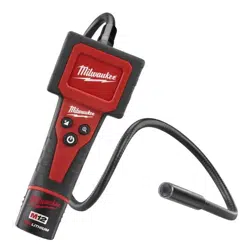
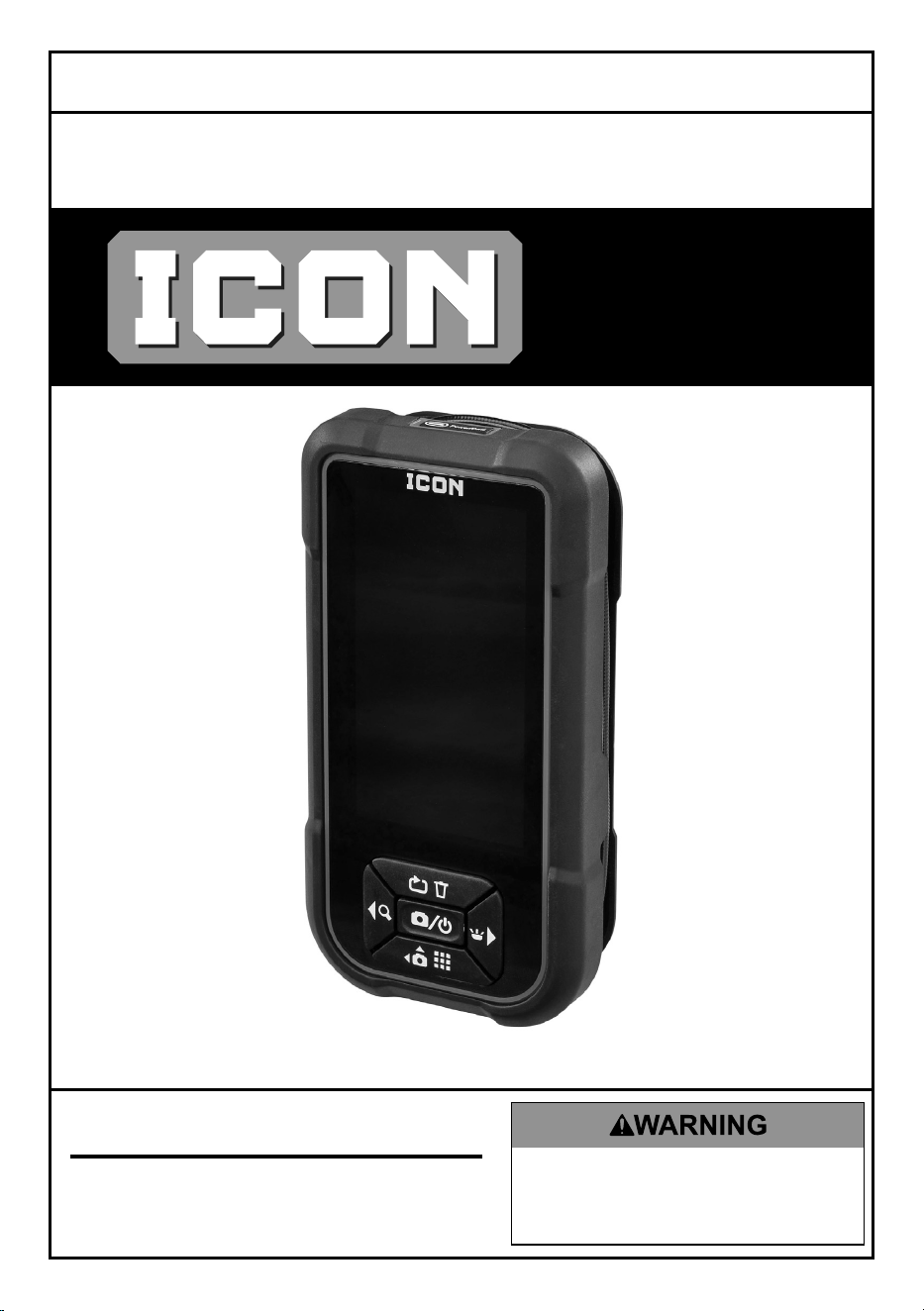
4.3" HAND HELD
INSPECTION CAMERA
58398
TM
Owner’s Manual & Safety Instructions
Save This Manual Keep this manual for the safety warnings and precautions, assembly,
operating, inspection, maintenance and cleaning procedures. Write the product’s date code in the back
of the manual near the assembly diagram (or month and year of purchase if product has no number).
Keep this manual and the receipt in a safe and dry place for future reference. 25f
When unpacking, make sure that the product is intact
and undamaged. If any parts are missing or broken,
please call 1-800-444-3353 as soon as possible.
Copyright
©
2025 by Harbor Freight Tools
®
. All rights reserved.
No portion of this manual or any artwork contained herein may be reproduced in
any shape or form without the express written consent of Harbor Freight Tools.
Diagrams within this manual may not be drawn proportionally. Due to continuing
improvements, actual product may differ slightly from the product described herein.
Tools required for assembly and service may not be included.
Read this material before using this product.
Failure to do so can result in serious injury.
SAVE THIS MANUAL.

Page 2 For technical questions, please call 1-800-444-3353. 58398
Important Safety Information
Work Area Safety
1. Keep your work area clean and well lit.
Cluttered benches and dark
areas may cause accidents.
2. Operate the Camera in a
well-ventilated work area.
3. Do not operate the Camera in explosive
atmospheres, such as in the presence of
flammable liquids, gases, or heavy dust.
4. Keep a fire extinguisher suitable for
gasoline/chemical/electrical fires nearby.
5. Keep bystanders, children and visitors
away while operating the Camera.
6. This product is not a toy. Do not allow
children to play with or near this item.
7. Use as intended only.
8. Inspect before every use; do not use
if parts are loose or damaged.
9. Maintain product labels and
nameplates. These carry
important safety information.
If unreadable or missing, contact
Harbor Freight Tools for a replacement.
Electrical Safety
1. Before inspecting walls, shut off the
circuit breakers to the whole house.
2. Before inspecting pipes that may
contain an electric charge, have them
checked by a qualified electrician.
3. Before inspecting an engine,
turn off the automobile.
4. Do not use the Camera
while standing in water.
5. Avoid body contact with grounded
surfaces such as pipes, radiators,
ranges and refrigerators.
6. Do not expose the Handheld Display
Unit to rain or wet conditions.
Water entering the Display Unit
increases the risk of electric shock.
7. Do not place the Imager Head
and Cable into any place that may
contain a live electric charge or
moving parts, which increases
the risk of electric shock.
8. Make sure your hands are dry
before operating the Camera.

Page 3For technical questions, please call 1-800-444-3353.58398
Camera Safety
1. Do not use the Camera if condensation
forms in the Imager Head.
Let condensation evaporate before use.
2. Do not submerge the Imager
Head and Cable into corrosive
substances, such as drain cleaner.
3. Do not get gasoline or oil on the
Imager Head and Cable.
4. Do not use excessive force to insert or
withdraw the Imager Head and Cable.
5. Do not use the Camera near
moving machinery.
6. Do not place the Camera on
any unstable cart or surface.
7. Handle the Camera with care. If
the Camera is dropped, check for
breakage and any other conditions
that may affect its operation.
8. Store the Camera, cables and
accessories in a locked area
out of the reach of children.
Personal Safety
1. Wear ANSI-approved safety
goggles during use.
2. Do not wear loose clothing or jewelry.
Keep your hair, clothing, and
gloves away from moving parts.
Loose clothes, jewelry, or long hair
can be caught in moving parts.
3. Do not use the Camera while tired or
under the influence of drugs, alcohol, or
medications. A moment of interruption
can result in serious personal injury.
4. Do not over-reach. Keep proper footing
and balance at all times. Proper footing
and balance enables better control of
the Camera in unexpected situations.
5. Do not use the Camera for personal
inspection or medical use in any
way. This is not a medical camera.
6. People with pacemakers should
consult their physician(s) before
use. Electromagnetic fields in close
proximity to heart pacemaker could
cause pacemaker interference
or pacemaker failure.
7. The warnings, precautions, and
instructions discussed in this instruction
manual cannot cover all possible
conditions and situations that may
occur. It must be understood by the
operator that common sense and
caution are factors which cannot
be built into this product, but must
be supplied by the operator.
Service
There are no user serviceable parts. Camera service must
be performed only by qualified repair personnel.

Page 4 For technical questions, please call 1-800-444-3353. 58398
Specifications
Battery Type AA Battery x 4 (Included)
Image Resolution 680 x 480 Pixels
IP Rating (Imager Head & Cable only) IP67
Lens Size 5.5mm
This device complies with Part 15 of the FCC Rules. Operation is subject
to the following two conditions: (1) this device may not cause harmful
interference, and (2) this device must accept any interference received,
including interference that may cause undesired operation.
TM
Page 5For technical questions, please call 1-800-444-3353.58398
Setup- Before Use:
Read the ENTIRE IMPORTANT SAFETY INFORMATION section at the
beginning of this document including all text under subheadings therein
before set up or use.
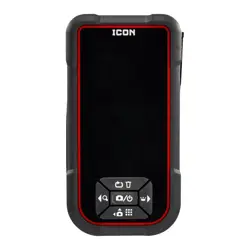
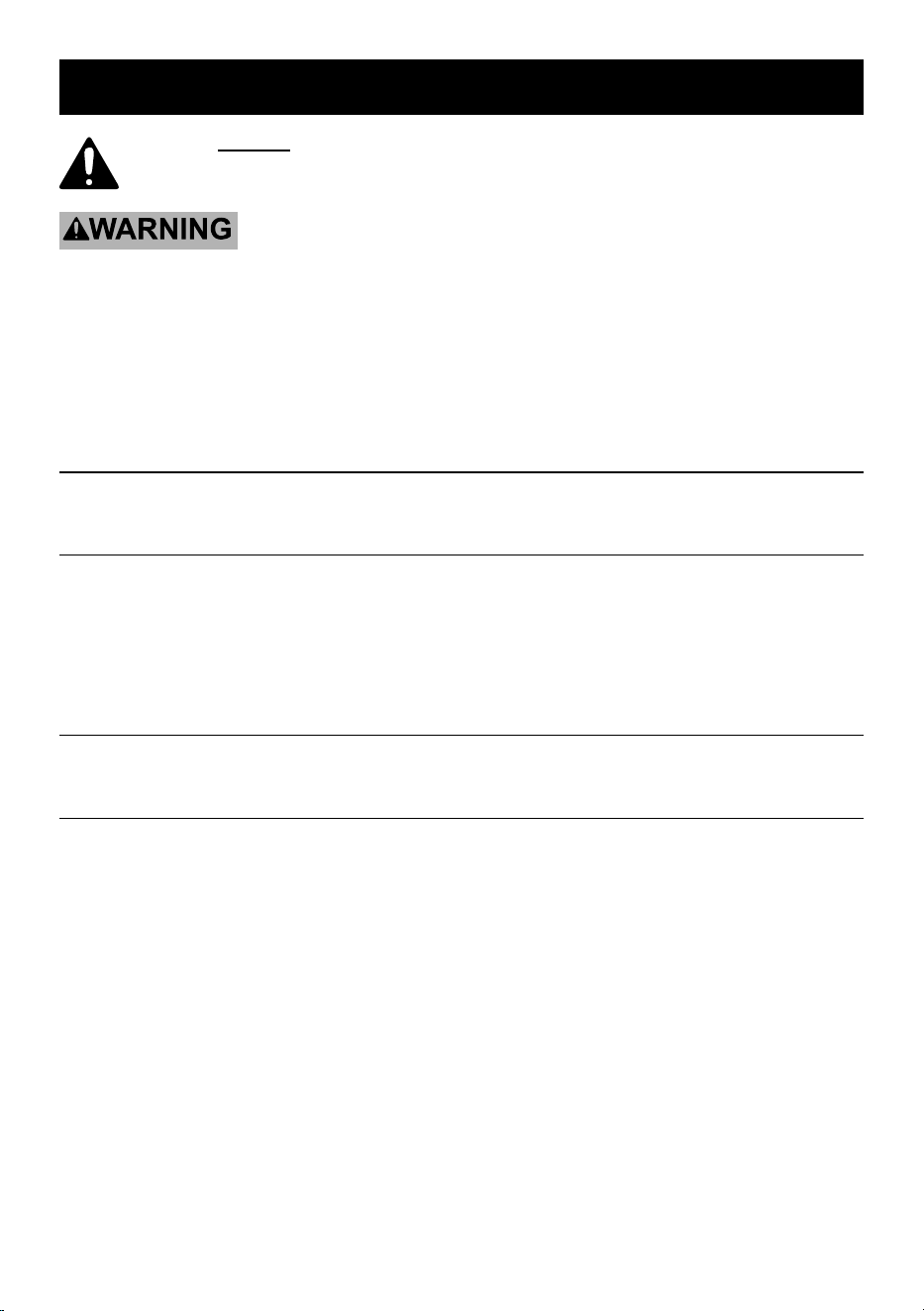
Components
Flip Image/Delete
Light Adjustment/Right Arrow
Zoom/Left Arrow
Capture Photo/Power
Camera Mode/View Photos
Installing/Replacing Batteries
CAUTION! Do not mix old and
new batteries. Do not mix alkaline,
standard (carbon-zinc), or rechargeable
(nickel-cadmium) batteries. Position
batteries in proper polarity. Do not
use swollen or leaking batteries.
1. Remove Battery Cover, then insert
batteries according to marked polarity.
2. Replace Battery Cover.
Display Screen
Page 6 For technical questions, please call 1-800-444-3353. 58398
Operating Instructions
Read the ENTIRE IMPORTANT SAFETY INFORMATION section at the
beginning of this document including all text under subheadings therein
before set up or use of this product.
TO PREVENT SERIOUS INJURY AND DEATH:
Always wear eye protection. Wear ANSI-approved safety goggles during use.
Before inspecting walls, shut off the circuit breakers to the whole house.
Before inspecting pipes that may contain an electric charge, have them checked by a
qualified electrician.
Before inspecting an engine, turn off the automobile.
General Operating Instructions
Press the Capture Photo/Power button to turn the Camera on.
Live Viewing
1. Press Light Adjustment/Right Arrow
button to adjust camera brightness.
2. Press Zoom/Left Arrow
button to zoom in or out.
3. Press Flip Image/Delete button to flip
image either horizontally or vertically.
4. Press Camera Mode/View Photos
button to toggle between the front
camera and side camera.
Capturing Images
Press Capture Image/Power button to take a photo.
Playback and Delete
1. Press and hold Camera Mode/ View
Photos button to view photos.
2. Press Light Adjustment/Right Arrow
button to scroll through photos to
the right. Press Zoom/Left Arrow
to scroll through photos to the left.
3. Press and hold Flip Image/Delete
button to delete photos. Display
screen will show the option to either
delete a single image or all images.
Use Left Arrow or Right Arrow to
select desired option and press Flip
Image/Delete button to delete.
Page 7For technical questions, please call 1-800-444-3353.58398
Inspection and Maintenance
Procedures not specifically explained in this manual
must be performed only by a qualified technician.
TO PREVENT SERIOUS INJURY FROM ELECTRICAL SHOCK:
Make sure that the Camera is OFF before performing any procedure in this section.
TO PREVENT SERIOUS INJURY FROM TOOL FAILURE:
Do not use damaged equipment. If abnormal noise or vibration
occurs, have the problem corrected before further use.
Inspection
1. BEFORE EACH USE, inspect the
general condition of the tool. Check for:
• condensation in Imager Head,
• cracked or damaged Cable,
• cracked or broken parts, and
• any other condition that may
affect its safe operation.
Cleaning and Storage
1. AFTER USE, use a mild detergent
on a clean cloth to remove any oil,
grease or dirt from the Camera,
especially on the buttons and ports,
being careful to not put excessive
pressure on the Display Screen.
2. Store the Camera, power supply,
cables and accessories in a locked
area out of the reach of children.
Troubleshooting
Problem Possible Causes Likely Solutions
Display is on, but does
not show image.
1. Cable connection loose.
2. Imager Head is dirty.
1. Check that Cable is connected.
2. Clean Imager Head.
Light is dim at maximum
brightness.
Low Battery. Charge Battery.
Display turns itself off. Low Battery. Charge Battery.
Camera will not turn on. Low or dead Battery. Charge Battery, if it won’t take a charge,
have it replaced by a qualified technician.
Follow all safety precautions whenever diagnosing or servicing the tool.
Disconnect power supply before service.
Page 8 For technical questions, please call 1-800-444-3353. 58398
PLEASE READ THE FOLLOWING CAREFULLY
THE MANUFACTURER AND/OR DISTRIBUTOR HAS PROVIDED THE PARTS LIST IN
THIS DOCUMENT AS A REFERENCE TOOL ONLY. NEITHER THE MANUFACTURER
OR DISTRIBUTOR MAKES ANY REPRESENTATION OR WARRANTY OF ANY KIND
TO THE BUYER THAT HE OR SHE IS QUALIFIED TO MAKE ANY REPAIRS TO THE
PRODUCT, OR THAT HE OR SHE IS QUALIFIED TO REPLACE ANY PARTS OF THE
PRODUCT. IN FACT, THE MANUFACTURER AND/OR DISTRIBUTOR EXPRESSLY
STATES THAT ALL REPAIRS AND PARTS REPLACEMENTS SHOULD BE UNDERTAKEN
BY CERTIFIED AND LICENSED TECHNICIANS, AND NOT BY THE BUYER. THE
BUYER ASSUMES ALL RISK AND LIABILITY ARISING OUT OF HIS OR HER REPAIRS
TO THE ORIGINAL PRODUCT OR REPLACEMENT PARTS THERETO, OR ARISING
OUT OF HIS OR HER INSTALLATION OF REPLACEMENT PARTS THERETO.
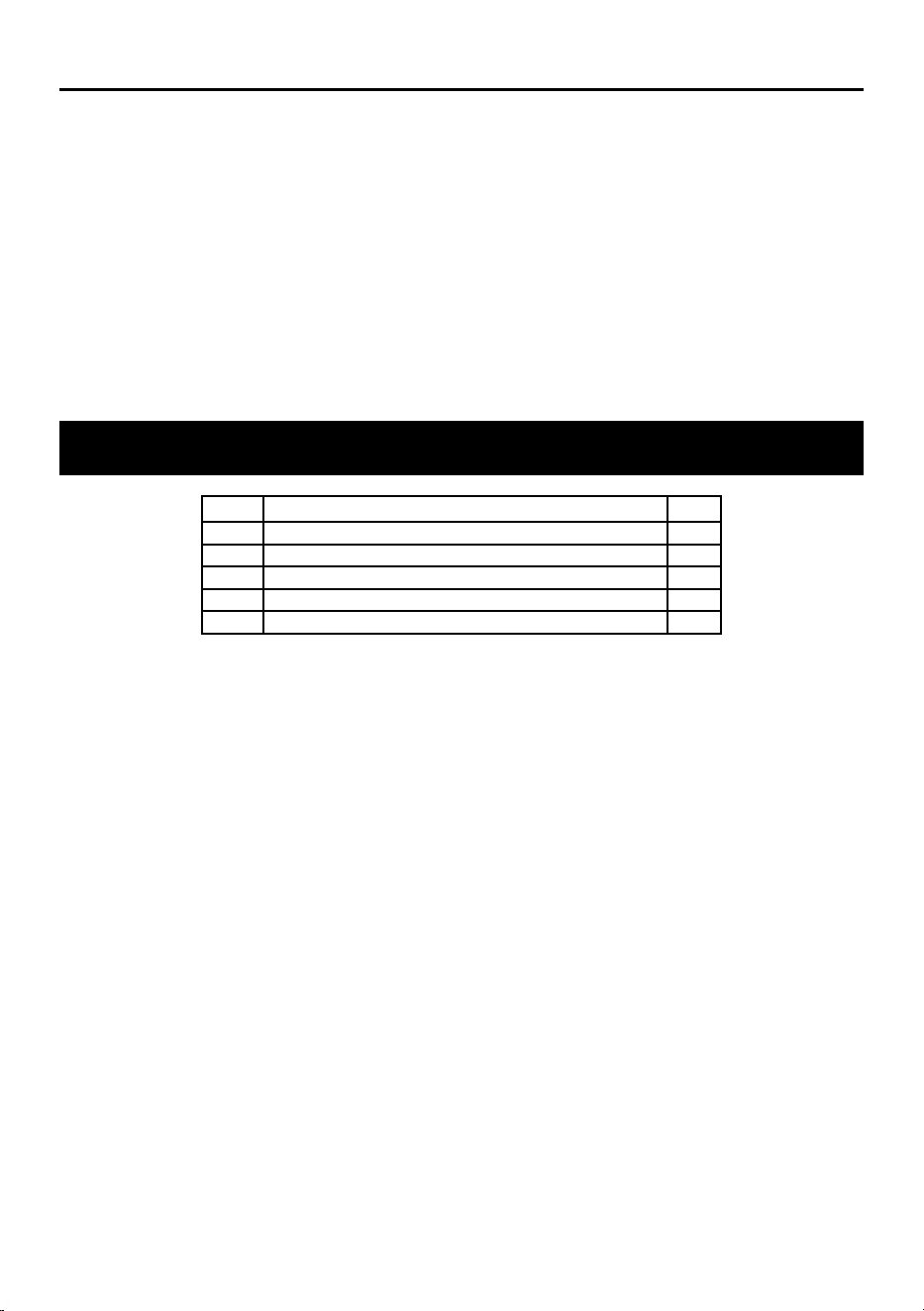
Parts List
Part Description Qty
1 Hand Held Display w/Cable 1
3 Battery (AA) 4
4 Hook 1
5 Magnetic Tip 1
6 Storage Case 1

Page 9For technical questions, please call 1-800-444-3353.58398
Limited Warranty
This ICON product is warranted to the original purchaser to be free from defects in
materials and workmanship for a period of one (1) year beginning on the date of purchase
(or product receipt, if later). To obtain warranty service, the product or part must be
returned to us with proof of purchase (e.g. in-store receipt or packing slip/invoice) and
may require shipment by purchaser to a service center at purchaser’s expense. If our
inspection verifies a covered defect in materials or workmanship during the warranty
period, we will, at our option, repair or replace the defective product. We will return
repaired products within a reasonable time at our expense, but if we determine that
there is no defect, or that the defect resulted from causes not within the scope of our
warranty, then we will return the product to you if you pay return shipping costs.
This warranty does not cover any failure or damage that we determine is due directly
or indirectly to normal wear and tear, misuse, use not for the intended purpose or
not in accordance with the product manual, abuse, accident, rental, modification or
alteration, unauthorized repair, improper installation, neglect, lack of maintenance,
or any other failure not arising from defective materials or workmanship. Fraudulent
returns or claims will be denied. The repair or replacement described in this warranty
shall be your sole and exclusive remedy. THIS WARRANTY IS EXCLUSIVE AND IN
LIEU OF ALL OTHER EXPRESS WARRANTIES, WRITTEN OR ORAL, AND ANY
IMPLIED WARRANTIES ARE DISCLAIMED TO THE EXTENT PERMITTED BY LAW
AND OTHERWISE LIMITED TO THE DURATION OF THE EXPRESS WARRANTY
HEREIN. HARBOR FREIGHT SHALL NOT BE LIABLE UNDER ANY CIRCUMSTANCES
FOR ANY INCIDENTAL, INDIRECT, SPECIAL, CONSEQUENTIAL, OR PUNITIVE
DAMAGES OR COSTS ARISING FROM THIS WARRANTY OR THE USE OF THIS
PRODUCT. SOME STATES DO NOT ALLOW LIMITATIONS ON HOW LONG AN IMPLIED
WARRANTY LASTS OR THE EXCLUSION OR LIMITATION OF INCIDENTAL OR
CONSEQUENTIAL DAMAGES, SO THESE LIMITATIONS MAY NOT APPLY TO YOU.
THIS WARRANTY GIVES YOU SPECIFIC LEGAL RIGHTS, AND YOU MAY
ALSO HAVE OTHER RIGHTS WHICH VARY FROM STATE TO STATE.

Page 10 For technical questions, please call 1-800-444-3353. 58398
Record Date Code Here:
Note: If product has no Date Code, record month and year of purchase instead.
Note: Some parts are listed and shown for illustration purposes only, and are not available
individually as replacement parts. Specify UPC 193175438652 when ordering parts.

Page 11For technical questions, please call 1-800-444-3353.58398
TM

26677 Agoura Road • Calabasas, CA 91302 • 1-800-444-3353
TM