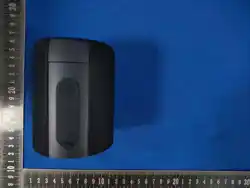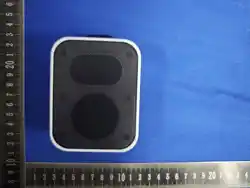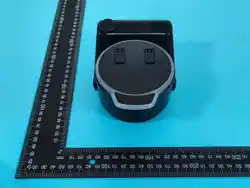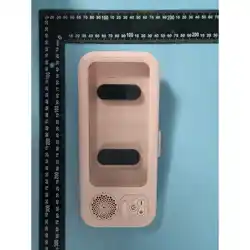
BASIC FUNCTION
Function Operation:
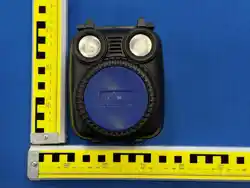
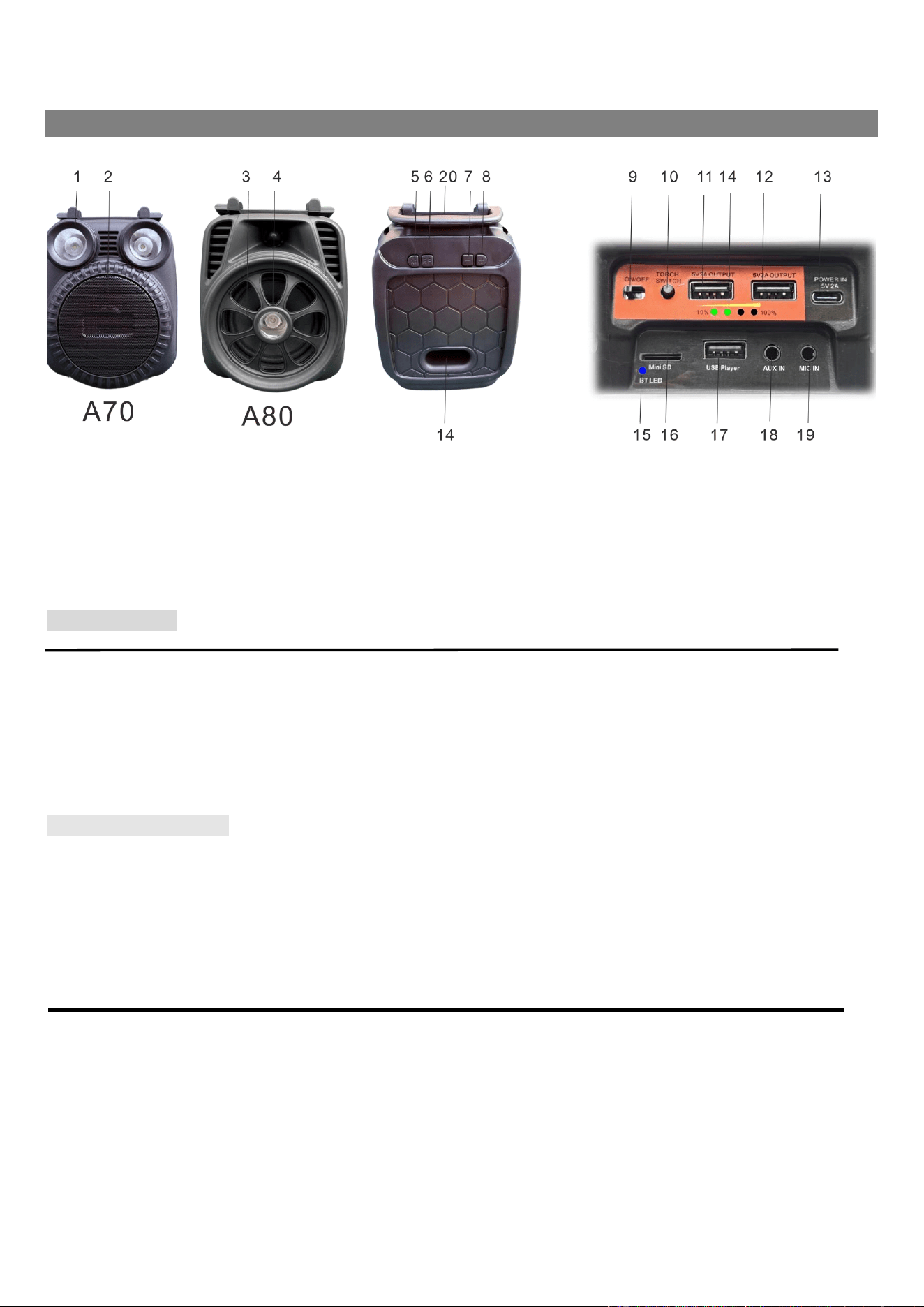
1.LED torch (A70)
2.SPEAKER (A70)
3.LED torch (A80)
4.SPEAKER (A80)
5.Function KNOB (M)
6. PLAY/PAUSE KNOB
7.Volume down BUTTON
8.Volume UP BUTTON
9.Power On/Off BUTTON
10.Torch Switch
11. 5V 2A USB output Jack-1
12. 5V 2A USB output Jack-2
13.Type C Power In Jack
14.BATTERY power Indicator
15. BT LED indicator
16. TF card Player Jack
17.USB Player JACK
18. Line in Jack
19.Aux-in JACK for Microphone
20.handle and phone holder
MEDIA PLAYER
PLAYING USB Player
1. Open power the unit with Power on/off switch
Turn the Function M to USB OR TF position, And adjust volume knob to the appropriate volume.
The unit will be working in BT/USB/TF/AUX playback status
2. Inserting TF card/USB reader(Maximum support 256G).
3. No need to shift among USB/TF card, the unit automatically read the first input media device .If first input TF card,you need to take out TF card,
then unit can read MP3music file from U Disc
4. Press PLAY/PAUSE button to operate play or pause function, Short Press button Volume+ to next track, short press button Volume - for previous
the track; long Press button Volume+ to increase volume level, long press button Volume - for reduce volume level
BLUETOOTH OPERATION
1. Turn the Function M to BT position And adjust volume knob to the appropriate volume.
The volume will remind the unit is Bluetooth pairing status
2. Search BLUETOOTH equipment “A70” or “A80” model for connection.
3. Select “A70” or “A80” to start paring until Connection sound could be heard .
4. Open the music center apps to start playing music .
5. In this mode the basic function as “PLAY / PAUSE”, “PREV” “NEXT” “VOLUME” are available, at both your Bluetooth device and the unit .
6. To end stop the playback , turn off Bluetooth connection at your Bluetooth device .
Note: Prior to use Bluetooth function, the device should be paired firstly with your Bluetooth device
AUX IN FUNCTION
To listen music with a MP3/Discman/other audio play
1.connect the device with aux cable to the aux jack.
2.press M Button to select AUX mode, and the LED Indicator will be lighting with flashing with blue and orange color flashing!
3. the sound source of the audio will output from the unit.
POWER SUPPLY:
Can use 3.7V/6000mA 18650 Lithium Battery built in.
Using Type C DC 5V input Jack for AC adaptor input
Using Type C DC 5V input Jack for solar power panel input

TECHNICAL SPECIFICATIONS
Model A70/A80
Unit Dimensions: Approx 115mm(L)*95mm(W)*150MM(H)
Operating temperature +5°C - + 35°C
Power supply DC 5V, 2A via 1M Type C USB charging cable
Built-in: 6000Mah Rechargeable 18650 Lithium battery
Playing time: 7-10 hours
Recharging time: 3-5 hours
AUDEO SECTION:
Power consumption Power: 11.0 W
Output power: 5 W RMS*1 (at THD 10% output)
Speaker: 4oh, 5W, 3 Inch
Audio Jacks: 3.5mm Line input jack, Microphone input jack
Bluetooth Version Bluetooth 5.4+EDR
Frequency Response: 20Hz~ 20KHz
S/N Ratio: ≧ 50dB (Except charging condition)
USB/SD player SECTION
USB version. 2.0version for WMA/MP3 format
Max support capability 256GB
ACCESSORIES
1pc Instruction Booklet; 1pc 1.0M TYPE-C recharging cable
IMPORTANT: Due to continual revision and improvement on our products design,
specifications are subject to change without further notice.

FCC ID: 2BG5B-A70
Dongguan Ruixun Electronic Technology Co., ltd.
Product name: Bluetooth speaker
Model No: A70
FCC Warning:
This equipment has been tested and found to comply with the limits for a
Class B digital device, pursuant to part 15 of the FCC Rules. These limits
are designed to provide reasonable protection against harmful
interference in a residential installation. This equipment generates, uses
and can radiate radio frequency energy and, if not installed and used in
accordance with the instructions, may cause harmful interference to
radio communications. However, there is no guarantee that interference
will not occur in a particular installation. If this equipment does cause
harmful interference to radio or television reception, which can be
determined by turning the equipment off and on, the user is encouraged
to try to correct the interference by one or more of the following
measures:
• Reorient or relocate the receiving antenna.
• Increase the separation between the equipment and receiver.
• Connect the equipment into an outlet on a circuit different from that to
which the receiver is connected.
• Consult the dealer or an experienced radio/TV technician for help.
Caution: Any changes or modifications to this device not explicitly
approved by manufacturer could void your authority to operate this
equipment.
This device complies with part 15 of the FCC Rules. Operation is subject
to the following two conditions: (1) This device may not cause harmful
interference, and (2) this device must accept any interference received,
including interference that may cause undesired operation.
The device has been evaluated to meet general RF exposure
requirement.