USER MANUAL
What’s in the box?
MADE IN CHINA
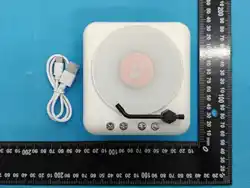
1. Speaker*1 pair
2. User manual*1
3. Type-C cable*1
Pairing the speaker
TF card mode
AUX-in mode
Specification
1. Turn on the speaker by long p ressing the power button f or 2s.
2. The device’s LED indicator will flash blue.
3. On the mobile device (smartphone/tablet) turn on the BT
connection.
4. Select “T606” in the available wireless devices on your mobile
device.
Insert the TF Card (User-supplied) into the speaker, the speaker enter
TF card mode, automatically play the audio in the card when power on.
Note: TF card supports MP3 format, with capacity smaller than or
equal to 32GB.
Simply connect the speaker with your non-Bluetooth device via the
3.5 mm audio jack cable when the speaker power on.
Bluetooth version: 5.3
Working range: up to 10 meters
Speaker: 4Ω 5W/each
Battery: 3.7V, 1200mAh/each
Input: DC 5V/1A
Charging time: about 2 hours
Playing time: about 6-8 hours (at 70% volume)
IPX5 Water Resistance
Notice
Instruction
1. Keep the product dry; do not place the product in damp places.
2. Keep out of direct sunlight and high temperatures. High
temperatures may result in damage.
3. Keep out of cold temperatures, this will help avoid internal
damage.
4. Do not disassemble the product.
5. Avoid dropping the product.
6. Do not continue to charge the speaker over 10 hours.
7. When charging, use the Type-C charging cable supplied with
the speaker.
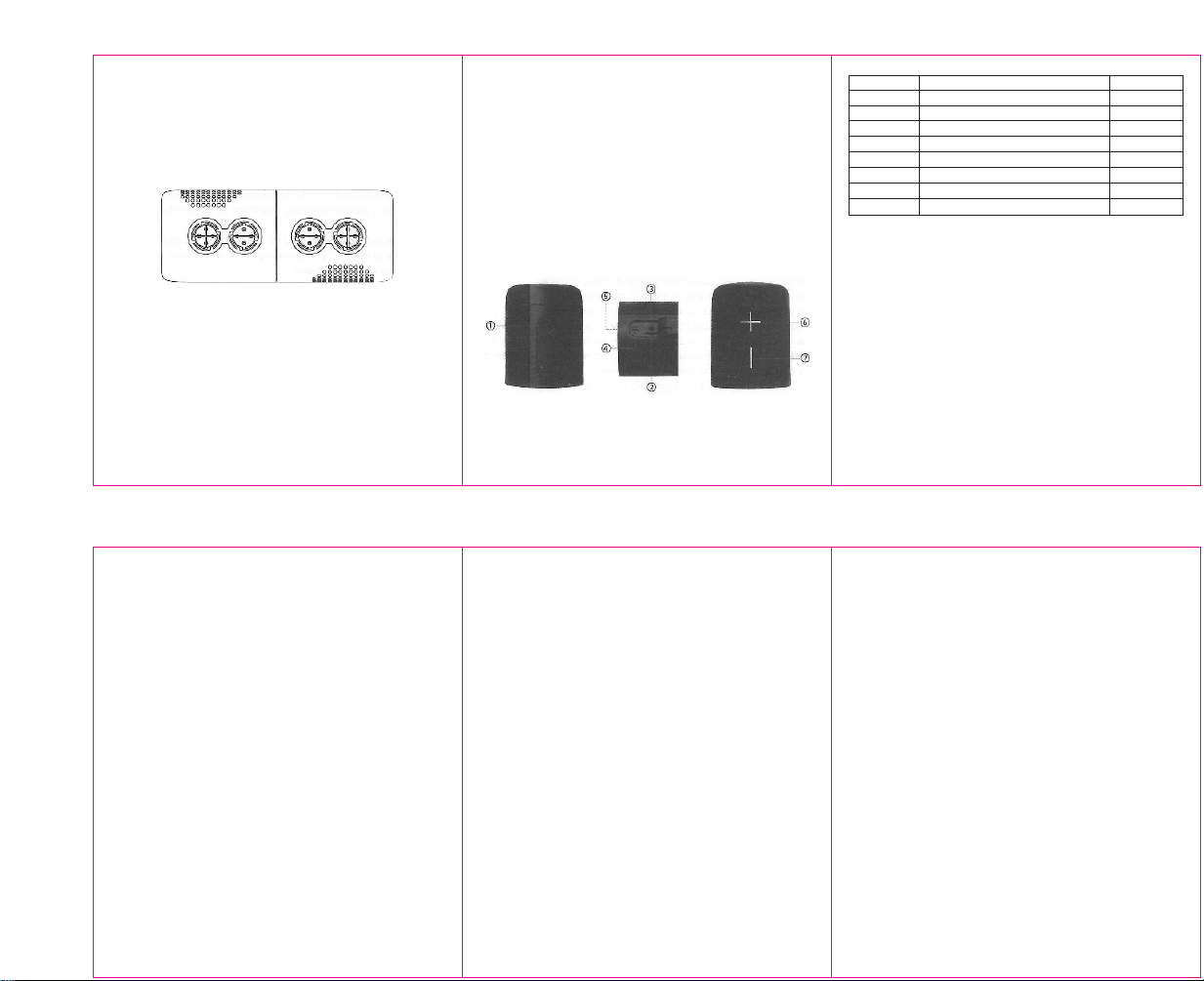
① Power button/MODE
② TF card slot
③ Aux in
④ LED indicator
⑤ Type-C charging port
⑥ Next track/Volume increase
⑦ Previous track/Volume decrease
FCC Statement
This device complies with part 15 of the FCC Rules. Operation is
subject to the following two conditions: (1) This device may not
cause harmful interference, and (2) this device must accept any
interference received, including interference that may cause
undesired operation.
Note 1: This equipment has been tested and found to comply
with the limits for a Class B digital device, pursuant to part 15 of
the FCC Rules. These limits are designed to provide reasonable
protection against harmful interference in a residential installation.
This equipment generates, uses and can radiate radio frequency
energy and, if not installed and used in accordance with the
instructions, may cause harmful interference to radio
communications. However, there is no guarantee that
interference will not occur in a particular in stallation. If this
equipment does cause harmful interference to radio or television
reception, which can be determined by turning the equipment off
and on, the user is encouraged to try to correct the interference
by one or more of the following measures:
- Reorient or relocate the receiving antenna.
- Increase the separation between the equipment and receiver.
- Connect the equipment into an outlet on a circuit different from
that to which the receiver is connected.
- Consult the dealer or an experienced radio/TV technician for
help.
1. Switch off the speaker before charging.
2. Plug the Type-C cable into the speaker charging port.
3. Plug the other end of charging cable into a computer or power
adapter.
4. Plug the power adapter into a power outlet.
5. When charging the LED indicator will be solid on red, and will
turn off automatically when fully charged.
Note: Please charge the speaker battery fully before use.
Charging the Speaker
Function
Power on
Pairing mode
Power off
Volume +
Volume -
Next track
Previous track
Switch mode
Operation
Press and hold the power button for 2s
Enter pairing mode automatically after on
Press and hold the power button for 2s
Short press “+” button
Short press “-” button
Press and hold “+” button for 1s
Press and hold “-” button for 1s
Double press power button
LED indicator
Blue for 1s
Flash blue
Off
Blue
Blue
Blue
Blue
Flash blue
The twin speakers will be connected to each other automatically
when both are on.
If two speakers could not be connected to each other
successfully, please manually pair them as per the following
steps:
1. Turn on twin speakers, and do not pair any Bluetooth devices;
2. Press and hold “+” & “-” simultaneously on any one speaker,
then you will hear a beep;
Trouble shooting
3. Then the twin speakers will connect to each other successfully;
Note 2: Any changes or modifications to this unit not expressly
approved by the part responsible for compliance could avoid the
user’s authority to operate the equipment.
The device has been evaluated to meet general RF exposure
requirement. The device can be used in portable exposure condition
without restriction.
说明-(6+6+6)X7cm -正背面+折-订2010+2010份
正
背