Made in China
Questions, problems, missing parts? Before returning to the store, call our customer service department at 1-877-319-3757, 7:30 a.m. - 4:30 p.m., CST, Monday - Friday.
®
E505940
MODEL 7150-11
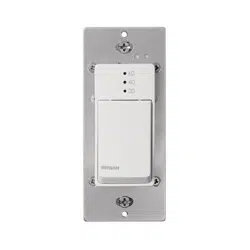
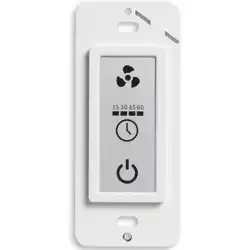
BATH FAN CONTROL SWITCH WITH TIMER
Wall-mounted LCD touch panel
READ AND SAVE THESE INSTRUCTIONS
PRODUCT SPECIFICATIONS
Voltage: AC120V/60Hz Max Power of connecting electrical appliance: AC120V/1A
Electrical Appliance Type: Electric lamp and motor type fan for home use Prevailing Ambient Temperature: 32ºF - 104ºF (0º C - 40º C)
Packaging and Hardware Contents
Switch, plastic wire connectors, screws, and instruction manual.
CAUTION IMPORTANT! READ BEFORE INSTALLATION:
• For indoor use only.
• Installation Location: Wall.
• This product can be used in the bathroom with a GFCI protection circuit.
• The operating control must be grounded.
• Storage Temperature: -4ºF - 140ºF (-20º C - 60º C).
1. All electrical wiring must comply with the National Electrical Code ANSI / NFPA
70-1999 and local electrical codes. Electrical installation should be performed
controller.
3. The wrong wiring connection will damage the operating control.
PREPARATION
Tools required for assembly: Phillips screwdriver and wire stripper.
INSTALLATION & OPERATING INSTRUCTIONS
@2021 Homewerks Worldwide, LLCHomewerks.com
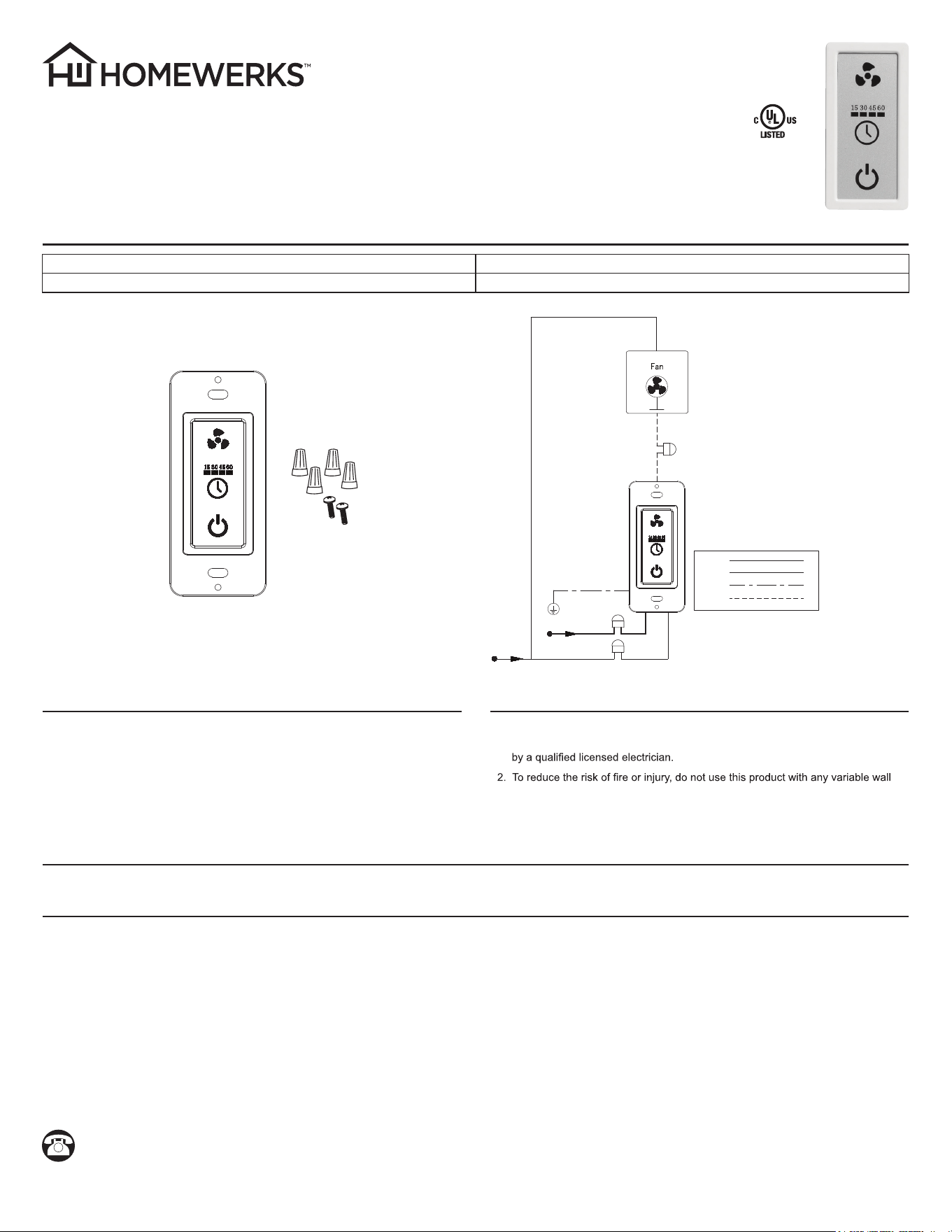
1. Connect the switch according to the wiring diagram.
2. Press the ON/OFF icon on the switch. Once the ON/OFF indicator light icon turns on, the switch has received the electrical connection.
3. Press the desired function icon. Once the indicator light of the corresponding function turns on, the function will start. For example, when you press the fan control icon,
the fan control indicator light will turn on and the fan will begin operating.
4. Press a function icon again. Once the indicator light of the corresponding function turns off, the function stops. For example, when you press the fan icon a second time,
the fan control indicator light will turn off and the fan will stop operating.
5. To turn on the bath fan timer, press the timer icon and select a time.
Wiring Diagram
AC120V
Power/Black Wire
Neutral/White Wire
Ground/Green Wire
Fan/Red Wire
Black Wire
White Wire
Green Wire
Red Wire
@2021 Homewerks Worldwide, LLCHomewerks.com
¿Preguntas, problemas, piezas faltantes? Antes de volver a la tienda , llame al Centro de Atención al Cliente, 1-877-319-3757, en el horario de 7:30 a.m. – 4:30 p.m.,
HEC, de lunes a viernes.
Hecho en China
®
E505940
LEA Y GUARDE ESTAS INSTRUCCIONES
ESPECIFICACIONES DEL PRODUCTO
Voltage: AC120V/60Hz La potencia máxima del electrodoméstico: AC120V/1A
Tipo de electrodoméstico: Lámpara eléctrica y ventilador con motor para uso doméstico Temperatura ambiente predominante: 0º C - 40º C (32ºF - 104ºF)
Paquete de Hardware y Contenido
Interruptor, conectores de cable de plástico, tornillos y manual
de instalación.
PRECAUCIÓN ¡IMPORTANTE! LEA ANTES DE LA INSTALACIÓN:
• Sólo para uso en interiores.
• Lugar de instalación: pared.
• Una vez instalado el circuito de protección GFCI, este producto se puede
utilizar en el baño.
• El control de funcionamiento debe estar conectado a tierra.
• Temperatura de almacenamiento: -20º C - 60º C (-4ºF - 140ºF).
1. Todo el cableado eléctrico debe cumplir con el Código Eléctrico Nacional ANSI /
NFPA 70-1999 y los códigos eléctricos locales. La instalación eléctrica debe ser
2. Para reducir el riesgo de incendio o lesiones, no utilice este producto con un
controlador variable de pared.
3. La conexión de cableado incorrecta dañará el control operativo.
PREPARACIÓN
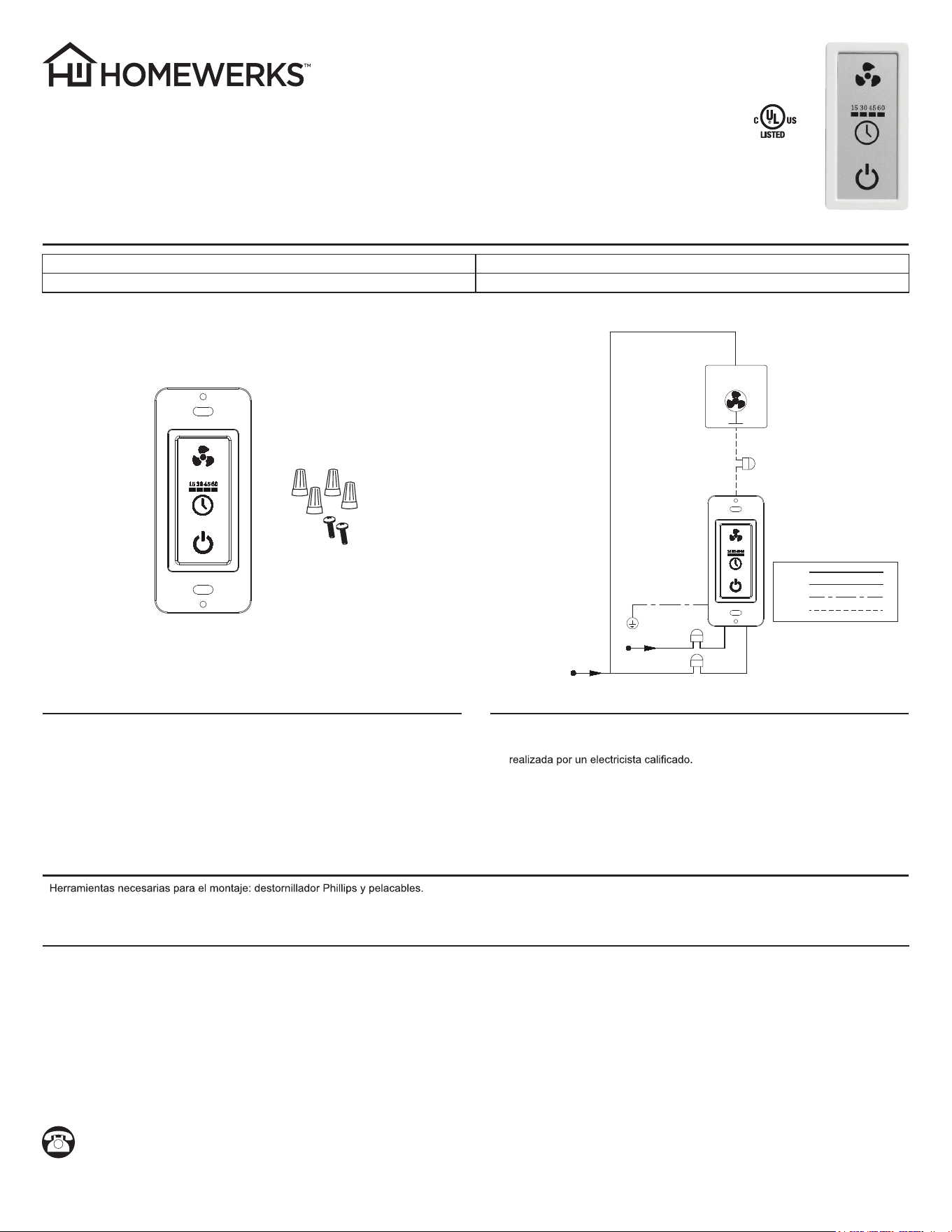
Diagrama de cableado
AC120V
Vivo/Cable Negro
Neutro/Cable Blanco
Tierra/Cable Verde
Ventilador/Cable Rojo
Ventilador
Cable Negro
Cable Blanco
Cable Verde
Cable Rojo
INTERRUPTOR CON TEMPORIZADOR PARA CONTROL
DE VENTILADOR DE BAÑO
Panel táctil LCD de pared
MODELO 7150-11
1. Conecte el interruptor de acuerdo con el diagrama de cableado.
2. Presione el ENCENDIDO / APAGADO en el interruptor. Una vez que se enciende la luz indicadora de ENCENDIDO / APAGADO, el interruptor ha recibido la conexión eléctrica.
3. Presione el ícono de función deseado. Una vez que se enciende la luz indicadora de la función correspondiente, se iniciará la función. Por ejemplo, cuando presiona
el ícono de control del ventilador, la luz indicadora del ícono de control del ventilador se encenderá y el ventilador comenzará a funcionar.
4. Presione el ícono de función nuevamente. Una vez que la luz indicadora de la función correspondiente se apaga, la función se detiene. Por ejemplo, cuando presiona
el ícono de control del ventilador por segunda vez, la luz indicadora del ícono de control del ventilador se apagará y el ventilador dejará de funcionar.
5. Cuando la lámpara esté encendida, mantenga presionado el ícono de luz para atenuar la luz.
INSTRUCCIONES DE INSTALACIÓN Y OPERACIÓN