
USER MANUAL
All About Passion
BK467-RTN-I1-2152
SCAN for more
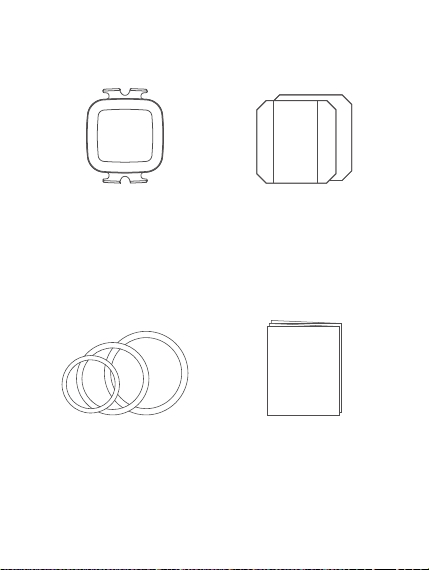
Standard Accessories
User Manual x 1Band
(Large x 2, Medium x 2,
Small x 2)
Speed / Cadence
Sensor x 1
Rubber Mat
(Flat x 1, Curved x 1)
- 2 -
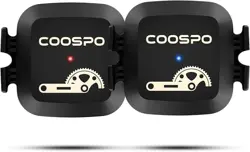
BK467 measures speed or cadence in real time
and it sends speed or cadence data to app or bike
computer. This user manual will help you to use
the product better, please keep it for reference.
Product Introduction
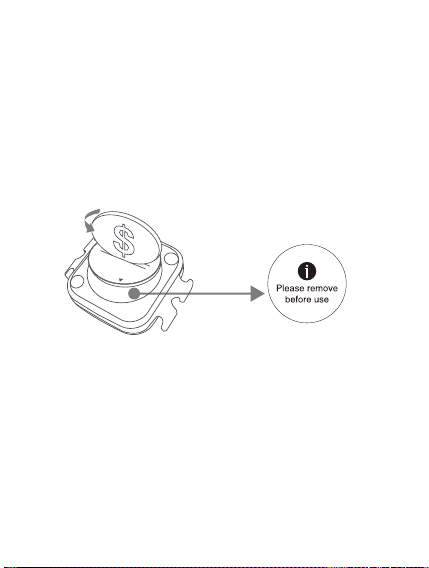
Remove the Insulation Sheet
1.Twist the battery
cover with a coin
in OPEN direction,
open the battery
cover, remove the
battery
2. Take out the
insulating sheet
- 3 -
BK467 has speed mode and cadence mode. You
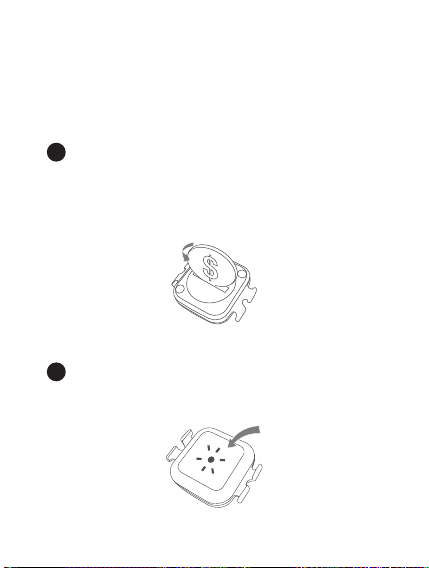
can switch the mode by rebooting.
Function and Operation
Mode switching
Twist the battery cover with a coin in OPEN
direction, open the battery cover, remove the
battery and install it again, after that, twist the
battery cover in CLOSE direction, close the
battery cover.
After the battery installed, there will be a light
on. Red light indicates speed mode, and blue
light indicates cadence mode.
a
b
- 4 -
Installation
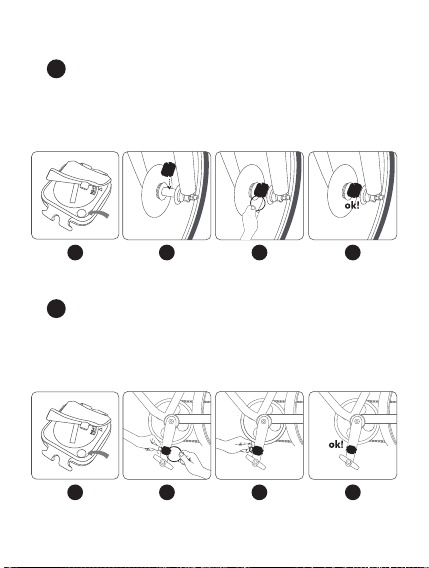
Installation for speed mode
Buckle the curved rubber mat onto the back of the
sensor, then bind the sensor with the large rubber
band onto the wheel axle.
a
Installation for cadence mode
Buckle the flat rubber mat onto the back of the
sensor, then bind the sensor with the small rubber
band onto the pedal crank.
b
1
2 3 4
1 2 3 4
- 5 -
Specifications
9.5 g
Weight
300 hours
Battery Life
Battery Type CR2032 220mAh
IP67
Waterproof
Wireless
Max Speed
Bluetooth & ANT+
120 km/h
Max Cadence 300 rpm
Color Black
Working
Temperature
Size
41 x 34 x 10 mm
-10℃ ~ 50℃
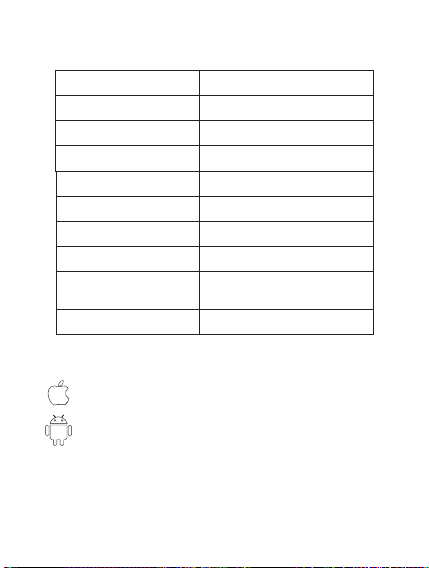
Applicable Smart Phones
Android 4.3 or above with Bluetooth 4.0
IOS 7.0 or above, iPhone 4s model or above
CoospoRide, Wahoo, Openrider, Zwift, MAP MY
RIDE+, or other Apps with speed/cadence feature.
Compatible Apps
- 6 -

Disclaimer
The information contained in this manual just
for reference. The product described above
may be subject to alteration owing to the
manufacturer's continuing research and
development plans, without making an
announcement in advance.
We shall not make any statement or warranty
about this manual.
- 7 -
FCC statement
This equipment has been tested and found to
comply with the limits for a Class B digital device,
pursuant to part 15 of the FCC Rules. These limits
are designed to provide reasonable protection
against harmful interference in a residential
installation. This equipment generates uses and
can radiate radio frequency energy and, if not
installed and used in accordance with the
instructions, may cause harmful interference to
radio communications. However, there is no
guarantee that interference will not occur in a
particular installation. If this equipment does
cause harmful interference to radio or television

- 8 -
Reorient or relocate the receiving antenna.
Increase the separation between the
equipment and receiver.
reception, which can be determined by turning
the equipment off and on, the user is encouraged
to try to correct the interference by one or more of
the following measures:
Connect the equipment into an outlet on a
circuit different from that to which the receiver
is connected.
Consult the dealer or an experienced radio/TV
technician for help.
this device may not cause harmful
interference, and .
Changes or modifications not expressly approved
by the party responsible for compliance could void
the user's authority to operate the equipment.
This device complies with Part 15 of the FCC Rules.
Operation is subject to the following two conditions:
1
this device must accept any interference
received, including interference that may
cause undesired operation.
2
- 9 -
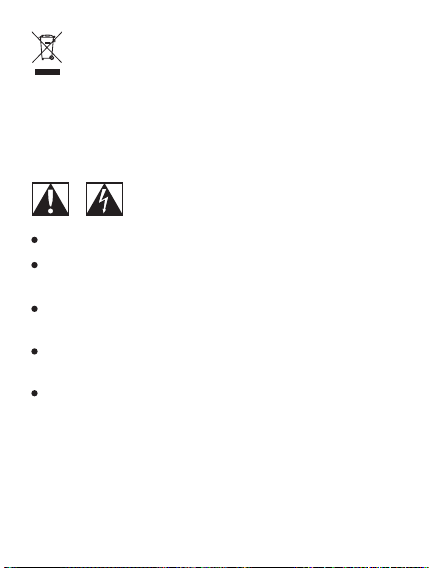
Waste electrical products should not be disposed of
with household waste. Please recycle where
facilities exist. Contact your local government or a
retailer for additional information.
Do not open or modify the product.
Do not disassemble or attempt to service this
product.
This product is safe under normal and reasonably
foreseeable operating conditions.
If product is operating improperly, call COOSPO
support.
Product must be returned to the manufacturer for
any service or repair.