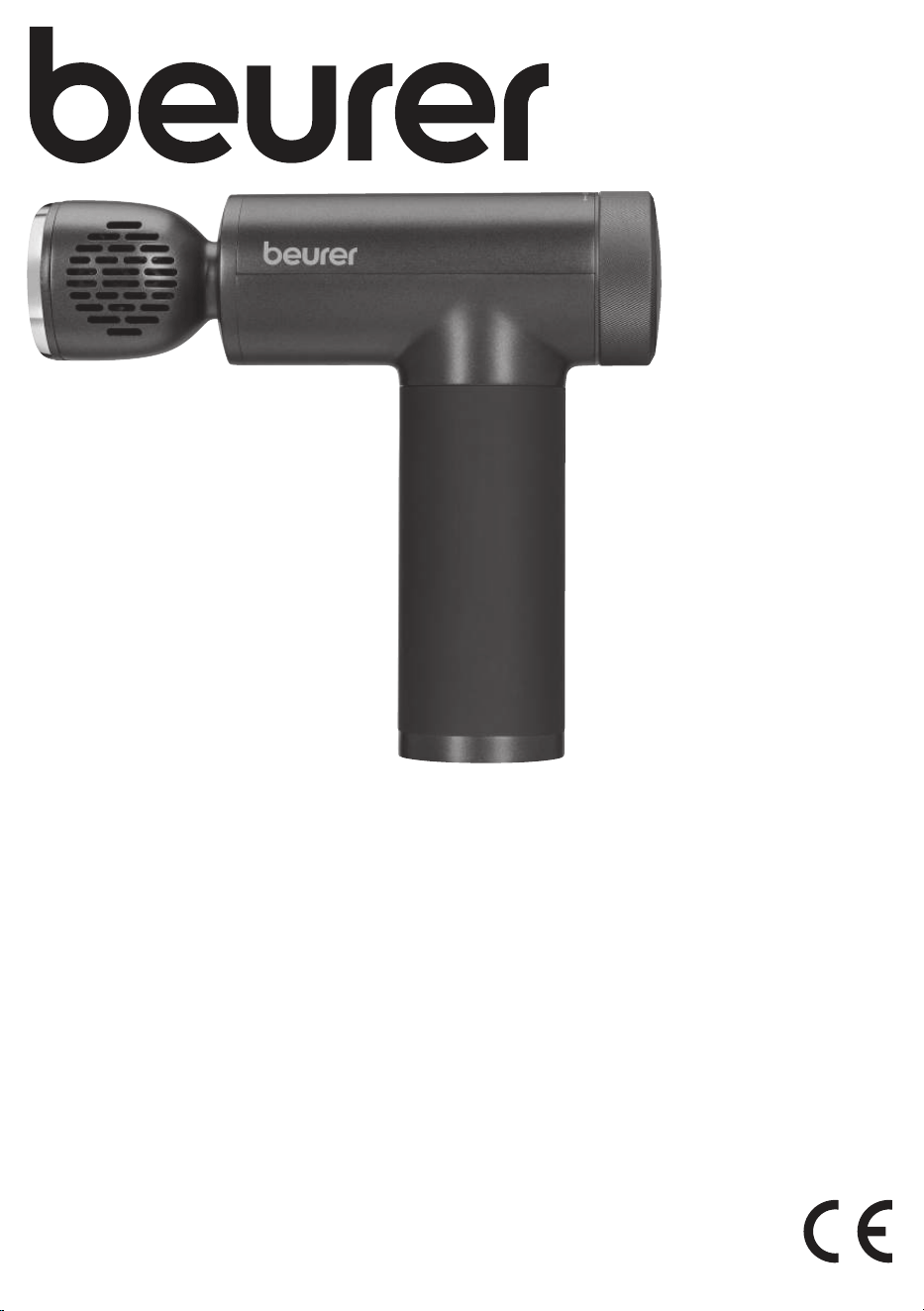
EN Deep Tissue Massager
Instructions for use
MG 195
Massage Gun
HOT&COLD
2
11
1
2 3
4
5
6
9
7
8
10
12
3
13
14
15
16
17
18
19
4
Read these instructions for use carefully. Follow the warnings and
safety notes. Keep these instructions for use for future reference.
Make the instructions for use accessible to other users. If the de
-
vice is passed on, provide the instructions for use to the next user
as well.
ENGLISH
1. Included in delivery ................................. 5
2. Signs and symbols .................................5
3. Intended purpose ..................................5
4. Warnings and safety notes .....................5
5. Device description ..................................6
5.1 Deep Tissue Massager ............................6
5.2 Attachments ............................................. 7
6. Usage ......................................................7
6.1 Initial use/charging the battery .................7
6.2 Selecting/changing the attachment .........7
6.3 Switching on the device/selecting the
intensity level ...........................................7
6.4 Switching on the heating/cooling function 7
7. Cleaning and maintenance ....................8
8. What if there are problems? ...................8
9. Disposal .................................................8
10. Technical specifications .........................8
11. Guarantee / Service ...............................8
WARNING
•
The device is only intended for domestic/private use, not for commer-
cial use.
•
This device may be used by children over the age of 8 and by people
with reduced physical, sensory or mental skills or a lack of experience
or knowledge, provided that they are supervised or have been instruct
-
ed on how to use the device safely, and are fully aware of the conse-
quent risks of use.
•
Children must not play with the device.
•
Cleaning and user maintenance must not be performed by children un-
less supervised.
•
If the mains connection cable of this device is damaged, it must be
disposed of. If it cannot be removed, the device must be disposed of.
•
You must not open or repair the device yourself. If you do so, it may
no longer function correctly. Exceptions are maintenance work such as
changing the battery.
•
Do not insert any objects into the opening in the device or into the mov-
ing parts. Ensure that the moving parts can move freely at all times.
•
Do not force or jam any part of your body, in particular your fingers,
between the moving massage elements or their holders in the device.
5
1. INCLUDED IN DELIVERY
Check that the exterior of the cardboard delivery packaging is in-
tact and make sure that all contents are present. Before use, en-
sure that the device and the attachments show no visible damage.
•
1 Deep Tissue Massager
•
7 attachments
•
1 USB-C cable
•
1 storage case
•
1 copy of these instructions for use
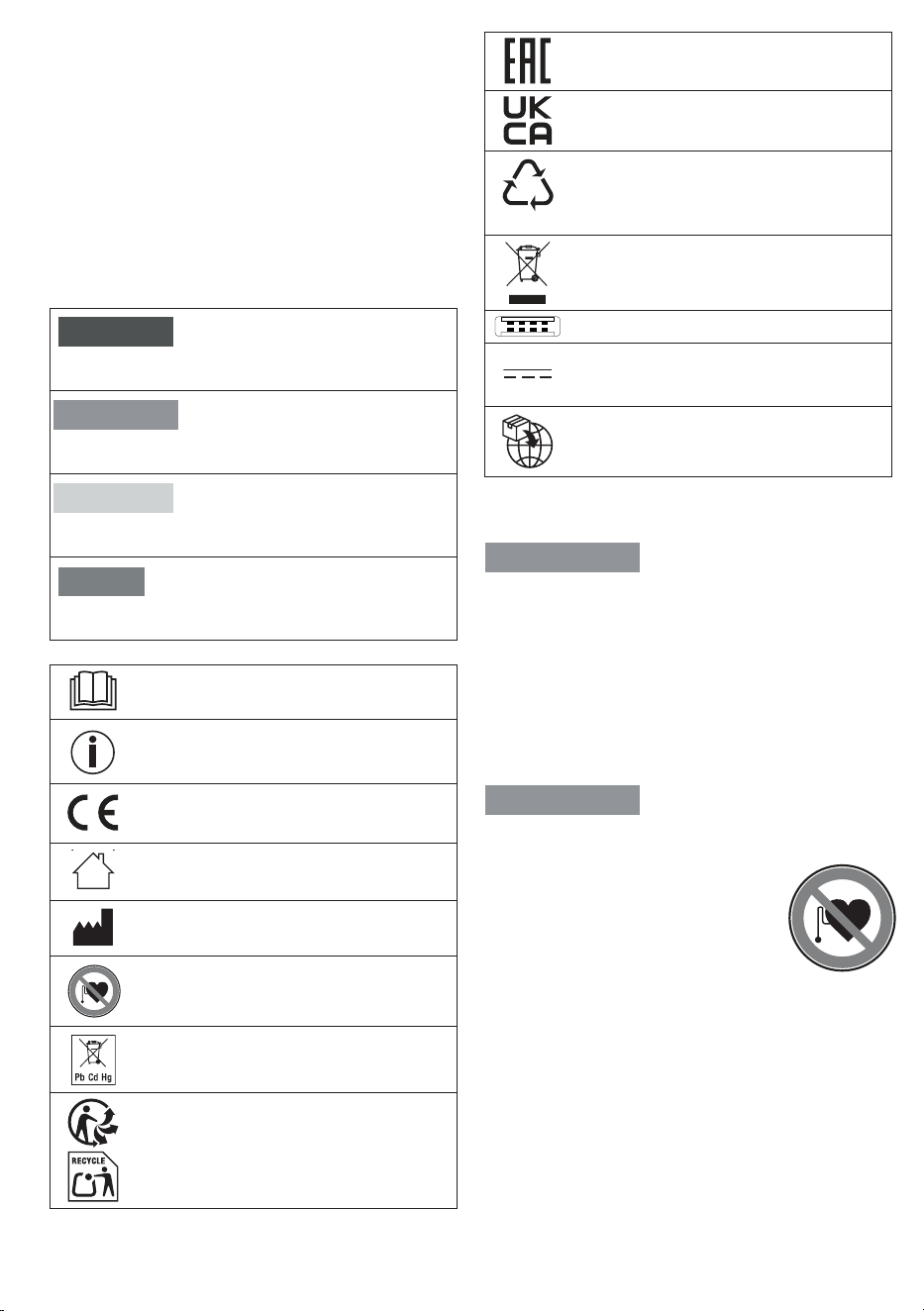
2. SIGNS AND SYMBOLS
The following symbols are used on the device, in these instructions
for use, on the packaging and on the type plate for the device:
DANGER
Indicates an imminent danger. If it is not avoided, it will result
in death or serious injury.
WARNING
Indicates a potentially impending danger. If it is not avoided,
there is a risk of death or serious injury.
CAUTION
Indicates a potentially impending danger. If it is not avoided,
slight or minor injuries may result.
NOTICE
Indicates a potentially harmful situation. If it is not avoided, the
system or something in its vicinity may be damaged.
Read the instructions
Product information
Note on important information
CE labelling
This product satisfies the requirements of the
applicable European and national directives.
For indoor use only.
Manufacturer
Do not use the device on people with implanted
electrical devices (e.g. a pacemaker)
Do not dispose of batteries containing harmful
substances with household waste
Separate the product and packaging elements
and dispose of them in accordance with local
regulations.
The products demonstrably meet the
requirements of the Technical Regulations of the
EAEU.
Conformity assessed marking for the United
Kingdom
B
A
Marking to identify the packaging material.
A = material abbreviation, B = material number:
1–7 = plastics, 20–22 = paper and cardboard
The electronic device must not be disposed of
with household waste
Polarity of DC power connection
Direct current
The device is suitable for use with direct current
only
Importer symbol
3. INTENDED PURPOSE
WARNING
Only use the device with the attachments included in delivery.
The device is only suitable for personal use, not for medical or
commercial purposes. The device may only be used for the pur
-
pose for which it is designed and in the manner specified in the
instructions for use. Any form of improper use can be dangerous.
The manufacturer is not liable for damage resulting from improper
or incorrect use. Do not use the device if one or several of the
listed warnings and safety notes applies to you. If you are unsure
whether the device is suitable for you, please consult your doctor.
4. WARNINGS AND SAFETY NOTES
WARNING
Do not use the device if you suer from a medical abnormality or
injury in the area to be massaged (e.g. slipped disc, open wounds).
•
Do not use the device if you wear a pace-
maker.
•
Do not use the device for massaging the
area around the heart.
•
Do not use the massage function of the
device on swollen, burnt, inflamed or in
-
jured skin and body parts.
•
Do not use the device on cuts, capillaries, varicose veins,
acne, couperose, herpes or other skin diseases.
•
Do not use the device during pregnancy.
•
Do not use the device on the head or face (e.g. on the eyes).
•
Do not use the device on the larynx, in the pubic area or other
particularly sensitive body parts.
•
Do not use the device on the spine or directly on the bone.
•
Do not use the device while sleeping.
•
Do not use the device on animals.
•
Do not use the device after the consumption of medicines or
alcohol (reduced cognition!).
•
Do not use the device in a vehicle.
6
You should consult your doctor before using
the device, especially
•
if you suer from a severe illness,
•
if you suer from thrombosis,
•
if you suer from diabetes,
•
if you are suering from pain, the cause of which is unknown.
WARNING
•
Danger of suocation! Keep packaging material away from
children.
•
Danger of suocation! Keep the attachments away from chil-
dren.
•
Risk of electric shock! Make sure that the device does not
come into contact with water or other liquids.
•
Risk of electric shock! Never pick up a device that has fallen
into water.
•
Children must be supervised at all times whilst using the de-
vice.
•
There may be a risk of fire if the device is used improperly or
these instructions for use are ignored.
•
Never leave the device unattended when it is in operation,
particularly if there are children nearby.
•
Never operate the device underneath a cover, such as a blan-
ket, pillow, etc.
•
Never use the device near petrol or other highly flammable
substances.
•
Only operate the device in dry indoor areas.
•
Never operate the device in the bath or a sauna.
IMPORTANT
•
Before use, ensure that the device and the attachments show
no visible damage. If you have any doubts, do not use the
device and contact your retailer or the specified Customer
Service address.
•
Do not open the housing under any circumstances, except for
battery disposal.
•
Keep the device away from pointed or sharp objects.
•
If the device has been dropped or has suered any other dam-
age, it must no longer be used.
•
Switch o the device after every use and before cleaning.
•
Never use the device for more than 15 minutes (risk of over-
heating). Allow the device to cool down for at least 15 minutes
before using it again.
•
Only use the device with the supplied accessories.
•
Protect the device and the attachments from knocks, dust,
chemicals, drastic changes in temperature, electromagnetic
fields and nearby sources of heat (ovens, heaters).
WARNING
Repairs
•
Never attempt to repair the device yourself!
•
Only specialist personnel may perform repairs on electrical
devices. Under no circumstances should you open or repair
the device yourself. If you do so, it may no longer function cor
-
rectly. Improper repairs may put users in significant danger.
For repairs, please contact Customer Services or an author
-
ised retailer. Failure to comply will invalidate the guarantee.
WARNING
Notes on handling batteries
•
Risk of explosion! Risk of fire! Failure to comply with the
points mentioned can result in personal injury, overheating,
leakage, venting, breakage, explosion, or fire.
•
Always use the correct or supplied charging cable for charg-
ing.
•
Avoid continuous charging or overcharging. Unplug the
charger when charging is complete.
•
To charge the device, please use an adapter that matches the
input specifications for the device (input: 5.0 V, 2.0 A).
•
Charge the device under supervision, paying attention to any
heat generated, deformation, or release of gases. If in doubt,
stop charging.
•
If batteries/charging cables/chargers are defective, stop using
them and dispose of them properly as soon as possible (see
chapter on disposal).
•
Do not throw the device or batteries into a fire.
•
Never forcibly discharge, heat, disassemble, open, crush, de-
form, encapsulate, modify, or knock the device or batteries.
•
Never short-circuit batteries or the connections of the bat-
tery-powered device.
•
Protect the device or batteries from direct sunlight, rain, heat,
and water.
•
Exposure of batteries to an environment with extremely high
temperatures or an extremely low air pressure may result in
explosion or leakage of flammable liquids and gases.
•
If fluid from a battery comes into contact with your skin or
eyes, wash the aected areas with water and seek medical
assistance.
WARNING
Risk of burns
•
The heat function of the device must not be used by persons
who are not sensitive to heat or by other vulnerable persons
who may not be able to react to overheating (e.g. diabetics,
persons with skin alterations due to illness or scarred tissue
in the application area, after taking pain relief medication or
alcohol).
•
The surface of the heating head becomes hot when the heat
function is switched on. Persons sensitive to heat must be
careful when using the device.
5. DEVICE DESCRIPTION
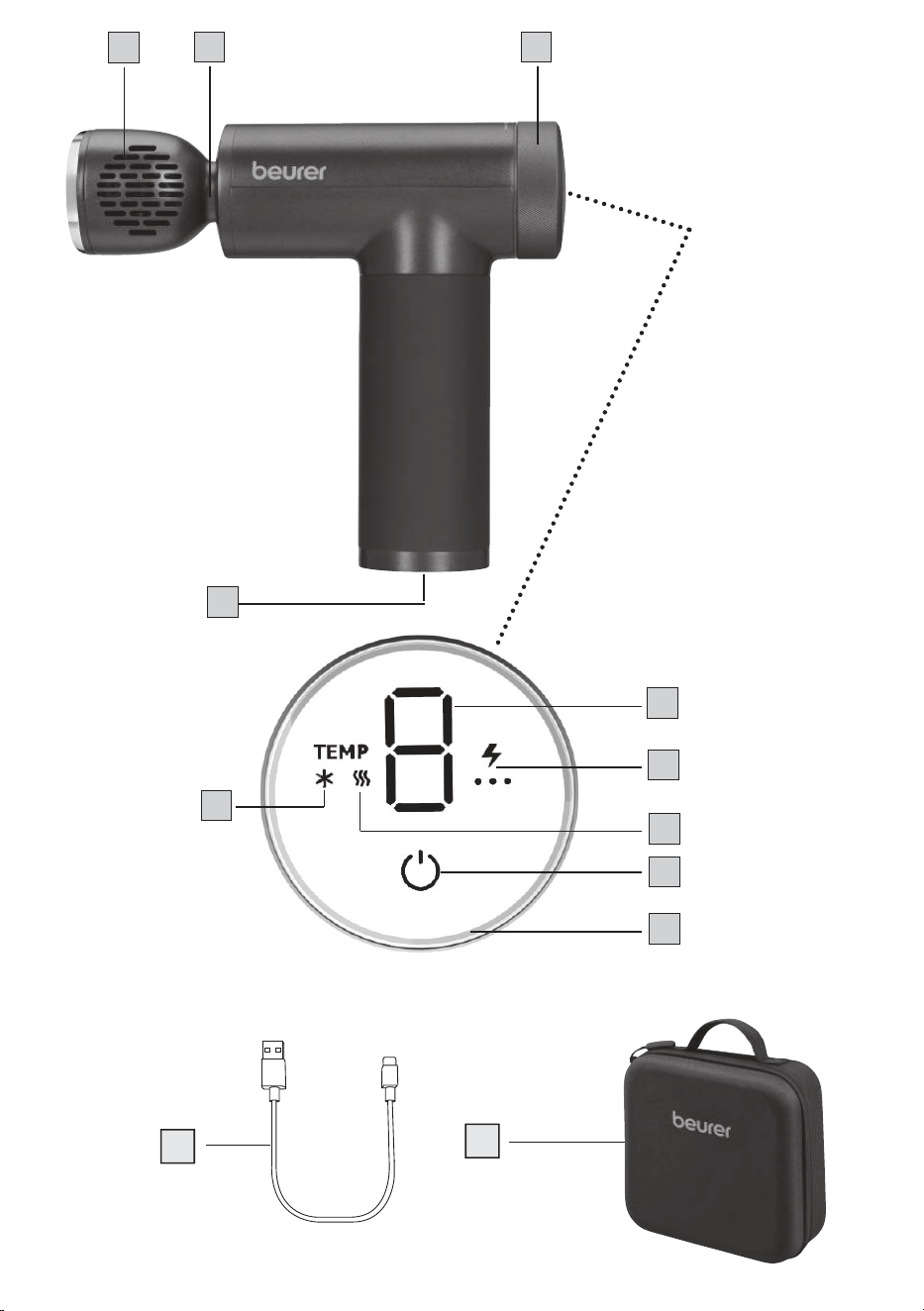
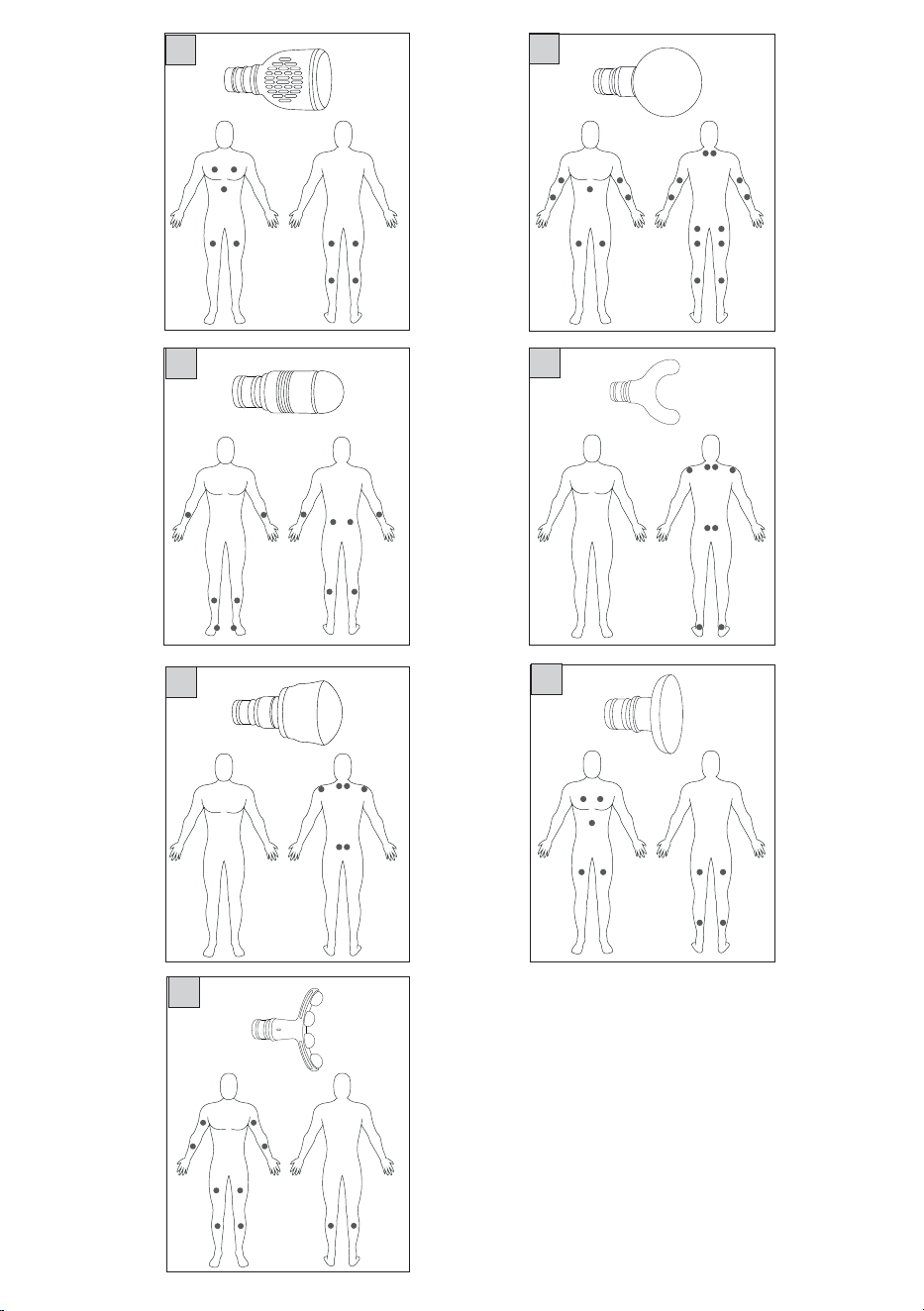
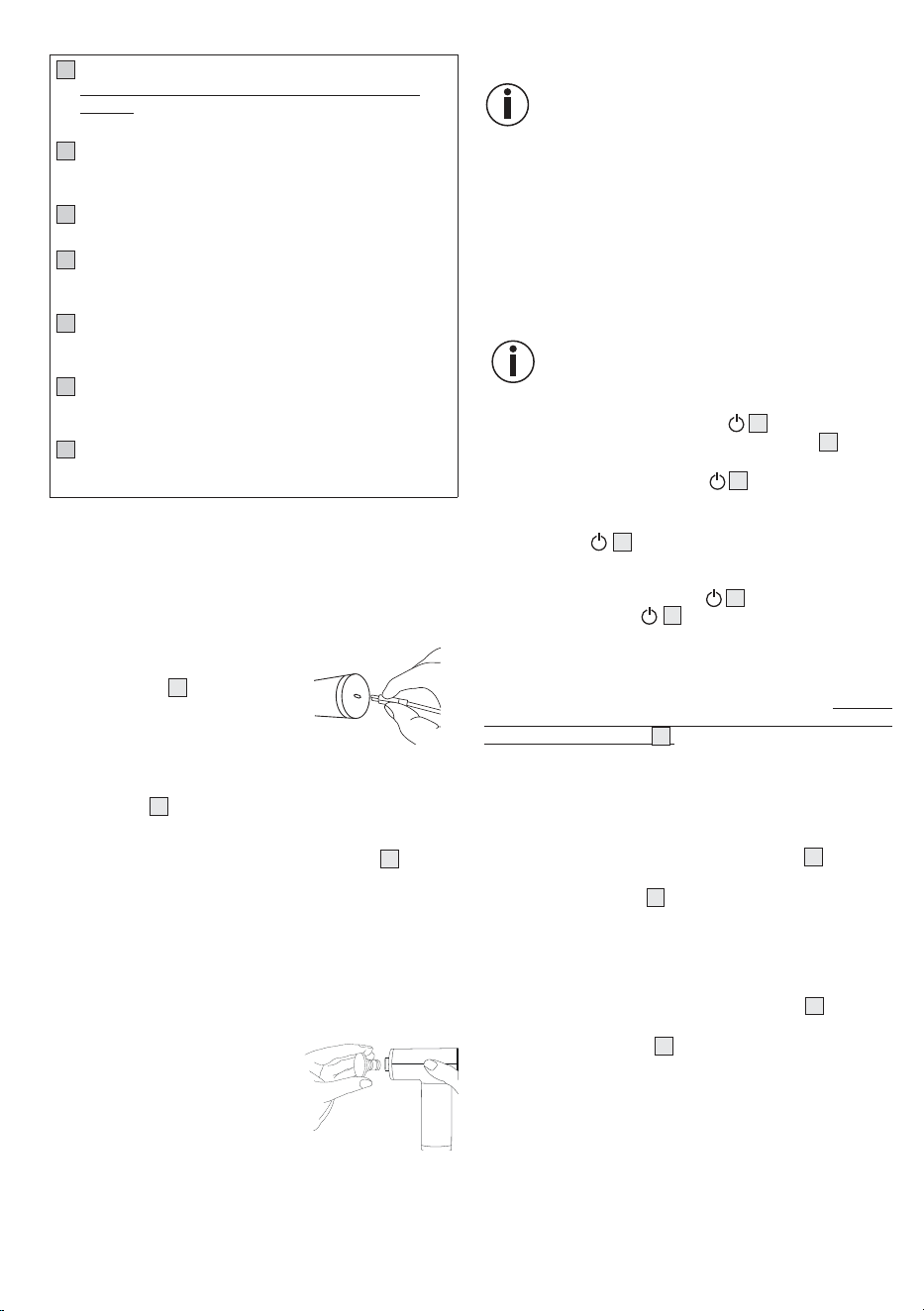
The associated illustrations are on pages 2 and 3.
5.1 Deep Tissue Massager
1
Attachment
7 dierent attachments are available
2
Attachment connection
3
Control dial for heating/cooling
4
USB-C cable connection
5
Massage intensity display
Selectable from 1 to 9
6
Battery level display
7
Heating display
8
Cooling display
9
ON/OFF button
10
LED light ring (blue = cooling, red = heating)
11
USB-C cable
12
Storage case
7
5.2 Attachments
13
Cooling and heating head
The only attachment that supports the heating/cooling
function. Best suited for treating large areas on the entire
body (e.g. the thigh, chest muscles)
14
Spiral head
Best suited for treating deep muscle tissue and for targeted
spot massages (e.g. on the sole of the foot)
15
Air cushion head
Best suited for sensitive parts of the body (e.g. the neck)
16
Curved head
Best suited for areas of the body that are naturally rounded
(e.g. arms, lower legs or thighs)
17
Ball head
Best suited for treating large areas and large muscle groups
(e.g. the upper arm or calf)
18
U-shaped head
Best suited for treating deep muscle tissue in the lower
back area (excluding the spine) or the Achilles tendon
19
Flat head
Best suited for treating large areas on the entire body (e.g.
the thigh, chest muscles)
6. USAGE
6.1 Initial use/charging the battery
Before using the device for the first time, you must charge it for a
minimum of 5 hours. To do so, proceed as follows:
1. Remove all packaging material from the device.
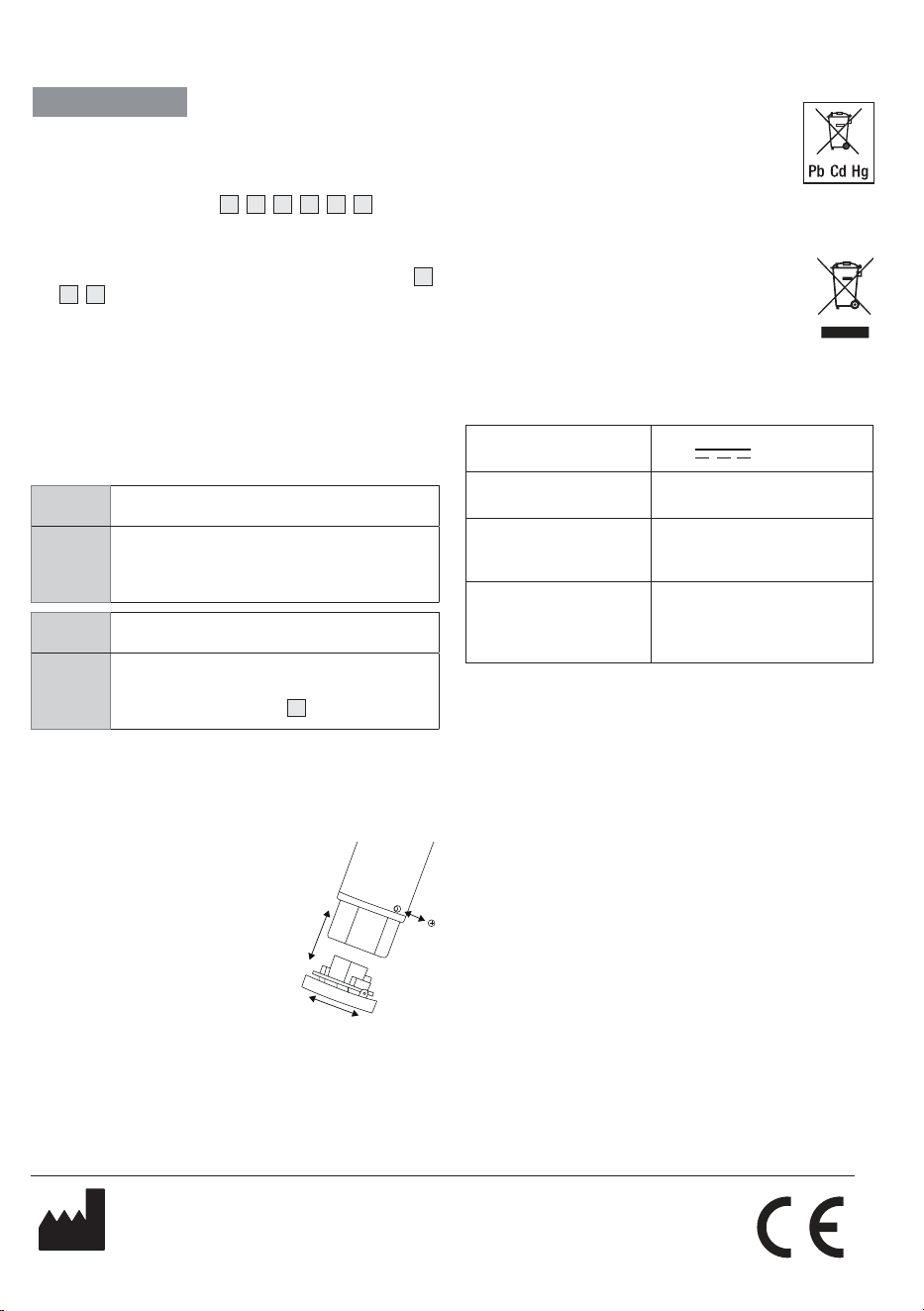
2.
Connect the supplied USB-C cable
to the device. The connection for the
USB-C cable
4
is located on the
underside of the handle.
3. Connect the USB-C cable to a
mains plug (not included in deliv
-
ery). Insert the mains plug into a suitable socket.
4. The LED of the current battery level flashes in the battery lev
-
el indicator
6
during charging. As soon as the device is fully
charged, all 3 LEDs will light up permanently. The battery will
last for approx. 4.5 hours of operation when fully charged. As
soon as the left LED of the battery level indicator
6
starts to
flash and the battery level symbol lights up red, you must re
-
charge the device; otherwise it will switch o automatically.
5.
Unplug the USB-C mains plug (not included in delivery) from
the socket.
6.2 Selecting/changing the attachment
Select the appropriate attachment before starting the massage. To
change an attachment, proceed as follows:
1.
Pull the existing attachment hori-
zontally o the device.
2.
Slide your desired attachment firmly
into the device until you feel it click
securely into place.
6.3 Switching on the device/selecting the
intensity level
The massage must feel pleasant at all times. Start the
treatment at the lowest intensity level and then increase
it according to your preferences if necessary. A slight
haematoma may well occur – this is a positive ther
-
apeutic eect as the use of the device can selectively
encourage your blood flow. In isolated cases, areas of
redness may also occur on the skin. If you experience
excessive skin irritation, stop using the device and con
-
sult a doctor. If you experience discomfort or pain due
to the cooling or heat function, stop usage immediately.
Depending on the level of tension, a treatment time of
approx. 10minutes is recommended for the desired area
(neck, shoulders, back, arms, buttocks or legs).
The device comes with an automatic switch-o
function. This means that the device automatical
-
ly switches o after a period of use of approx. 10
minutes.
1. Press and hold the ON/OFF button
9
for 2 seconds. A “0”
appears in the display. The battery level indicator
6
starts to
light up. The device is now in standby mode.
2.
Briefly press the ON/OFF button
9
to switch on the device.
The massage starts at intensity level 1.
3. To switch between the 9 intensity levels, briefly press the ON/
OFF button
9
. The currently set intensity level appears
on the display.
4.
You can switch o the device at any time during use by pressing
and holding the ON/OFF button
9
(2 seconds). If you press
the ON/OFF button
9
again at the ninth intensity level,
the device switches o. The device is then in standby mode.
6.4 Switching on the heating/cooling function
The device has an optional heating and cooling function. The heat-
ing and cooling function can only be used with the “cooling and
heating head” attachment
13
. You cannot switch on the heating
or cooling function with the other attachments. The heating and
cooling function can also be used without the massage function.
Heat function
The heat function promotes circulation and can thus prevent inju
-
ries before exercising and promote regeneration after exercising.
1.
To start the heat function, turn the control dial
3
clockwise.
The LED light ring starts to light up in red.
2. Using the control dial
3
, select your desired heat level. There
are three heat settings in total.
Cooling function
The cooling function helps with heavy legs after a long day and can
be used without the massage function to reduce swelling.
1.
To start the cooling function, turn the control dial
3
anti-clock-
wise. The LED light ring starts to light up in blue.
2.
Using the control dial
3
, select your desired cooling level.
There are three cooling levels in total.
8
Subject to errors and changes
7. CLEANING AND MAINTENANCE
Cleaning
WARNING
•
Switch o the device each time before cleaning.
•
Do not clean the device in the dishwasher.
•
Clean the device only using a slightly damp cloth and a
non-abrasive cleaning product. For hygienic cleaning, clean
the removed attachments
14
/
15
/
16
/
17
/
18
/
19
with water
and a non-abrasive cleaning product.
•
Clean the device using only the methods specified. Under no
circumstances may liquid enter the device.
•
When using massage oils (recommended for attachment
14
/
16
/
19
only), ensure that all residue is completely removed
and cleaned.
•
Do not use the device or attachments again until all compo-
nents are completely dry.
Maintenance
If you do not plan to use the device for a long period of time, we
recommend that you store it in the original packaging in a dry en
-
vironment, ensuring it is not weighed down by additional items.
8. WHAT IF THERE ARE PROBLEMS?
Problem The device stops during usage.
Solution
Make sure that you do not exert too much pressure
on the device when using it. If you exert too much
pressure, the device will stop briefly.
Problem The heat and cooling function is not working.
Solution
Put the heating/cooling attachment on the device.
Ensure that the attachment is securely inserted into
the attachment connection
2
.
9. DISPOSAL
Battery disposal
When disposing of the device, you must first remove the battery
from the device. To do so, proceed as follows:
1. Slide the rubber material at the lower
end of the handle upwards until you
can see the screw connection at the
lower end of the handle.
2.
Loosen the screw at the bottom of
the handle.
3.
Remove the cover on the underside
of the handle with a slight twisting
movement.
4. Now pull the battery out of the handle
until you can see the plug connection from the battery to the
device. As soon as you can see the plug connection, discon
-
nect it from the device.
5. You can then reattach the cover to the underside of the device
with a slight twisting movement and reattach the cover using
the screw connection at the lower end of the handle.
Empty, completely flat batteries must be disposed of in specially
designated collection boxes at recycling points or electronics re
-
tailers. You are legally required to dispose of the batteries.
The codes below are printed on batteries containing harmful sub
-
stances:
Pb = battery contains lead
Cd = battery contains cadmium
Hg = battery contains mercury
Faulty or used batteries must be recycled in accordance with
Directive 2006/66/EC and amendments thereto. Return the batter
-
ies and/or the device using the collection facilities provided.
For environmental reasons, do not dispose of the device
in household waste at the end of its service life.
Dispose of the device at a suitable local collection or
recycling point in your country. Dispose of the device
in accordance with EC Directive Waste Electrical and
Electronic Equipment (WEEE). If you have any questions,
please contact the local authorities responsible for waste disposal.
10. TECHNICAL SPECIFICATIONS
Mains operation:
Input 5.0 V
2,0A
Dimensions Approx. 12.6 x 4.8 x 15.5 cm
(without attachments)
Weight Approx. 515 g
(without attachments, without
USB-C cable)
Battery:
Capacity
Nominal voltage
Type designation
2000 mAh
11.1 V
Lithium-ion
11. GUARANTEE / SERVICE
Further information on the guarantee and guarantee conditions can
be found in the guarantee leaflet supplied.
102.68_MG195_2025-02-13_03_IM2_BEU_EN
Beurer GmbH • Söflinger Str. 218 • 89077 Ulm, Germany
www.beurer.com • www.beurer-gesundheitsratgeber.com • www.beurer-healthguide.com