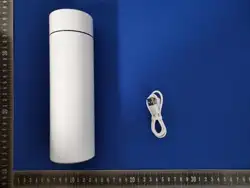

Operation Instructions for smart thermos cup
1. In the initial state, pressing any fingerprint will unlock the door. After
unlocking, the green light flashes once
2. Administrator Fingerprint Enrollment (Local Operation)
After pressing the fingerprint sensor with your finger for 5 seconds, the orange
light remains on. Lift your finger, and the orange light will stay on for 2 seconds
to register the administrator's fingerprint. When the finger is pressed on the
sensor, a green light flashing indicates successful registration, while a red
light signals failure. After successfully capturing 6 fingerprint areas, the
green light stays off for 2 seconds, indicating the administrator's fingerprint
registration is complete. The first two fingerprints are the administrator's.
3. User fingerprint registration (local operation)
After the administrator presses the fingerprint sensor with their finger for
5 seconds, the orange light remains on. At this point, user fingerprints can be
registered. Pressing the sensor again triggers a green light flicker, indicating
successful registration, while a red light signals failure. Once six fingerprint
areas are successfully captured, the green light stays off for 2 seconds,
confirming the completion of user fingerprint registration.
4. Delete fingerprint (local operation)
The administrator presses and holds the fingerprint sensor with their finger for
10 seconds until the red light remains steady, then releases the finger. Within
5 seconds, verify the administrator's fingerprint. A steady green light indicates
the factory reset is complete (factory reset includes clearing the
administrator's fingerprint)

5. Mini Program Operation
Open the "Kafan Bear" mini-program on WeChat to connect.
6. Low battery warning
The product's voltage drops below 3.6V, triggering a low-voltage alarm. When a
finger touches the fingerprint sensor, the red light flashes three times to alert
of the low voltage.
7. Charge and Discharge Management
The charging current of this product is 200mA, with a charging cutoff voltage
of 4.2V. During charging, the red light flashes, and when fully charged, the green
light stays on.
This device complies with Part 15 of the FCC Rules. Operation is subject to the following two conditions:
(1) This device may not cause harmful interference, and (2) this device must accept any interference received, including
interference that may cause undesired operation.
NOTE 1: This equipment has been tested and found to comply with the limits for a Class B digital device, pursuant to part 15 of
the FCC Rules. These limits are designed to provide reasonable protection against harmful interference in a residential
installation. This equipment generates, uses and can radiate radio frequency energy and, if not installed and used in
accordance with the instructions, may cause harmful interference to radio communications. However, there is no guarantee
that interference will not occur in a particular installation. If this equipment does cause harmful interference to radio or
television reception, which can be determined by turning the equipment off and on, the user is encouraged to try to correct
the interference by one or more of the following measures:
-Reorient or relocate the receiving antenna.
-Increase the separation between the equipment and receiver.
-Connect the equipment into an outlet on a circuit different from that to which the receiver is connected.
-Consult the dealer or an experienced radio/TV technician for help.
NOTE 2: Any changes or modifications to this unit not expressly approved by the party responsible for compliance could void
the user's authority to operate the equipment.
The device has been evaluated to meet general RF exposure requirement. The device can be used in portable exposure
condition without restriction.